


language

English

Steal the Look! Click to Replicate it with Your Product!
ai youtube intro maker by weshop aiai youtube intro maker by weshop ai
ai youtube intro maker by weshop ai
ai youtube intro maker by weshop aiai youtube intro maker by weshop ai

AI YouTube Intro Maker – Create Professional YouTube Intros Online

AI YouTube Intro Maker is an online video intro tool that helps creators, brands, educators, gamers, vloggers, and businesses create professional YouTube intro videos in minutes. With AI prompt-to-video generation, YouTube intro templates, logo reveal animation, motion graphics, background music, sound effects, voiceovers, subtitles, captions, brand colors, custom fonts, and platform-ready exports, users can build memorable channel intros without design experience or advanced editing skills. Whether you need a gaming intro, vlog opener, podcast intro, tutorial intro, product review intro, or branded video opener, this YouTube intro maker helps capture attention in the first few seconds and make every video feel more polished.

Real-World Use Cases for AI YouTube Intro Maker

Building a Gaming Intro with Motion Graphics

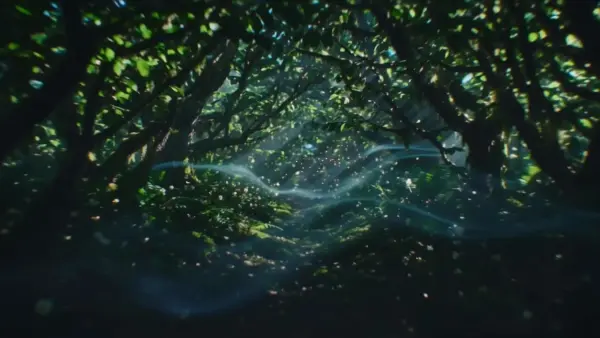
A gaming creator named Evan Cross wanted a high-energy intro for gameplay videos, livestream highlights, and YouTube Shorts. He entered a simple prompt describing neon visuals, fast camera movement, glitch effects, dramatic sound effects, and bold title animation. The intro maker generated a dynamic gaming opener that matched his channel style. This made his videos feel more exciting and helped viewers recognize his content quickly.
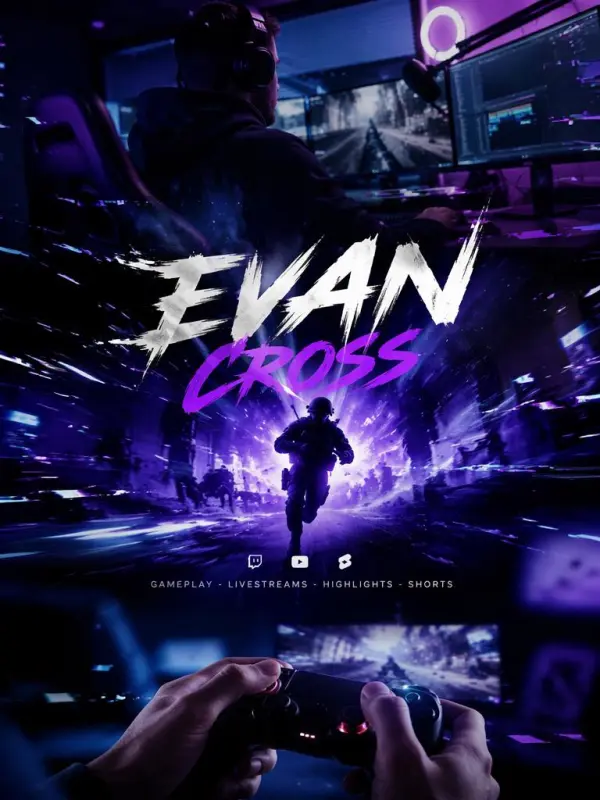
building a gaming Intro video

Making Product Review Videos Look More Professional

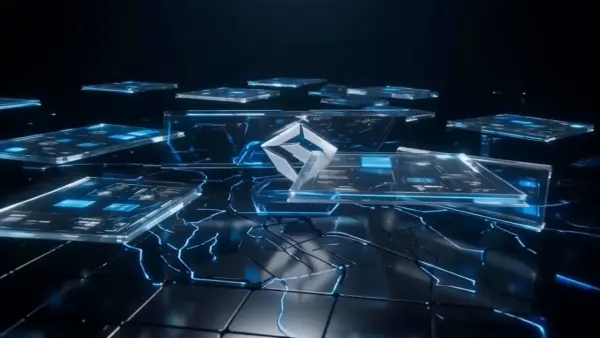
A small tech channel called Northline Reviews needed a short intro for product reviews, tutorials, and comparison videos. The team used a YouTube intro maker to create a clean branded opener with logo animation, subtle motion graphics, modern fonts, and simple background music. By applying the same intro to every video, the channel built a stronger brand identity and made its content feel more trustworthy, organized, and ready for viewers.
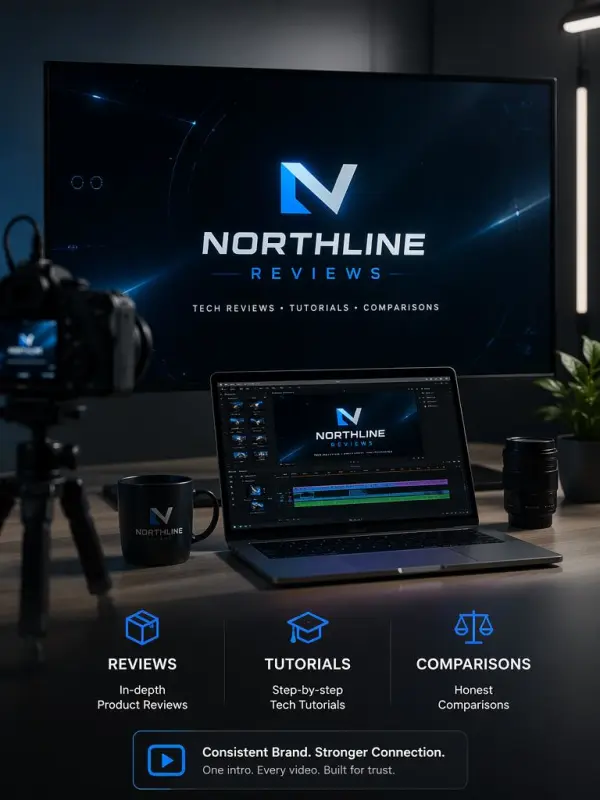
 product review video
Previous
Next

Key Features of AI YouTube Intro Maker

AI Prompt-to-Intro Generation

AI YouTube Intro Maker helps users create intro videos from simple prompts. Describe your channel name, niche, mood, visual style, colors, music, and message, then let the AI generate a short intro draft. This is useful for creators who want a fast starting point without building scenes, text animations, or transitions manually.

Professional YouTube Intro Templates

The tool includes YouTube intro templates for gaming channels, vlogs, podcasts, tutorials, education, product reviews, business videos, music channels, and lifestyle content. Users can choose a template, customize the text, add a logo, adjust colors, and export a polished intro. Templates make it easier to create consistent results with less design work.

Logo Reveal and Brand Identity

A strong YouTube intro often includes a logo reveal, channel name, slogan, or short brand message. AI YouTube Intro Maker helps users animate logos, highlight brand colors, apply custom fonts, and create a recognizable opening sequence. This helps channels build visual identity and make their videos feel more professional from the first few seconds.

Beginner-Friendly Online Workflow

AI YouTube Intro Maker works online and does not require editing experience, animation skills, or expensive software. The workflow is simple: enter a prompt, choose a template or style, customize text and branding, preview the result, make small edits, and download the final intro video. This makes intro creation accessible for beginners and professionals.

Platform-Ready Video Exports

The intro maker can help users create videos for YouTube, YouTube Shorts, social media, websites, presentations, and brand campaigns. Users can prepare intros in different styles and formats depending on where the video will appear. This makes it easier to keep branding consistent across channels without rebuilding the intro from scratch.

What You Can Do with AI YouTube Intro Maker

Create a YouTube Channel Intro

Use AI YouTube Intro Maker to create a short channel intro that introduces your name, niche, brand identity, and video style. Add animated text, logo reveal, music, and visual effects to make the opening more engaging. A clear intro can help viewers understand your channel quickly and remember your content.

Make a Gaming Intro

Gaming creators can build high-energy intros with glitch effects, neon colors, fast transitions, dramatic sound effects, and bold title animation. Use the intro for gameplay videos, livestream highlights, reaction clips, and YouTube Shorts. A strong gaming intro helps set the tone before the main content begins.

Design a Vlog or Lifestyle Intro

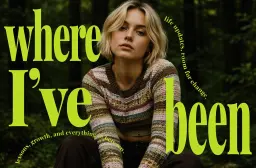
Vloggers and lifestyle creators can create softer intros with clean typography, warm colors, photo-style visuals, and smooth animation. Add your channel name, short tagline, and background music to create a friendly opening. This works well for travel videos, daily vlogs, beauty content, fitness videos, and personal brands.

Build a Logo Reveal Intro

Businesses, creators, and agencies can use the tool to create logo reveal intros for YouTube videos, product demos, brand stories, and promotional clips. Upload a logo, choose an animation style, add music or sound effects, and create a clean branded opener that reinforces identity before the main video starts.

Refresh Your Intro Regularly

Creators can update their YouTube intro as their channel grows. Try new templates, colors, music, animation styles, and logo effects to match current trends or a refreshed brand identity. Updating an intro occasionally can help a channel feel active, modern, and visually aligned with its newest content.

Frequently Asked Questions About AI YouTube Intro Maker

What is a YouTube Intro Maker?

A YouTube Intro Maker is an online tool that helps users create short opening videos for YouTube content. These intros often include channel names, logo reveals, animated text, music, sound effects, and branded visuals.

Can I make a YouTube intro without editing skills?

Yes. Most YouTube intro makers are designed for beginners. Users can choose a template, enter text, upload a logo, customize colors, preview the intro, and export the final video without learning complex editing software.
What should a YouTube intro include?

A strong YouTube intro usually includes a channel name, logo, short tagline, visual style, music, and a clear mood that matches the channel. It should be short, memorable, and relevant to the main content.

How long should a YouTube intro be?

A YouTube intro should usually be short enough to keep viewers engaged. Many creators prefer a concise opening that quickly introduces the channel and then moves into the main content without delaying the viewer.

Can I create a gaming intro?

Yes. AI YouTube Intro Maker can be used to create gaming intros with bold text, fast transitions, neon effects, glitch animation, dramatic music, and sound effects. Gaming intros are popular for gameplay videos, livestream highlights, and Shorts.
Can I add my logo?

Yes. Many YouTube intro makers allow users to upload a logo and animate it with a logo reveal effect. This helps create a branded opening for creators, companies, agencies, and product channels.

Can I use music and sound effects?

Yes. Background music and sound effects can make a YouTube intro more engaging. Users can choose sounds that match the channel mood, such as cinematic, energetic, playful, dramatic, minimal, or futuristic.

Can I use the intro for other platforms?

Yes. A YouTube intro can often be reused for social media videos, websites, presentations, ads, product demos, and brand content. Some users also create shorter versions for YouTube Shorts, TikTok, and Instagram Reels.

Can I use YouTube intros commercially?

Commercial use depends on the tool’s license, template terms, music rights, logo rights, and export policy. For safer publishing, use assets you own or have permission to use, and review the platform’s commercial usage terms before uploading.

Explore More AI Tools

Our new Virtual Try-On just launched. Try it now!
close

HappyHorse AI Video Generator

Create Cinematic Text-to-Video and Image-to-Video Content

GPT Image 2 AI Image Generator

Create High Quality Images, Text Rich Visuals, and Product Photography

Nano Banana

Google's Next-Gen AI Image Model for Instant Professional Creativity

AI Video Generator

Turn Images into Stunning AI Videos for Free

Virtual Try-On

Try On Clothes Online with AI Virtual Try Technology

Swap Model & BG

Realistic Model & Background Swapping Online with AI

AI Fashion Model

Showcase clothing with a variety of models

AI Product

Create stunning product images with few clicks from anywhere

Face Forge

AI Face Morph & Face Swap Generator Online

Product Recoloring

Recolor Image Online Free - Color Changer in WeShop AI

To Mannequin

Convert real model photos into mannequin displays

Change Pose

Change poses, switch between various model poses, making the clothing display more natural

Remove Background

Removing background with lightning speed and ease

AI Photo Enhancer

Enhance Photo Quality Online with Free AI

Relight

Relight your images automatically and efficiently

Expand Image

Expand images & backgrounds to fit any platform

Magic Eraser

Remove unwanted objects from your photos with AI

Hand/Feet Fixer

Regenerate natural-looking hands and feet in AI-generated images

Design Repair

Upload an image, highlight the area you wish to fix, and upload a target reference image

Outfit Generator

Create AI clothes styling from any model photo, garment, or style prompt.

Video Agent

Create and publish videos from a photo or description—instantly, in any style.

AI Clothing Piece Generator

Create Professional Flatlay Clothing Images From Any Photo or Idea

Watermark Video Remover Free Online

Remove Watermark from Video

AI Video Enhancer

Enhance Video Quality Online with AI

Replace Face in Video Online Free

AI Video Face Swap for Realistic Clips

Seedream 5.0

Try the Latest Smart Image Creation Model Online

Seedance 2.0

A Multi-Modal AI Video Creative Engine for Cinematic Storytelling

Sora 2

Next Generation AI Video Generator with Realistic Physics & Storytelling

Wan AI Video Generator

Advanced AI Image & Video Generation Model

Midjourney Image Generator

Use Midjourney v7 to Create AI-Generated Images

Kling O1 AI Video Generator

Create Cinematic Videos with Omni One Control

Kling 3.0 Omni

Create Multimodal Videos with Native Audio ---

Kling 3.0

AI Director Video Model with 4K Cinematic Storytelling

Kling Motion Control

Create Realistic Motion Videos from Reference Images and Videos

Qwen Image Edit

A Revolutionary Tool for Seamless Image Editing

Z-Image AI Image Generator

Create High-Quality Images from Text Instantly

FireRed Image Edit

Open Source AI Image Editing Model for High Fidelity Edits

Grok Imagine AI Image Generator

Create High-Resolution Images from Text with Aurora AI

Grok Imagine AI Video Generator

Create Cinematic AI Videos with Native Audio & Scene Control

Hailuo AI Video Generator

Create Cinematic AI Videos from Text or Images

Veo 3 AI Video Generator

Create Cinematic Videos from Text or Images

Vidu Q3 AI Video Generator

Create Cinematic Short Videos with Turbo and Pro Modes

Imagen 4

Create Photorealistic Images and Accurate Text Visuals with AI

HiDream AI Image Generator

Create Stunning AI-Generated Images Online

Sulphur2

Create Cinematic AI Videos from Text and Images

idea
helper