










Create an Instagram AI Product Ad Video with MiniMax H3
Learn how to turn one product image and a reference video into a polished Instagram-ready skincare ad using MiniMax H3 in WeShop AI.
Have only one product image but want to turn it into the kind of polished AI product ad video you often see on Instagram?
With MiniMax H3 in WeShop AI, you can upload your product image together with a reference video, tell the model what should be preserved and what should follow the reference, and generate an AI product ad video with similar shots, camera movements, pacing, and visual style. MiniMax H3 on WeShop AI supports reference-driven workflows using images, video, text, and other inputs.
In this tutorial, we use a fresh Black Tea Kombucha Facial Treatment Essence product image and a premium skincare reference video as the example. The goal is simple: recreate the visual language of the reference while keeping the real product packaging recognizable.
This guide shows you how to turn one static product image + one reference video into an Instagram-ready AI product ad video.
Operating Steps
Step 1 - Prepare a Clear Product Image and Reference Video
Before creating your AI product ad video, you do not need to prepare a complicated storyboard or dozens of reference assets.
You only need:
- One clear product image;
- A product that is fully visible and not heavily covered;
- Clear packaging, logo, label, color, and material details;
- One product ad video you want to use as the visual reference.
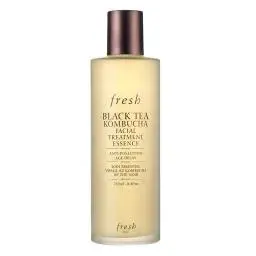
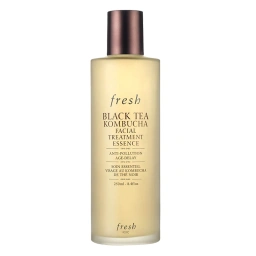
For our example, Image 1 is the fresh Black Tea Kombucha Facial Treatment Essence. The product has a beige cylindrical bottle, brown-copper cap, and a front English label. Video 2 is the reference commercial. Instead of copying the product shown in that video, we only want MiniMax H3 to learn its shot structure, camera angles, pacing, lighting, and overall commercial feel.
Image 1
|
Video 1
|
❗️Tip: The clearer your source product image is, the easier it is for MiniMax H3 to preserve important details such as the bottle shape, logo, label, packaging color, and material while creating the AI product ad video.
Step 2 - Prepare a Clear Product Image and Reference Video
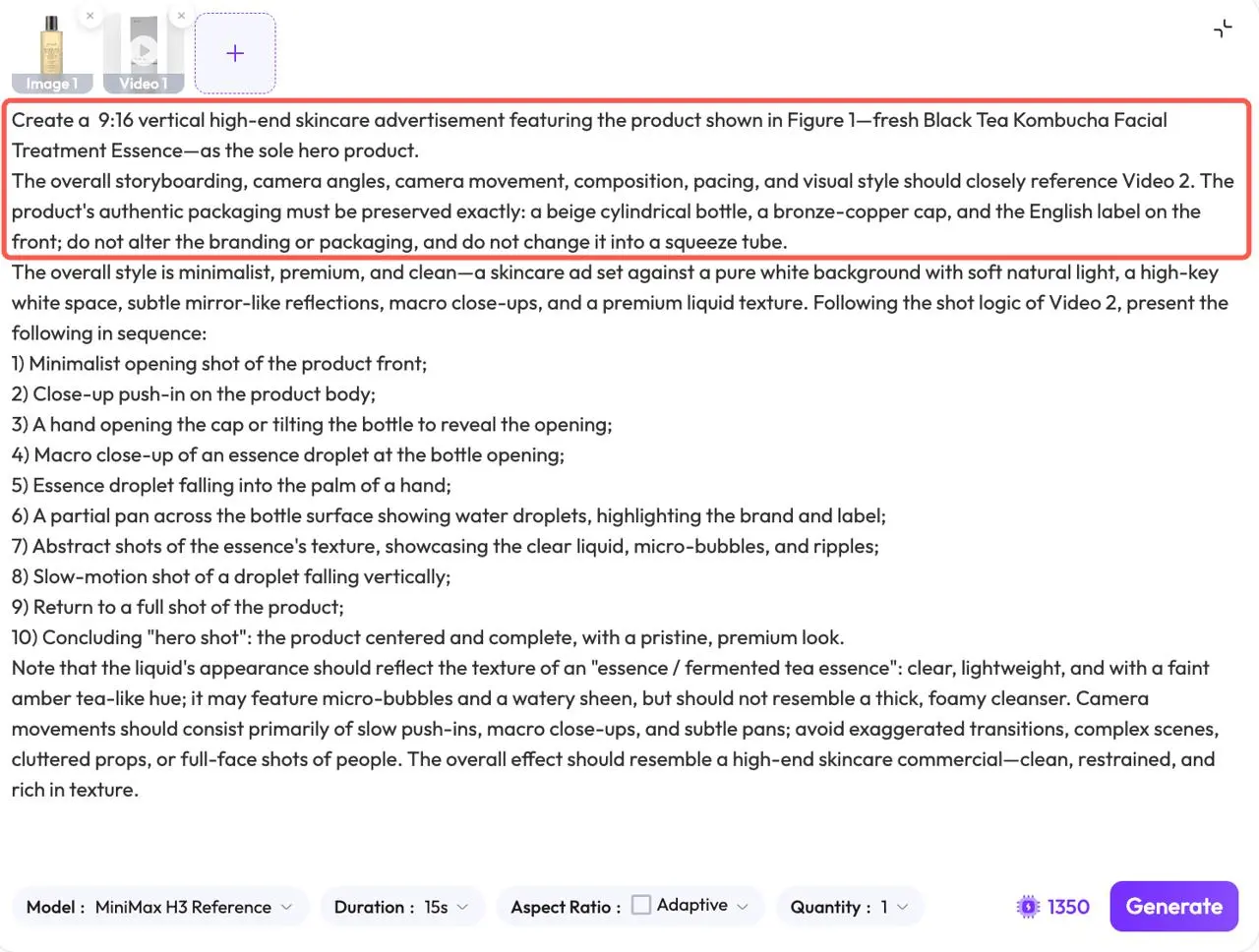
Open MiniMax H3 in WeShop AI and upload both assets. MiniMax H3 in WeShop AI supports workflows that combine product images with reference videos, so each asset can be assigned a different role in the generation. For this case:
- Image 1 = product reference
- Video 2 = shot, camera, pacing, and visual-style reference
❗️Do not simply upload both files without explaining their roles. ❗️At the beginning of the prompt, clearly tell MiniMax H3 which asset controls the product and which one controls the video style.
|
Step 3 - Describe the Instagram AI Product Ad Video You Want
- Because your reference video already defines much of the creative direction, you do not need to manually describe every visual detail from scratch.
AI Product Ad Video Prompt for This Case
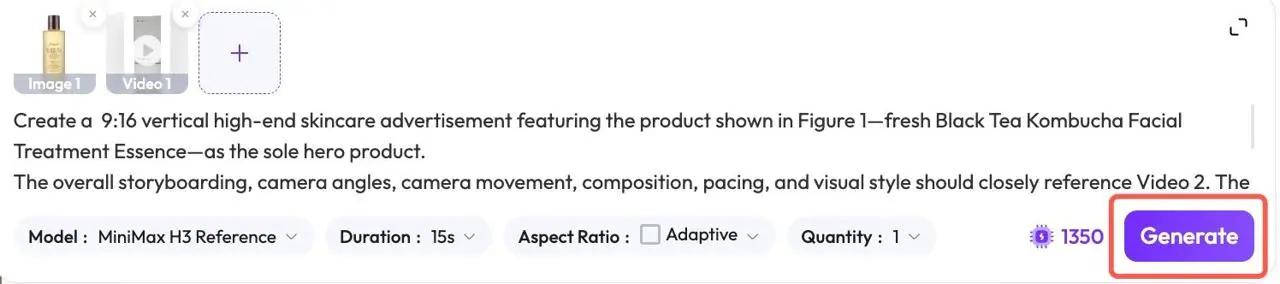
Create a  9:16 vertical high-end skincare advertisement featuring the product shown in Figure 1—fresh Black Tea Kombucha Facial Treatment Essence—as the sole hero product.

The overall storyboarding, camera angles, camera movement, composition, pacing, and visual style should closely reference Video 2. The product's authentic packaging must be preserved exactly: a beige cylindrical bottle, a bronze-copper cap, and the English label on the front; do not alter the branding or packaging, and do not change it into a squeeze tube.

The overall style is minimalist, premium, and clean—a skincare ad set against a pure white background with soft natural light, a high-key white space, subtle mirror-like reflections, macro close-ups, and a premium liquid texture. Following the shot logic of Video 2, present the following in sequence:
1) Minimalist opening shot of the product front;
2) Close-up push-in on the product body;
3) A hand opening the cap or tilting the bottle to reveal the opening;
4) Macro close-up of an essence droplet at the bottle opening;
5) Essence droplet falling into the palm of a hand;
6) A partial pan across the bottle surface showing water droplets, highlighting the brand and label;
7) Abstract shots of the essence's texture, showcasing the clear liquid, micro-bubbles, and ripples;
8) Slow-motion shot of a droplet falling vertically;
9) Return to a full shot of the product;
10) Concluding "hero shot": the product centered and complete, with a pristine, premium look.

Note that the liquid's appearance should reflect the texture of an "essence / fermented tea essence": clear, lightweight, and with a faint amber tea-like hue; it may feature micro-bubbles and a watery sheen, but should not resemble a thick, foamy cleanser. Camera movements should consist primarily of slow push-ins, macro close-ups, and subtle pans; avoid exaggerated transitions, complex scenes, cluttered props, or full-face shots of people. The overall effect should resemble a high-end skincare commercial—clean, restrained, and rich in texture.
Step 4 - Generate the Instagram Product Ad Video
Once the product image, reference video, and prompt are ready, click Generate. You can try it directly using the tool on the right.
Generate
|
Step 5 - Check the MiniMax H3 Generated Result
Now check whether the generated AI product ad video matches your expectations.
|
Image 1
|
Reference video
|
Generated Result
|
With MiniMax H3, creating a polished Instagram-style AI product ad video can start with just two assets:
one product image + one reference video.
In this skincare example, Image 1 provides the real product appearance, while Video 2 provides the storyboard, shot angles, camera movement, pacing, and overall advertising style. That gives you a much shorter route from a static product image to a social-ready AI product ad video. Now upload your product image and reference video to the MiniMax H3 tool on the right and create your first Instagram-style AI product ad video with WeShop AI.