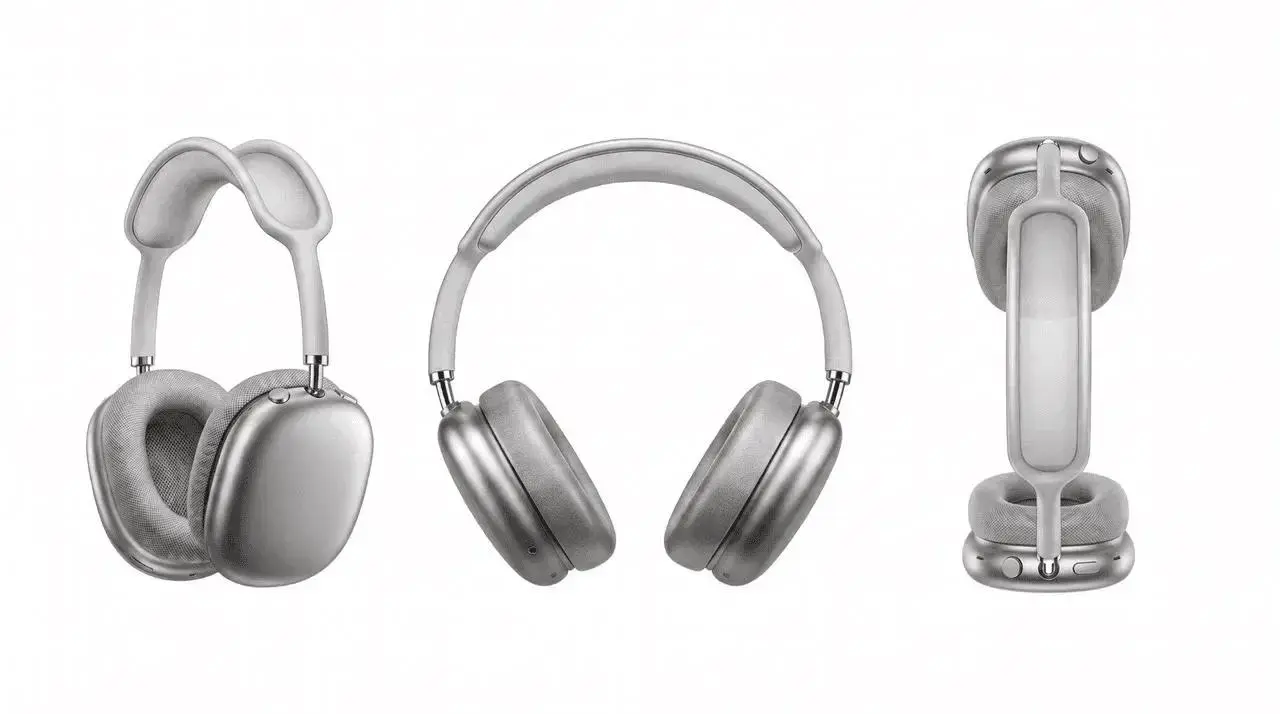
Explore Air Fryer Product Story, Perfume Shot Continued from a Video, FPV Camera Route from a Guide Image. Each result is paired with its actual English prompt, saved case, and available reference inputs.
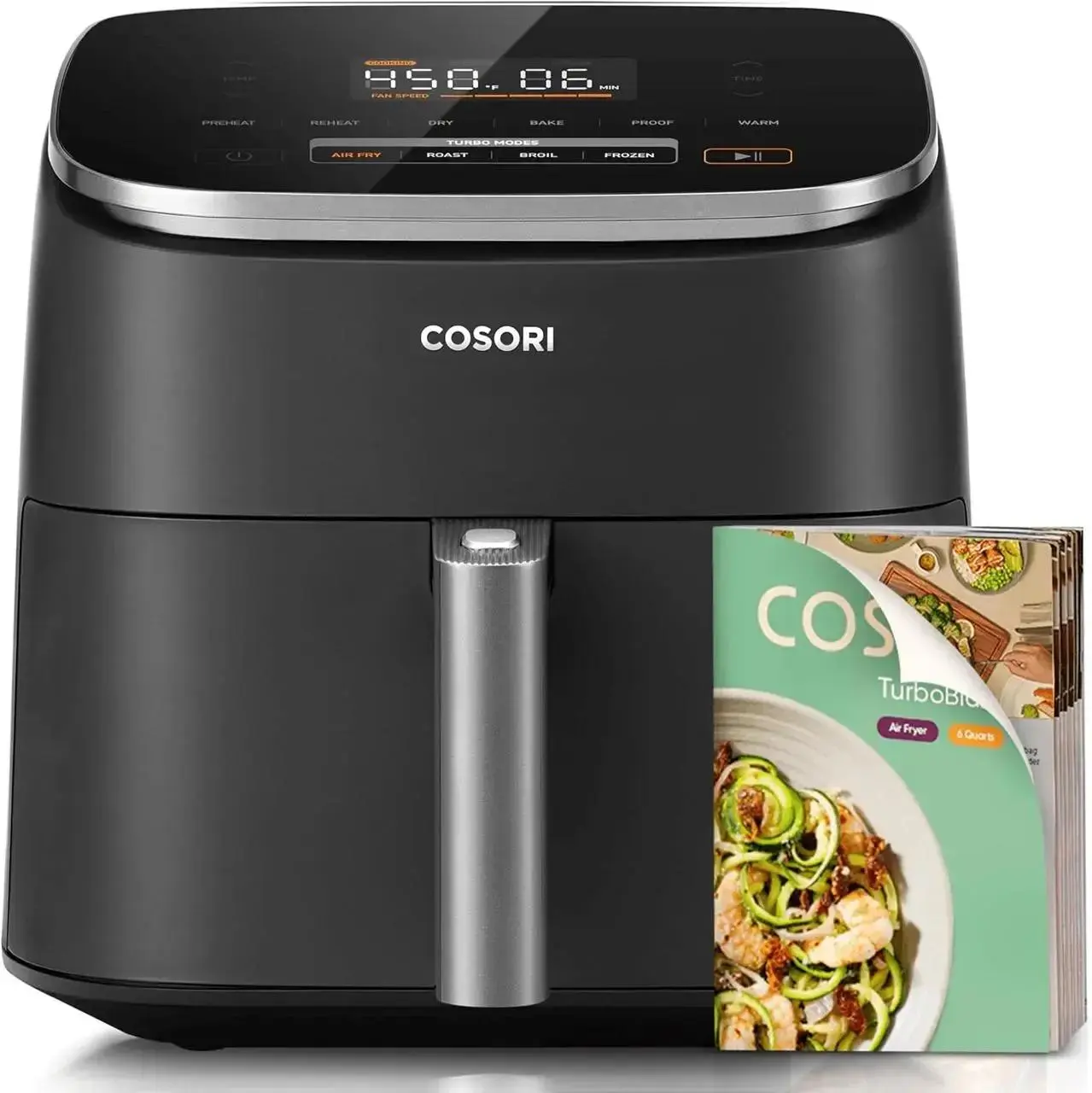
Air Fryer Product Story
Build a product story around an air fryer, with the original prompt and inputs supplying the product and its presentation.
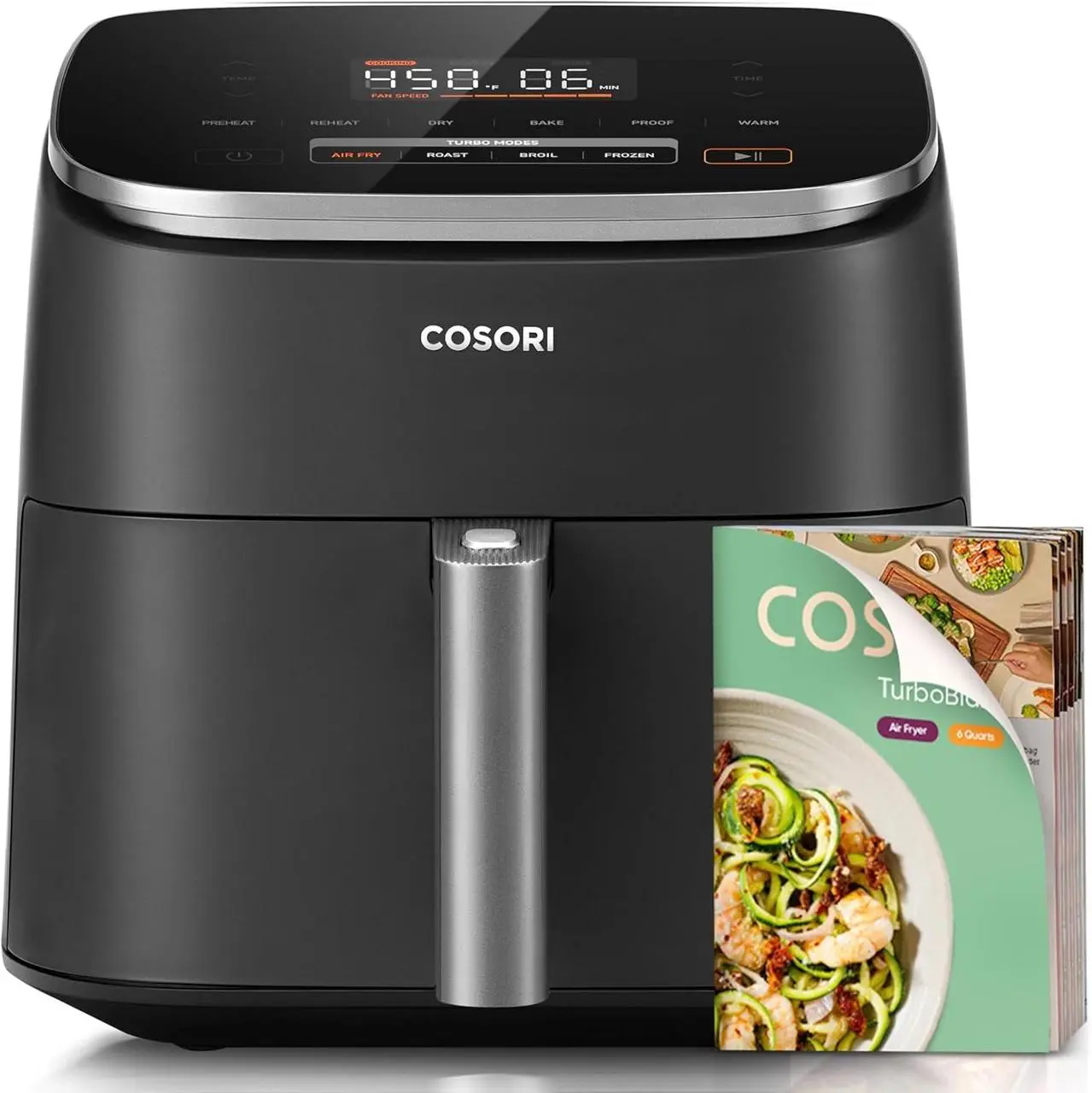
product name: Cosori TurboBlaze Air Fryer
product is[%#[image1]#%].
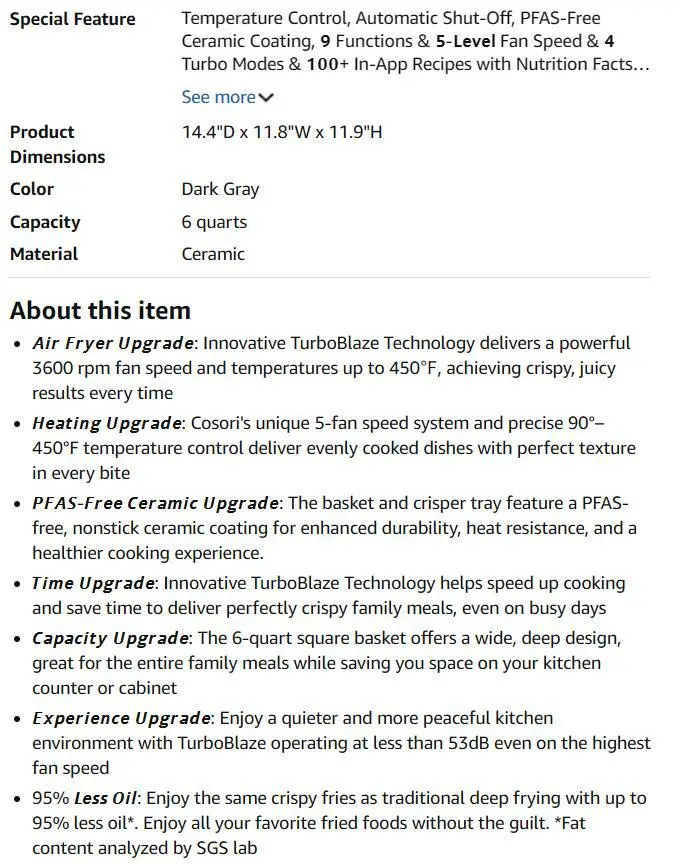
product details is[%#[image2]#%].
Create a piece of content that uses a full-process video for the first time.
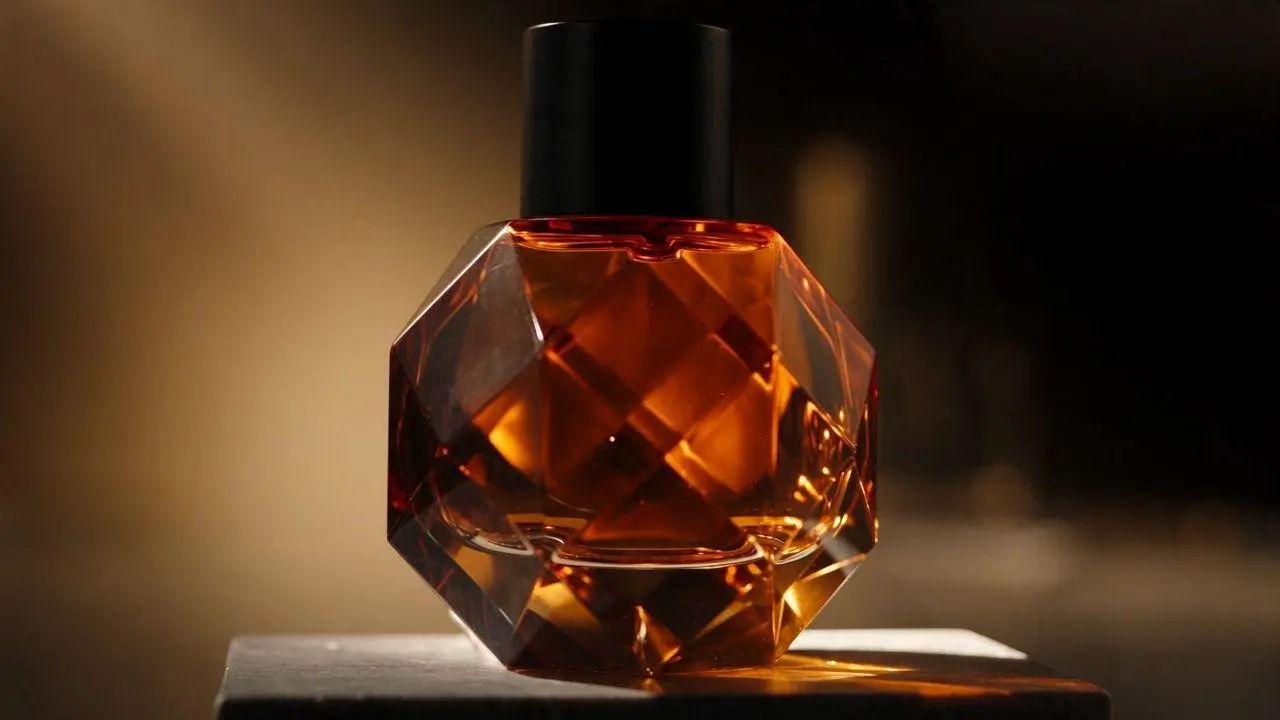
Continue an existing perfume clip while retaining the bottle and studio, then arc the camera toward a three-quarter closing view. The reference input for this saved case is the source video. Open the linked case to inspect that input and the resulting continuation.
Continue video 1 forward from its exact final close-up. Keep the same faceted amber glass perfume bottle, matte black cylindrical cap, dark stone pedestal, warm minimal studio, golden side light, and fine background mist. The camera continues its slow forward motion for one beat, then makes a gentle clockwise arc to reveal the right side of the same bottle. A thin ribbon of mist passes behind the bottle while the golden beam narrows. End on a stable three-quarter hero close-up with the bottle centered and its amber reflections still shimmering. Preserve the bottle proportions, facet pattern, cap shape, pedestal, lighting direction, black-and-gold palette, and cinematic realism. Do not introduce people, hands, text, labels, logos, extra products, subtitles, or a watermark. Continue the same subtle room tone and let the final glass chime decay naturally.
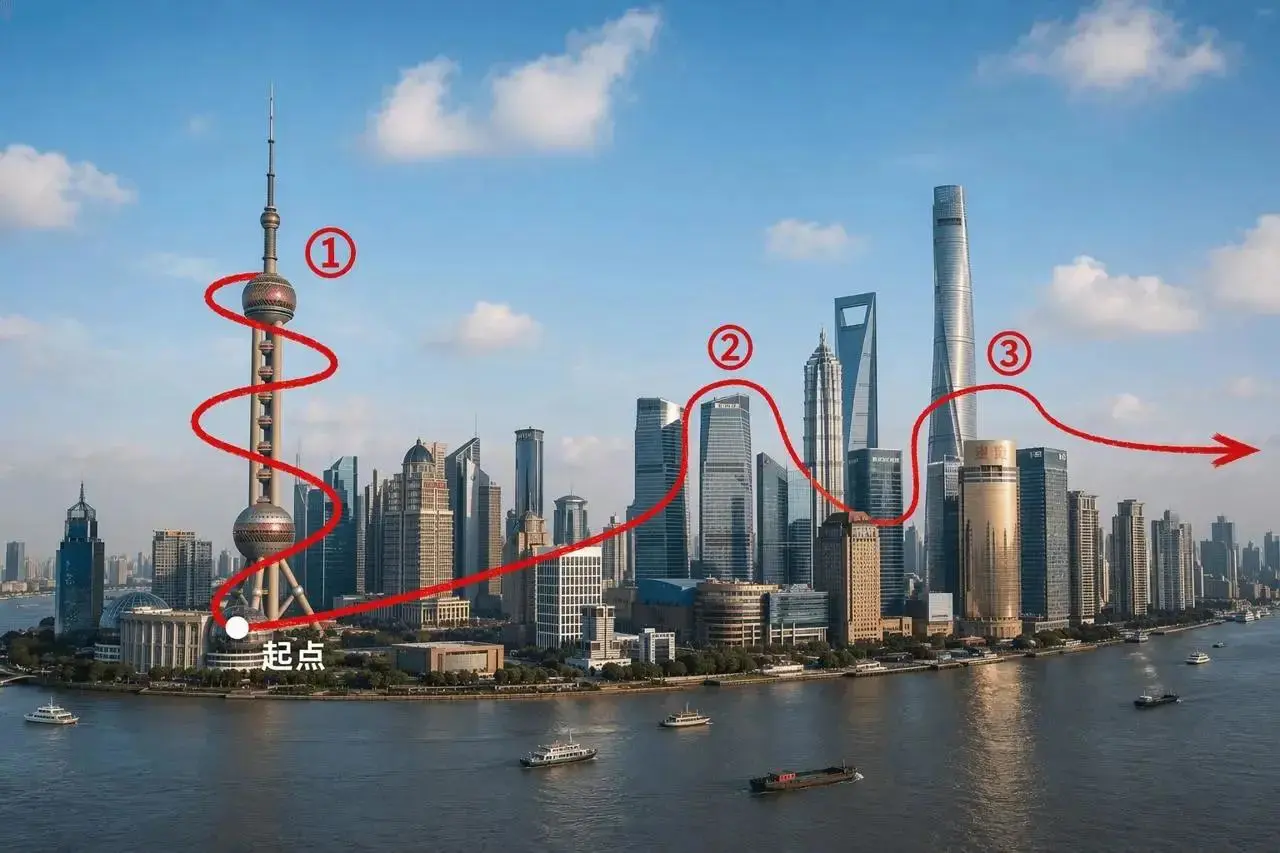
Follow an FPV-style camera route using a supplied guide image, describing where the camera travels and how its viewpoint changes.
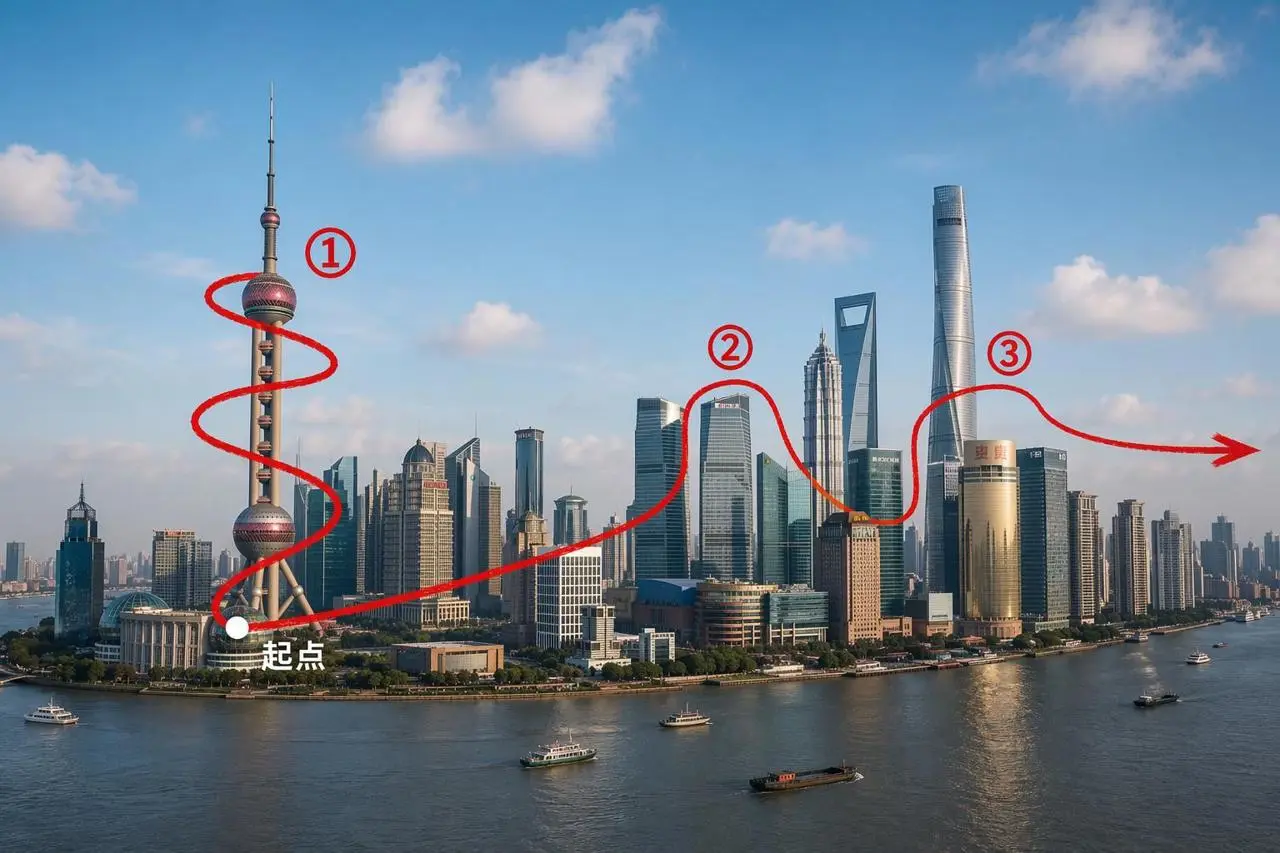
Generate a 15-second, first-person FPV video of an ultra-high-speed drone fly-through in a cinematic, continuous one-take shot. Start at low altitude above the Huangpu River, near the base of the Oriental Pearl Tower. Rapidly climb while smoothly orbiting the tower shaft, lower sphere, upper sphere, and antenna. Then follow the spatial relationship indicated by the red route in the reference image, flying at high speed toward the Lujiazui financial district. Weave left and right with rising and diving movement between Shanghai Tower, Shanghai World Financial Center (SWFC), and Jin Mao Tower. Finally, continue in the direction of the arrow and accelerate toward the front-right side of the Pudong skyline, ending on a wide, open city view. Do not show the red route, numbers, arrow, starting-point label, or any other guide markings in the generated video; they are only spatial references.
Seedance 2.5 is ByteDance’s audio-video model for longer storytelling, reference-guided direction, and video editing.
Seedance 2.5 is relevant to longer audiovisual briefs, reference-led direction and continued or transformed shots. The saved perfume continuation uses an existing clip, while the FPV case assigns a route to a guide image; these are different input tasks.
Room for a Longer Story
The 2.5 release supports up to 30 seconds per generation. That gives a brief room for a setup, developing action, and ending within the selected duration.
References with Creative Roles
Visual and audio references can guide subject, framing, performance, and interpretation. The request needs to explain the role of the supplied material.
Generation and Directed Transformation
The official release includes editing-oriented capability. Use the reference and editing controls actually offered by WeShop for the intended change.
WORKFLOWS
Describe a Video and Add Optional References
Start by describing the video you want. Add images, video, or audio when reference material should guide the scene; these uploads are optional in the current form.
Start with a Video Brief
Describe the subject, setting, action, and camera direction. Explain how the scene should develop over the duration you select; add reference material only when it has a role in your request.
Guide the Request with Multimedia References
Add the images, video, or audio your request needs and explain what each should guide. The product-story and video-continuation examples show different reference-led requests; inspect their actual inputs before adapting them. A continuation example does not mean this page has a separate video-extension control.
PROMPT GUIDE
How to Direct Seedance 2.5 with a Prompt
Learn from the actual Seedance 2.5 requests below. Each card explains a specific instruction, shows its result and available inputs, and keeps the complete original English prompt. Adapt the subject and reference roles to your own task.
Separate Coffee Shots from Sound Direction
The actual coffee-commercial prompt describes a cafe, coffee preparation and ordered cuts. It separately requests no music and detailed bean, grinder, kettle and pouring sounds. Inspect the shot progression and delivered audio; the “8K” wording is not an output-setting guarantee.
Style: 8K photorealistic cinematic commercial, epic coffee montage. Ultra-shallow macro DOF (f/1.4), creamy bokeh, warm amber grade, forest-green + coral brand accents. Cine lens feel, 180° shutter motion blur. Edgar Wright-style kinetic editing. Speed ramps snap from fast motion to ultra slow-mo at impact points. Real physics and weight. Deadpan Hollywood acting. Characters, props and café identical in every cut. Audio: NO music anywhere in the film. The entire soundtrack is hyper-real, ASMR-level sound design — drawer roll, bean rattle, grinder crunch, kettle hiss, bloom fizz, liquid pours, drip plinks, ice rattle, cup slides — crisp, close-mic'd, frame-synced, layering louder as the cuts accelerate, then falling to near-silent café room tone (fan hum, distant dishes) at the presentation. Clean dialogue; slogan VO at the end. 24fps, no subtitles, no on-screen text.
Characters: barista — early-20s man, black curls under a black cap, white earbuds in BOTH ears the entire film, khaki tee, forest-green bib apron, black trousers. Performs the brew with the solemn intensity of a concert soloist — precise and ceremonial. skater — teenage boy, shaggy black hair, sage windbreaker over black hoodie, baggy grey cargos, skateboard under his arm. Total stone face, calm slow movements. worker — heavyset construction worker, navy jacket, tan work pants, yellow hard hat under his arm. Tired, second in line. woman — young woman with a shoulder bag third in line.
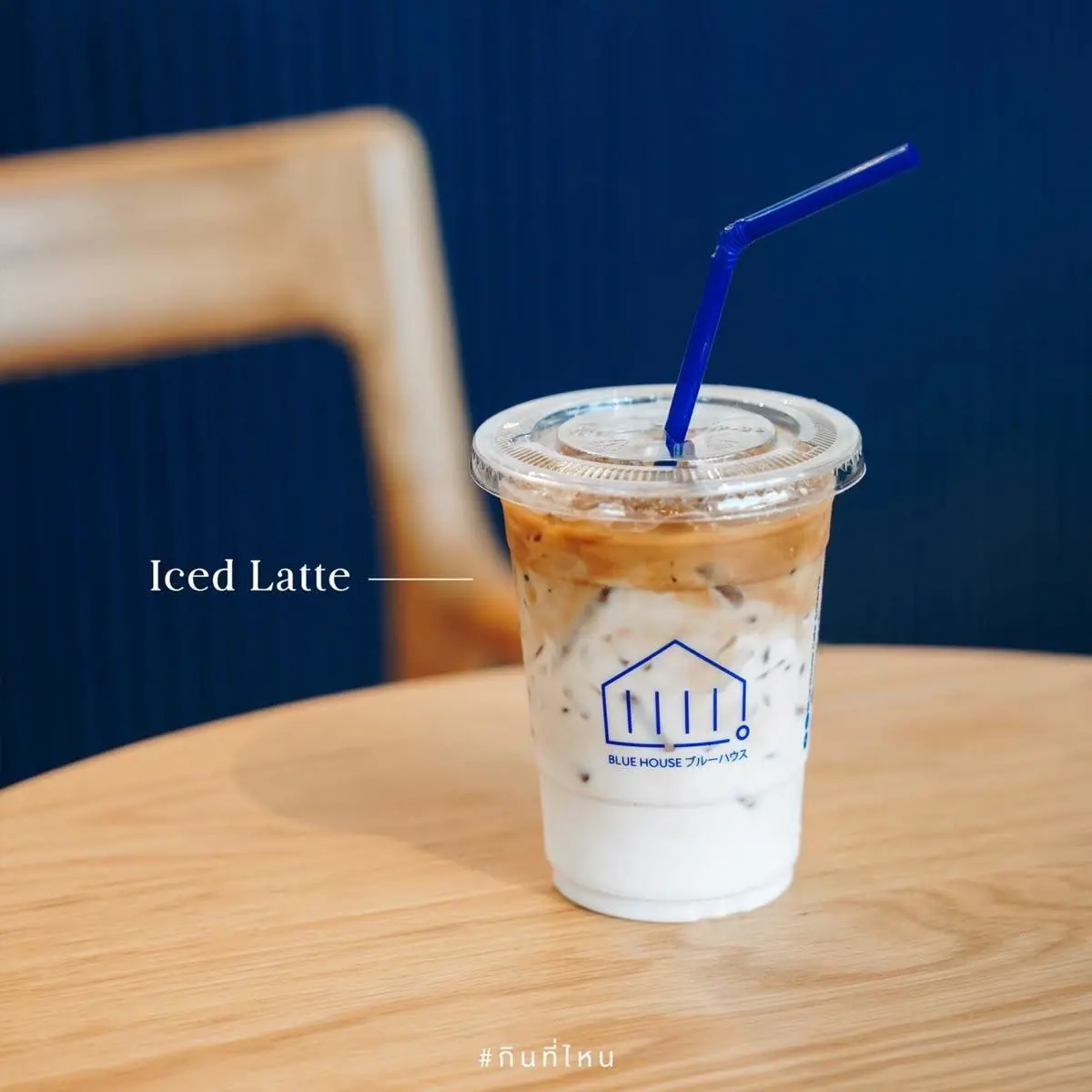
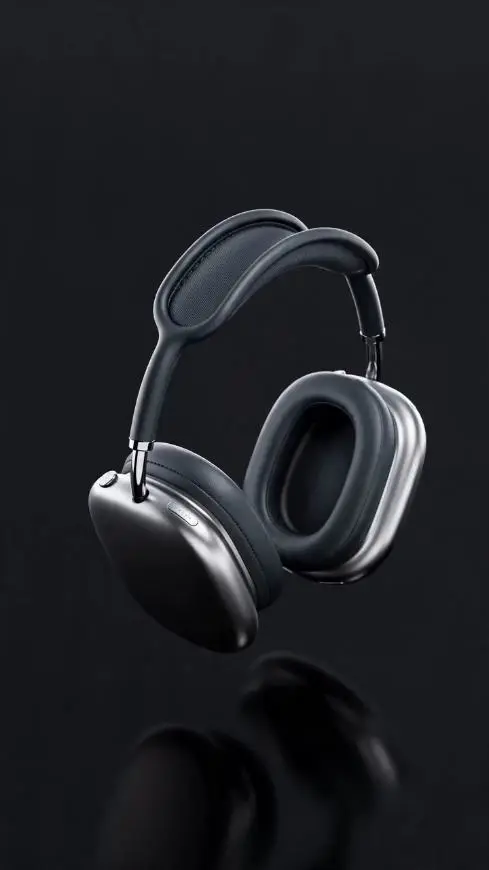
Scene: Café interior from [%#[image1]#%]cafe. barista runs a slow-drip pour-over station: glass carafe, filter cone, gooseneck kettle, grinder, and a counter drawer holding the bag from coffee-bag. The finished iced coffee is in [%#[image2]#%]caffee. Queue: skater first in line and worker and woman behind him.
CUT 1 (0:00–0:03) — Top-down tracking close-up: the counter drawer is pulled down toward the bottom of frame, camera tracking the pull; a single coffee-bag lies flat on its back inside the empty white drawer with nothing else in it. barista's hand grabs the bag and in a quick motion lifts it up toward the lens until dark fills the frame. TRANSITION: the cut hides inside the dark frame-fill.
CUT 2 (0:03–0:06) — Laowa probe lens macro dolly-out, pulling out of the bag's open mouth as beans cascade past the lens in ultra slow-motion into the grinder hopper below. TRANSITION: the camera whips DOWN with the falling beans.
CUT 3 (0:06–0:08) — Enters on the same downward plunge: macro on the grinder's spout as fresh ground coffee streams out of it like dark sand, backlit, piling into a soft mound in the dosing cup below — slow-motion on the flowing grounds, fine particles drifting in the light. TRANSITION: speed ramping orbit to the right.
Describe the Hands and Their Interaction
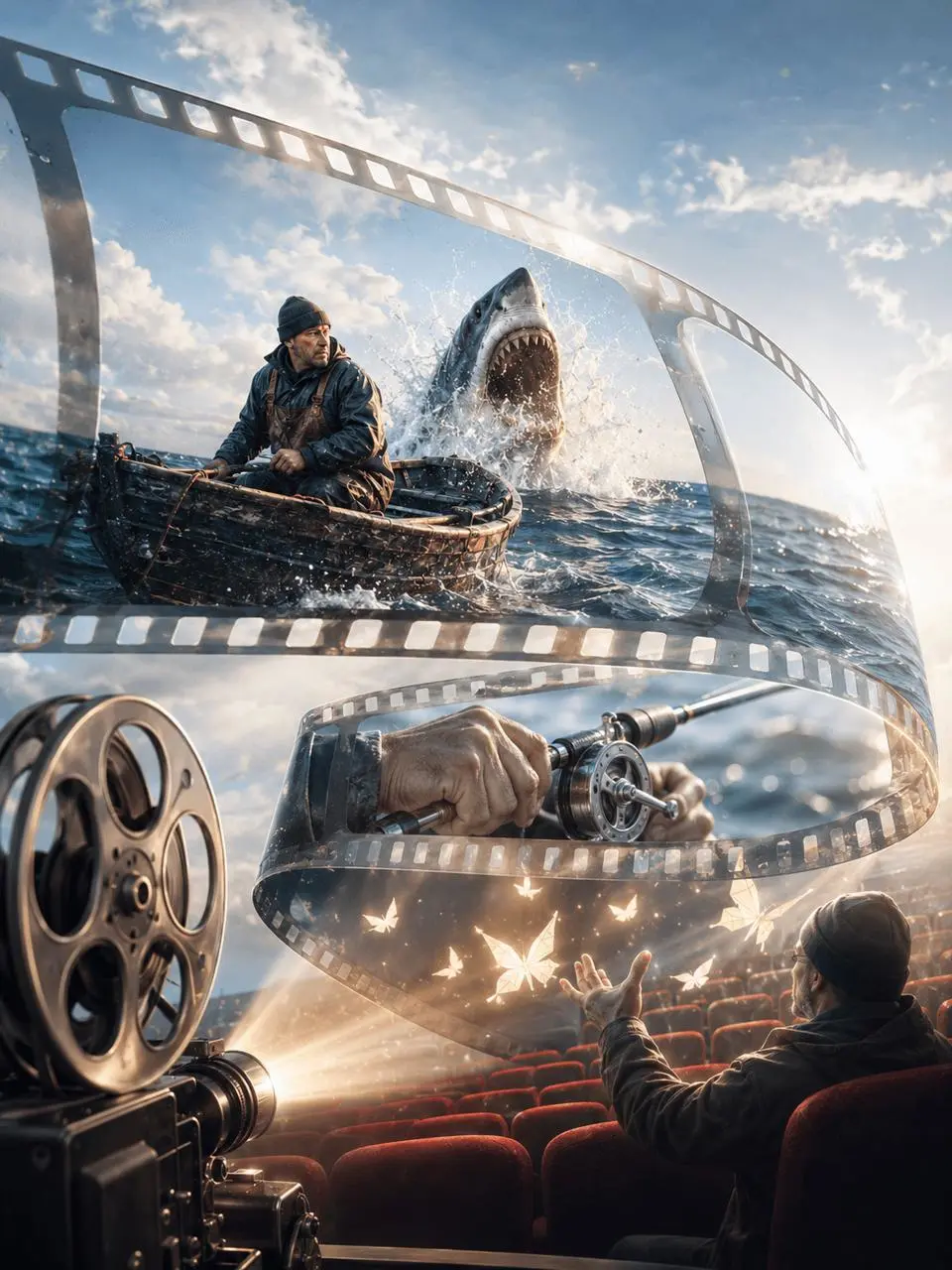
Specify the grip, reel movement, line tension, and spray rather than only naming a fishing scene. This request concentrates the action in a close-up of the hands.
[6-12 SECONDS]
Close-up of his hands gripping the rod, cranking the reel. The line cuts through the water in sharp zigzags, spraying mist. The boat rocks and tilts, water sloshing across the deck around his boots. He stumbles, catches himself on the railing, pulls the rod back up, laughs and says, "What did I hook, a truck?"
Give the Camera an Arc around the Product
Use the image to establish the product and ask for a slow camera arc in the studio. This separates the visual subject from the movement added by the video request.
Use the uploaded product image as the subject reference. Place it in a bright studio scene and describe a slow camera arc around the product.
Break the Story into Shots
The campus-romance brief separates its comic-style scene into timed shots. Give each shot a subject action and framing so the sequence has an explicit progression.
Create a 15-second, Japanese-style campus romance motion comic in a 9:16 vertical format. The art style should be fresh and delicate, featuring clean lines, soft colors, and a subtle "manga screentone" texture. The setting is a university classroom after class; the setting sun streams through the window, casting light onto the desks, while curtains sway gently—creating a quiet, tender atmosphere. Convey the romantic tension through glances, pauses, and subtle facial expressions; avoid exaggerated effects like floating hearts.
**Character Profiles:** The girl is around 20, with shoulder-length black hair, wearing a white top under a light blue knitted cardigan; she appears studious but is actually stealing glances at the boy. The boy is also around 20, with short black hair and a crisp white shirt; he has a refreshing, clean-cut aura and is helping the girl with her coursework. They sit side-by-side at a desk by the window, with an open exercise book lying between them.
Shot 1 | 0–3 seconds: Medium shot of both characters, with a slow zoom-in.
The boy looks down, tapping a problem in the exercise book with the tip of his pen. The girl turns her head slightly, her gaze fixed on the boy’s face rather than the book.
The boy asks casually, "Did you follow that?"
Shot 2 | 3–6 seconds: Close-up of the girl.
Startled back to reality, the girl quickly looks down at the book, her fingers unconsciously gripping the edge of the page as she tries to pretend she’s been listening intently.
She murmurs, "Ah... I didn't quite get it."
Shot 3 | 6–9 seconds: Close-up of the boy, with the girl’s shoulder visible in the foreground.
The boy stops writing and turns to look at her, his eyebrows lifting slightly, his tone carrying a hint of a smile. They are positioned naturally, without any forced physical closeness.
The boy asks, "Then what were you looking at just now?"
Shot 4 | 9–12 seconds: Extreme close-up of the girl’s face.
The girl instinctively looks up, meeting his eyes. She realizes what she’s just blurted out; the tips of her ears turn a faint shade of red, and she hurriedly shifts her gaze away. The girl says, "Looking at you..."
A brief silence follows, capturing her small gestures—pressing her lips together and lowering her gaze.
Shot 5 | 12–15 seconds: A close-up, side-profile shot of both characters; the camera pulls back gently.
The boy pauses for half a second, then lowers his head with a smile. He sets his pen down on his book and looks back at the girl. She steals a glance upward, and their eyes meet once more.
In a softer tone, the boy says, "Well... keep looking for a little while longer."
The scene lingers on the moment their eyes meet, set against the backdrop of the setting sun and gently swaying curtains—a tender conclusion.
**Audio and Visual Requirements:** Use natural-sounding voiceovers for a young man and woman; the pace should be unhurried, ensuring all dialogue is completed within each respective shot, while incorporating natural hesitations and pauses. The background audio should include the faint sound of a breeze, the rustling of book pages, and soft piano music. Chinese subtitles should appear line-by-line, synchronized with the dialogue. Maintain consistent character appearances, attire, seating arrangements, and lighting throughout. Do not add any voice-over narration, additional characters, or extra lines of dialogue.
Text-to-Video: Small Expressions in a Static Portrait
A portrait created from text, with a fixed front-facing composition, soft daylight, and a quiet indoor setting. The prompt directs a look toward the camera, natural blinking, small gaze changes, a gentle smile, and a subtle nod. No reference image was attached to this example.
8-second portrait video using the input image. Fixed front-facing composition with soft daylight and a quiet indoor setting.
The subject looks toward the camera, blinks naturally, and makes a small gaze adjustment. The expression gradually changes into a gentle smile, followed by a brief downward glance and a subtle nod.
One continuous static shot with natural movement and quiet room ambience. No speech, music, camera movement, or on-screen text.
Follow a Subject toward a Final View
Follow the paper boat past the stones and end on the surrounding ripples. Naming the route and final framing makes the requested camera journey concrete.
A paper boat moves along a shallow stream at sunrise. Follow it past mossy stones and finish on a close-up of the ripples around the boat.
HOW TO USE
How to Use Seedance 2.5 on WeShop AI
Start with the Seedance 2.5 selection and the input path described below. Review the available settings and points before submitting.
Provide the Input for This Model
Start with a text description. If your task needs reference material, add files accepted by the current form and explain each file’s role. To continue an existing clip, provide that source video and describe how the shot should continue from its ending.
Check the Available Settings and Points
Durations: 4–30 seconds. Aspect ratios: 21:9, 16:9, 9:16, 3:4, 4:3, 1:1. These are selectable settings, not fixed pixel dimensions or file-format guarantees. Check the original output for the actual dimensions and duration. Review the displayed points and your plan’s model access before submitting.
Open and Check the Result
Watch product continuity, the camera route and the ending. For a continued clip, check the join with the original; inspect actual duration and audio instead of relying on a time range written in the prompt.
Explore English tutorials for Seedance 2.5: compare prompt structures, turn product images into usage videos, guide a new ad with a reference video, plan an FPV route, or continue an existing shot. Each article explains its own inputs, prompts, examples, and limits.
BytePlus positions Seedance 2.0 around quality within the 2.0 series and Mini around cost efficiency. Seedance 2.5 adds a longer single-request duration range. Compare their positioning and current WeShop options below, then use the separate selection cards to choose for your task.
Dimension
Seedance 2.0
Seedance 2.0 Mini
Seedance 2.5
Official positioning — BytePlus
Quality-focused option within the 2.0 series
Cost-efficiency-focused option within the 2.0 series
Longer storytelling and expanded reference/editing capabilities
Optional reference uploads in WeShop
Images, video and audio
Images, video and audio
Images, video and audio
Selectable duration in WeShop
4–15 seconds
4–15 seconds
4–30 seconds
Official positioning — BytePlus
Seedance 2.0
Quality-focused option within the 2.0 series
Seedance 2.0 Mini
Cost-efficiency-focused option within the 2.0 series
Seedance 2.5
Longer storytelling and expanded reference/editing capabilities
Optional reference uploads in WeShop
Seedance 2.0
Images, video and audio
Seedance 2.0 Mini
Images, video and audio
Seedance 2.5
Images, video and audio
Selectable duration in WeShop
Seedance 2.0
4–15 seconds
Seedance 2.0 Mini
4–15 seconds
Seedance 2.5
4–30 seconds
Choose Seedance 2.0 When
Your 4–15-second clip prioritizes visual quality over cost efficiency. BytePlus positions 2.0 as the quality-focused option within the 2.0 series; check the result against your own brief.
Cost efficiency matters for your 4–15-second clips. BytePlus positions Mini for that priority within the 2.0 series. Check the current WeShop points quote for your settings before choosing.
You need a 16–30-second clip in one request, or its focus on longer storytelling and reference-led editing fits your brief. WeShop also offers 4–15-second requests for 2.5. Reference-guided editing is also documented for the 2.0 series.
Answers about this version, its inputs, and how to get started.
What is Seedance 2.5?
Seedance 2.5 is ByteDance’s audio-video model for longer storytelling, reference-guided direction, and video editing.
What is Seedance 2.5 useful for?
Seedance 2.5 is relevant to longer audiovisual briefs, reference-led direction and continued or transformed shots. The saved perfume continuation uses an existing clip, while the FPV case assigns a route to a guide image; these are different input tasks.
What input does Seedance 2.5 need?
The documented model accepts reference-led tasks, and saved cases include images and a video continuation. Current page controls do not by themselves establish every official media type or continuation tool. Open each case to inspect the actual setup before reuse.
Which duration and format settings are available?
Durations: 4–30 seconds. Aspect ratios: 21:9, 16:9, 9:16, 3:4, 4:3, 1:1. These are selectable settings, not fixed pixel dimensions or file-format guarantees. Check the original output for the actual dimensions and duration.
Is Seedance 2.5 free, and how is usage charged?
Check the current WeShop Pricing page for your plan’s model access and allowance, and review the points estimate in the generator for your selected settings and quantity. This page does not quote a fixed per-request price or transfer another provider’s subscription quota to WeShop.
What limitations should I check?
Official extension and production controls are not automatically enabled here. Choose the supported WeShop duration and inputs. Watch product continuity, the camera route and the ending. For a continued clip, check the join with the original; inspect actual duration and audio instead of relying on a time range written in the prompt.
What do the Seedance 2.5 examples demonstrate?
The saved requests show Air Fryer Product Story, Perfume Shot Continued from a Video, FPV Camera Route from a Guide Image. Read each actual prompt and reference assignment alongside its result. These individual examples are not a success-rate measurement or a guarantee of exact preservation.
How does Seedance 2.5 differ from related models?
2.5 documents a longer single-generation and reference/editing scope. The 2.0 and Mini entries have their own modes and 4–15-second product options; compare the actual inputs, duration and task rather than transferring every 2.5 feature backward.
How should I write a Seedance 2.5 prompt?
The actual coffee-commercial prompt describes a cafe, coffee preparation and ordered cuts. It separately requests no music and detailed bean, grinder, kettle and pouring sounds. Inspect the shot progression and delivered audio; the “8K” wording is not an output-setting guarantee. Read the complete paired prompt and actual inputs in the guide, then adapt them to your own task.