












Seedance 2.5 Video Extension: Continue a Product Ad
See a tested Seedance 2.5 video-extension workflow that continues an eight-second perfume ad while preserving its bottle, set, and visual direction.
The product, lighting, and camera direction already work—but the shot ends before the final brand moment. Starting over may change the bottle and set, while attaching a separately generated clip can create an obvious visual jump.
We tested a narrower option in WeShop: generate an eight-second fictional perfume shot with Seedance 2.5, then pass that exact MP4 into a forward-extension request. The continuation kept the faceted amber bottle, black cap, stone pedestal, and warm studio direction recognizable. It also revealed the boundary of the workflow: the requested camera arc was subtle, and reflections inside the glass evolved instead of staying locked.
The job: continue one approved product shot
Use the source video as the extension target, ask for one controlled next movement, and inspect the join as carefully as the final frame.
LUMEN is a fictional product. These AI-generated visuals do not represent a real brand, campaign, or performance result.
Define what the continuation must preserve
This is a focused workflow test, not a broad Seedance 2.5 review or a comparison with another video model. The question is practical: can an existing product shot continue in the same visual direction without generating a new scene from scratch?
The source shot established six anchors that could be checked in the continuation:
- one faceted amber glass perfume bottle;
- one matte-black cylindrical cap;
- a dark stone pedestal;
- a warm, minimal studio;
- golden side light and fine background mist; and
- a slow forward camera move.
We excluded people, hands, labels, logos, subtitles, and additional products. Fewer moving parts made it easier to see whether the subject and set carried across the join.
ByteDance describes Seedance 2.5 as supporting single generations up to 30 seconds, multi-round extension, multimodal references, and more precise editing. Its own launch post also acknowledges remaining room for improvement in complex physical motion and multi-subject interaction. This test stays deliberately simpler and evaluates only one product-shot extension. See the official Seedance 2.5 announcement for the broader capability description.
Generate a source shot with a usable ending
We ran both generations on October 13, 2026 with the WeShop seedance-25 v1.0 agent. The source request used text only. The extension used the completed source MP4 as extendVideo.
| Setting | Source shot | Forward extension |
|---|---|---|
| Model | Seedance 2.5 | Seedance 2.5 |
| Requested duration | 8 seconds | 8 seconds |
| Requested resolution | 720p | 720p |
| Aspect ratio | 16:9 | Adaptive, as required for extension |
| Output | MP4 | MP4 |
| Native audio | On | On |
| Delivered dimensions | 1280 × 720 | 1280 × 720 |
| Measured duration | 8.064 seconds | 8.000 seconds |
The source prompt describes the product, set, camera movement, light behavior, ending composition, preservation constraints, and exclusions.
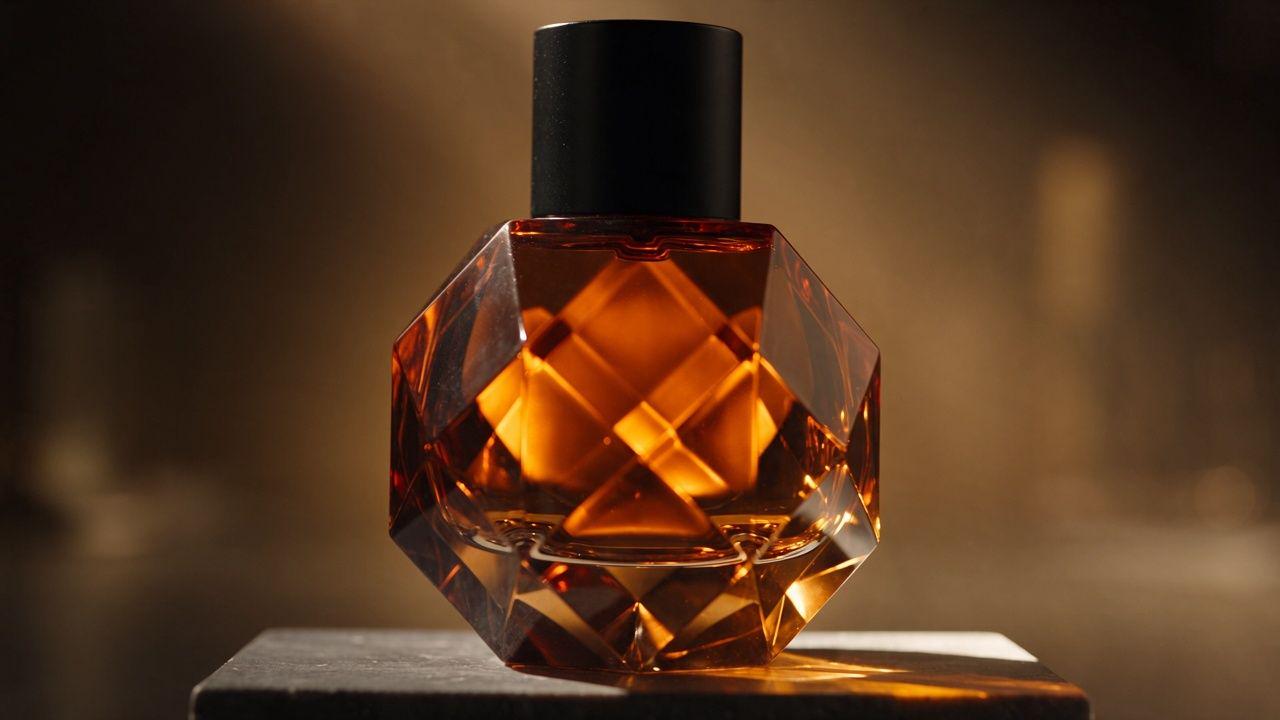
The shot begins with the bottle small in frame, pushes closer as the amber reflection intensifies, and ends with the bottle centered. Before extending any video, inspect this final frame: a shape error, unwanted object, or incorrect label at the join can carry into the continuation.
Use the MP4 as the extension target
The original video was supplied through extendVideo, with extendDirection set to forward. It was not added merely as a style reference. We also changed the aspect ratio to adaptive, which the current WeShop integration requires for extension jobs.
The extension prompt follows a clear order: identify the join, specify the next movement, state what must remain, and exclude new content.
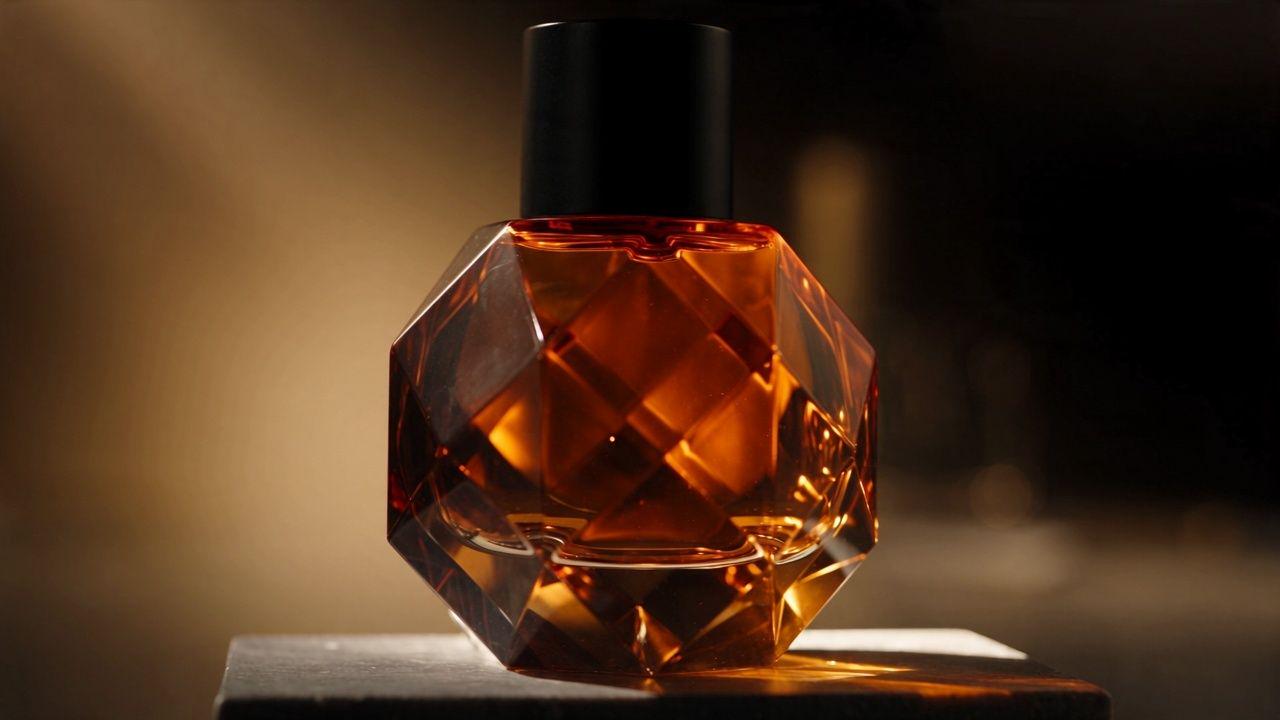
The continuation opens from a composition close to the source video's final frame. It retains one amber bottle, a black cylindrical cap, the stone pedestal, shallow-focus studio background, and warm palette. We did not observe people, hands, labels, logos, extra products, subtitles, or a visible watermark.
Check continuity at the join and at the new ending
The two returned final frames make the type of preservation easier to see. The bottle remains recognizable, but its internal highlights and some facet details are not fixed.
| Continuity check | Observed result |
|---|---|
| Join composition | Subject position, scale, and palette are close |
| Overall bottle silhouette | Remains recognizable |
| Black cylindrical cap | Remains recognizable |
| Pedestal and studio background | Retained |
| Requested clockwise camera arc | Only a subtle change; no strong orbit |
| Internal reflections and facet detail | Change over time; not pixel-identical |
| New people, text, or products | None observed |
| Audio | Not evaluated; no audio-quality conclusion |
Caution — recognizable is not locked
For packaging where every edge, logo, label, scale mark, or button must remain exact, inspect the join and continuation frame by frame. Keep a manual edit, product mask, or live-action insert available for details the generation cannot change.
Structure an extension prompt in four layers
The same prompt structure can be reused with another product or scene:
- Join: tell the model to continue from the exact end of the source video.
- Next action: request one clear camera or subject movement.
- Preservation: name the product, setting, lighting, palette, and composition that should remain.
- Exclusions: prohibit extra people, text, products, logos, or watermarks.
Avoid combining a location change, complex camera move, product transformation, and new character entrance in the same first extension. The more variables change, the harder it becomes to tell whether the model is continuing the shot or designing a different one. Start with a narrow continuation, approve the join, and extend again only when the first transition works.
For a broader look at how prompt structure changes cinematic output, see our Seedance 2.5 prompt-structure test.
Adapt the workflow to a real product
This test uses a generated fictional bottle, so it demonstrates visual continuity—not SKU accuracy. For a real commercial asset, supply product images or video you have the right to use, then verify:
- logo, label, and approved copy;
- product proportions, materials, colors, and structure;
- composition changes at the join;
- lighting direction and sudden shadow shifts;
- music, audio, and source-asset rights; and
- any platform-required AI-content disclosure.
In this single test, Seedance 2.5 was more successful at carrying forward the overall product and studio direction than at producing the clearly visible new camera arc requested in the prompt. Treat extension as a way to develop an established shot—not as a guarantee that every product detail or camera instruction will remain exact.
Continue one shot before rebuilding the whole ad
Upload an approved source clip, request one easy-to-inspect next action, and review the join before adding another extension.
Open WeShop Seedance 2.5