Build a short reference-led clip with WeShop’s Seedance 2.0 Mini selection. Provide the creative inputs accepted by the form, then describe a focused scene or product action.
Explore the tasks shown by these actual Seedance 2.0 Mini results. Copy a prompt to try in the generator, or open the linked case for its saved setup. Supply your own images or clips when the request uses references.
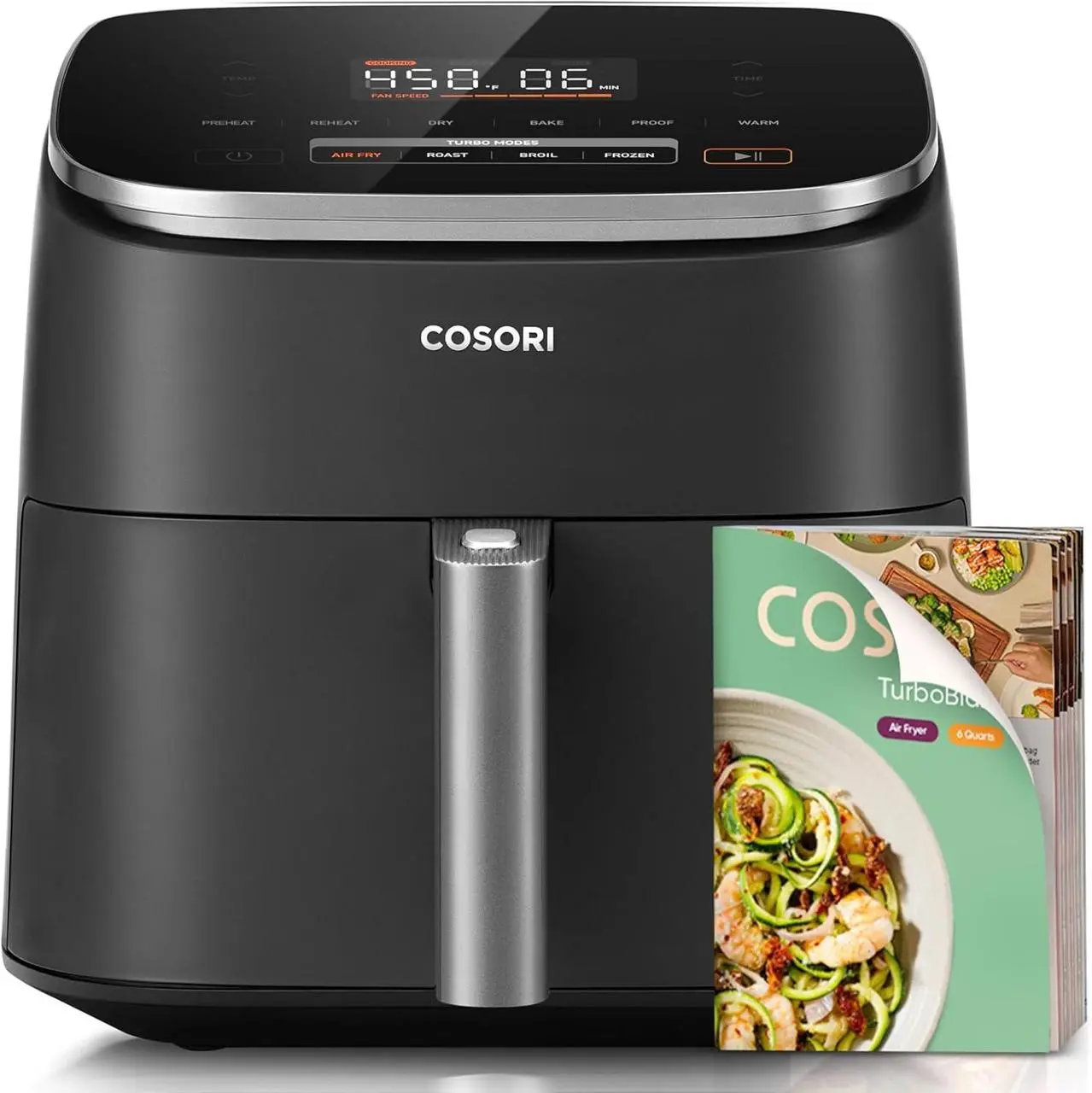
Air Fryer Product Sequence
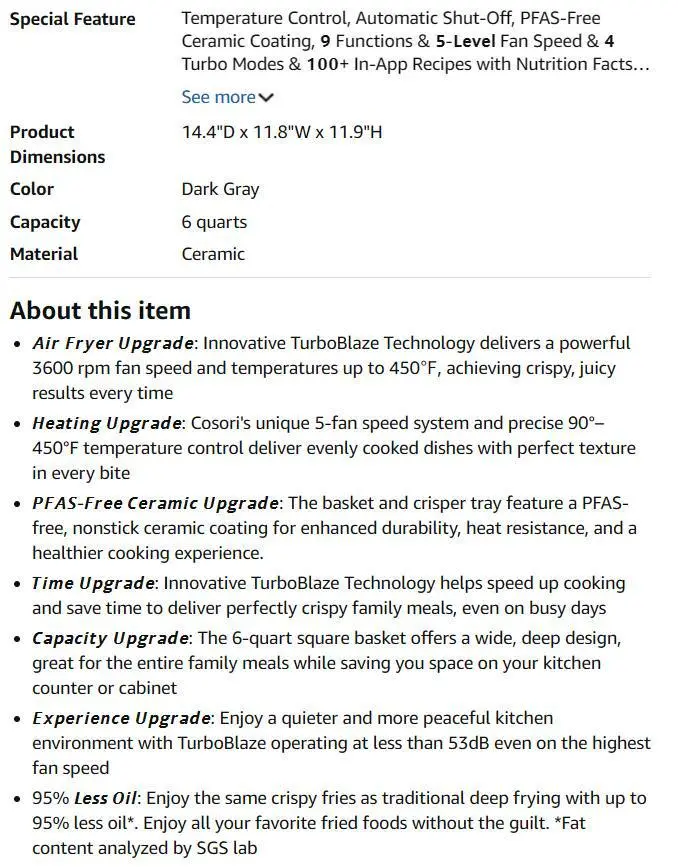
Use product and product-detail references to establish the air fryer for a product-focused video request.
product name: Cosori TurboBlaze Air Fryer
product is[%#[image1]#%].
product details is[%#[image2]#%].
Create a piece of content that uses a full-process video for the first time.
Animate a referenced fox with breathing, blinking, and a small turn, rather than requesting an unrelated new scene.
Use image 1 as the opening frame. The same fox breathes gently, blinks, and turns its head slightly toward the camera. Fine snow falls slowly. Keep the fox, scarf, body proportions and snowy setting consistent. One continuous shot, a subtle camera push-in, no new animals, no cuts, no text.
Animate an astronaut drifting while the camera moves, with the source image establishing the character and orbital setting.
Use image 1 as the first frame. The astronaut drifts gently while the camera moves slowly to the side. Keep the spacesuit, face and spacecraft details consistent. Subtle reflections on the visor. One continuous shot, no cuts and no lettering.
Seedance 2.0 Mini is the smaller-tier Seedance 2.0 option documented by BytePlus, with text, frame, and reference-based video workflows.
A Mini-Labeled Seedance 2 Selection
The model catalog documents a Mini option in the Seedance 2 family. Keep that selection distinct from standard 2.0 and 2.5.
References for a Focused Clip
WeShop provides a reference-led mode for Mini. The source materials can establish the subject before the prompt describes its action and presentation.
WORKFLOWS
Choose Your Starting Input
Use the Seedance 2.0 Mini input mode that matches the material you have.
Direct a Scene with References
Describe the scene and add reference media through the available controls. Identify what each input supplies, such as the subject, setting, motion, or sound.
PROMPT GUIDE
How to Direct Seedance 2.0 Mini with a Prompt
Learn from the actual instructions behind these results. Each example keeps its complete original prompt and available inputs. For a new request, replace its subject and reference assignments with your own.
Give the References Different Jobs
Identify what each supplied image contributes before describing the combined result. In this case: “Ultra-shallow macro DOF (f/1.4), creamy bokeh, warm amber grade, forest-green + coral brand accents.”
Style: 8K photorealistic cinematic commercial, epic coffee montage. Ultra-shallow macro DOF (f/1.4), creamy bokeh, warm amber grade, forest-green + coral brand accents. Cine lens feel, 180° shutter motion blur. Edgar Wright-style kinetic editing. Speed ramps snap from fast motion to ultra slow-mo at impact points. Real physics and weight. Deadpan Hollywood acting. Characters, props and café identical in every cut. Audio: NO music anywhere in the film. The entire soundtrack is hyper-real, ASMR-level sound design — drawer roll, bean rattle, grinder crunch, kettle hiss, bloom fizz, liquid pours, drip plinks, ice rattle, cup slides — crisp, close-mic'd, frame-synced, layering louder as the cuts accelerate, then falling to near-silent café room tone (fan hum, distant dishes) at the presentation. Clean dialogue; slogan VO at the end. 24fps, no subtitles, no on-screen text.
Characters: barista — early-20s man, black curls under a black cap, white earbuds in BOTH ears the entire film, khaki tee, forest-green bib apron, black trousers. Performs the brew with the solemn intensity of a concert soloist — precise and ceremonial. skater — teenage boy, shaggy black hair, sage windbreaker over black hoodie, baggy grey cargos, skateboard under his arm. Total stone face, calm slow movements. worker — heavyset construction worker, navy jacket, tan work pants, yellow hard hat under his arm. Tired, second in line. woman — young woman with a shoulder bag third in line.
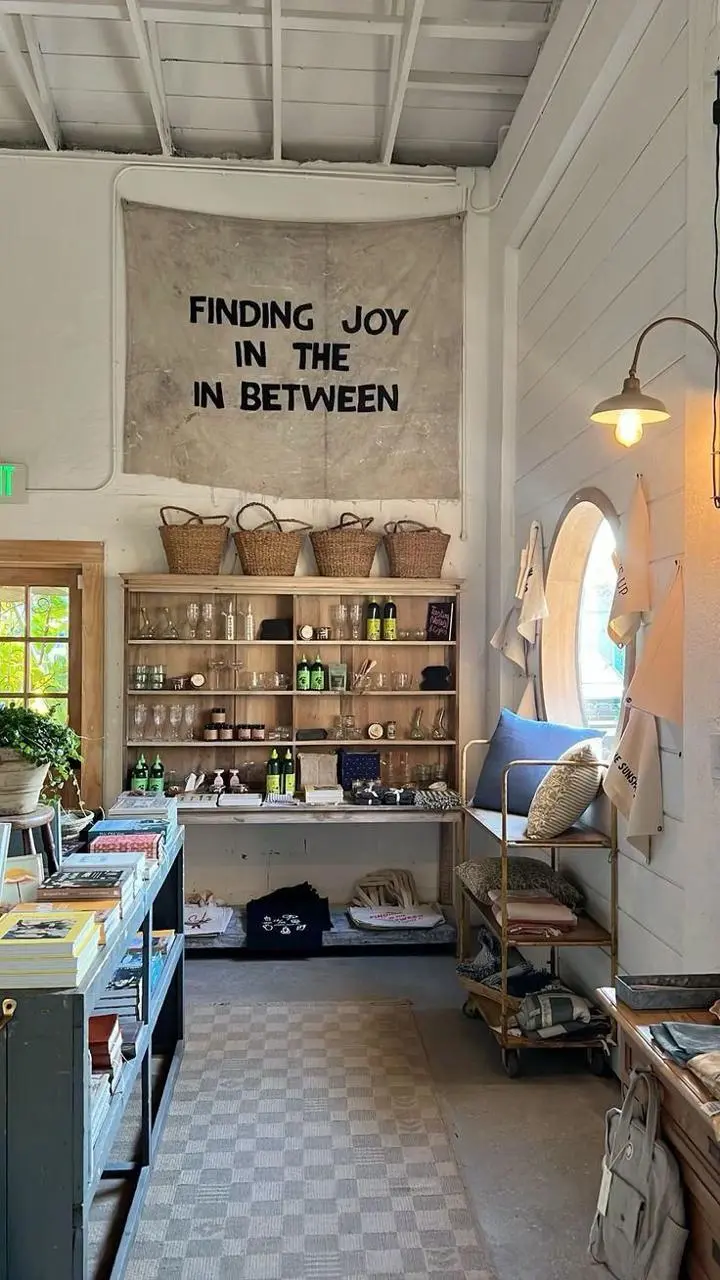
Scene: Café interior from [%#[image1]#%]cafe. barista runs a slow-drip pour-over station: glass carafe, filter cone, gooseneck kettle, grinder, and a counter drawer holding the bag from coffee-bag. The finished iced coffee is in [%#[image2]#%]caffee. Queue: skater first in line and worker and woman behind him.
CUT 1 (0:00–0:03) — Top-down tracking close-up: the counter drawer is pulled down toward the bottom of frame, camera tracking the pull; a single coffee-bag lies flat on its back inside the empty white drawer with nothing else in it. barista's hand grabs the bag and in a quick motion lifts it up toward the lens until dark fills the frame. TRANSITION: the cut hides inside the dark frame-fill.
CUT 2 (0:03–0:06) — Laowa probe lens macro dolly-out, pulling out of the bag's open mouth as beans cascade past the lens in ultra slow-motion into the grinder hopper below. TRANSITION: the camera whips DOWN with the falling beans.
CUT 3 (0:06–0:08) — Enters on the same downward plunge: macro on the grinder's spout as fresh ground coffee streams out of it like dark sand, backlit, piling into a soft mound in the dosing cup below — slow-motion on the flowing grounds, fine particles drifting in the light. TRANSITION: speed ramping orbit to the right.
Add Motion to the Environment
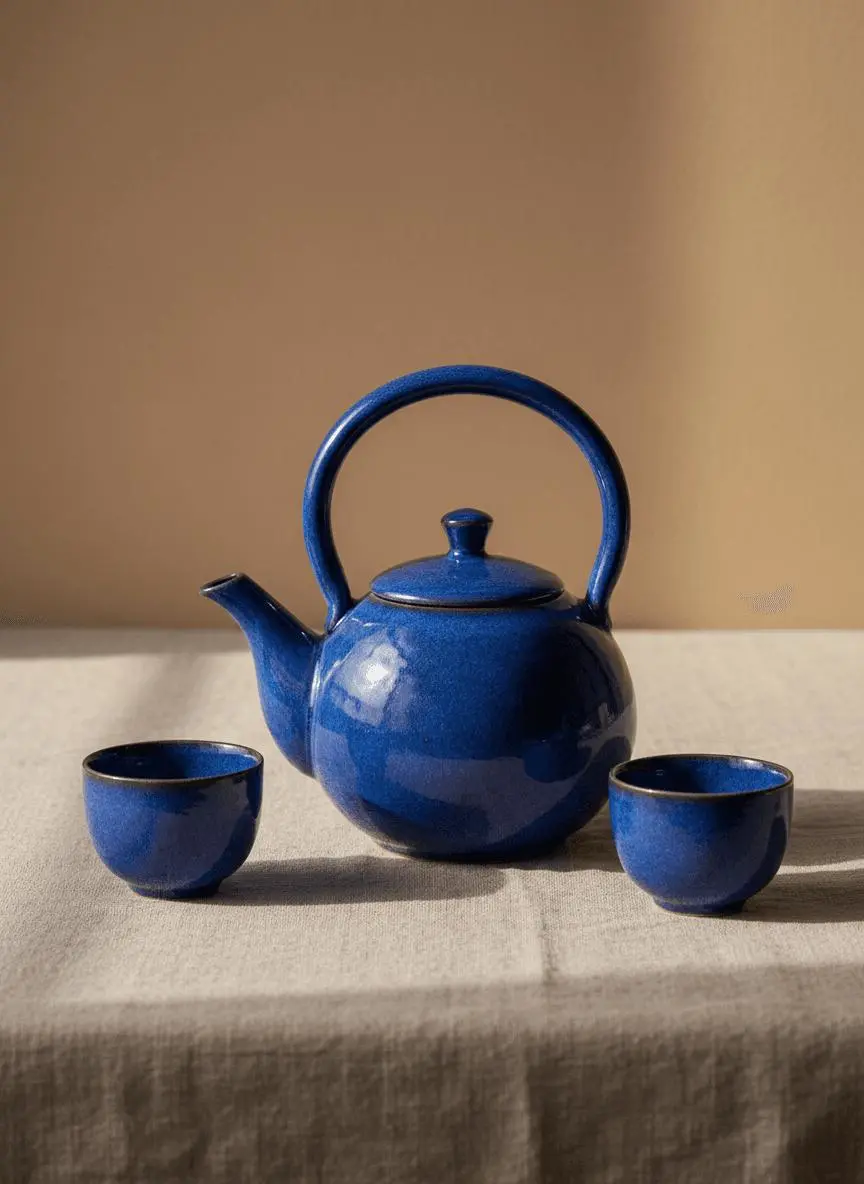
Identify the environmental element that moves while the composition remains recognizable. In this case: “A soft patch of window light moves slowly across the linen cloth while the camera makes a gentle push-in.”
Use image 1 as the first frame. Keep the blue teapot and two cups unchanged in shape, color and placement. A soft patch of window light moves slowly across the linen cloth while the camera makes a gentle push-in. One uninterrupted product shot, realistic shadows, no new objects, no cuts and no text.
Describe How the Framing Changes
Name the camera movement and the part of the subject or environment it should reveal. In this case: “Add one small natural movement and a very slow camera push-in.”
Use image 1 as the opening frame. Keep the subject and setting recognizable. Add one small natural movement and a very slow camera push-in. Preserve the original composition, clothing and colors. One continuous shot, no cuts, no new objects and no text overlays.
HOW TO USE
Create Your First Seedance 2.0 Mini Video
Start in the generator on this page. To reuse an example, click Copy Prompt, return to the description field, and adapt the prompt to your own inputs.
Provide the Scene and Inputs
Write your brief and add the reference media required by the selected mode. Explain the role of each supplied input.
Choose the Output Options
Choose an offered duration, aspect ratio, and other available output options. Check the form’s displayed points before submitting.
Generate and Review
Click Generate and review the resulting video. Check movement, framing, continuity, and any delivered audio. Adjust your prompt or references for the next attempt.
Compare the documented model roles and the inputs and options currently listed in WeShop. Model names or matching settings do not by themselves establish equal output quality or a fixed generation-time difference.
Dimension
Seedance 2.0
Seedance 2.0 Mini
Seedance 2.5
Model role
Multimodal creative direction and audiovisual generation
Mini selection for multimodal creation
Longer stories, reference interpretation, and directed editing
Inputs listed for the page
Direct a Scene with References
Direct a Scene with References
Direct a Scene with References
Current WeShop options
Duration: 4–15 seconds
Duration: 4–15 seconds
Duration: 4–30 seconds
Model role
Seedance 2.0
Multimodal creative direction and audiovisual generation
Seedance 2.0 Mini
Mini selection for multimodal creation
Seedance 2.5
Longer stories, reference interpretation, and directed editing
Inputs listed for the page
Seedance 2.0
Direct a Scene with References
Seedance 2.0 Mini
Direct a Scene with References
Seedance 2.5
Direct a Scene with References
Current WeShop options
Seedance 2.0
Duration: 4–15 seconds
Seedance 2.0 Mini
Duration: 4–15 seconds
Seedance 2.5
Duration: 4–30 seconds
When to Consider Seedance 2.0 Mini
Match the Model to Your Task
Consider Mini when its reference-led workflow and listed duration fit the task. Its name alone does not establish a measured speed or quality tradeoff.
MORE VIDEO MODELS
Explore More Video Models
Open a related model page to review its capabilities, examples, and current generation options.
Answers about this version, its inputs, and how to get started.
What is Seedance 2.0 Mini?
Seedance 2.0 Mini is the smaller-tier Seedance 2.0 option documented by BytePlus, with text, frame, and reference-based video workflows.
What is a good task to consider it for?
Consider Mini when its reference-led workflow and listed duration fit the task. Its name alone does not establish a measured speed or quality tradeoff.
What do I need to provide?
Direct a Scene with References. Describe the scene and add reference media through the available controls. Identify what each input supplies, such as the subject, setting, motion, or sound.
Which output settings are offered here?
Duration: 4–15 seconds
How do I try an example prompt?
Click Copy Prompt, return to the generator, and paste it into the description field. Add your own required references and update their roles. Linked case previews and Use This Prompt open the saved case; they do not automatically fill this page’s form.
What should I know about this version?
The current entry does not inherit every standard or 2.5 feature. Use the actual Mini settings and paired case inputs.