Y2K style is back, and it is not hard to understand why.
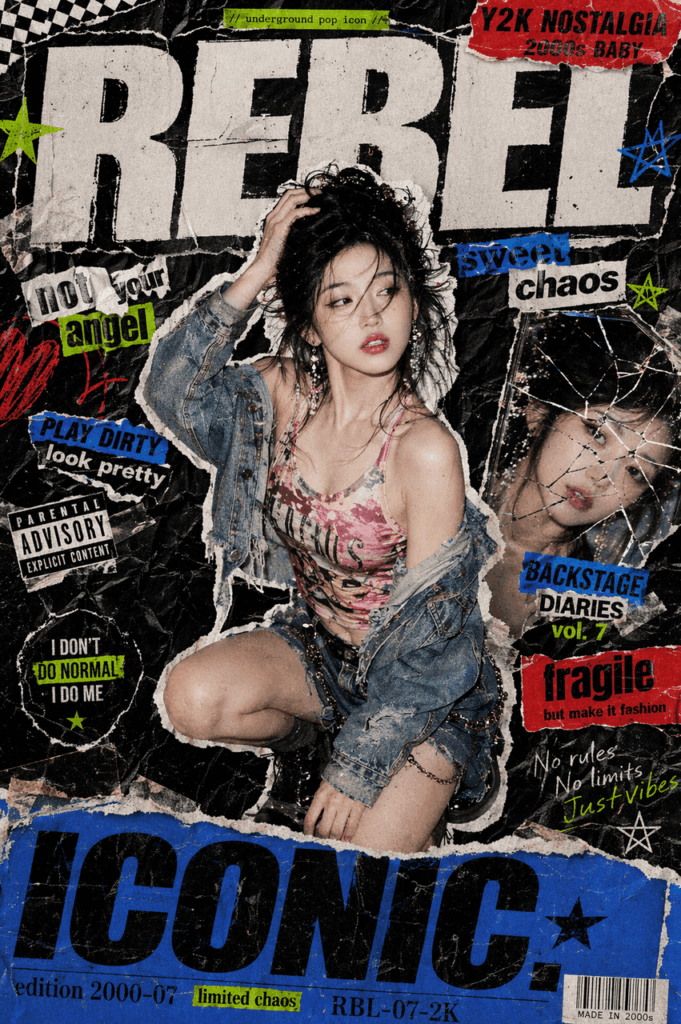
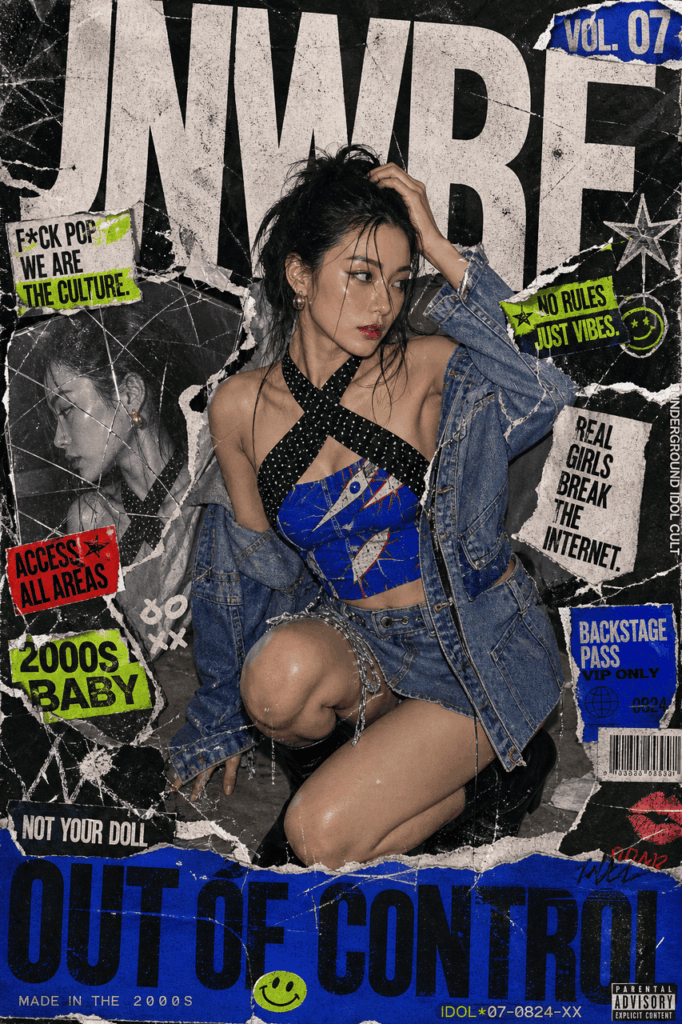
It feels bold, nostalgic, messy, and full of attitude. More importantly, it turns an ordinary image into something that looks like a fashion zine, an underground concert flyer, or a ripped magazine cover from the early 2000s.
However, creating this look by hand used to take a lot of time. You had to cut out the subject, collect paper textures, add stickers, place typography, adjust colors, and polish every layer in Photoshop.
Now, thanks to AI image tools, the process is much easier. With one clear photo and a strong prompt, you can create a Y2K AI poster in just a few minutes.
In this guide, you will learn how to use Weshop AI to turn a simple photo into a bold Y2K AI poster with ripped paper textures, neon accents, messy typography, and retro pop energy.
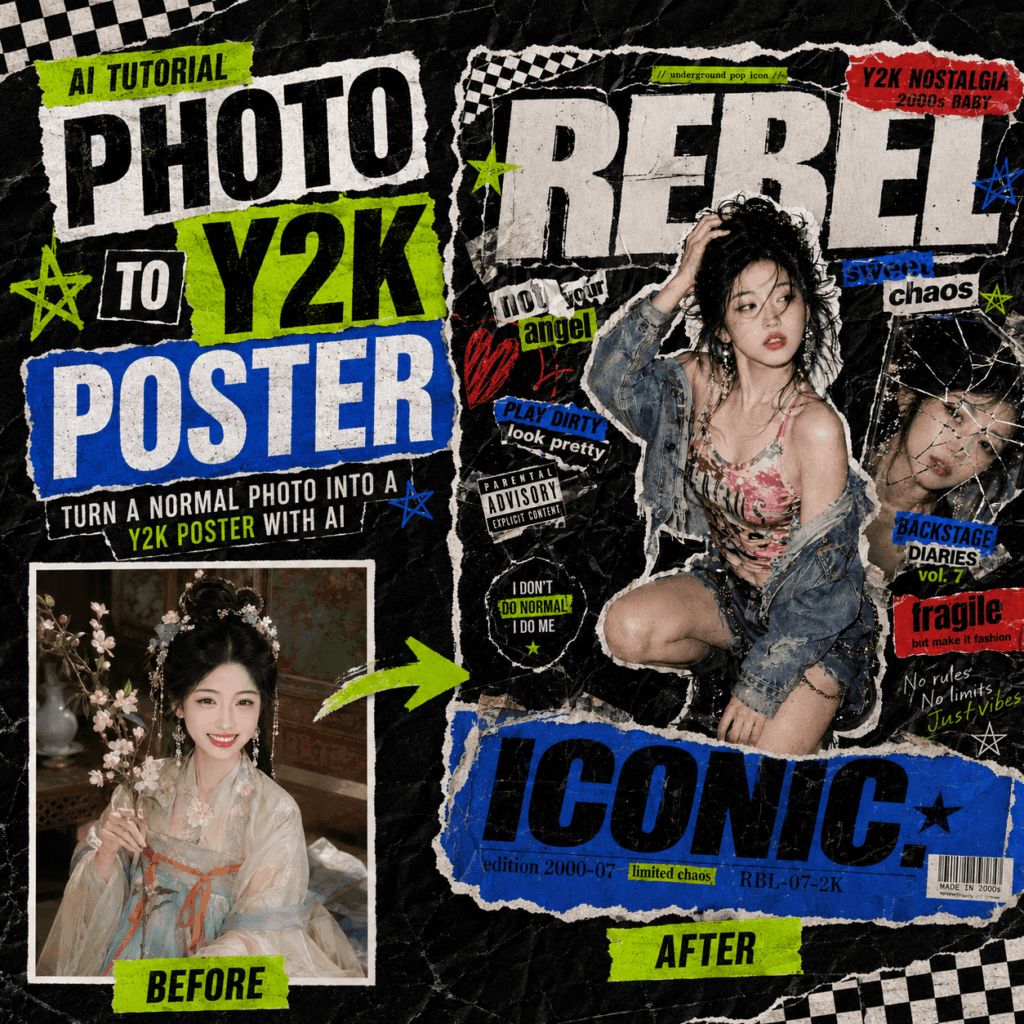
What Is a Y2K AI Poster?
A Y2K AI poster is an AI-generated visual inspired by early 2000s design culture.
Usually, this style combines nostalgic Y2K elements with modern AI image generation. As a result, the final image often looks like a handmade collage poster, a punk magazine spread, or a fashion editorial with a rough underground edge.
You will often see details like torn paper, photocopy grain, tape overlays, sticker graphics, bold type, and high-contrast flash lighting.
In other words, a Y2K AI poster is not just a filtered photo. Instead, it is a redesigned image with a stronger visual identity.
That is why this style works so well for social media posts, profile pictures, fashion content, music visuals, personal branding, and creative campaigns.
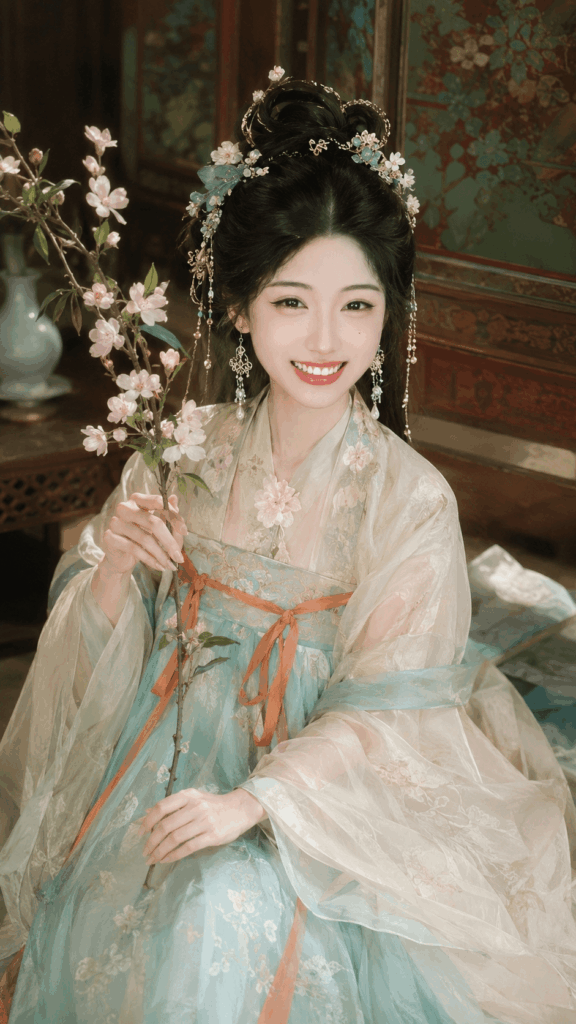
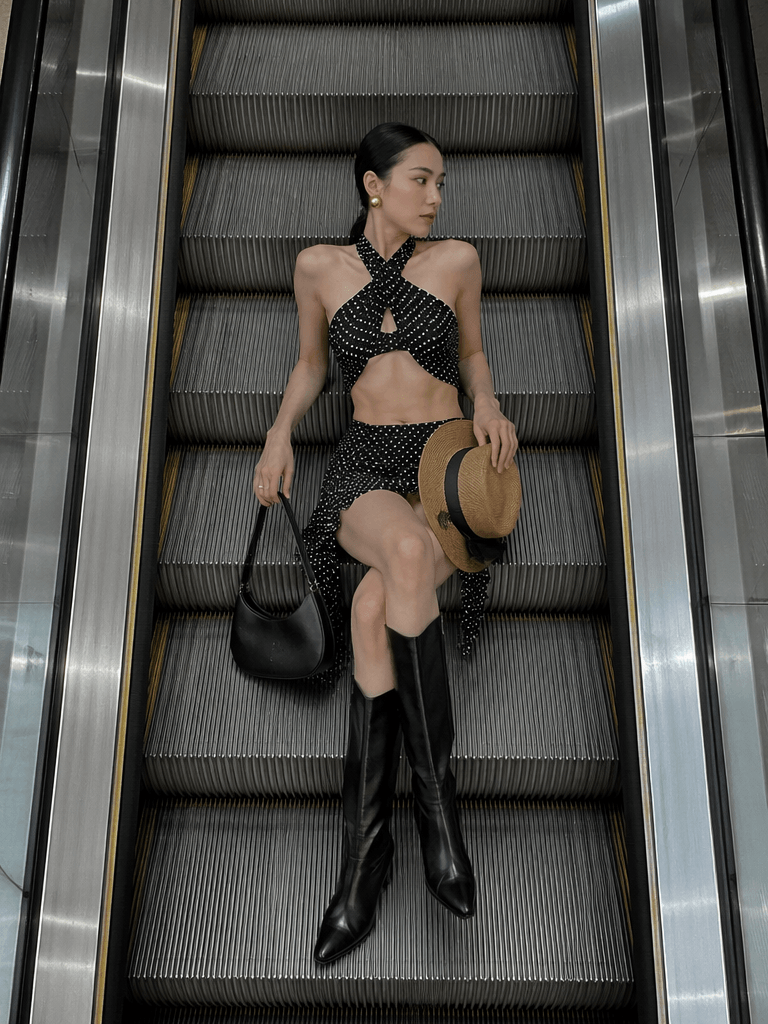
Original portrait
Why This Y2K AI Poster Style Works So Well
This workflow works because it gives AI two clear inputs.
First, your uploaded photo gives the tool a visual foundation. It shows the subject, face, pose, outfit, and general mood.
Next, the prompt gives the tool a creative direction. It tells AI to rebuild the image with ripped paper layers, bold typography, Y2K colors, and collage-style composition.
Therefore, the final result feels more intentional than a random AI edit.
Instead of simply changing the color or background, Weshop AI can transform the whole image into a complete Y2K AI poster. The style becomes stronger, the subject feels more dramatic, and the design looks more shareable.
What You Need Before You Start
Before making your Y2K AI poster, prepare two simple things.
1. A Clear Base Photo
Choose a photo with a visible subject. A portrait, selfie, outfit shot, model image, or pet photo can all work.
For better results, pick an image with:
- clear facial details
- good lighting
- a strong pose or expression
- a simple background
- visible clothing and accessories
- a little personality or attitude
Meanwhile, try to avoid photos that are too blurry, too dark, or too crowded.
Although AI can improve the style, it still needs enough visual information to work with. A better base image usually leads to a better Y2K AI poster.
2. An AI Image Tool
For this tutorial, we will use Weshop AI.
The workflow is simple. You upload your photo, paste a prompt, adjust a few details if needed, and generate the image.
As a result, beginners can create a polished poster-style visual without learning complex design software first.
Step 1: Upload Your Photo to Weshop AI
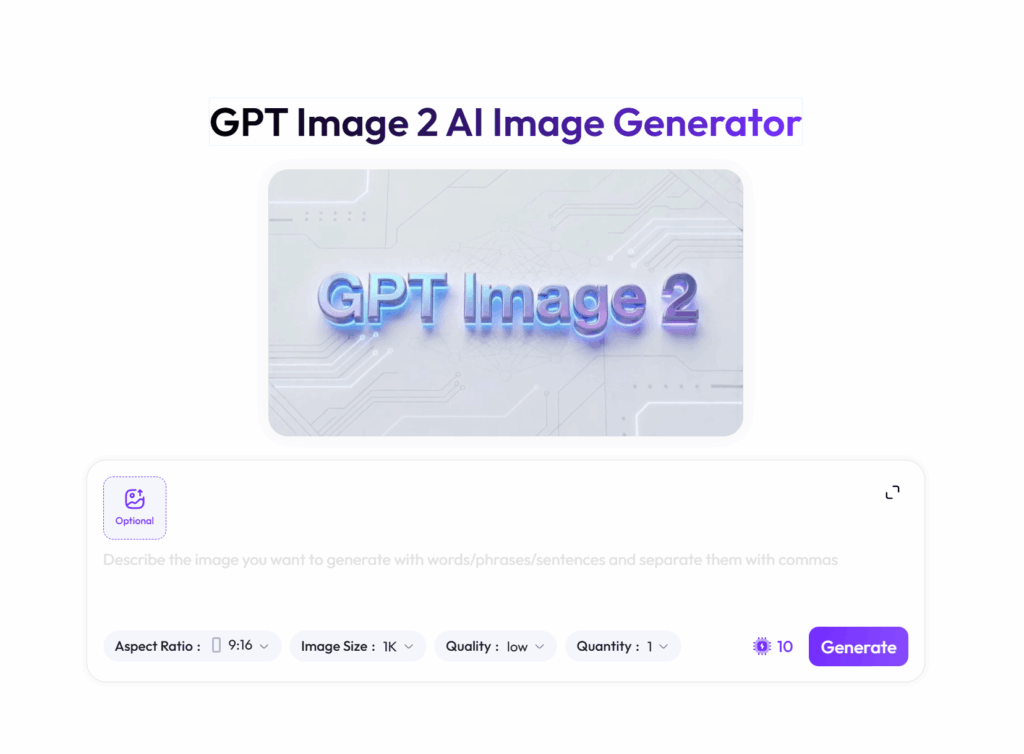
First, open the Weshop AI image tool in your browser.
After entering the workspace, look for the upload area. In most cases, you will see a “+” icon or an “Upload” button. Click it, then select the photo you want to turn into a Y2K AI poster.
Once the image is uploaded, check whether the subject is easy to recognize. The face, pose, and outfit should be clear enough for AI to read.
At this point, you do not need to remove the background or edit the image manually. Instead, Weshop AI will use your uploaded photo as the base and apply the style through the prompt.
How to Pick a Better Photo
Although many images can work, some photos are easier to transform.
For example, a vertical fashion portrait usually creates a stronger poster composition. In addition, photos with denim, metallic jewelry, layered outfits, bold makeup, or streetwear often match the Y2K mood very well.
If you want a more eye-catching Y2K AI poster, choose a photo with:
- a confident pose
- a clear subject
- visible styling details
- emotional expression
- strong lighting
- enough space around the body
However, do not overthink it. Even a casual phone photo can become a cool poster if the subject is clear and the prompt is strong.
Step 2: Use a Y2K AI Poster Prompt
A strong prompt is the key to a strong Y2K AI poster.
The prompt tells AI what kind of poster to create. More specifically, it controls the mood, layout, texture, typography, lighting, and color palette.
Before copying the prompt, pay attention to the [MAIN SUBJECT] section. This part should match your uploaded photo.
For example, if your photo shows a young man, describe a stylish young man. If your image shows a cat, describe a cute cat. Likewise, if you upload a couple photo, describe two people instead of one person.
This small change helps AI understand the subject better. As a result, the final poster will look more natural.
Quick Prompt Version
Use this shorter prompt if you want a fast result.
Based on the uploaded image, create a bold Y2K AI poster with a ripped paper collage style, underground pop culture energy, neon accents, distressed textures, messy typography, tape overlays, photocopy grain, and a nostalgic 2000s fashion magazine mood.

Keep the main subject recognizable. Add dramatic flash lighting, layered paper pieces, sticker-like graphics, rough shadows, and a dynamic asymmetrical poster layout.

Make the final image look like a professional mixed-media fashion poster with strong Y2K visual impact.
This version is easier to use and less likely to confuse the AI. However, if you want more detailed control, use the full prompt below.
Full Prompt Template: Subject
Copy this section first. Then, edit the subject description based on your uploaded image.
Based on the uploaded image, create a bold Y2K-inspired ripped paper collage poster with an edgy underground pop culture aesthetic.

[MAIN SUBJECT]
Create a stylish young Asian female model with a fashion-editorial attitude. The subject should appear slightly off-center, as if captured in a candid backstage moment.

The pose should feel confident, expressive, and controlled. Keep the body language stylish rather than explicit. Preserve the original pose and composition as much as possible if the uploaded image already has a strong pose.

Use natural messy dark hair, loose face-framing strands, glossy makeup, soft blush, and reflective metallic earrings. The expression should feel slightly rebellious, emotional, and confident.

Style the outfit with Y2K-inspired street fashion. Use casual denim layers, a vibrant statement top, and an editorial fashion mood.
If your uploaded image is different, only change this section.
For instance, replace “young Asian female model” with “stylish young man,” “cute fluffy cat,” “fashionable couple,” or any subject that fits your photo.
Full Prompt Template: Poster Style
Next, paste this section to guide the overall look of the Y2K AI poster.
[POSTER STYLE]
The entire composition should look like a handmade ripped magazine poster assembled from torn paper pieces and pasted layers.

Visual style includes:
- distressed paper textures
- torn edges
- photocopy grain
- scratched film texture
- wrinkled black paper background
- tape overlays
- zine and punk collage aesthetics
- messy layered typography
- underground concert flyer vibe
- Y2K pop magazine energy

[LAYOUT]
Use a dynamic poster layout with oversized headline typography, a clear main portrait, floating text stickers, bright label blocks, a bottom banner strip, small editorial code text, and an asymmetrical composition.
This section helps AI build the ripped paper collage look.
In addition, it gives the image a stronger poster structure instead of making it look like a simple portrait edit.
Full Prompt Template: Typography and Color
Now, add the typography and color instructions.
[TYPOGRAPHY ELEMENTS]
Include layered bold condensed typography with mixed sizes.

Use:
- giant main title
- small sticker-like labels
- random short words
- editorial tags
- fragmented phrases
- distressed ink texture
- imperfect print alignment
- bold sans serif type
- high contrast black text
- rough photocopied edges

[COLOR PALETTE]
Main colors:
- deep black background
- dirty white paper
- neon green accents
- vivid electric blue
- bright warning red
- subtle skin tones
These details make the Y2K AI poster feel more authentic.
However, AI-generated text may not always be spelled correctly. For casual visuals, that is usually fine. For brand names, slogans, or event dates, it is better to add final text manually later.
Full Prompt Template: Details, Lighting, and Mood
Finally, paste this section to add texture, lighting, and emotional direction.
[GRAPHIC DETAILS]
Add ripped paper borders around the subject, cracked mirror reflections, stars, doodle marks, marker scribbles, masking tape pieces, xerox texture, rough shadows between paper layers, sticker aesthetics, and imperfect print noise.

[LIGHTING]
Use high-contrast editorial lighting with dramatic shadows and glossy highlights on skin. The image should feel like flash photography mixed with fashion magazine styling.

[CAMERA]
Use close-up portrait framing, slightly cinematic fashion photography, and shallow depth of field.

[MOOD]
The mood should feel rebellious, emotional, stylish, underground, chaotic, nostalgic, and inspired by 2000s pop magazine culture.

Ultra detailed, highly textured, layered collage composition, professional poster design, editorial quality, photorealistic subject, mixed media aesthetic, 4k.
This final section gives the image more atmosphere.
As a result, the poster will feel less flat and more like a finished creative visual.
Step 3: Generate the Y2K AI Poster
After uploading your image and pasting the prompt, click Generate.
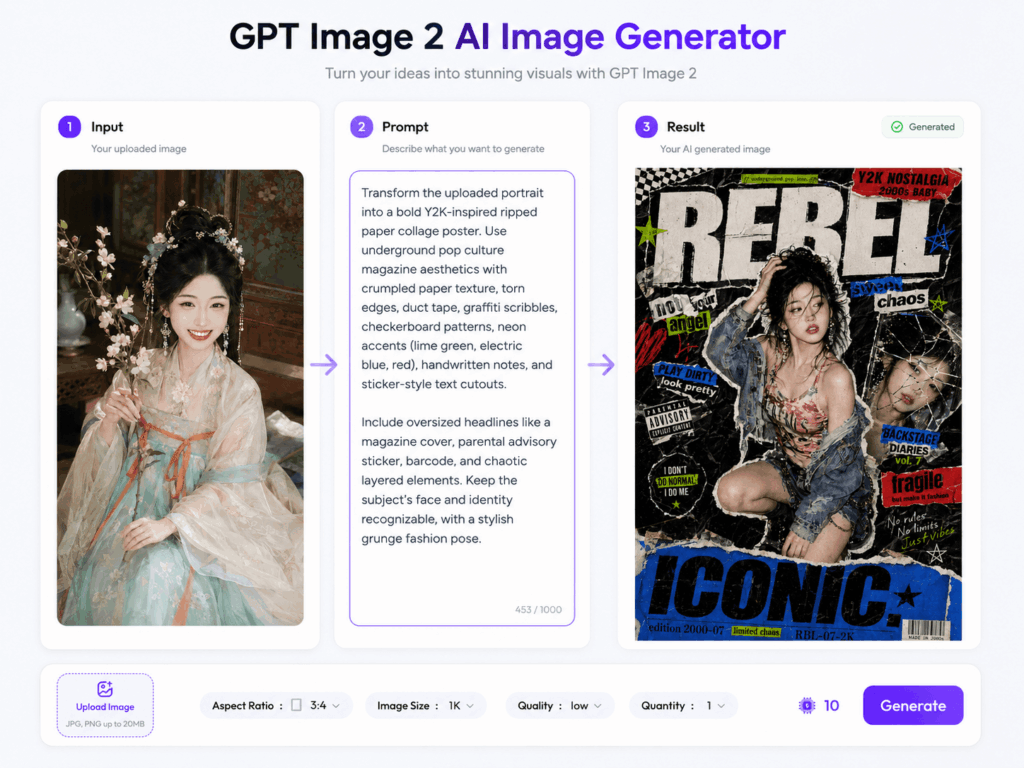
Weshop AI will read the uploaded image and apply the style instructions. After a short wait, you should see a new Y2K AI poster with torn paper, bold type, neon colors, rough textures, and a strong collage layout.
At first, the result may look very different from the original photo. That is normal.
The goal is not to create a simple retouch. Instead, the goal is to rebuild the image as a stylized poster.
Therefore, review it as a design piece rather than a normal photo edit.
How to Review the Result
Once the Y2K AI poster is ready, check three things.
Is the Subject Clear?
The main subject should stand out quickly.
If the person or object gets lost in the design, the poster may be too busy. In that case, add this line to your prompt:
Make the main subject more prominent with a cleaner composition.
Does It Look Y2K Enough?
A good result should have strong Y2K visual language.
Look for ripped paper, neon accents, distressed type, photocopy grain, sticker graphics, and 2000s magazine energy.
If the result feels too plain, add:
Use stronger Y2K AI poster aesthetics, more ripped paper collage, bolder typography, and more neon sticker graphics.
Is the Layout Balanced?
The poster can be chaotic, but it should not be confusing.
If there are too many text stickers or paper pieces, try this:
Use fewer floating elements, stronger visual hierarchy, and a cleaner poster layout.
This will help the image feel more polished while keeping the Y2K mood.
Tip 1: Change the Color Palette
Color can completely change the feeling of a Y2K AI poster.
The original prompt uses neon green, electric blue, and warning red. This creates a bold underground look.
However, you can easily change the palette for a different mood.
Sweet Y2K Pop
neon pink, cyan, purple, glossy black, dirty white
This works well for cute, playful, idol-inspired, or fashion-forward visuals.
Dark Punk Poster
blood red, deep black, dirty white, muted silver
This creates a rougher and more rebellious look.
Futuristic Chrome
silver, chrome, icy blue, black, clean white
This gives your poster a colder early-2000s tech mood.
Retro Magazine
cream white, washed blue, faded red, warm skin tones
This makes the image softer, more nostalgic, and more editorial.
Before choosing a palette, think about the emotion you want. Then, pick colors that support that mood.
Tip 2: Control the Text Better
AI is good at creating the feeling of typography. It can make the design look bold, layered, and energetic.
However, AI may not spell every word correctly.
For social media, this is often acceptable. In fact, broken text can make a Y2K AI poster feel more like a punk zine or underground flyer.
For professional use, though, use a cleaner workflow.
First, generate the poster background with AI. Next, save the image. Then, open it in Canva, Photoshop, Figma, or another design tool. Finally, add accurate text manually.
This method works best for:
- brand names
- product names
- personal names
- event titles
- dates
- slogans
- social media handles
In this way, you keep the AI-generated style while making sure important words are correct.
Tip 3: Keep the Original Pose
Sometimes, the final image may change the original pose.
This happens because AI follows both the uploaded image and the written prompt. If the prompt includes a kneeling pose, hand gesture, or body angle, AI may rebuild the subject based on that description.
To keep the original pose, remove detailed action lines from the subject section.
Then, add:
Preserve the original pose, body movement, and composition as much as possible.
This tells AI to focus on turning the image into a Y2K AI poster without changing the subject too much.
In short, write less about the pose if you want accuracy. On the other hand, write more about the pose if you want a dramatic fashion-editorial result.
Tip 4: Generate More Than One Version
AI image creation works best through testing.
Sometimes, the first result is already good. However, the second or third version may be much stronger.
Try changing one thing at a time. For example, adjust the color palette, reduce the typography, make the subject larger, or add more paper texture.
In addition, save the versions you like. Even if one image is not perfect, it may have a great layout, color idea, or texture detail.
Over time, you will learn which prompt changes create the best Y2K AI poster for your style.
Common Problem: The Poster Looks Too Busy
Y2K design is often messy on purpose. Still, there is a difference between energetic and confusing.
If your Y2K AI poster has too many stickers, words, or paper layers, simplify the prompt.
Use this line:
Create a cleaner composition with fewer text stickers and a stronger focus on the main subject.
You can also remove phrases like:
messy layered typography
multiple floating text stickers
chaotic pop aesthetic
As a result, the image should feel cleaner while keeping the ripped collage style.
Common Problem: The Poster Does Not Look Y2K Enough
If the result feels too plain, the style direction may not be strong enough.
Add this line:
Make the image feel more like a Y2K AI poster with ripped paper collage, bold 2000s magazine typography, neon sticker graphics, photocopy grain, and underground concert flyer energy.
Also, check your color palette. Y2K visuals often need contrast, so soft colors alone may not create enough impact.
For a stronger result, combine dark backgrounds with bright accents.
Common Problem: The Face Looks Too Different
Sometimes, AI may change the face more than expected.
To reduce this, keep your subject description simple. Also, avoid adding too many new facial features that are not in the original photo.
You can add:
Keep the main subject recognizable and preserve the original facial identity as much as possible.
However, remember that AI image generation is not always a perfect identity-preserving edit. For personal portraits or professional use, generate several versions and choose the closest one.
Final Thoughts
Creating a Y2K AI poster is now much easier than it used to be.
Instead of spending hours in Photoshop, you can upload a photo, paste a prompt, and generate a bold collage-style poster in minutes. More importantly, you can test different moods quickly.
For example, one version can feel sweet and glossy. Another can look dark and punk. A third version can lean into chrome, neon, and futuristic 2000s energy.
That flexibility is what makes this workflow so useful.
Whether you are making a social media visual, a profile picture, a fashion concept, or a creative design experiment, Weshop AI can help you turn a simple image into a striking Y2K AI poster.
So, choose a photo you like, open Weshop AI, and try the prompt above. If the first result is not perfect, adjust one small detail and generate again.
Your best poster may be just one prompt edit away.
Go to WeShop AI For Exploration: