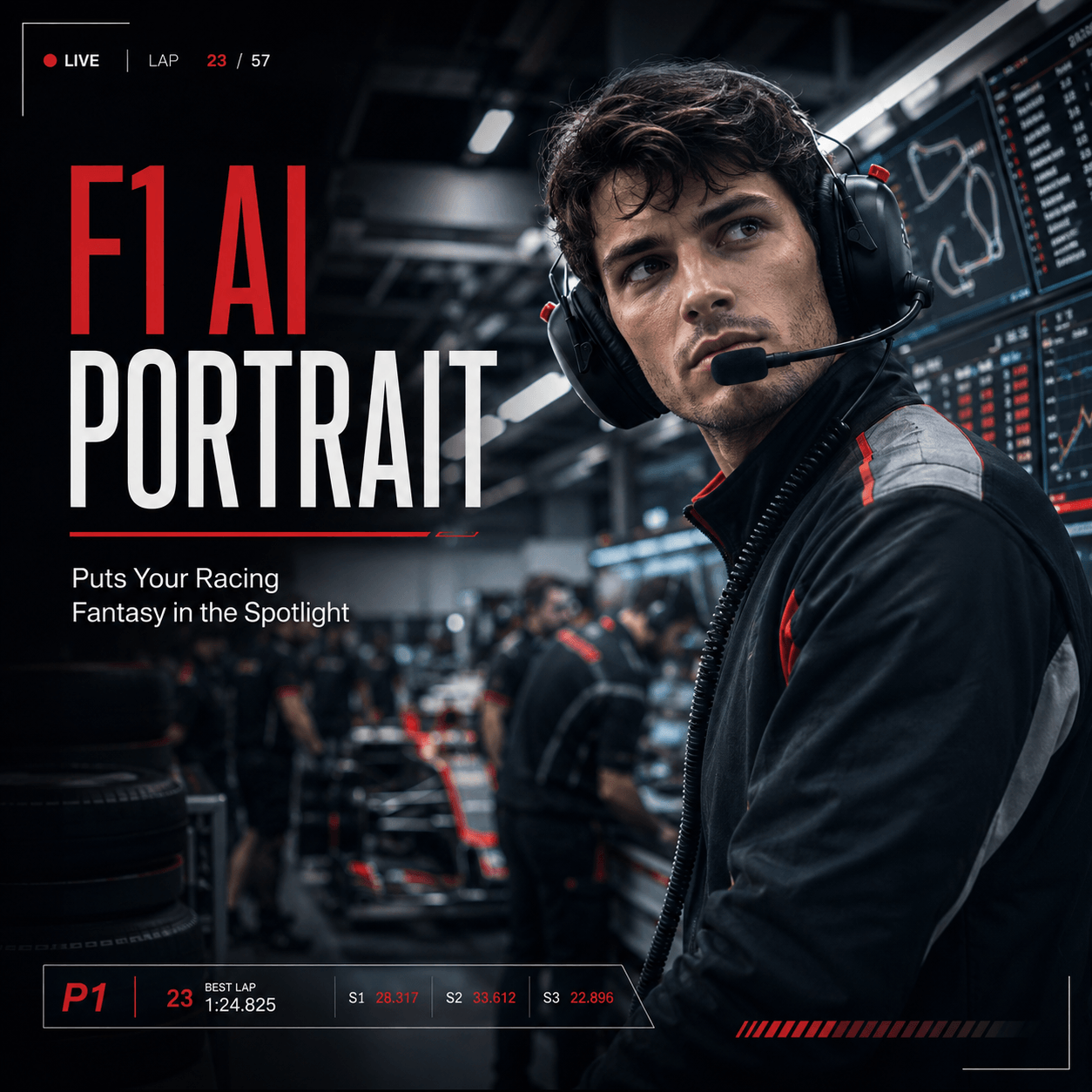
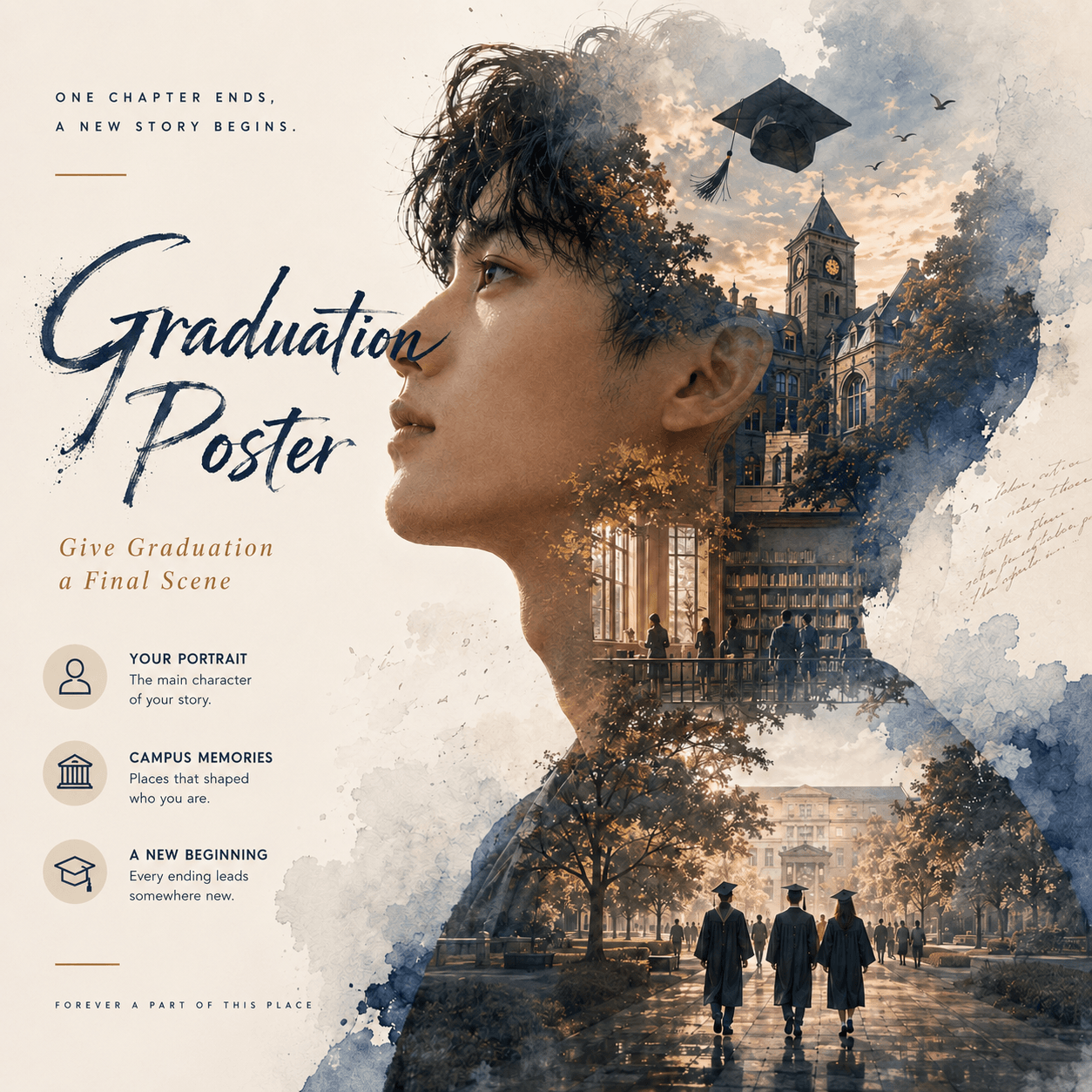
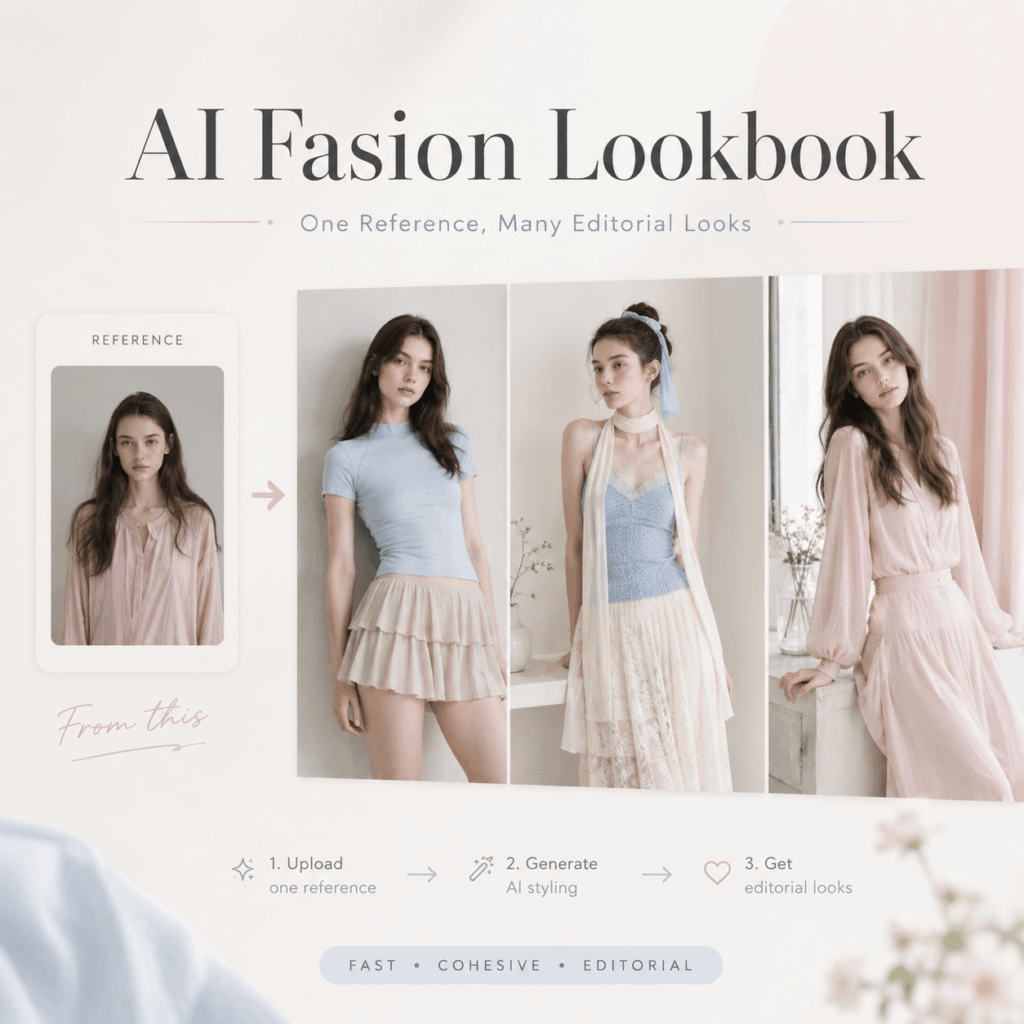
An AI fashion lookbook can turn one simple reference image into a full set of polished outfit photos, without a studio, camera team, or long editing process.
Creating a real fashion lookbook used to feel like a full production day. You had to book a photographer, prepare outfits, do makeup, set up lighting, find a clean location, and spend hours editing. However, an AI fashion lookbook changes that workflow completely.
Now, with WeShop AI GPT Image Generator, you can create an AI fashion lookbook in minutes. More importantly, you do not need advanced design skills. You only need a clear style direction, one good reference image, and a prompt that tells the AI what kind of fashion story you want to build.
In this guide, you will learn how to make an AI fashion lookbook from scratch. Also, you will get style ideas, prompt examples, layout tips, and quick fixes for common AI image problems.
🧰 What You Need
Before you start, prepare a few simple things.
You do not need much. However, the better your input is, the better your AI fashion lookbook will look.
You need:
- A WeShop AI account
- WeShop AI GPT Image Generator
https://www.weshop.ai/apps/gpt-image - One clear character reference image
- A few outfit style keywords
- Optional: Pinterest or Xiaohongshu moodboard images
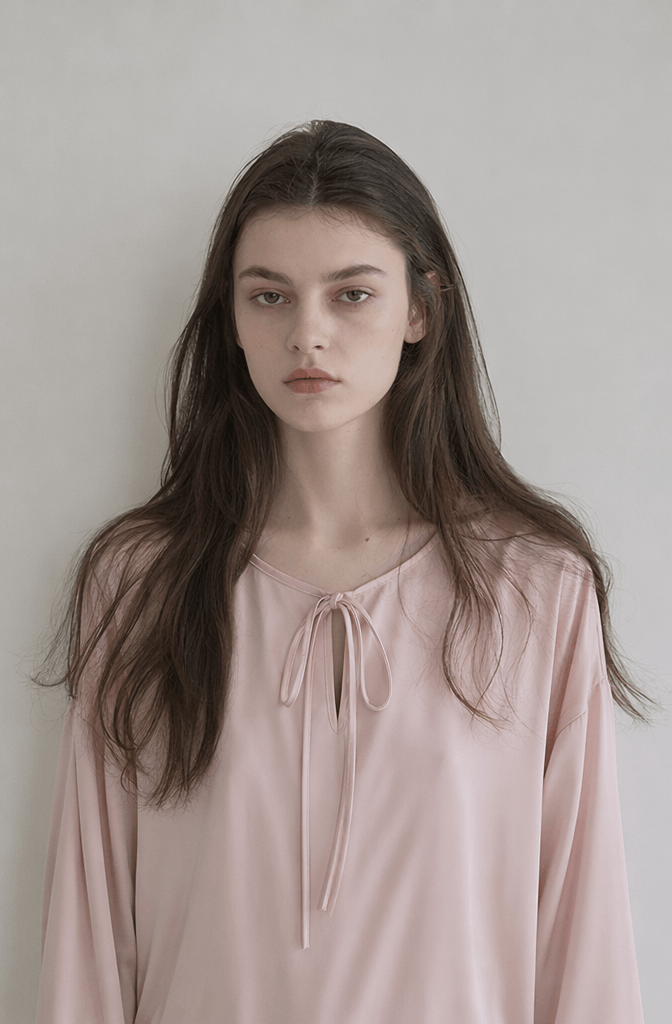
For the reference image, choose a clear selfie, half-body photo, or AI model image. Also, make sure the face is visible and the lighting is clean.
This step matters because the reference image helps the AI keep the same face, hairstyle, mood, and body shape across the whole AI fashion lookbook.
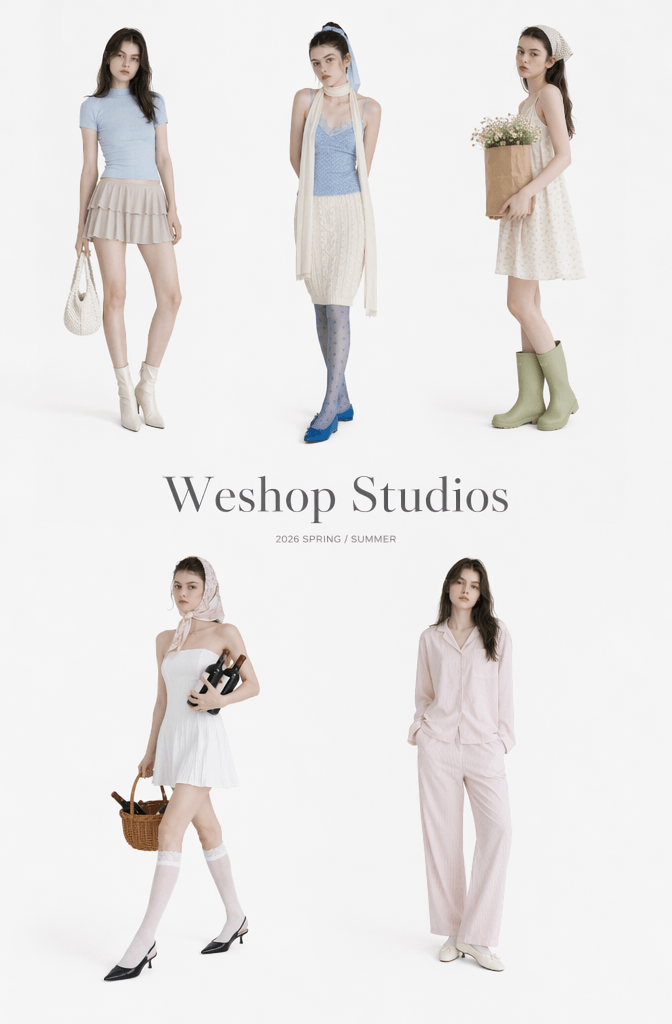
✨ Why WeShop AI Works Well for an AI Fashion Lookbook
Compared with many general AI tools, WeShop AI understands product-style images, outfit details, fabric texture, and commercial fashion mood better. Therefore, it is useful for creators, fashion sellers, influencers, and anyone who wants a clean visual set.
It is especially useful for:
- AI fashion lookbook images
- AI model photos
- E-commerce fashion visuals
- Instagram carousel posts
- Pinterest-style moodboards
- Fashion brand concept tests
Also, the GPT Image feature handles soft light, clothing details, and scene mood in a natural way. As a result, your AI fashion lookbook can look less random and more like a real editorial set.
📌 Step 1: Choose Your AI Fashion Lookbook Style
Before you write a prompt, choose the look.
This sounds simple. However, it is the step that decides whether your AI fashion lookbook feels polished or messy.
A clear style gives the AI a clear direction. Meanwhile, mixed keywords often create strange results.
For example, do not combine “Korean minimalist,” “cyberpunk,” “gothic princess,” and “soft Japanese girl” in one prompt. The AI may not know what to follow.
Instead, pick one main style first.
🌸 Soft Japanese AI Fashion Lookbook
This style feels gentle, cozy, and light. Also, it works well for lifestyle posts and daily outfit inspiration.
Useful keywords:
- soft Japanese girl
- cream tone
- cozy cafe
- natural light
- film photography
- gentle pose
- soft cardigan
- light skirt
Overall mood:
- Warm
- Calm
- Soft
- Clean
- Like a Japanese magazine page
This AI fashion lookbook style is perfect for spring outfits, café looks, daily wear, and soft girl content.
🖤 Korean Minimalist AI Fashion Lookbook
This style feels cleaner and more premium. Therefore, it works well for fashion brands, online shops, and polished social posts.
Useful keywords:
- Korean fashion lookbook
- clean aesthetic
- minimalist outfit
- luxury fashion editorial
- neutral tone
- simple background
- structured blazer
- modern styling
Overall mood:
- Clean
- Chic
- Polished
- Brand-like
- More mature
This AI fashion lookbook style is great for office outfits, simple styling, capsule wardrobes, and fashion product pages.
🎀 Instagram Sweet Girl AI Fashion Lookbook
This style feels cute, bright, and social-media-friendly. Also, it works well for carousel posts and cute profile content.
Useful keywords:
- pastel outfit
- cute girl aesthetic
- soft pink tone
- youthful vibe
- cozy bedroom
- oversized sweater
- natural pose
- bright morning light
Overall mood:
- Sweet
- Fresh
- Playful
- Light
- Easy to share
This AI fashion lookbook style is a good choice for bedroom shoots, birthday looks, soft makeup visuals, and young fashion content.
🖼️ Step 2: Upload a Reference Image
Next, open WeShop AI GPT Image Generator and upload your character reference image.
This step is important because it controls the identity of your AI fashion lookbook model.
💡 Why this step matters: This image teaches the AI the exact facial features, hair color, and body proportions of your model, ensuring consistency across your entire collection.
For best results, choose a photo with:
- A clear face
- Natural light
- No heavy filter
- No big sunglasses
- No strong shadow
- A clean background
- A relaxed expression
Also, avoid switching reference images too often. If you use a different reference image every time, your AI fashion lookbook may look like different people in every picture.
Instead, keep one main character. Then, change only outfits, poses, and scenes.
This makes the final lookbook feel more like a real fashion series.
✍️ Step 3: Write a Strong Prompt
A simple prompt structure looks like this:
- Who is in the image?
- What is she wearing?
- Where is she?
- What kind of light is there?
- What style should the photo have?
When you include these details, the final image will look more intentional.
💭 Dreamy Studio AI Fashion Lookbook Prompt
Foreground: One pair of flat shoes, one white and one with pink edges, placed on the ground at the lower part of the image.

Middle ground: The main subject is sitting on a white bed with a wrinkled silk-textured bedsheet. She wears a soft pastel outfit with a gentle and elegant pose.

Background: On the left side, there is a white curtain hanging naturally. On the right side, there is a soft pink satin curtain. The whole image should feel dreamy, clean, feminine, and editorial.

Style: soft girl aesthetic, pastel bedroom, natural light, fashion magazine photography, realistic skin texture, delicate fabric details, cinematic lighting.
This prompt is good for a soft, dreamy, bedroom-style AI fashion lookbook.
Also, it works well if you want a gentle Xiaohongshu cover vibe.
🏠 Cozy Home AI Fashion Lookbook Prompt
Foreground: No obvious obstructions.

Middle ground: The main subject is standing or sitting naturally near a table, wearing a soft casual outfit. On the left side of the table, there is a stack of white plates.

Background: The walls are covered with neatly arranged white square tiles. Behind the subject, there are simple kitchen or home details, creating a clean lifestyle atmosphere.

Style: cozy home lookbook, natural lighting, clean background, soft cream tone, realistic photography, casual fashion editorial, gentle mood.
This prompt is better for a soft home-style AI fashion lookbook.
For example, you can use it for cardigans, sweaters, long skirts, flat shoes, and quiet lifestyle scenes.
🎀 Cute Bedroom AI Fashion Lookbook Prompt
cute girl aesthetic, pastel bedroom,
soft pink tone, oversized sweater,
natural pose, cozy atmosphere,
fashion magazine photography,
realistic skin texture,
cinematic lighting,
film texture
This one is simple. However, it works well for beginners.
If you want the image to look more premium, add:
- editorial photography
- cinematic lighting
- film texture
- fashion magazine
- realistic skin texture
- real fabric texture
These words help reduce the strong AI feeling. Also, they make your AI fashion lookbook look closer to real fashion photography.
👗 Step 4: Generate More Outfit Versions for Your AI Fashion Lookbook
For a better AI fashion lookbook, generate several images with the same person and the same visual tone.
A good set can include:
- 6 to 9 images
- Different outfits
- Different poses
- Different scenes
- Similar lighting
- Similar color palette
However, keep the main character the same.
That means you should keep:
- The same reference image
- The same face style
- The same hair feeling
- The same filter mood
- The same color direction
However, keep the background clean, the lighting soft, and the colors low-saturation.
👀 Step 5: Check the AI Fashion Lookbook Results
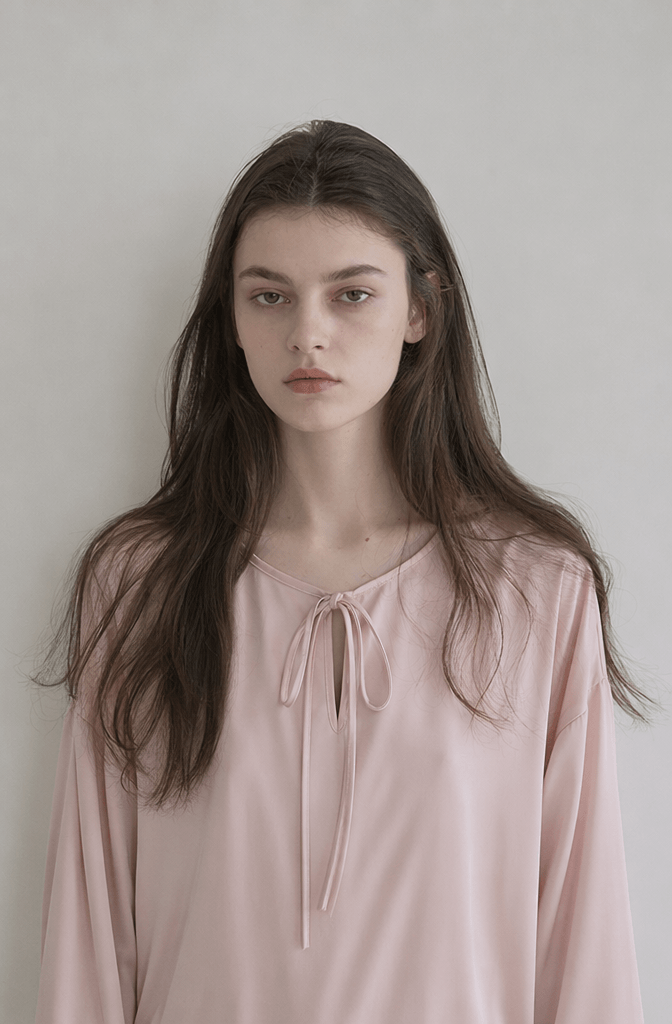
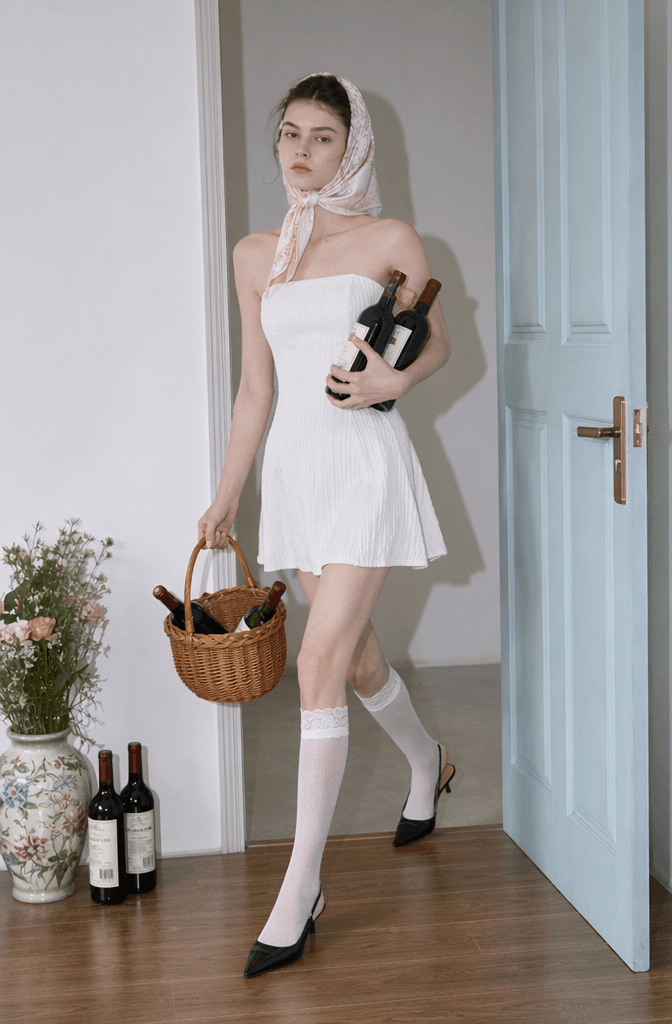
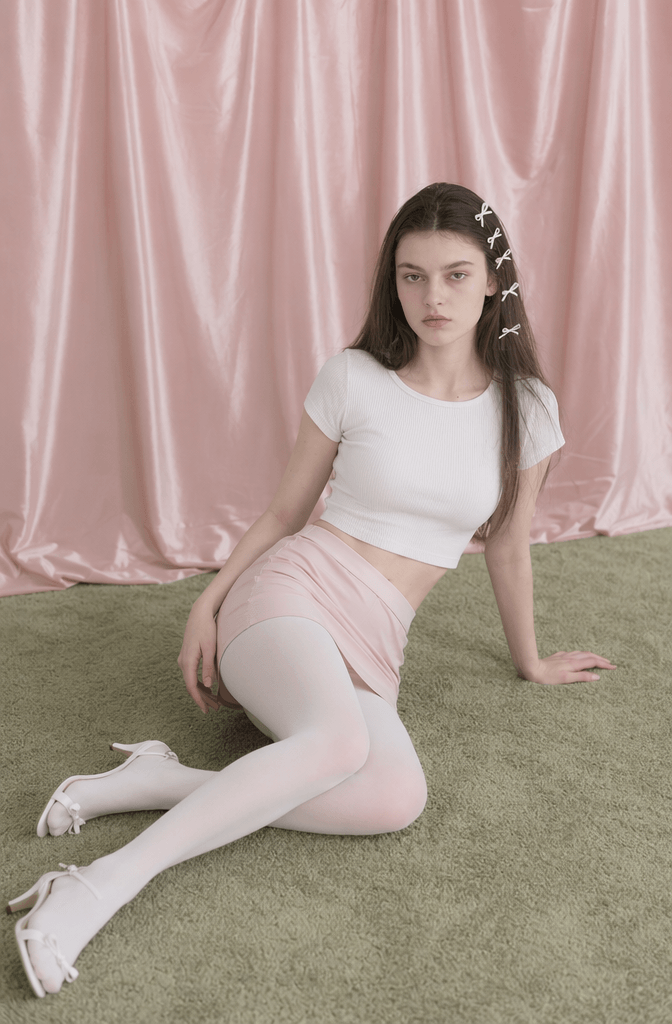
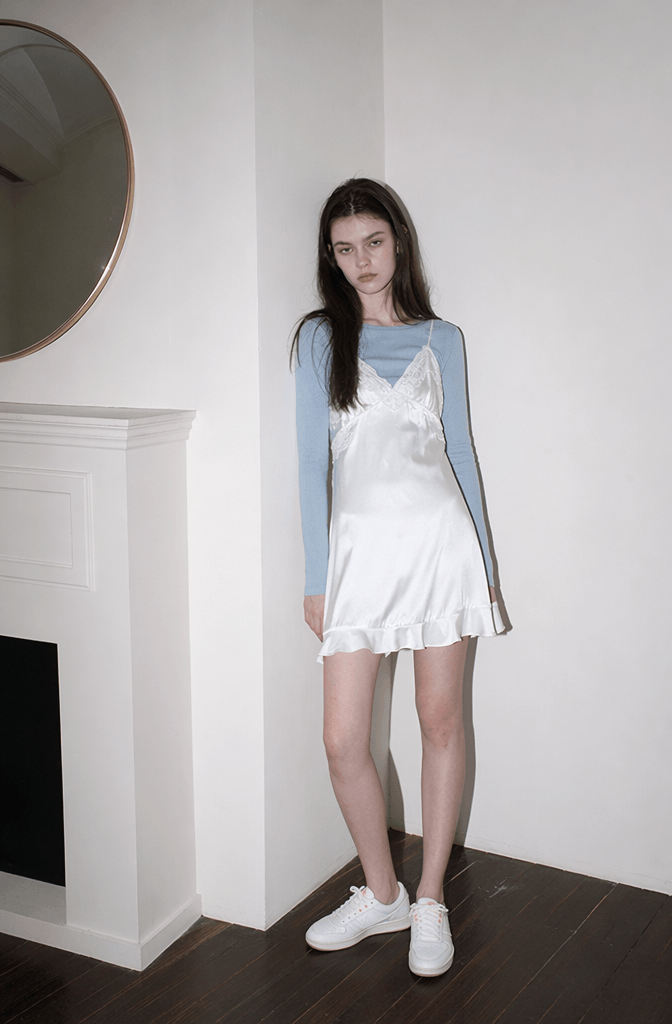
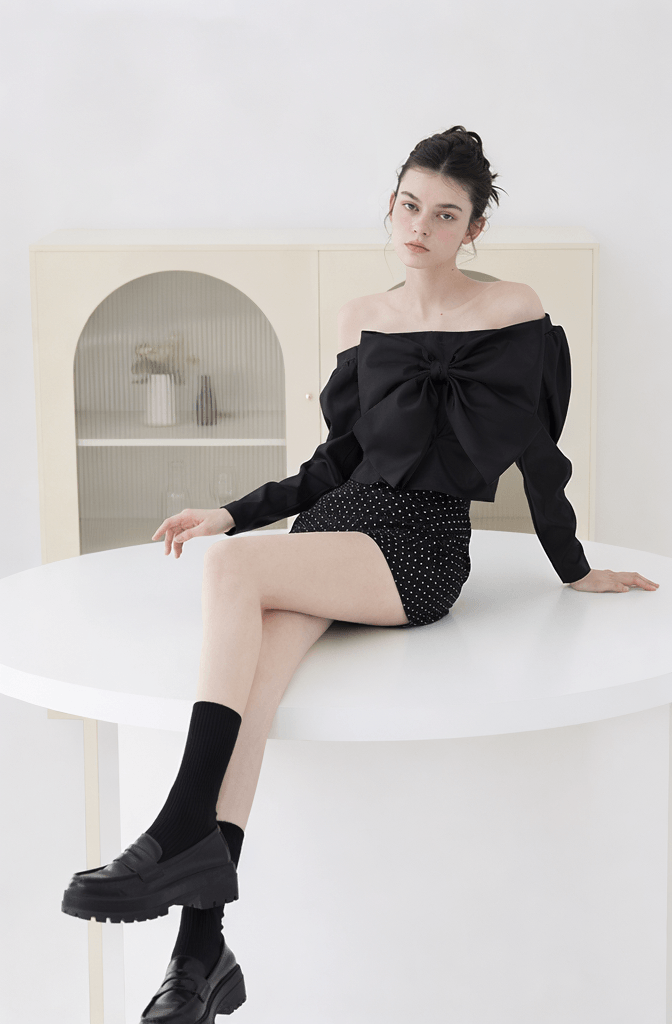
A soft French girl style:
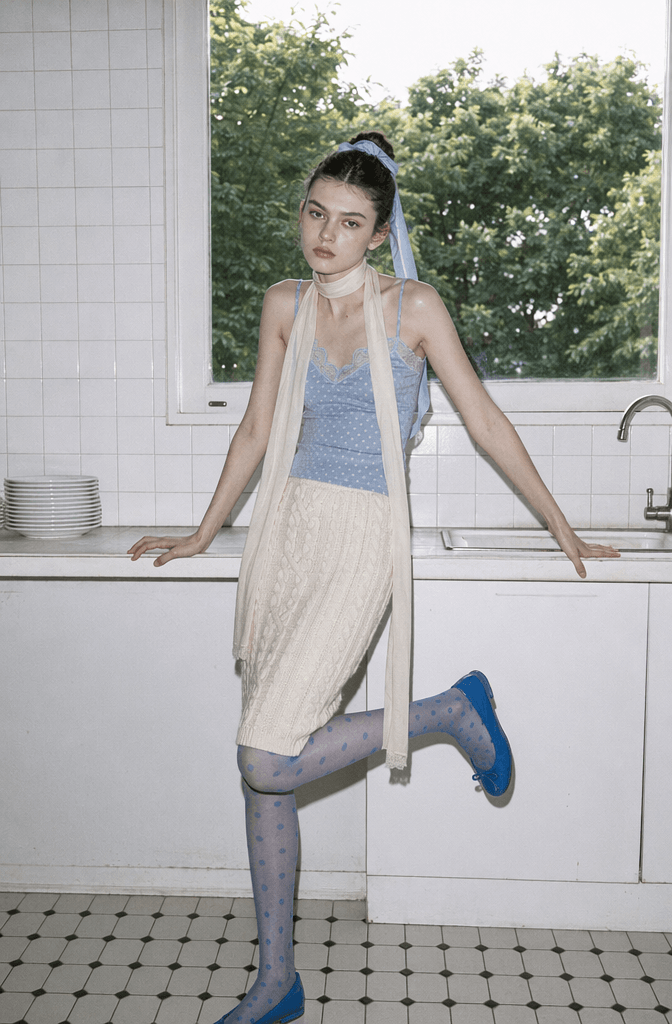
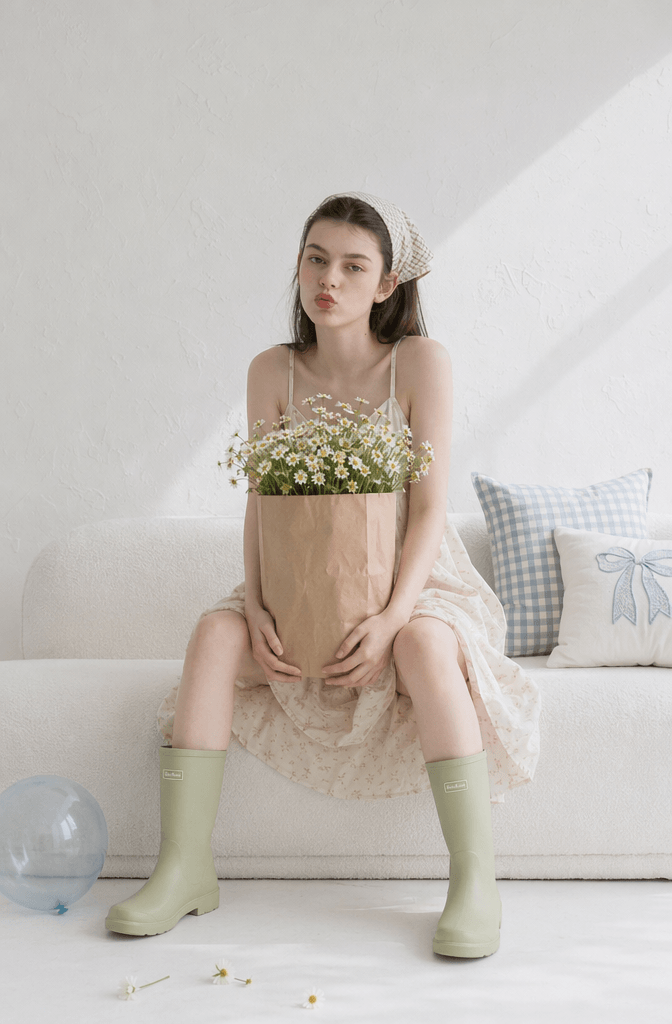
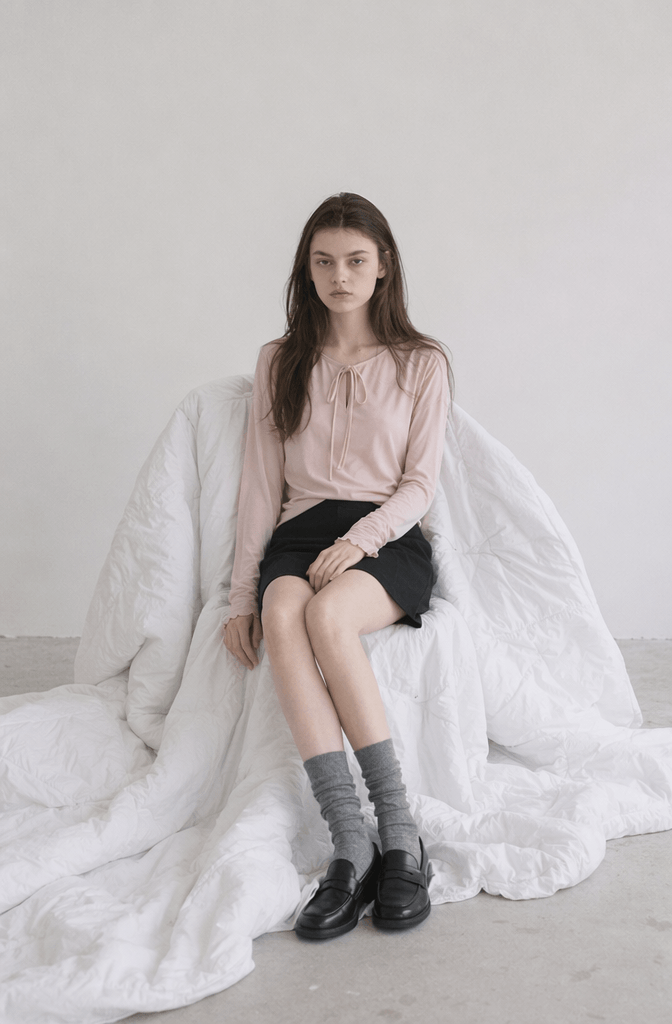
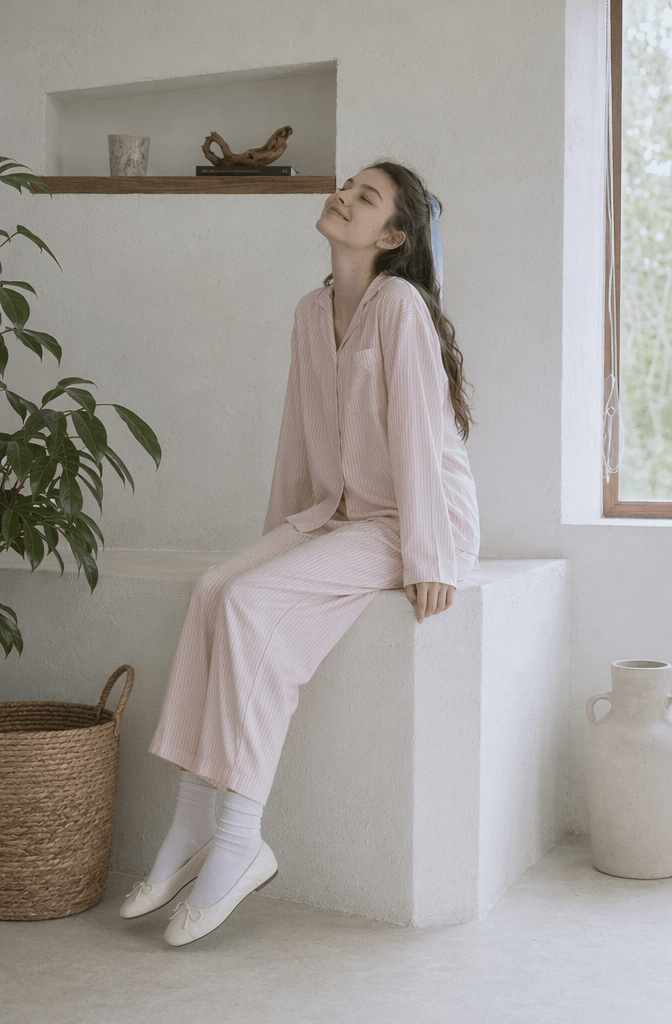
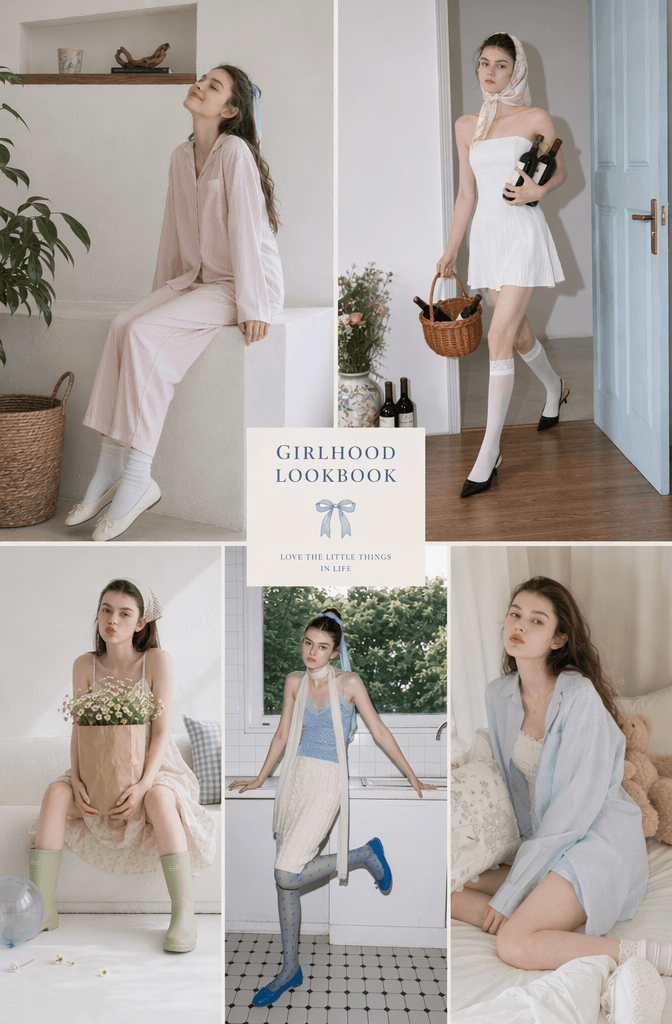
🧩 Step 6: Turn Images Into a Real AI Fashion Lookbook Layout
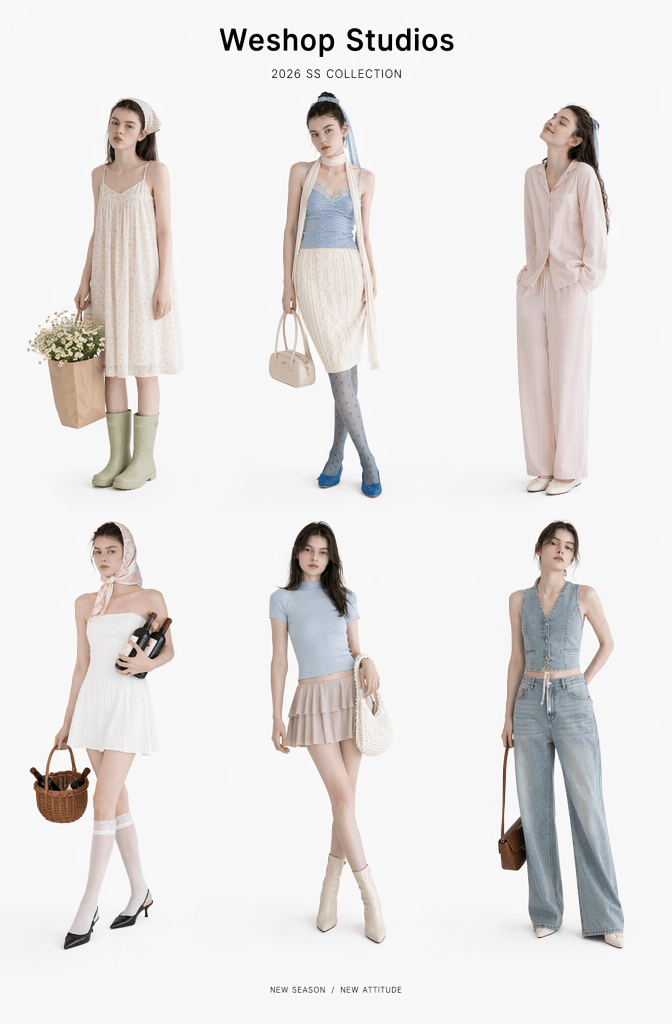
After you get the images, the final step is layout.
This is where your AI fashion lookbook becomes more polished.
🛠️ FAQ: Advanced Tips & Troubleshooting
Why is my model’s face shifting slightly between images?
This usually happens because:
- The prompt is too complex
- The reference image changes
- The style keywords conflict
- The face description changes too much
- The outfit prompt is too heavy
To fix it, use the same reference image. Also, add “same character” in your prompt.
Better prompt example:
same character, Korean fashion lookbook, clean aesthetic, minimalist outfit, natural light, editorial photography
How do I completely eliminate the fake, shiny AI skin?
To make your AI fashion lookbook look more real, use more photography-based words.
Add:
- natural skin texture
- candid pose
- realistic lighting
- documentary photography
- film photography
- soft natural shadow
- real fabric texture
Try this:
A young woman wearing a soft cream cardigan and a white skirt, standing near a window in a quiet bedroom. Natural morning light, realistic skin texture, soft shadows, clean background, editorial fashion photography.
The prompt feels more like a real shoot. As a result, your AI fashion lookbook will look more natural.
What Content Works Best for an AI Fashion Lookbook?
An AI fashion lookbook works well for many content types.
It is especially useful for:
- Fashion outfit posts
- AI model images
- Online shop product visuals
- Xiaohongshu fashion covers
- Instagram carousel posts
- Magazine-style image sets
🚀 Final Thoughts: Build Your AI Fashion Lookbook in Minutes
A fashion shoot used to take a lot of time, money, and planning.
However, an AI fashion lookbook makes the process much easier.
With WeShop AI GPT Image Generator, you can create a complete visual set from one reference image. Then, you can test outfits, moods, scenes, and layouts without renting a studio.
More importantly, AI does not only replace photoshoots.
Instead, it works like a virtual fashion studio. You can test one style today, try another tomorrow, and keep improving your visual identity.
You can create:
- Soft Japanese looks
- Korean minimalist outfits
- Sweet girl bedroom photos
- Cozy home fashion scenes
- Magazine-style editorials
- Brand-style lookbook pages
So, if you want to create Xiaohongshu covers, fashion posts, e-commerce visuals, or your own dreamy style album, this is a fast and beginner-friendly way to start.
Go to WeShop AI For Exploration: