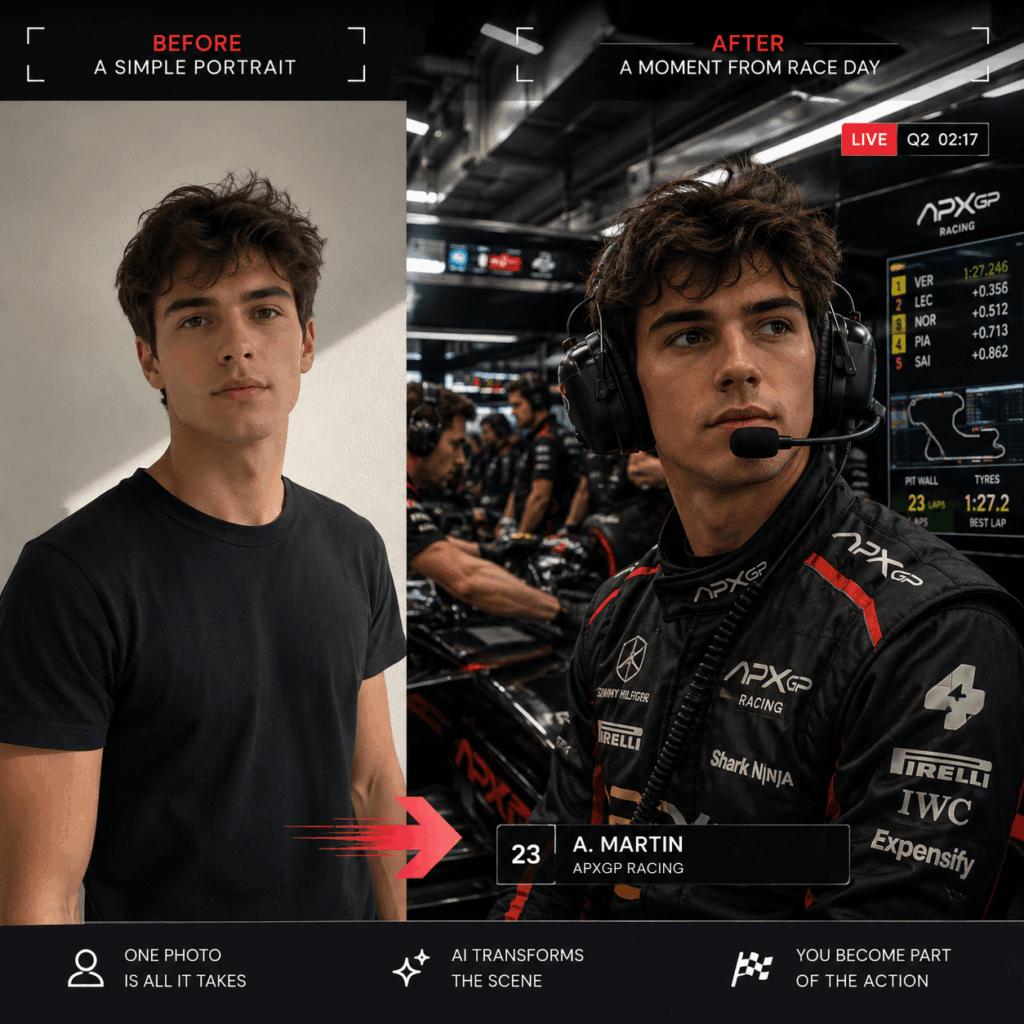
An F1 AI Portrait should feel like a frame someone paused by accident. The headset is already on. A mechanic crosses behind you. One monitor flashes beside the camera. Nobody is posing because qualifying has already started.
That sense of interruption is the entire point.
A normal racing portrait says, “Look at me wearing this uniform.” A convincing broadcast image says, “You caught me in the middle of something important.”
The difference is small on paper. On screen, it changes everything.
The Camera Finds You at 2:17 PM
The garage is too busy for a formal portrait.
Tires sit near the wall. Cables cross the floor. Engineers move between screens. Somewhere outside the frame, an engine starts. Meanwhile, the subject looks toward a monitor instead of directly at the viewer.
That is the scene.
The image does not need to show a car at full speed. In fact, the quieter moment can feel more believable. A headset, focused expression, and active background already suggest that the next decision matters.
This gives the portrait tension without turning it into an action poster.
It also creates a more interesting role for the person in the frame. They may be a driver, engineer, strategist, presenter, creator, or team member. The clothing and environment provide the context. However, the expression provides the story.
Therefore, start with the moment rather than the outfit.
Ask what happened one second before the image.
Then ask what might happen next.
Why an F1 AI Portrait Must Look Interrupted
A weak F1 AI Portrait looks ready for a profile page.
The person stands in the middle. Their uniform is spotless. Every mechanic faces the camera. The equipment is arranged neatly. Even the garage seems to be waiting for the photographer.
A real working environment behaves differently.
Someone is looking down at a tablet. Another person is carrying equipment. A third mechanic is partly hidden behind the subject. Screens point in different directions. Light falls unevenly across the room.
As a result, the image feels observed rather than arranged.
Small imperfections also help. A blurred person near the edge can suggest movement. A cable may enter the frame from an awkward angle. Reflections can appear on the headset or uniform.
Still, the image should not become chaotic. The subject must remain easy to find.
Think of the garage as controlled disorder. Many things are happening, but the camera has chosen one person to follow.

Cast the Right Face for an F1 AI Portrait
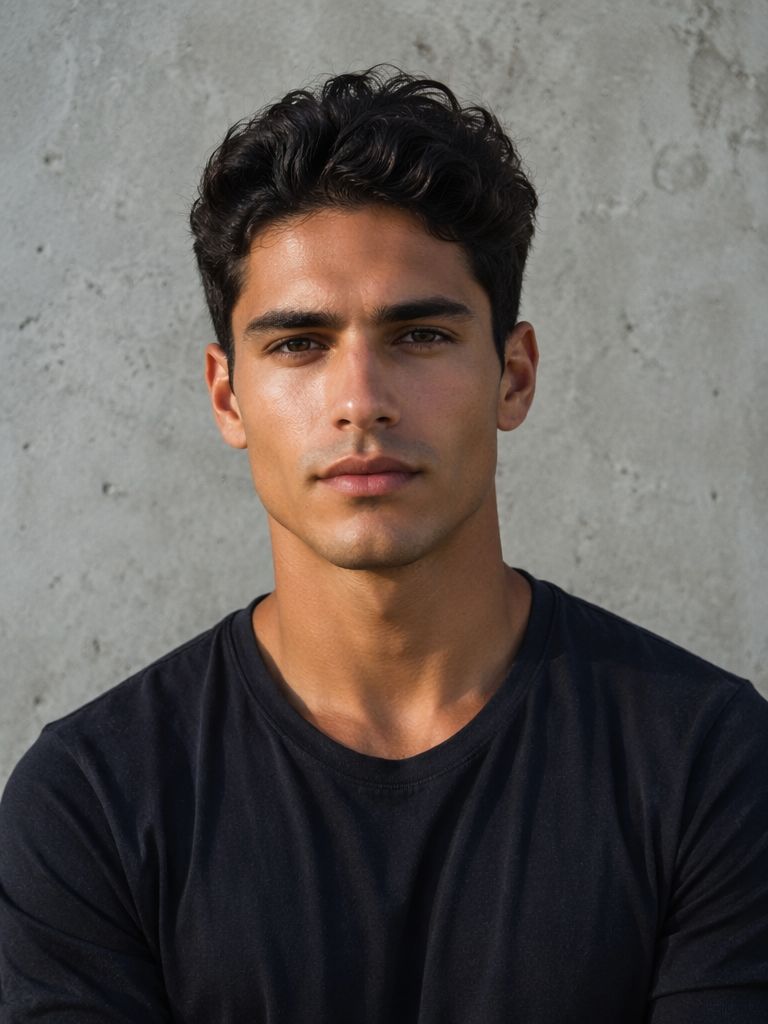
The uploaded photo is not the finished composition.
It is the casting photo.
GPT Image 2 uses it to understand the person before rebuilding nearly everything else. Clothing changes. The background disappears. The camera crop may shift. Lighting becomes colder and more industrial.
However, the identity should remain.
Let the Selfie Stay Ordinary
Choose a clear front-facing or slightly angled portrait.
Soft window light works well. The eyes should be open. The jawline, nose, lips, and face shape should remain visible. Hair can frame the face, but it should not cover important features.
A simple smartphone photo is often enough.
Heavy beauty filters are less useful. They can change eye size, remove natural skin texture, or narrow the face. As a result, the generated person may look polished but less familiar.
Sunglasses, masks, hands over the face, and deep shadows create similar problems.
The best input does not need to look dramatic. It only needs to provide reliable identity information.
Protect the Face Before the Fantasy
A racing garage contains many visual distractions.
Bright team colors compete with the skin. The headset covers part of the hair and jaw. Strong overhead lighting changes facial shadows. In addition, broadcast texture can soften small details.
Therefore, identity instructions should come before styling instructions.
Ask GPT Image 2 to preserve the original face shape, eye distance, nose structure, lip shape, cheek volume, jawline, skin tone, and natural asymmetry.
Do not ask for a sharper jaw, larger eyes, or a narrower nose at the same time. Those requests may conflict with the source image.
A dramatic garage containing the wrong person is still the wrong result.
A strong F1 AI Portrait keeps the face familiar even when everything around it changes.
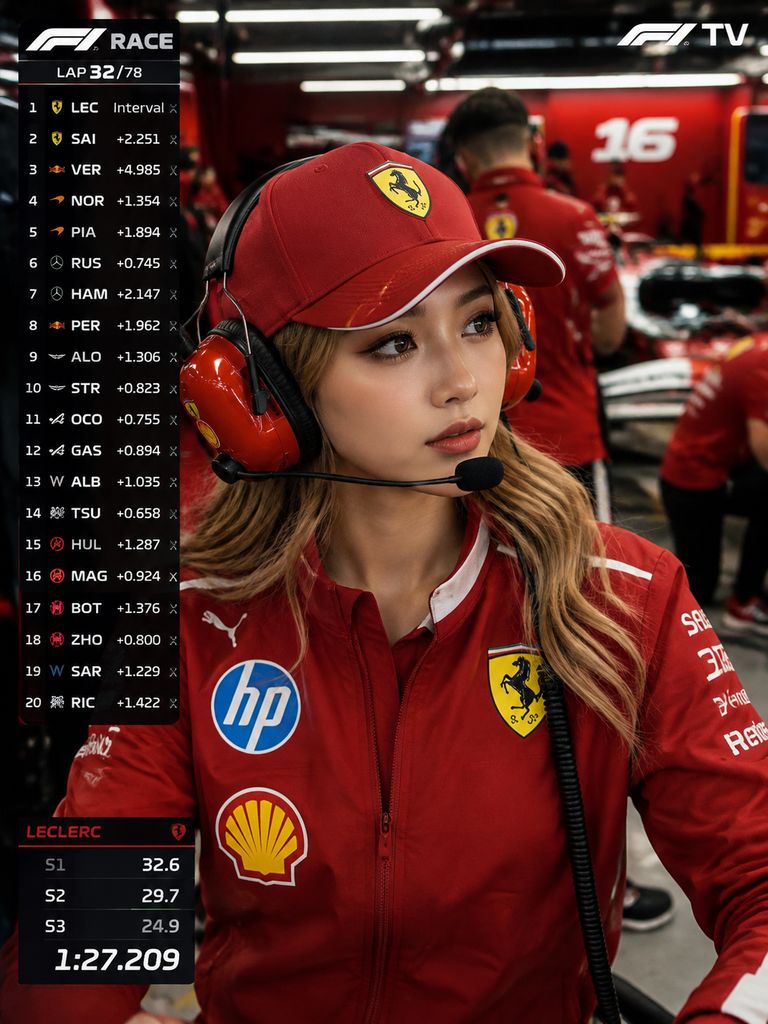
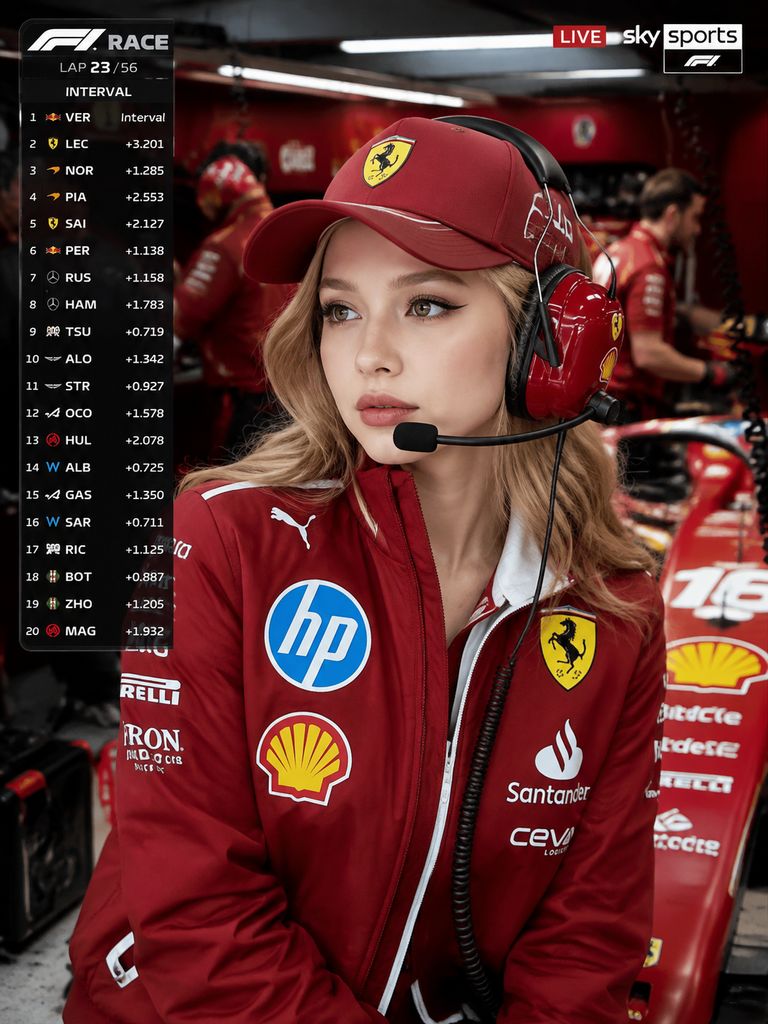
Build the Garage Around the Person
The subject is the anchor. Everything else should explain why they belong there.
Start with the nearest layer.
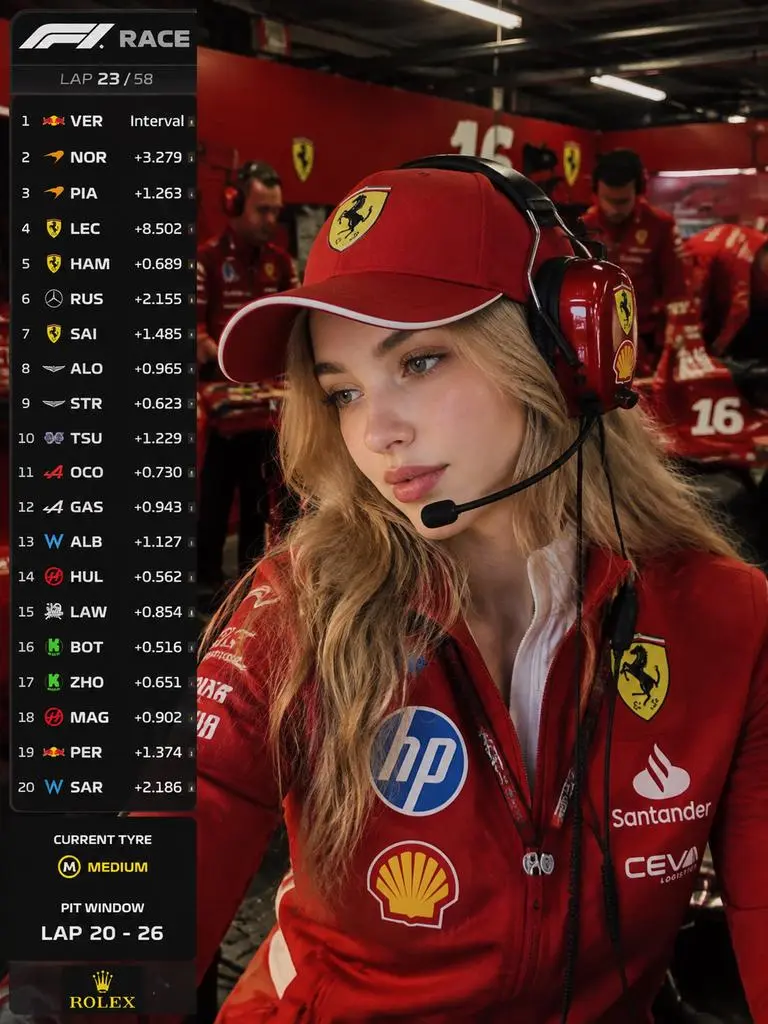
The uniform, headset, microphone, collar, and shoulders create the professional role. Behind them, monitors and engineers establish the working environment. Further back, tires, vehicle components, tools, cases, and garage structures provide depth.
This order keeps the image readable.
If every object receives equal attention, the scene can feel flat. Instead, allow the foreground to appear sharp. The middle ground can remain active. The deepest layer may use mild blur or broadcast compression.
Then the garage feels large without stealing focus from the person.
The F1 AI Portrait Uniform Must Carry Weight
A racing uniform is not a colored shirt with random patches.
It uses structured technical fabric. Seams follow the body. Collar panels hold their shape. Dark sections often appear around the shoulders, sides, or sleeves. Meanwhile, the material reflects garage lighting differently from cotton or satin.
These details matter because the uniform occupies a large part of the frame.
The headset needs the same care. Its band should sit naturally over the head. Ear cups must align correctly. The microphone should stop close to the mouth rather than cutting through the cheek.
In addition, shadows from the headset should follow the lighting.
For commercial concepts, use team-inspired color blocking instead of depending on exact logos. Small sponsor names and generated patches should also be checked before publication.
Every Mechanic Needs a Job
Background people create activity. They can also destroy realism.
Repeated faces are one common warning sign. Identical poses cause the same problem. A garage filled with six copies of one mechanic will immediately look generated.
Give each person a separate task.
One engineer can check a data screen. Another may adjust equipment. Someone else can carry a tire or speak through a headset. Different heights, hairstyles, body shapes, and positions add natural variation.
However, more people do not always create a better image.
Three convincing workers often look more realistic than ten unclear figures. Therefore, reduce the crowd when hands, faces, or bodies begin to merge.
Broadcast Graphics Should Whisper
Broadcast overlays help the image feel captured from television.
They should not cover the entire scene.
A small ranking panel, session label, timing detail, or lower information card is usually enough. These elements suggest the visual language of live sport without turning the image into an infographic.
Keep the layout simple.
Names, numbers, and team labels also need careful review. Tiny generated text may contain mistakes. Therefore, reserve important information for a clear lower-third card. Correct it manually when exact spelling matters.
The visual structure can come from GPT Image 2. Critical data should still be checked by a person.
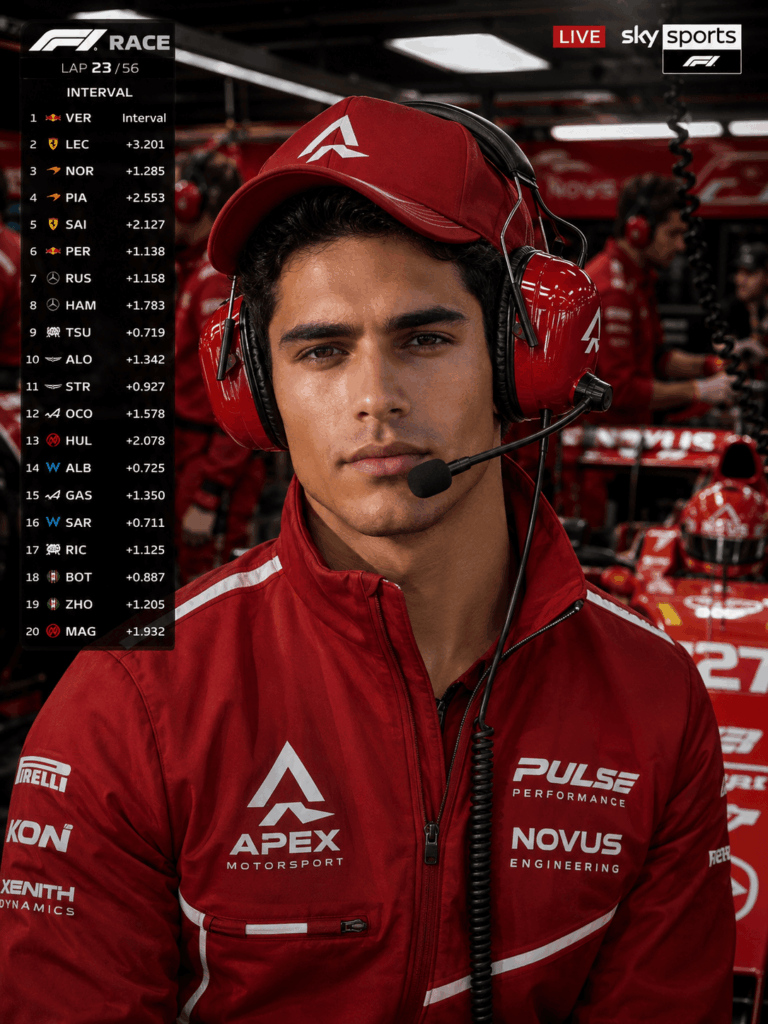
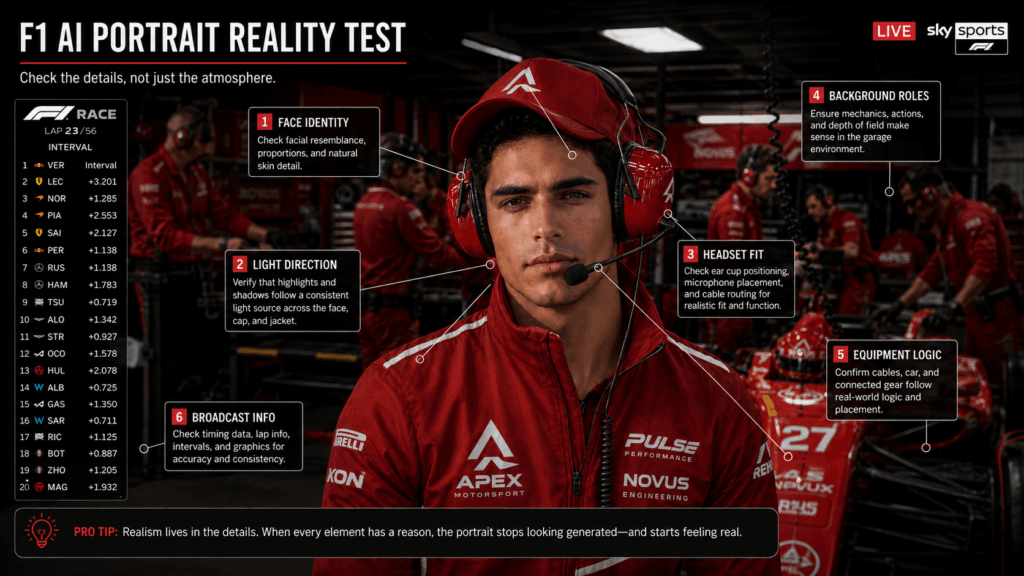
The F1 AI Portrait Reality Test
An impressive first glance is not enough.
A viewer may notice the mood before the mistakes. Yet those mistakes become obvious once the image is enlarged.
Review the F1 AI Portrait like a broadcast producer checking a frame before it reaches the screen.
Test Identity Before Atmosphere
Cover the garage with your hand and look only at the face.
Does it still resemble the uploaded person?
Check the distance between the eyes. Look at the nose width, lips, chin, and cheek shape. Then inspect the skin texture. A face that has become too smooth may feel separate from the industrial setting.
If identity is weak, strengthen the reference instructions.
Do not add more garage details yet. Fix the person first.
Make the Light Agree
Next, compare the face with the environment.
Cool ceiling lights should affect the skin, uniform, and headset. Team-colored walls may create subtle reflections. Equipment near the subject can also cast small shadows.
The face should not appear lit by a soft beauty lamp while the garage uses hard industrial light.
That mismatch creates the cutout effect.
Instead, request shared light direction, realistic headset shadows, restrained reflections, and uneven overhead illumination. These details help the portrait feel captured inside the garage.
Check the Background Logic
Finally, examine what everyone is doing.
Do mechanics hold equipment correctly? Are screens attached to real surfaces? Do cables begin and end somewhere? Can people stand in the available space?
Look at partially visible vehicle parts as well. A wheel, wing, or body panel should not float behind the subject.
Minor motion blur is acceptable. Broken physical logic is not.
Four Roles Inside One F1 AI Portrait
One F1 AI Portrait does not need to tell the same story every time.
A few changes can shift the subject into a completely different racing role.
The Strategist, Engineer, Creator, and Campaign Lead
The strategist looks toward a timing screen. The expression is calm and analytical. Data panels appear nearby, while the background remains active but controlled.
The engineer stands closer to tools, cables, or a partially visible vehicle. The uniform may include practical pockets and communication equipment. In this version, the subject feels involved with the machine rather than the camera.
The creator can face slightly closer to the viewer. The garage still looks real, but the composition leaves room for a social caption or profile crop. A 4:5 or 9:16 format works well here.
The campaign lead needs more negative space. A 16:9 frame can support an event title, automotive presentation, recruitment message, or branded editorial concept.
The same face can support all four directions.
However, the prompt should choose one role at a time. Mixing driver confidence, engineering work, presenting, and strategic analysis in one pose may create an unclear character.
When an F1 AI Portrait Stops Looking Real
The broadcast illusion can break in several ways.
First, the person may look too perfect. Plastic skin, sharp beauty lighting, and a flawless uniform can make the scene feel like a fashion advertisement.
Next, the garage may become too clean. Real working spaces contain cables, cases, reflections, tools, and people moving through narrow areas.
Background workers can also become decorative. If everyone stands still or looks toward the camera, the garage loses its purpose.
Finally, excessive graphics may cover the weaknesses instead of fixing them. More panels do not make a scene more authentic. Often, they simply create more unreadable text.
When the F1 AI Portrait feels artificial, remove something.
Reduce the number of mechanics. Simplify the overlay. Lower the amount of motion. Keep one clear role. Then generate another version.
Realism often improves when the scene stops trying to prove how complex it is.
Make the Final Frame Feel Like Evidence
The strongest motorsport image does not merely show a racing fantasy.
It makes the fantasy feel documented.
You were there. The camera found you. The headset was already active. Someone needed an answer from the screen beside you. Then the broadcast moved on.
That is why the final frame should feel slightly incomplete. It belongs to a larger event that continues outside the image.
WeShop AI and GPT Image 2 can replace the clothing, rebuild the environment, add staff, create equipment, and shape the broadcast treatment. However, the source portrait still carries the most important detail: a recognizable person viewers can believe.
Start with one clear selfie.
Give the subject a real job inside the garage. Let the background continue working. Keep the graphics restrained. Then check the face, light, and physical logic.
A costume portrait asks viewers to admire the styling.
An F1 AI Portrait makes them wonder what happened next.
Go to WeShop AI For Exploration: