Nano Banana Pro is Google’s Gemini 3 Pro Image model for image generation and editing. Create posters, information layouts, and character sheets from text, or upload references to edit products and people. WeShop offers 1K, 2K, and 4K output options.
See three different tasks: a four-view character sheet, a weather-and-outfit layout, and a sneaker photo edit. Each includes its actual English prompt and result; reference inputs are shown where used. The weather graphic is a design concept, not a live forecast.
Four-View Character Styling Sheet
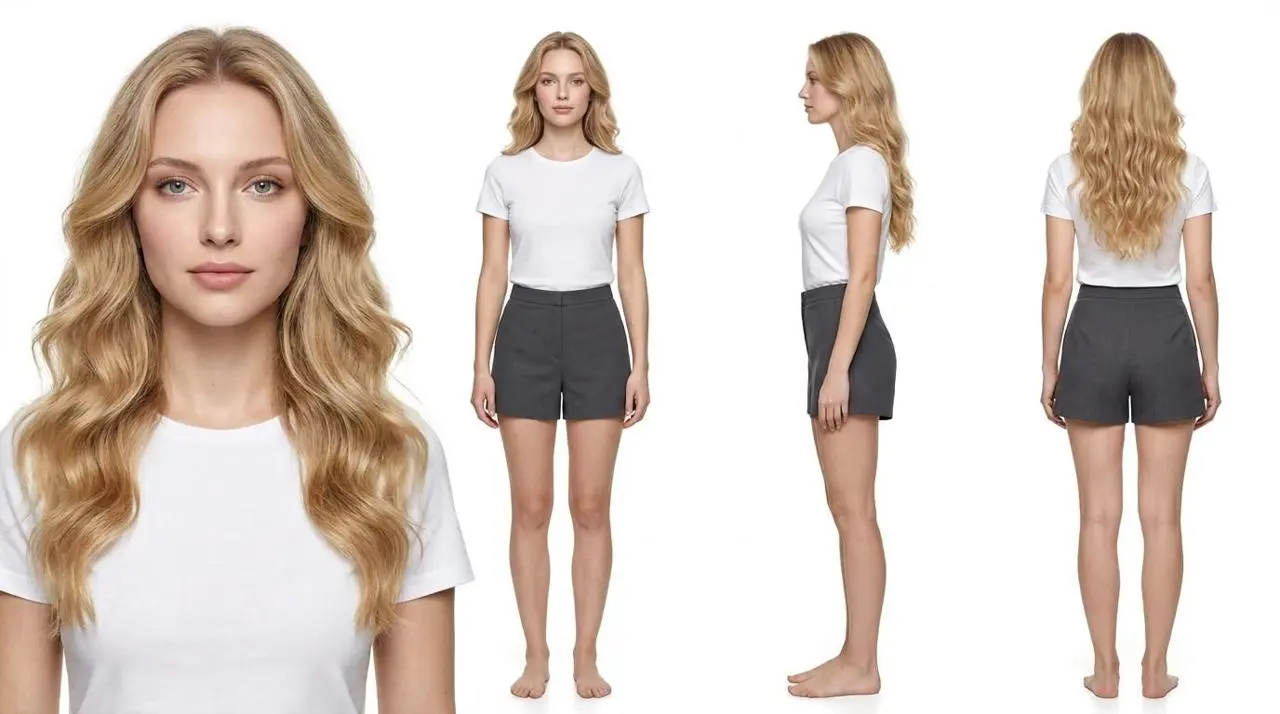
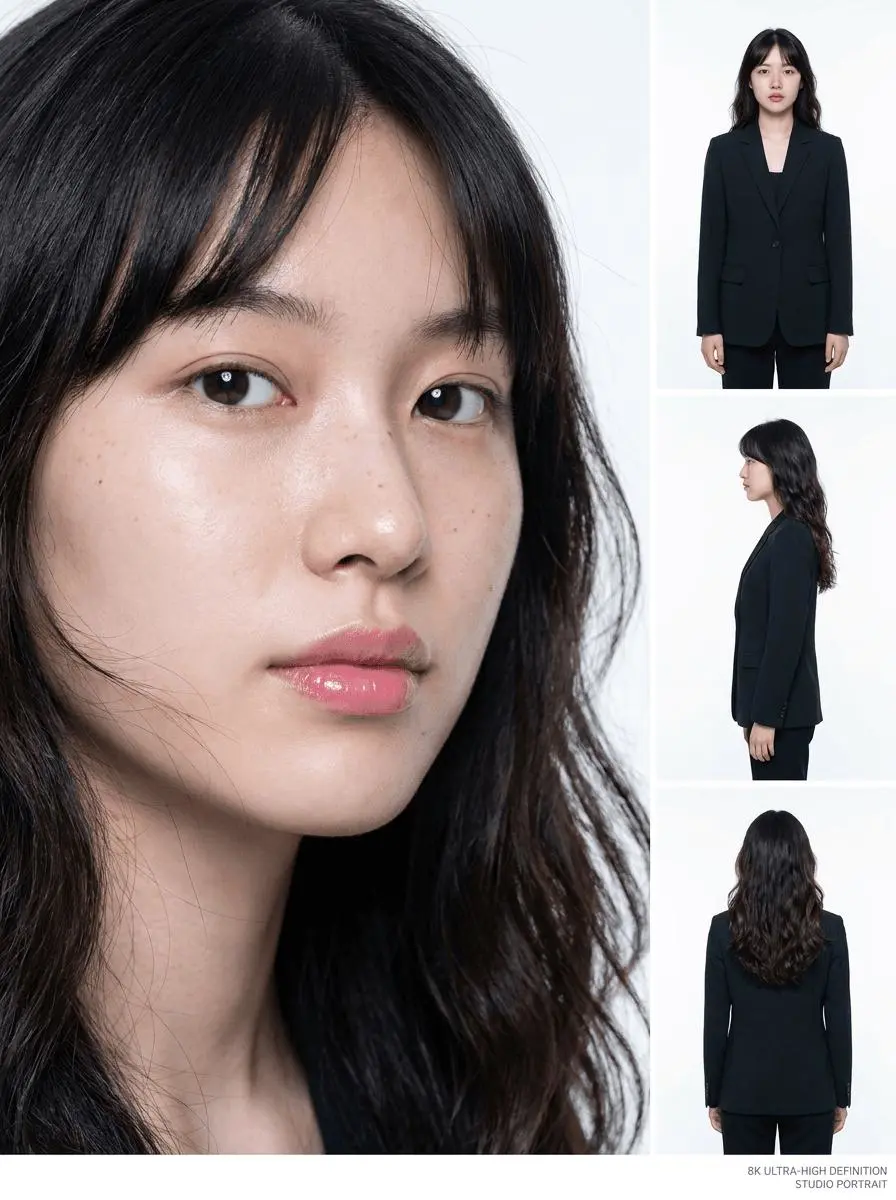
A text-only character sheet places a portrait, front, side, and back view together, with blonde hair, a white T-shirt, and dark-gray shorts. This case used the 1K setting; “4K” in its prompt does not override the output-size control.
16:9 horizontal aspect ratio, 4K ultra-high definition, photorealistic photography, seamless pure-white background, and professional fashion studio lighting. Create a four-view character styling sheet.
Arrange the four views from left to right as follows: a large head-and-shoulders close-up, a full-body front view, a full-body left-side profile, and a full-body back view. Every view must show the same adult female model, with completely consistent facial features, hairstyle, skin tone, body proportions, and clothing details. Each full-body view must show the complete figure from the top of the head to the soles of the feet, without cropping or overlapping. The model should stand naturally in a neutral presentation pose.
The subject is a young European or North American female model, approximately 20–25 years old, with a tall, slender, naturally balanced figure, long limbs, and relaxed posture. She has an oval face, soft and refined facial contours, clear and expressive eyes, naturally light-colored irises, a defined yet natural nose bridge, and soft dusty-pink lips. Her expression is calm and peaceful, with a clear, gentle, non-aggressive gaze. Her overall presence should feel clean, relaxed, warm, and contemporary.
She has voluminous, long blonde hair styled in large, soft waves. The hair is a natural warm blonde with realistic tonal variation, dimension, and shine. It falls naturally over her shoulders and down her back, with a few lightweight strands framing her face. She wears no hair accessories. The length, curl pattern, parting, and color of her hair must remain identical in all four views.
Her makeup is fresh, sheer, and natural: subtle light-brown eye makeup, softly defined eyes with minimal eyeliner, individually visible eyelashes, a gentle pink blush, and hydrated natural-looking lips. Preserve authentic skin texture, visible pores, minor imperfections, and natural variations in skin tone. The complexion should appear clean and luminous without excessive smoothing, plastic-looking skin, or exaggerated influencer-style makeup.
Outfit: a minimalist solid-color fitted short-sleeve T-shirt paired with simple high-waisted shorts. The T-shirt is made from soft, fine cotton with a clean silhouette that follows the body without appearing overly tight. The shorts have a minimal, tailored design and an appropriate length that clearly shows the waistline and natural leg proportions. Use a white T-shirt with black or dark-gray shorts. Do not include patterns, prints, text, brand logos, elaborate pockets, or decorative details. The model is barefoot and wears no jewelry, hat, belt, or accessories.
Keep the subjects centered and evenly spaced in a clean, structured layout. The composition should feel full while maintaining enough separation between each view. Use a seamless pure-white background with no horizon line, scenery, furniture, props, text, or borders. Apply soft, even professional studio lighting that clearly reveals facial features, clothing construction, and fabric texture. Include only subtle, natural shadows beneath the feet.
The final image should resemble a premium commercial fashion portrait and a professional model styling reference sheet, featuring photorealistic detail, accurate anatomy, authentic skin texture, clearly defined individual hair strands, and rich fabric details. Identity consistency across all four views is essential.
Avoid: inconsistent identities, different faces, changes in hairstyle or body proportions, inconsistent clothing colors or designs, excessive skin smoothing, plastic skin, cartoon or anime aesthetics, exaggerated curves, distorted anatomy, extra limbs, missing hands or feet, cropped full-body views, overlapping figures, complicated poses, colored backgrounds, text, logos, and watermarks.
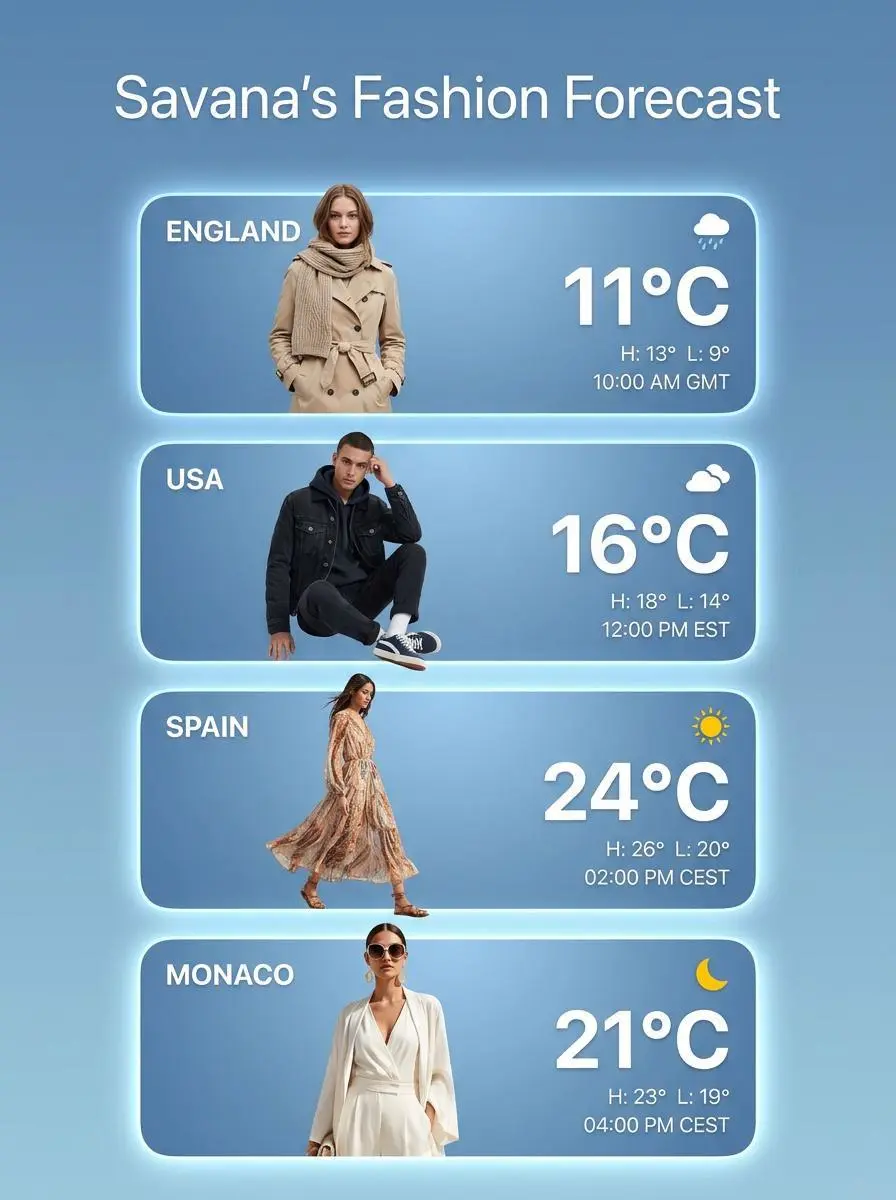
A concept poster arranges fashion figures, location labels, icons, and temperatures in repeated cards. Inspect the layout and text hierarchy; the displayed weather values are illustrative, not a live forecast.
The third image combines weather app design with fashion styling in a sleek promotional poster. The background is a soft gradient blue, and the title at the top reads “Savana’s Fashion Forecast.” Below it are four large rounded weather cards stacked vertically, each representing a different country: England, USA, Spain, and Monaco. Each card displays a model dressed in an outfit that matches the mood of the location and temperature, along with time and weather data. The temperature numbers are large and bold, while the high and low temperatures are shown in smaller text. The styling varies from soft layering and neutral coats to darker denim and streetwear-inspired looks. The design feels polished, trendy, and lifestyle-oriented, as if it is promoting clothing choices based on climate. It merges fashion editorial imagery with modern app-style UI in a visually smooth and commercial way.
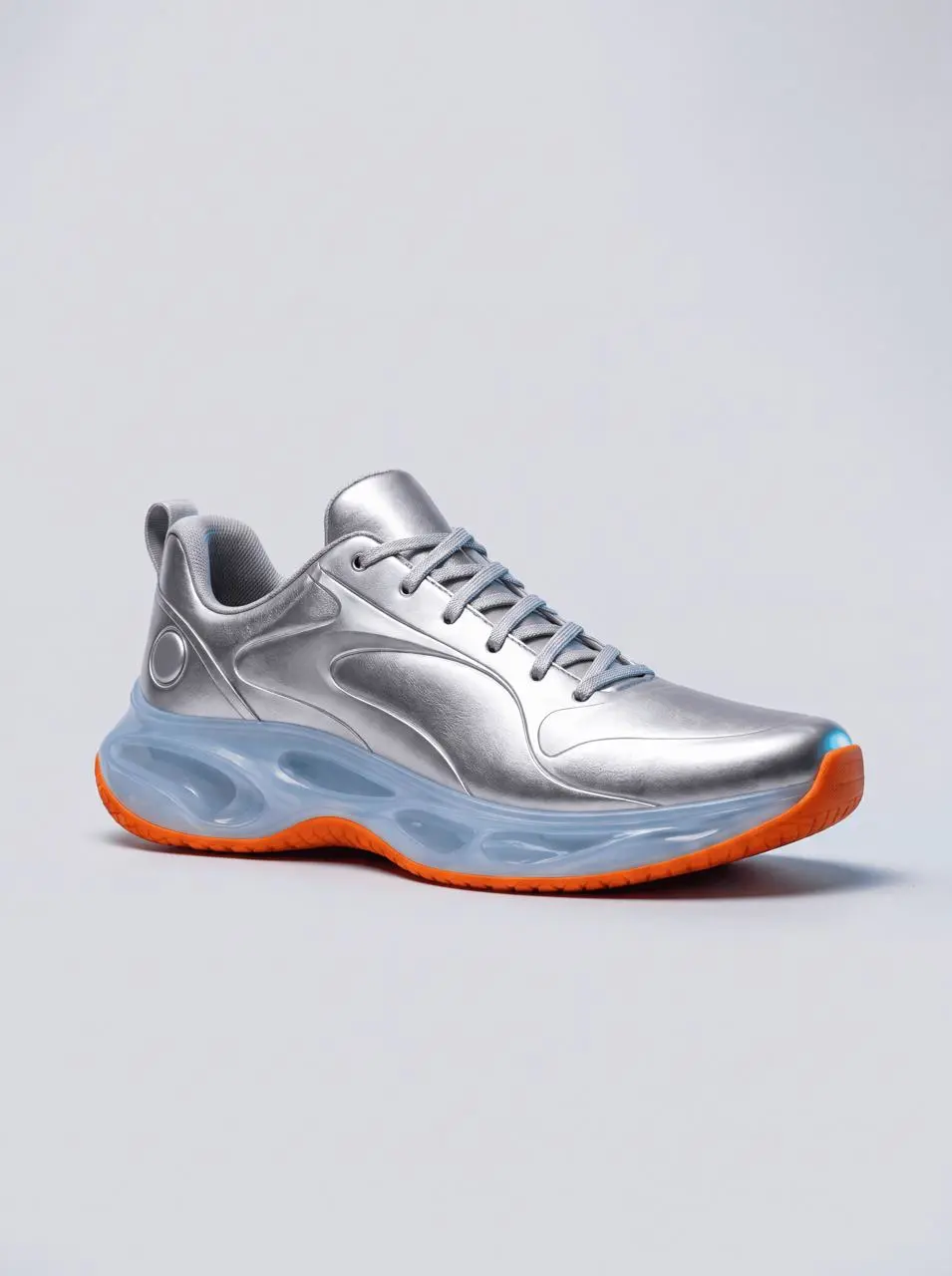
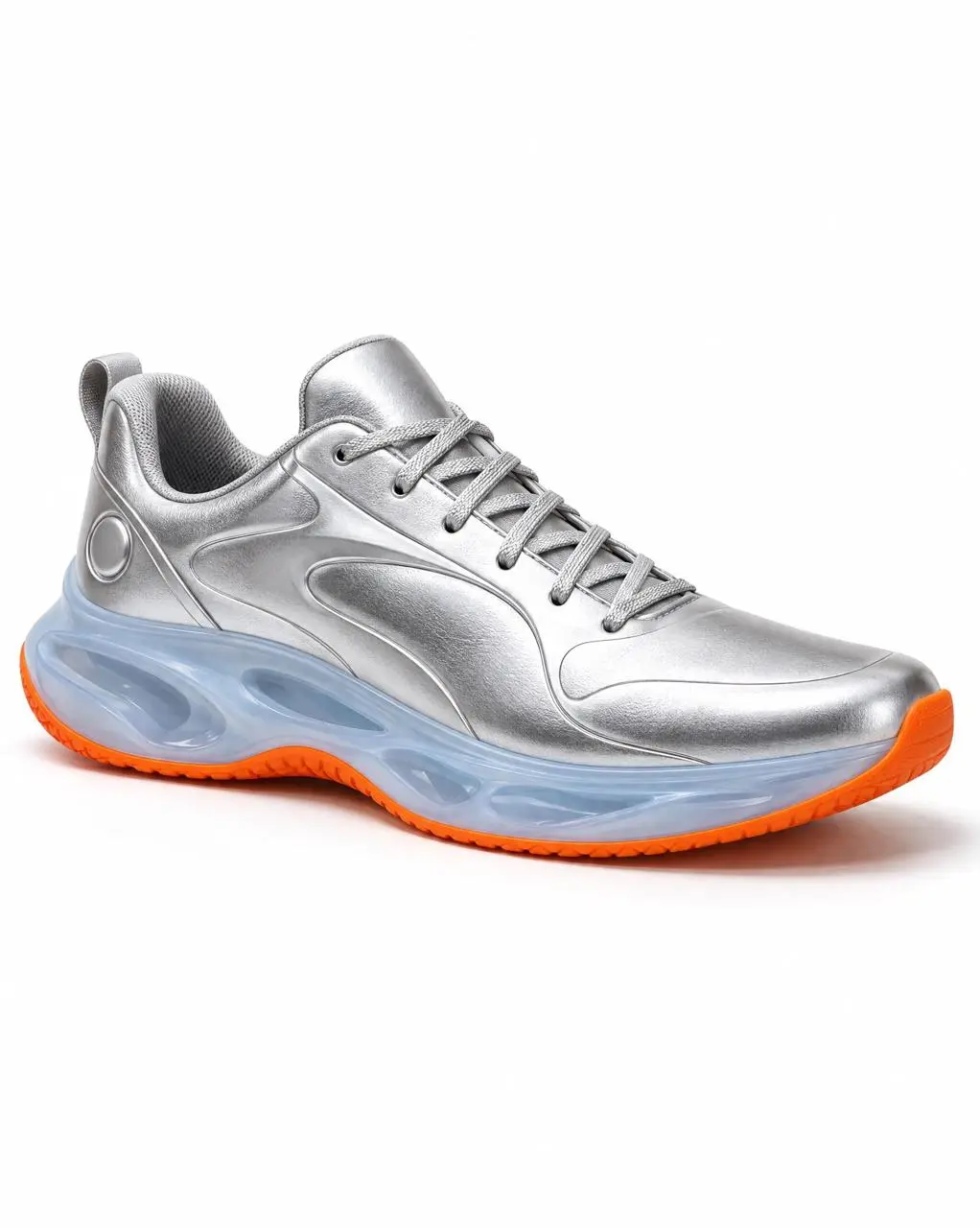
The supplied sneaker guides a studio product image with silver panels, laces, a blue translucent sole, and orange accents. Soft and rim lighting reveal the materials. The task used the 4K setting; its original result is 3584 × 4800 pixels.
Use image 1 as the sole product reference. Create a high-resolution vertical 3:4 studio product photograph of the same sneaker, preserving the silver upper, silver laces, translucent ice-blue sculpted midsole, orange outsole, circular heel detail, and right-facing three-quarter orientation. Place exactly one sneaker on a pale-gray seamless studio surface. Use a large soft light from the upper left and a narrow cool rim light to show the metallic texture, translucent material, and contact shadow. Keep the complete shoe visible with breathing room around it. Do not redesign the product, change its colors, add text or logos, add another shoe, add a border, or add a watermark.
Nano Banana Pro, also called Gemini 3 Pro Image, is Google’s image-generation and editing model. Consider it for layouts containing text, product mockups, and compositions guided by references. Its main controls concern the image itself: wording, subject appearance, lighting, framing, and style. Review the finished details before using a design.
Posters and Graphics with Readable Text
Specify the headline, supporting words, and placement for a poster or information graphic. Google documents multilingual text rendering; spelling and translations still need checking. The weather-and-outfit example shows repeated labels and a planned layout.
Recognizable People and Products
Upload a reference to guide a person’s appearance or a product’s design. The sneaker edit retains silver panels, a blue sole, and orange accents while changing the studio lighting. Check faces, clothing, product outlines, and small details against your source before use.
Lighting, Framing, and Visual Style
Specify the camera view, light direction, colors, and materials. The sneaker prompt requests soft light from the upper left and a cool rim light to show the metallic upper and translucent sole. Inspect the resulting shape, laces, and material details.
Selectable 1K, 2K, and 4K Output
WeShop lists 1K, 2K, and 4K for this Pro selection. Choose the size and aspect ratio in the form. The sneaker task used 4K and returned a 3584 × 4800 original; the smaller page preview is not the original file.
WORKFLOWS
Create from Text or Edit a Reference Image
Start with text for a new composition. Add references when an existing person, product, outfit, or scene should guide the image.
Create a New Image from a Brief
Describe the subject, setting, composition, and visual style without uploading a photo. The character sheet and weather-and-outfit graphic demonstrate text-only requests.
Edit a Photo or Combine References
Upload the images needed for your edit. State whether each supplies a person, outfit, product, or scene, then separate the changes from the details to retain. For multiple images, use clear assignments such as “image 1 supplies the person; image 2 supplies the outfit.”
PROMPT GUIDE
How to Write a Nano Banana Pro Prompt
Google’s Pro prompting guide recommends a clear subject, composition, setting, style, and specific edit instructions. These six WeShop cases show how particular choices appear in real prompts and results. The copyable text is each case’s actual English prompt.
Describe the Marks of the Style
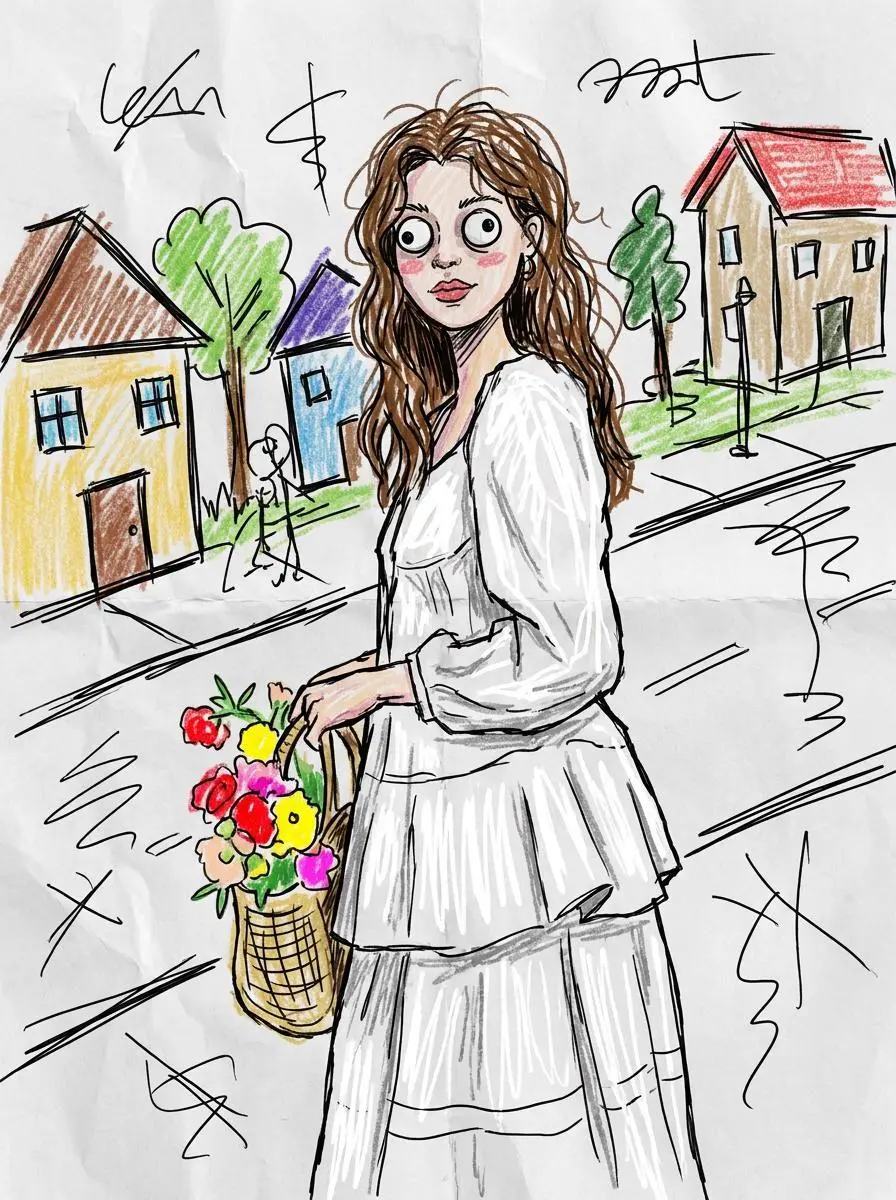
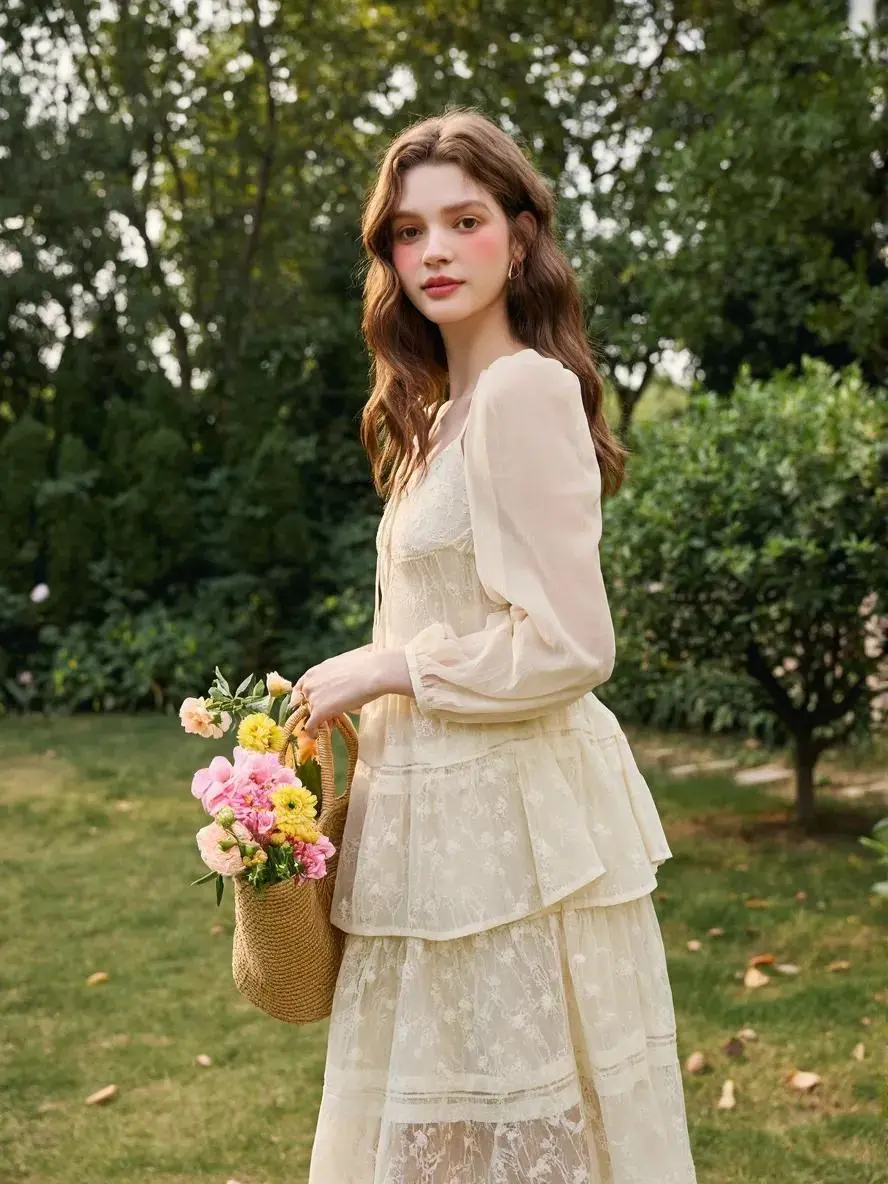
Define a drawing style through visible marks rather than its name alone. In this example: “uneven coloring and visible strokes”. Compare the portrait input with the rough lines, simplified shapes, and uneven coloring of the doodle.
urn this photo into a funny ugly doodle drawing. Make it look like: a quick sketch using a cheap marker or crayon messy, rough, childlike style bad perspective and awkward proportions slightly exaggerated facial features Add: simple cartoon background (like buildings, trees, street) random sketchy lines and details uneven coloring and visible strokes Style: looks like a lazy drawing, not polished humorous and a bit stupid-looking meme-like, casual, internet style Do NOT: make it realistic
Give the Reference and Layout Separate Jobs
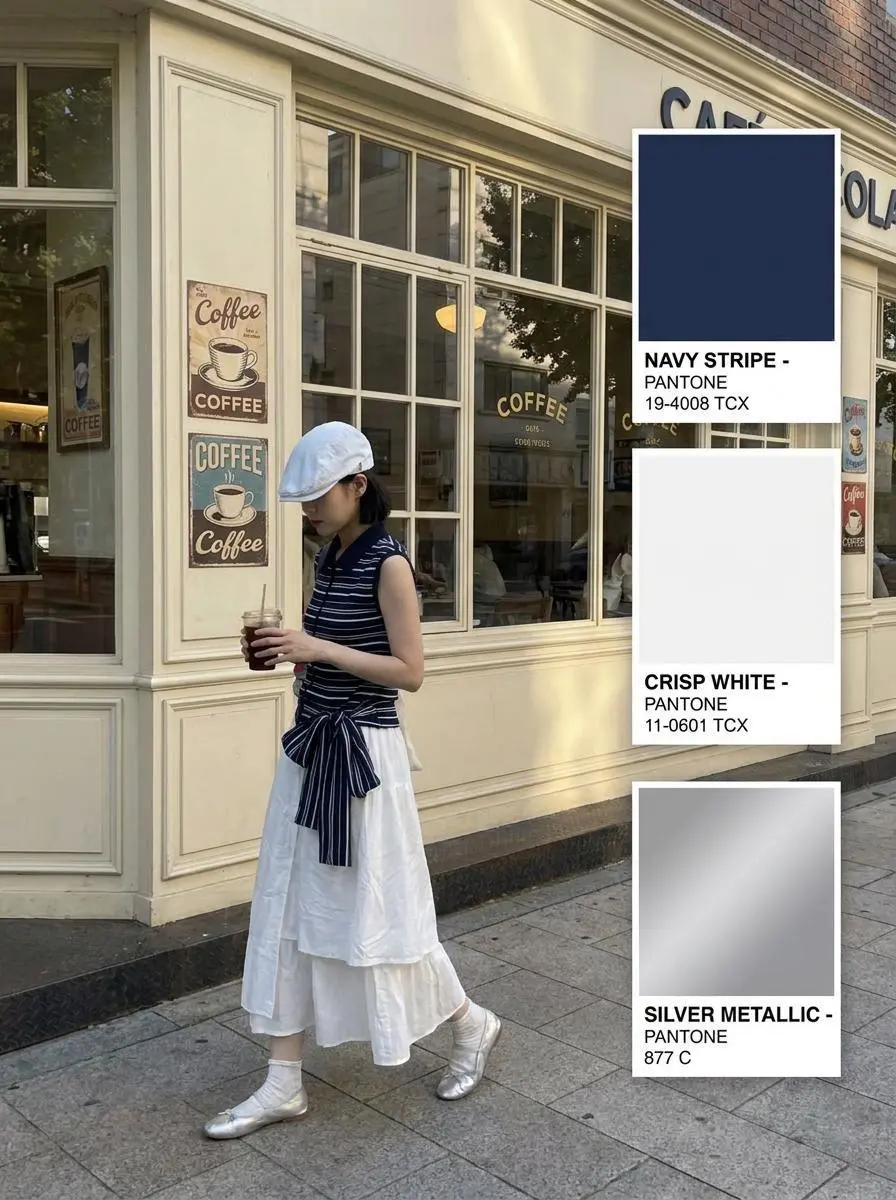
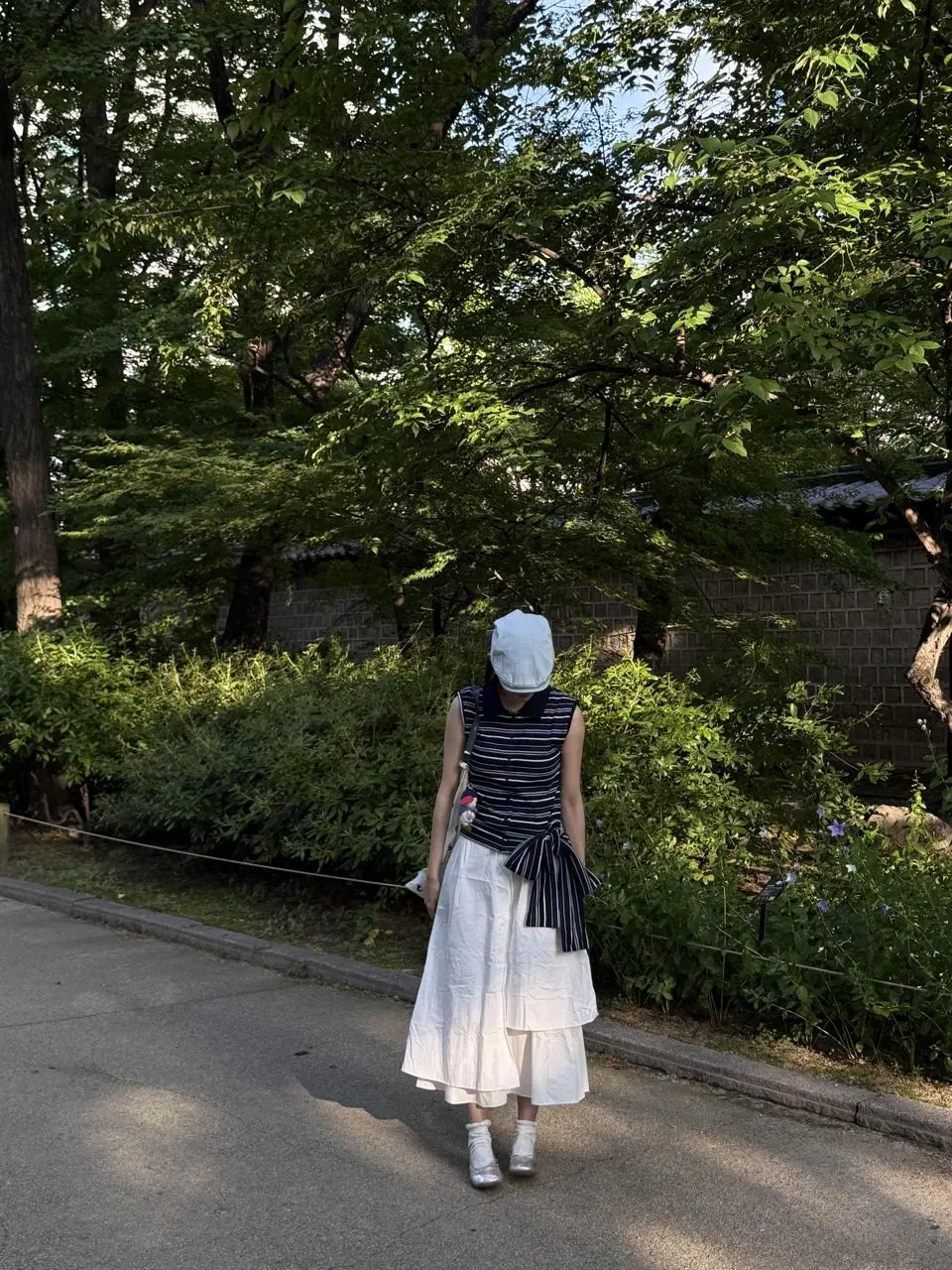
State what the reference supplies, then specify where the subject and graphic elements belong. In this example: “model on the left two-thirds of the image, vertical color palette cards on the right one-third.” Inspect the retained outfit and the separate palette column; the prompt assigns their roles independently.
Create a Pinterest-style street fashion color palette editorial using the 【uploaded model and outfit】
Preserve the uploaded outfit details accurately, including colors, textures, accessories, shoes, bag, hairstyle, and overall styling. The model should be walking casually in side profile or slightly from behind, holding an iced coffee or small drink, creating a natural candid street photo feeling.
Scene: vintage café exterior, cream or beige storefront, large coffee shop windows, retro coffee posters, warm urban sidewalk, subtle European street atmosphere.
Composition: model on the left two-thirds of the image, vertical color palette cards on the right one-third.
Color cards: add three Pantone-style rectangular color cards stacked vertically on the right side, using the main colors extracted from the uploaded outfit. Each card should include a large color block and simple black Pantone-style label text underneath.
Mood: cozy coffee-shop aesthetic, casual streetwear, soft daylight, warm muted tones, Pinterest fashion color analysis, editorial layout, realistic photography.
High-resolution, natural lighting, realistic fabric texture, clean graphic design, modern fashion magazine composition.
Separate What Stays from What Changes
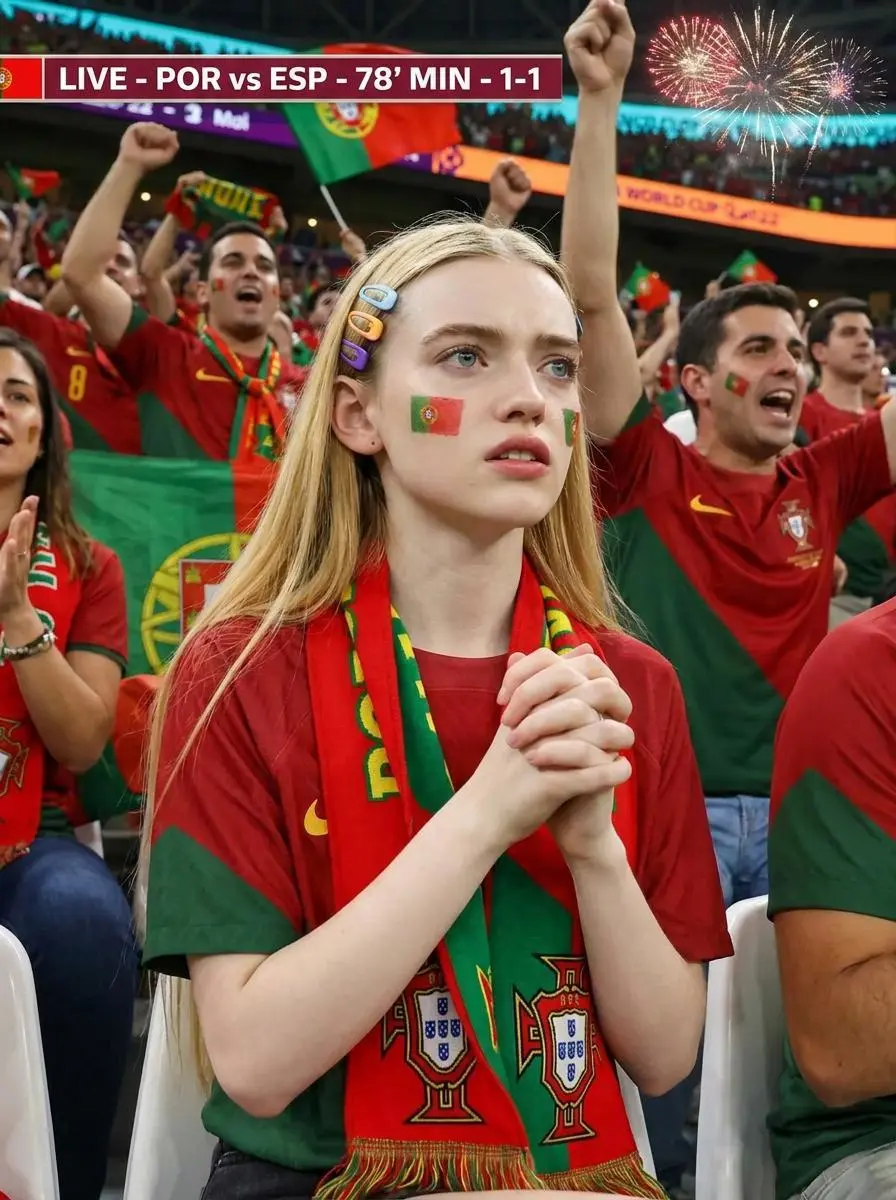
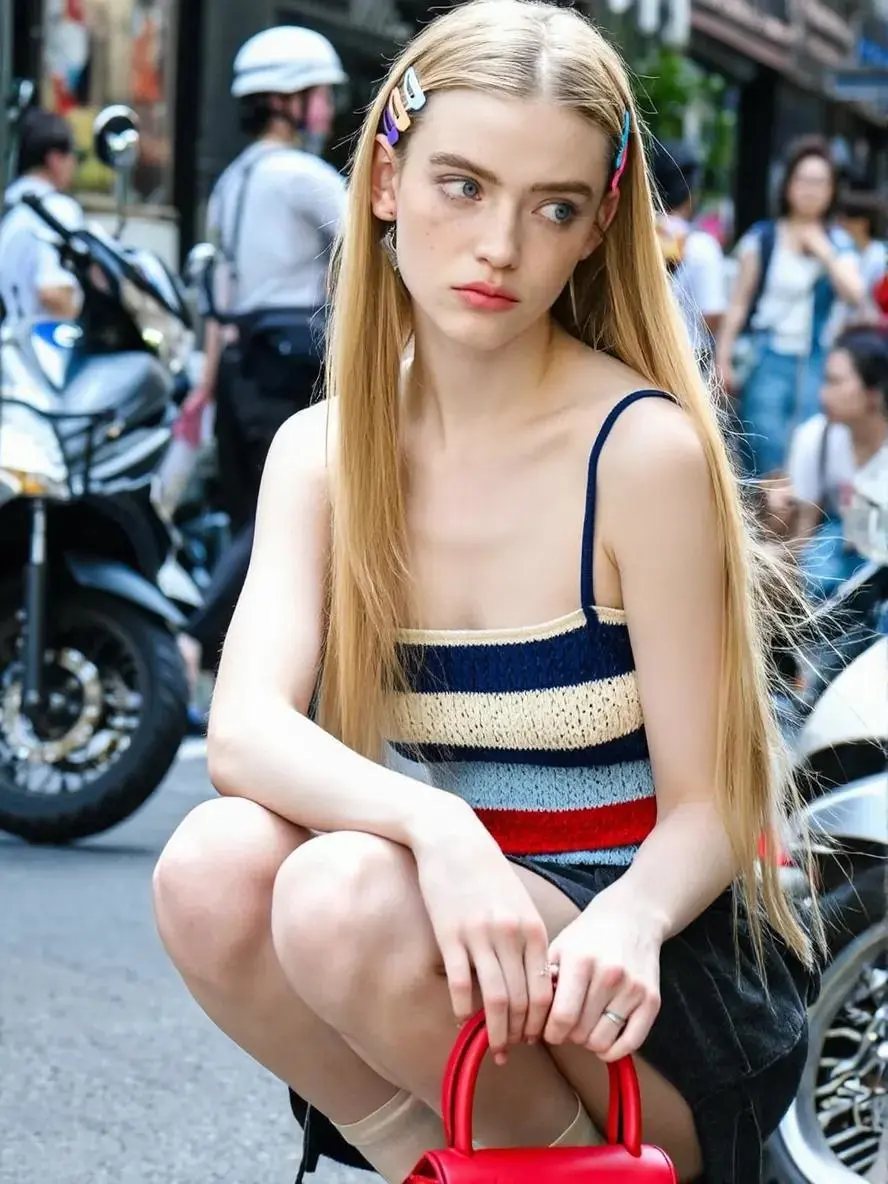
Name the identity details to keep before describing the new clothing and setting. In this example: “retain facial features and identifiable characteristics.” Compare the portrait with the stadium result, checking the face separately from the added jersey and crowd. The broadcast overlay is a fictional design.
Based on uploaded portrait photos, retain facial features and identifiable characteristics. Create a character positioned in the stands of a World Cup match, portraying a dedicated fan attentively watching the game. The character wears a [Portugal] home jersey, a support scarf around their neck, and has subtle national team paint on their cheeks. The camera angle is a close-up from a TV broadcast or a candid shot from the stands, showing the character seated, focused, slightly tense, or expectant. The background is a large stadium stand with densely packed fans, surrounding spectators also wearing the national team's colors. The scene includes realistic scoreboards, match times, broadcast subtitles, "LIVE" signs, bright lighting, fireworks, cheering sticks, banners, and a vibrant match atmosphere. The overall effect resembles a high-quality, attractive fan suddenly captured during a World Cup broadcast.
Do not include brand logos.
Attach Color to Specific Objects
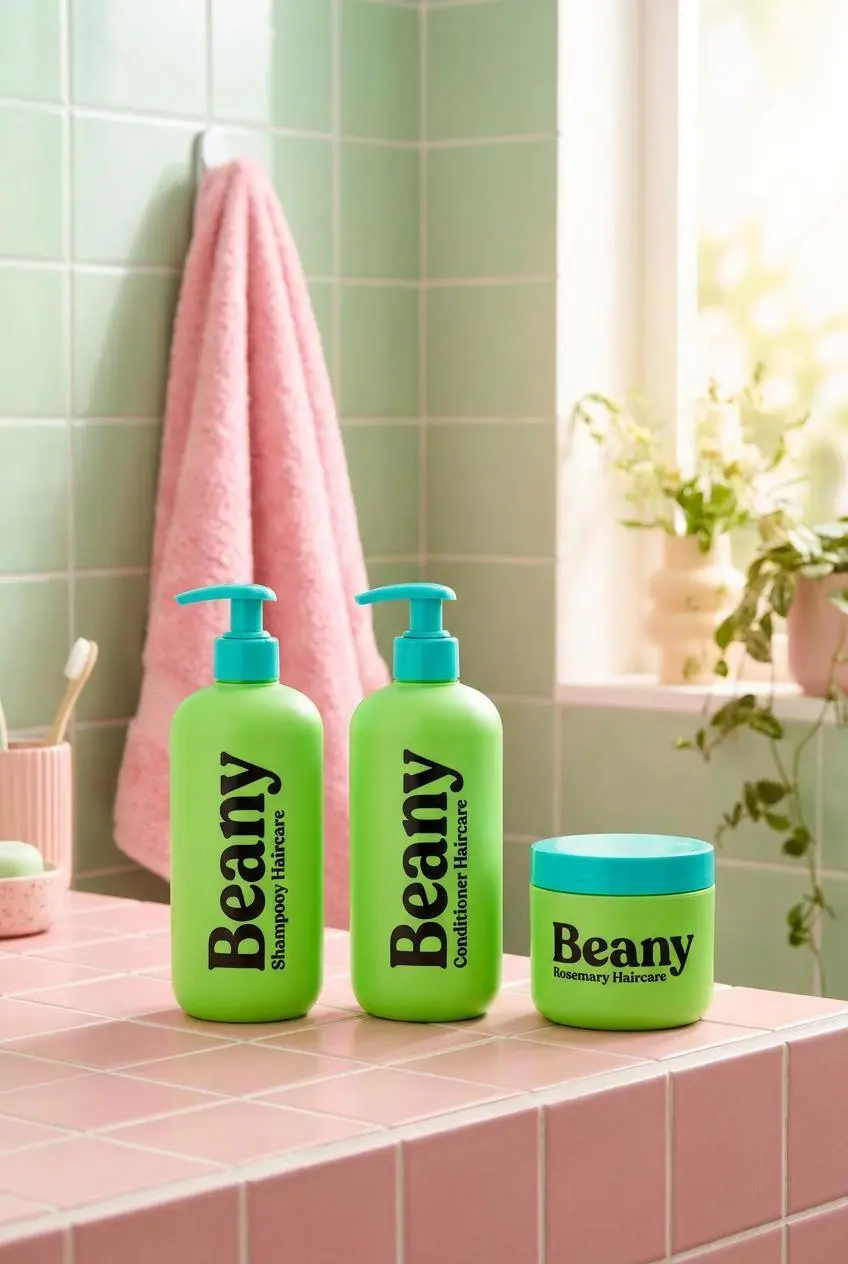
Assign colors to named surfaces and describe lettering separately. In this example: “bold black typography with turquoise pumps and caps”. Inspect the green containers, pink tiles, turquoise caps, and contrasting packaging text.
A playful bathroom product display featuring three bright green Beany rosemary haircare products on a pink tiled counter. The background includes pale green wall tiles, a pink towel, and a soft window detail. The product packaging uses bold black typography with turquoise pumps and caps, creating a fun retro color contrast. The image feels youthful, colorful, fresh, and suitable for haircare or shower routine advertising.
Frame the Detail You Want to Show
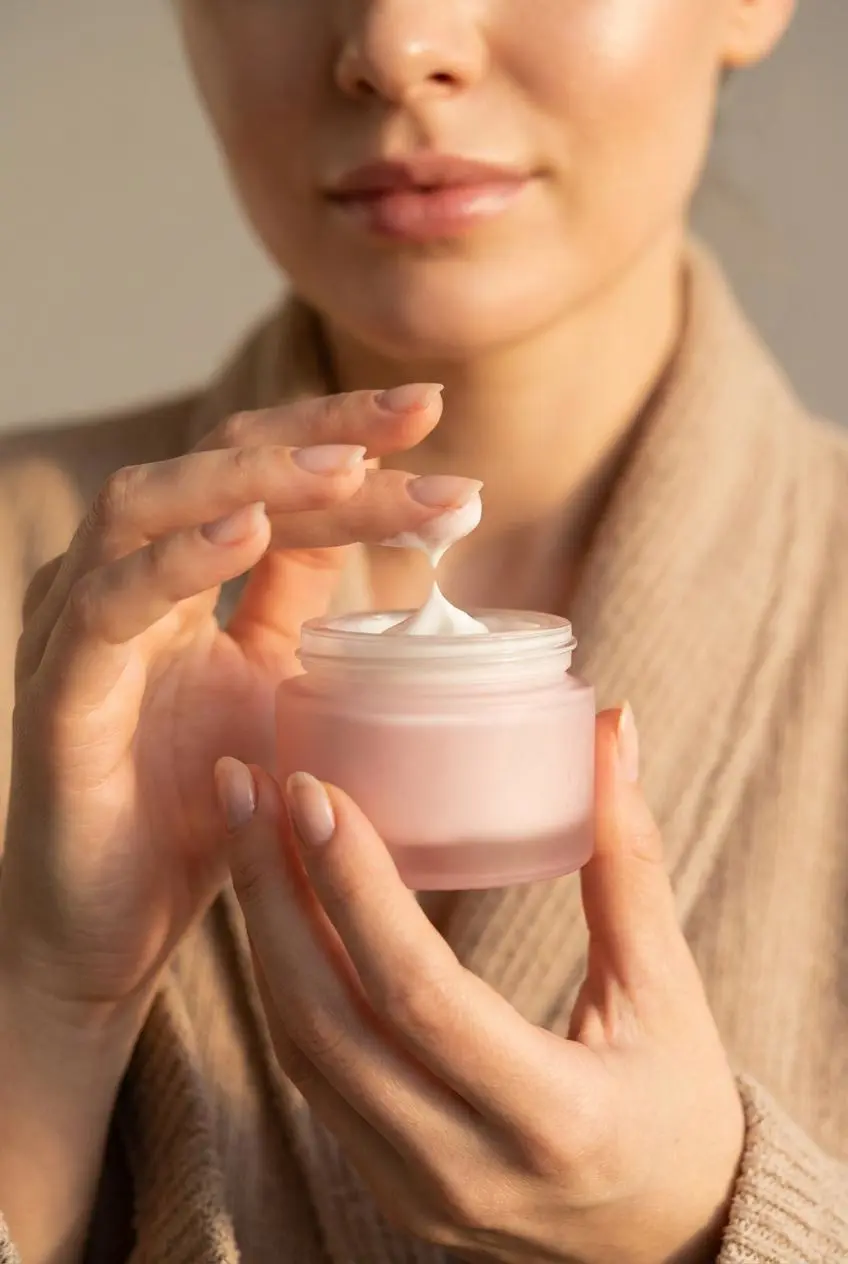
Put the material detail in focus and describe a softer background. Here, “forming a soft peak of product texture” corresponds to white cream lifted between the fingers and the jar, with the lower face softly blurred behind it.
A close-up skincare texture shot showing a model holding a pink jar of face cream. Her hand lifts a small amount of white cream between two fingers, forming a soft peak of product texture. The background focuses on the lower face and skin, softly blurred to keep attention on the cream. The image feels intimate, sensual, moisturizing, and premium, with warm nude tones and soft lighting.
State the Words and Their Hierarchy
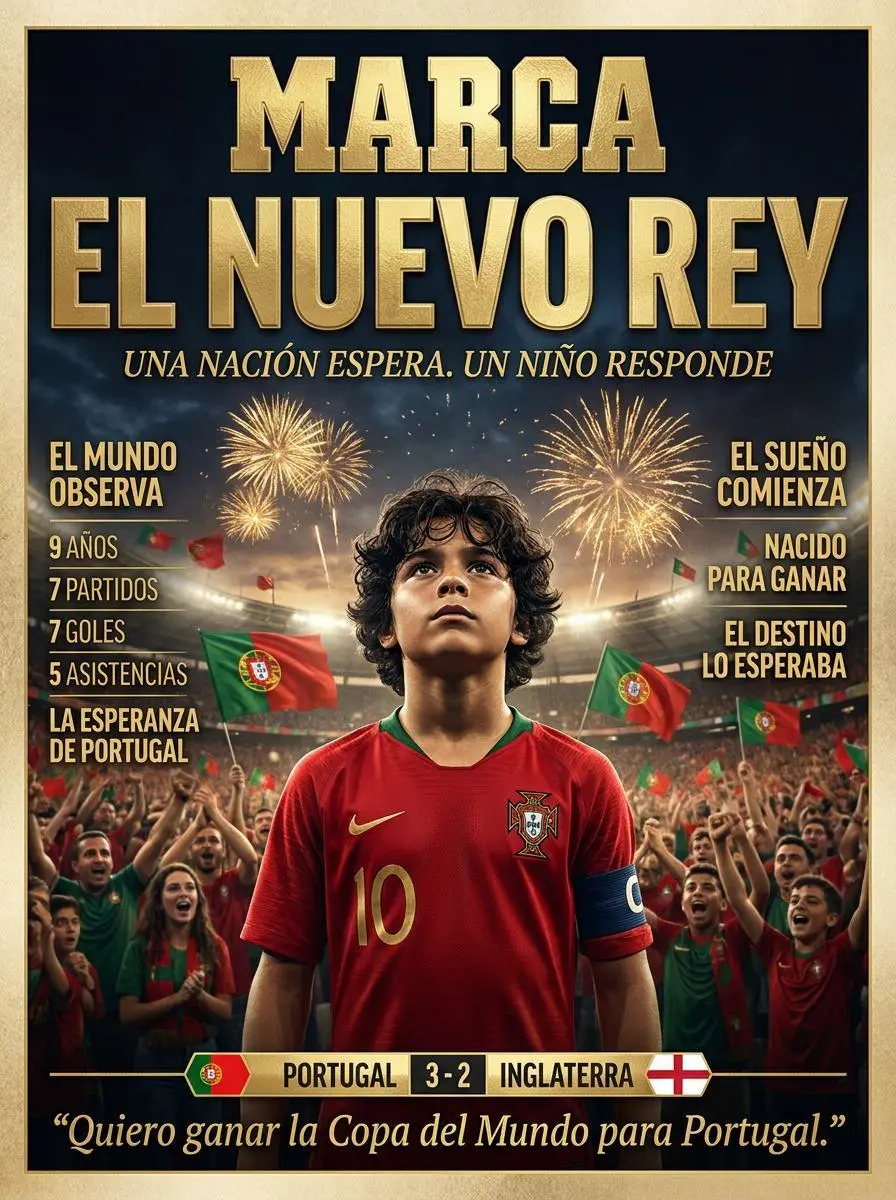
For a localized cover, specify the exact wording and its hierarchy. This case uses “EL NUEVO REY” as the main headline, with side columns and a bottom scoreboard. Proofread small text and inspect character details and brand marks; the story and score are fictional.
World Cup 2026 newspaper cover, Spanish sports newspaper, luxury editorial design.
Massive headline:
EL NUEVO REY
Subheadline:
UNA NACIÓN ESPERA. UN NIÑO RESPONDE.
Center cover:
10 year old Portuguese football prodigy boy, dark curly hair, Portugal national team red number 10 jersey, captain armband.
Portuguese flags.
Golden fireworks.
Packed stadium.
Left column:
EL MUNDO OBSERVA
9 AÑOS
7 PARTIDOS
7 GOLES
5 ASISTENCIAS
LA ESPERANZA DE PORTUGAL
Right column:
EL SUEÑO COMIENZA
NACIDO PARA GANAR
EL DESTINO LO ESPERABA
Bottom scoreboard:
PORTUGAL 3-2 INGLATERRA
Bottom quote:
"Quiero ganar la Copa del Mundo para Portugal."
premium newspaper cover, gold typography, photorealistic, sports documentary poster, masterpiece.realistic, editorial design, masterpiece, 8K.
HOW TO USE
How to Start Using Nano Banana Pro
Enter your prompt in the generator at the top of this page, add references if needed, and review the available settings. You can also copy a case prompt and replace its subject, wording, and scene.
Describe a New Image or Upload Your References
For a new image, enter a written brief. For an edit, upload the images to use and explain each reference’s role. If adapting a case, replace its subject details and reference assignments with your own.
Set the Format and Check the Points
Specify any required wording and layout, then select the aspect ratio, output size, and quantity offered in the form. Check the displayed points and your plan’s model access before generating.
Generate, Open the Result, and Inspect It
Generate and open the result workspace. Compare text, faces, and product details with your brief and references. Check the original file when reviewing resolution; revise the description or references for another attempt.
Nano Banana Character Sheet Tutorial
Nano Banana Character Sheet Tutorial
Learn how to use WeShop Nano Banana to create a consistent four-view AI comic drama heroine sheet with close-up, front, side, and back views.
Compare the original Nano Banana for image creation and reference edits, Pro for detailed design and creative control, Nano Banana 2 for efficient Flash image workflows, and 2.1 for its text, layout, and visual-continuity improvements. Review each version’s inputs and output settings below.
Dimension
Nano Banana
Nano Banana Pro
Nano Banana 2
Nano Banana 2.1
Model role
Original Gemini 2.5 Flash Image creation and editing
Gemini 3 Pro Image for detailed design and creative control
Gemini 3.1 Flash Image for efficient creation and editing
Nano Banana 2.1 update for layouts and visual continuity
Inputs listed for the page
Start from Your Reference Photos; Create from a Written Brief
Create a New Design; Use a Reference Subject
Start from Your Reference Photos; Create from a Written Brief
Start from Your Reference Photos; Create from a Written Brief
Is Nano Banana Pro the same as Gemini 3 Pro Image?
Yes. Nano Banana Pro is Google’s name for Gemini 3 Pro Image. It is an image-generation and editing model; Nano Banana and Nano Banana 2 refer to different models.
What is Nano Banana Pro useful for?
Google positions Pro for professional asset production and creative control. On this page, real WeShop cases show a character sheet, an information layout, and a reference-led product photo. Choose a case close to the task you want to try.
Can I create an image from text or edit an existing photo?
Both are supported. Start with a written brief for a new image, or upload a photo and describe an edit. No reference image is needed for a text-only request.
Can I use multiple reference images?
Yes. After uploading references, explain what each supplies: a person, outfit, product, or scene. Follow the current upload control’s image limit and use only the clear references your task needs.
Can Nano Banana Pro write text and other languages inside images?
Google documents text rendering and localized designs. Provide the intended wording and placement, then check spelling and translation in the output. The weather example demonstrates a designed layout, not verified live weather data.
Does Nano Banana Pro support 4K on WeShop?
The current WeShop Pro form offers 1K, 2K, and 4K. Select the output size before generating. Our sneaker case used the 4K setting and returned a 3584 × 4800 original; a website preview can be smaller.
Will an edit keep my person or product exactly unchanged?
References can guide a recognizable subject, but exact preservation is not guaranteed. In the sneaker case, major colors and design cues remain recognizable while some geometry and detail differ. Inspect the result against your source image.
How should I write a Nano Banana Pro prompt?
Describe the subject, composition, setting, and style. For an edit, state what changes and what stays; assign each reference a role. Use the six guide cases to inspect a complete actual prompt alongside its input and output.
Should I choose Nano Banana Pro or Nano Banana 2?
Consider Pro for detailed design briefs, text-rich layouts, and product mockups. Consider Nano Banana 2 for frequent iterations or its additional 1:4, 4:1, 1:8, and 8:1 formats. Both support image creation and reference edits; choose by your task and the available options.
Is Nano Banana Pro free on WeShop?
WeShop’s current Free Trial excludes Nano Banana Pro. Check the Pricing page and your account for plan access and points before starting. Google Gemini subscriptions and allowances are separate from WeShop plans.
How much does a Nano Banana Pro generation cost?
After choosing your settings and image quantity, review the points estimate in the WeShop generator. Check the current Pricing page and your account for model access and points allowances.
What limitations should I check in the result?
Google identifies remaining issues with small faces, fine visual details, spelling, factual information, translations, and complex edits. Review the actual output before using it; a detailed prompt or higher output size does not by itself verify accuracy.