NANO BANANA 2.1 IMAGE MODEL

Nano Banana 2.1 AI Image Generator

Build text-rich graphics, combine visual references, and edit an existing image with Nano Banana 2.1. This Google image model update is based on Gemini 3.6 Flash.

nano2.1
NANO BANANA 2.1 EXAMPLES

Nano Banana 2.1 Image Examples

Explore the tasks shown by these actual Nano Banana 2.1 results. Copy a prompt to try in the generator, or open the linked case for its saved setup. Supply your own images or clips when the request uses references.

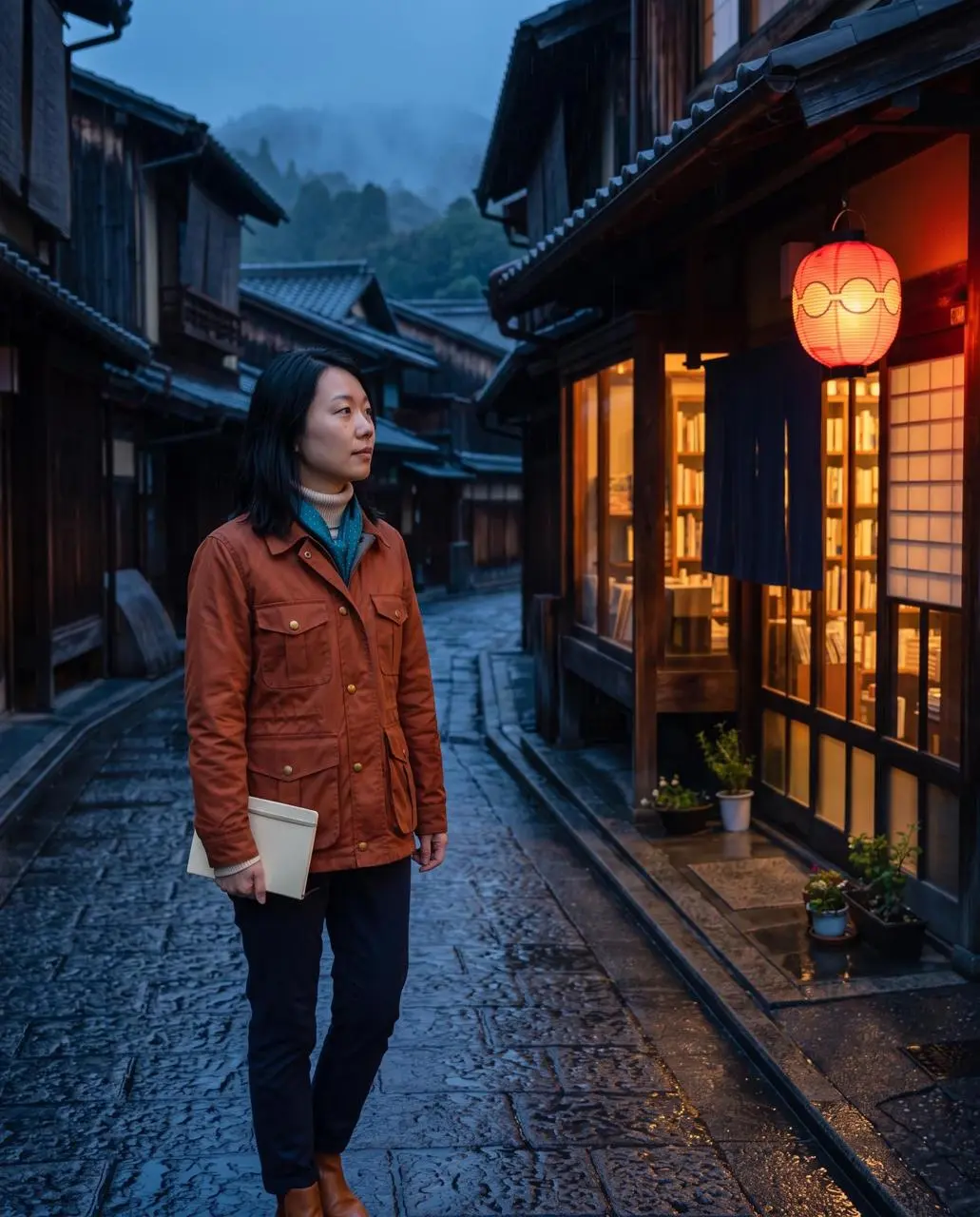
WeShop result: A Woman Stands On A Rainy Cobblestone Street In A…
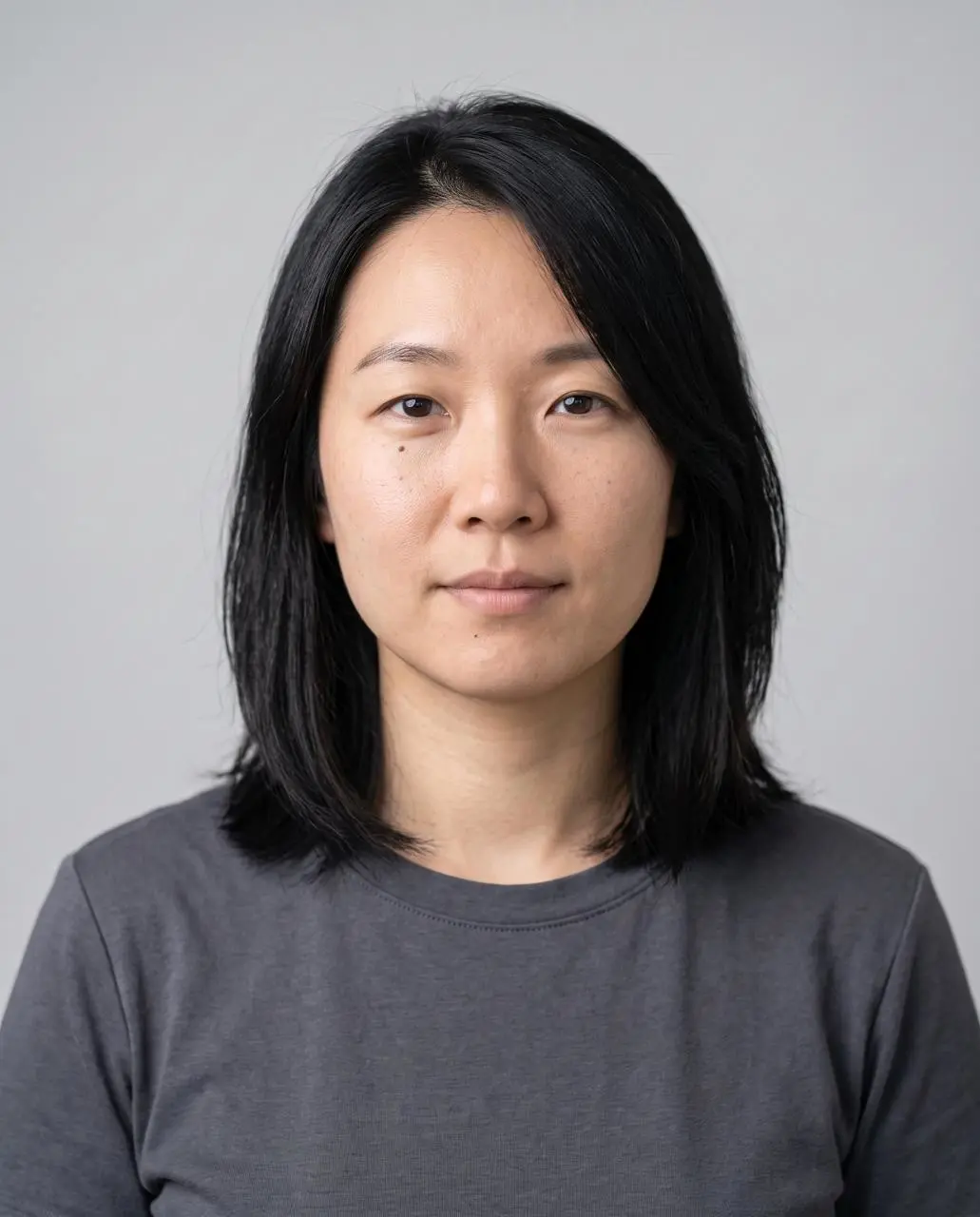
Reference 1
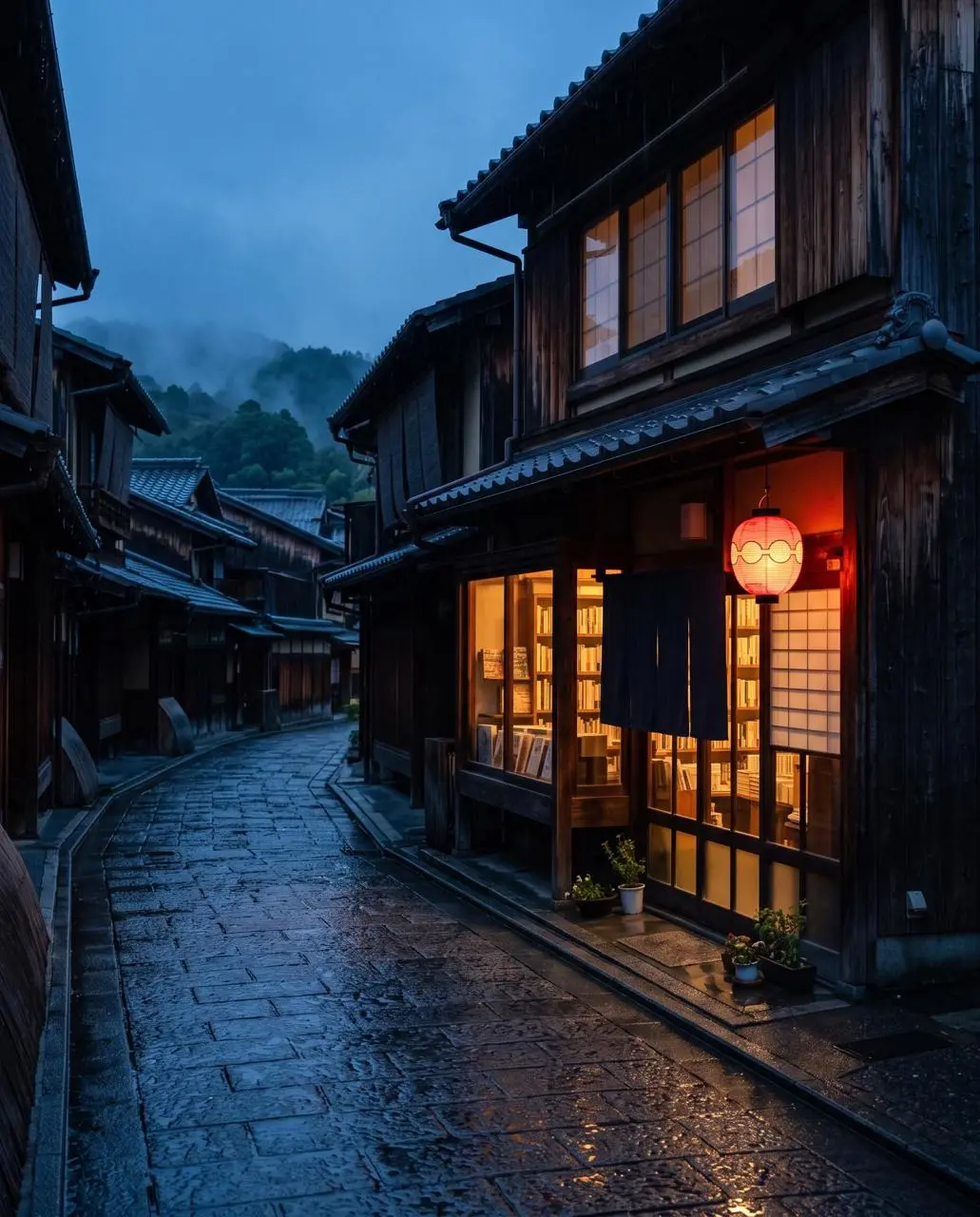
Reference 2
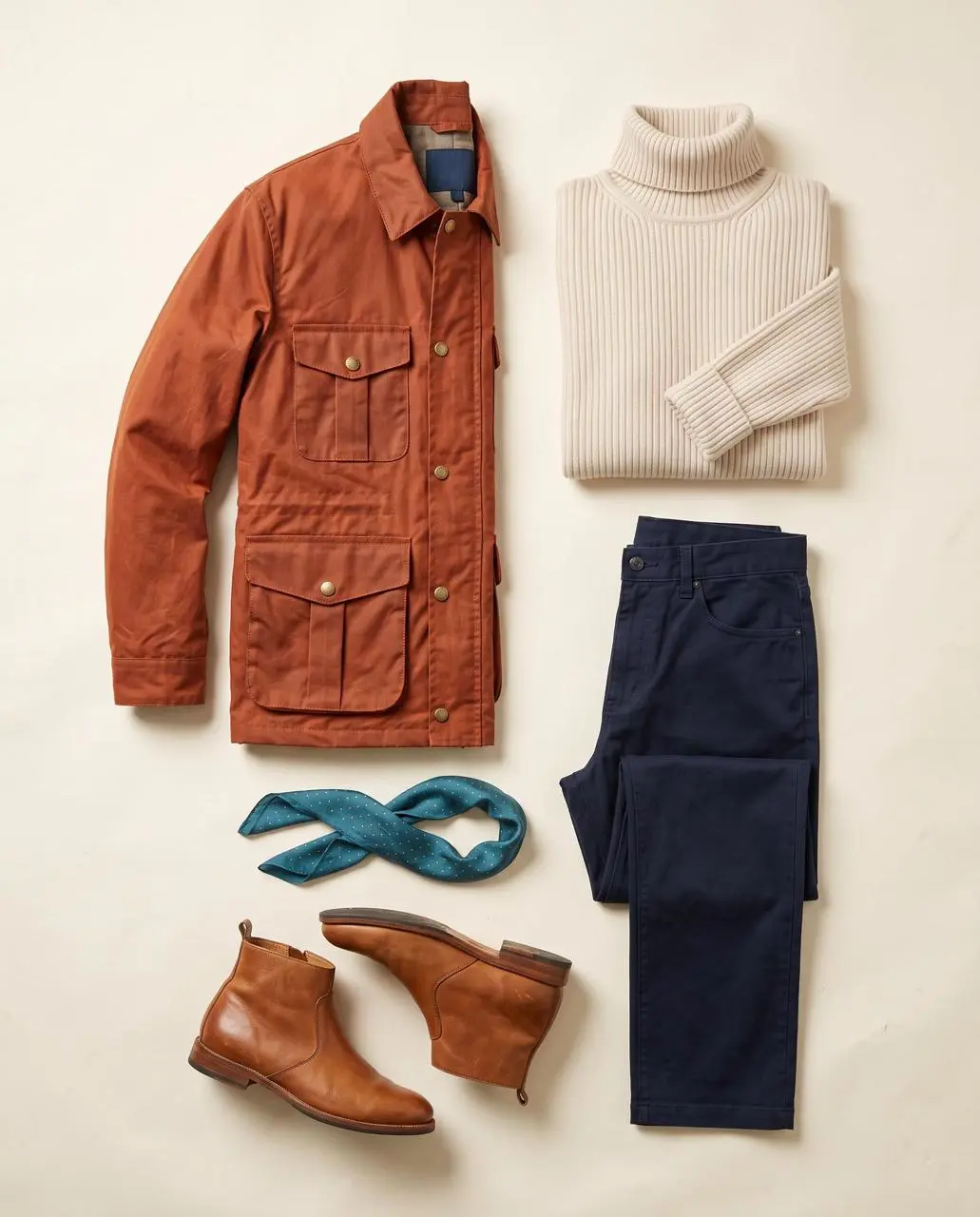
Reference 3

Identity, Outfit, and Setting References

Assign separate references to the person, clothing, and setting, then combine them into a rainy street portrait.

Image 1 is the identity reference. Image 2 is the wardrobe reference. Image 3 is the location reference. Create a finished 4:5 realistic editorial travel portrait of the exact woman from image 1 standing outside the bookshop in image 3 at blue hour, wearing the complete outfit from image 2: burnt-orange four-pocket waxed jacket, cream ribbed turtleneck, navy trousers, teal scarf with tiny gold dots, and tan ankle boots. Show her three-quarter length in the left third, holding a closed cream notebook at her side and looking toward the warm shop window. Preserve her face shape, shoulder-length black hair, side part, and beauty mark below the left eye. Preserve the street layout, one red lantern, wet stone reflections, and warm-window/cool-street color contrast. Natural 50mm travel photography, light rain, no additional people, no bag, no hat, no extra accessories, no readable signs, no text, no logos, no watermark. Do not blend the outfit into the background or change the woman’s identity.
Use This Prompt
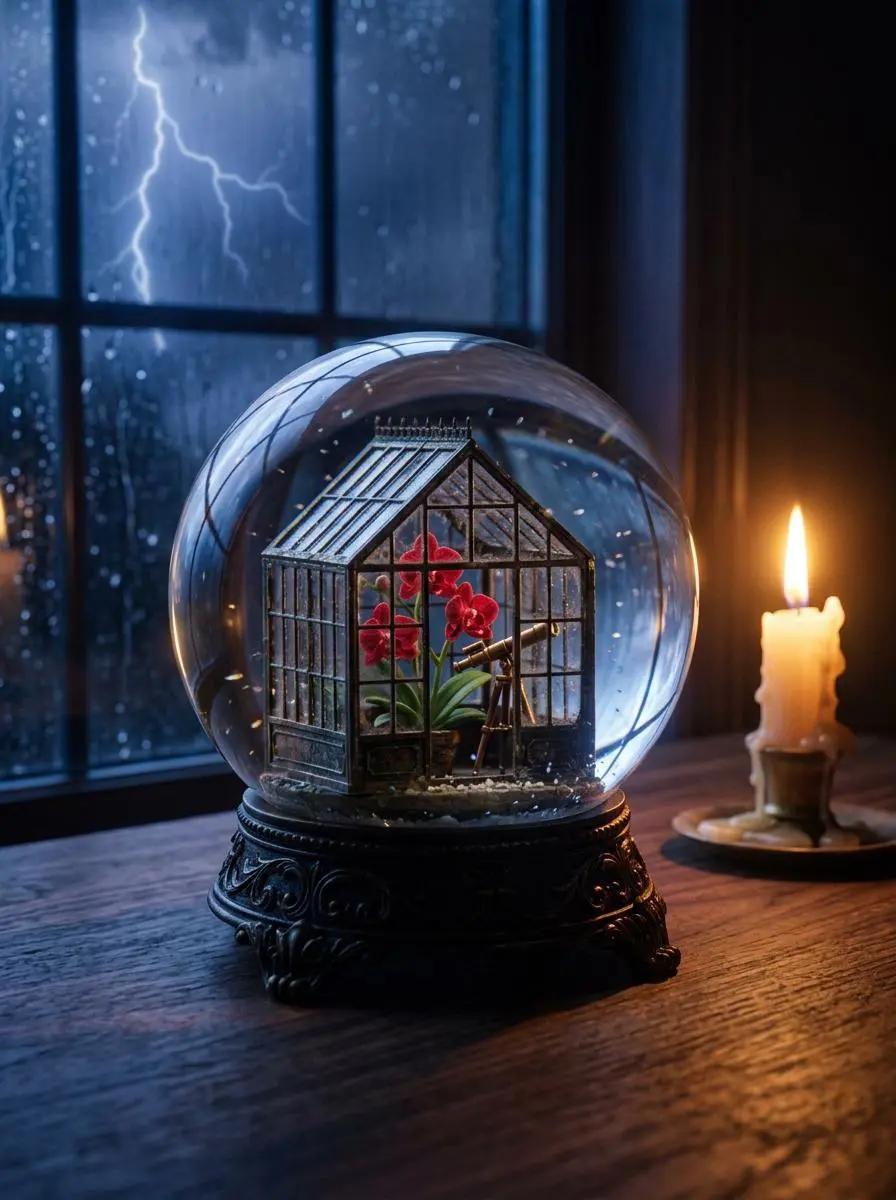
WeShop result: A Delicate Glass Globe Containing A Miniature Greenhouse With Vibrant…

Glass Globe Editorial Still Life

Create a glass-globe still life from text, combining a miniature greenhouse, warm candle, and a stormy background.

Create a finished 3:4 photorealistic editorial image of exactly one clear glass snow globe resting on a dark walnut desk during a thunderstorm. Inside the globe is one miniature Victorian greenhouse containing exactly three red orchids and one small brass telescope. Place a sharp lightning bolt in the upper-left background and one lit ivory candle on the desk to the right of the globe. Use realistic glass reflections and refractions, cool blue storm light from the left, warm candlelight from the right, shallow depth of field, and detailed natural materials. Keep the entire globe visible. No people, no extra flowers, no extra globes, no text, no logo, no watermark.
Use This Prompt
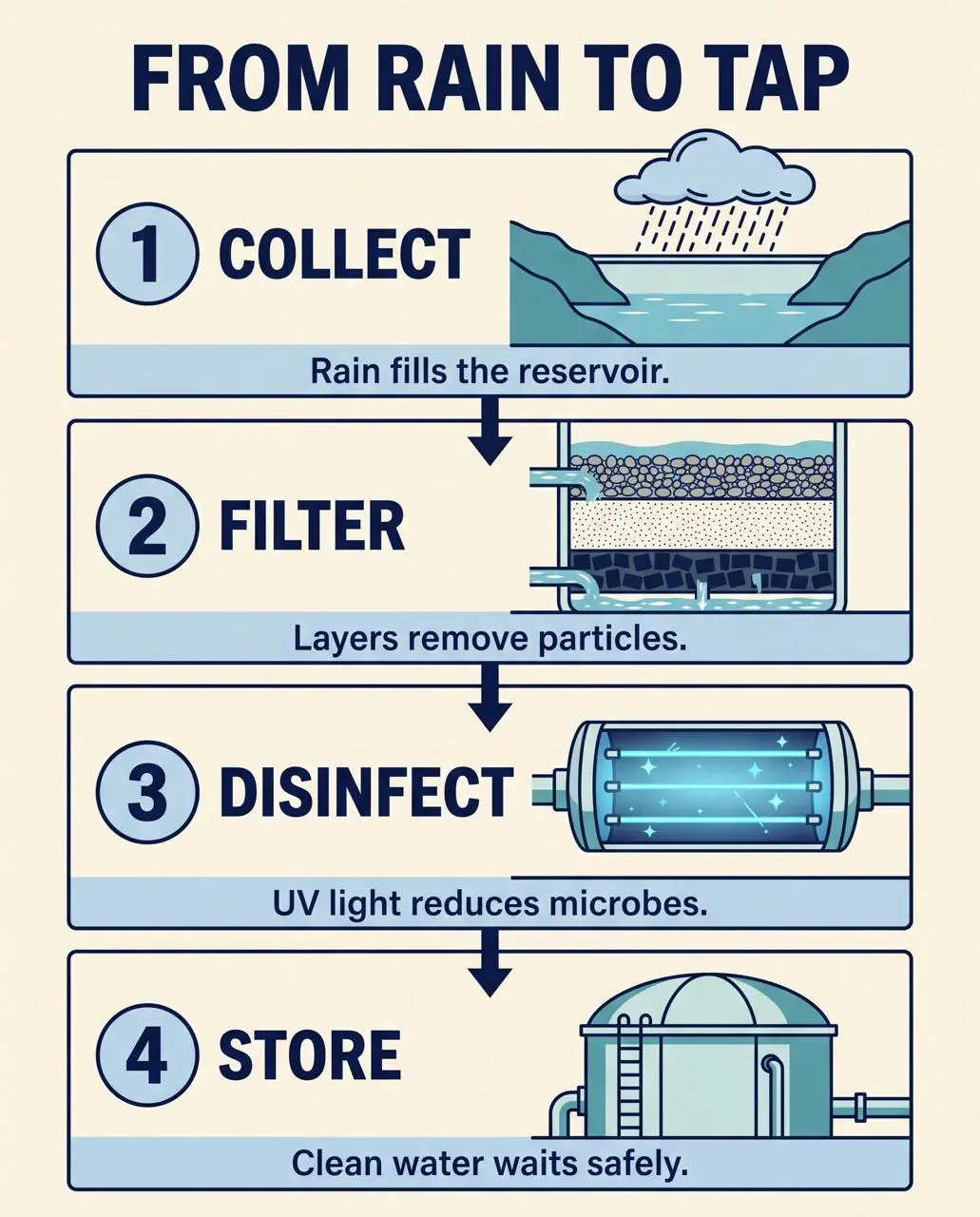
WeShop result: This Infographic Illustrates The Step-By-Step Process Of Transformi…

Rain-to-Tap Process Infographic

Arrange a written water-process brief into numbered stages with supporting illustrations, labels, and a visual reading order.

Create a finished 4:5 educational process infographic titled exactly “FROM RAIN TO TAP”. Use four equal numbered panels stacked vertically with one clear downward arrow between panels. Panel 1 title exactly “COLLECT” with a rain cloud feeding a reservoir and caption exactly “Rain fills the reservoir.” Panel 2 title exactly “FILTER” with gravel, sand, and charcoal layers and caption exactly “Layers remove particles.” Panel 3 title exactly “DISINFECT” with a blue UV light chamber and caption exactly “UV light reduces microbes.” Panel 4 title exactly “STORE” with a covered water tank and caption exactly “Clean water waits safely.” Use flat vector illustration, navy outlines, pale blue and teal fills, warm ivory background, generous margins, consistent icons, high text contrast, and a single reading path from top to bottom. No other words, no decorative labels, no side panels, no logo, no watermark.
Use This Prompt
WHAT IS NANO BANANA 2.1?

What Can You Create with Nano Banana 2.1?

Nano Banana 2.1 is Google’s image generation and conversational editing update based on Gemini 3.6 Flash. It is a separate model from Nano Banana 2 and Nano Banana Pro.

Text and Information Layouts

Google identifies text rendering and layout accuracy as update areas. Information graphics can combine headings, diagrams, and labels in one design.

References with Different Roles

Multiple visual ingredients can guide a composition. The street portrait example assigns separate inputs to identity, clothing, and setting.

Continuity through Image Edits

The version’s documented updates include character continuity across edits. References provide a visual starting point; consistency still needs review in each result.

WORKFLOWS

Choose Your Starting Input

Use the Nano Banana 2.1 input mode that matches the material you have.

Start from Your Reference Photos

Upload the subject or scene for the edit. For several inputs, identify what each reference supplies and describe the requested change.

Create from a Written Brief

Describe a new subject, setting, composition, and visual treatment. Include any words that belong in the image.

PROMPT GUIDE

How to Direct Nano Banana 2.1 with a Prompt

Learn from the actual instructions behind these results. Each example keeps its complete original prompt and available inputs. For a new request, replace its subject and reference assignments with your own.

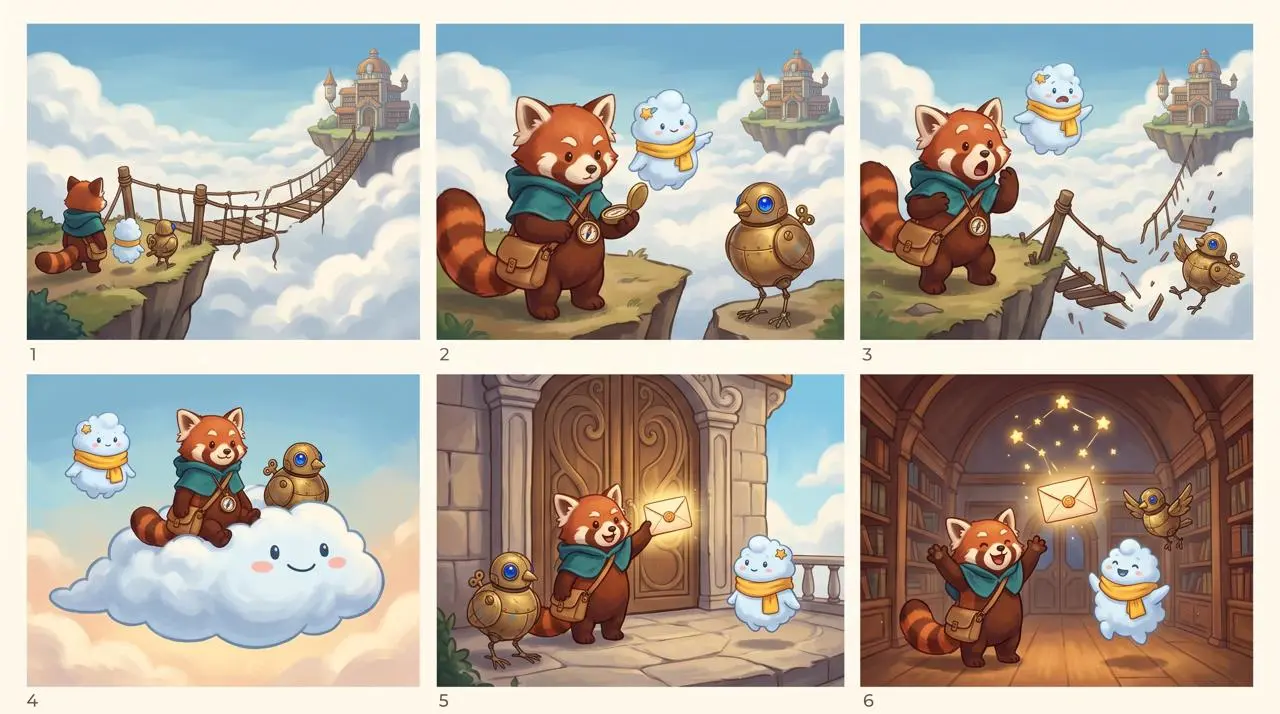
WeShop result: A Red Panda A Cloud Character And A Mechanical Bird…
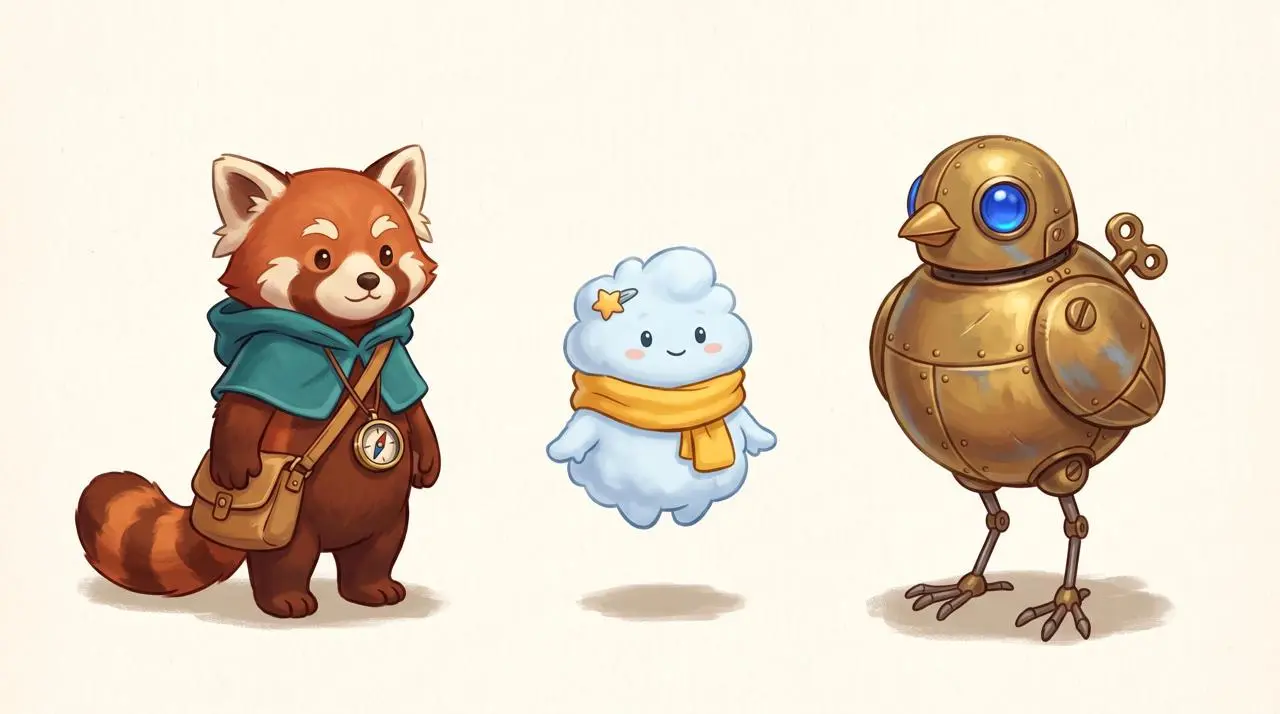
Reference 1

Name the Local Color Change

Identify the item and its replacement color rather than requesting a complete restyle. In this case: “Nimbus is the pale-blue cloud spirit with yellow scarf and star hair clip;”

Use the uploaded lineup as the exact character reference. Create one polished 3-by-2 storyboard sheet with six equal cinematic panels, read left to right and top to bottom, in the same hand-painted storybook animation style. Preserve the identity, proportions, colors, clothing, and accessories of all three characters in every panel: Rhea is the red panda courier with teal hooded cape, tan satchel, and brass compass; Nimbus is the pale-blue cloud spirit with yellow scarf and star hair clip; Tock is the brass bird robot with cobalt-blue eye and winding key. Story: the trio delivers a glowing letter to a floating sky library. Panel 1: they arrive at the edge of a broken rope bridge above clouds. Panel 2: Rhea studies the compass while Nimbus points toward the distant library and Tock watches. Panel 3: the bridge collapses and all three react with surprise. Panel 4: Nimbus expands into a soft cloud platform carrying Rhea and Tock across the gap. Panel 5: they land at the sky library doors and Rhea holds up the glowing letter. Panel 6: inside the warm library, the three friends celebrate together as the delivered letter becomes a small constellation overhead. Keep exactly one Rhea, one Nimbus, and one Tock in every panel. Vary camera distance and poses, but keep faces, costume colors, body shapes, and signature accessories consistent. Clear white gutters between panels. No speech bubbles, no captions, no text, no logos, no watermark, no extra characters.
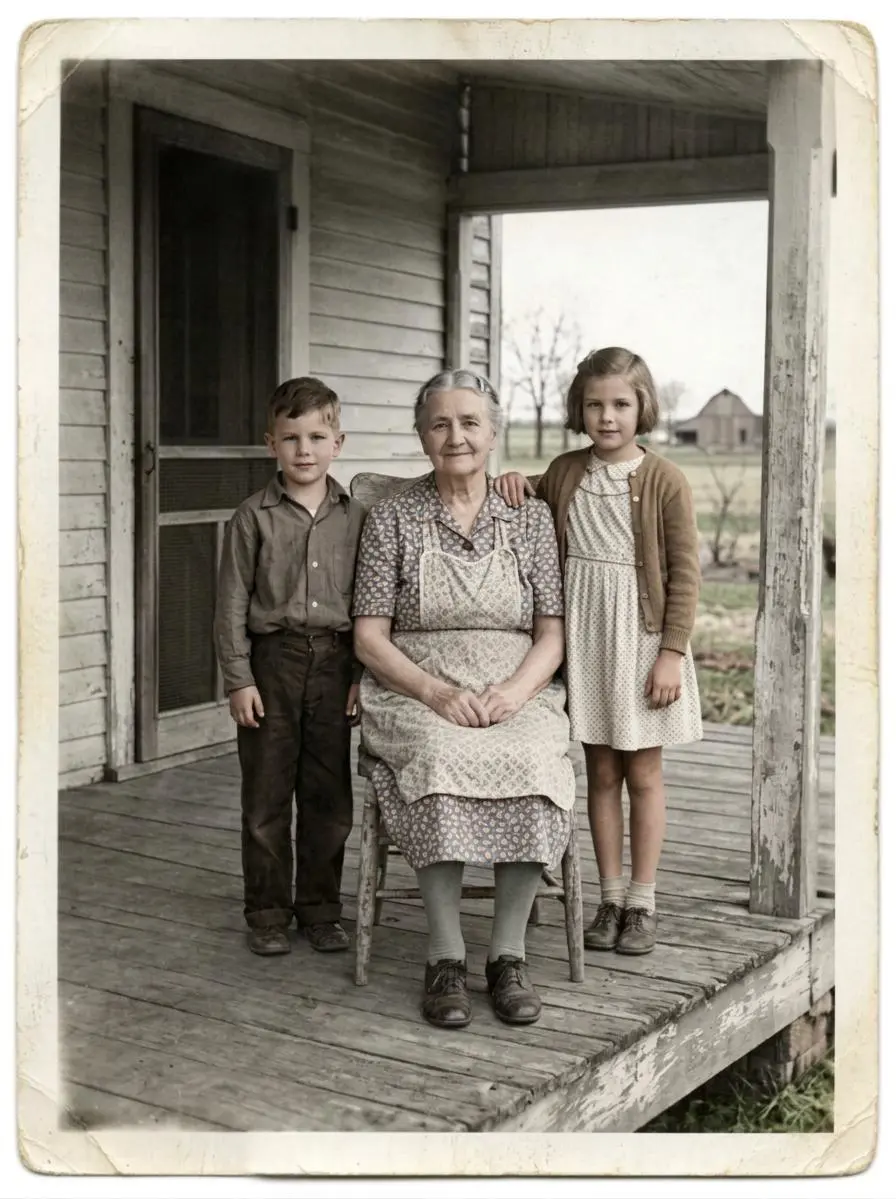
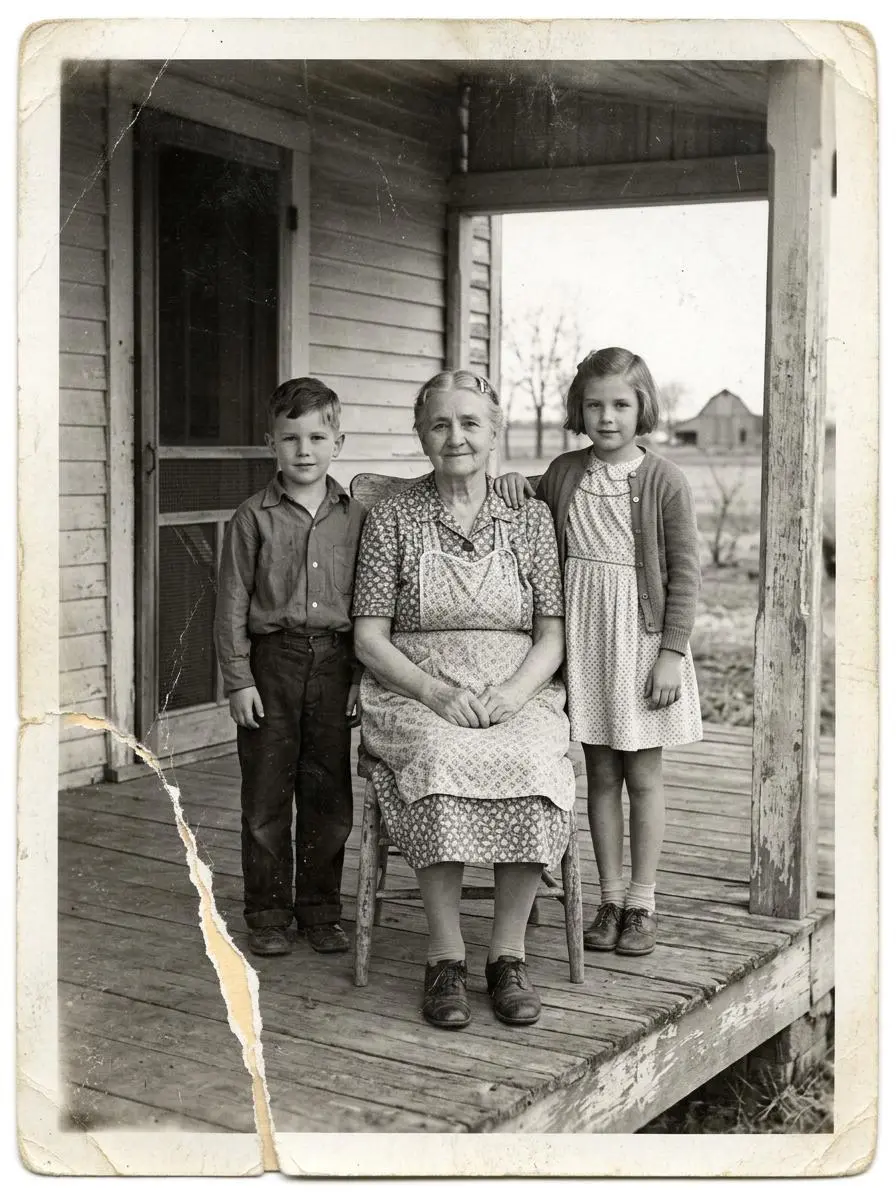
WeShop result: An Elderly Woman Sits On A Wooden Porch Alongside A…
Reference 1

Separate Restoration from Changes to the Person

Describe the repair while identifying the source details to retain. In this case: “Restore this damaged 1948 black-and-white family photograph while preserving the exact identities, ages, facial proportions, poses, clothing, porch architecture, framing, and historical period.”

Restore this damaged 1948 black-and-white family photograph while preserving the exact identities, ages, facial proportions, poses, clothing, porch architecture, framing, and historical period. Repair the lower-left tear, remove scratches and dust, recover balanced contrast and fine facial detail, and add restrained historically plausible natural color: weathered gray porch boards, muted cream and brown clothing, natural skin tones, and subdued green countryside. Do not beautify faces, change expressions, invent jewelry, alter clothing, add people, remove people, crop, modernize, add text, logo, or watermark. Keep subtle film grain so it remains an archival photograph rather than a modern digital portrait.
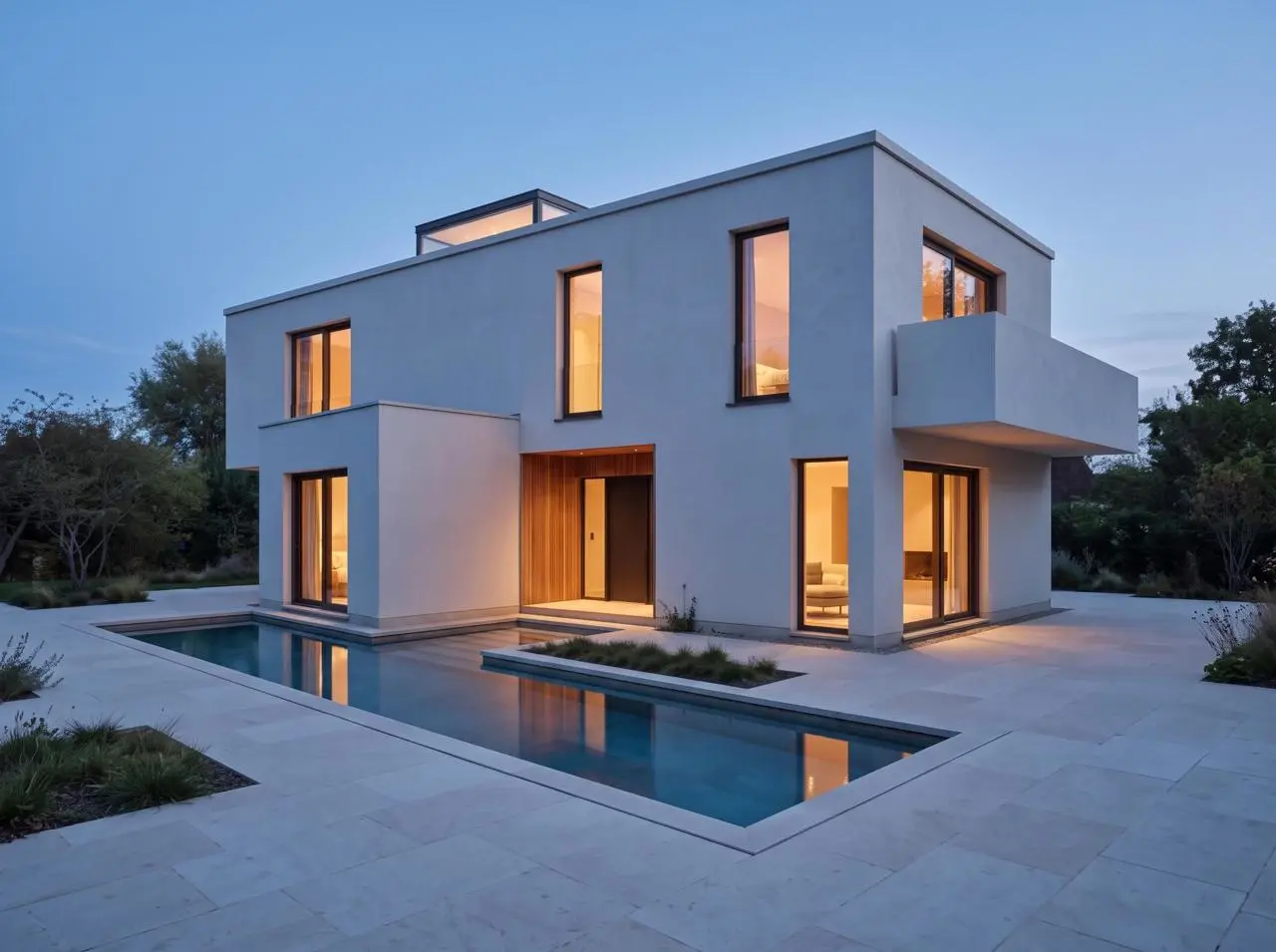
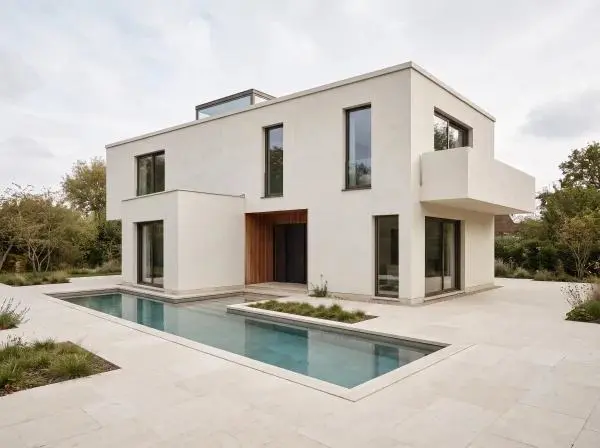
WeShop result: A Modern House With Illuminated Windows Is Surrounded By A…
Reference 1

Change the Lighting while Retaining the Scene

The edit names a new lighting condition alongside the scene details that should remain. In this case: “Edit only the lighting and time of day in the uploaded architectural render.”

Edit only the lighting and time of day in the uploaded architectural render. Change the soft overcast daylight to calm blue hour just after sunset, with a deep blue sky, warm 3000K interior light visible through the existing windows, and subtle warm reflections on the existing pool. Preserve the camera, crop, lens perspective, house massing, flat roof, skylight, every window and door opening, recessed entrance, balcony, wall edges, pool footprint, paving, materials, planting, and all object positions exactly. Do not add, remove, move, resize, duplicate, or redesign any architectural element. No people, furniture, vehicles, text, logo, or watermark.
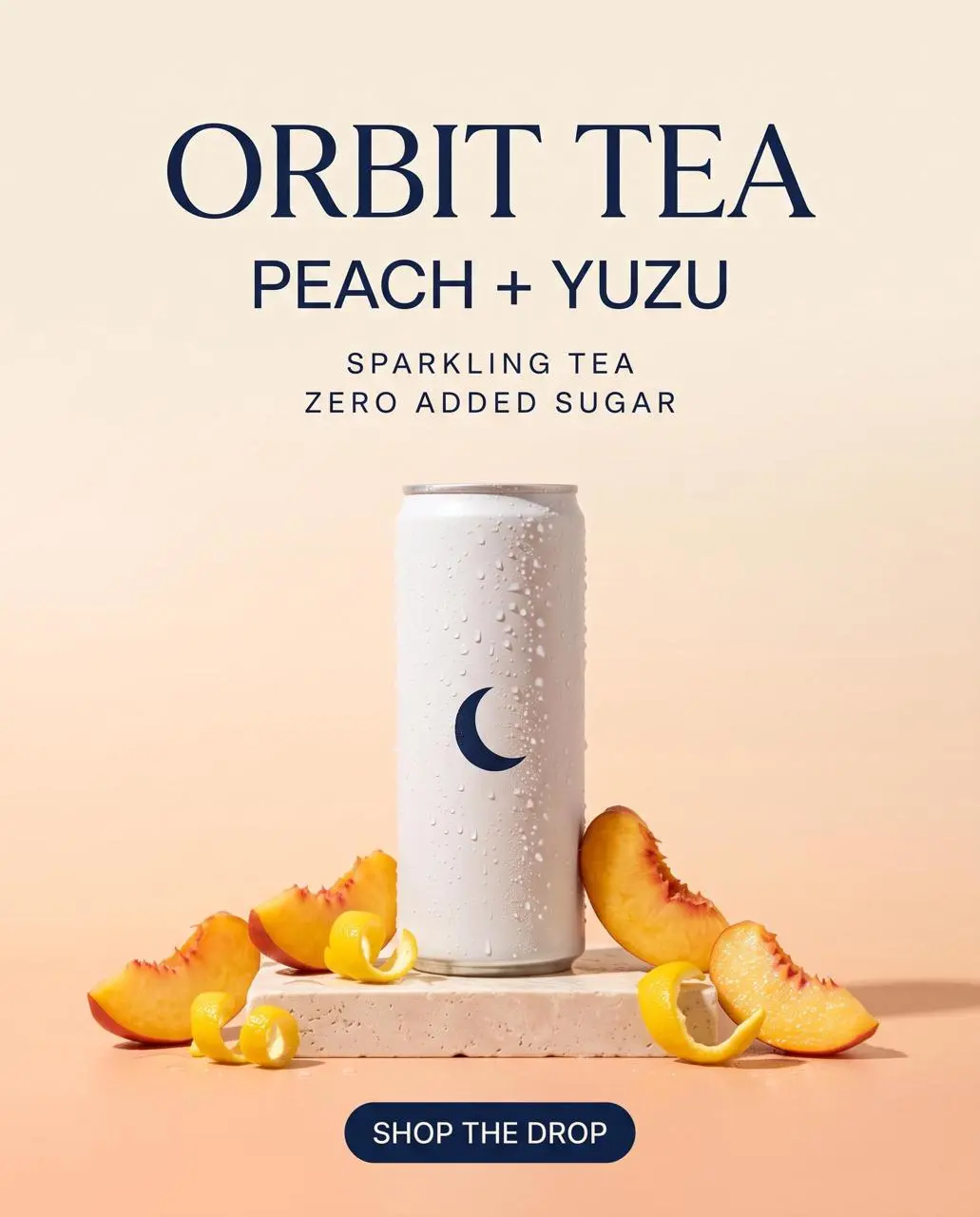
WeShop result: A Refreshing Can Of Orbit Tea Peach + Yuzu Sparkling…

Plan the Text and Its Hierarchy

Specify the written information and where it belongs in the design. Check the resulting words before use. In this case: “Create a premium vertical ecommerce launch poster for a fictional sparkling tea brand.”

Create a premium vertical ecommerce launch poster for a fictional sparkling tea brand. Hero product: one slim matte-white aluminum can with a simple navy crescent symbol, realistic condensation, peach slices and yuzu peel, on a pale stone pedestal. Warm peach-to-cream gradient background, soft studio shadows, refined editorial layout, photoreal product lighting, generous negative space. Render exactly these five text lines, spelled exactly as written: ORBIT TEA; PEACH + YUZU; SPARKLING TEA; ZERO ADDED SUGAR; SHOP THE DROP. Keep ORBIT TEA as the largest headline, PEACH + YUZU directly below it, SPARKLING TEA and ZERO ADDED SUGAR as small but clearly legible supporting lines, and SHOP THE DROP as a compact button-style callout. Do not add, duplicate, alter, or misspell any text. No people, no hands, no extra cans, no third-party logos, no watermark.
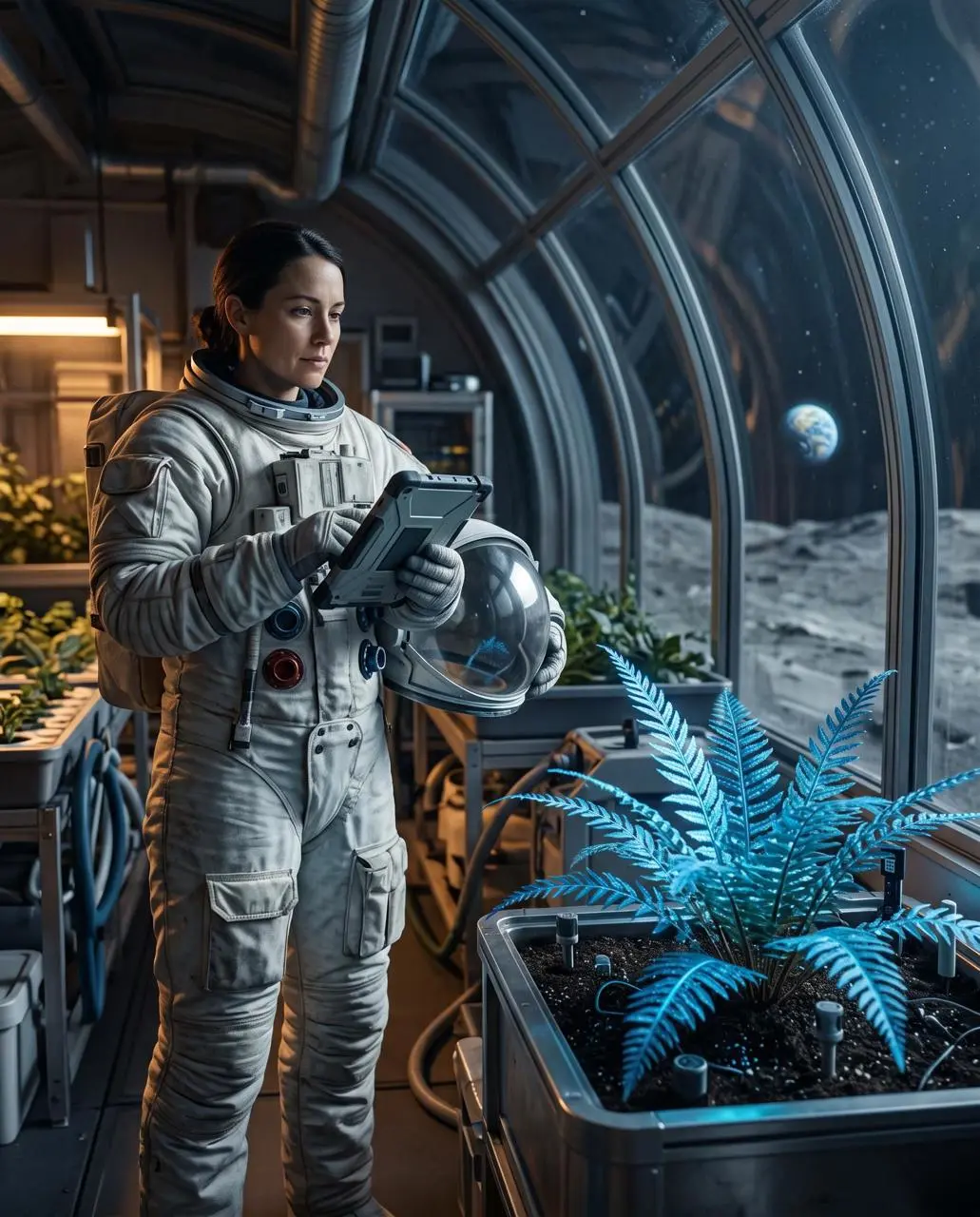
WeShop result: A Woman In A Spacesuit Is Tending To Plants Inside…

Describe a Visible Material

Use concrete surface or material details to define the requested look. In this case: “The fern is the sharp foreground subject on the right, while curved glass walls reveal the gray lunar surface and a small Earth low on the horizon.”

Create a finished 4:5 environmental portrait of one botanist-astronaut cataloging a luminous blue fern inside a lunar greenhouse at night. The person stands in the left third, seen from knees up, wearing a practical white exploration suit with a clear helmet held under one arm. The fern is the sharp foreground subject on the right, while curved glass walls reveal the gray lunar surface and a small Earth low on the horizon. Shoot at eye level with a 50mm lens and moderate depth of field. Use cool moonlight from the right, soft amber work lights from the left, realistic skin and fabric texture, restrained blue-and-amber color grading, and a quiet documentary mood. No extra people, no flags, no readable labels, no fantasy magic particles, no logos, no watermark.
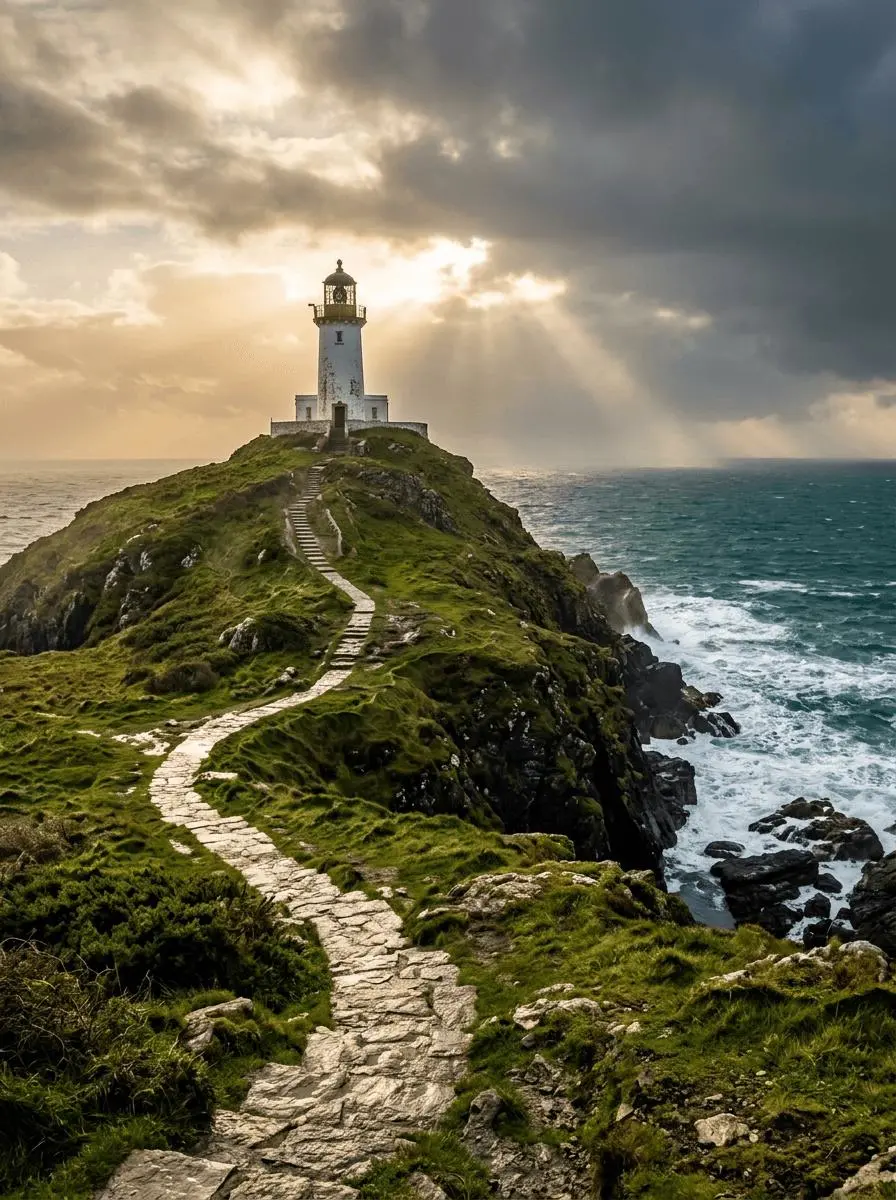
WeShop result: Lighthouse after the Storm

Place the Light and Color in the Scene

Specify the visible lighting or color arrangement as part of the composition. In this case: “Golden sunlight breaks through layered clouds, waves foam against dark rocks.”

A solitary white lighthouse on a rugged green headland above a deep teal sea just after a storm. A winding stone path leads from the bottom foreground to the lighthouse in the upper third. Golden sunlight breaks through layered clouds, waves foam against dark rocks. Photorealistic landscape photography, vertical 3:4 composition, no people, no lettering, no border or watermark.

HOW TO USE

Create Your First Nano Banana 2.1 Image

Start in the generator on this page. To reuse an example, click Copy Prompt, return to the description field, and adapt the prompt to your own inputs.

Provide the Scene and Inputs

Write your brief and add the reference media required by the selected mode. Explain the role of each supplied input.

Choose the Output Options

Choose the aspect ratio, image size, quality, and image count where offered. Check the form’s displayed points before submitting.

Generate and Review

Click Generate and review the resulting image. Check composition, required words, and the subject details that matter to your task. Adjust your prompt or references for the next attempt.

MODEL SELECTION

Which Nano Selection Fits Your Task?

Compare the documented model roles and the inputs and options currently listed in WeShop. Model names or matching settings do not by themselves establish equal output quality or a fixed generation-time difference.

DimensionNano BananaNano Banana ProNano Banana 2Nano Banana 2.1
Model roleOriginal Gemini 2.5 Flash Image creation and editingGemini 3 Pro Image for detailed design and creative controlGemini 3.1 Flash Image for efficient creation and editingGemini 3.6 Flash update for layouts and visual continuity
Inputs listed for the pageStart from Your Reference Photos; Create from a Written BriefCreate a New Design; Use a Reference SubjectStart from Your Reference Photos; Create from a Written BriefStart from Your Reference Photos; Create from a Written Brief
Current WeShop optionsAspect ratios: auto, 1:1, 2:3, 3:2, 4:3, 3:4, 4:5, 5:4, 16:9, 9:16, 21:9Image size: 1K, 2K, 4KImage size: 1K, 2K, 4KImage size: 1K, 2K, 4K
Model role
Nano Banana
Original Gemini 2.5 Flash Image creation and editing
Nano Banana Pro
Gemini 3 Pro Image for detailed design and creative control
Nano Banana 2
Gemini 3.1 Flash Image for efficient creation and editing
Nano Banana 2.1
Gemini 3.6 Flash update for layouts and visual continuity
Inputs listed for the page
Nano Banana
Start from Your Reference Photos; Create from a Written Brief
Nano Banana Pro
Create a New Design; Use a Reference Subject
Nano Banana 2
Start from Your Reference Photos; Create from a Written Brief
Nano Banana 2.1
Start from Your Reference Photos; Create from a Written Brief
Current WeShop options
Nano Banana
Aspect ratios: auto, 1:1, 2:3, 3:2, 4:3, 3:4, 4:5, 5:4, 16:9, 9:16, 21:9
Nano Banana Pro
Image size: 1K, 2K, 4K
Nano Banana 2
Image size: 1K, 2K, 4K
Nano Banana 2.1
Image size: 1K, 2K, 4K

When to Consider Nano Banana 2.1

Match the Model to Your Task

Consider 2.1 for its documented text, layout, and character-continuity updates. Keep the exact version selected when comparing with Nano Banana 2 or Pro.

MORE IMAGE MODELS

Explore More Image Models

Open a related model page to review its capabilities, examples, and current generation options.

FAQ

Nano Banana 2.1 FAQ

Answers about this version, its inputs, and how to get started.

What is Nano Banana 2.1?

Nano Banana 2.1 is Google’s image generation and conversational editing update based on Gemini 3.6 Flash. It is a separate model from Nano Banana 2 and Nano Banana Pro.

What is a good task to consider it for?

Consider 2.1 for its documented text, layout, and character-continuity updates. Keep the exact version selected when comparing with Nano Banana 2 or Pro.

What do I need to provide?

Start from Your Reference Photos. Upload the subject or scene for the edit. For several inputs, identify what each reference supplies and describe the requested change. Create from a Written Brief. Describe a new subject, setting, composition, and visual treatment. Include any words that belong in the image.

Which output settings are offered here?

Image size: 1K, 2K, 4K

How do I try an example prompt?

Click Copy Prompt, return to the generator, and paste it into the description field. Add your own required references and update their roles. Linked case previews and Use This Prompt open the saved case; they do not automatically fill this page’s form.

What should I know about this version?

The model’s broader vendor toolset does not establish that search, PDFs, video inputs, or Thinking are available in this WeShop form.