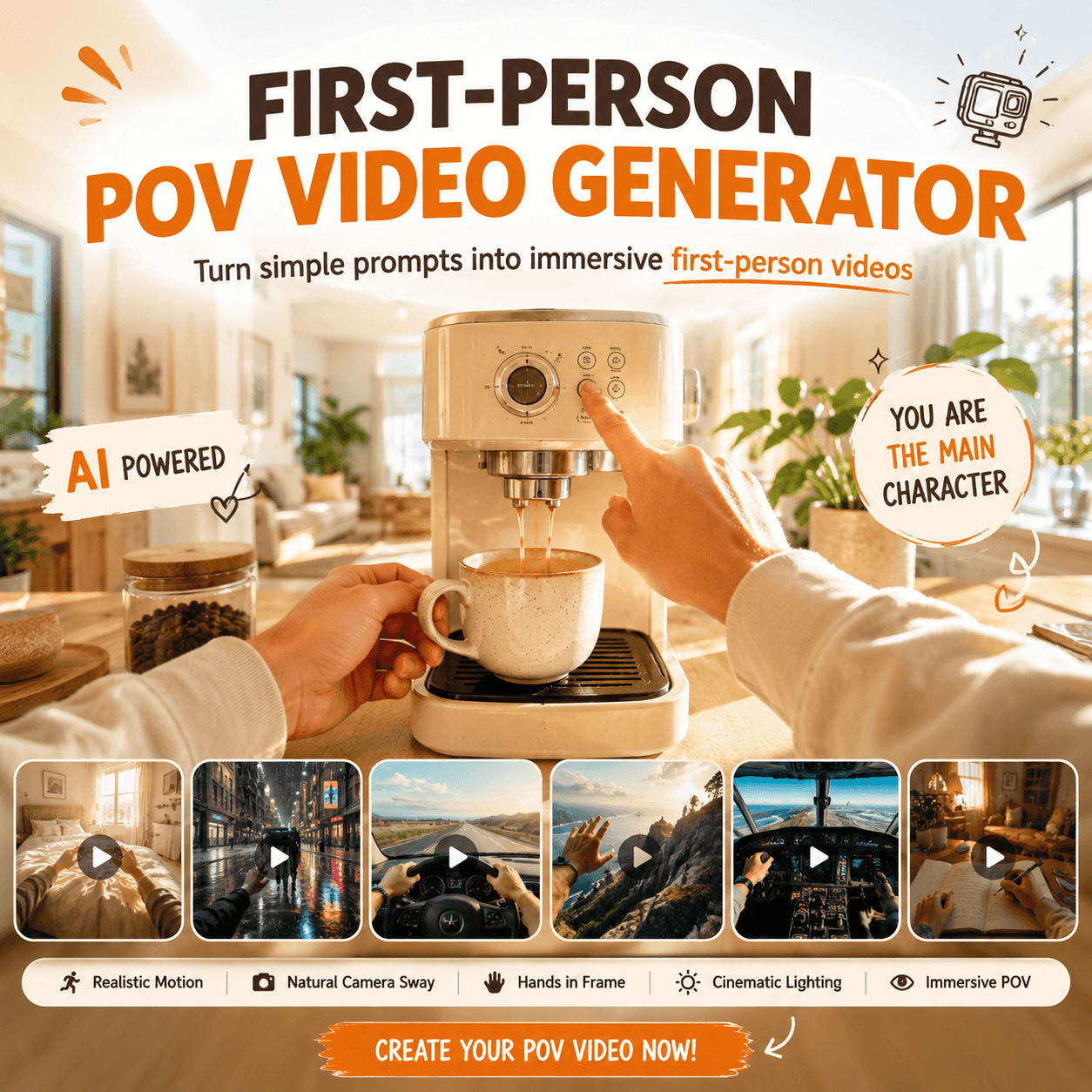
Have you ever watched a video that instantly made you feel like you were inside the scene? Maybe it was a “POV: You wake up in a futuristic city” clip, a rainy night walk through neon streets, or a first-person view of someone opening a mysterious door. That is why a First-Person POV Video Generator feels so exciting right now. Instead of just creating another video, it creates the feeling of being there.
Today, short-form content is not only about showing something beautiful. More importantly, it is about pulling viewers into a moment as quickly as possible. With that in mind, WeShop AI’s First-Person POV Video Generator helps you turn a simple text prompt into an immersive POV video. As a result, you do not need a camera, a filming crew, or even a real location.

Why First-Person POV Videos Feel So Addictive
A normal video shows viewers what is happening. However, a first-person POV video makes viewers feel like it is happening to them.
That small shift changes everything. When the camera moves like human eyes, and when hands appear in the frame, the viewer starts to feel involved. In other words, the video becomes less like something to watch and more like something to experience.
For example, they are not just watching someone enter a hotel room. They feel like they are walking into it.
They are not just seeing a desert road. They feel like their own hands are on the steering wheel.
They are not just looking at a product. They feel like they are opening, touching, or using it.
Because of this, POV videos work especially well for TikTok, Instagram Reels, YouTube Shorts, product demos, travel content, fantasy scenes, and story-based videos. After all, these platforms reward content that creates curiosity fast.
What Is a First-Person POV Video Generator?
A First-Person POV Video Generator is an AI tool that creates videos from a viewer’s perspective. Instead of filming a real location, you describe the scene, action, camera movement, lighting, and mood. Then, the AI generates a first-person video that feels like it was captured from human eye level.
WeShop AI’s tool is built around immersive POV creation. For example, it can simulate natural camera sway, walking motion, hands-in-frame interaction, cinematic lighting, and realistic spatial depth. As a result, creators can quickly turn an idea into a short visual scene.
In simple terms, you write what the viewer should experience. Then, the tool helps bring that moment to life. That means your idea can move from imagination to video much faster than a traditional shoot.
What Can You Create with This AI POV Video Tool?
The best part is that the tool is not limited to one type of content. In fact, it works for many creative and commercial ideas.
Viral “You Wake Up As” Videos
One of the most popular POV formats is the “You Wake Up As” concept.
You can create scenes like:
“POV: You wake up inside a futuristic spaceship.”
“POV: You wake up in a luxury hotel room by the ocean.”
“POV: You wake up as the main character in a fantasy world.”
“POV: You open your eyes in a cyberpunk city.”
This format is powerful because it starts with instant curiosity. Viewers want to know where they are, who they are, and what happens next. Therefore, it is perfect for short videos, fantasy storytelling, sci-fi clips, and social media series.
Travel and Adventure POV Clips
Travel content is all about making people imagine themselves somewhere else. A First-Person POV Video Generator can help create that feeling without planning a real shoot.
For example, you can generate a first-person view of walking along a beach at sunrise, hiking through a mountain trail, entering a hidden cave, kayaking across a quiet lake, or walking through a city at night.
This makes it useful for travel creators, hotels, destination marketing teams, tour previews, and social media campaigns. Also, it can help test ideas before spending money on real production.
Product POV Videos for Brands
Product videos do not always need to look like traditional ads. Sometimes, the most persuasive angle is simple: show the product from the customer’s point of view.
For example, a brand can create:
A first-person unboxing video.
A POV coffee machine experience.
A hands-on skincare product clip.
A first-person store visit.
A lifestyle scene where the viewer “uses” the product.
This style helps products feel more personal. Instead of saying “look at this item,” the video says, “imagine yourself using it.”
That is why POV videos can work well for e-commerce pages, product launches, paid ads, social content, and landing pages.
Fantasy, Sci-Fi, and Story Scenes
For writers, game creators, filmmakers, and visual storytellers, the tool can also act like a fast concept machine.
You can create a first-person view of entering an ancient temple, walking through a magical forest, waking up in a space station, escaping a ruined city, or opening a door to another world.
Even better, these scenes do not need to exist in real life. So, the tool becomes useful for mood boards, story previews, game concepts, pitch visuals, and creative experiments.
How to Use First-Person POV Video Generator
The process is simple. However, the quality of the result depends on how clearly you describe the scene.
Step 1: Start with a Clear POV Moment
First, think about what the viewer is experiencing.
Do not write something too broad like:
“Create a cool video.”
Instead, write a clear first-person moment:
“First-person POV walking into a quiet coffee shop on a rainy night.”
Or:
“First-person POV waking up in a futuristic apartment with morning sunlight.”
This gives the AI a specific action and setting to build around.
Step 2: Add the Environment
Next, describe the world around the viewer. This helps the video feel richer and more cinematic.
You can add details like:
Time of day
Weather
Location
Lighting
Mood
Background objects
Textures and atmosphere
For example:
“Neon city street, wet pavement, soft reflections, late night, cinematic mood.”
The more visual your description is, the easier it is for the AI to create a strong scene.
Step 3: Describe the Camera Movement
This is one of the most important parts. Since the video is first-person, the movement should feel human.
Useful phrases include:
Natural walking rhythm
Slight head movement
Human eye-level perspective
Slow forward motion
Realistic camera sway
Smooth handheld feeling
These details help the video avoid looking like a floating camera. Instead, it feels closer to what a person might actually see.
Step 4: Add Hands or Interaction
Hands make POV videos feel more real. They give viewers a body inside the scene.
You can include actions like:
Hands opening a door
Hands holding a coffee cup
Hands on a steering wheel
Hands unboxing a product
A hand pressing a button
A hand reaching toward an object
This is especially useful for product videos, lifestyle scenes, “wake up” videos, and immersive storytelling.
Step 5: Generate, Review, and Refine
Finally, generate the video and look at the result. If it feels too empty, add more scene details. If it feels too still, add stronger action. If it feels unrealistic, mention natural movement, realistic lighting, and human eye-level perspective.
Small prompt changes can make a big difference.
A Simple Prompt Formula for Better POV Videos
Here is an easy formula you can use:
First-person POV + action + environment + camera movement + lighting + mood + small details
For example:
First-person POV walking through a neon city street at night, wet road reflections, natural walking rhythm, slight head movement, cinematic lighting, immersive atmosphere.
For a product video, you could try:
First-person POV unboxing a premium coffee machine on a kitchen counter, hands opening the package, soft morning light, realistic motion, close-up product experience.
For a fantasy video:
First-person POV entering an ancient magical library, hands pushing open a wooden door, floating dust, warm candlelight, slow cinematic camera movement, mysterious atmosphere.
The goal is not to write a long prompt. Instead, the goal is to write a clear prompt with strong visual details.
Who Should Use a First-Person POV Video Generator?
A First-Person POV Video Generator is useful for more than one type of creator.
Short-form video creators can use it to make viral POV ideas for TikTok, Reels, and Shorts.
Brands and e-commerce sellers can use it for product demos, unboxing videos, lifestyle ads, and customer experience clips.
Travel creators and hotels can use it to preview destinations, rooms, routes, and adventure scenes.
Writers, game creators, and filmmakers can use it to visualize fictional worlds before full production.
Marketing teams and agencies can use it to test creative ideas faster before investing in shoots.
In other words, the tool is not only for making pretty AI videos. It is also a way to test ideas, build mood, and create content that feels more personal.
Tips to Make AI POV Videos Feel More Real
First, make the action specific. “Walking through a rainy neon street” is better than “a city video.” Next, add camera movement. Phrases like “natural walking rhythm” and “slight head movement” help the video feel less stiff.
Also, include lighting and mood. A scene with “soft morning light” or “cold blue sci-fi lighting” feels much clearer than a plain setting.
Then, add one human interaction. A hand opening a door or holding a cup can make the whole scene feel more believable.
Finally, keep the idea focused. One strong moment is usually better than five different actions in one short clip. In short, a good POV video should feel simple, direct, and easy to step into.
FAQ About First-Person POV Video Generator
What is a First-Person POV Video Generator?
A First-Person POV Video Generator is an AI tool that creates point-of-view videos from text prompts or scene descriptions. In other words, it makes the viewer feel like they are inside the scene.
Do I need a camera to create POV videos?
No. Instead, you can generate POV videos by describing the scene, movement, action, lighting, and mood. Then, the AI handles the video creation process.
Can I use it for TikTok, Reels, and YouTube Shorts?
Yes. POV videos are a strong fit for short-form platforms because they create instant immersion and curiosity. As a result, viewers can understand the scene quickly and feel pulled into the moment right away. In addition, this makes POV content especially effective for fast, scroll-stopping videos on TikTok, Reels, and YouTube Shorts.
Can brands use POV videos for product marketing?
Yes. Brands can use POV videos for unboxing, product usage, store experiences, lifestyle scenes, and social media ads. As a result, products can feel more real and relatable.
What kind of prompt works best?
A good prompt should include the first-person action, the setting, camera movement, lighting, mood, and small details. For example, you can write: “first-person POV walking into a rainy coffee shop, hands pushing open the glass door, warm light inside, natural walking rhythm, cinematic atmosphere.”
Can I create “You Wake Up As” videos?
Yes. This is one of the most popular use cases. For instance, you can create POV videos where the viewer wakes up in a futuristic city, fantasy world, spaceship, hotel room, or any scene you can imagine.
Final Thoughts
The biggest strength of a First-Person POV Video Generator is not just that it creates AI videos. Instead, it helps creators build a feeling of presence.
Viewers do not simply watch the scene. They step into it.
That is why POV videos are so powerful for short-form storytelling, product marketing, travel content, and creative world-building. With WeShop AI’s First-Person POV Video Generator, you can start with one simple idea and turn it into a cinematic first-person moment.
No camera. No location shoot. No complicated setup.
Just a prompt, a scene, and a viewer who feels like they are already there.
Go to WeShop AI For Exploration: