Are you obsessed with those dark, cinematic vibes from your favorite games? You can now transform your simple selfies into a 3A game failure screen. It is fast, simple, and looks incredibly professional. This 3A game aesthetic is taking over TikTok and Instagram right now. Let’s learn how to create your own 3A game masterpiece in minutes.
🛠️ What You Need
To start your project, you need the right tools and a great photo.
📋 Essential Tools
- GPT Image 2: This is the best tool to create your character.
- Kling 3.0: Use this if you want to turn your image into a movie-like video.
📸 Perfect Photos
- Pick a clear photo with strong emotions.
- Wear dark or Japanese-style clothing for that authentic vibe.
- Keep your natural face shape. Do not use too much smoothing.
🚀 Step-by-Step Guide
1. Upload to GPT Image
Go to the GPT Image 2 site. Upload your photo. Make sure your face is clear. This step ensures your 3A game character still looks like you.
2. The Ultimate 3A Game Prompt
Copy and paste this prompt template
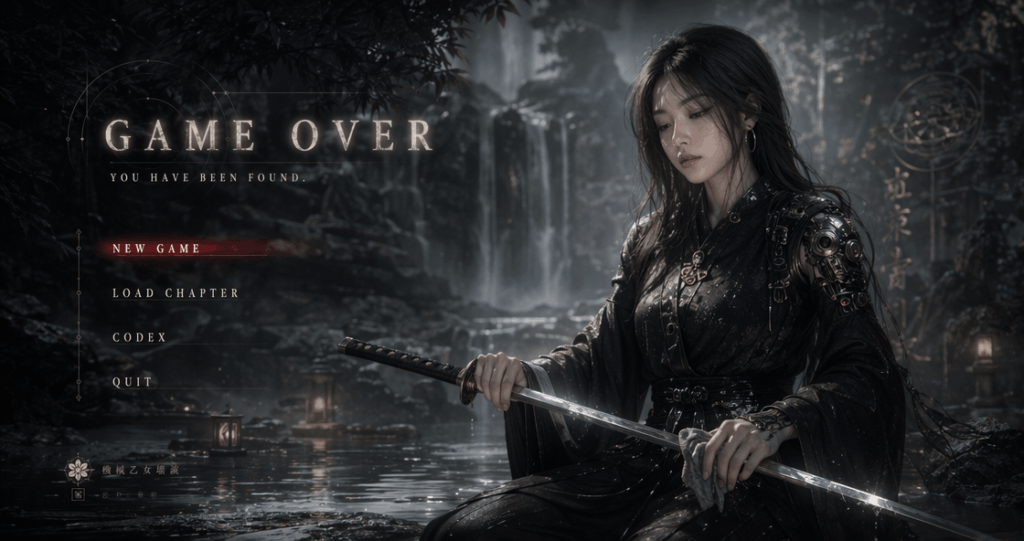
Transform the portrait photo I uploaded into an image with the style of a Japanese dark fantasy game menu interface.
Keep my identity features and make me the main subject of the picture.
The overall tone should be cold and grayish blue, with a damp misty film-like atmosphere, creating a depressing, quiet and fateful visual mood.
The scene is set by a waterfall pool shrouded in mist, with layers of waterfall rocks, water reflections and forest shadows in the background.
The environment is ethereal and quiet, with a hint of eeriness.
The character is dressed in black minimalist clothing with a touch of Japanese battle fashion, dark fashion, or Chinese mechanical maiden style.
He is kneeling by the water or on a stone platform, wiping a samurai sword, with a calm and restrained side face and a cold and melancholy expression.
The composition of the picture is like a game over menu interface.
On the left or top of the picture, add a large area of English UI text including:
GAME OVER
YOU HAVE BEEN FOUND.
Below are UI options with the text:
NEW GAME
LOAD CHAPTER
CODEX
QUIT
All these words should be displayed in capital letters.
The text should use a retro serif font or game menu font, with semi-transparent glow, blending naturally with the scene.
The overall effect should have cinematic lighting and shadows, low saturation, soft volume fog, slight steam, surreal but realistic game cutscene feel, like a high-budget 3A action game’s failure settlement screen.
The composition should be exquisite, with the character on the right and the text on the left, leaving enough negative space.
High-end, mysterious, coldly beautiful, cinematic.
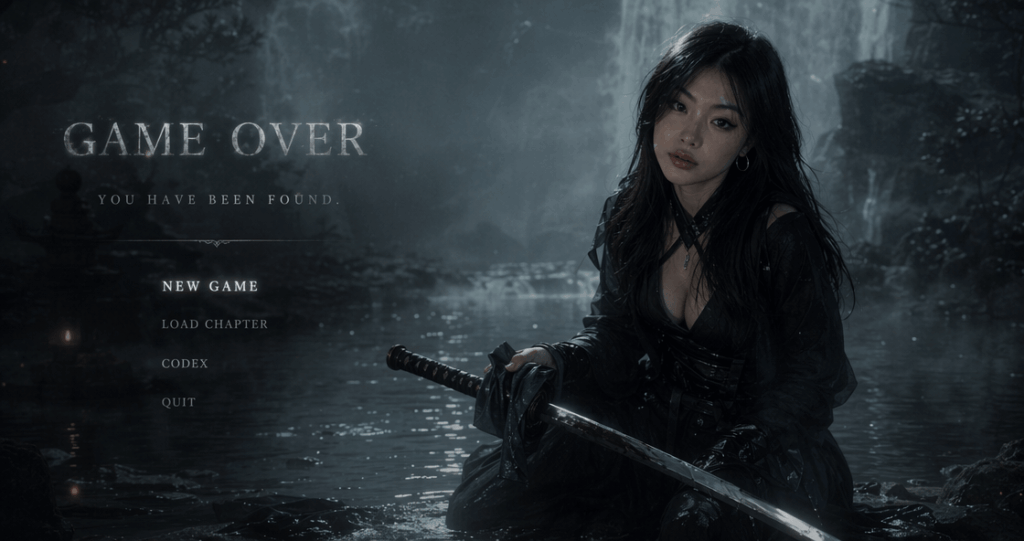
3. Customize Your 3A Game Character Identity
The secret to this style is not just “AI generation”—it is the Character Identity. You can easily swap keywords to change the story of yours.
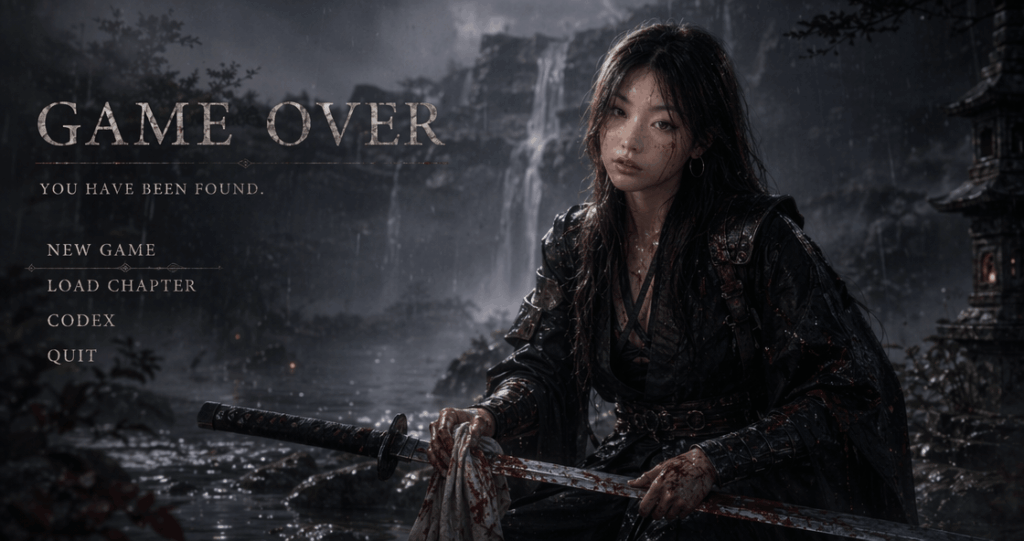
Japanese Battle-Worn Look:
Add: battle damaged/worn armor/blood stains/rain soaked clothing
This style resembles games like Sekiro or Ronin.
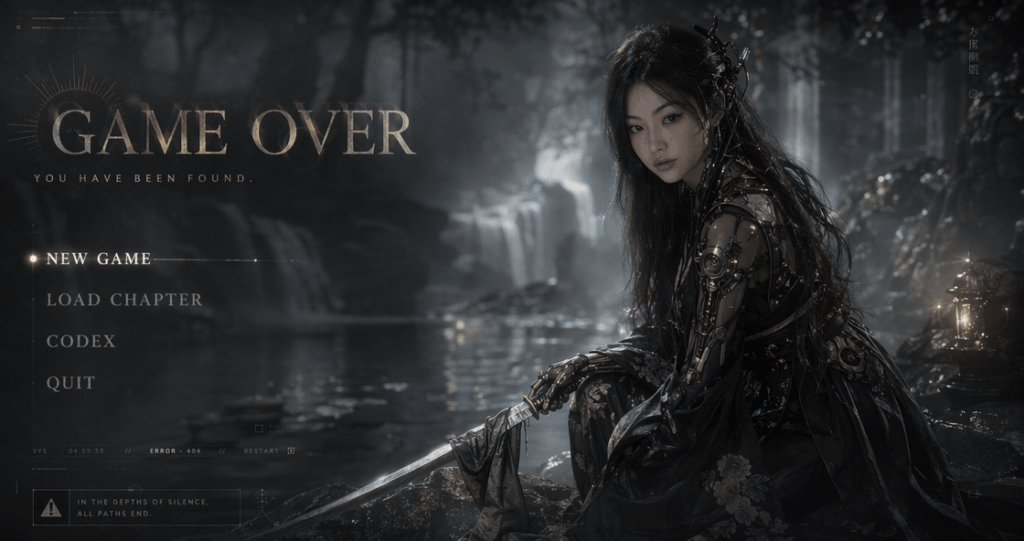
Mechanical Maiden Look:
Add: biomechanical details/cybernetic ornaments/mechanical maiden/futuristic kimono
This style fits the NieR or Cyber-Oriental aesthetic.
Dark Souls Oppressive Look:
Add:abandoned ruins/ancient cursed atmosphere/dark souls aesthetic/hopeless mood
The image will feature a stronger sense of: Apocalyptic feeling/Sense of fate/Game failure atmosphere
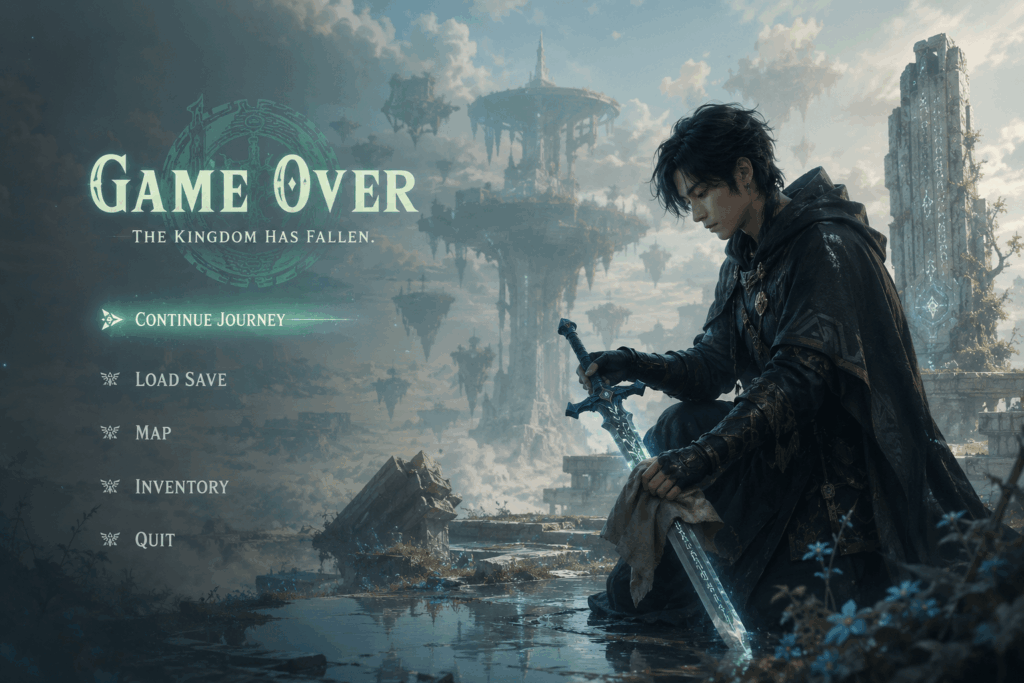
Zelda “Tears of the Kingdom” Sky Island Look:
Pro Tip: If your result looks too much like a “commercial poster,” you might need more UI elements or atmosphere. Try strengthening your prompt with: cinematic game menu, failure screen, game UI overlay, or loading interface aesthetic.
4. Enhance Your 3A Game Cinematic Lighting
Many users generate images that look like simple cosplay posters. The problem is often a lack of volumetric fog and cinematic camera feel. Add these keywords to make your 3A game scene pop:
volumetric fogcinematic shadowssoft bloom lightingmist diffusionwet reflective rocksrealistic water reflections
These words will make the air feel moist, the light feel soft, and the entire scene look like a high-budget 3A game movie.
🎬 Level Up: Create a 3A Game Video
Want to take it further? Upload your result to Kling 3.0. Use this prompt for a smooth 3A game animation:
Video Prompt:
Slow cinematic camera movement. The fog drifts softly around the waterfall rocks. Water reflection ripples naturally. The character slowly wipes the samurai sword while lowering the head slightly. Soft wind moves the clothes and hair. Game menu UI flickers subtly. Dark fantasy atmosphere, cinematic lighting, realistic volumetric fog, 3A game cutscene feeling.
Videos generated this way will closely resemble: In-game cinematics (CG)/Steam promotional trailers/Game loading animations
They are ideally suited for X and TikTok.
💡 Final Thoughts
This is more than just AI art. It is about creating a stunning 3A game world. Your friends will be obsessed with these visuals. Start your own 3A game journey today and share your results!
Go to WeShop AI For Exploration: