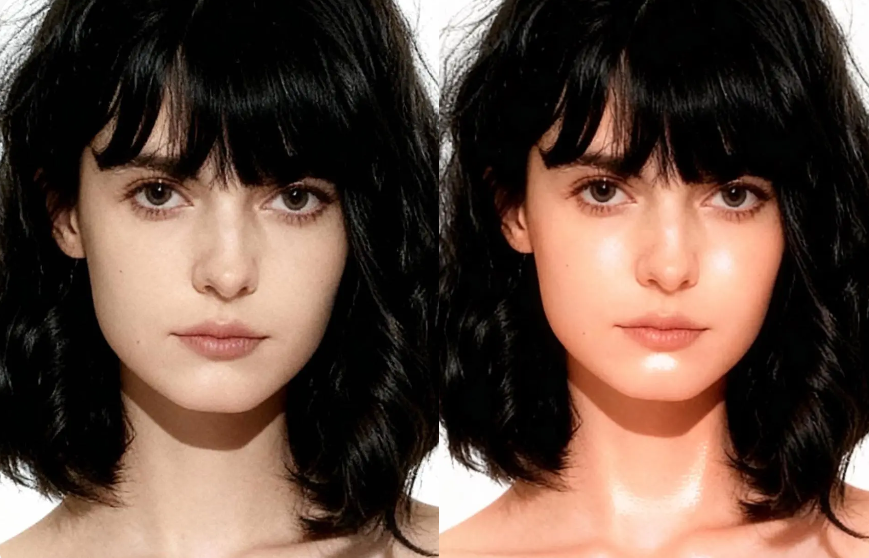
Most AI image editors look great for five seconds, and then they fall apart the moment you inspect the details. A face shifts too much, a logo loses clarity, or a product image starts looking artificial. That is why FireRed Image Edit stands out: it is built as an open-source image editing foundation model, with a strong focus on precise instruction following, high-fidelity generation, identity consistency, and multi-element fusion.
It is also not a one-off release. The model family includes FireRed Image Edit 1.0 and 1.1, and the newer version pushes the system closer to real creative production by improving identity consistency, multi-image conditioning, and domain-specialized editing performance. In plain English, that means it is trying to handle the messy, practical work people actually do with images, not just generate nice demo shots.
Why FireRed Image Edit feels more practical than typical AI editors
It is built for editing, not only generation
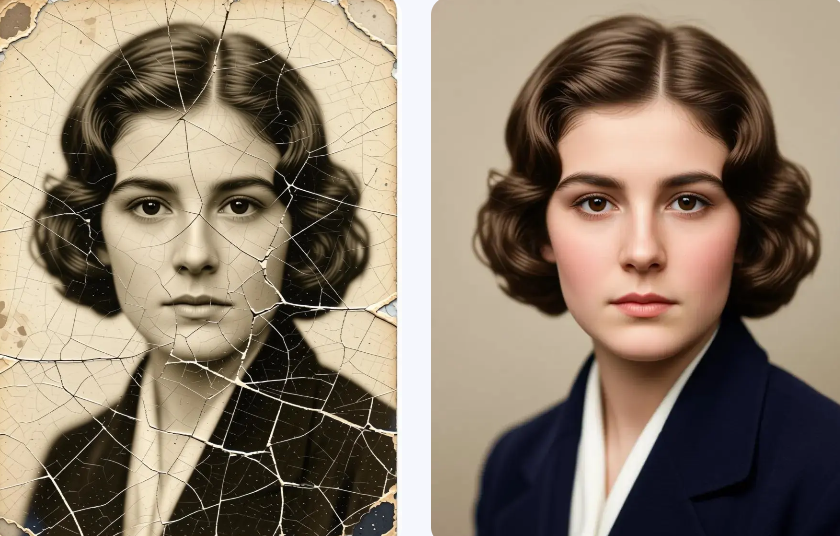
A lot of tools are strong at creating new images, but weak at preserving what is already there. FireRed Image Edit is different because the model is designed around editing tasks. The official materials describe it as a general-purpose image editing model with high-fidelity and consistent results, accurate instruction following, native editing capability, text style preservation, and photo restoration support.
That matters because real users rarely want a completely new picture. They usually want one thing changed while everything else stays stable. If the subject is a person, the identity needs to hold. If the image is for ecommerce, the product must still look like the same product. If text is involved, the style cannot collapse. FireRed Image Edit is positioned for exactly those cases.
It handles consistency better than many “flashy” tools
The big selling point is not just quality, but consistency. The GitHub project highlights superior identity consistency and seamless multi-element fusion, while the 1.1 model page says the upgrade significantly enhances identity consistency and multi-image conditioning. That combination is what makes the model interesting for workflows that cannot tolerate random visual drift.
What changed from FireRed Image Edit 1.0 to 1.1
FireRed Image Edit 1.0 established the base
The 1.0 model was released on February 14, 2026, and is described as a general-purpose image editing model with high-fidelity and consistent editing across a wide range of scenarios. Its model card also highlights strong instruction following, high image quality, consistent visual coherence, text style preservation, and photo restoration.
FireRed Image Edit 1.1 makes the model more production-ready
The 1.1 release builds on that base and specifically improves identity consistency, multi-image conditioning, and domain-specialized editing performance. The important part is not the version number itself. It is that the model is moving closer to the kind of output creators, marketers, and ecommerce teams need when image consistency really matters.
The difference you actually feel in practice
In practical terms, 1.0 feels like the model that proves the concept, while 1.1 feels like the one that is more comfortable in real workflows. If you are editing portraits, combining references, or trying to keep a visual style stable across multiple assets, the 1.1 direction is the more useful one. That conclusion follows directly from the features the model pages emphasize.
Why WeShop AI matters here
Because most people do not want to wrestle with setup
WeShop AI already lists FireRed Image Edit as one of its supported AI image models on the homepage, and it positions the platform around ecommerce visuals, social media trending content, creative video marketing, and image post-production. It also shows a “Start your free trial” entry point, which makes the platform easier to test than a raw model workflow.
Because it turns a strong model into a usable workflow
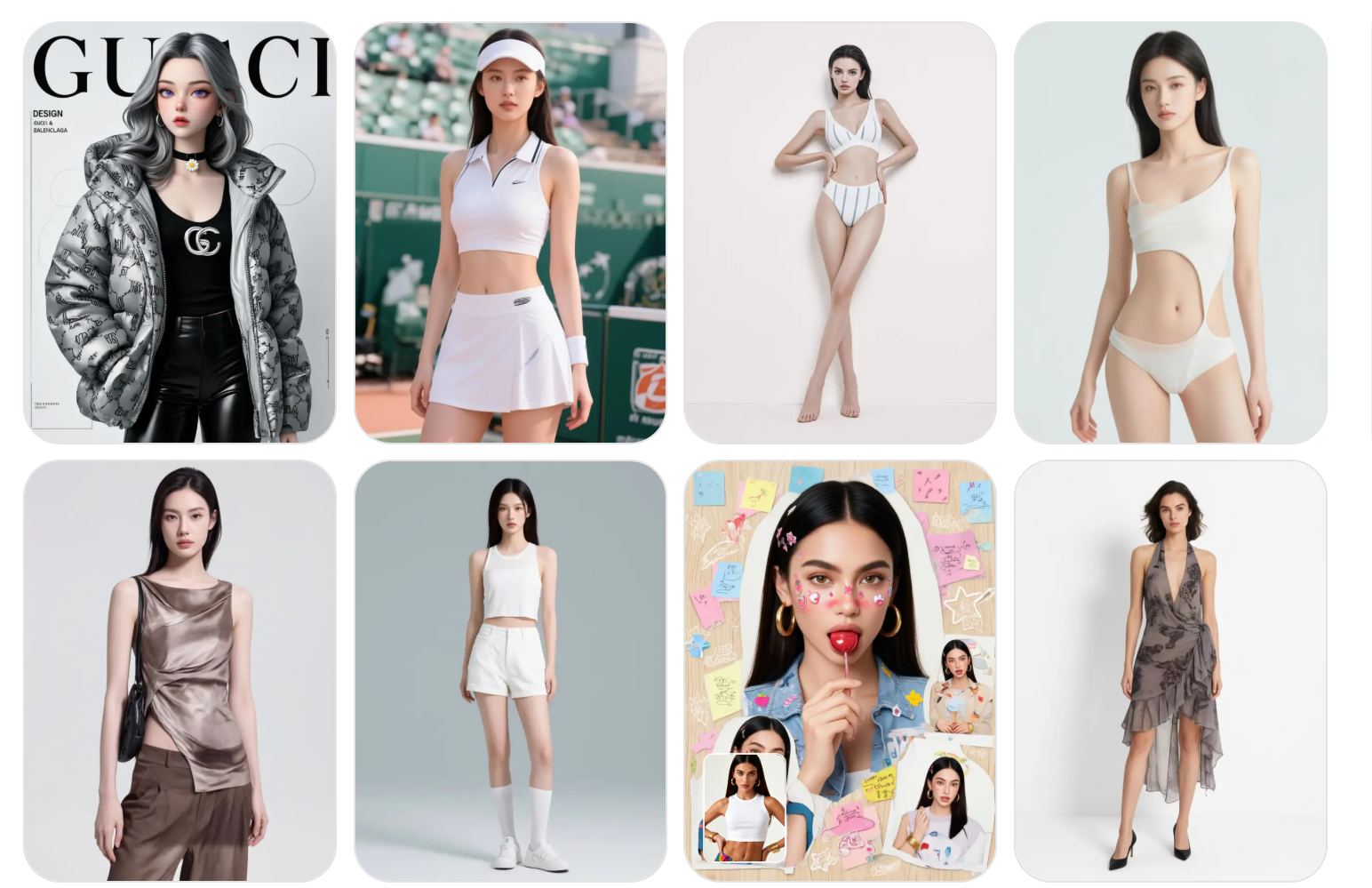
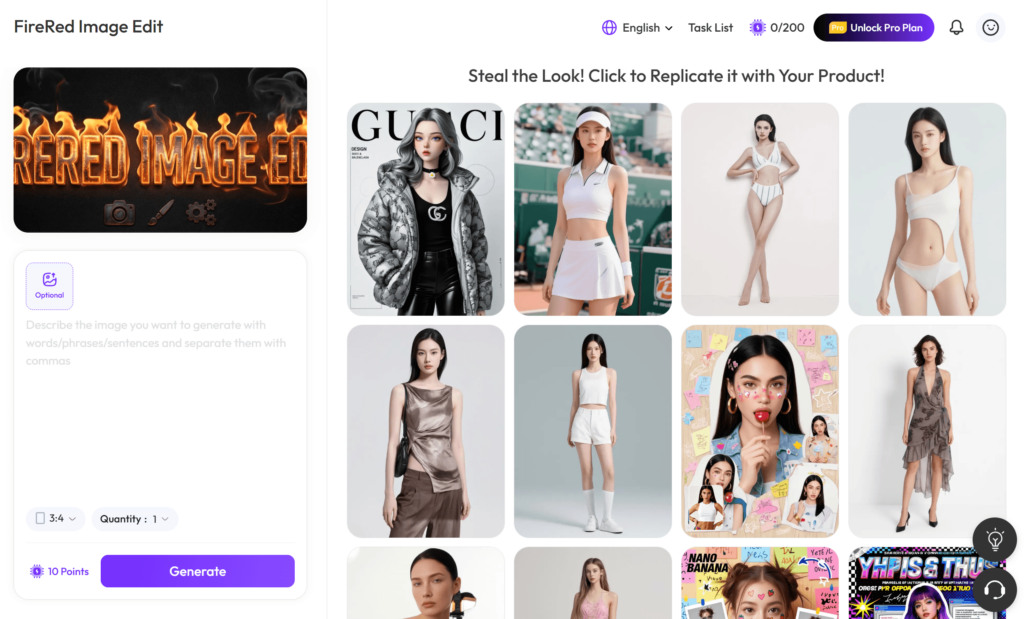
The FireRed Image Edit tool page on WeShop AI says users can upload images and apply edits using short prompts or detailed instructions. It also shows real-world examples like instruction-based scene transformation, multi-image fusion for fashion and product workflows, portrait editing, photo restoration, stylized text visuals, and OOTD/fashion styling edits. That is the bridge between “interesting model” and “something people can actually use.”
Where FireRed Image Edit is genuinely useful
Portrait and face-sensitive edits
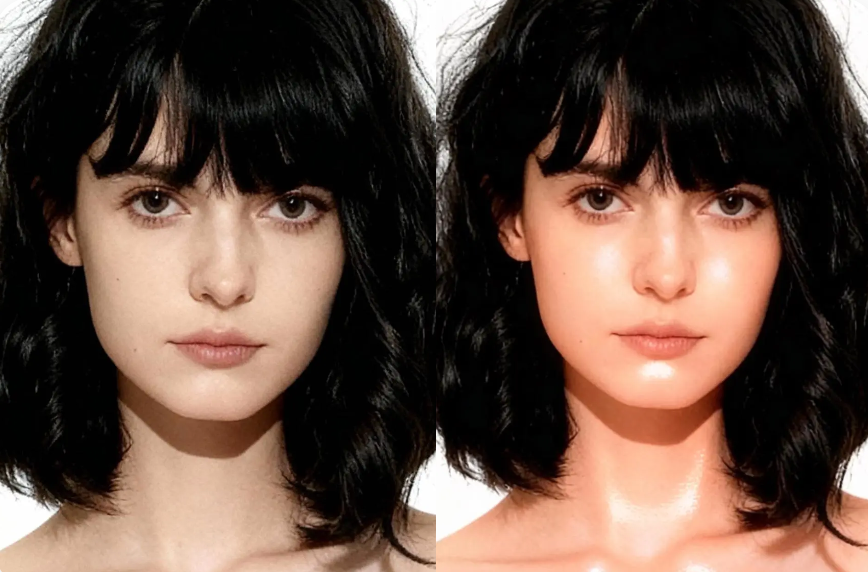
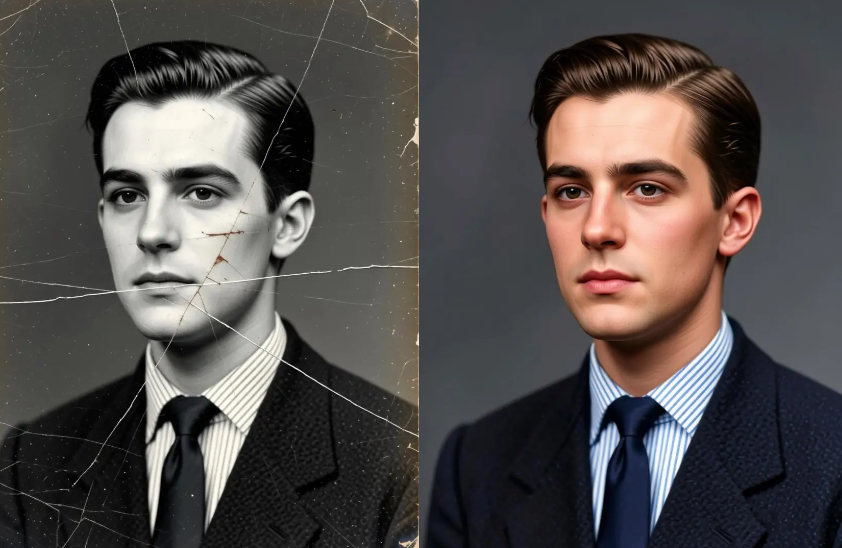
If the image involves a person, consistency becomes the whole game. FireRed Image Edit 1.1 explicitly improves portrait workflows, natural skin rendering, localized editing, and identity preservation. The WeShop AI page also emphasizes portrait editing and photo restoration, which makes this a strong fit for creators who need believable human-centered results.
Product and ecommerce visuals
The model page on WeShop AI highlights product editing, fashion workflows, and commercial use cases. It also describes multi-image fusion and automatic multi-image processing, which are useful when product shots, lifestyle references, and background elements all need to work together without looking stitched together.
Text-heavy visuals and brand assets
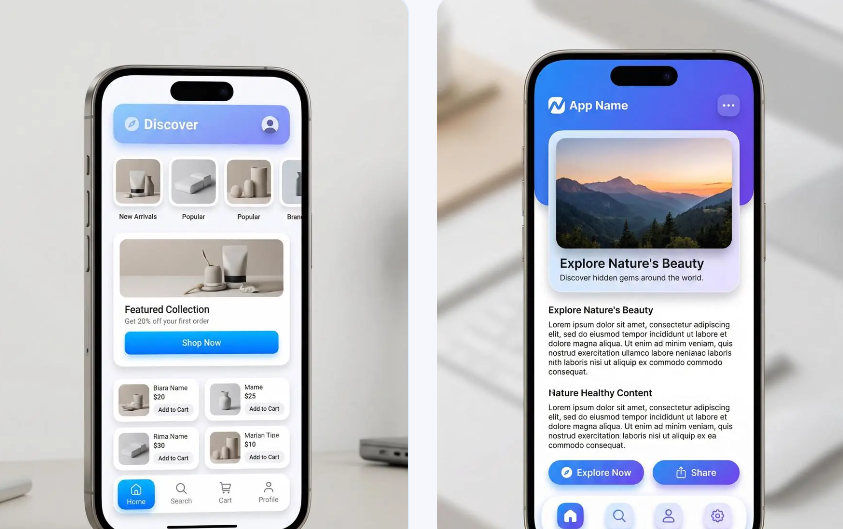
One of the more underrated strengths is typography. The official material says FireRed Image Edit supports advanced typography and text editing, with high-fidelity text style preservation and layout consistency. That matters for posters, branding, and promotional graphics where the text has to look intentional, not like an AI accident.
Multi-image composition
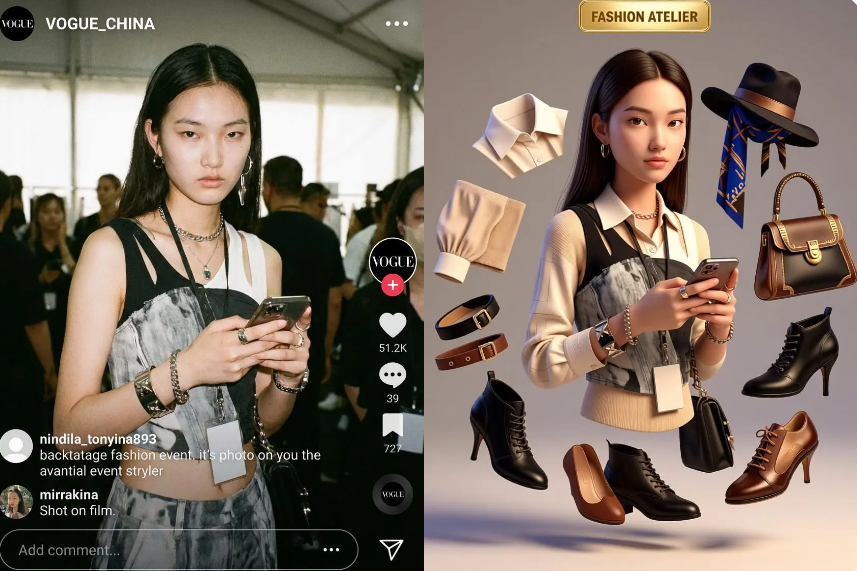
FireRed Image Edit supports multi-image conditioning and multi-element fusion, so it is not limited to one source image. The WeShop AI page describes workflows that combine portraits, clothing references, and background assets while preserving identity, pose, and proportions. That makes it much more relevant for fashion content, lookbooks, and more complex creative compositions.
How to get better results from FireRed Image Edit
Keep the instruction clear and specific
The model is designed around instruction-based editing, so the prompt should be simple and direct. Start with the subject, then say what should change, then add the constraint that must not change. For example, instead of asking for “a better image,” describe the exact edit: change the background, keep the face, preserve the clothing texture, or keep the text style consistent. That approach matches the model’s editing-first design.
Use it when preservation matters more than reinvention
If the goal is to generate something wild from scratch, a pure image generator may be enough. But if you need the result to still look like the same person, same product, or same composition after the edit, FireRed Image Edit is the more relevant choice because the system is explicitly built for fidelity, consistency, and identity preservation.
Think in workflows, not single edits
This model becomes more valuable when you treat it like part of a production process. One image can become a portrait variant, a product variant, a poster variant, or a social-ready version. The more your work depends on repeatable visual structure, the more useful FireRed Image Edit becomes. That is especially true on WeShop AI, where the platform already frames the model inside broader ecommerce and post-production workflows.
Is FireRed Image Edit worth trying
Yes, especially if your pain point is not “I need another AI picture,” but “I need an edit that still looks real.” The official materials position FireRed Image Edit as an open-source model with strong editing performance, text style preservation, photo restoration, identity consistency, and multi-image fusion. The 1.1 upgrade makes that even more relevant for creative production.
And if you do not want to deal with technical setup, WeShop AI gives the model a simpler front door. It already includes FireRed Image Edit in its platform, offers a free-trial entry point, and wraps the model in a workflow aimed at real ecommerce, fashion, and content use cases. That makes the whole thing feel less like a demo and more like a tool you can actually keep using.


Ready to explore more? Discover our full suite of innovative AI-powered tools to elevate your lifestyle and professional creativity: