

If your edits still depend on endless masking, awkward retouching, and “close enough” results, FireRed Image Edit is the kind of tool that makes you stop and look twice. Released in 2026 by FireRedTeam, it is positioned as an open source AI image editing model built for high-fidelity edits, strong identity preservation, multi-image fusion, and faster creative workflows. On WeShop AI, the model is framed as a practical editing tool for photo repair, product editing, fashion content, and other commercial tasks, not just a shiny demo.
Why FireRed Image Edit feels different
High fidelity edits without the fake look
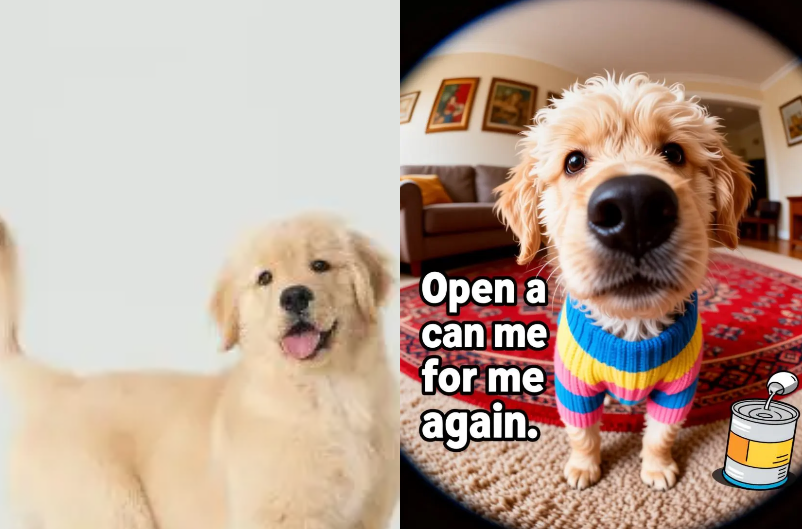
A lot of AI editing tools can change an image fast, but speed is not the same as quality. FireRed Image Edit is built around a diffusion transformer approach and is described on WeShop AI as delivering high-fidelity output, strong prompt following, and visually consistent results. That matters when the goal is not just “edited,” but believable. For creators, marketers, and ecommerce teams, believable is usually what converts.
Identity preservation is the real flex
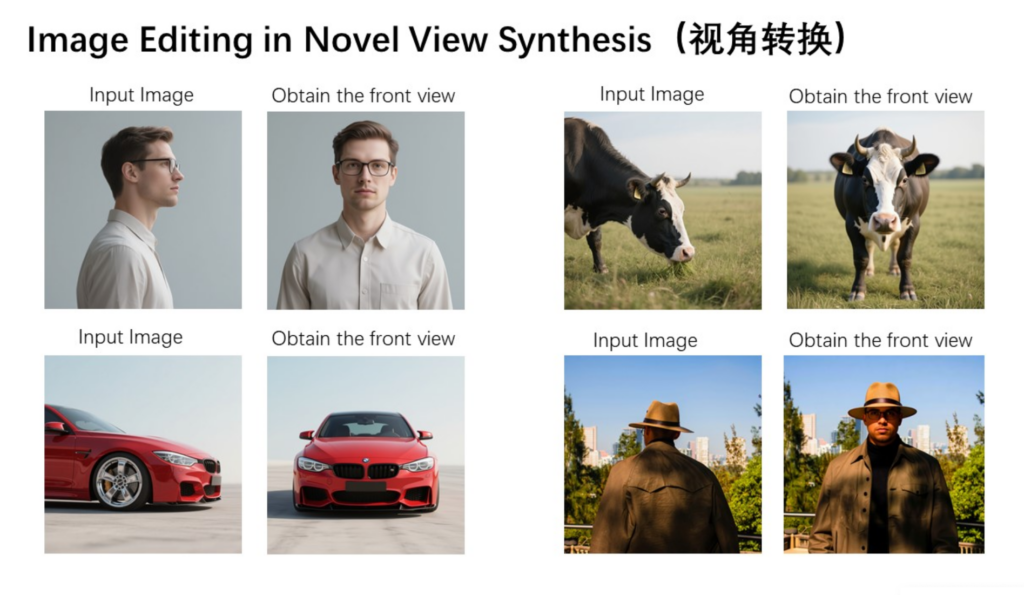
The most annoying part of AI editing is when the subject slowly turns into a stranger. FireRed Image Edit directly targets that problem. The official WeShop AI page highlights strong identity preservation, and the FireRed–Image–Edit–1.1 model card says version 1.1 improves identity consistency, multi-image conditioning, and domain-specialized editing performance. In plain English: the edit can change the scene without wrecking the person. That is a very big deal for portraits, beauty work, and fashion visuals.

FireRed Image Edit vs the usual editing tools
FireRed Image Edit vs traditional editors
Traditional editors still have a place, of course. But they usually ask more from the user: more layers, more manual cleanup, more time. FireRed Image Edit is built specifically for image editing tasks, with instruction–based editing, multi–image fusion, and support for both short prompts and detailed instructions. That makes it feel more like a creative assistant than a software chore.
FireRed Image Edit vs Qwen Image Edit
This comparison is interesting because both models are strong, but they lean toward different strengths. Qwen-Image-Edit’s official materials emphasize bilingual text editing and strong benchmark performance, while FireRed Image Edit emphasizes enhanced portrait consistency, text style reference support, and automatic multi-image processing. Based on those official descriptions, FireRed Image Edit looks especially attractive for workflows where identity, styling, and multi-reference composition matter most, while Qwen–Image–Edit looks especially strong for text-heavy edits. That is an inference from the product positioning, not a claim that one replaces the other.
What you can actually do with FireRed Image Edit
Photo repair that still looks human
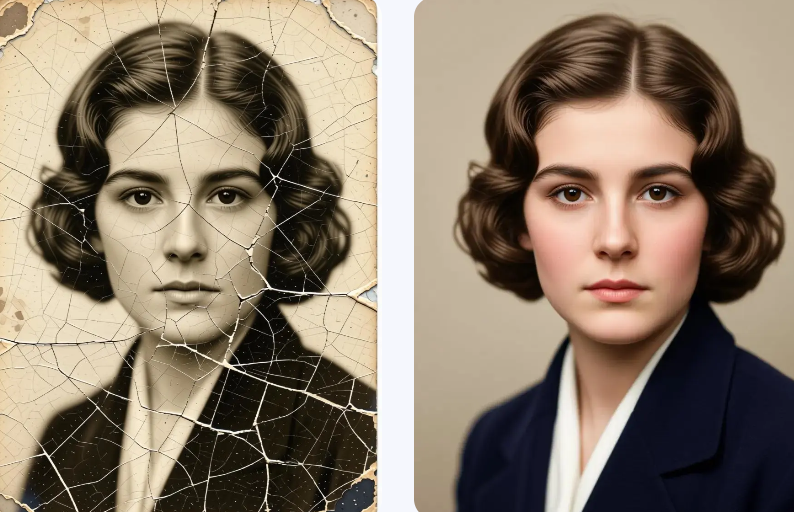
Old photos, damaged portraits, dull lighting, small distractions — this is where FireRed Image Edit starts to feel useful instead of theoretical. The WeShop AI page says the model supports photo restoration and portrait editing, with natural results and identity preservation. That combination is ideal when you want the image to look cleaner, not newly manufactured.
Product editing and ecommerce visuals
For ecommerce, the appeal is obvious. You can edit product shots, refine the atmosphere, and combine reference images without rebuilding the whole scene from scratch. WeShop AI specifically presents FireRed Image Edit as useful for product editing, fashion edits, lookbooks, and commercial workflows. That makes it especially relevant for brands that need polished visual assets without long production cycles.
Multi-image fusion is where it gets fun
This is one of the features that gives FireRed Image Edit a more modern feel. The official page says it supports multi-image conditioning and multi-element fusion, which means you can combine multiple references into one output while keeping alignment and consistency in check. For styling work, scene building, and fashion concepts, that is a huge creative unlock.
Text and layout edits are not an afterthought
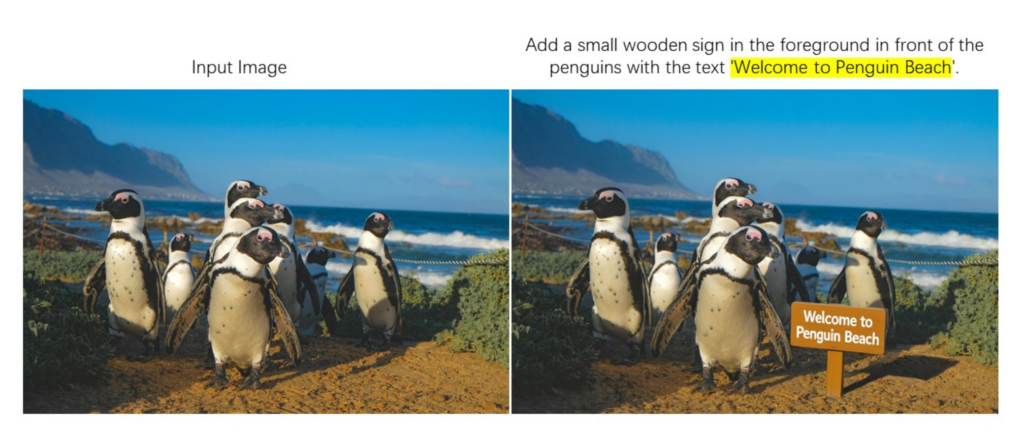
Many image tools still struggle when text matters. FireRed Image Edit explicitly calls out advanced typography and text editing capabilities, along with stylized text and layout reference support. That opens the door to posters, branded visuals, promo graphics, and social content where the text needs to feel intentional rather than pasted on as an afterthought.
How to try FireRed Image Edit on WeShop AI
The workflow described on the WeShop AI page is refreshingly simple: upload images and apply edits using short prompts or detailed instructions. The platform also describes the model as already integrated into its creative workflow, which is useful for anyone who does not want to deal with technical setup. In other words, you get the model’s capability without having to build the whole machine around it.
Final verdict
FireRed Image Edit is not trying to be a generic “do everything” image toy. It is built for edits that still need to look real, which is exactly why it feels valuable. The model’s official positioning around high-fidelity editing, identity preservation, multi-image fusion, text support, and open-source licensing makes it a strong fit for creators, ecommerce teams, and fashion workflows. And because WeShop AI wraps it in a simpler user experience with a free-trial entry point, it becomes a much easier tool to actually test in a real project.


