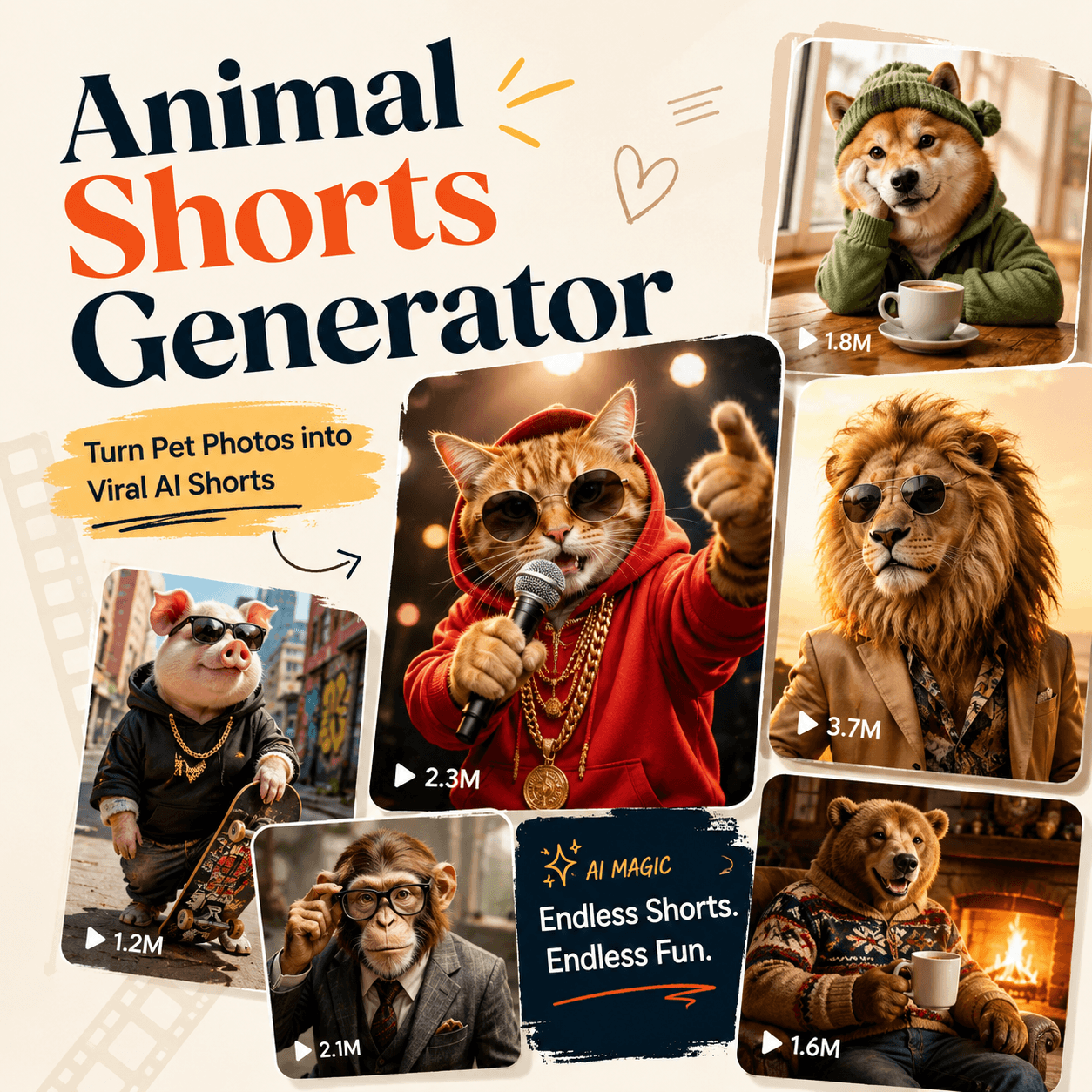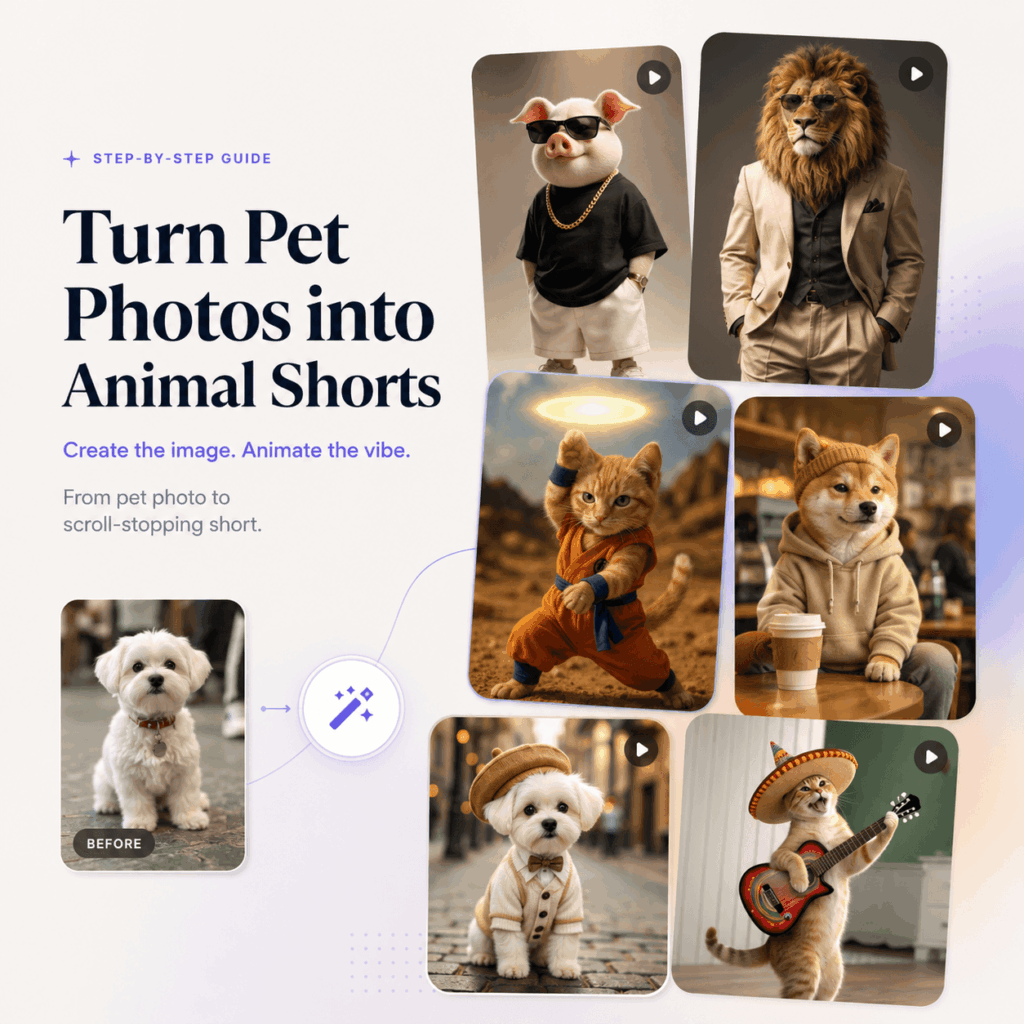
Animal Shorts Generator works best when you start with a strong pet image, because the first frame often decides whether the final video feels scroll-stopping or forgettable. However, many creators do not already have the perfect pet photo, such as a dog sitting in a coffee shop, a cat dressed like a rapper, or a rabbit standing inside a cinematic fantasy scene.
Instead of uploading a random photo and hoping for the best, you can build a cleaner workflow. First, create or improve your pet image with GPT Image 2. Next, upload that image to Animal Shorts Generator. After that, animate the still image with a short, clear prompt.
As a result, you get more control over the final video. In addition, the output is easier to turn into TikTok clips, Instagram Reels, YouTube Shorts, pet brand content, or fun social posts.
This tutorial walks through the full process step by step. Along the way, you will also get prompt examples, caption ideas, and creative formats you can copy or remix.
Why Start With GPT Image 2 Before Using Animal Shorts Generator?
A good animal short starts before the animation step. If the image is weak, the final video may also feel weak. For example, a blurry pet photo, messy background, or unclear pose can make the animation less attractive.
On the other hand, a clean and story-driven image gives Animal Shorts Generator a much stronger base. Therefore, the first step is to create a pet image that already has a clear subject, scene, and mood.
Instead of using a random dog photo, you can create an image of a Shiba Inu sitting inside a coffee shop. Similarly, you can generate a cat wearing streetwear on a small stage, a rabbit standing in a magical forest, or a puppy wearing sunglasses in a studio-style fashion scene.
Once the image already looks like a short-form video cover, it becomes much easier to animate later. In other words, GPT Image 2 helps you build the perfect “first frame,” while Animal Shorts Generator brings that frame to life.
Step 1: Open GPT Image 2
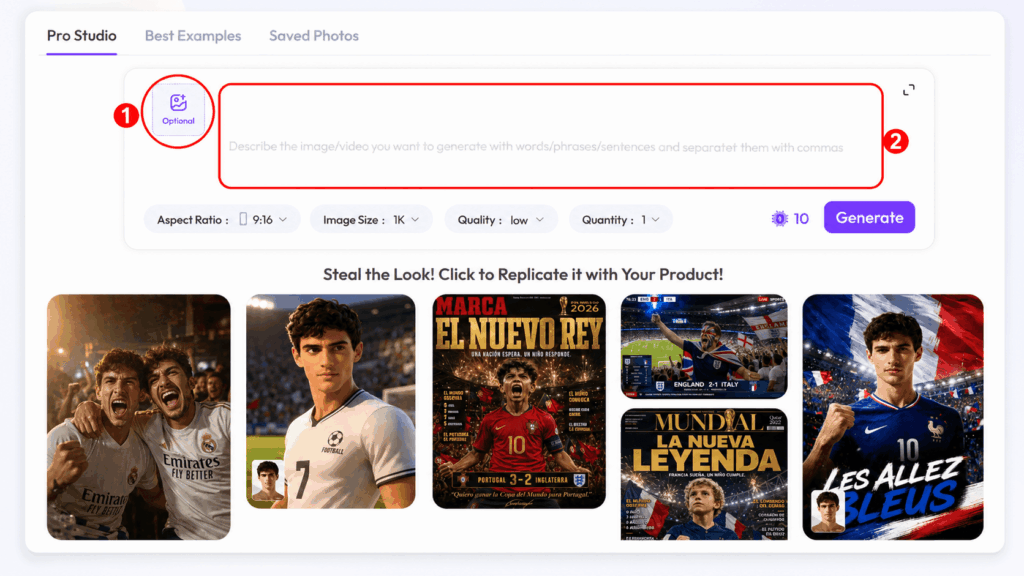
To begin, open GPT Image 2 here.
GPT Image 2 helps you generate a high-quality pet image from text or from an uploaded reference photo. If you already have a normal pet photo, you can upload it and ask the tool to keep your pet’s main features while changing the background, outfit, or scene.
However, a perfect reference photo is not required. If you do not have a suitable image, you can still create a new pet scene directly from a prompt.
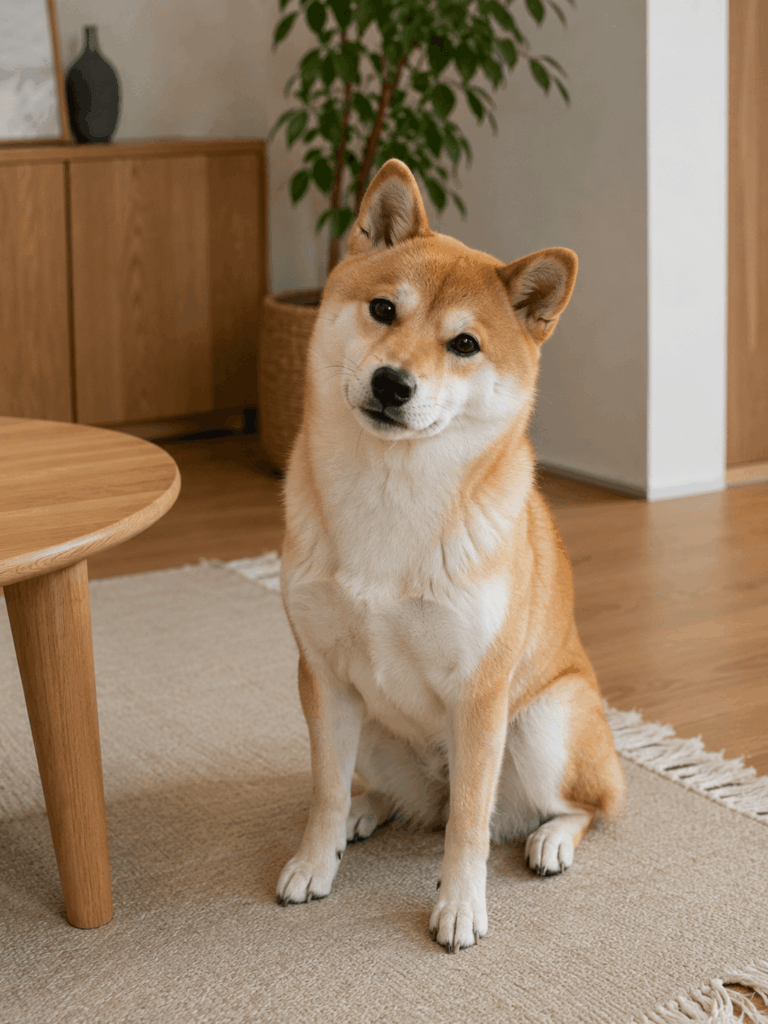
For this tutorial, we will use a realistic Shiba Inu sitting naturally in a cozy indoor space as the starting reference. This kind of original image works better than an over-stylized one, because the dog’s body shape, face, and posture are easier to preserve.
Then, we will use GPT Image 2 to place the dog into a more social-media-ready lifestyle scene: a warm coffee shop with an iced coffee on the table.
Step 2: Prepare a Normal Pet Reference Image
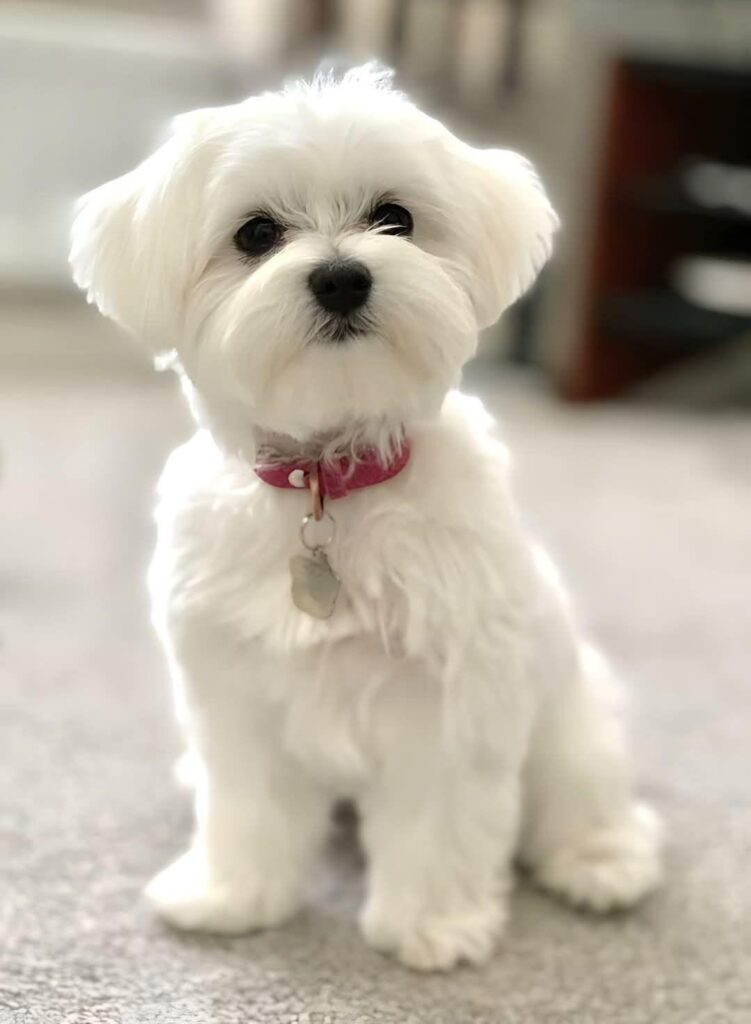
Before creating the coffee shop version, it helps to start with a natural pet photo.
For example, a good dog reference image should show the dog sitting or standing in a realistic position. The face should be clear, the body should be visible, and the paws should look natural. In addition, the image should avoid exaggerated human-like poses, such as the dog holding its chin, crossing arms, or making hand gestures.
A strong reference image usually has:
A clear dog face.
A normal sitting posture.
Front paws naturally placed.
Visible ears, body shape, and fur texture.
A simple indoor or outdoor background.
No human-like paw gestures.
This matters because GPT Image 2 will use the reference image to understand the pet’s appearance. Therefore, if the reference pose looks natural, the generated lifestyle image is more likely to feel believable.
For the Shiba Inu example, a simple indoor photo of the dog sitting on a rug near a wooden table works well. The dog faces the camera, keeps both front paws on the floor, and has a calm, friendly expression.
Step 3: Generate the Coffee Shop Pet Image With GPT Image 2
Now, use GPT Image 2 to turn the normal pet reference into a lifestyle scene.
For the coffee shop Shiba Inu example, upload the normal dog image first. Then, use a prompt like this:
GPT Image 2 Prompt for Uploaded Dog Photo:
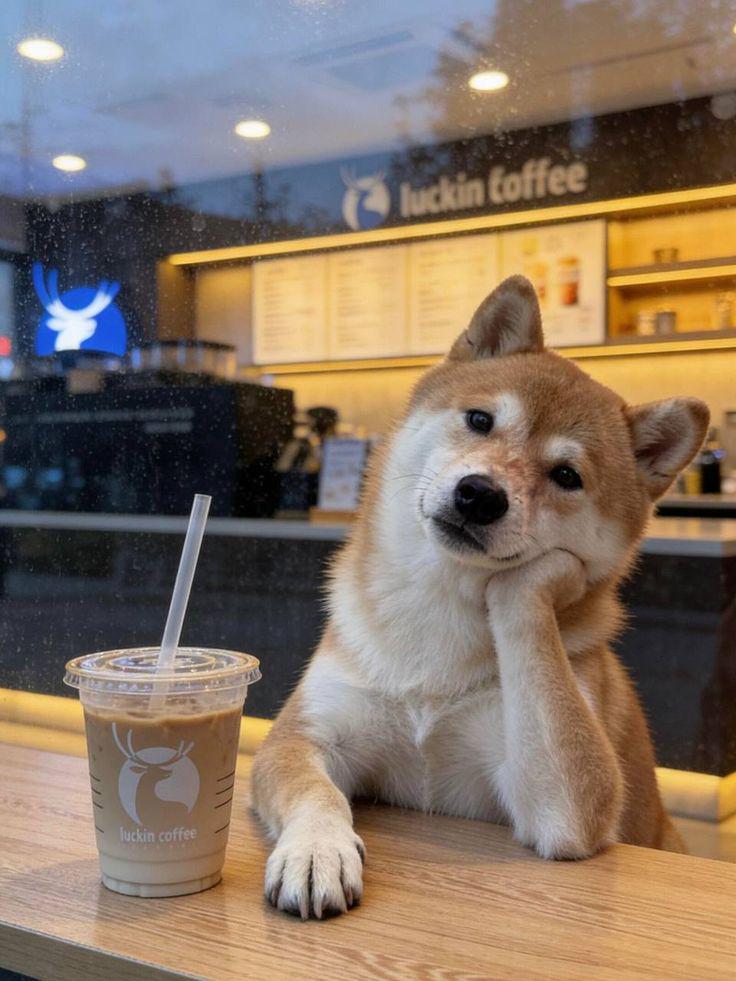
Keep the Shiba Inu’s face, fur color, ears, body proportions, markings, and natural sitting posture consistent with the uploaded photo. Place the dog inside a warm modern coffee shop near a wooden table. The dog should sit naturally like a real dog, with both front paws placed naturally on the floor or lightly near the table edge, not holding its chin and not making any human-like hand gesture. Add an iced coffee cup with a straw on the wooden table in front of the dog. Use soft café lighting, a slightly rainy window atmosphere, and a cozy lifestyle mood. Keep the image realistic, vertical, social-media-ready, and suitable for an AI animal short video.
This prompt works because it gives GPT Image 2 both creative direction and posture control.
First, it tells the tool what to preserve: the dog’s face, fur, ears, markings, and body proportions. Next, it defines the new scene: a warm modern coffee shop. After that, it adds the important prop: an iced coffee cup on the table.
More importantly, the prompt clearly explains the dog’s posture. It asks for a natural sitting position and avoids human-like paw gestures. As a result, the final image should look more like a real pet in a lifestyle scene, rather than a dog acting like a person.
If you do not have a reference photo, you can create a similar image directly from text. However, you should still include posture guidance.
GPT Image 2 Text-Only Prompt:
Create a realistic vertical photo of a cute Shiba Inu sitting naturally inside a warm modern coffee shop near a wooden table. The dog should sit like a real dog, with a relaxed body, upright ears, a gentle head tilt, and both front paws placed naturally on the floor or near the table edge. Do not make the dog hold its chin, cross its paws like human hands, or perform any human-like gesture. Place an iced coffee cup with a straw on the wooden table in front of the dog. The background should show a softly blurred café counter with warm yellow lighting and a slight rainy window atmosphere. Make the scene cozy, realistic, social-media-ready, and suitable for a pet lifestyle video.
This version is useful when you want to generate a fresh pet scene without uploading a real pet photo.
Step 4: Check Whether the Image Is Ready for Animation
Before you move into Animal Shorts Generator, take a moment to check the image. Although this step is quick, it can make a big difference in the final video quality.
A strong input image should have a clear animal face, visible body shape, simple main pose, clean background, and enough space around the subject. In addition, the scene should have one obvious mood or story.
For example, the coffee shop Shiba Inu image works well if the dog’s face is easy to see, the sitting posture looks natural, and the café setting is instantly readable. Meanwhile, the iced coffee adds a small storytelling detail that makes the image more memorable.
However, an image can become harder to animate if the pose is unnatural. If the dog looks like it is using its paw as a human hand, the final video may feel strange. Similarly, if the background is too crowded, the viewer may not know where to look.
Therefore, before uploading the image, ask three quick questions:
Does the dog look like a real dog?
Is the posture natural?
Can someone understand the scene in one second?
If the answer is yes, your image is probably ready for Animal Shorts Generator.
Step 5: Open Animal Shorts Generator and Upload the Image
Once your pet image is ready, open Animal Shorts Generator and upload the image you created with GPT Image 2.
At this stage, your goal changes. You are no longer trying to create a new pet image. Instead, you want to animate the existing image while keeping the animal recognizable.
For the coffee shop Shiba Inu example, the dog should not suddenly turn into another breed. Likewise, the café background, wooden table, iced coffee cup, and natural sitting pose should stay consistent. Therefore, your animation prompt needs to clearly explain what should stay the same and what should move.
A good Animal Shorts Generator prompt usually includes four parts. First, describe what should remain consistent. Next, explain the motion you want. Then, define the mood. Finally, mention the short-form style, such as TikTok, Reels, or Shorts.
When the prompt is clear, the final result feels more controlled. More importantly, it looks like the original image came alive instead of becoming a completely different scene.
Step 6: Turn the Coffee Shop Dog Image Into a Short Video
Now, paste a prompt into Animal Shorts Generator. For the Shiba Inu coffee shop image, start with this version:
Animal Shorts Generator Prompt:
Turn the uploaded Shiba Inu coffee shop image into a cute short animal video. Keep the dog’s face, fur color, ears, body proportions, natural sitting posture, café background, wooden table, and iced coffee cup consistent. Keep the dog looking like a real dog, with no human-like hand gestures and no chin-holding pose. Animate the dog with natural small movements, such as soft blinking, a gentle head tilt, slight ear movement, subtle breathing, and a small curious look toward the camera. Add a cozy café atmosphere, warm lighting, and a light rainy-window feeling. Make the motion natural, adorable, and suitable for TikTok, Instagram Reels, and YouTube Shorts.
This prompt gives the tool enough direction without making the action too complicated. More importantly, it tells Animal Shorts Generator what not to change.
Because the uploaded image already has the key scene, the animation should feel like the photo is coming alive. It should not feel like a new image with a different dog or an unnatural pose.
For a funnier version, try this prompt:
Funny Version Prompt:
Turn the uploaded Shiba Inu café image into a funny short animal video. Keep the dog’s face, fur, natural sitting posture, coffee shop scene, wooden table, and iced coffee cup consistent. Keep the dog’s paws natural and avoid any human-like hand gesture. Animate the dog as if it is waiting for its morning coffee, with slow blinking, a gentle head tilt, small ear movement, subtle breathing, and a slightly dramatic but adorable expression. Make the video feel like a cute meme for TikTok or Reels.
If you want a softer lifestyle style, use this prompt instead:
Cinematic Version Prompt:
Turn the uploaded Shiba Inu café image into a cinematic short animal video. Keep the dog, natural sitting posture, café background, wooden table, and iced coffee cup consistent. Do not make the dog hold its chin or move its paws like human hands. Add a slow camera push-in, gentle blinking, subtle head movement, soft ear movement, warm café lighting, and a calm rainy-window atmosphere. Make it feel like a cozy pet lifestyle film.
As you can see, the same image can become different videos depending on the prompt. Therefore, do not stop at one version. Generate a few variations and compare which one feels more watchable.
Step 7: Add a Caption That Makes People Watch
Even when the video looks good, the caption still matters. It gives viewers a reason to stop, laugh, or understand the scene faster.
For the coffee shop dog example, you could use a caption like:
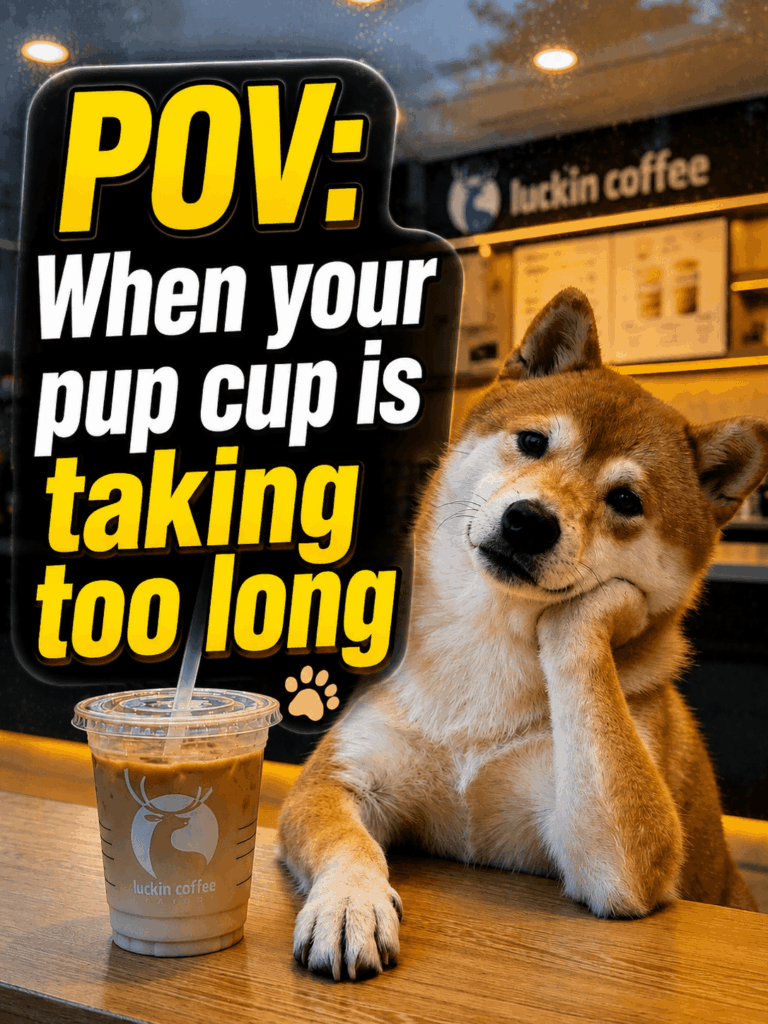
“POV: your dog needs coffee before dealing with humans.”
Another option is:
“When the barista says your pup cup is not ready yet.”
You could also try:
“My Shiba waiting for his iced latte like a regular customer.”
These captions work because they add personality to the pet. Instead of simply showing a dog in a café, the words turn the dog into a relatable character.
In addition, captions shape how viewers read the video. The same clip can feel cute, funny, dramatic, or cinematic depending on the text you place above it.
For pet content, the best captions are usually short, human, and slightly exaggerated. However, they should still match the mood of the video.
Step 8: Remix the Same Workflow Into More Pet Video Ideas
After you understand the workflow, you can reuse it again and again. First, create a strong pet image with GPT Image 2. Next, upload that image into Animal Shorts Generator. Then, animate it with a simple action prompt. Finally, add a short caption for social media.
This process works for many pet video ideas. For example, you can create a cat rapper on a tiny stage, a dog barista inside a cozy café, a rabbit explorer in a glowing forest, a hamster personal trainer in a gym, a puppy fashion model on a studio set, or a black cat in a Halloween moonlight scene.
Each idea can follow the same two-tool workflow. As a result, you are not starting from scratch every time. Instead, you are building a repeatable content system.
If you want a cat rapper image, start with this GPT Image 2 prompt:
GPT Image 2 Prompt:
Create a realistic vertical image of a fluffy orange cat dressed like a stylish rapper, wearing sunglasses, a red hoodie, and a gold chain. The cat is sitting or standing naturally on a small stage, with its paws in a believable animal posture. Do not make the cat use its paws like human hands. Use warm spotlight lighting, a confident funny expression, and an energetic social-media-ready style. Make the image suitable for an AI animal short video.
After generating the image, upload it to Animal Shorts Generator and use this animation prompt:
Animal Shorts Generator Prompt:
Turn the uploaded cat rapper image into a fun short animal video. Keep the cat’s face, fur color, outfit, stage background, and natural animal posture consistent. Animate the cat with a small head bob, gentle blinking, slight body movement, and playful stage energy. Keep the paw movement natural and avoid human-like hand gestures. Make it funny, stylish, and suitable for TikTok, Reels, and Shorts.
This is how one idea becomes a full video workflow. More importantly, it gives you a repeatable method for creating fresh pet content without needing a new photoshoot every time.
Prompt Formula: The Easy Way to Build Better Pet Videos
If you do not know what to write, use a simple formula. For GPT Image 2, the structure is:
animal + natural posture + appearance + scene + props + mood + format
For example, you could write:
A cute Shiba Inu sitting naturally like a real dog, with upright ears and both front paws placed normally, realistic fur, inside a warm coffee shop near a wooden table, iced coffee cup in front, cozy rainy-day mood, vertical social media image.
For Animal Shorts Generator, the structure is slightly different:
keep consistent + preserve natural posture + animate small action + add mood + short-video style
For example, you could write:
Keep the Shiba Inu, natural sitting posture, café background, wooden table, and iced coffee cup consistent. Animate gentle blinking, slight head tilt, subtle ear movement, and calm breathing. Add cozy warm lighting and a cute social media video style.
These formulas keep your prompt clear. In addition, they prevent the result from becoming messy or overcomplicated.
The biggest mistake is asking for too much at once. For example, do not ask the dog to drink coffee, dance, change outfits, wave, run outside, and speak in the same short clip. Instead, choose one main action.
Simple motion often looks more natural. Therefore, a small blink, head tilt, ear movement, paw shift, or camera push-in can work better than a long list of actions.
7 Viral Formats You Can Try With Animal Shorts Generator
Once you learn the basic workflow, you can use Animal Shorts Generator for different content formats. Below are seven ideas that are easy to repeat and adapt.
1. Café Pet Moment
This format is perfect for cozy lifestyle content. First, create a dog, cat, or rabbit in a café scene with GPT Image 2. Then, animate small natural movements like blinking, ear movement, breathing, or head tilting in Animal Shorts Generator.
Caption idea:
“Waiting for my order like I pay rent here.”
2. Pet Celebrity Reveal
For a stronger scroll-stopper, create a pet image with sunglasses, streetwear, studio lighting, or a fashion pose. However, keep the animal posture believable. After that, animate a slow zoom, gentle head turn, or confident look toward the camera.
Caption idea:
“New artist just dropped.”
3. What If My Pet Had a Job?
This idea works well for series content. Use GPT Image 2 to create a pet as a barista, lawyer, chef, pilot, teacher, or news anchor. Then, use Animal Shorts Generator to animate small role-based movements while keeping the animal’s body language natural.
Caption idea:
“My cat after one day in corporate.”
4. Before-and-After Glow Up
If you want an easy transformation post, show the original pet photo first. Then, reveal the AI-generated pet character video. To keep the result believable, use a normal pet photo as the starting point and avoid extreme human-like gestures.
Caption idea:
“I gave my dog an AI glow-up.”
5. Mini Movie Trailer
For a more cinematic result, generate a dramatic pet image with strong lighting. Next, animate a slow camera push-in, head turn, ear movement, or heroic still pose.
Caption idea:
“In a world where pets run the city…”
6. Holiday Pet Short
Seasonal content gives you a clear reason to post. Therefore, try Christmas, Halloween, Valentine’s Day, or New Year pet scenes, and animate the pet with small festive movements.
Caption idea:
“He takes Christmas very seriously.”
7. Random Prompt Chaos
Sometimes, the weirdest idea performs best. Mix unexpected concepts such as dog + astronaut + disco, cat + mafia boss + rainy city, or rabbit + samurai + cinematic forest. Even so, keep the animal’s basic posture believable so the final video still looks watchable.
Caption idea:
“I have no idea why this works.”
These formats help you test what your audience likes most. Moreover, they make it easier to turn one pet image workflow into many short-form video ideas.
Final Workflow Recap
Here is the full process again. First, open GPT Image 2. Next, upload your pet photo or write a pet image prompt. Then, generate a strong vertical pet image with a clear scene and a natural animal posture.
After that, open Animal Shorts Generator and upload the generated pet image. Once the image is uploaded, write a short animation prompt that explains what should stay consistent and what should move. Finally, generate the animal short, add a caption, and post it on TikTok, Reels, or Shorts.
This workflow is simple, but it gives you much better control than starting with a random photo. More importantly, it helps you think like a creator.
You are not only making a cute pet clip. Instead, you are building a character, a scene, and a repeatable content idea.
That is why Animal Shorts Generator becomes more powerful when you use it together with GPT Image 2. One tool helps you create the perfect first frame. Meanwhile, the other turns that frame into a short-form animal video.
So, the next time you want to make a pet video, do not start by asking:
“What can this tool generate?”
Instead, ask:
“What character do I want this pet to become?”
Once you know the answer, the workflow becomes much easier.
Go to WeShop AI For Exploration: