

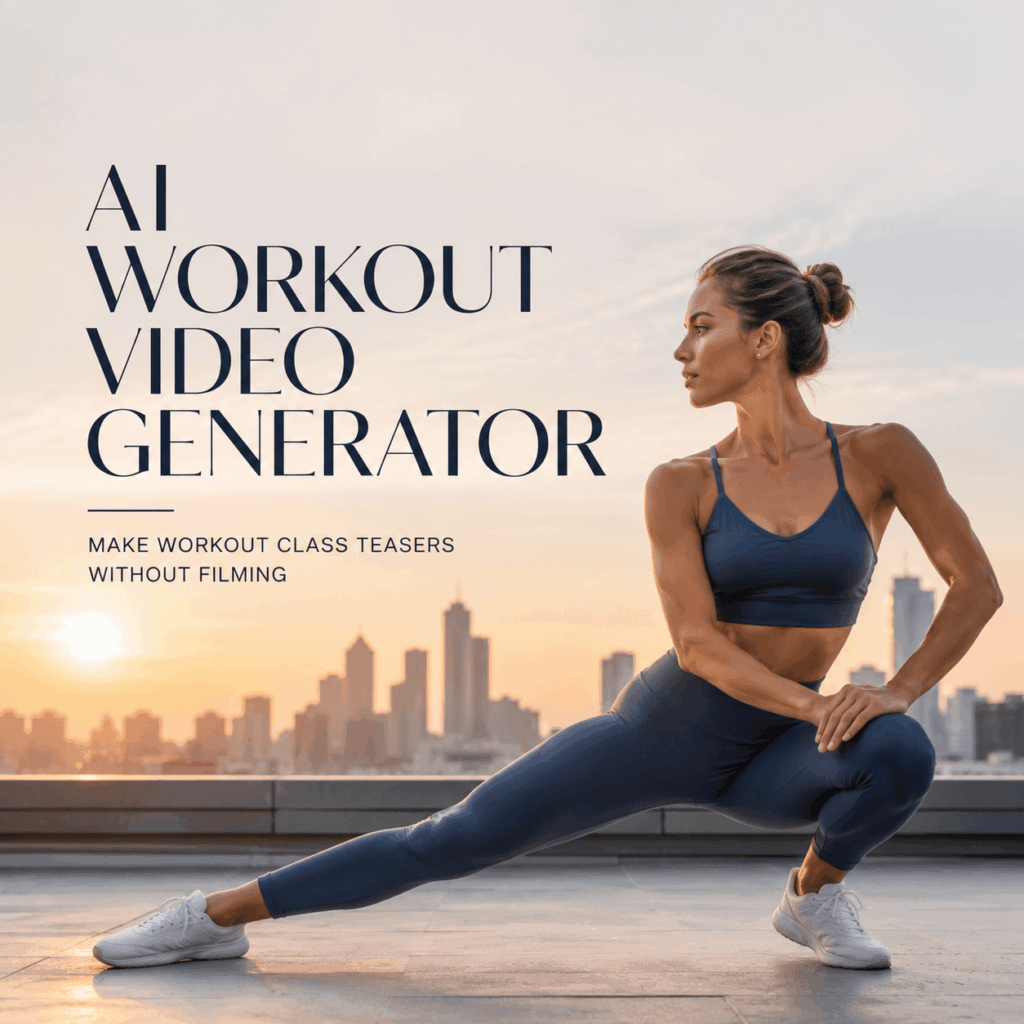
Promoting a new fitness class often means preparing a studio, setting up lights, filming an instructor, and repeating the same movement several times. However, AI Workout Video Generator offers a faster way to create short promotional clips. Coaches, fitness creators, and small studios can turn a workout idea or reference image into a polished class teaser without organizing a complete video shoot.
Instead of recording an entire training session, you can create one focused clip that communicates the class style, pace, and atmosphere. Therefore, the result can work as a social media post, booking-page visual, class announcement, or launch teaser.
More importantly, you can begin promoting a class before professional footage is available.
Create a Class Teaser With AI Workout Video Generator
AI Workout Video Generator creates fitness and training clips from a text description or reference image. You can describe the athlete, movement, setting, lighting, pace, camera position, and overall visual mood.
Alternatively, you can upload an existing fitness image as the starting point. This option is useful when you already have a coach portrait, class poster, or branded campaign image.
For example, you could create:
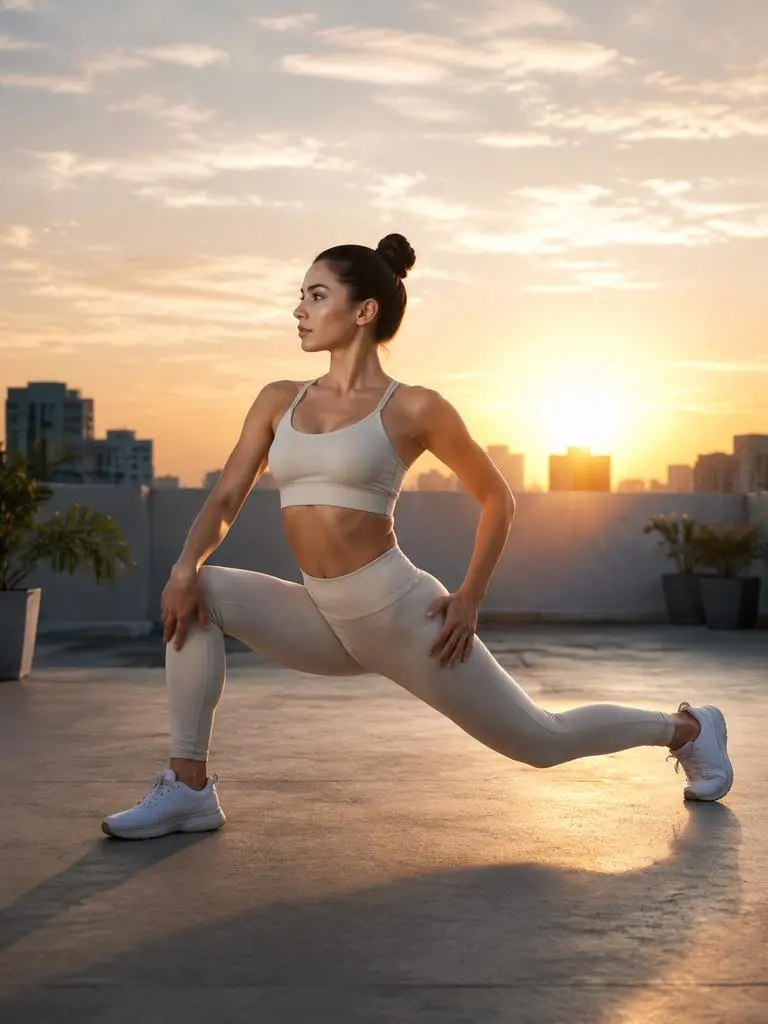
- A rooftop morning stretch for a mobility class
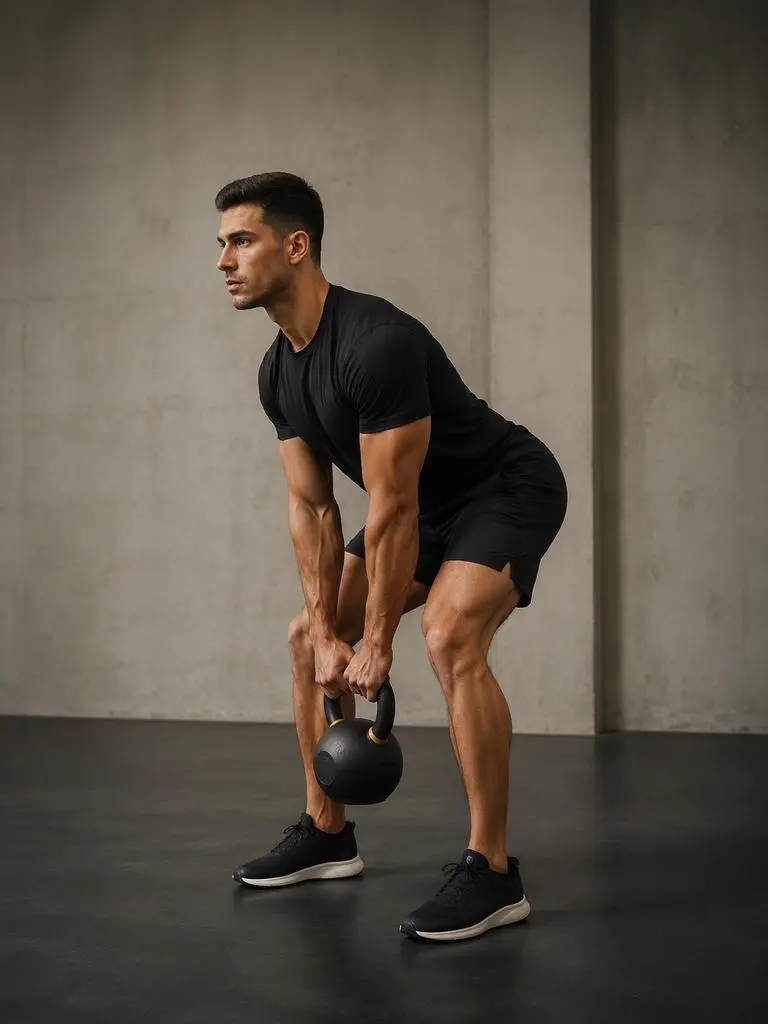
- A controlled strength movement in a modern studio
- A calm mat exercise for a Pilates teaser
- A short warm-up for a group fitness launch
- A recovery movement for a wellness campaign
Because AI Workout Video Generator begins with a clear visual concept, you do not need to arrange a studio, model, camera operator, and editor for every short clip. As a result, small fitness businesses can produce promotional content faster and test new class ideas before investing in a full shoot.
Start With One Clear Class Message
A strong teaser does not need to explain the complete workout. In fact, adding too many exercises often makes a short video harder to understand.
Instead, decide what viewers should notice during the first few seconds.
Is the class energetic, relaxing, beginner-friendly, strength-focused, or designed for recovery? Once the message is clear, select one movement that supports it.
For instance, a slow side stretch can introduce a morning mobility class. Meanwhile, a controlled hinge movement can suggest a strength session. A balanced core exercise can also communicate the steady pace of a Pilates class.
This focused approach gives AI Workout Video Generator a clearer direction. Therefore, the final clip is more likely to feel intentional and visually consistent.
Choose One Movement for Your Workout Class Teaser
The best movement is not always the most difficult exercise. Instead, it should be easy to recognize, visually clear, and suitable for a short video.
Use a Clear Start and Finish
Squats, lunges, stretches, step-ups, arm raises, and basic mat exercises often work well because viewers can quickly understand the movement.
In contrast, fast combinations, repeated direction changes, and complex equipment transitions can make the generated motion less stable. Therefore, it is better to begin with one simple exercise.
You can always create additional clips later.
Match the Movement to the Class Energy
A teaser should feel like the class it promotes.
For a high-energy workout, choose a stronger stance, quicker rhythm, and brighter lighting. However, for yoga, mobility, or recovery content, use slower movement, softer light, and a steadier camera.
This visual match matters because viewers often judge the class atmosphere before reading the caption or booking details.
Write a Better AI Workout Video Generator Prompt
A vague prompt such as “make a workout video” gives the tool very little direction. On the other hand, a structured prompt makes the result easier to control.
A useful workout video prompt can include six parts:
Athlete + Starting Position + Movement + Pace + Setting + Camera
For example:
“A female fitness instructor in a blue training set begins in a standing position and performs a slow side stretch on a bright rooftop at sunrise. Use natural morning light, realistic fitness photography, and a stable full-body camera.”
This prompt explains who appears in the scene, what the athlete does, how quickly the movement happens, where the scene takes place, and how the camera should frame the subject.
Additionally, keep the instructions direct. One clear movement is usually more effective than a long list of exercises, poses, and camera effects.
Describe the Athlete
Mention the athlete’s general appearance, clothing, and role.
For example, you could describe a Pilates instructor wearing a fitted gray training set or a strength coach in a dark sports outfit.
However, avoid adding details that do not affect the final scene. Too many decorative instructions may distract from the movement itself.
Explain the Starting Position
The starting pose gives the generated motion a clear beginning.
Instead of writing “a person doing fitness,” describe the person standing with feet shoulder-width apart, sitting on an exercise mat, holding a kettlebell, or preparing for a side stretch.
As a result, AI Workout Video Generator has a more specific movement path to follow.
Control the Pace and Camera
Words such as “slow,” “controlled,” “steady,” and “smooth” help define how the movement should appear.
Meanwhile, phrases such as “stable full-body camera,” “fixed vertical shot,” or “gentle camera push-in” explain how viewers should see the exercise.
For most class teasers, the movement should remain more important than dramatic camera effects.
Use a Reference Image With AI Workout Video Generator
A reference image gives you more control over the starting appearance of the video.
For example, a Pilates studio may want every teaser to use the same bright interior, soft gray clothing, and calm visual style. A strength coach may prefer a darker gym, stronger side lighting, and a more powerful stance.
By beginning with a consistent reference image, AI Workout Video Generator can help you build a more unified content series.
However, the reference image should still be easy to understand. Choose an image with:
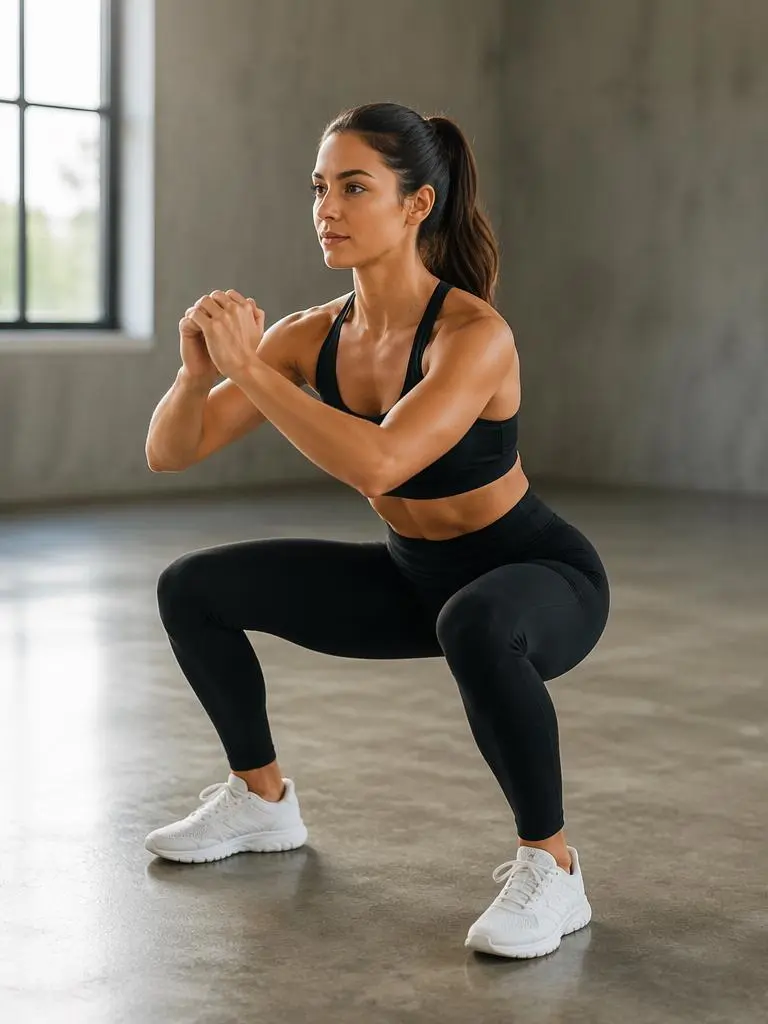
- A clear view of the athlete
- Visible arms and legs
- A simple background
- Natural body proportions
- Enough space around the subject
- Lighting that matches the intended mood
A clean full-body image usually provides more useful visual information than a crowded group photo or tightly cropped portrait.
Keep the Full Body Inside the Frame
Workout clips need different framing from ordinary talking-head videos. Viewers must see how the arms, legs, torso, and equipment move together.
Therefore, a stable full-body shot is usually the safest choice. It works especially well for squats, lunges, stretches, mobility drills, and standing exercises.
Avoid placing the athlete too close to the edge of the frame. Otherwise, the hands or feet may be cropped as the body moves.
In addition, avoid excessive camera rotation, rapid zooming, and dramatic angle changes. A small push-in can add energy, but the exercise should remain easy to follow.
With AI Workout Video Generator, a clear camera instruction can improve both the appearance and readability of the teaser.
Use the Setting to Sell the Class Experience
The movement shows what participants may do. However, the setting shows how the class may feel.
A rooftop at sunrise can suggest a fresh morning routine. A bright studio can make a beginner class feel welcoming. Meanwhile, a minimal gym with directional lighting can create a stronger training atmosphere.
For a Pilates or recovery class, you might use:
- A bright studio
- Soft natural light
- Neutral exercise mats
- Slow and controlled movement
- A stable camera
For a strength class, you might choose:
- A modern gym
- Stronger side lighting
- Darker workout clothing
- A confident starting stance
- A slightly faster pace
The background should support the class rather than compete with it. Therefore, keep the environment clean and avoid unnecessary objects.
This approach also leaves more room for a class title, instructor name, date, or booking message.
Design the Teaser for Social Media
A class teaser should work on the platform where your audience will see it.
For Instagram Reels, TikTok, and YouTube Shorts, a vertical composition usually makes the best use of the screen. Keep the athlete near the center so important movements remain visible after platform cropping.
Additionally, leave some empty space above or beside the athlete. You can use that space for short information such as:
- New class
- Morning mobility
- Beginner strength
- Starts Monday
- Limited spaces
However, avoid covering the athlete’s arms, legs, or equipment with large text. The movement should remain easy to see.
A short teaser also does not need a long explanation. In many cases, a clear class name, date, and booking message are enough.
Turn One Clip Into Several Promotions
One generated workout video can support more than one post.
First, publish it as a new class announcement. Next, reuse it as a booking reminder. You can also place it on a class landing page, include it in a coach introduction, or use it as the opening visual for a fitness challenge.
In addition, you can create several versions from the same concept.
Keep the athlete and movement consistent, but change the location, lighting, or camera distance. For example, one stretching movement could appear in a rooftop scene, a bright studio, and a calm home workout space.
You can also reuse the same clip during different stages of the class launch.
Class Announcement
Introduce the class name, training style, instructor, and launch date.
At this stage, the video should focus on atmosphere and recognition rather than urgency.
Booking Reminder
Reuse the clip with a shorter message and a clearer registration call to action.
For example, replace the original class introduction with the schedule, location, or booking deadline.
Final Availability Post
Add a limited-space message or class countdown before registration closes.
Because AI Workout Video Generator makes short promotional clips easier to create, you can build a small content library without repeating the full filming process.
Review Your AI Workout Video Generator Result
Generated fitness movement still needs a careful review. Before publishing, check the hands, feet, joints, clothing, equipment, and body proportions.
Also, watch the complete movement from beginning to end. Make sure that:
- The athlete does not suddenly change position
- The arms and legs remain natural
- The clothing stays consistent
- The equipment does not disappear
- The background remains stable
- The exercise has a clear beginning and ending
If something looks unnatural, simplify the prompt. Reduce the movement speed, remove extra actions, or switch to a more stable camera angle.
Usually, a smaller and clearer movement produces a better result than adding more instructions.
Most importantly, use the generated clip as promotional or illustrative content rather than personalized fitness or medical advice. Professional coaching, exercise corrections, and safety instructions should still come from a qualified instructor.
Why This Approach Works for Class Teasers
The main value of AI Workout Video Generator is speed. It helps you present a class concept before arranging a complete production.
That makes it especially useful when you are:
- Testing a new fitness program
- Launching a seasonal class
- Preparing social media content
- Promoting a session that has not been filmed
- Creating visuals for a new instructor
- Keeping a fitness account active between shoots
Instead of waiting for the perfect filming day, you can create a short visual preview and begin building interest earlier.
At the same time, the tool does not need to replace professional class footage. It works best as a quick promotional layer that supports your existing fitness content.
Final Thoughts
You do not need to film an entire workout session to promote a new class.
Start with one clear movement, write a focused prompt, use a stable full-body frame, and choose a setting that matches the class mood. Then, review the result carefully before publishing.
With AI Workout Video Generator, coaches, instructors, and small studios can create workout class teasers more quickly. They can also test different visual directions and maintain a regular content schedule without organizing a new video shoot every time.
The goal is not to explain the complete workout in one clip. Instead, the teaser should give viewers a clear impression of the class, its energy, and the experience they can expect.
Go to WeShop AI For Exploration:


