

A Video to Video AI Generator can turn one ordinary clip into several completely different visual stories. The original movement can stay recognizable, while the setting, lighting, texture, and mood take on a new identity.
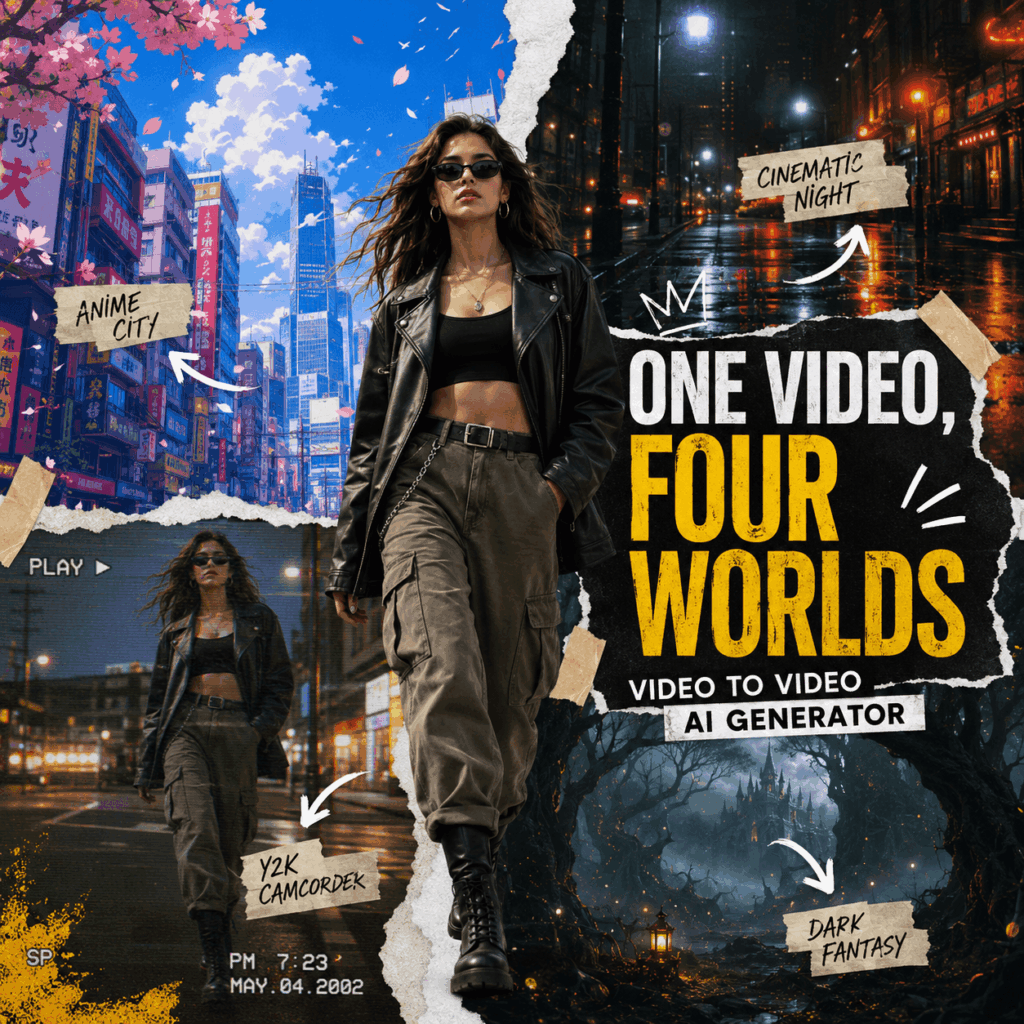
For creators, this opens up a simple but powerful content idea: One Video, Four Worlds.
Instead of filming four new scenes, you can start with one short clip. Then, transform it into an anime city, a rainy cinematic street, a Y2K camcorder memory, and a dark fantasy world. As a result, one small piece of footage becomes a complete social media campaign.
Why This Video to Video AI Generator Idea Works
Many social posts explain a tool before showing the result. However, viewers usually care about the transformation first.
The One Video, Four Worlds idea solves that problem immediately. The original clip creates a clear reference point. Then, each new version delivers a fast visual surprise.
More importantly, the concept is easy to understand. The movement stays similar, but the visual world changes. Therefore, viewers do not need a long technical explanation to understand what the Video to Video AI Generator has done.
This format also creates natural interaction. For example, the final post can ask viewers to choose their favorite world. Comments can then decide the style used in the next transformation.
Start With One Clear Source Video
The source clip does not need to look expensive. In fact, a simple video often creates a stronger before-and-after contrast.
A model can walk toward the camera, turn around, move a coat, or hold a product. Alternatively, a creator can use a simple dance move, hand gesture, or street-style pose.
What Makes a Good Source Clip?
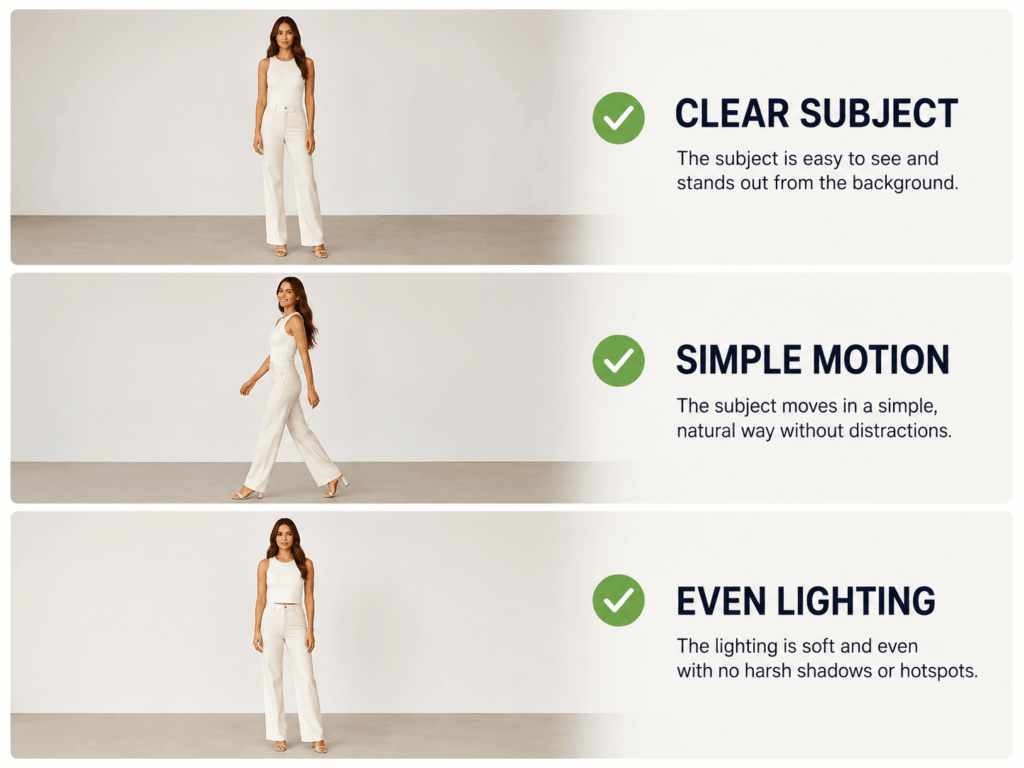
First, keep the subject clearly visible. A clean background also helps the transformation feel more controlled.
Next, choose an action that is easy to recognize. Walking, turning, and lifting a product usually work better than chaotic movement.
In addition, use even lighting whenever possible. Strong shadows, heavy blur, and very dark footage may make the final result less consistent.
Finally, keep the clip short. A focused moment is easier to transform and easier to reuse across social platforms.
Build Four Worlds With a Video to Video AI Generator
The four styles should feel clearly different. Otherwise, the final comparison may look like four color filters instead of four new realities.
World One: Anime City
Turn the original scene into a bright animated city with clean linework, soft skies, and expressive cinematic lighting.
This world works well for fashion, lifestyle, dance, and character content. Moreover, it gives the campaign a playful opening.
Prompt example:
Transform the video into a polished anime city scene with clean linework, soft afternoon light, colorful buildings, and cinematic depth. Keep the original subject, outfit, movement, timing, and camera composition recognizable.
World Two: Rainy Cinema
Next, move the same subject into a rainy city at night. Add reflective streets, deep shadows, soft mist, and subtle film texture.
This version should feel more serious and atmospheric. Therefore, it creates a strong contrast with the lighter anime result.
Prompt example:
Transform the video into a moody cinematic night scene with gentle rain, reflective streets, deep shadows, soft mist, and realistic film texture. Preserve the original movement, subject position, outfit details, and camera angle.
World Three: Y2K Camcorder
The third world can introduce nostalgia. Use a casual handheld look, mild overexposure, faded color, digital noise, and a small timestamp.
However, avoid adding too much grain. The subject should still look clear enough for a social post or campaign comparison.
Prompt example:
Restyle the video as an early-2000s camcorder recording with faded colors, soft flash, mild digital noise, a realistic timestamp, and casual nostalgic energy. Keep the original person, action, pacing, and framing.
World Four: Dark Fantasy
Finally, end with the most dramatic transformation. Place the subject in a mysterious forest or ancient ruined city with floating light, fog, and strong backlighting.
Because this is the final reveal, it should feel larger and more unexpected than the earlier styles.
Prompt example:
Transform the video into a dark fantasy world with an ancient forest, drifting fog, floating light particles, dramatic backlighting, and detailed cinematic textures. Preserve the original subject, motion, timing, and composition.
Turn the Results Into Static Social Content
A blog post does not need to embed every completed video. Instead, select one matching frame from the original clip and each transformed version.
This creates a five-image visual story:
- Original Video
- Anime City
- Rainy Cinema
- Y2K Camcorder
- Dark Fantasy
Use the same point in the movement for every image. For instance, if the model is turning to the left, capture that exact moment in all five versions. As a result, readers can compare the transformation more clearly.
Create a Swipeable Carousel
For Instagram or Xiaohongshu, place the original frame on the first slide. Then, reveal one world on each following slide.
The cover can use the text:
ONE VIDEO. FOUR WORLDS.
The final slide can show all four results together and ask:
Which world should become a full campaign?
This question feels more natural than a direct product advertisement. Meanwhile, it encourages viewers to study each result before commenting.
Adapt the Idea for a YouTube Display Ad
For a static YouTube ad, use one central model rather than four separate cards. Divide the background into four uneven visual worlds with torn-paper edges or bold diagonal cuts.
Add a short headline:
SAME MOTION. NEW REALITY.
Then, use a direct call to action such as:
REIMAGINE YOUR VIDEO
How to Use the Video to Video AI Generator
The workflow can stay simple.
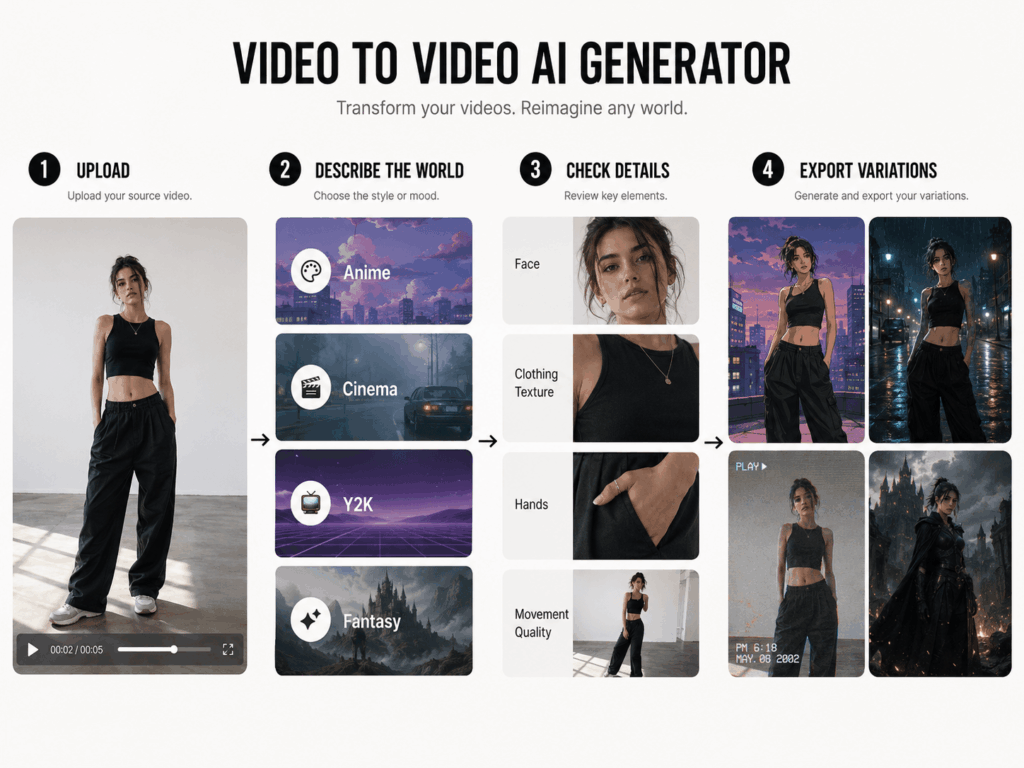
Step 1: Upload One Short Video
Choose a clear clip with one main subject and an easy-to-follow action.
Step 2: Describe the New World
Enter a prompt that explains the target style, setting, lighting, texture, and mood.
Step 3: Check the Important Details
Compare the generated result with the original clip. Check the person, product, movement, hands, clothing, and background.
Step 4: Generate More Variations
Keep the same source video, but change the creative direction. Then, download the strongest results and capture matching keyframes for the blog or social carousel.
Write Better Video to Video AI Generator Prompts
A vague prompt such as “make it cinematic” leaves too many decisions open. Instead, give the tool a clear creative brief.
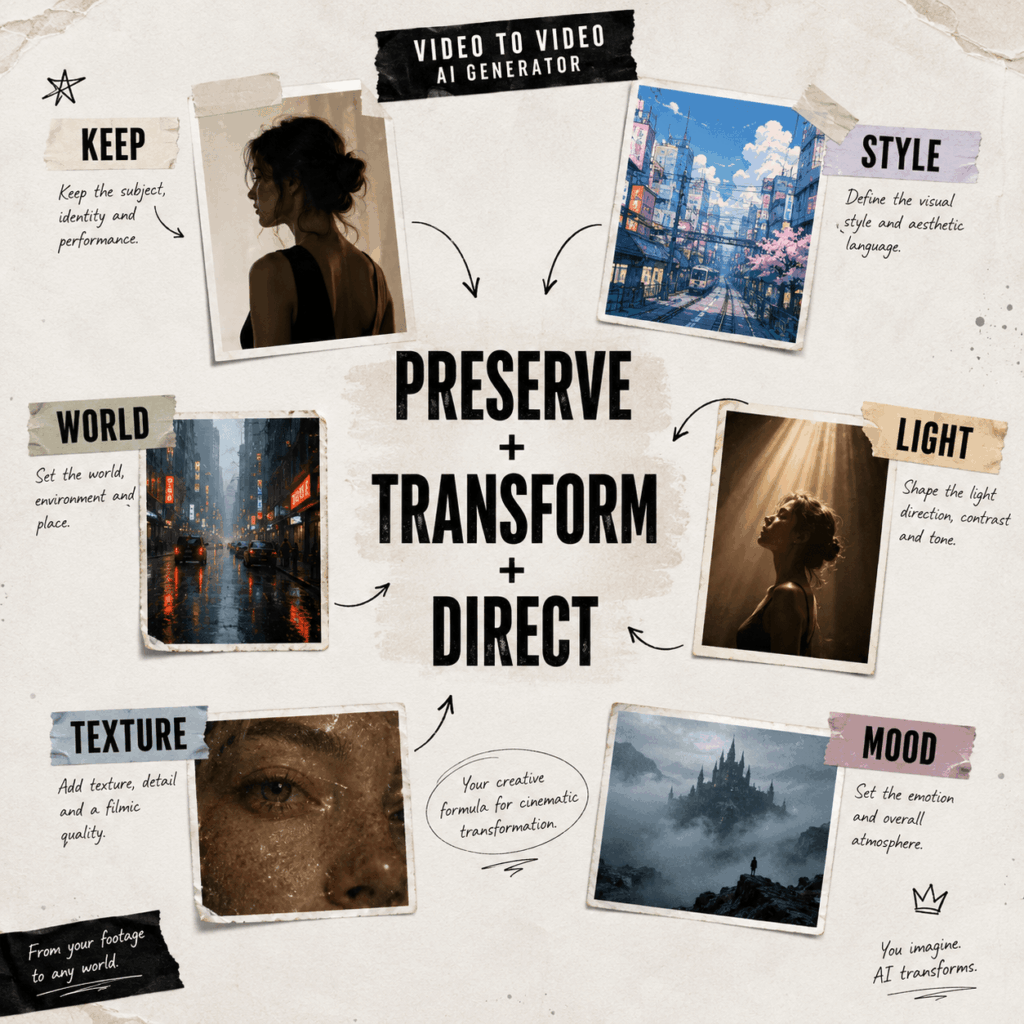
A useful formula is:
What to preserve + Target style + Environment + Lighting + Texture + Mood
For example:
Keep the original model, clothing, walking movement, timing, and camera angle. Transform the scene into a luxury winter campaign with soft snow, cool editorial lighting, a modern city background, realistic fabric texture, and an elegant mood.
Although detailed prompts help, they should not contain several conflicting styles. “Minimal luxury, colorful cartoon, realistic noir, and soft watercolor” may pull the result in too many directions.
Therefore, choose one main world for each generation.
Common Mistakes to Avoid
The first mistake is selecting a source video with too many subjects. A busy scene gives the tool more elements to rebuild.
The second mistake is changing everything without explaining what must stay. If the outfit or product matters, say so directly in the prompt.
Another common problem is using four styles that look too similar. For stronger social content, change the environment, light, texture, and emotional tone—not only the color palette.
Finally, do not hide the original frame. The transformation feels more impressive when viewers can see where it started.
Final Thoughts
A Video to Video AI Generator can do more than add a new visual effect. It can help creators test campaign directions, refresh older footage, and turn one short clip into several social content ideas.
The One Video, Four Worlds concept works because it is simple, visual, and easy to compare. Moreover, it can be presented through static keyframes, even when a blog or advertising placement does not support video.
Start with one clear movement. Build four very different worlds. Then, let the audience choose where the story should go next.
Go to WeShop AI For Exploration:


