Have you ever walked into a hair salon with a dream and walked out with a complete nightmare? We have all been there. Listening to a stylist describe a haircut in the air is always a gamble, and you usually end up paying for a look that does not suit you at all. Consequently, a professional hairstyle analysis is exactly what you need to take the guesswork out of your next salon visit.
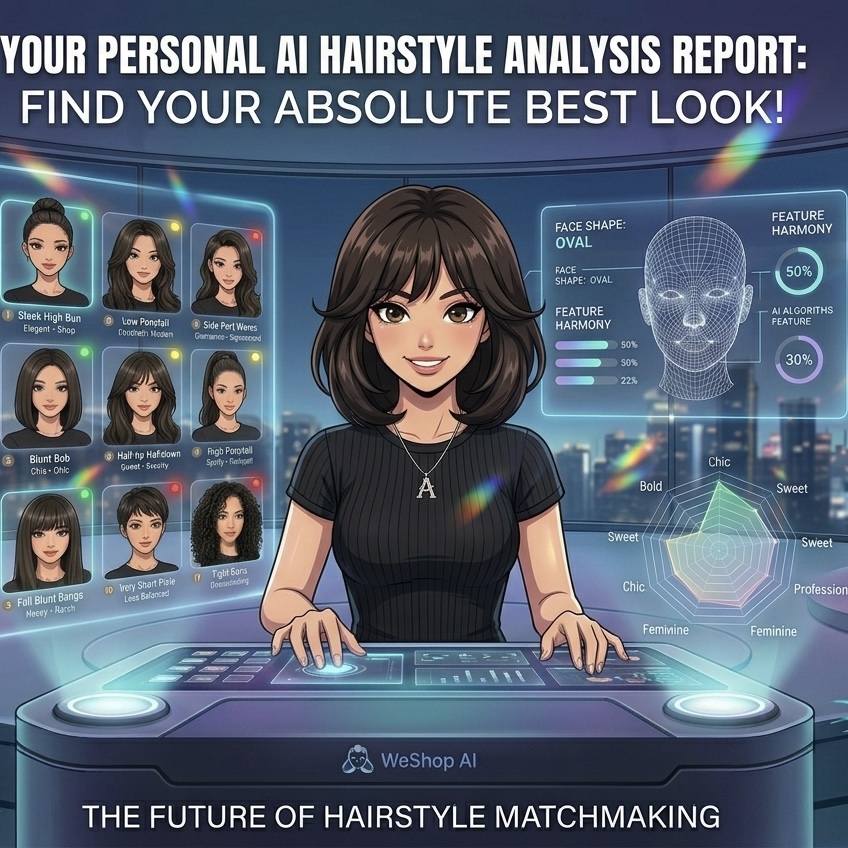
Fortunately, you do not have to guess anymore. Consequently, you can now test any look before the scissors touch your hair. Thanks to advanced AIGC technology, a single front-facing selfie is all you need to get a professional 12-grid hairstyle analysis infographic.
In this comprehensive guide, we will show you exactly how to use a powerful AI tool to test 12 different looks. From long beach waves to sharp bob cuts, you can see them all on your own face. Most importantly, this tool completely preserves your real facial features and face shape. Therefore, you can easily spot your absolute best look and fix your choice anxiety before your next salon visit.
1. Preparation: What You Need for Your Hairstyle Analysis
Before we dive into the fun part, you need to prepare two essential things. First, you need the right tool, and second, you need a high-quality photo.
Choosing Your AI Hairstyle Analysis Tool
- AI Image Generator: For this tutorial, we are using WeShop AI. It is an industry-leading tool that works wonders with image-to-image generation.
- 🌐 Access Link: WeShop AI – GPT Image Studio (Note: Please replace this with your actual affiliate or live link).
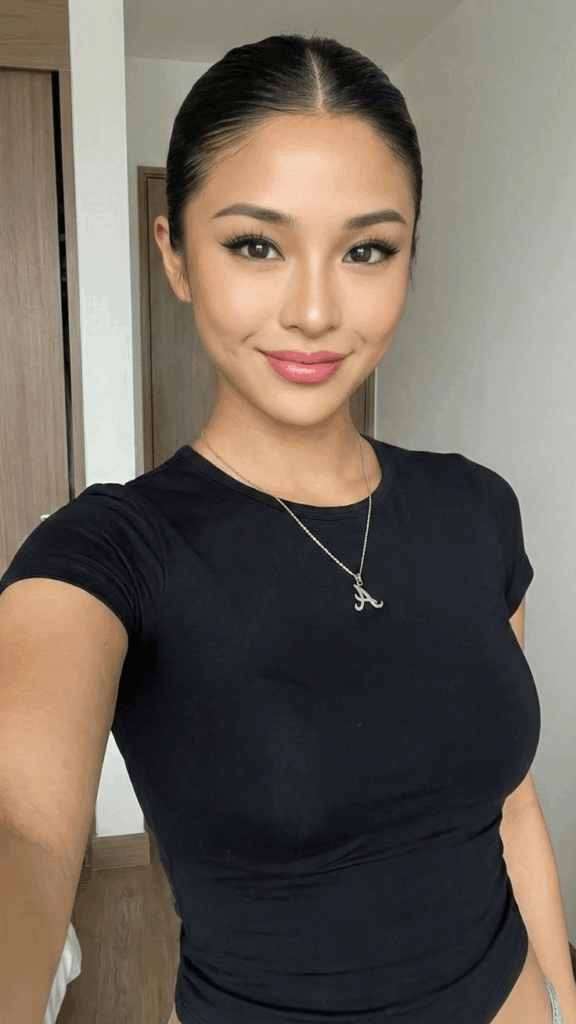
Taking the Perfect Photo for Hairstyle Analysis
- Bright Lighting: First of all, choose a room with plenty of natural light. Make sure your face is evenly lit without harsh shadows.
- Clear Features: Look straight into the camera. In addition, avoid wearing sunglasses, masks, or big hats that hide your forehead.
- Tie Back Your Hair (Pro-Tip 💡): To achieve the best results, we strongly recommend tying your hair back tightly or tucking it behind your ears. By doing this, you reveal your full jawline and facial structure. As a result, the AI can blend the new haircuts seamlessly without any weird overlap.
2. Step-by-Step Guide: Generating Your Personal Hairstyle Analysis
Now, let us get into the actual process. Follow these simple steps to run your diagnostic.
Step 1: Upload Your Photo to WeShop AI
- Open your browser and go to the WeShop AI GPT-Image workspace.
- Next, look for the main upload area, which usually has an “Upload Image” text or a camera icon.
- Select your clear, front-facing photo and upload it. Then, wait a few seconds for the image to load.
Step 2: Use the Ultimate Hairstyle Analysis Prompt
Writing prompts in casual language can lead to confusing results. For this reason, we have created a highly precise, structured English prompt. This ensures you get perfect character consistency without losing your true look.
Simply copy and paste the text block below into the AI prompt box:
💡 Copy & Paste This Prompt:
“Please create a high-quality personal hairstyle analysis infographic based on the portrait photo I uploaded. Retain the subject’s original facial features, face shape, and authentic characteristics exactly. Use a grid layout to show the effects of different hairstyles applied to the subject. Clearly categorize the hairstyles into ‘Most Suitable’, ‘Average’, and ‘Not Recommended’, allowing viewers to see at a glance which hairstyles best frame the face and elevate the overall aura.
Requirements:
- Character Consistency: All hairstyles must be based on the exact same face. Do not alter the facial features; only change the hairstyle, hair volume, length, and styling method.
- Hairstyle Variety: Generate a high-end magazine-style infographic featuring 12 distinctly different real hairstyles (not just minor tweaks). This must include: long hair, mid-length, short hair, curly, straight, updo, ponytail, and bangs variations.
- Distinct Styles: Each of the 12 styles must have a clear stylistic distinction (e.g., French, Professional, Sweet, Elegant, Capable).
- Layout: Clean, stylish, resembling a professional styling consultant’s report. Focus primarily on visual presentation with short text labels only. High resolution, no long paragraphs of text.”
💡 Quick Custom Tip: If you want to test a specific look, like a trendy “mullet” or a classic “bob”, you can easily add those exact words into the second requirement. In this way, your report becomes fully customized.
Step 3: Tweak the Settings for Accurate Hairstyle Analysis
- Lock Your Face: Find the similarity slider on the settings panel, often labeled Image Weight or Denoising Strength.
- Adjust the Slider: Crucially, you should set this parameter to a higher level (around 0.7 to 0.8). Indeed, this is the secret step. It allows the AI to change your hair completely while locking down your exact facial features.
- Generate: Once everything looks good, click the “Generate” button. Meanwhile, the AI will start processing your request.
Step 4: Save and Share Your Hairstyle Analysis Report
As soon as the loading bar finishes, your custom report is ready! Suddenly, you have 12 different looks displayed right before your eyes.
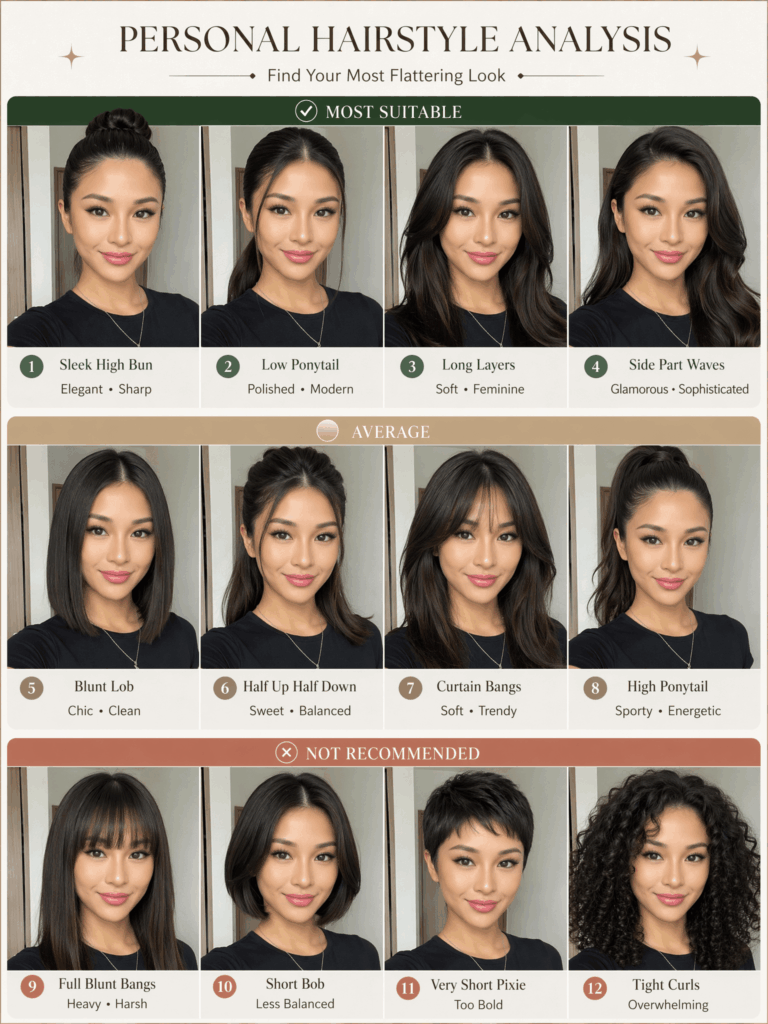
Afterward, you can download the high-resolution image. Not only can you post it on Instagram or Pinterest to ask your friends for advice, but you can also show it directly to your stylist next time. Undoubtedly, this makes communication ten times faster.
3. Pro Tips and FAQ Regarding Hairstyle Analysis
Q1: Why does the AI generated face look different from mine?
A: Sometimes, the AI slightly alters facial lines when blending new hair textures. To fix this, you can try a few things. First, upload a higher-resolution photo. Second, turn up the Image Weight slider in WeShop. Finally, ensure your original photo does not have thick bangs blocking your forehead.
Q2: Can I include different hair colors in the hairstyle analysis?
A: Yes, absolutely! You just need to add color keywords to the English prompt. For instance, insert a sentence like: include different hair colors such as warm brown, ash blonde, and burgundy right after the hairstyle list. Consequently, the AI will analyze both shapes and colors at the same time.
Q3: What should I do if the text labels look like gibberish?
A: Current AI generators occasionally make spelling mistakes when rendering text. However, this is completely fine because your main goal is to check the visual haircut. If you want a perfect image, you can import the file into Canva or any editing app. Then, simply erase the AI text and type your own clean labels like “Best Choice” or “Avoid”.
Try It Yourself Right Now!
In conclusion, changing your hair does not have to feel like a blind guess anymore. If you get stuck on the prompts or cannot find a setting, just drop a comment down below. I will reply and help you out right away!
Also, if you get a great report, please share your transformation in the comments. Let us discover your best look together!
Go to WeShop AI For Exploration: