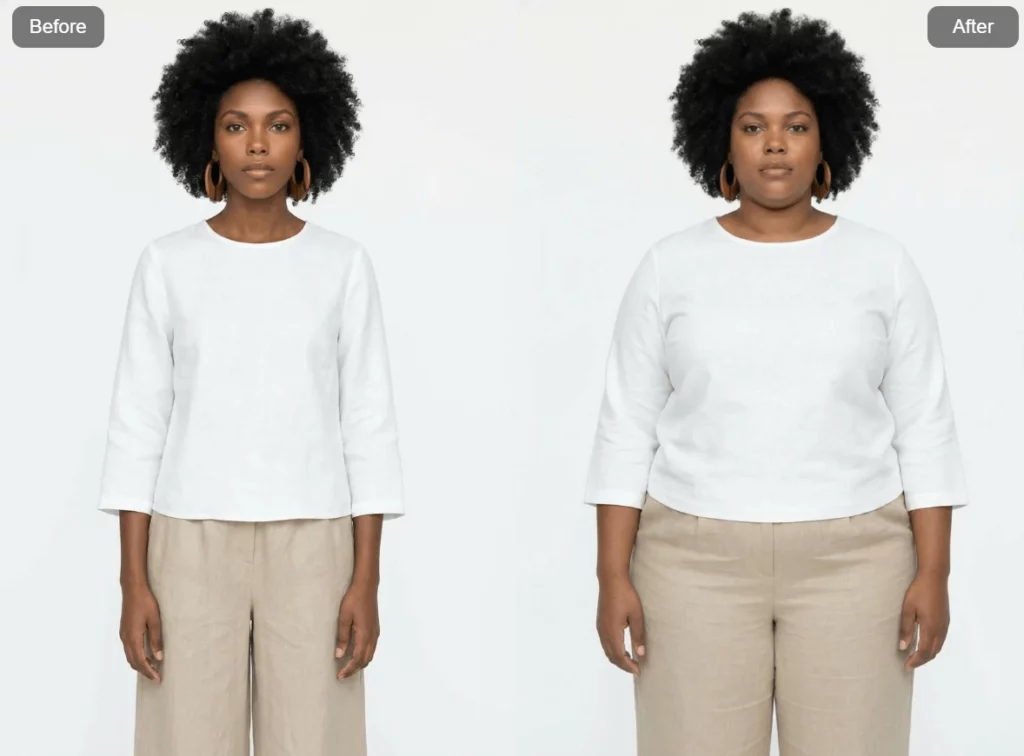
AI image tools are getting better every day. But sometimes, the most powerful features are also the most fun ones. That’s exactly where AI Fat, Weshop AI’s latest feature, comes in.
With AI Fat, you can turn any photo into a playful, chubby version in seconds. Faces look fuller. Bodies feel softer. The original identity stays clear, but the vibe completely changes. Whether you’re creating memes, social content, character designs, or just experimenting for fun, AI Fat makes the process fast, smooth, and surprisingly natural. Even better, everything works directly in your browser.
In this blog, we’ll walk through what AI Fat is, how it works, and why creators are already having so much fun with it.
What Is a AI Fat Generator?
AI Fat is an AI-powered image transformation feature that simulates weight gain on faces and bodies. It uses advanced detection models to understand facial structure, body proportions, and posture, then applies realistic or exaggerated fat distribution based on your settings.
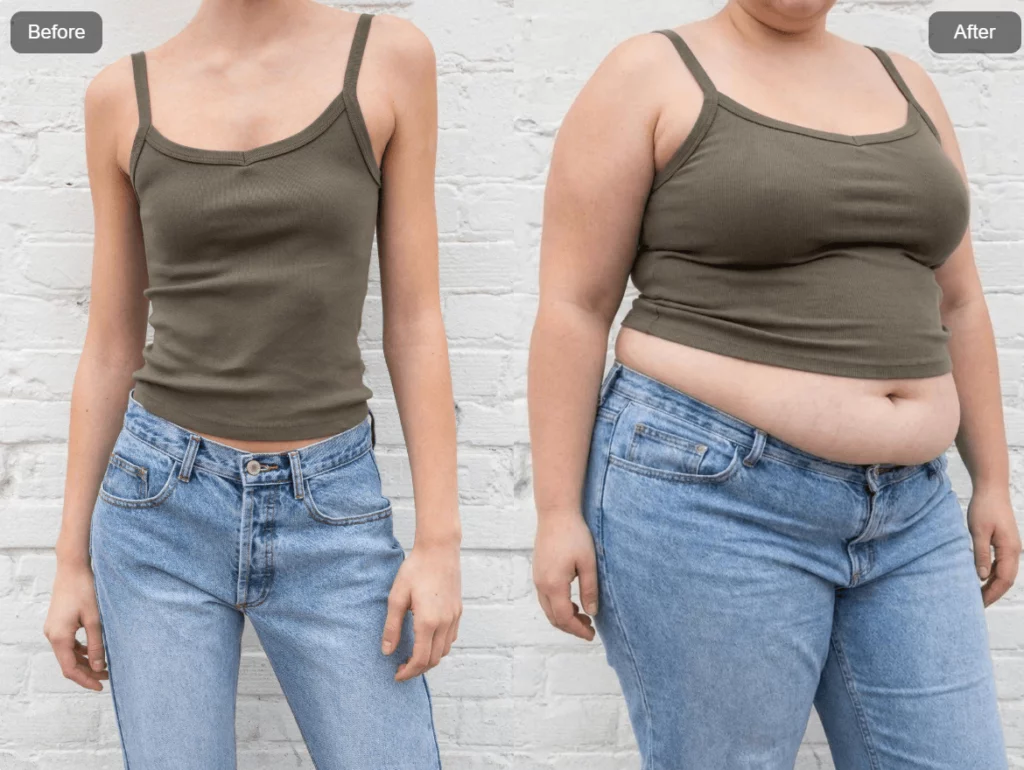
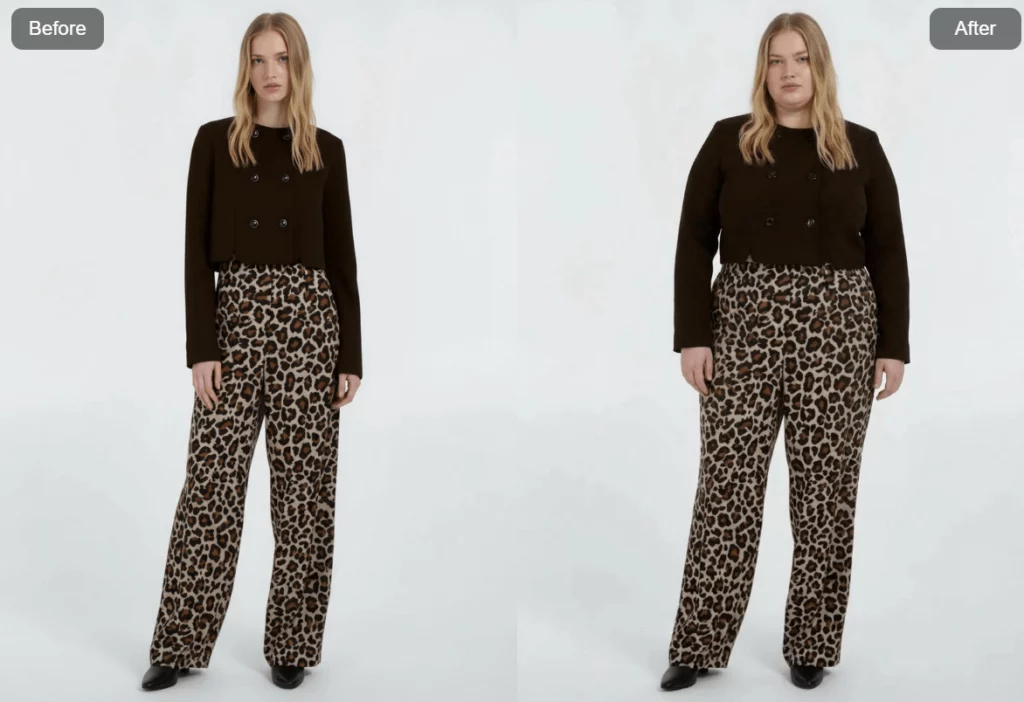
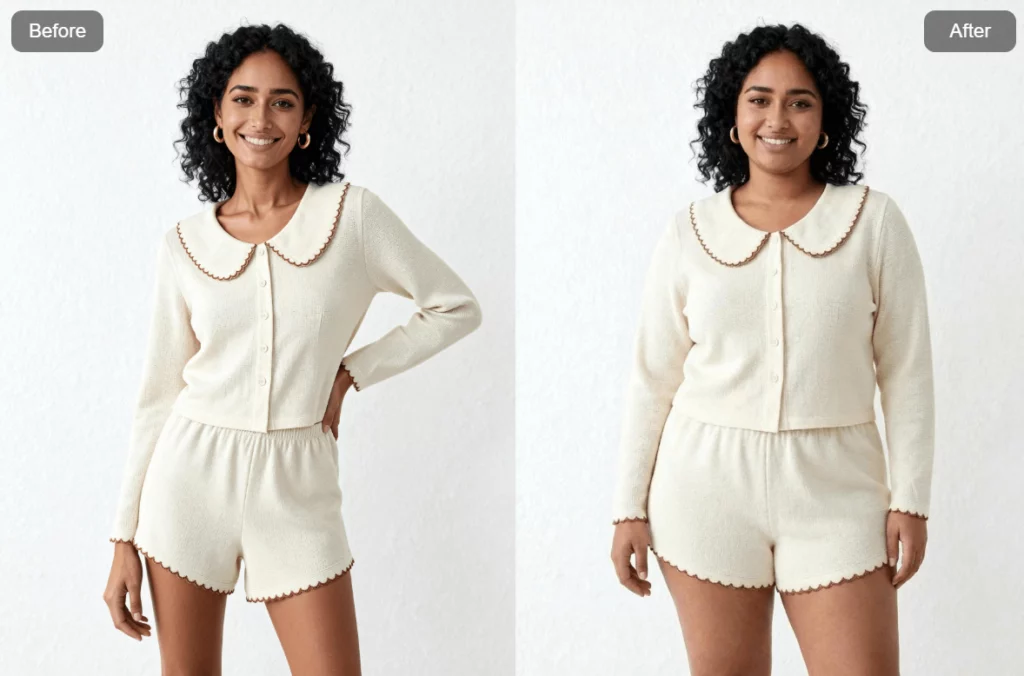
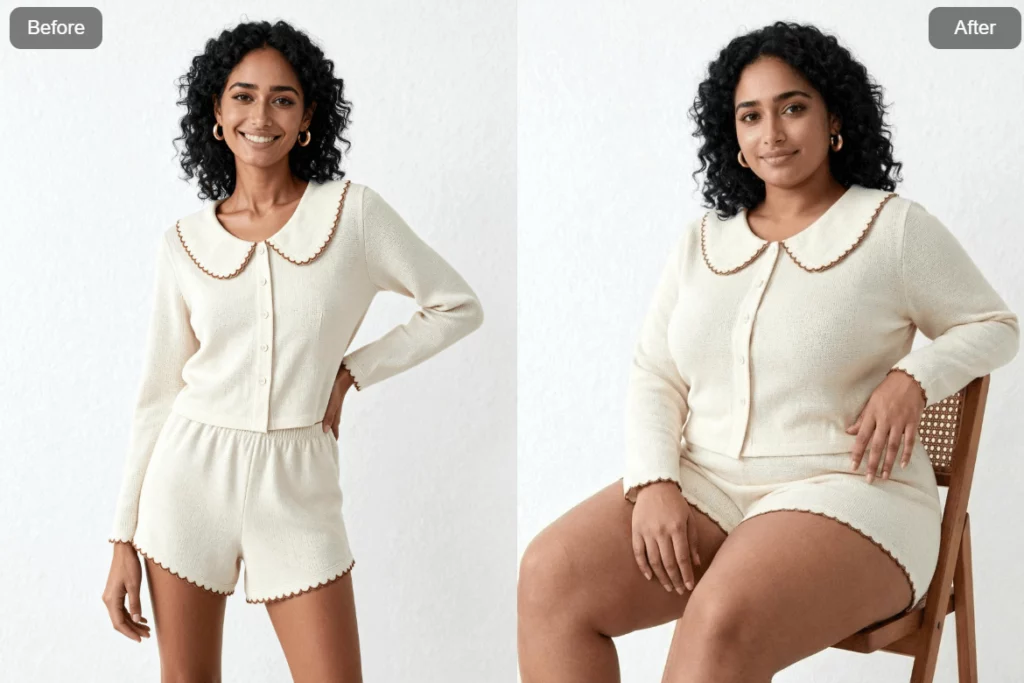
Instead of simply “stretching” an image, AI Fat carefully rebuilds cheeks, jawlines, bellies, arms, and torsos while keeping expressions, lighting, and background intact. The result feels intentional, not random.
This feature works with:
- Selfies
- Full-body photos
- Pets
- Illustrations and characters
- Fan art and cosplay images
Because it’s built into Weshop AI, AI Fat follows the same design philosophy: fast results, clean output, and creator-friendly control.
Most importantly, AI Fat is designed for entertainment, creativity, and visual exploration. It’s not a medical tool, and it’s not meant to judge bodies. It’s simply another way to experiment with visual storytelling.
Instant Fat Transformations, No Editing Skills Needed
Using AI Fat is intentionally simple.
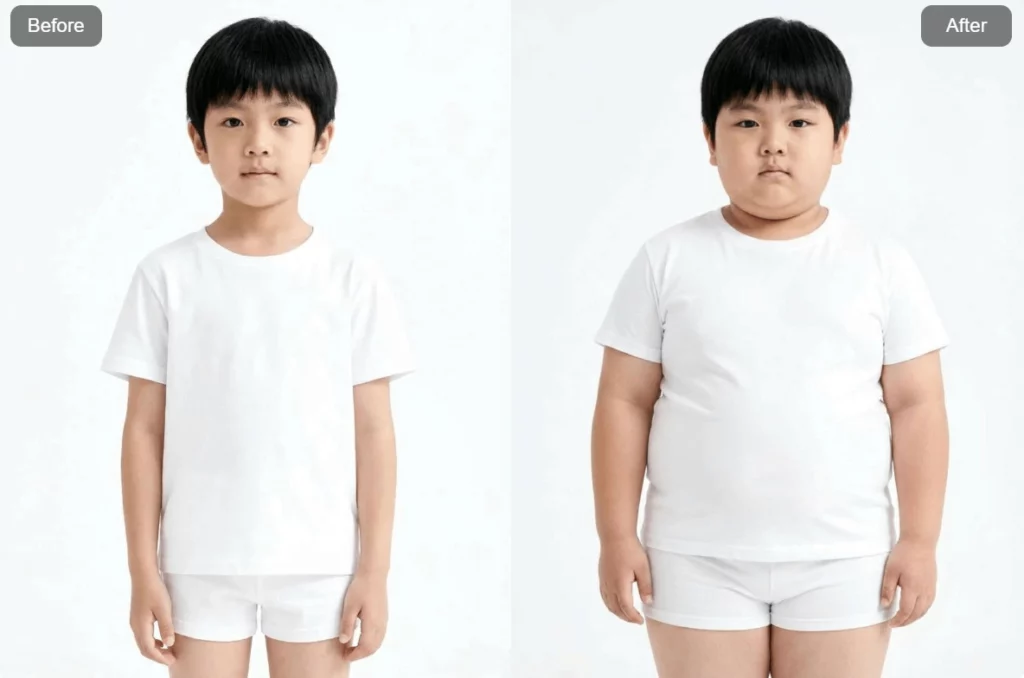
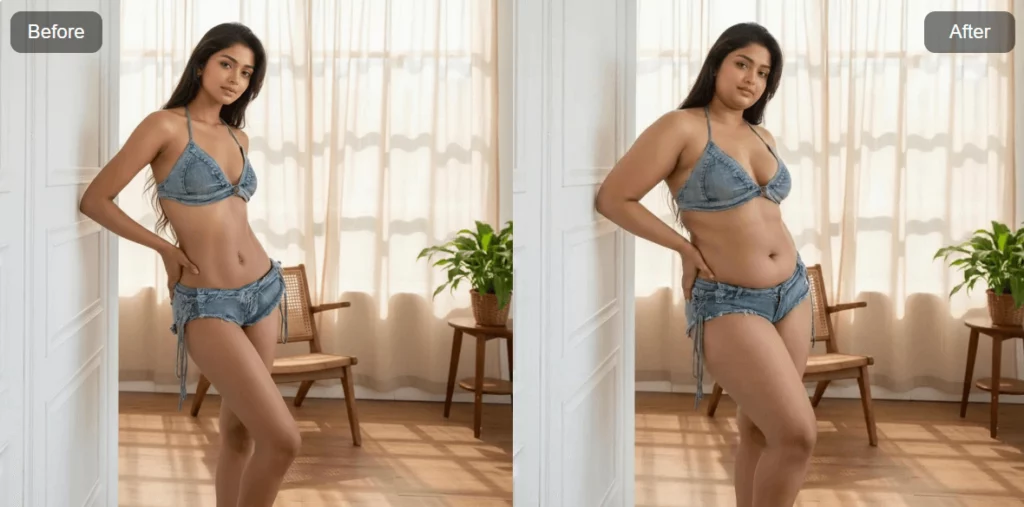
Upload a photo, choose your mode, adjust the fat level, and click generate. Within seconds, you’ll see a transformed version that still feels like the same person, just with a completely different body vibe.
Weshop AI supports high-resolution images up to 4000×4000 pixels. That means your results stay sharp whether you’re posting on social media or saving assets for later projects.
Behind the scenes, AI Fat automatically detects faces and bodies. There’s no need to manually mask areas or tweak dozens of sliders. The system handles anatomy, proportions, and balance on its own.
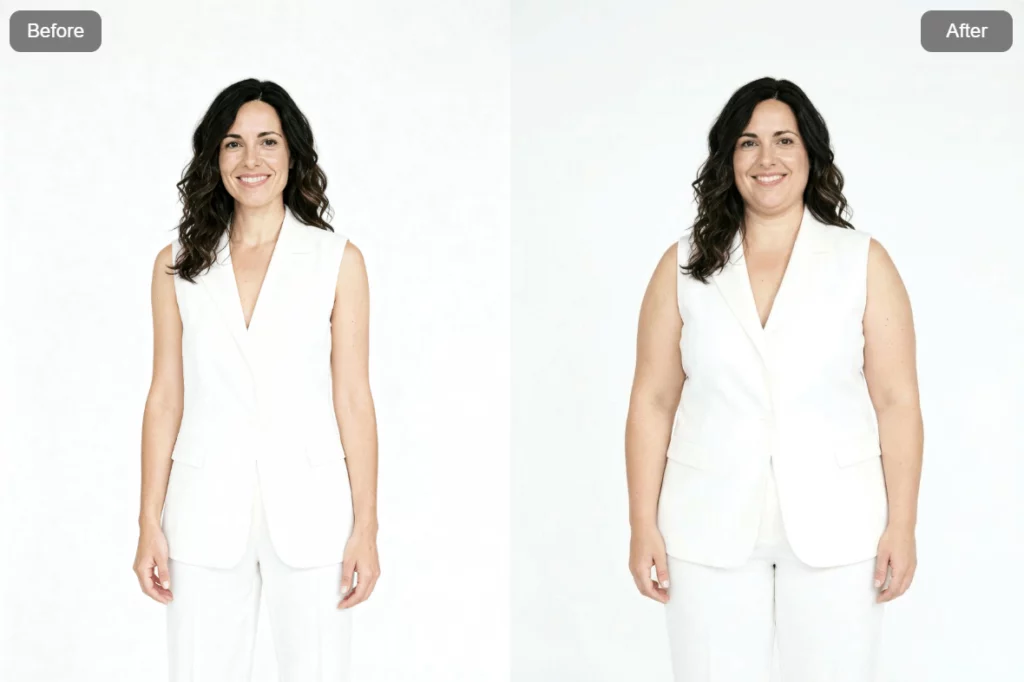
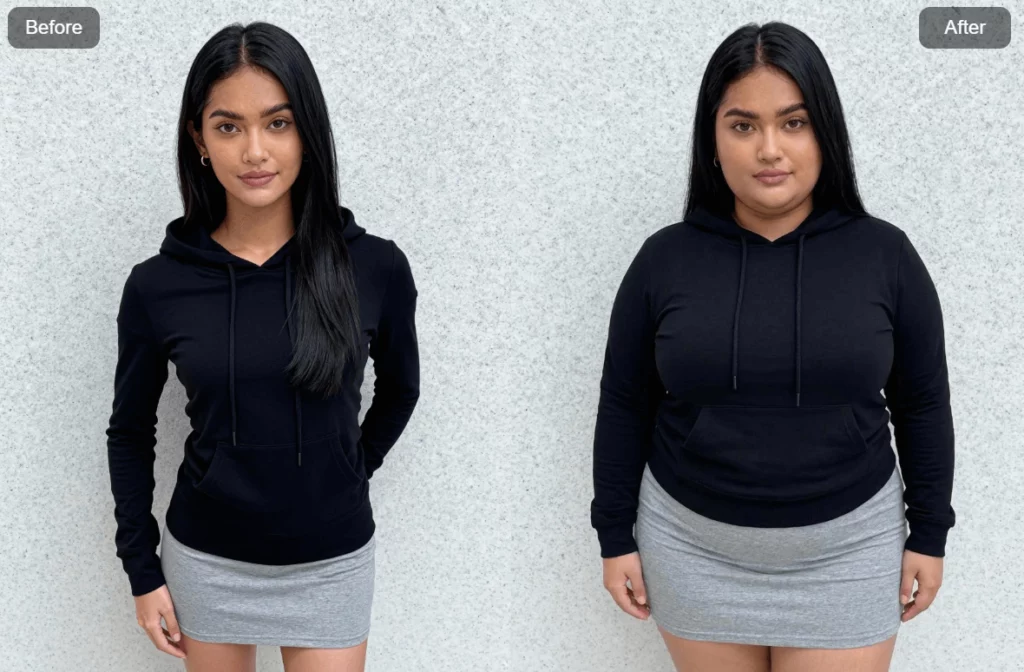
Once the image is ready, you can preview the transformation using a before-and-after comparison. This makes it easy to see how subtle or dramatic the change really is.
Best of all, the original colors, lighting, and background remain untouched. Only the body shape changes.
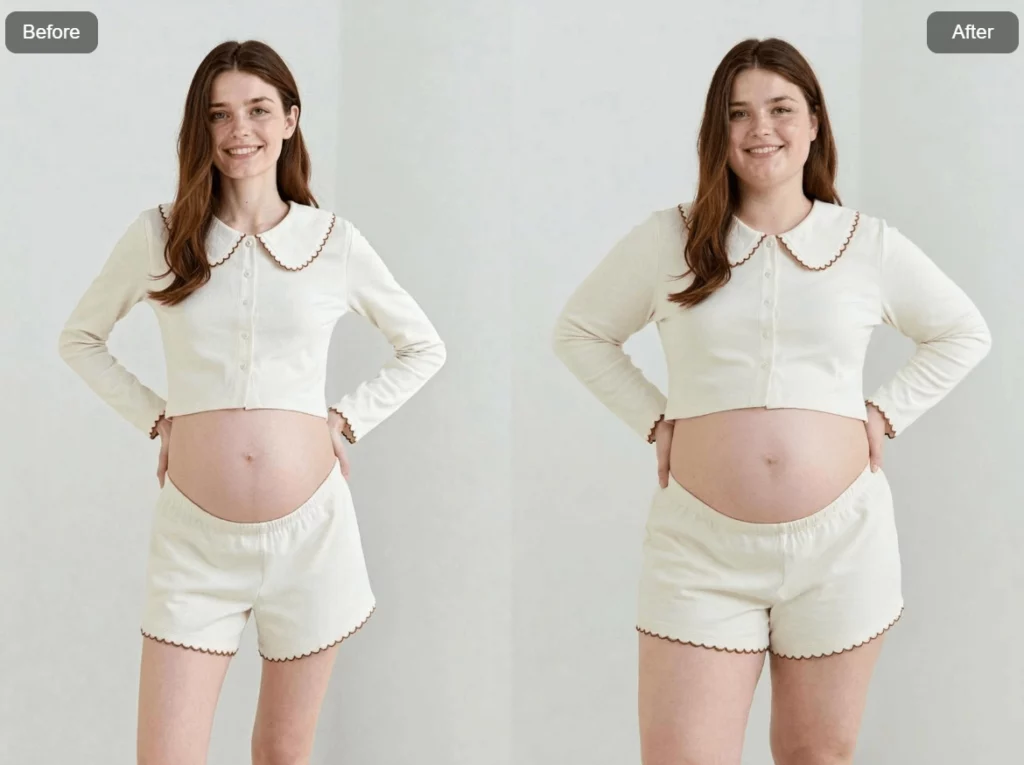
How to Use AI Fat Step by Step
Step 1: Upload Your Image
Choose a clear photo with good lighting. Front-facing selfies or full-body shots work best. Images from modern smartphones usually give the cleanest results.
Step 2: Choose a Mode
Pick between Face Only, Full Body, or Pet & Character mode depending on what you’re working with.
Step 3: Adjust the Fat Level
Use the slider to control intensity. Lower levels feel realistic and subtle. Higher levels lean into meme territory.
Step 4: Select a Style
Choose realistic for natural weight gain, semi-cartoon for stylized looks, or exaggerated for bold, humorous effects.
Step 5: Generate
Click the button and wait a few seconds. A progress indicator shows the AI at work.
Step 6: Download or Share
Save your image in high resolution or share it directly to your favorite platforms.
The whole process takes less than a minute.
Key Features That Make AI Fat Stand Out
AI Fat isn’t just a novelty filter. It’s designed with creators in mind.
The fat intensity control lets you fine-tune results from barely noticeable to intentionally extreme. This flexibility makes it useful for many scenarios, not just jokes.
It also supports batch processing. That means you can transform multiple images at once, which is perfect for series content or character variations.
Other standout features include natural facial detailing, optional skin smoothing, and full cross-platform support across mobile and desktop browsers.
Everything works smoothly in Chrome, Safari, Edge, and Firefox. No plugins required.
AI Fat: Realistic vs Cartoon Fat Effects
AI Fat gives you two very different creative directions.
Realistic Mode
This mode follows natural fat distribution patterns. Cheeks become fuller. Necks thicken slightly. Waists and arms expand in a believable way.
It’s useful for visual storytelling, character development, or hypothetical scenarios where realism matters.
Cartoon Mode
This option leans into exaggeration. Faces become rounder. Bellies grow larger. Proportions feel playful and bold.
Cartoon mode is ideal for memes, reaction images, and social content designed to grab attention fast.
Switching between modes is instant, so you can experiment freely without re-uploading your image.
AI Fat: Works with People, Pets, and Characters
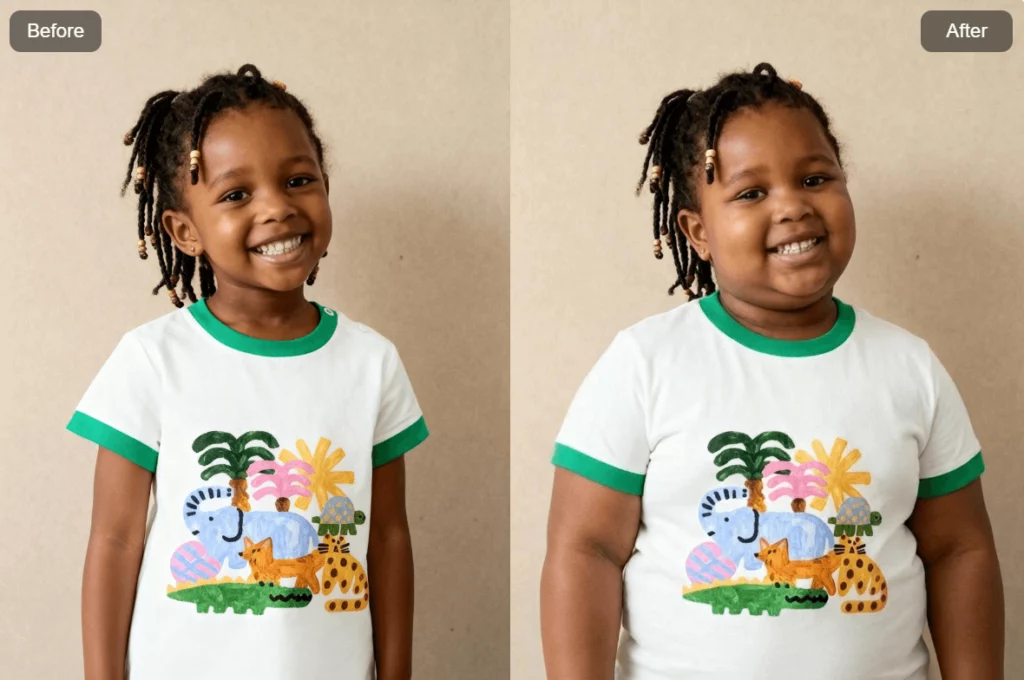
One of the most fun parts of AI Fat is how versatile it is.
Pet owners love turning cats and dogs into round, snack-loving versions of themselves. The AI preserves fur patterns and facial expressions while adding adorable softness.
Creators also use AI Fat on anime characters, game avatars, and illustrations. Hairstyles, outfits, and signature details remain recognizable, even after transformation.
This makes AI Fat especially popular for fan communities, alternate-universe concepts, and creative storytelling projects.
No Watermarks, High-Resolution Downloads
Every AI Fat image is downloadable without watermarks.
That means you can freely add your own text, logos, or branding. It also means the images are ready for real use, not just previews.
Available export sizes include square formats for Instagram, widescreen formats for YouTube thumbnails, and original resolution for maximum quality.
Many users even print their results for stickers, cards, or personal projects.
Turn One Photo into a Fat Transformation Video
AI Fat doesn’t stop at static images.
With Weshop AI’s video transformation option, you can turn a single photo into a smooth before-and-after animation. These videos are perfect for TikTok, Reels, and Shorts.
The AI generates intermediate frames so the transformation feels gradual, not abrupt. You can choose different durations and formats depending on where you plan to post.
Vertical and horizontal outputs are both supported, making distribution easy across platforms.
AI Fat: Tips for Better Results
For the best output, start with clear images and simple backgrounds. Good lighting helps the AI detect features accurately.
Avoid blurry photos, heavy filters, or crowded group shots. These can confuse the model and reduce quality.
When adjusting fat levels, try increasing gradually instead of jumping to the maximum. Small changes often look more convincing.
Conclusion
AI Fat brings a playful new layer to Weshop AI’s creative tools. It’s fast, intuitive, and surprisingly expressive. Whether you’re making memes, exploring character ideas, or creating scroll-stopping social content, AI Fat lets you experiment freely without technical friction. With high-resolution, watermark-free outputs and support for images, videos, and even text prompts, it’s designed to fit naturally into modern creative workflows. Sometimes, a small change in body shape is all it takes to spark a big creative idea.