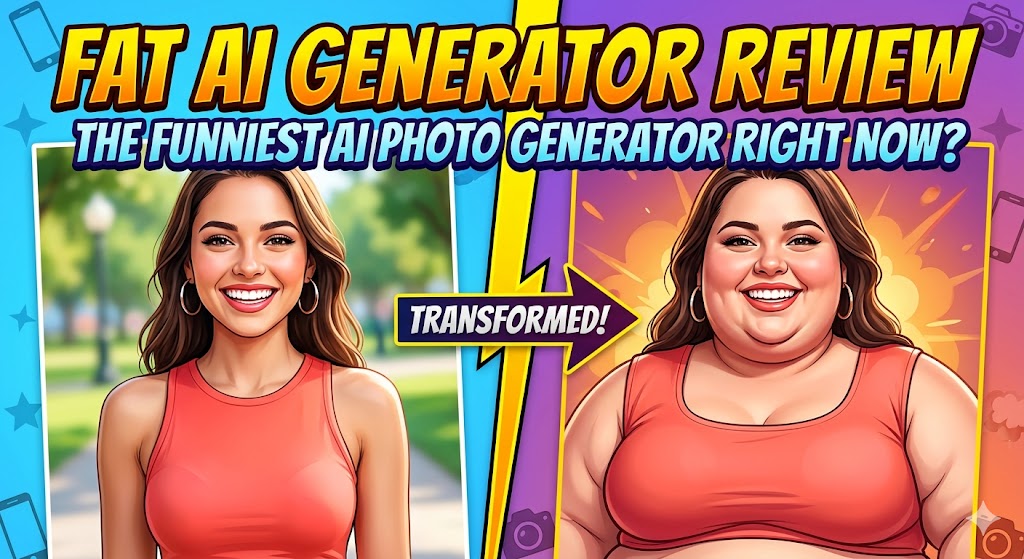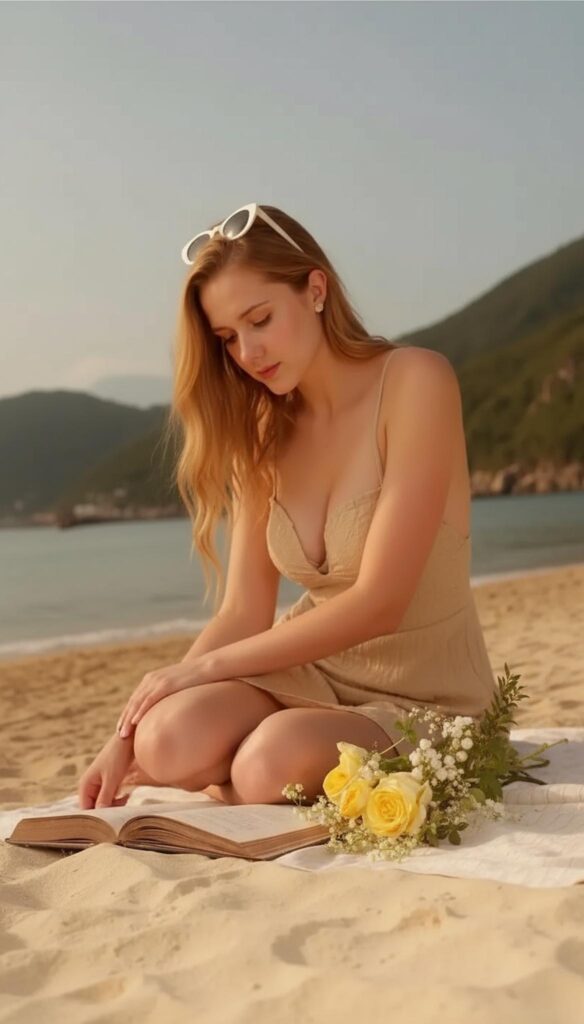
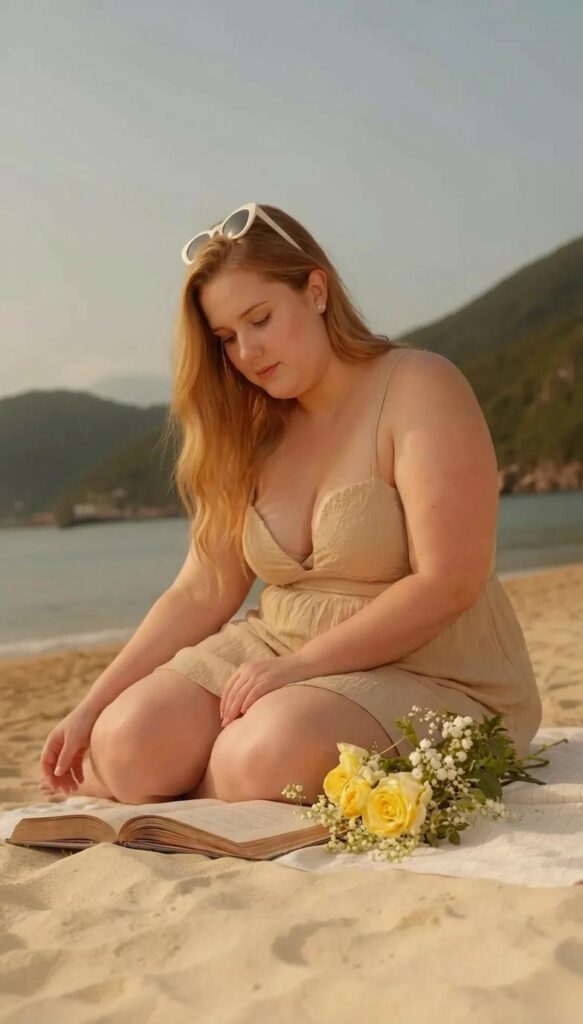
XXXL AI models are size-inclusive fashion visuals created from a source photo. A plus size AI model generator can change body proportions while keeping the person, clothes, pose, and scene. Therefore, ecommerce teams can use XXXL AI models to plan product and campaign content.
However, each result is a visual guide. It does not prove how an item will fit. Because sizes vary, shoppers still need size charts and clear fit notes.
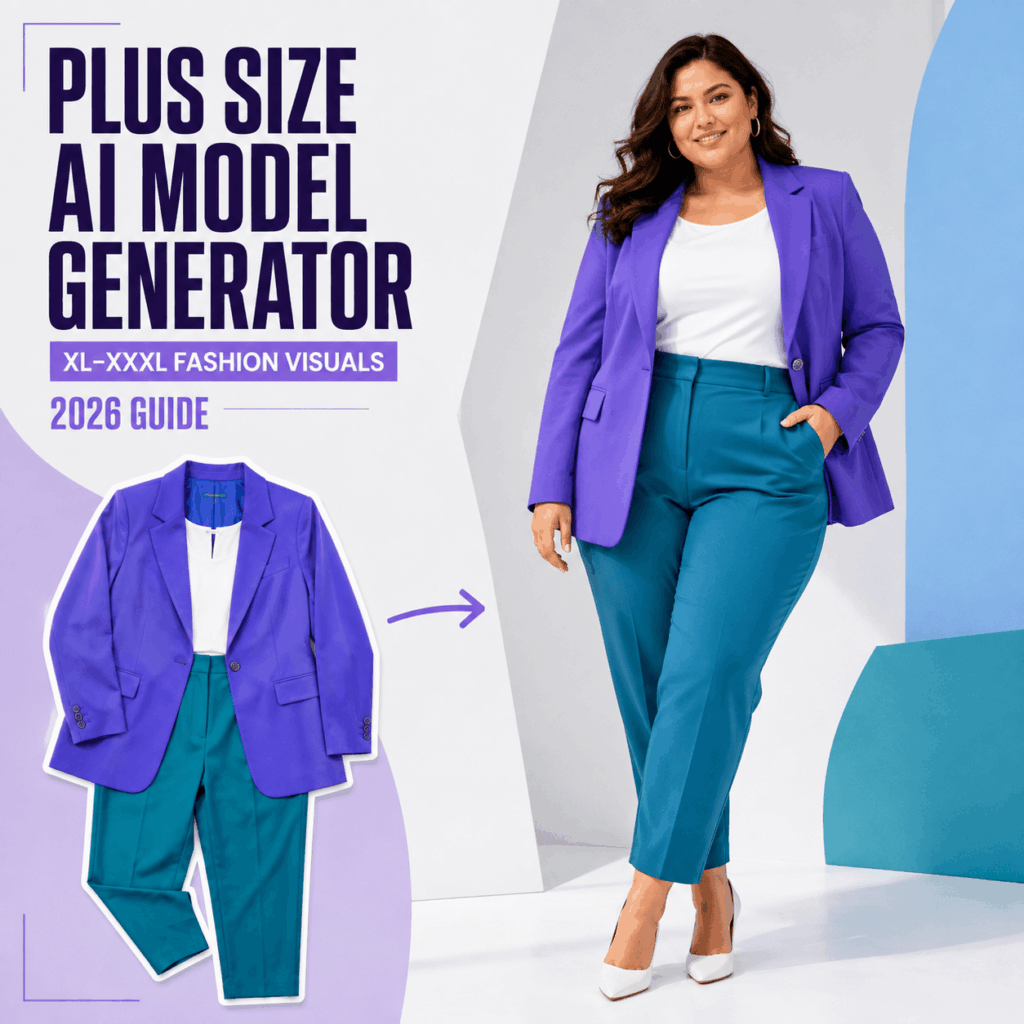
And now, the experience can go even further with WeShop AI’s Image to Video tool. After creating a plus size or XXXL fashion model, you can turn the image into a short video and make the model move naturally. This helps users see not only how the outfit looks in a still image, but also how the overall styling, shape, and visual effect feel in motion.
What Can XXXL AI Models Do for Fashion Brands?
XXXL AI models show a larger-body variation of a fashion photo. WeShop AI offers its AI Fat tool for XL, XXL, and XXXL changes. In this guide, “XXXL” describes the requested visual variation, not one fixed body shape.
For example, a plus size AI model generator can make:
- size-inclusive category banners;
- extra model photos for product pages;
- social, email, and campaign options;
- test images for a new creative idea.
Still, the tool is not a true fitting system. Because XXXL AI models are marketing images, each result needs a human check.
How to Create XXXL AI Models in WeShop AI
To create XXXL AI models, start with one clear photo and one goal.
List what must stay the same. Then, name the face, clothes, light, pose, and scene.
Choose a good source photo. Use a sharp image that shows the body and clothes. Also, avoid large objects, tight crops, and motion blur.
Open AI Fat and upload the photo. Next, ask WeShop AI to generate XXXL AI models. Use the size as a creative guide, not a fixed body rule.
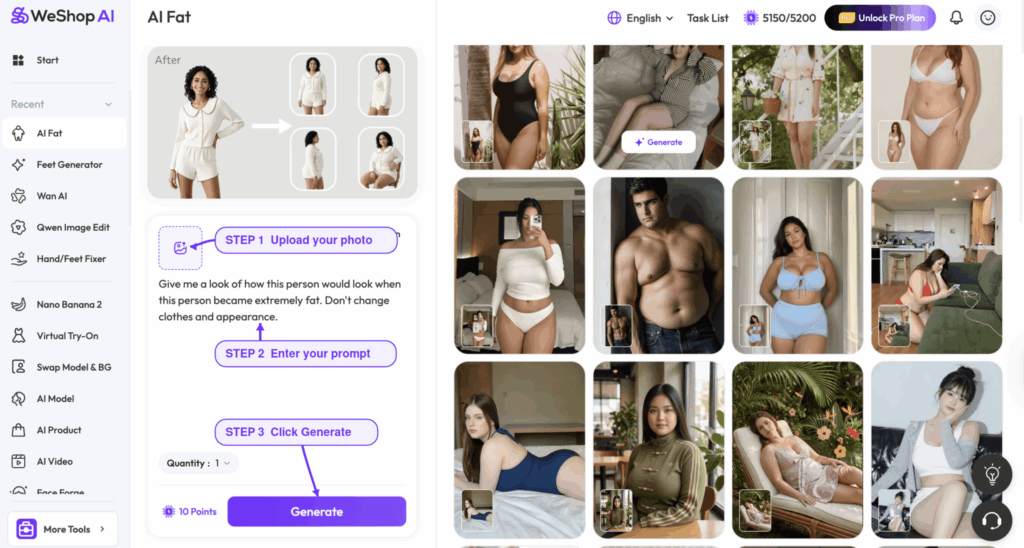
Prompt Template for XXXL AI Models
Use a clear and respectful prompt. For example:
Create a realistic XXXL fashion-model variation of this person. Preserve the face, hairstyle, skin tone, beige dress, neckline, fabric texture, seated pose, warm beach lighting, book, flowers, and background. Adjust the body proportions and garment drape naturally. Do not add accessories or change the camera angle.
This prompt helps the generator produce XXXL AI models while protecting key details. Also, you can replace “XXXL” with “XL,” “XXL,” or a clear shape description.
- Make a small test set. Create two to four XXXL AI models. After that, choose the version that best keeps the face and clothes. Change one detail at a time.
- Check the image before export. Finally, zoom in on the face, hands, seams, print, logo, shadows, and edges.
How to Review an XXXL AI Fashion Model
First, compare each result with the source photo. The best image should keep the person and product clear. Therefore, review all XXXL AI models before you use them.
Use this review checklist:
Language: Does the copy describe the model with respect?
Identity: Does the face match the source?
Body: Does the shape look balanced and real?
Clothes: Are the color, print, neck, seams, and length the same?
Fabric: Does the fabric fall in a natural way?
Pose: Do the hands, arms, and legs look right?
Scene: Are the light, camera angle, and background the same?
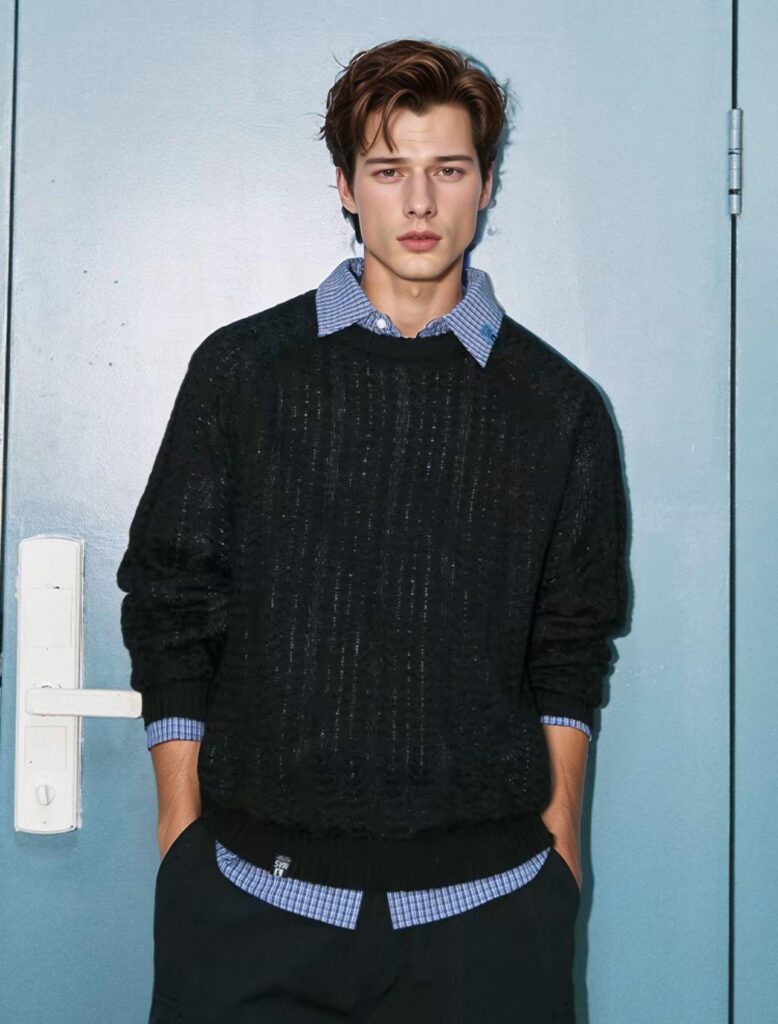
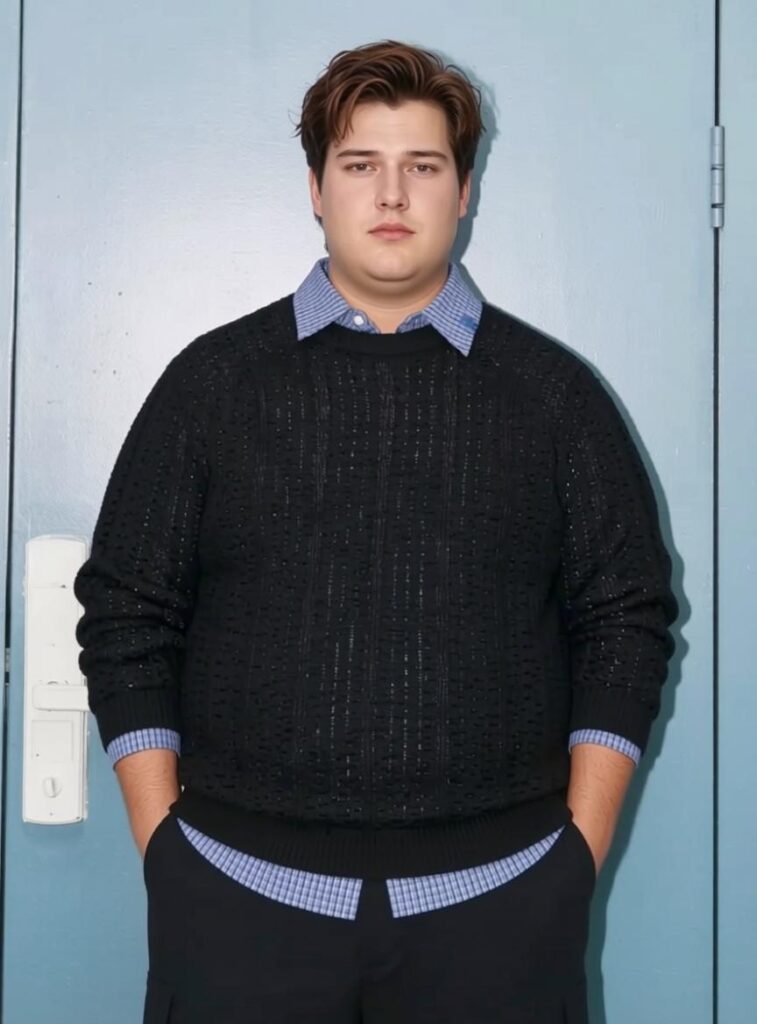
For example, do not check only the torso in this pair. Check the face, collar, sweater, cuffs, door lines, and light. When XXXL AI models pass these checks, the image pair becomes useful proof instead of simple decor.
Where Size-Inclusive AI Model Images Add Value
For product pages, XXXL AI models can add a new visual reference. However, keep the product-only photo, size chart, and fit notes beside each AI image.
For campaigns, XXXL AI models can keep one color set and scene. Therefore, teams can build matched lookbooks, email banners, social posts, and launch drafts.
For short videos, start with a still image that has passed review. Then, add soft body, fabric, or camera motion. Finally, check the clip one frame at a time.
Common Mistakes When Creating XXXL AI Models
First, do not request XXXL AI models with only “make the model bigger.” That prompt gives no clear size or quality goal. Instead, name the size and the details that must stay the same.
Second, do not treat XXXL as one body shape. People who wear the same size have many heights and shapes. Therefore, use the label as one part of a clear brief.
Third, reject images that change the neck, print, logo, or hem. Product truth must come before a fresh look.
Finally, do not publish all XXXL AI models without review. Instead, fix the best base image before you make versions for each channel.
Can XXXL AI Models Predict Clothing Fit?
No. XXXL AI models are visual guides. They cannot replace size data, real samples, or fit tests. For example, two people may wear the same size but have different shapes. Therefore, shoppers still need clear size charts, fabric notes, and fit details.
Frequently Asked Questions
What Image Works Best for XXXL AI Models?
First, use a sharp and bright photo. Make sure the person and clothes are easy to see. As a result, the generator can keep the outfit, pose, and scene more clearly.
Can WeShop AI Create XL, XXL, and XXXL Model Variations?
Yes. The current WeShop AI tool page lists XL, XXL, and XXXL changes. However, every generated result still needs a face, body, and clothes check.
Will the Face and Clothing Stay the Same?
They can stay close to the source when the photo and prompt are clear. Still, check the face, fabric, logos, prints, edges, and small items.
Create a Size-Inclusive Fashion Visual
XXXL AI models work best when the creative goal is clear. First, choose a strong source photo. Next, state the target size and the details to keep. Then, check the result like a product photo.
Finally, keep only the version that shows the person, clothes, and brand with care and respect.
Go to WeShop AI For Exploration: