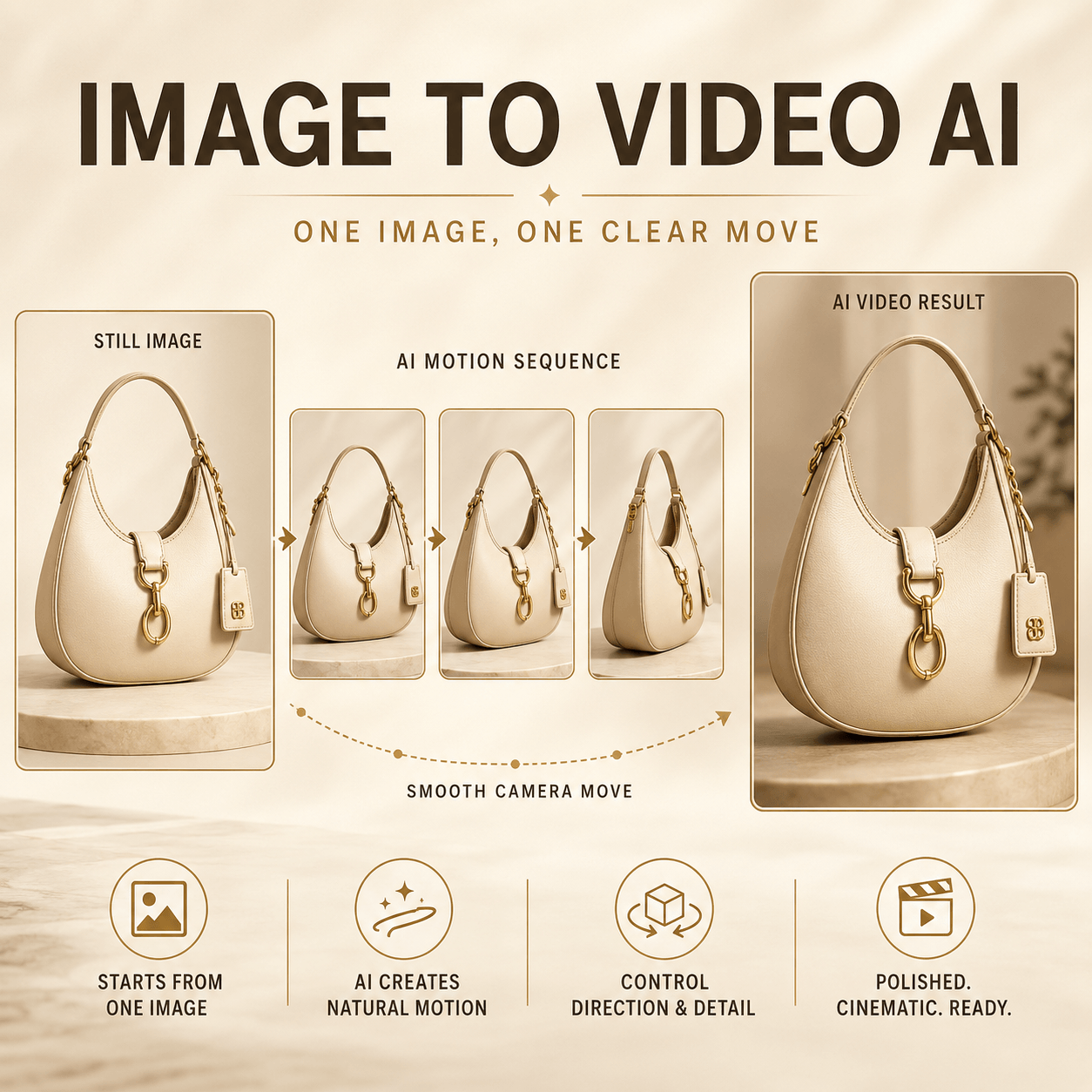
An Image to Video AI Generator can be more than a final content tool. It can also work as a moving sketch before a real shoot.
With one campaign image, a team can test camera direction, product movement, lighting, pace, and mood. Therefore, weak ideas can appear while changes are still easy.
The most expensive time to find a bad motion idea is after production. A large product turn may hide the label. A fast push-in may feel cheap.
Meanwhile, dramatic light may damage the color of the packaging.
A short test makes those risks visible. However, it does not need to predict the final shoot perfectly. It only needs to improve the next decision.
Why an Image to Video AI Generator Improves the Brief
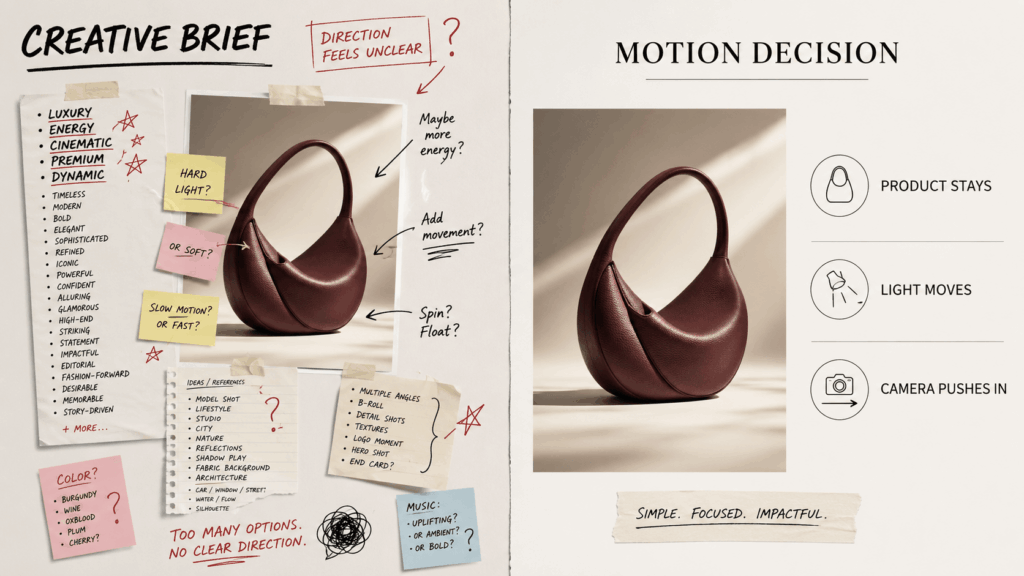
Creative briefs often describe appearance well. Yet they may describe motion badly.
Words such as “premium,” “dynamic,” or “cinematic” sound useful. However, each person may imagine a different shot.
The client may expect a dramatic orbit. The photographer may plan a fixed frame. Meanwhile, the editor may picture a fast social reveal.
As a result, the team agrees on words but not on movement.
A motion test turns broad language into visible choices. For example, “quiet luxury” can become a fixed bottle, a slow push-in, and one warm reflection.
“Fresh energy” can become a short camera slide with soft fabric movement.
Therefore, the discussion becomes more exact. The team can react to what the camera and subject actually do.
Treat the Test as a Moving Storyboard
An Image to Video AI Generator test is not a promise. Instead, it is a moving storyboard.
It can help answer clear questions:
- Does the movement reveal the product?
- Does the label remain visible?
- Is the pace too slow for social media?
- Does the frame leave room for text?
- Should the object move?
- Should the camera move instead?
- Will the idea work in a vertical crop?
- Which detail creates the most risk?
These questions matter before production. In addition, they help the team compare ideas with less guesswork.
A rough result can still be useful. For instance, the hands may not be perfect, but the camera path may be clear.
The reflection may look artificial. Yet the team may learn that the product should remain still.
Therefore, judge the test by the decision it supports. Do not judge it only as a finished advertisement.
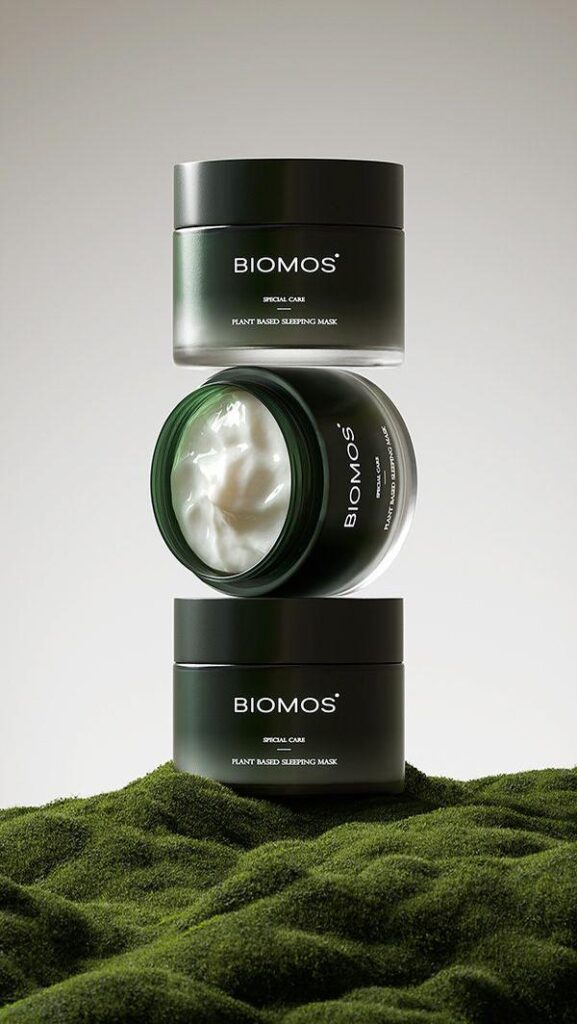
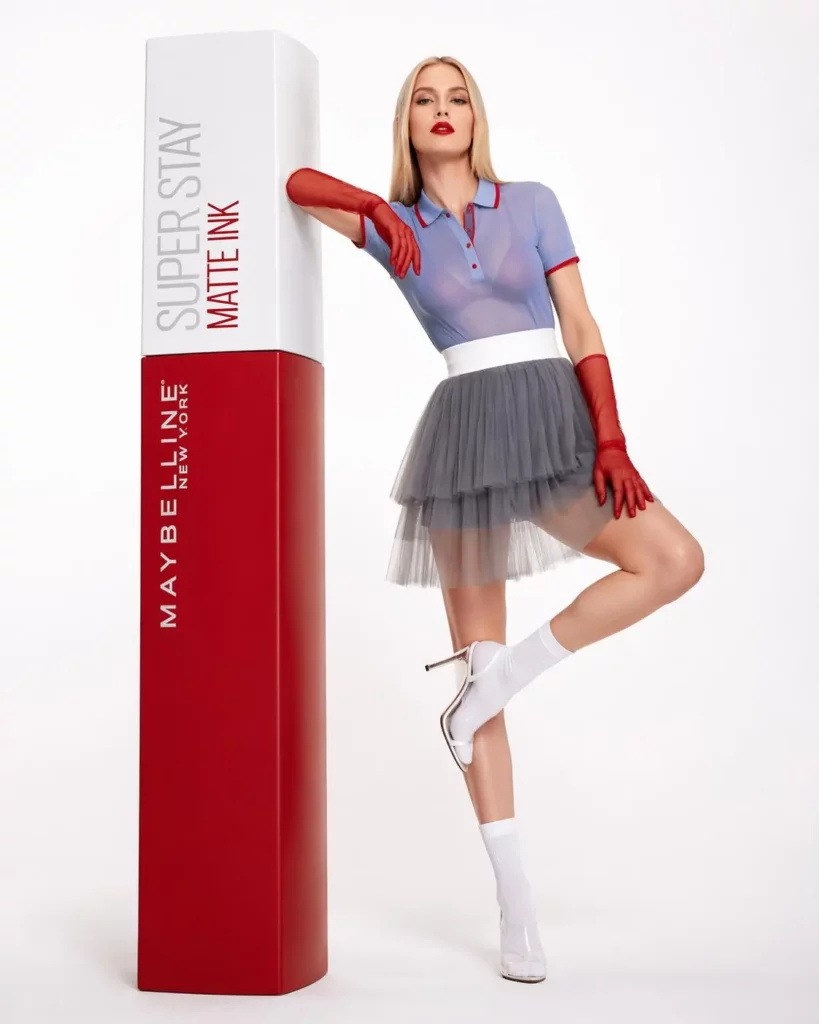
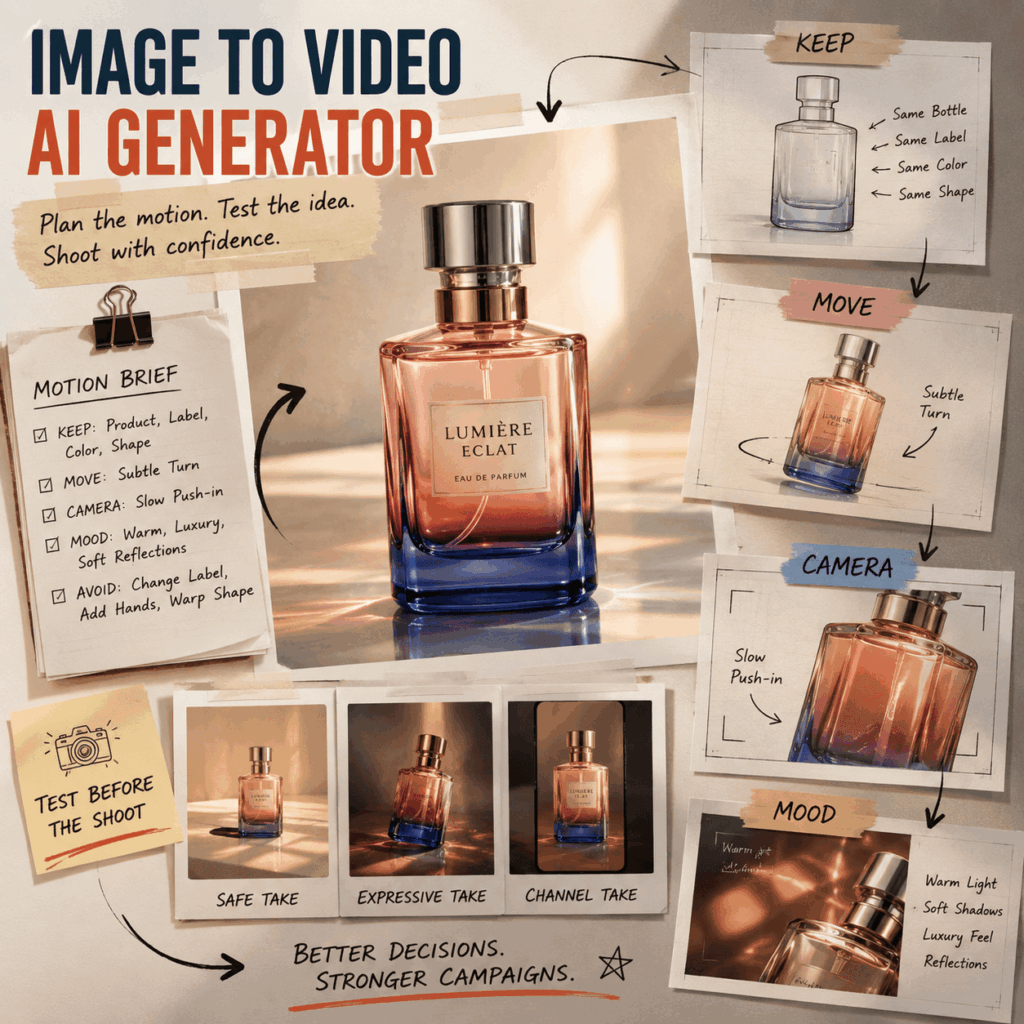
Build a Five-Line Motion Brief
Long prompts can hide weak thinking. Instead, use five short decisions.
1. KEEP: What Must Stay Correct?
First, list the details that cannot change.
For a product, protect its shape, label, logo, cap, material, color, and proportions.
For fashion, protect the model identity, garment design, fit, color, and key accessories.
This list gives the test a clear center. Moreover, it helps the team review the result.
2. MOVE: What Is Allowed to Move?
Next, choose one main source of motion.
It may be the product, model, fabric, camera, background, light, water, or shadow. However, avoid moving everything at once.
One controlled action is easier to compare. It is also easier to repeat during a real shoot.
3. CAMERA: What Does the Camera Do?
Then choose one clear camera verb:
- push in;
- pull back;
- slide left;
- track forward;
- tilt upward;
- orbit slightly;
- stay fixed.
“Dynamic camera” is too broad. Therefore, name the path and keep it short.
4. MOOD: What Creates the Feeling?
Mood needs visible details.
For example, “luxury” may mean cream stone, warm morning light, and quiet reflections.
Meanwhile, “future beauty” may mean chrome surfaces, cool light, and sharp highlights.
Choose two or three mood signals. As a result, the scene stays focused.
5. AVOID: What Must Not Happen?
Finally, name the main risks.
A useful list may include:
- do not change the label;
- do not bend the bottle;
- do not add hands;
- do not replace the garment;
- do not hide the logo;
- do not change the background;
- do not create a full rotation.
Negative instructions cannot solve every issue. Still, they make the review standard clearer.
Test the Risk Before the Beauty
Most teams want to test the prettiest version first. However, the first test should focus on the biggest risk.
For a bottle, the risk may be broken text. For fashion, it may be garment shape or hands.
Meanwhile, an interior image may fail when a large camera move bends the walls.
Therefore, begin with the element most likely to break.
Product Test: Keep the Item Still
Suppose the source is a clean serum bottle. A full turn may damage the label.
Instead, keep the bottle fixed and move the camera or light.
Prompt:
“Keep the serum bottle, cap, label, typography, colors, and proportions unchanged. The bottle stays still. Add a slow camera push-in and one soft reflection moving from left to right. Use warm beauty lighting. Do not rotate or redesign the product.”
This test may reveal a simpler solution. In fact, the final campaign may not need product rotation.
Fashion Test: Move the Fabric, Not the Body
A structured dress can lose its shape during large body movement. Therefore, keep the pose almost fixed.
Prompt:
“Keep the model identity, dress design, neckline, waist shape, color, and accessories unchanged. Add gentle movement near the hem. Use a slow camera slide and soft editorial daylight. Do not change the pose or garment.”
As a result, the team can test texture without risking the full look.
Interior Test: Move Light Through the Space
Large camera moves may distort rooms. Instead, use a short path and background motion.
Prompt:
“Preserve the room layout, walls, mirrors, furniture, tiles, and product placement. Use a very slow forward camera move. Add soft sunlight shifting across the room and slight curtain movement. Do not alter the architecture.”
This version tests atmosphere while protecting the structure.
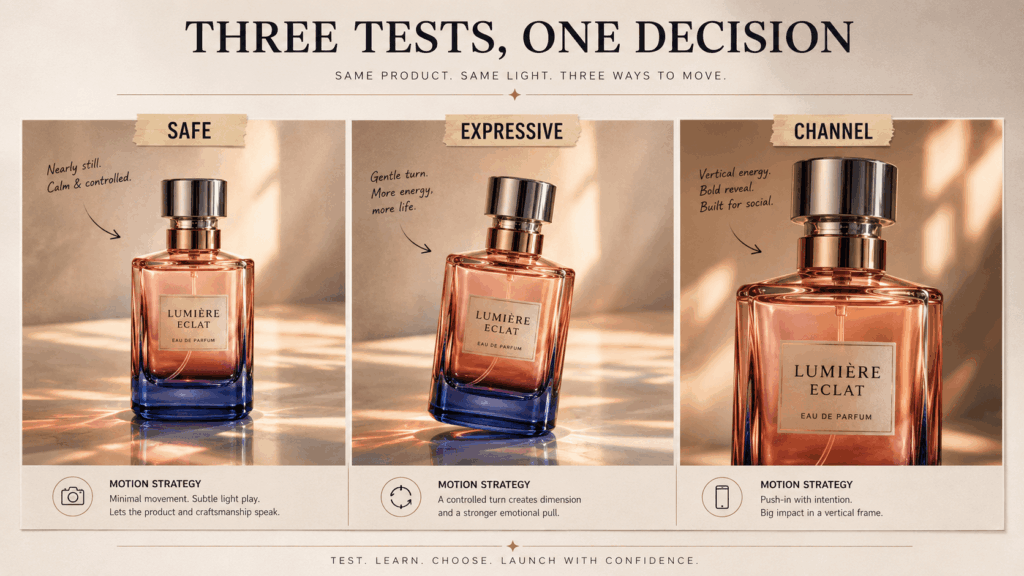
Create Three Image to Video AI Generator Tests
Twenty random versions create noise. Instead, make three tests with clear roles.
The Safe Test
The subject remains almost still. Meanwhile, the camera or light creates gentle motion.
This version checks basic stability. It also provides a low-risk option for product pages or website loops.
The Expressive Test
The subject performs one visible action. However, the movement should remain small enough to protect identity.
For example, a bottle can turn slightly. A model can lift her chin. Alternatively, a curtain can move while sunlight changes.
The Channel Test
This version starts with the final placement. Therefore, the opening, crop, and pace match one channel.
A vertical social clip may begin close and reveal the product quickly. By contrast, a wide website banner may use a slower side movement.
Review the Test With Better Questions
“Do you like it?” is not a useful review question. Instead, ask what the motion achieves.
What Does the Motion Reveal?
First, check whether the movement shows shape, texture, function, or mood.
If it reveals nothing, the effect may be decoration.
What Does the Motion Hide?
Next, look for lost details.
The label may disappear. The garment may lose its shape. Meanwhile, the face may become less natural.
Does the Pace Match the Channel?
A slow push can feel polished on a homepage. However, it may feel empty during the first second of a social ad.
On the other hand, a fast reveal may work on social media. Yet it may feel aggressive inside a calm luxury page.
What Must the Real Shoot Do Better?
Finally, turn problems into production notes.
The shoot may need:
- more space around the subject;
- a shorter camera path;
- stronger label lighting;
- less object rotation;
- a separate vertical setup;
- controlled fabric movement;
- a cleaner background;
- a clearer end frame.
As a result, the test becomes a useful planning asset.
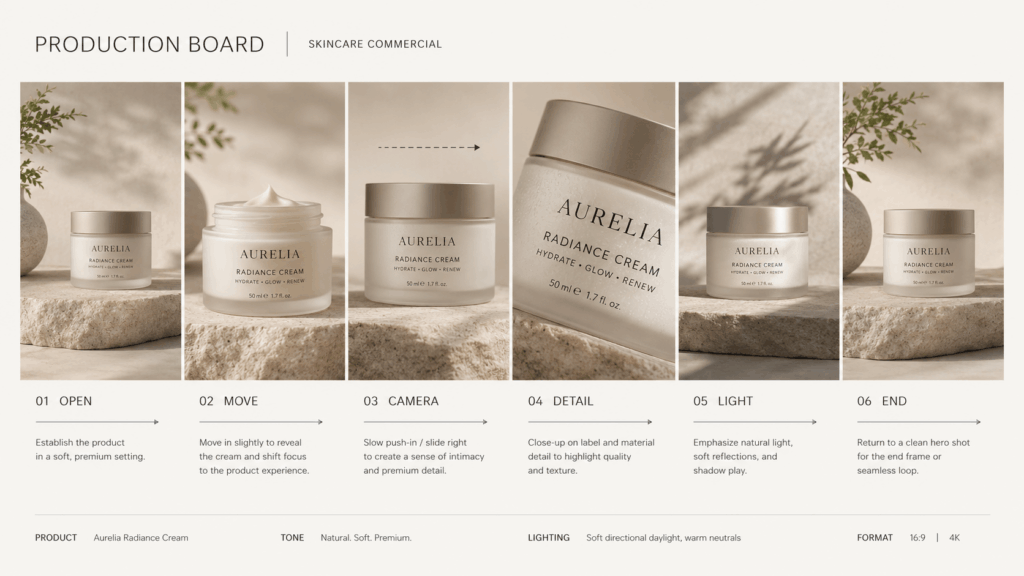
Turn the Winning Test Into a Production Board
Once the team chooses a direction, break it into six parts.
OPEN
Show the first frame. Also, confirm whether the subject appears fast enough.
MOVE
Name the main action. Keep it simple and measurable.
CAMERA
Mark the starting point, direction, and end point. Therefore, the crew can repeat the path.
DETAIL
List the label, face, fabric, or shape that must stay visible.
LIGHT
Explain whether the light stays fixed, shifts, brightens, or becomes warmer.
END
Choose a clean final frame. In addition, check whether it can cut or loop smoothly.
When the Test Can Become the Final Clip
Sometimes, the result is already good enough to publish. This is more likely when the movement is simple and the source image is strong.
For example, a short website loop may only need a moving reflection. A social teaser may work with one clean reveal.
In addition, a mood clip may not require exact real-world action.
However, a real shoot is still better for some ideas. Choose production or deeper editing when the content includes:
- exact product operation;
- detailed hand contact;
- several people interacting;
- dialogue and lip movement;
- legal or safety claims;
- several connected scenes;
- exact packaging text in every frame.
Therefore, use the test to choose the right production method. Do not force it to solve every video problem.
A Reusable Image to Video AI Generator Prompt Formula
Use this simple structure:
“Keep [protected details] unchanged. The [subject or element] performs [one movement]. The camera [one camera action]. Use [specific light] and [specific atmosphere]. The result should feel [two mood words]. Do not [main risks].”
Example:
“Keep the handbag shape, handles, stitching, logo, leather texture, and burgundy color unchanged. The bag stays still while one soft shadow moves across the background. The camera slides slowly from left to right. Use warm late-afternoon light and a quiet hotel mood. The result should feel polished and intimate. Do not rotate, bend, open, or redesign the bag.”
This formula separates identity from motion. As a result, the team can revise one choice at a time.
Common Pre-Shoot Testing Mistakes
The first mistake is changing too many details.
If every version uses a new camera, background, mood, and action, comparison becomes difficult.
Another mistake is testing beauty before risk. Therefore, start with the detail most likely to fail.
Teams may also treat the result as a guaranteed final preview. However, it is only an idea test.
Finally, some reviews focus on visual polish alone. Instead, ask whether the clip improves the production plan.
FAQ About the Image to Video AI Generator
Can an Image to Video AI Generator Replace a Storyboard?
It can support a storyboard, but it should not replace every planning tool. Use it to show motion, mood, and camera direction.
Does the Test Need to Look Perfect?
No. However, it should make the main creative decision clear.
How Many Versions Should a Team Create?
Start with three: safe, expressive, and channel-specific. Then create more only when a new version answers a clear question.
Can a Client Review the Test?
Yes. Still, label it as a motion study, concept test, or pre-production test.
What Source Image Works Best?
Choose an image close to the planned campaign. The subject, angle, light, and composition should already support the test.
Make the First Motion Decision Earlier
Campaigns rarely fail because teams lack style words. Instead, they fail when those words never become clear movement.
An Image to Video AI Generator can close that gap.
First, protect the subject. Next, choose one action and one camera path. Then test the biggest risk before production day.
As a result, the team arrives with fewer guesses. More importantly, the final shoot starts with a motion plan everyone can see.
Go to WeShop AI For Exploration: