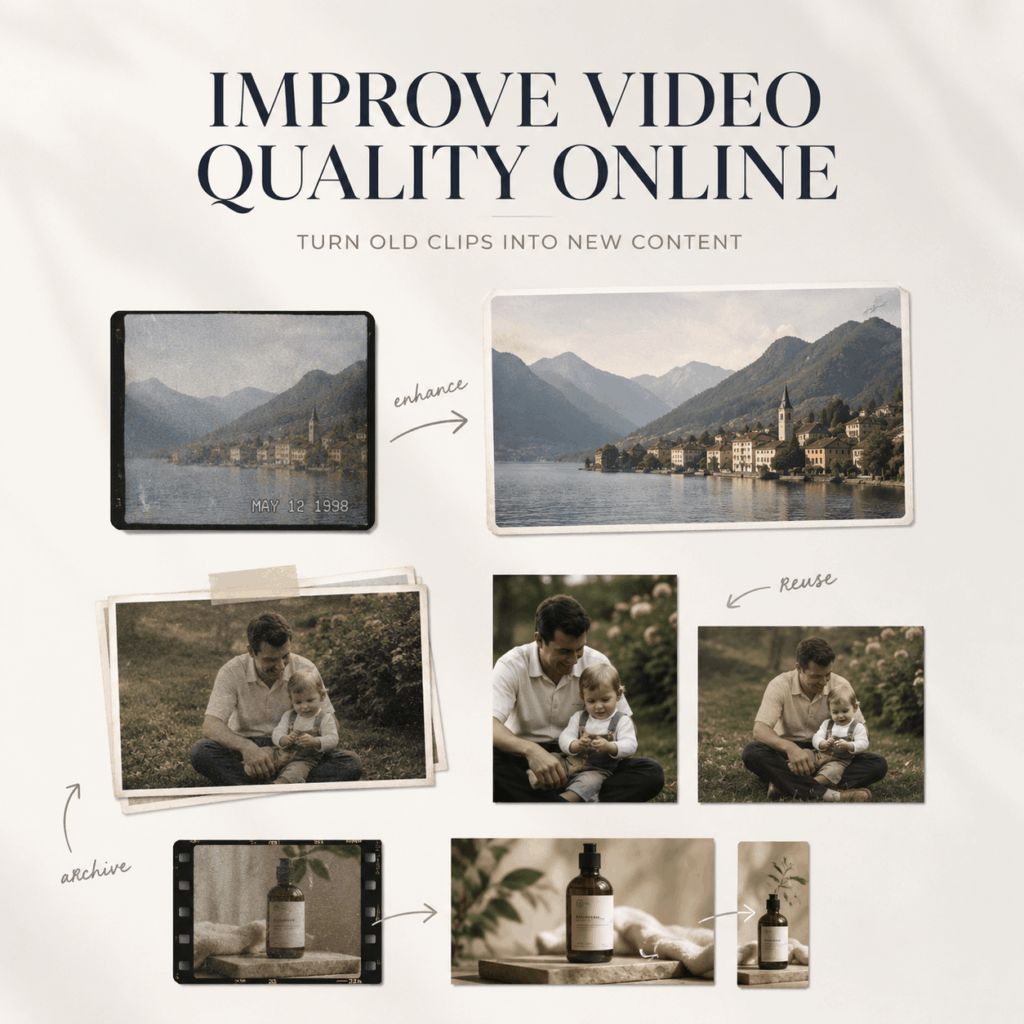
You can improve video quality online and give forgotten footage a second life. That matters because many clips are not truly useless. They are simply too dark, too soft, too compressed, or too small for the way you want to use them now.
A stronger content workflow does not begin with another camera session. Instead, it begins by reviewing what you already have. One useful video may become a new reel, a product detail clip, a family memory, a portfolio moment, or a background shot for a larger story.
Therefore, before you delete an old folder or plan another shoot, look for footage with good content but weak presentation. The scene may already be worth keeping.
The Hidden Value Inside Your Old Video Folder
Most people judge footage by its current appearance. However, content value and image quality are not the same thing.
A clip may contain a genuine reaction, a useful demonstration, a rare travel moment, or a product angle that would be difficult to repeat. Although the file looks dated, the action inside it may still be relevant.
That difference creates an important rule: do not ask only, “Is this video beautiful?” Also ask, “Does this video contain something difficult to capture again?”
If the answer is yes, enhancement may be more useful than reshooting.
Improve Video Quality Online Before Creating More Content
Reshooting sounds simple. In practice, it may require the same location, lighting, people, products, timing, and mood. Even a small product clip can involve setup, cleaning, styling, and several failed takes.
By contrast, an online enhancement workflow starts with an existing file. The WeShop AI Video Enhancer supports browser-based processing for common files such as MP4 and MOV. It is designed to improve clarity, reduce blur and noise, adjust weak lighting, and upscale footage to 1080p or 4K.
As a result, you can test the value of a clip before investing in a new production.
The Best Candidates for Reuse
Look for videos with one or more of these strengths:
- The subject is clear, even if the image is soft.
- The movement is useful and easy to understand.
- The moment would be hard to recreate.
- The product, person, or location is still relevant.
- The framing leaves room for cropping or captions.
- The clip supports a larger story.
Meanwhile, avoid forcing every file into the reuse pile. A video with no clear subject, severe camera shake, or fully blocked details may not be worth additional work.
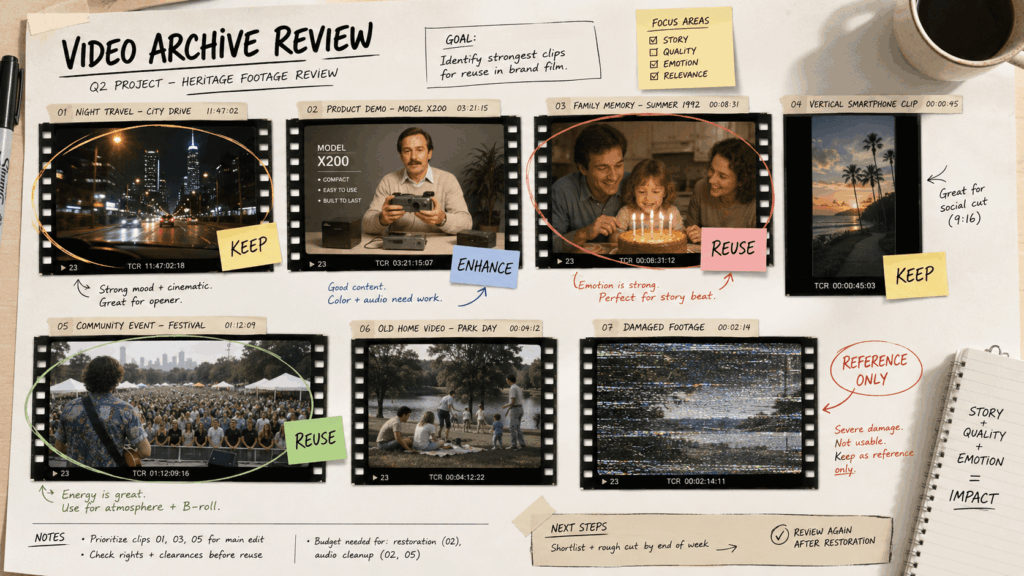
Build a Three-Level Video Rescue Library
Instead of keeping one messy folder, sort your footage by future potential. This makes enhancement faster because you know which clips deserve attention first.
Level 1: Ready After a Light Cleanup
These videos already have clear subjects and stable movement. However, they may need better brightness, lower noise, or a small resolution increase.
Use them for quick social posts, background shots, or personal collections.
Level 2: Valuable but Visibly Dated
These clips have strong content but weak resolution, compression, or older color. Therefore, they may benefit from more careful enhancement and a shorter final edit.
Use them for throwback stories, travel recaps, brand history, tutorials, or memory projects.
Level 3: Reference Only
Some files are meaningful but too damaged for public use. Still, they can guide a new shoot, support a script, or remind you of an important sequence.
Keep them, but do not expect enhancement to restore information that the camera never captured.
Five Ways to Reuse One Enhanced Video
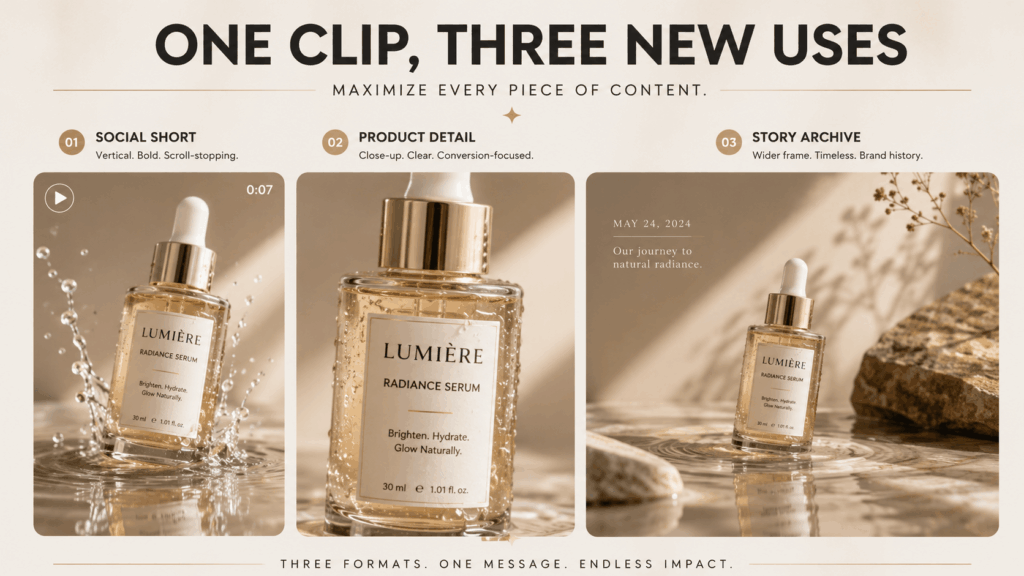
The strongest reason to improve video quality online is not only to make a clip look better. It is to increase the number of useful roles that clip can play.
1. Turn a Horizontal Clip into Short Social Moments
A long horizontal video may contain several short vertical moments. First, enhance the clean source. Then crop around the strongest action and add captions only after the image is ready.
This order matters. If you crop first, you reduce the number of pixels available for enhancement.
2. Refresh an Old Product Demonstration
A previous product video may show the right function but look weak beside newer content. Instead of filming the same action again, improve the clarity and reuse the best few seconds.
For example, a close-up of texture, movement, packaging, or use can become a product page clip, a social post, or part of a comparison video.
3. Rebuild a Travel Story from Mixed Cameras
Travel folders often combine phone footage, older cameras, downloaded clips, and videos recorded at night. Consequently, the final edit may feel inconsistent.
Enhancement can help create a more balanced visual baseline. It will not make every camera identical. However, cleaner detail and more controlled brightness can make the sequence feel less fragmented.
4. Preserve Personal Videos Before They Age Further
Digital files are easy to ignore because they do not visibly fade like printed photos. Yet storage can fail, formats can become inconvenient, and original files can disappear during device changes.
Therefore, select meaningful videos, keep the originals, and create enhanced viewing copies. This gives you a practical archive without replacing the source.
5. Use Old Footage as a Creative Layer
Not every clip needs to become the main scene. An enhanced video can work as a background, opening detail, memory flash, cutaway, texture, or transition.
For instance, a two-second street shot may support a voice-over. A product close-up may sit behind a headline. A family clip may become part of a birthday montage.
A Better Order for Improving and Repurposing Video
A simple order protects quality and saves time.
Step 1: Find the Original
Start with the earliest file. Avoid using a version downloaded from a social platform when the camera original still exists.
Step 2: Decide the New Purpose
Choose one destination before enhancing. Is the clip for a phone screen, product page, presentation, archive, or large display?
This decision helps you choose a sensible resolution and crop.
Step 3: Improve Video Quality Online
Upload a short test or the clean source. Then review clarity, color, noise, and motion. The WeShop tool can process common video formats online and offers enhancement up to 1080p or 4K. ew0
Step 4: Edit the Story
After enhancement, cut pauses, choose the strongest moment, and arrange the footage. Next, add text, graphics, music, or voice-over.
Step 5: Export for the Real Platform
Do not create one huge file for every use. Instead, export the aspect ratio, length, and resolution needed for the destination.
Finally, save the original, enhanced master, and published version separately.
Improve Video Quality Online Without Making It Look Artificial
A cleaner video should still feel like the same moment. Therefore, restraint is part of the process.
Protect Faces and Hands
These areas reveal unnatural reconstruction quickly. Check eyes, teeth, fingers, hairlines, and fast movement before publishing.
Protect Product Truth
For products, inspect labels, logos, seams, patterns, colors, and proportions. Enhancement should improve visibility without changing what the item actually looks like.
Protect the Mood
A night scene does not need to look like midday. Likewise, an old family video does not need the sharpness of a modern commercial.
Sometimes the texture of the original is part of its meaning. Improve readability, but keep the character of the footage.
When Reshooting Is Still the Better Choice
Enhancement is useful, but it should not become an excuse to save every weak clip.
Reshoot when the product information is incorrect, the subject is hidden, the action is confusing, or exact details cannot be verified. Also, reshoot when the old footage no longer matches your message.
For example, a product may have changed. A tutorial may use an outdated interface. A location may no longer represent the experience you want to show.
In those cases, better quality cannot solve a content problem.
A Practical Reuse Checklist
Before you enhance an old clip, check the following:
- Does the video contain a useful or meaningful moment?
- Is the original file available?
- Can the main subject still be identified?
- Will better clarity support a specific new use?
- Can important details be checked after processing?
- Is the clip easier to reuse than to reshoot?
When most answers are yes, the video deserves a test.
Frequently Asked Questions About Improving Video Quality Online
Can I Improve Video Quality Online Without Editing Experience?
Yes. Browser-based enhancement tools are built to reduce manual work. Usually, you upload a file, process it, compare the result, and export the version you prefer.
Should I Upscale Every Old Video to 4K?
No. Choose resolution based on the final use. For example, 1080p may be enough for everyday social content. In contrast, 4K can be useful for larger displays or future cropping.
Can Online Enhancement Remove All Blur?
It can reduce some visible blur and rebuild edge detail. However, severe motion blur or missed focus may remain. Therefore, test difficult sections before processing a long file.
Is It Better to Crop Before or After Enhancement?
In general, enhance the clean source first. Then crop for the destination. This keeps more source information available during processing.
Can I Use the Same Enhanced Master for Several Platforms?
Yes. Create one clean enhanced master, and then export separate versions for each format. This approach is more efficient than enhancing several compressed platform copies.
Final Thoughts: Create More Value, Not More Footage
More content does not always require more filming. Sometimes the strongest next post, product detail, memory video, or creative sequence is already stored on your device.
First, find the clips with real content value. Then improve their presentation. Finally, reshape them for a clear new purpose.
When you improve video quality online with that mindset, enhancement becomes part of a smarter content system. You stop treating every weak file as waste. Instead, you turn the right footage into a reusable asset.
Go to WeShop AI For Exploration: