An Image to Video AI Generator can make almost any photo move. However, motion alone does not make a good video.
A family portrait may blink in a strange way. A product label may change halfway through the clip. A calm travel photo may also get a wild camera spin.
Therefore, the real goal is simple. You need motion that feels natural. You also need the main subject to stay clear.
This guide compares WeShop AI, Runway, Kling AI, Adobe Firefly, Luma Dream Machine, and Pika. It uses official product details and public user comments.
Still, this is not a lab test. I did not use one photo across all six tools. For that reason, features and user views are kept separate.

Why Image to Video AI Needs Better Ideas
AI video tools are now easy to find. As a result, more people can turn photos into short clips.
However, social sites are watching low-effort AI content more closely. YouTube has rules for repeated or mass-made content. It also asks creators to label some realistic AI videos.
TikTok has added more AI labels as well.
Therefore, a moving photo is not enough. The clip still needs a clear idea. It also needs a reason to exist.
For example, a random zoom may get one quick view. Yet a warm family moment may hold attention longer.
In the same way, a clear product demo may be more useful than a large effect.
The best Image to Video AI Generator is not always the biggest tool. Instead, it should fit your photo, goal, and budget.
What Real Image to Video Users Care About
Cost is a major concern. However, users do not only care about one generation.
They care about how many tries it takes to get one good result.
In one Reddit post, a creator looked for a low-cost product video tool. The creator expected several failed tries.
Therefore, even 720p and a short clip felt fine. The main goal was to avoid wasting all monthly credits.
This point is important. A cheap test can become costly after many retries.
For example, the product may change shape. The logo may blur. The hands may look wrong. The last frame may also break.
Therefore, compare the cost of one usable video. Do not only compare the cost of one generation.
Another Reddit user liked Runway Gen-4.5 for camera control. However, the same user felt that some partner models worked better on their own sites.
This is only one user view. Still, it shows why model lists are not enough. You need to check the final clip.
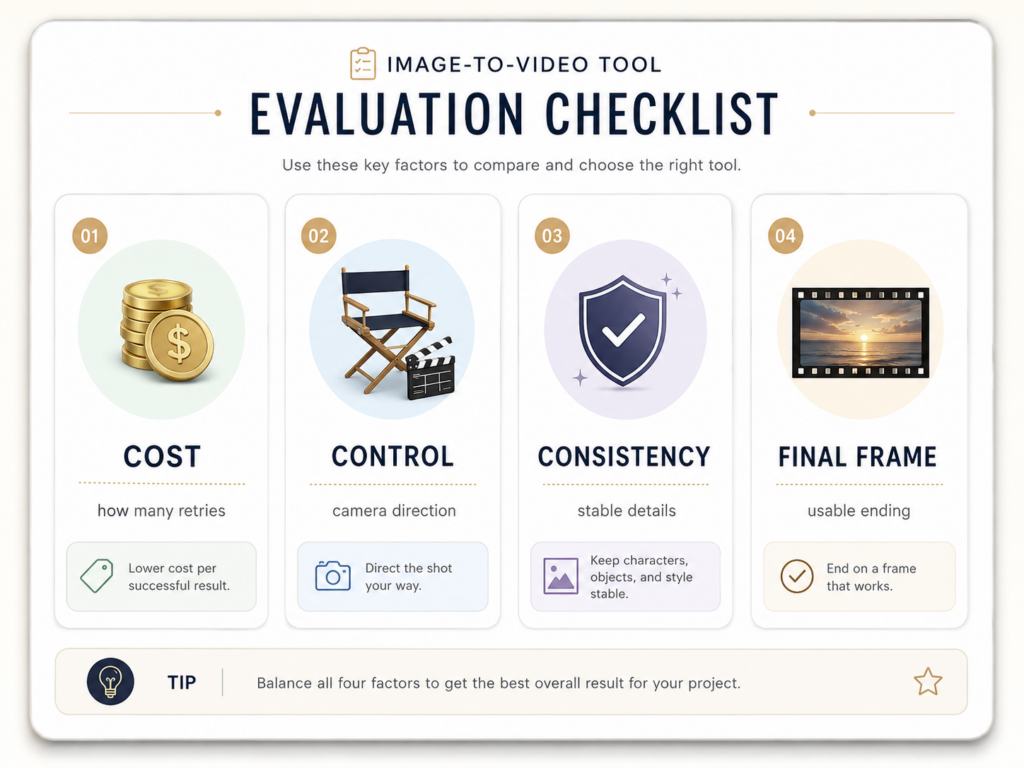
Image to Video AI Generator Comparison
| Platform | Main Features | Best For | Honest Limit |
|---|---|---|---|
| WeShop AI | Several models, prompt-based motion, products, portraits, logos, and social sizes | New users, sellers, families, artists, and marketers | Few independent reviews focus on this exact tool |
| Runway | Gen-4.5, camera control, prompt control, and editing tools | Film work, ads, and planned shots | Many tests can use credits fast |
| Kling AI | Longer clips, native audio, subject references, and several shots | Ads, dialogue, brand scenes, and short stories | Longer clips can create more errors |
| Adobe Firefly | Image-to-video, camera tools, keyframes, and Adobe editing | Designers and Adobe users | It may feel too large for one quick clip |
| Luma Dream Machine | Film-like motion, subject hold, 1080p work, and mood effects | Travel, art, landscapes, and concept videos | Recent public reviews are still limited |
| Pika | Image-to-video, social effects, object changes, and audio-led faces | Memes, pets, talking photos, and fun posts | It may be less safe for exact product details |
WeShop Image to Video AI Generator
WeShop gives users access to several video models. It also supports many types of motion.
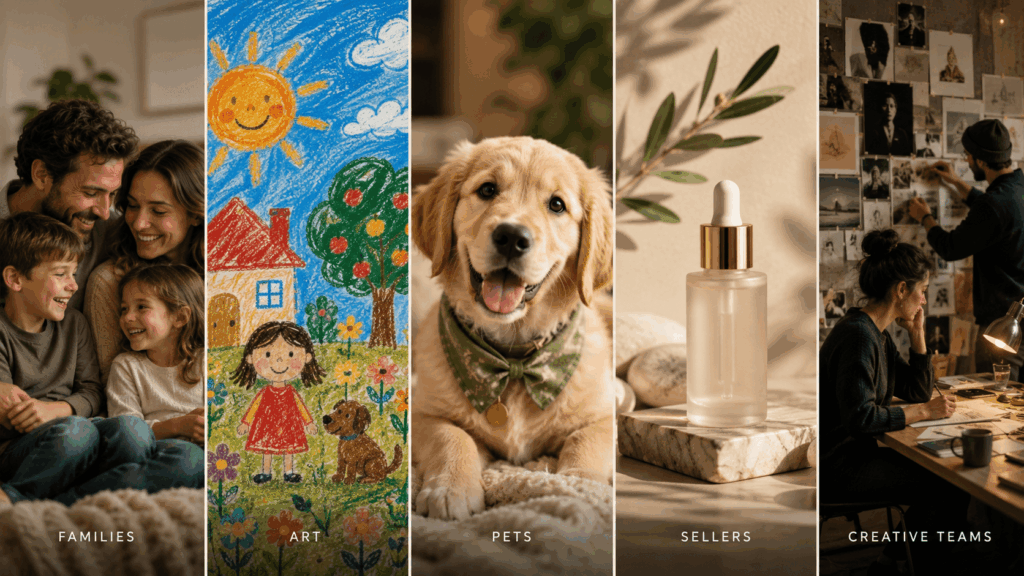
For example, users can animate products, portraits, logos, art, pets, and family photos.
Its main strength is ease of use. A new user does not need to open many model sites.
Instead, one image and one short prompt can start the process.
This setup can help many people. For example, a seller can animate a skincare bottle. A parent can bring a child’s drawing to life.
An artist can also add soft motion to an image.
However, there is one clear limit. I could not find enough independent reviews for this exact WeShop tool.
The reviews on the tool page are first-party quotes. Also, wider review pages have little feedback about this feature.
Therefore, it would be wrong to claim strong public proof.
The safer view is simple. WeShop looks easy and broad. However, users should still test it with their own images.

Runway Image to Video AI
Runway is made for users who want more control. Its tools help users plan motion and camera moves.
Therefore, Runway works well when the shot is already clear.
For example, you can ask for a slow push-in. You can also guide a person toward a window.
In addition, you can add soft curtain motion.
This can help film teams and ad teams. However, many users talk about credit use.
Several short tests can become costly.
One Reddit user praised the camera control. Still, the same user had mixed views about partner models inside Runway.
That comment is not proof for every case. Even so, it supports one useful rule: test before you scale.
Kling AI Image to Video
Kling supports longer clips and native audio. It also supports more than one shot and subject references.
Therefore, Kling can suit longer ads and short stories.
For example, a product can stay on screen while the camera angle changes. A person can also appear in linked shots.
However, longer clips create more risk.
A face may change after several seconds. A product may also lose its shape near the end.
Some Reddit users like Kling’s motion and clip length. On the other hand, others mention cost and weak end frames.
These are personal reports. Therefore, check the full clip before you keep it.
Adobe Firefly Image to Video
Adobe Firefly can make video from an image and a prompt. It also offers camera tools, keyframes, partner models, and editing features.
As a result, Firefly fits people who already use Adobe apps.
A designer can make a clip and edit it in the same workflow. In addition, a team can add sound, text, and other assets.
However, this may be too much for a simple task.
For example, a user may only want to animate one pet photo.
Adobe says its own Firefly models are made with paid work in mind. Still, partner models may have different terms.
Therefore, users should check the rules for the exact model they pick.
Luma Dream Machine Image to Video
Luma Dream Machine is known for film-like motion. It can add depth, light, fog, and soft camera moves.
Therefore, it can fit travel photos, art, landscapes, and mood scenes.
For example, clouds can move over a mountain. Light can also shift across a portrait.
However, I found fewer recent public reviews of its newer versions. Most easy-to-find details came from official posts.
Therefore, test the latest model with your own image. Do not trust a launch claim on its own.
Pika Image to Video
Pika focuses on quick and playful social content. It offers image-to-video, object changes, scene effects, and audio-led face motion.
Therefore, Pika is a good fit for simple fun.
A pet can sing. A cake can burst into flowers. A portrait can also react to music.
However, its effect-led style may not fit every brand.
A bottle label or small logo may need tighter control.
This is a practical view based on Pika’s feature focus. It is not a test result.
Therefore, product sellers should run a short test first.

Which Image to Video AI Generator Fits You?
For Families
Use soft motion. For example, add one blink, light breathing, and a slow camera push.
Prompt:
“Gentle breathing, one soft blink, slight hair movement, warm light, fixed camera, keep all face details.”
For Children and Artists
Keep the art style. For example, a crayon drawing should still look like crayon.
Prompt:
“Keep the original crayon lines and colors. The rocket rises slowly. The stars gently shine. Use a fixed camera.”
For Pet Owners
Choose one small act. For example, a dog can tilt its head. A cat can blink.
Prompt:
“The dog lifts its ears and tilts its head. Keep the fur natural. Keep the background still.”
For Online Sellers
Protect the product first. Therefore, name each detail that must stay the same.
Prompt:
“Keep the bottle, logo, label, cap, colors, and shape unchanged. Add a slow camera push and soft studio light.”
For Film and Design Teams
Choose stronger camera tools.
Runway can help with planned shots. Meanwhile, Firefly can suit Adobe users.
Kling can help with longer scenes. Luma can add mood and depth.
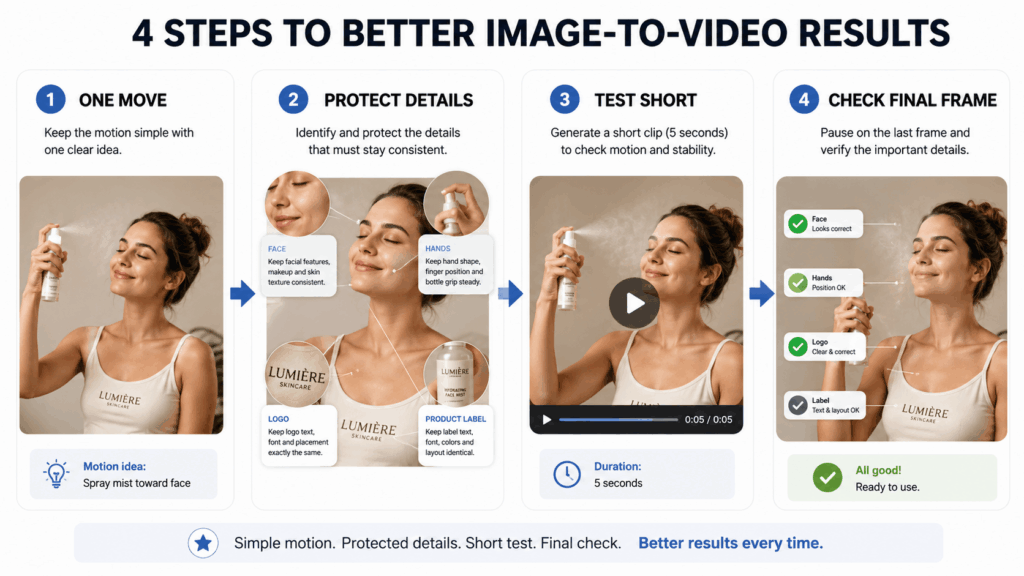
How to Get Better Image to Video Results
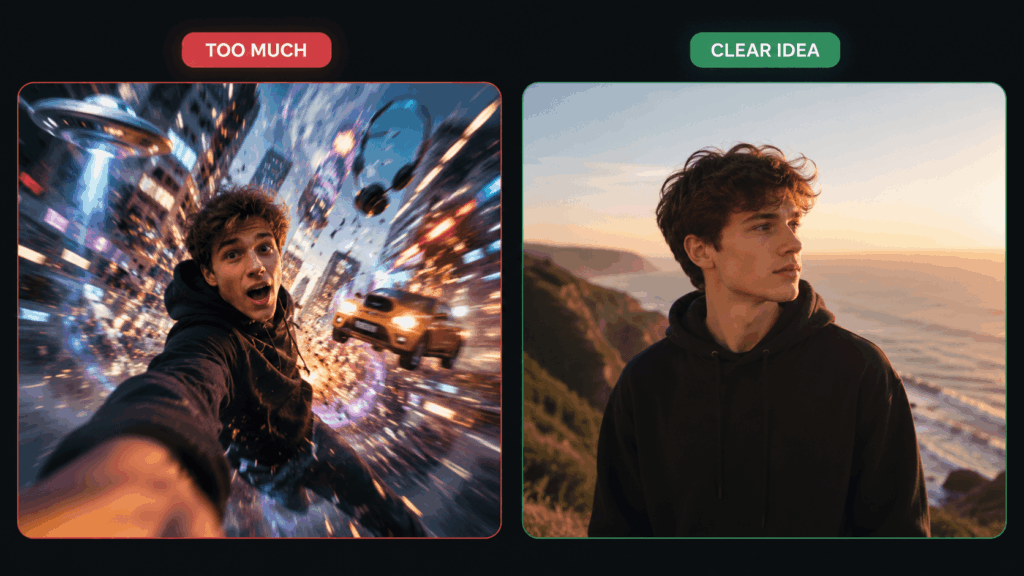
Start With One Main Move
First, choose one action.
Do not ask for a smile, wave, spin, zoom, and outfit change at once.
Instead, use one main move. Then, add one small detail.
Say What Must Stay the Same
Next, protect key parts of the image.
For example, name the face, hands, logo, label, clothes, or product shape.
This step can reduce unwanted changes. However, it cannot remove all errors.
Make a Short Test
Then, start with a short clip.
A quick test can show if the tool understands the idea.
As a result, you can fix the prompt before you spend more credits.
Check the Last Second
Finally, watch the full video. Pause near the end.
Some clips look good at first. However, the face or label may change later.
Should You Label AI Videos?
In many cases, yes.
YouTube asks for labels on some realistic AI content. TikTok also uses AI labels.
Therefore, realistic videos of people or real events may need clear notes.
A cartoon effect may be different. Still, clear labels can build trust.
Frequently Asked Questions
What Is the Best Image to Video AI Generator?
There is no one best tool.
WeShop is easy to start with. Runway gives more camera control. Kling supports longer scenes.
Meanwhile, Firefly fits Adobe work. Luma adds mood. Pika is strong for fun social clips.
Can I Animate an Old Family Photo?
Yes. However, keep the motion small.
Do not change the face, age, clothes, or mood too much.
Can I Make a Product Ad From One Image?
Yes. For example, one product photo can become a short ad or store clip.
Still, the prompt should protect the shape, color, logo, and label.
Why Do AI Videos Need More Than One Try?
The tool has to guess how the image should move. Therefore, it may get the body, object, or camera wrong.
A clear image can help. A short prompt can also help.
However, no tool can promise a perfect first try.
Can I Use the Video for Paid Work?
It depends on the tool, model, plan, source image, music, and final use.
Therefore, check the terms first. Also, use images that you own or can use.
The Honest Verdict
There is no perfect Image to Video AI Generator for every person.
WeShop offers a simple way to try several models. Runway is useful for planned camera work.
Kling supports longer scenes. Firefly links video work with Adobe tools.
Meanwhile, Luma adds film-like mood. Pika works well for quick and playful ideas.
However, the tool is only one part of the result.
A clear photo helps. A short prompt helps. One natural move also helps.
Therefore, do not ask the tool to change everything. Give the photo one clear next moment.
Go to WeShop AI For Exploration: