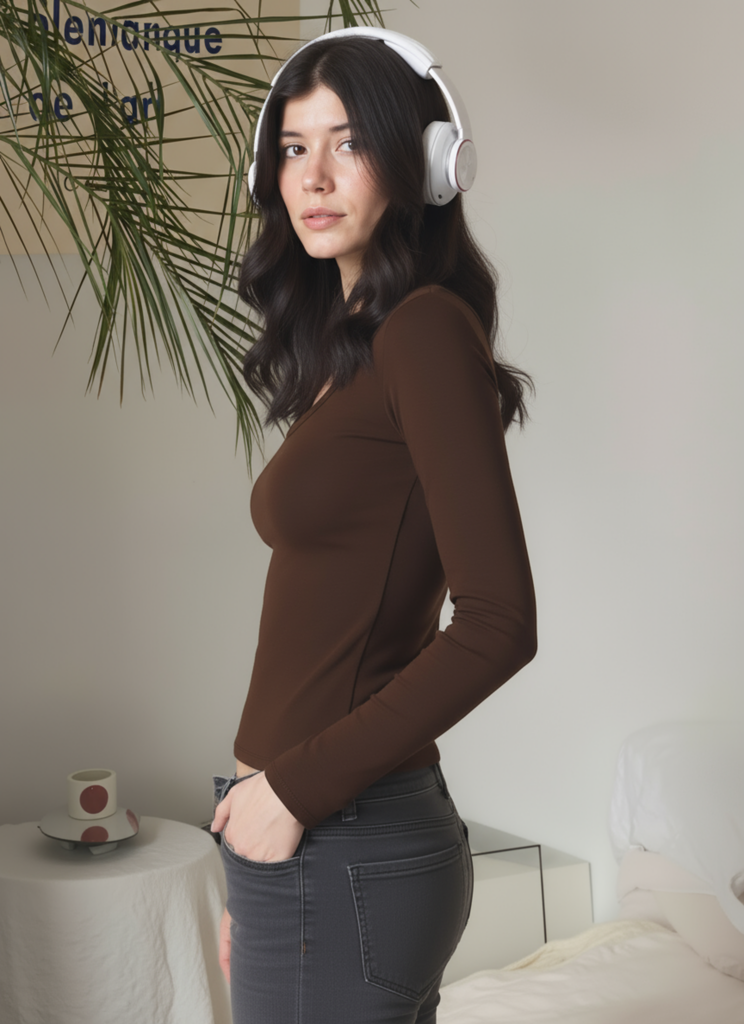
An Interactive Product Video can transform a simple product image into an engaging shopping experience. Instead of showing a static product photo, brands can use AI to create reveal animations, cursor movements, and dynamic product showcases that capture customer attention.
Static product images are everywhere in ecommerce. However, a simple product photo is often not enough to capture attention. Therefore, brands are exploring new ways to create more engaging visual experiences.
Today, brands are searching for more creative ways to present products. An Interactive Product Video can transform a regular image into an engaging visual experience where viewers feel like they are exploring the product.
Instead of showing every detail immediately, an interactive reveal effect creates curiosity. A hidden product, a moving cursor, and a smooth reveal animation can make product content feel more dynamic and memorable.
Fortunately, with AI video tools, creating this type of product animation is now easier than ever. As a result, brands can produce more creative product content without complicated workflows.You do not need advanced animation skills or complicated editing software. In this guide, we will show you how to create an Interactive Product Video step by step with WeShop AI.
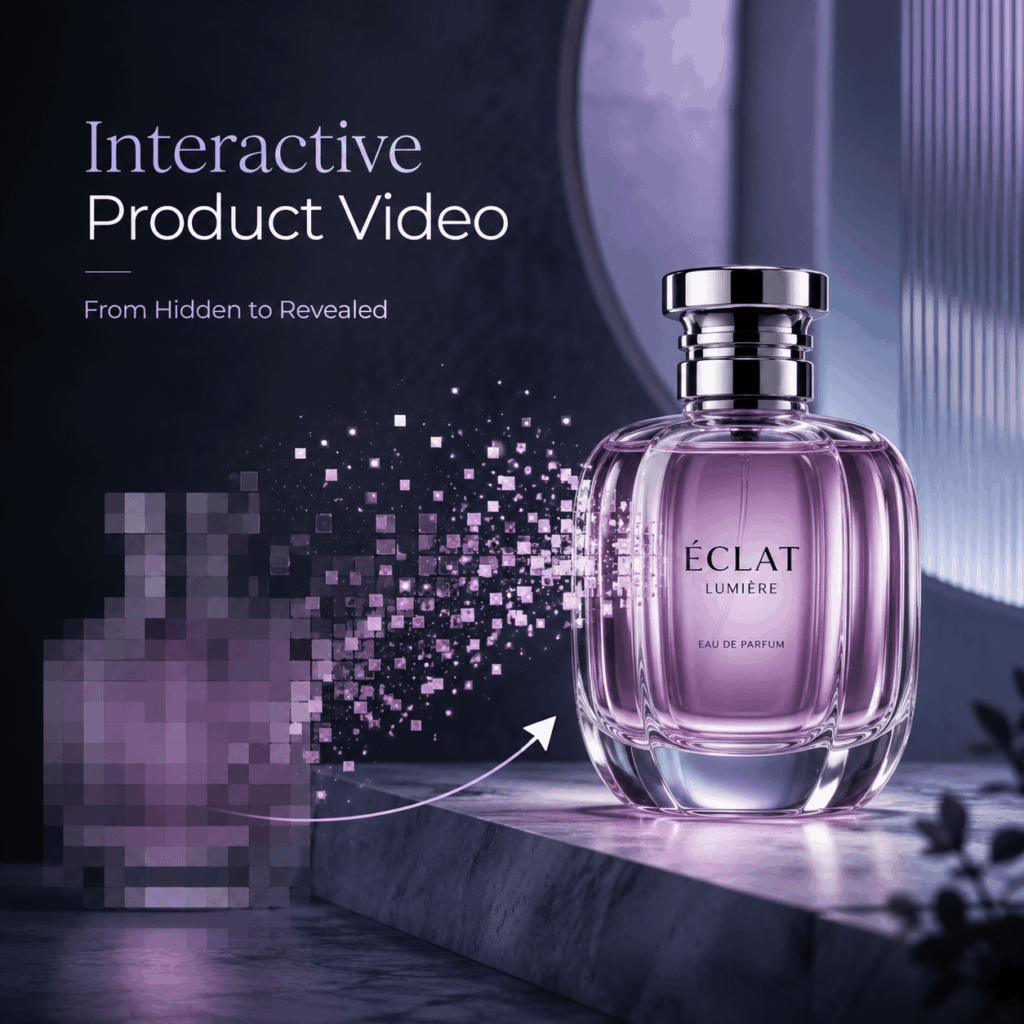
What Is an Interactive Product Video?
An Interactive Product Video is a product-focused video that uses movement and reveal effects to create a more engaging viewing experience.
Unlike traditional product photography, which only shows a finished image, this format adds a sense of discovery. For example, a product can start hidden behind a pixelated mosaic effect. Then, a cursor moves across the screen, and the product details gradually appear.
Although the final result is not a real website interaction, it creates the visual feeling of a modern ecommerce experience.
This style works especially well for:
- Ecommerce product showcases
- Social media advertisements
- Product launch campaigns
- Landing page visuals
- Brand storytelling content
By adding motion and curiosity, brands can make simple product images more interesting.
Why Create an Interactive Product Video for Ecommerce?
Traditional product images are still important. However, customers now see thousands of product visuals every day. Therefore, brands need new ways to attract attention.Because of this, brands need new ways to attract attention.
An Interactive Product Video helps transform a simple product image into a more memorable experience.
Create Curiosity Before Showing the Product
A reveal effect encourages viewers to keep watching.
Instead of immediately displaying the full product, the hidden-to-visible transition creates anticipation. This small change can make a product introduction feel more exciting.
Guide Attention Toward Product Details
A well-designed reveal animation can highlight important elements, such as:
- Product texture
- Material quality
- Brand logo
- Unique design features
As a result, viewers can focus on the details that make the product valuable.
Make Product Content More Memorable
Many ecommerce brands use similar product photos. A creative reveal animation can help your content stand out.
A simple product image becomes a marketing asset that feels more interactive and premium.
How to Create an Interactive Product Video with WeShop AI
Creating this type of product reveal video with WeShop AI only requires a few simple steps.
Step 1: Prepare Your Product Image
The first step is choosing a high-quality product image.
A good source image should include:
- Clear product shape
- Visible product details
- Simple background
- Balanced lighting
- High image quality
Products such as fashion accessories, beauty items, electronics, and lifestyle products usually work well.
Next, create the starting visual effect. Add a pixelated mosaic or blur layer over the product area to create a hidden product preview.
The visual sequence should feel like:
Hidden product → Reveal moment → Complete product showcase
This gives AI a clear transformation direction.
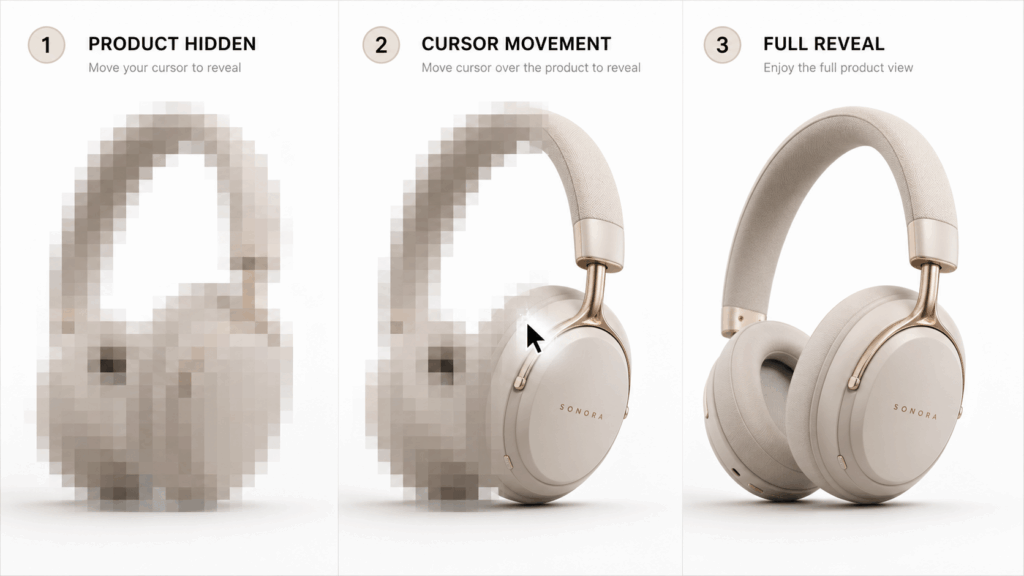
Image Prompt:
Create a clean horizontal three-step ecommerce animation storyboard. Show the same product in three stages: PRODUCT HIDDEN with a pixelated mosaic cover, CURSOR MOVEMENT with a mouse cursor approaching, and FULL REVEAL with the complete product visible. Keep the product identical across all stages. Modern ecommerce visual design, English text only, 16:9.Step 2: Upload Your Image to WeShop Image to Video AI Generator
Upload your product image to WeShop Image to Video AI Generator.
The tool will use your image as the starting frame. Then, it will create a short video based on your prompt.
At this stage, focus on three key instructions:
- Define the movement you want to add
- Describe the effects you want to remove
- Protect the details that must stay the same
Simple instructions usually create better results.
Step 3: Write an Interactive Product Video Prompt
Do not only write “create a product video”.
Instead, explain the full process.
Tell AI:
- What happens first
- What moves in the scene
- How the product should appear at the end
For example:
Create an interactive product reveal animation. Start with the product covered by a pixelated mosaic effect. A mouse cursor moves across the screen. The mosaic disappears and reveals the clear product. Keep the product shape, color, texture, and logo unchanged.This prompt explains three important parts:
Starting State
The product begins hidden with a mosaic effect.
Movement
The cursor creates the reveal action.
Final Result
The product becomes fully visible.
This structure helps generate a more consistent video result.
Step 4: Protect Product Details During Generation
For ecommerce content, product accuracy is extremely important.
AI-generated videos may sometimes change product colors, shapes, or textures. Therefore, add protection instructions.
For example:
Keep the original product identity unchanged. Do not modify the product design, color, material, logo, or shape.This ensures the final Interactive Product Video still represents the real product.
A successful product video should improve presentation without changing important product information.
Step 5: Review and Optimize the Generated Video
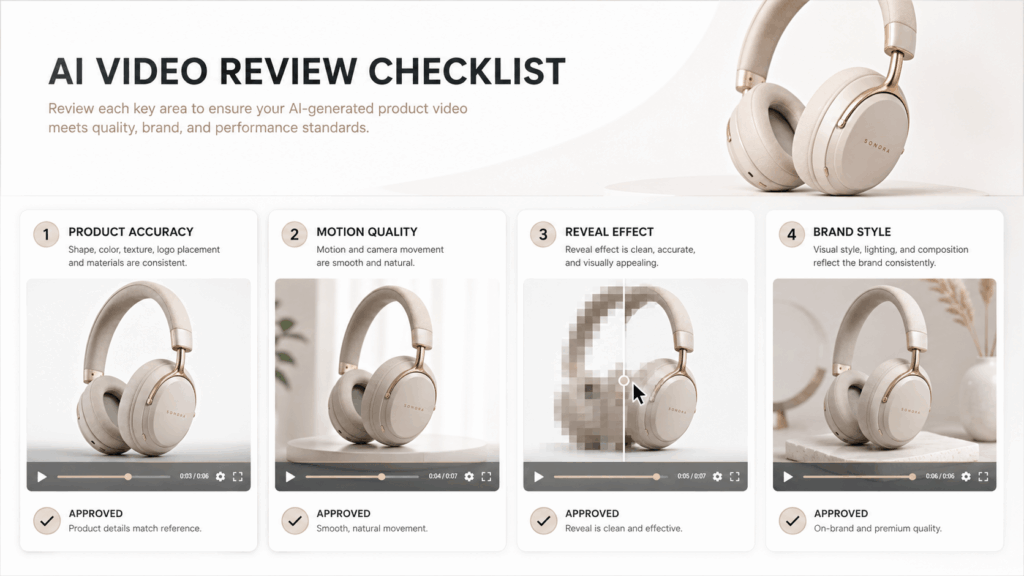
After generating your video, check several important elements.
Product Accuracy
Make sure the product remains consistent throughout the video.
Motion Quality
Check whether the cursor movement looks smooth and natural.
Reveal Effect
Make sure the mosaic disappears gradually instead of changing suddenly.
Brand Style
Confirm that the final video matches your ecommerce style.
If the result is not perfect, adjust your prompt and try again. Small changes in wording can create different visual results.
Interactive Product Video Ideas for Different Industries
Different industries can use reveal-style videos to create stronger product experiences.
Interactive Product Videos for Fashion Products
Fashion brands can use interactive reveals to highlight:
- Fabric texture
- Clothing details
- Color options
- Design features
A hidden-to-visible transition can make a new collection launch more attractive.
Interactive Product Videos for Beauty Products
Beauty brands can reveal:
- Premium packaging
- Product texture
- Bottle details
- Brand elements
This works especially well for luxury skincare and cosmetic campaigns.
Interactive Product Videos for Electronics Products
Technology brands can showcase:
- Product materials
- Screen details
- Functional features
- Design elements
The reveal effect can create a stronger first impression.
Interactive Product Videos for Social Media Marketing
Short interactive product videos are also suitable for:
- Instagram Reels
- TikTok videos
- Product advertisements
- Online store campaigns
Because the first few seconds create curiosity, viewers are more likely to continue watching.
Create Better Ecommerce Experiences with Interactive Product Videos
Product content is changing quickly. Therefore, brands need more creative ways to present products.
Customers no longer only want to see a product. They want a more engaging shopping experience.
An Interactive Product Video provides a simple way to transform static images into dynamic marketing content.
Moreover, with WeShop AI, brands can explore creative product reveal effects without complex animation workflows. As a result, a simple product image can become a more memorable marketing experience.
The future of ecommerce visuals is not only about showing products. It is about creating better experiences around them.
Ready to transform your product images into engaging videos? Try WeShop AI and create your own Interactive Product Video today.
Go to WeShop AI For Exploration: