

An AI Product Video Generator can turn one product image into many useful video assets. For example, one image can support a product page, a social post, an ad, or a launch campaign.
However, many brands still create product videos one at a time. First, they select an image. Then, they add motion. Finally, they export the video and start again.
This process can create good results. Still, it is hard to repeat. It also wastes strong product images.
Instead, brands should ask a better question:
How many marketing assets can one product image create?
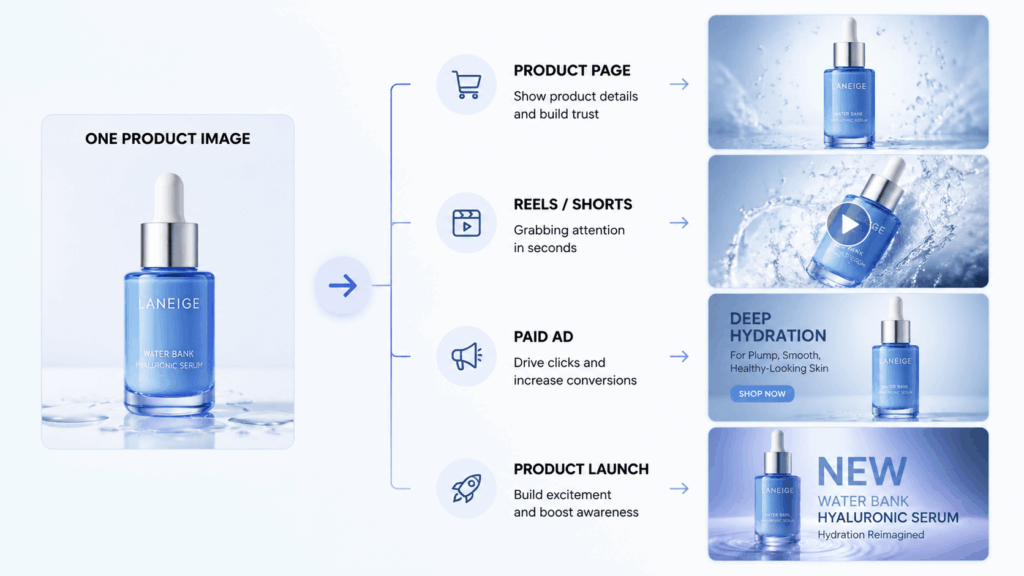
Why Brands Need an AI Product Video Generator System
Today, one product may appear on many channels.
For example, a brand may need:
- A clear product page video
- A vertical social media clip
- A fast TikTok video
- Several paid ad versions
- A polished launch visual
- A short website loop
Traditionally, each asset needs more shooting or editing. As a result, production becomes slow. It can also become expensive.
Meanwhile, most brands already own useful images. They may have studio photos, model photos, lifestyle images, or campaign visuals.
Therefore, the answer is not always another photo shoot.
Instead, brands can reuse the images they already have.
An AI Product Video Generator Is More Than an Effects Tool
An AI Product Video Generator should not only make products move.
Instead, it should support a larger content plan.
A simple product video system has three parts:
- The source image
- The motion idea
- The final channel
Start With a Clear Source Image
First, choose a strong product image.
It may be:
- A white-background product photo
- A model wearing the product
- A lifestyle campaign image
- A packaging close-up
- A styled product scene
The product should be easy to see. Therefore, its shape, color, logo, and label should remain clear.
However, weak images may create weak videos. For example, blurred edges can become unstable. Hidden labels may also change during motion.
So, always check the source image first.
Choose One Main Motion
Next, decide what should move.
The movement may come from:
- The camera
- The product
- The model
- The background
- Light, water, fabric, or shadows
However, more movement does not always look better.
In fact, one clear action often looks more premium. It is also easier to control.
Plan the Final Channel
Finally, decide where the video will appear.
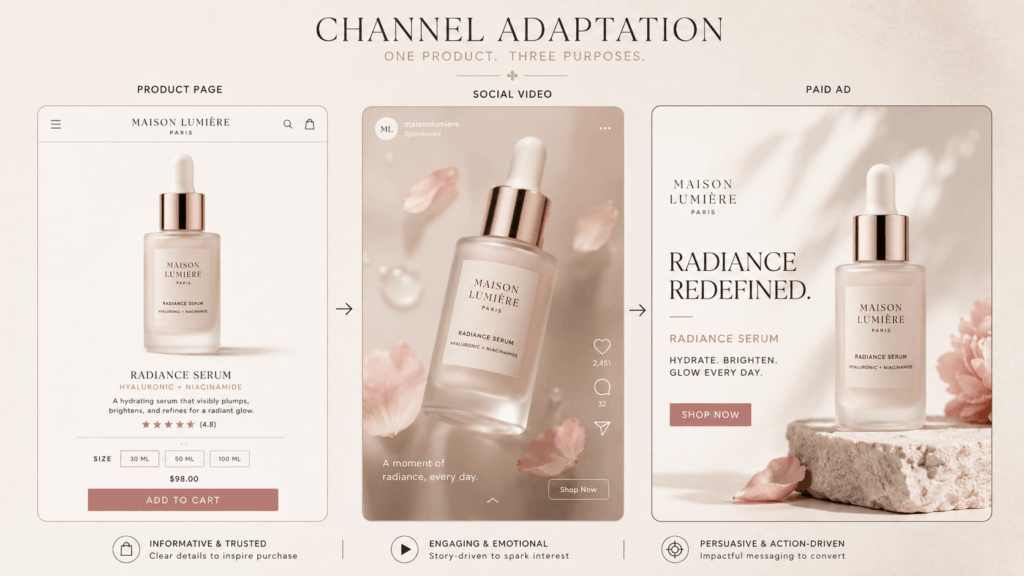
A product page needs clear details. In contrast, social media needs a quick hook. Meanwhile, an ad needs ideas that are easy to test.
Therefore, one video should not be posted everywhere.
Instead, create several versions from one clear idea.
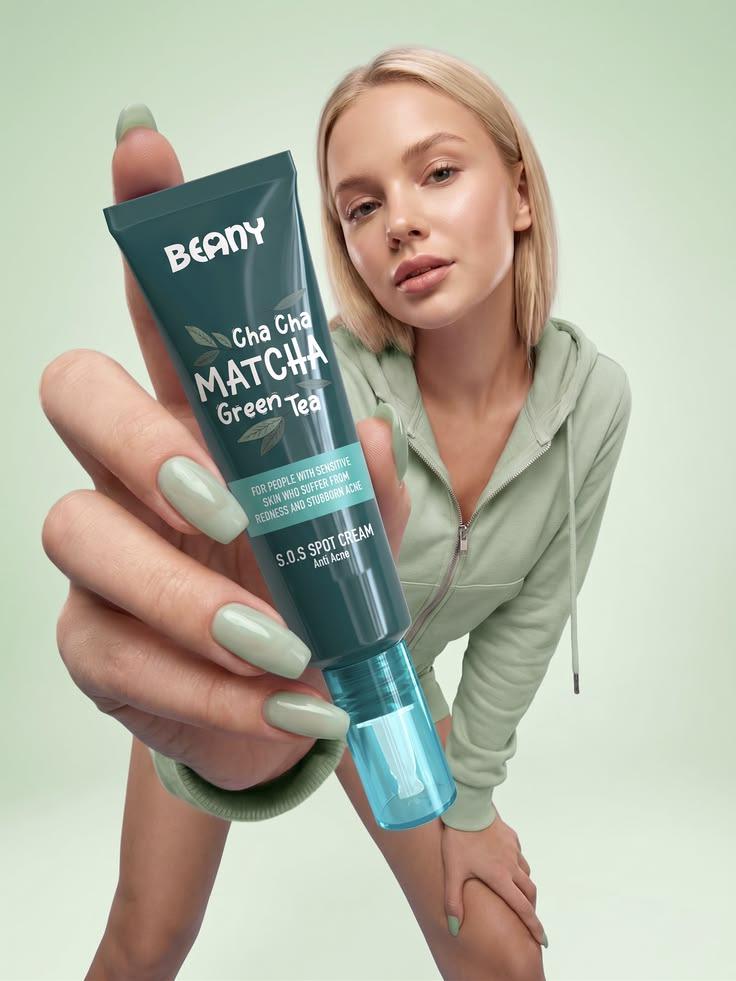
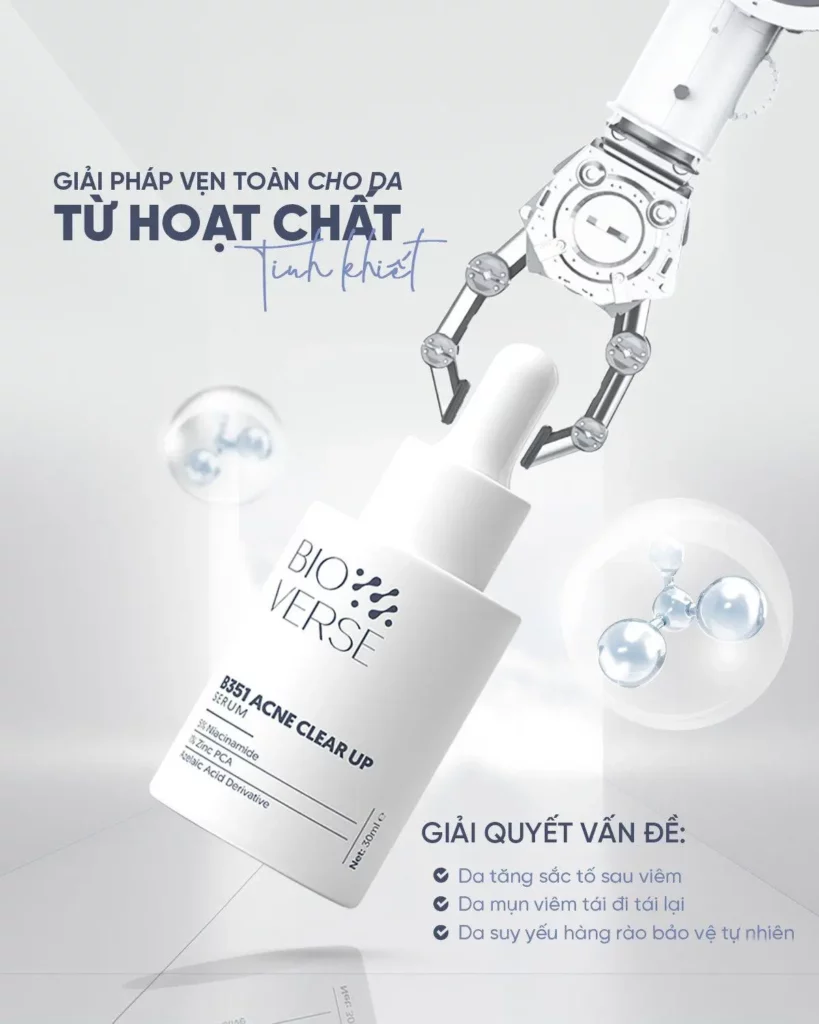
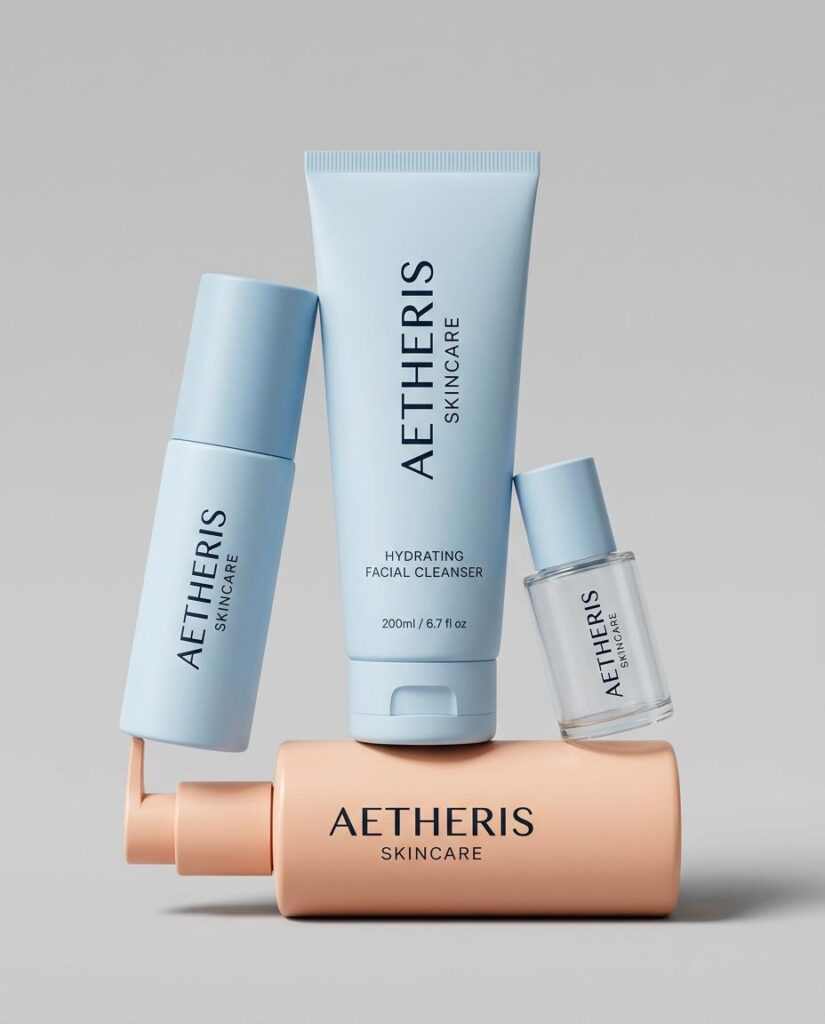
Build a Product Video Matrix Before You Generate
Before using an AI Product Video Generator, make a small content matrix.
This step is simple. However, it can prevent random results.
Start with four questions:
- Which product are you promoting?
- Where will the video appear?
- What should viewers notice first?
- Which motion supports that goal?
For example, imagine a skincare serum.
Product Page Version
Goal: Show the bottle clearly
Motion: Slow camera push-in
Focus: Label and bottle shape
Mood: Clean and calm
Social Media Version
Goal: Catch attention quickly
Motion: Moving light and a small product rise
Focus: The opening frame
Mood: Bright and fast
Paid Ad Version
Goal: Test several creative ideas
Motion: Minimal, luxury, and ingredient-led versions
Focus: Clear differences
Mood: Easy to compare
Product Launch Version
Goal: Build campaign mood
Motion: Smooth camera movement
Focus: Brand style
Mood: Polished and rich
The product stays the same. However, each video has a different job.
As a result, one image can support the full customer journey.
Choose Motion That Helps Explain the Product
Good motion should support the product.
It should not exist only for visual impact.
Instead, motion can show shape, texture, use, or mood.
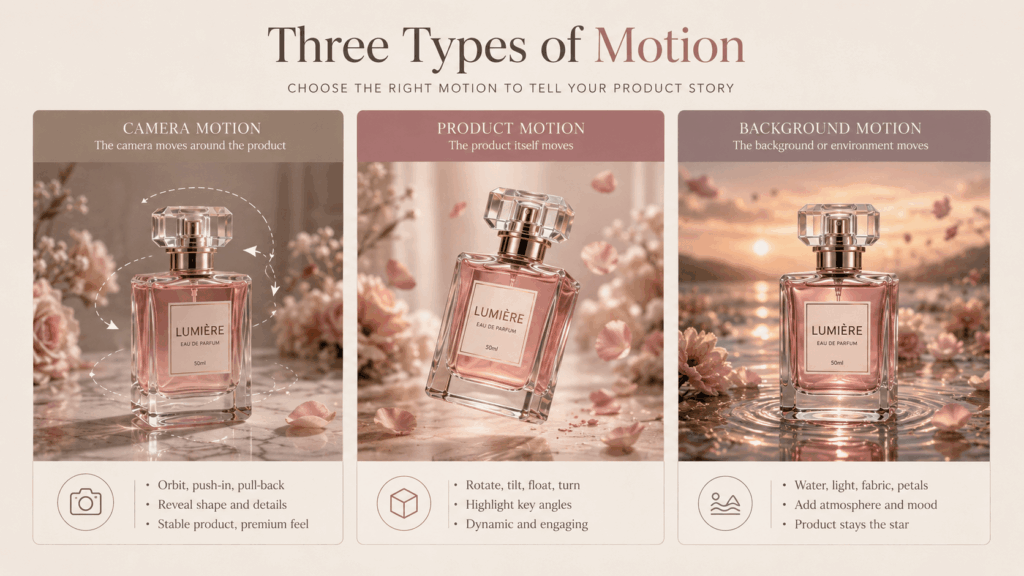
Use Camera Motion for Stable Results
Camera motion is often the safest choice.
For example, use:
- A slow push-in for packaging
- A small orbit for product shape
- A side move for a long item
- A pull-back to show the setting
The camera moves. Meanwhile, the product stays stable.
Therefore, this method often protects product details.
Use Product Motion With Care
Product motion can make an item feel active.
For example:
- A bottle rotates slowly
- A bag turns to one side
- A shoe rises slightly
- A dress moves in a light breeze
However, large movements may change the product shape.
So, use smaller actions when accuracy matters.
Use Background Motion for More Atmosphere
Background motion can add energy around the product.
For instance:
- Water moves around a drink bottle
- Shadows pass across a candle
- Fabric moves behind a perfume bottle
- Steam rises near food
- Light reflects across metal
This method can look premium. At the same time, the product stays easy to recognize.
Use a Simple AI Product Video Prompt Formula
A short prompt may describe the mood. However, it may not protect the product.
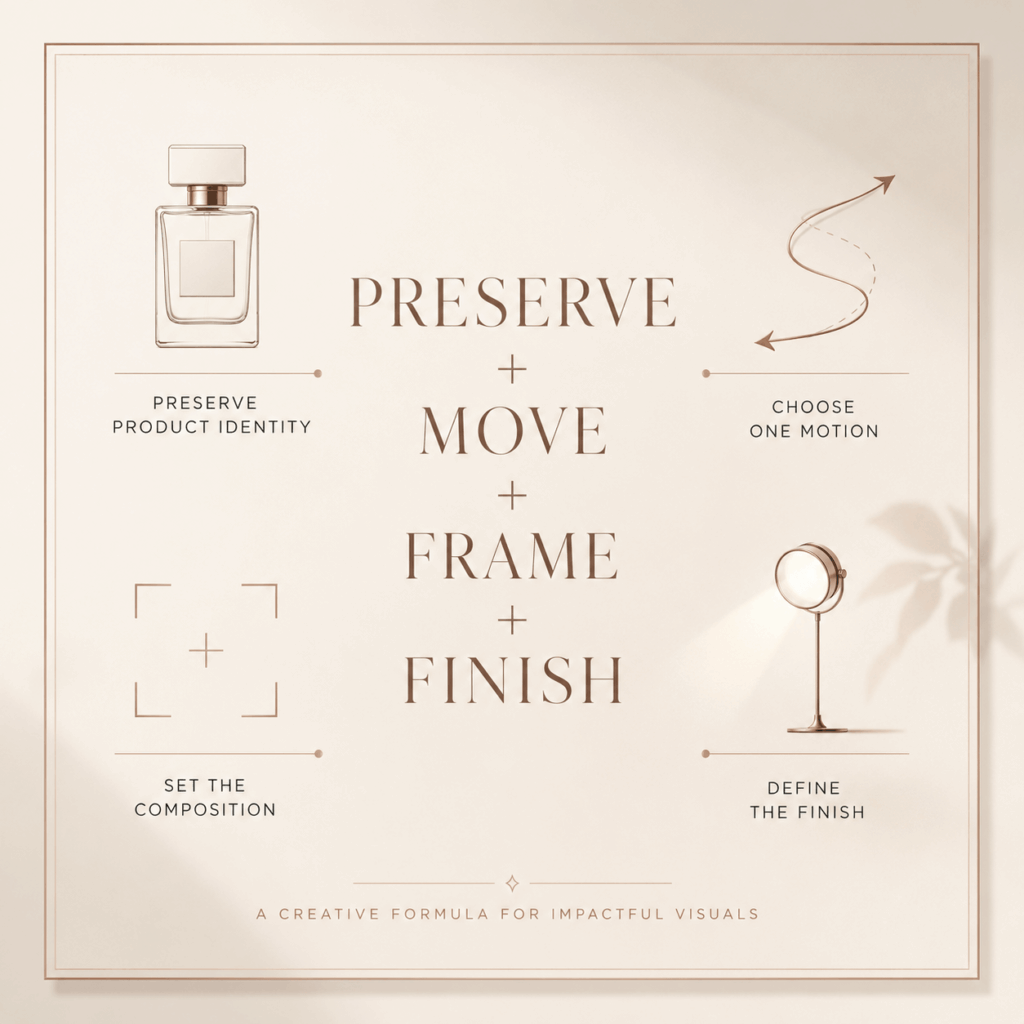
Therefore, use this four-part formula:
PRESERVE + MOVE + FRAME + FINISH
PRESERVE
First, describe what must stay the same.
For example:
Preserve the exact bottle shape, white label, black logo, cap design, color, and proportions.
This part protects the product identity.
MOVE
Next, describe one main action.
For example:
The camera slowly moves closer while soft light moves across the glass.
Keep the action simple. Otherwise, the video may feel messy.
FRAME
Then, describe the composition.
For example:
Keep the bottle in the center and leave space above it for text.
This step makes the video easier to use in ads.
FINISH
Finally, describe the visual style.
For example:
Soft daylight, clean shadows, realistic glass, smooth motion, and a beige background.
The complete prompt becomes:
Preserve the exact bottle shape, white label, black logo, cap design, color, and proportions. The camera slowly moves closer while soft light moves across the glass. Keep the bottle in the center and leave space above it for text. Use soft daylight, clean shadows, realistic glass, smooth motion, and a beige background.
This prompt is clear. It also gives the model fewer chances to change the product.
Match AI Product Video Motion to the Category
Different products need different types of motion.
Therefore, the same video idea will not fit every category.
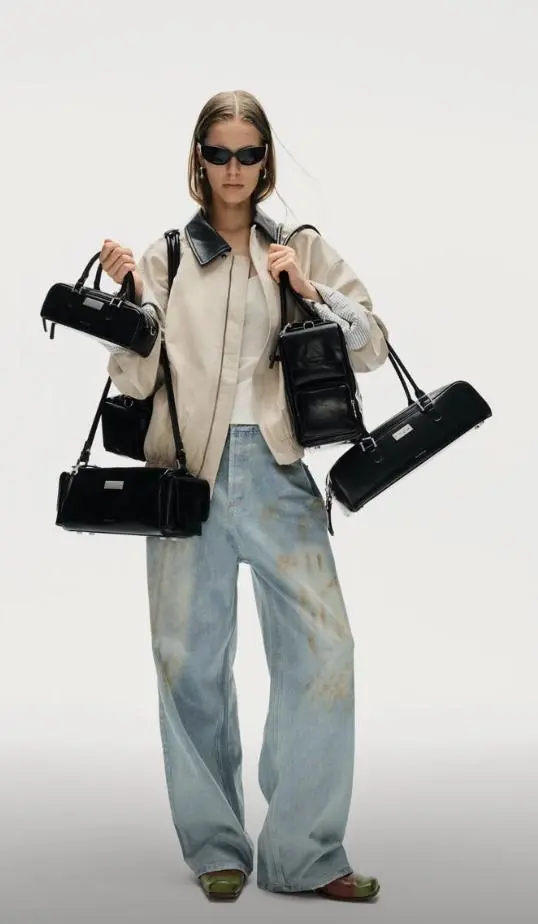
Fashion and Apparel
Fashion videos need natural movement.
For example:
- A model takes one slow step
- Fabric moves in a soft breeze
- The model turns slightly
- The camera moves from detail to full look
However, large body movement may change the garment.
Therefore, small actions are often safer.
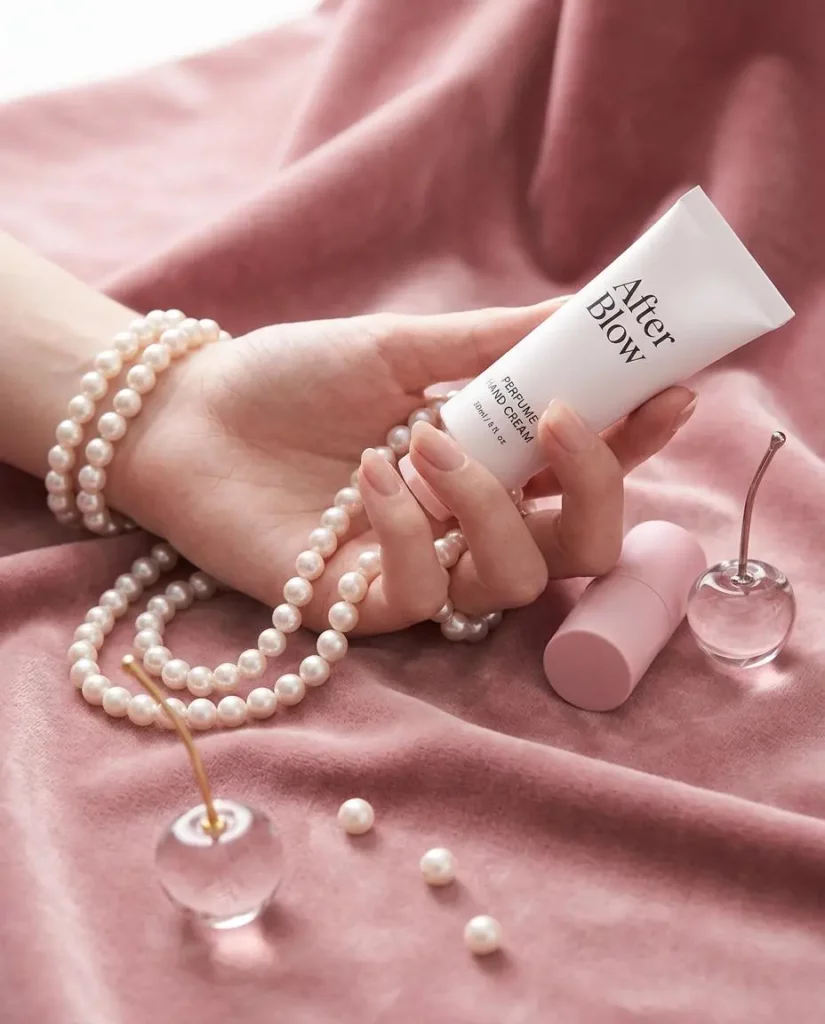
Beauty and Skincare
Beauty products often need light and texture.
For example:
- Reflections move across glass
- The camera moves around the bottle
- Water appears near the product
- A soft shadow crosses the background
Meanwhile, the label should stay clear.
Food and Beverage
Food videos should create a sensory feeling.
For instance:
- Steam rises from hot food
- Water forms on a cold bottle
- Ingredients move in the background
- Liquid moves near the packaging
However, the effects should not hide the product.
Accessories and Home Products
Shape is important for bags, shoes, candles, and home products.
Therefore, camera motion is often a good choice.
A slow orbit can show the material and edges. At the same time, the product stays stable.
Design Each Product Video for Its Channel
Changing a video ratio is not enough.
Instead, each channel needs a different content plan.
Product Pages Need Clear Details
A product page video should help shoppers inspect the item.
Therefore:
- Keep the product visible
- Avoid very fast movement
- Show useful angles
- Protect the logo and label
- Show the true product shape
Social Media Needs a Quick Hook
Social users make fast decisions.
As a result:
- Start with motion
- Use one clear subject
- Avoid long openings
- Make the first frame strong
- Keep the product clear without sound
Paid Ads Need Clear Test Versions
Ad versions should not look almost the same.
Instead, test clear differences.
For example:
- Minimal motion versus rich motion
- Studio scene versus lifestyle scene
- Close-up shot versus wide shot
- Product detail versus brand mood
- Slow pace versus fast pace
Because each change is clear, the results are easier to compare.
Review Every AI Product Video Before Publishing
Do not approve a video after one quick view.
Instead, pause the video and check key frames.
Check Product Identity
First, confirm that the product stays the same.
Check:
- Shape
- Color
- Logo
- Label
- Cap
- Details
Check Product Shape
Next, inspect the edges.
Straight lines should stay straight. Also, round products should stay round.
Handles, straps, and caps should remain connected.
Check Frame Consistency
Then, watch for small changes.
For example, a logo may change for one frame. The viewer may not notice the exact problem. However, the video may still feel wrong.
Check Motion Weight
The product should move in a natural way.
For instance, a glass bottle should not move like a balloon.
Likewise, thick fabric should not move like smoke.
Check the Lighting
Shadows should follow the same light source.
Reflections may move. However, shadows should not suddenly change direction.
Check Text Space
Also, leave space for:
- Headlines
- Captions
- Buttons
- Product details
- Platform icons
Finally, check how the video looks after cropping.
Check the Loop
Compare the first frame with the final frame.
A smooth loop can make a short video feel longer. In addition, it works well on websites and social feeds.
When an AI Product Video Generator Adds the Most Value
An AI Product Video Generator works best when brands need more content.
For example, it can help with:
- Frequent product launches
- Large product catalogues
- Seasonal campaigns
- Early ad testing
- Local market versions
- Products without video
- Marketplace listings
- Dropshipping stores
- Weekly social posts
However, brands do not need to stop traditional production.
A major campaign may still need a full shoot. Meanwhile, generated videos can support daily content and smaller tests.
Therefore, a mixed workflow is often the best choice.
What Still Needs Human Review
Some product videos need extra care.
For example:
- Safety instructions
- Medical claims
- Exact demonstrations
- Complex machines
- Before-and-after results
- Size and fit information
- Regulated products
In these cases, the video must match the real product.
AI can support the background or mood. However, it should not create false proof.
Try a Simple 30-Minute Product Video Sprint
You do not need to change your full content plan today.
Instead, start with one product.
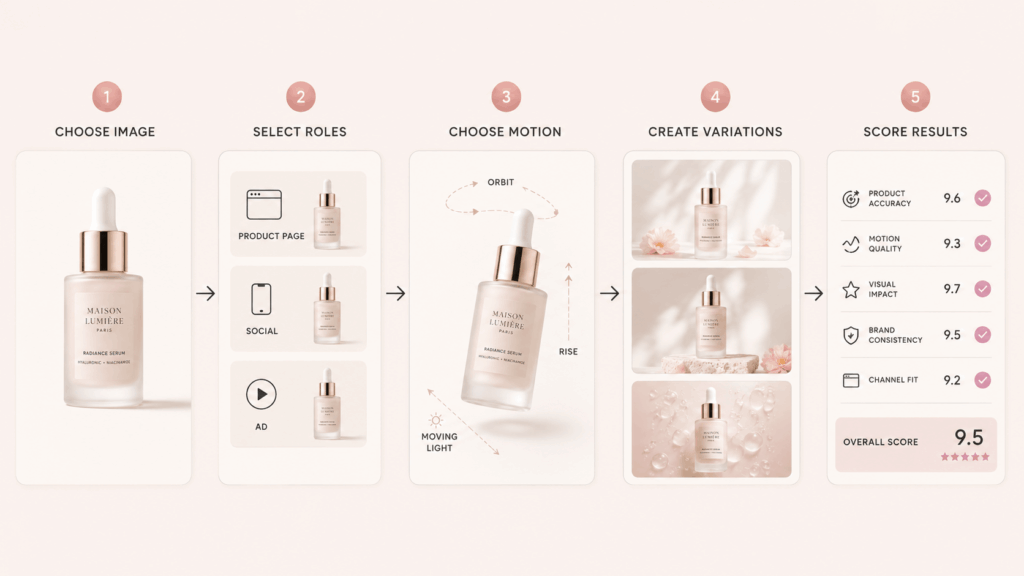
Step 1: Choose One Clear Image
Select a clean image with visible product details.
Step 2: Choose Three Video Roles
Create one idea for:
- A product page
- A social post
- An ad
Step 3: Choose One Motion for Each Role
For example:
- Product page: slow camera orbit
- Social post: product rise with moving light
- Ad: background motion with text space
Step 4: Create Small Variations
Change one element at a time.
For example, keep the same camera move. Then, test three lighting styles.
Do not change every detail together. Otherwise, you will not know which change improved the result.
Step 5: Score the Videos
Rate each result from one to five.
Check:
- Product accuracy
- Motion quality
- Visual impact
- Brand style
- Channel fit
Then, keep the best version.
As a result, this short test creates a clear process. It also makes future work easier.
Turn Every Product Image Into More Content
A product photo does not have to be the final asset.
Instead, it can become the start of many ideas.
One video can explain the product. Meanwhile, another can build mood. A third can test an ad idea.
Therefore, the main value of an AI Product Video Generator is not only speed.
It also helps teams test more ideas. In addition, they can reuse images they already own.
First, start with one strong image. Next, protect the product details. Then, choose one clear motion. Finally, adapt the video for each channel.
As a result, product video becomes easier to repeat.
More importantly, it becomes part of a complete ecommerce content system.
Go to WeShop AI For Exploration:


