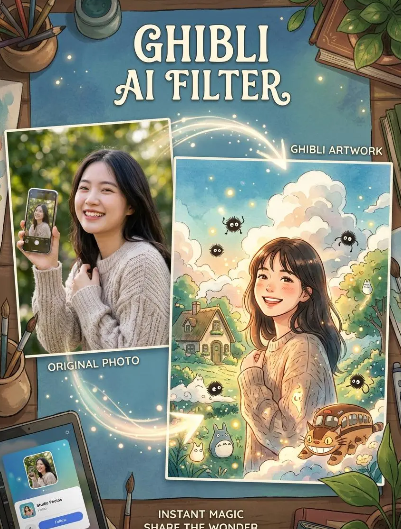
There is something strangely addictive about Studio Ghibli-inspired visuals. They feel soft, nostalgic, and warm. At the same time, they still carry a sense of wonder that never gets old.
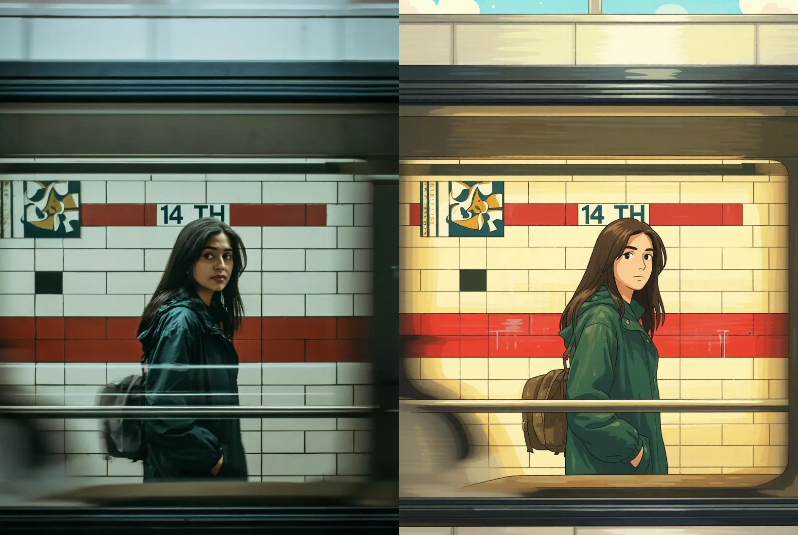
That is exactly why AI Ghibli Art Create is so easy to get curious about. It turns everyday photos into dreamy anime-style artwork in seconds. And instead of making the image look overly edited, it keeps the final result feeling natural, cinematic, and polished.
The biggest reason this matters is simple: people do not just want a filter anymore. They want something that feels shareable, beautiful, and emotionally engaging. AI Ghibli Art Create gives them that in a way that feels fast and accessible.
AI Ghibli Art Create and the New Wave of Soft Visual Content
AI Ghibli Art Create fits the way people consume content now
A few years ago, people were satisfied with heavy edits or basic filters. Today, the bar is much higher. Users want visuals that feel personal, aesthetic, and instantly recognizable.
That is why Ghibli-style content keeps performing well across social platforms. It has a gentle emotional pull. It feels familiar even when it is new. And because it blends nostalgia with fantasy, it naturally invites people to pause and look twice.
AI Ghibli Art Create taps directly into that behavior. It gives users an easy way to turn a regular photo into something that feels like a scene from a storybook.
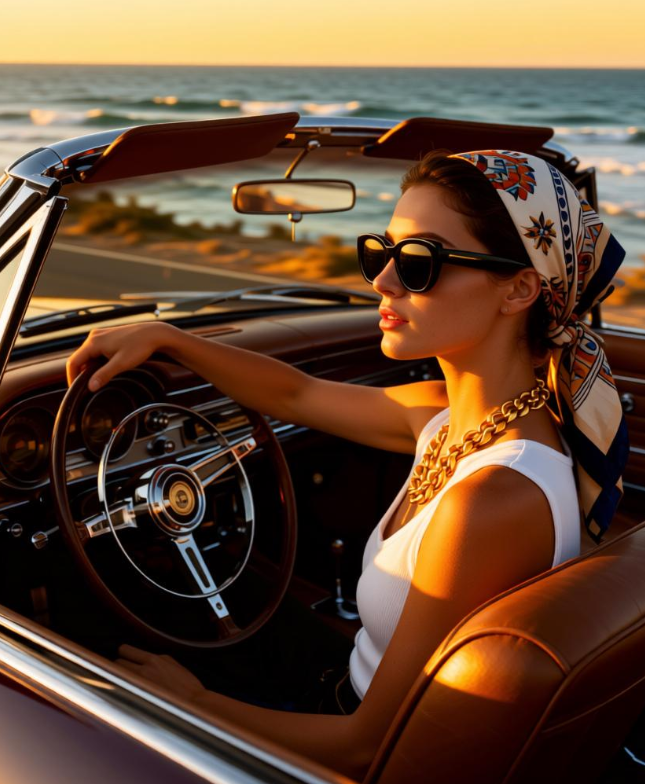
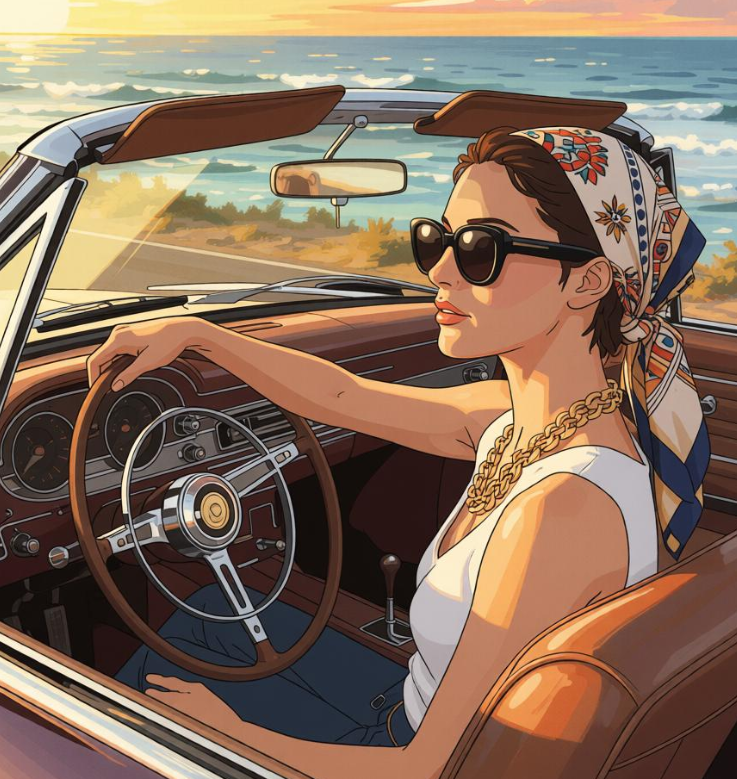
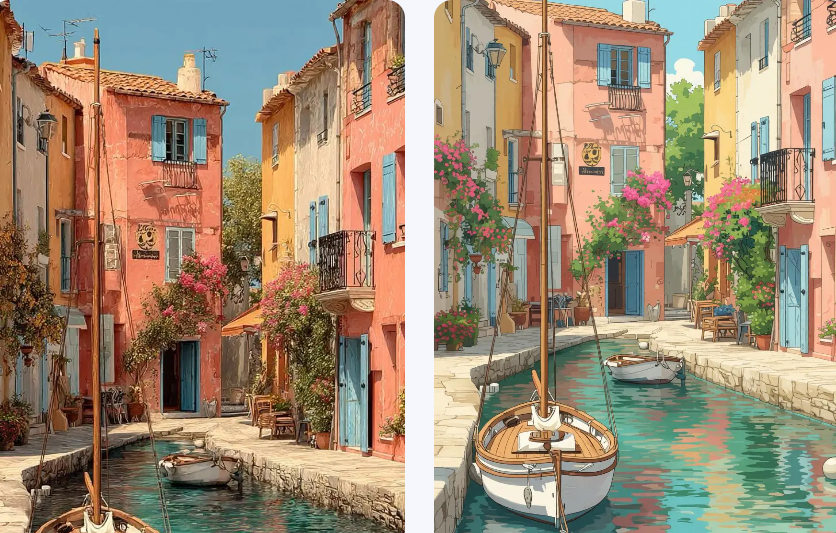
AI Ghibli Art Create makes the transformation feel effortless
A lot of AI tools ask users to do too much before they get a result. They need prompt writing, style tweaking, and repeated testing. That can be fun for advanced users, but it is often too much for casual creators.
This tool keeps things much simpler. You upload a photo or enter a prompt, and the AI handles the transformation for you. That makes the experience more immediate, which is a big reason people keep using tools like this in the first place.
The appeal is not only the result. It is also the ease of getting there.
Why AI Ghibli Art Create Works So Well for Everyday Photo
AI Ghibli Art Create turns ordinary moments into something memorable
The best visual tools do more than decorate an image. They make the image feel worth keeping. That is where AI Ghibli Art Create shines.
A selfie becomes softer. A pet photo feels more story-like. A travel photo turns into something that looks almost like a scene from an animated film. Because of that, the tool is not limited to one type of user or one type of content.
It works on the kinds of photos people already take every day. That makes the experience feel practical, not gimmicky.
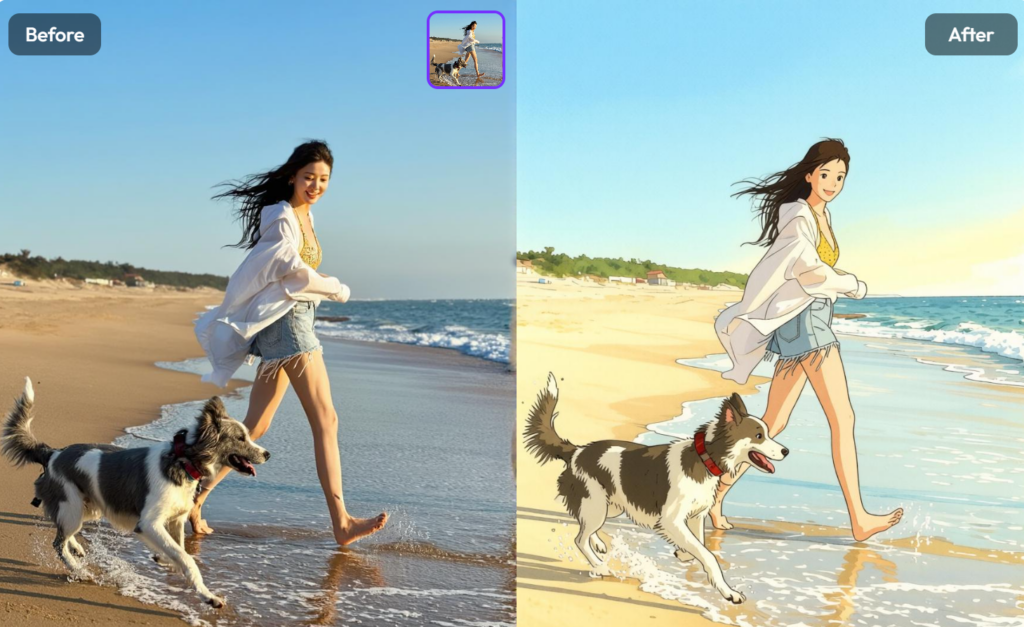
AI Ghibli Art Create gives images a recognizable emotional style
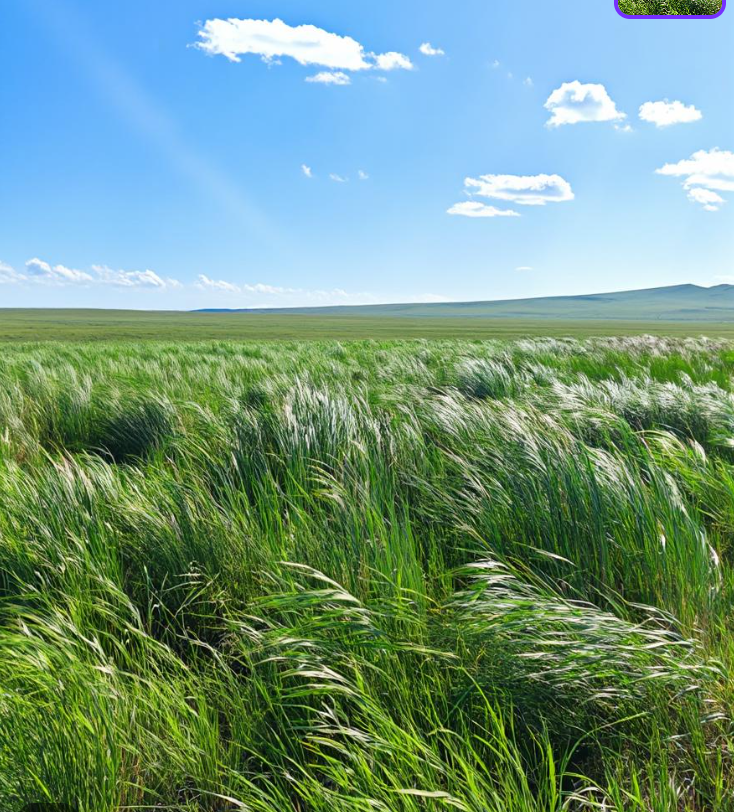
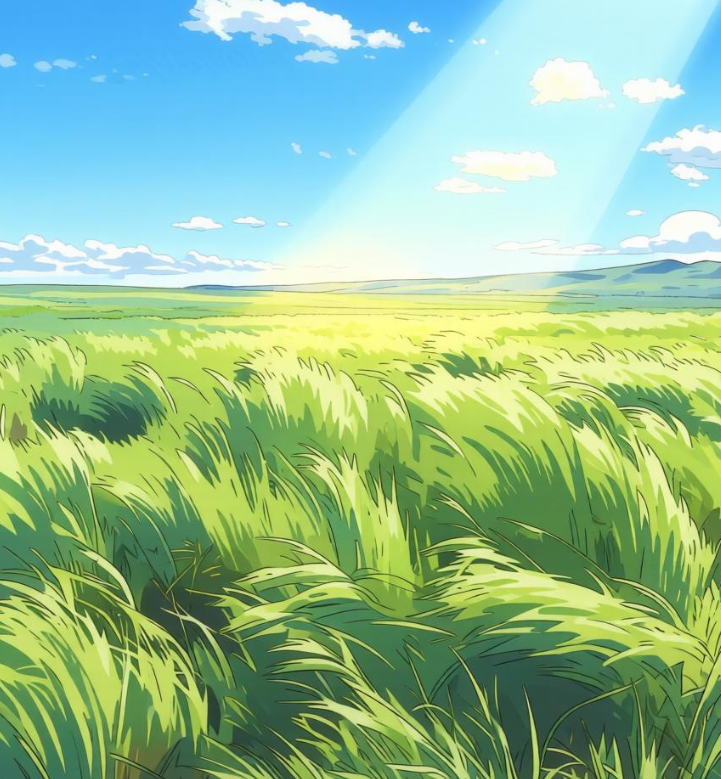
One reason Ghibli-inspired visuals are so popular is that the style has a built-in mood. The colors feel rich. The lighting feels soft. The textures feel painterly without looking overdone.
AI Ghibli Art Create leans into that mood in a way that feels clean and easy to enjoy. It does not try to overwhelm the image. Instead, it gives the photo a gentle, artistic shift that feels both modern and nostalgic.
That balance is what makes the tool so appealing for people who want something pretty without making the result feel artificial.
AI Ghibli Art Create vs Other Ghibli-Style Tools
AI Ghibli Art Create focuses on speed and simplicity
Not every Ghibli-style AI tool is designed the same way. Some are built around one-click filters. Others are part of larger creative platforms with more settings and more complexity.
AI Ghibli Art Create sits in a useful middle ground. It is easy to use, but it still produces a result that feels intentional and visually strong. For most users, that is exactly the sweet spot they want.
| Tool | Best for | What stands out |
|---|---|---|
| AI Ghibli Art Create | Fast photo-to-Ghibli transformations | Simple workflow, browser-based use, polished output, free to try |
| Fotor Ghibli Filter | Casual one-click edits | Easy entry and broad content support |
| OpenArt Ghibli Generator | Prompt-based creative control | More flexibility, but more steps and a steeper learning curve |
AI Ghibli Art Create is easier for first-time users
For someone trying this style for the first time, the experience matters a lot. If the interface feels confusing, the excitement disappears quickly. If the workflow feels clear, users are much more likely to stay and experiment.
That is where AI Ghibli Art Create has a strong advantage. It keeps the process lightweight, which lowers the barrier to entry and makes the whole experience feel more fun.
How to Use AI Ghibli Art Create Without Overthinking It
The workflow stays simple from start to finish
The official flow is refreshingly direct. You upload a photo or enter a prompt, let the AI generate the artwork, and then save or share the result.
That sounds simple, and that is exactly the point. The tool is not trying to turn casual users into designers. It is trying to help them get a beautiful result quickly.
That kind of friction-free experience is one of the reasons visual AI tools can become so popular so fast.
[Image suggestion: interface screenshot with upload area]
Better input usually leads to better output
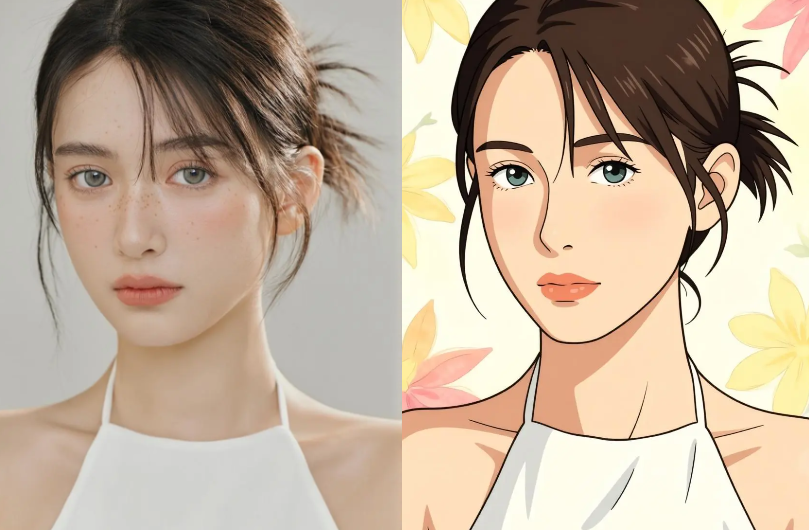
Even easy tools work better when the input is clear. A well-lit portrait, a clean subject, or a photo with stronger composition usually gives the AI more room to create something impressive.
That does not mean the tool is difficult to use. It just means users can get even better results when they start with a photo that already has visual clarity.
For blog readers, that is a useful tip because it helps them get more satisfying results on the first try.
Where AI Ghibli Art Create Fits Best
AI Ghibli Art Create works for creators who need visual output fast
Content creators need images that stop the scroll. They also need tools that do not slow down production. AI Ghibli Art Create fits that workflow really well.
It can be used for profile pictures, social posts, visual storytelling, quick content experiments, and even campaign moodboards. In other words, it is not only a fun toy. It is also a practical creative shortcut.
That makes it useful for people who want to keep their content fresh without spending too long on editing.
AI Ghibli Art Create also works for casual users who just want the vibe
Not every user is planning a content strategy. Some people just want to turn a favorite photo into something dreamy and memorable.
That is part of the tool’s charm. It gives everyday users a fast way to create something that feels magical, without requiring a big time commitment or technical knowledge.
And honestly, that kind of instant satisfaction is what keeps people coming back.
Why This Kind of Tool Is Getting So Much Attention
AI Ghibli Art Create reflects what people want from AI now
People are no longer impressed by AI just because it is AI. They want tools that feel useful, intuitive, and visually satisfying. They want something that gives them a result they can immediately understand and enjoy.
AI Ghibli Art Create fits that shift very well. It is not trying to be everything at once. Instead, it does one thing clearly and well: it turns photos into Ghibli-inspired art that people actually want to share.
That focus is a strength. It keeps the experience simple while still delivering a strong emotional payoff.
AI Ghibli Art Create also gives users a playful entry point into AI art
A lot of AI tools still feel intimidating to beginners. This one does not. It feels playful, creative, and easy to explore.
That is a big deal, because a friendly first experience often leads to repeat use. Once people see how fun the transformation can be, they usually want to try another image.
And that repeatable curiosity is exactly what makes tools like this spread so quickly.
Final Take on AI Ghibli Art Create
If you want a tool that feels easy, fast, and visually rewarding, AI Ghibli Art Create is worth trying.
It keeps the process simple. It gives users a strong aesthetic result. And it creates the kind of dreamy, shareable visuals that fit perfectly into today’s content culture.
That combination is why it stands out. It is not just another filter. It is a quick creative shortcut with real visual appeal.