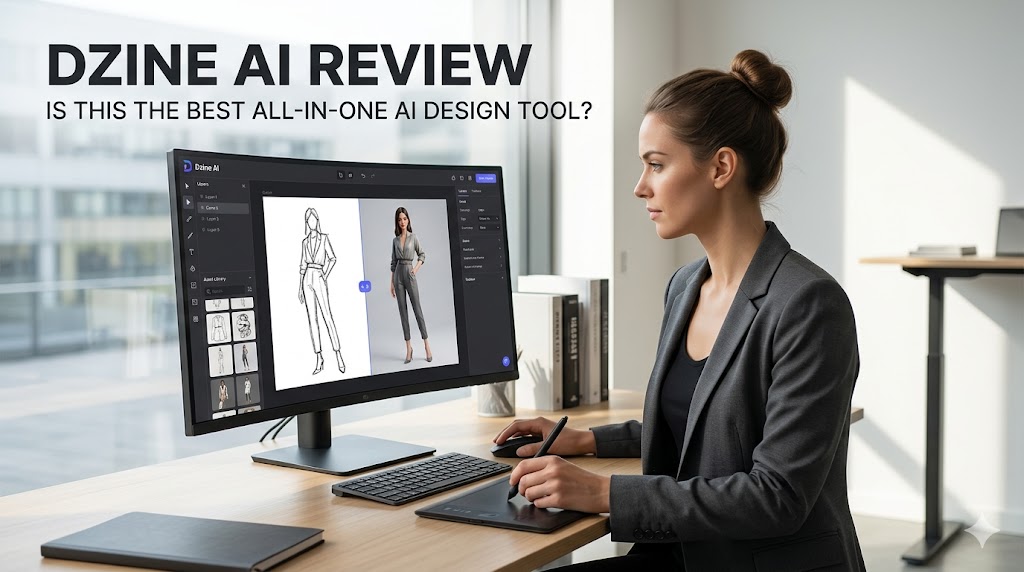
Most AI tools promise the same thing: type a prompt, get a result, move on. Dzine AI takes a different route. Instead of acting like only an image generator, it tries to become a full creative workspace for images, videos, and editing in one place.
Why Dzine AI stands out
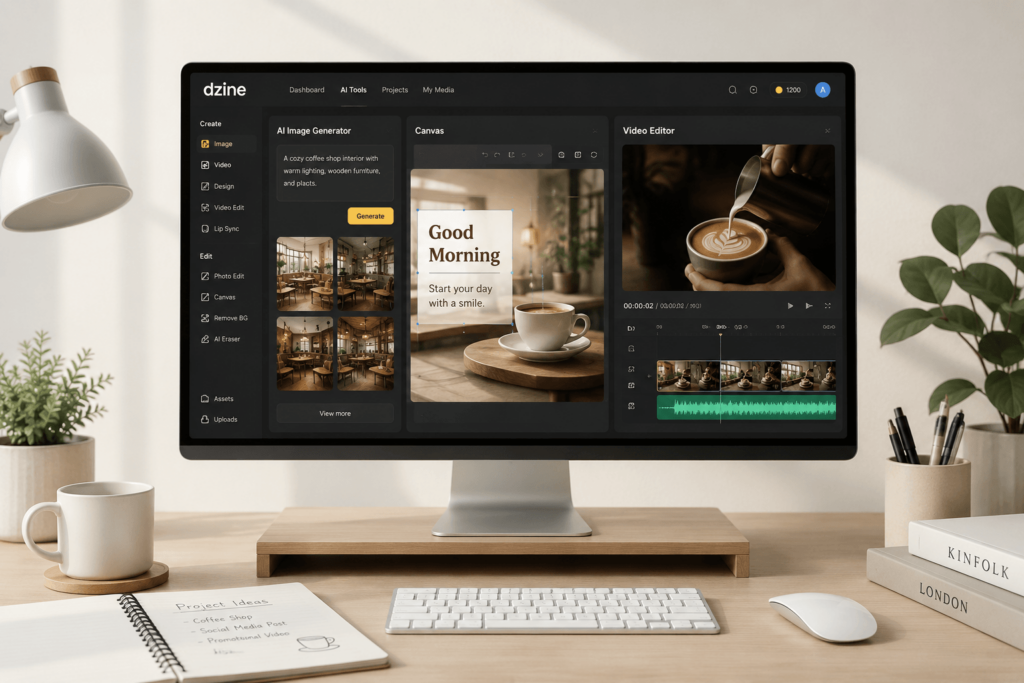
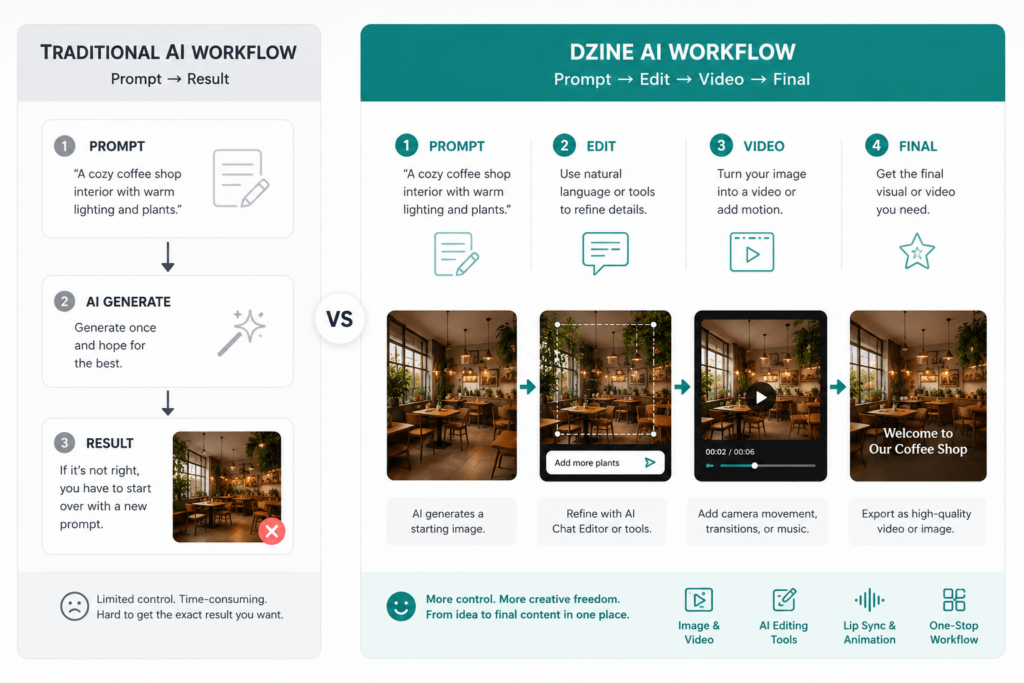
The reason Dzine AI is interesting is not that it generates visuals. Many tools can do that. The real difference is that Dzine tries to reduce the gap between generating something and actually finishing it. In other words, it is built more like a workflow tool than a one-click toy.
What is Dzine AI?
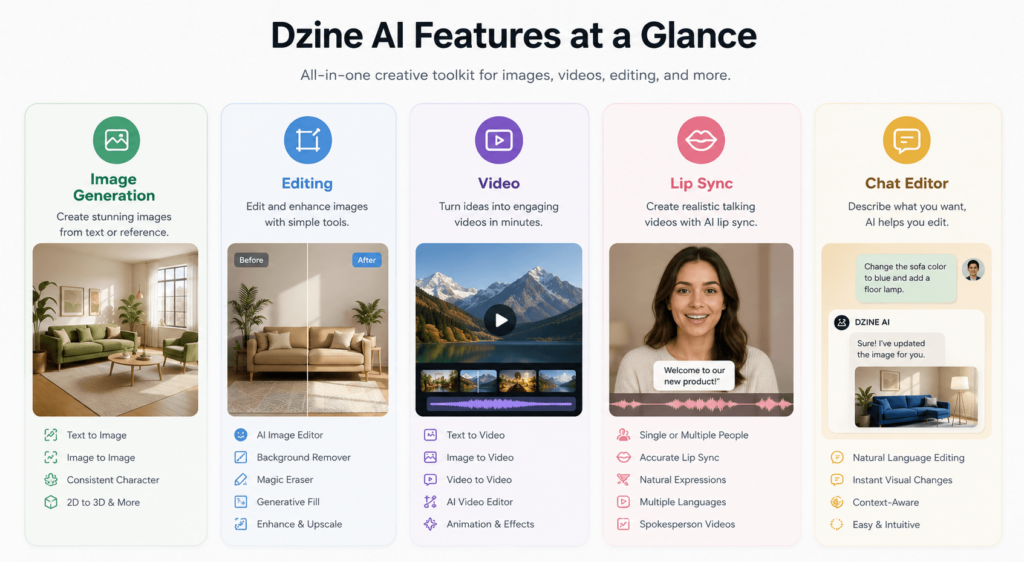
Dzine AI is an all-in-one AI tool for creating and editing images and videos. It supports text-to-image, text-to-video, image-to-image, image-to-video, and a range of editing functions that make it feel closer to a creative studio than a single-purpose generator.
A tool built around control
Unlike many AI apps that stop at output, Dzine tries to keep users inside the same environment while they refine their work. That makes it especially appealing to people who do not want to jump between a generator, an editor, and a video tool.
A bridge between generation and editing
This is where Dzine becomes more than just another AI product. It is trying to make creation feel editable. That sounds simple, but it is a big shift in how people use AI tools.
Dzine AI Features
Image generation and editing
Dzine offers AI image generation, image-to-image creation, generative fill, background removal, object removal, watermark removal, and text replacement inside images.
These features make it useful for users who do not just want to create an image, but also want to fix, polish, or adapt it after generation.
Video creation tools
Dzine also includes AI video generation, text-to-video, image-to-video, and video-to-video tools. That makes it useful for turning static visuals into motion content without moving to a separate platform.
Lip sync and character tools
One of Dzine’s more distinctive offerings is lip sync. It also supports consistent character workflows, which matters for creators who want the same person or style to appear across multiple outputs.
Chat Editor and natural-language control
The Chat Editor is one of the most user-friendly ideas in the product. Instead of forcing users to learn a complex editing interface first, it lets them describe changes in plain language.
Why this matters for everyday users
A lot of people do not want more technical control. They want less friction. Dzine’s feature set suggests that it is designed for users who want to make creative decisions quickly, not spend all day learning software.
Who is Dzine AI for?
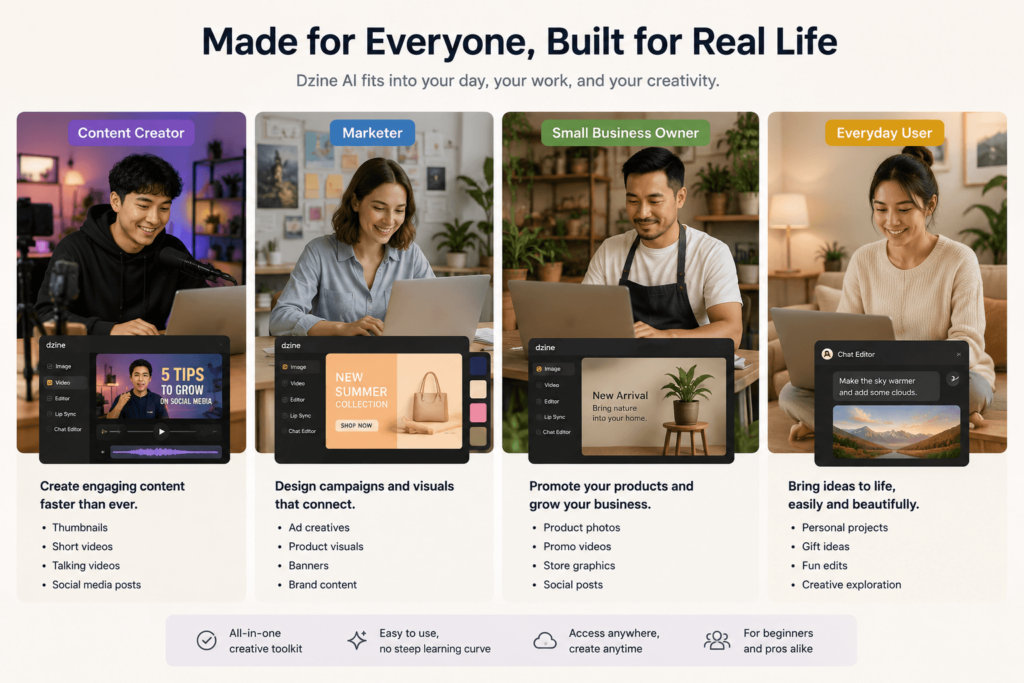
For content creators
Dzine is a strong fit for people making social content, thumbnails, short videos, and visual posts. Its mix of editing and video tools makes it useful for fast production.
For marketers
If you need campaign visuals, ad concepts, or product content, Dzine can help you go from rough idea to usable asset faster than using separate tools.
For small businesses
Small teams often need one platform that can do many things well enough. Dzine feels built for that kind of user.
For casual users
It is also approachable enough for people who are not designers but still want decent-looking outputs without a steep learning curve.
Dzine AI Pricing
The current pricing structure
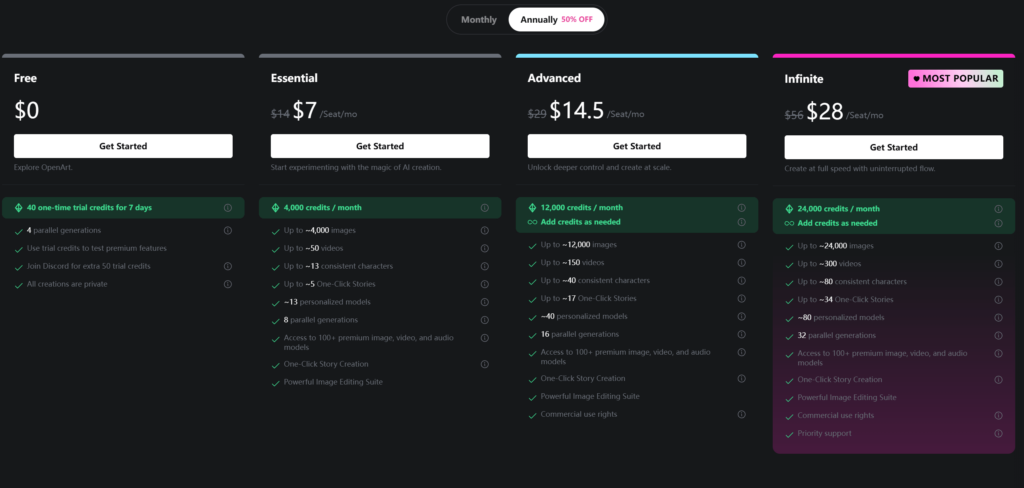
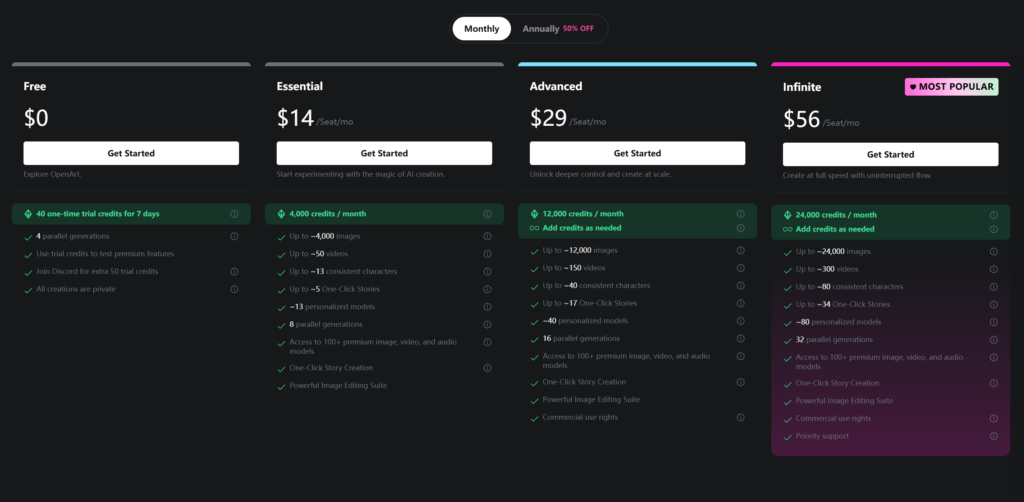
Dzine currently lists multiple paid tiers, starting with a lower-cost entry plan and moving up to more advanced plans with more credits, more storage, and broader access.
Why pricing matters here
Because Dzine is a credit-based creative platform, pricing is not just about the monthly fee. It is also about how much actual work you can complete before you hit limitations.
What users should pay attention to
If you only create occasionally, the entry tier may be enough. If you plan to generate a lot of visuals or video assets, the higher plans may make more sense.
Dzine AI vs Competitors
Dzine AI vs Canva
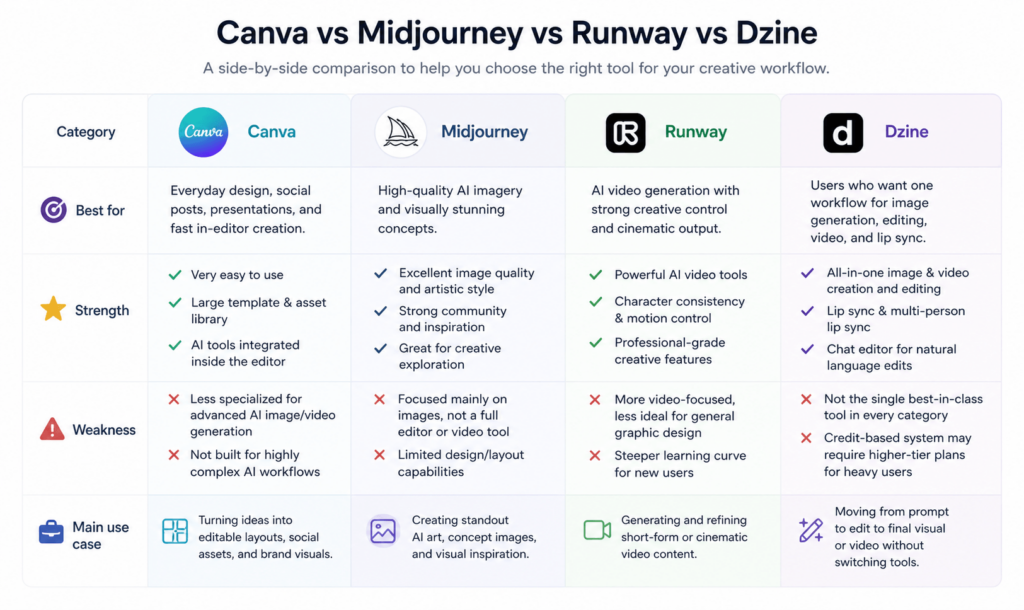
Canva is easier to use and better known for general design work. Dzine is more focused on AI generation and editing, which gives it more depth in creative automation.
Dzine AI vs Midjourney
Midjourney is famous for image aesthetics. Dzine is broader and more workflow-oriented. If you want a beautiful still image, Midjourney is a major contender. If you want to edit and reuse that content afterward, Dzine has the edge in flexibility.
Dzine AI vs Runway
Runway is a strong video-first platform. Dzine is less specialized but more all-in-one. That makes Dzine more practical for users who want both images and videos in one workflow.
The simplest way to compare them
Canva is the friendly editor.
Midjourney is the art machine.
Runway is the video specialist.
Dzine is the workflow hybrid.
What users seem to like and question
What people like
Many users are drawn to the fact that Dzine combines several creative tasks in one place. That makes the workflow feel smoother and more practical.
What people question
As with many AI platforms, some users may have concerns about credits, subscription value, and how easy it is to learn the tool fully.
Why this balance is important
A good review should not only describe what the tool can do. It should also explain what it costs in time, attention, and workflow friction.
Is Dzine AI worth it?
When Dzine AI makes sense
Dzine is worth trying if you want one platform that can generate, edit, and animate content without switching tools all the time.
When it may not be the best choice
If your only goal is the highest-end art output, or if you only need one very specific function, a specialist tool might be better.
The final judgment
Dzine is not just another AI generator. It is trying to become a practical creative environment. That makes it more interesting than a simple prompt-to-image app and more useful for everyday content creation.
Final verdict
Dzine AI stands out because it tries to solve a real problem: AI creation is often too fragmented. You generate in one place, edit in another, and make video somewhere else. Dzine tries to bring all of that together.
For users who want speed, flexibility, and control, that is a compelling pitch. It may not be the best tool in every single category, but it does make a strong case as an all-in-one creative assistant.
Go to WeShop AI For Exploration: