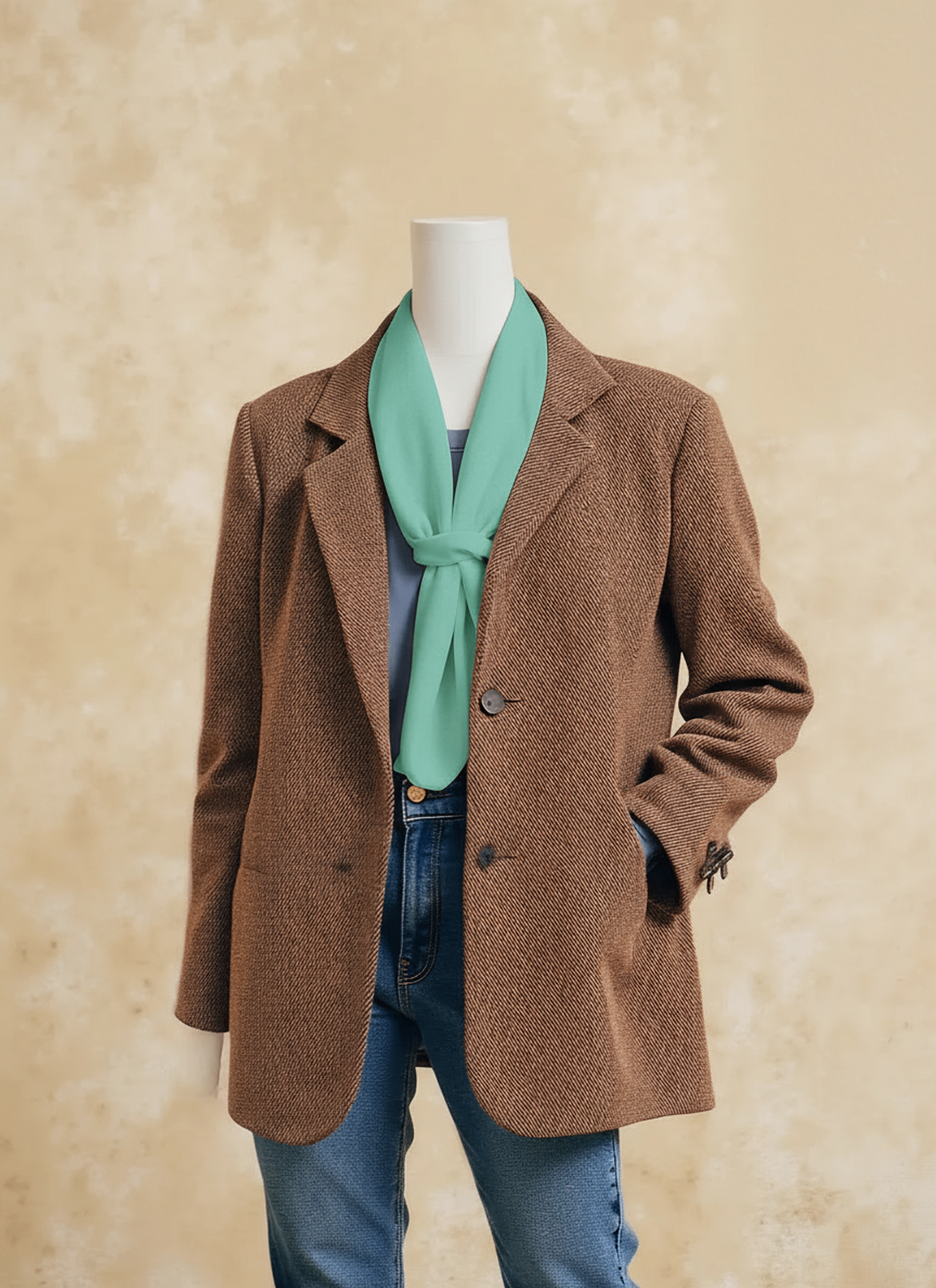
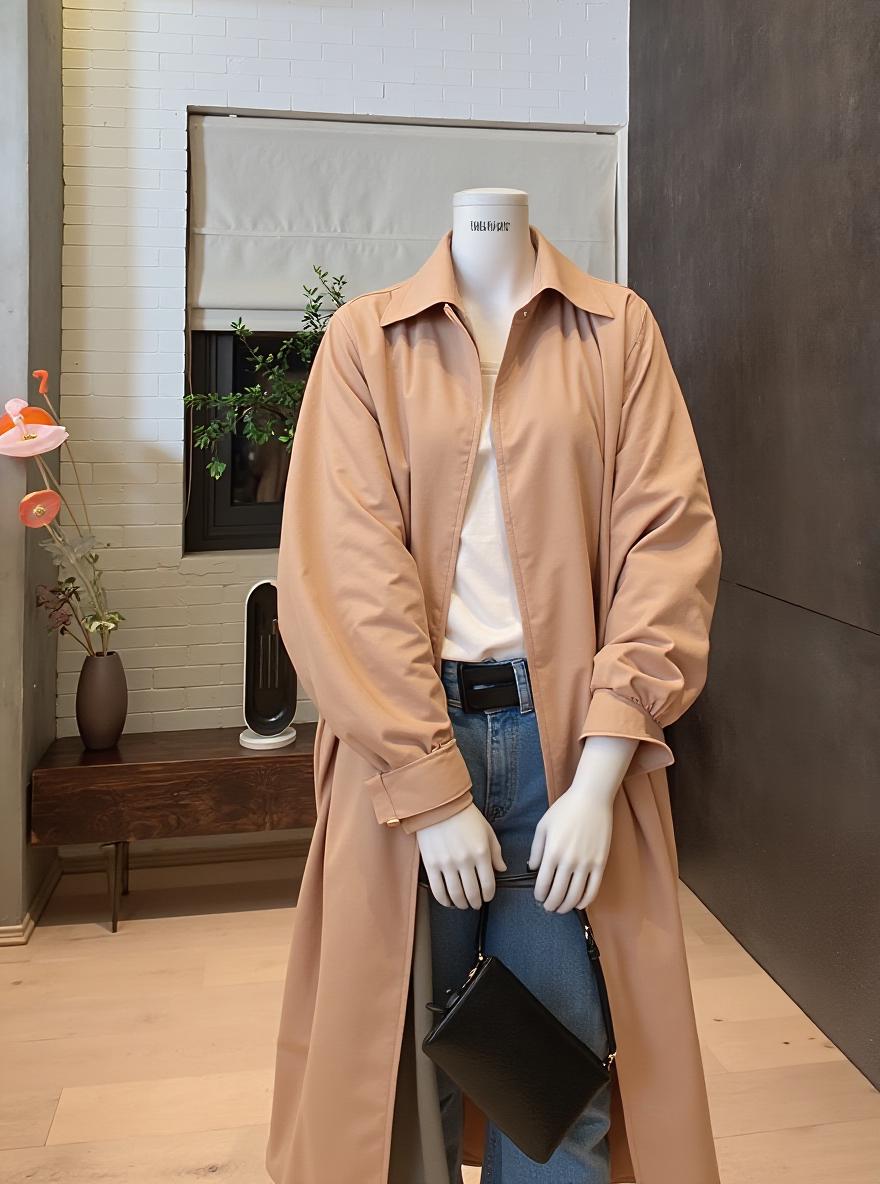
An AI Mannequin Generator helps fashion brands turn model photos into clean, product-focused mannequin images. Fashion photography often asks one image to do two different jobs: create desire and explain the garment. A lifestyle model can communicate mood and personality. However, the pose, hair, accessories, and background may hide important product details.
The tool helps separate those two jobs. It creates a clearer apparel display, so shoppers can focus on the garment’s shape, construction, and fabric. Still, this does not mean every model photo should disappear.
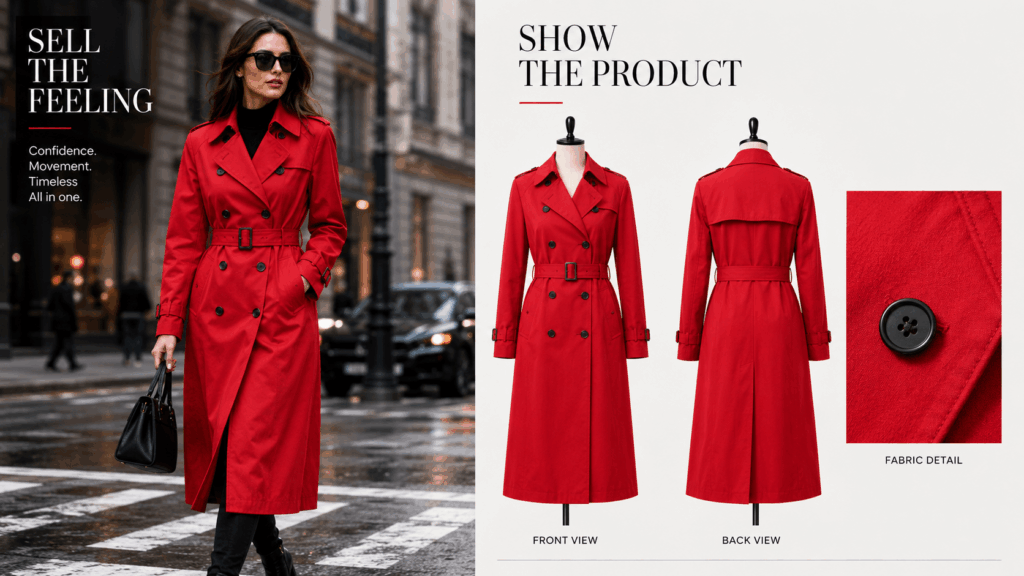
Instead, fashion stores can use model and mannequin images together. The model sells the feeling, while the mannequin shows what the customer is buying.
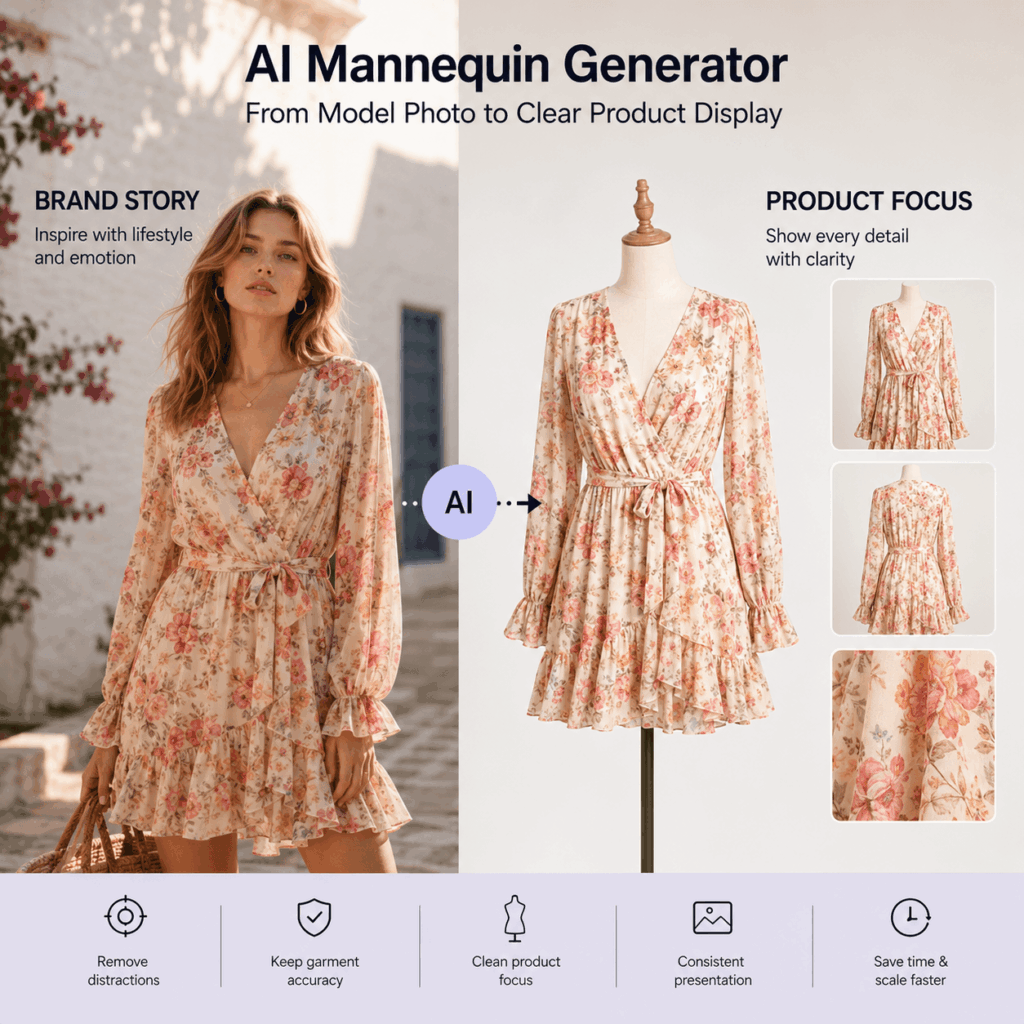
What Does AI Mannequin Generator Actually Do?
An AI Mannequin Generator turns a model photo into a cleaner product-focused display. The garment remains visible, while many human and styling distractions are reduced.
As a result, customers can inspect the product more easily.
They may notice:
- Garment length
- Sleeve shape
- Neckline
- Waist construction
- Fabric drape
- Front and back details
- Layering structure
- Printed patterns
However, a clean result is not enough by itself. The new image must still represent the real product.
How Mannequin Images Remove Visual Distractions
Model photos often contain several visual elements.
A shopper may notice the model’s expression, hairstyle, pose, jewelry, shoes, or location before noticing the garment. Those elements can support a campaign. Still, they may slow down product evaluation.
Mannequin images reduce that competition.
The garment becomes the main subject. Therefore, customers can compare similar styles without being distracted by different models or backgrounds.
This approach is especially useful for large catalogs. When every item follows a similar presentation rule, the collection becomes easier to browse.
What Garment Details Must Stay Accurate?
The transformation should not redesign the clothing.
Before using the result, compare it with a verified product reference. Pay close attention to:
- Collar shape
- Buttons
- Zippers
- Pockets
- Seams
- Embroidery
- Printed graphics
- Sleeve length
- Hemline
- Fabric pattern
- Overall proportions
For example, a pocket should not disappear because the source model’s hand covered part of it. Likewise, a printed logo should not move or change shape.
A polished image is useful only when the garment remains accurate.
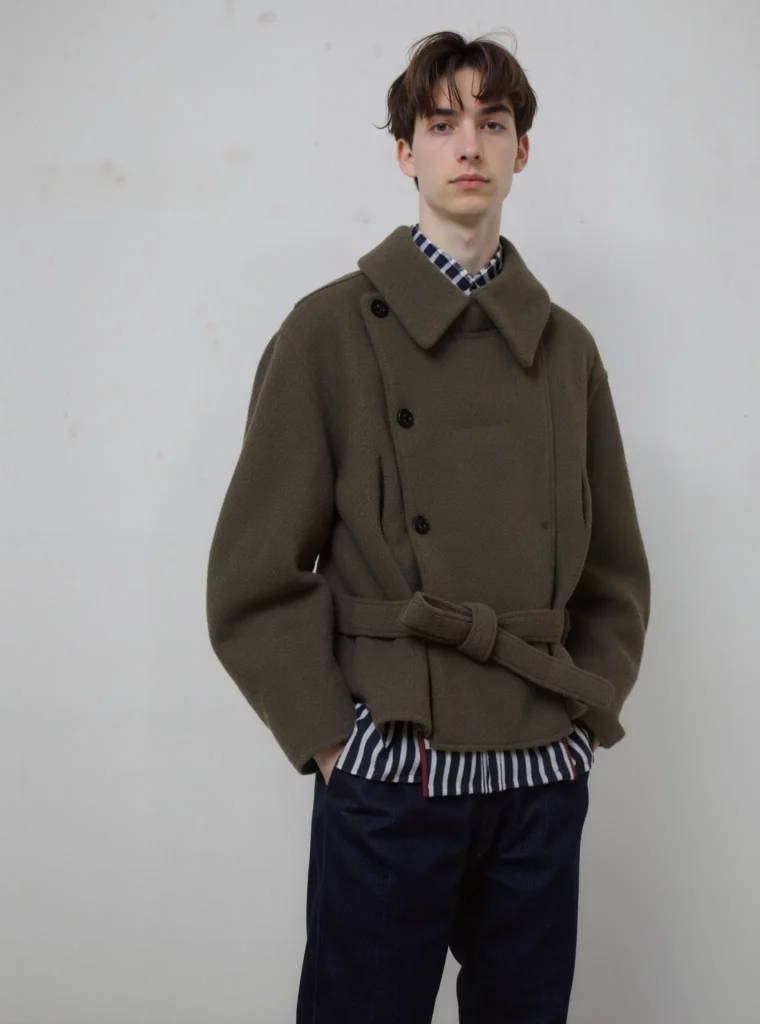
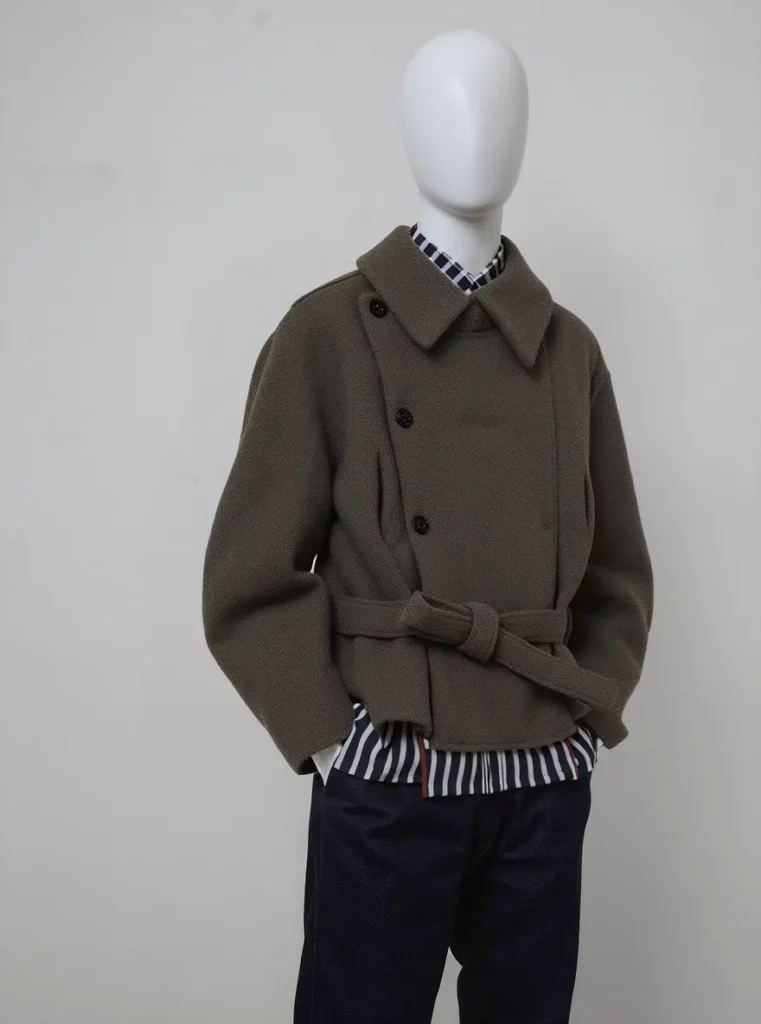
When AI Mannequin Generator Helps Fashion Stores
Different fashion channels require different kinds of images.
Campaign photos need emotion. Product pages need evidence. Meanwhile, wholesale catalogs need fast comparison.
An AI Mannequin Generator is most useful when product clarity matters more than lifestyle storytelling.
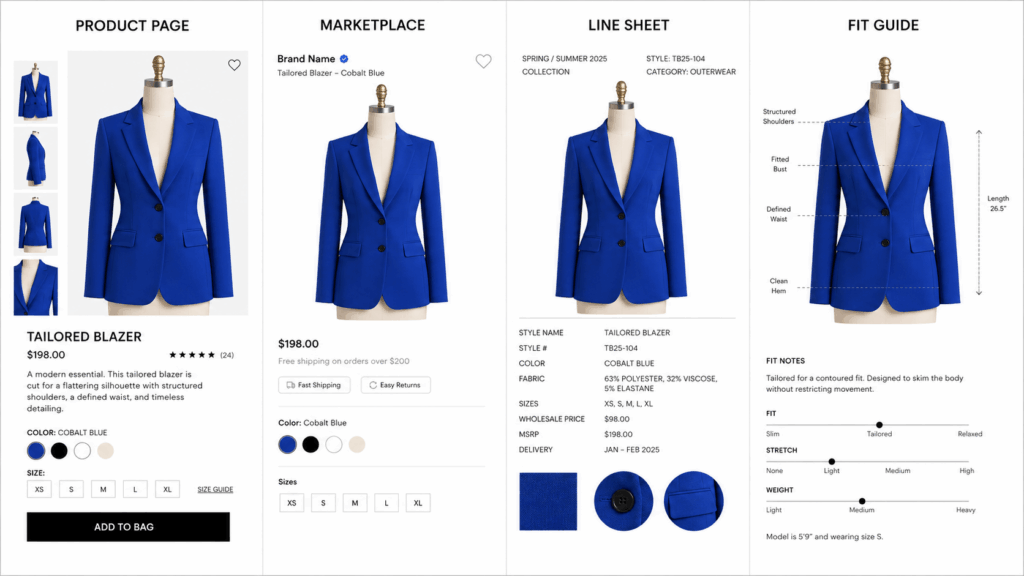
AI Mannequin Generator for Product Pages
A product detail page should answer practical questions.
Customers may want to know:
- How long is the garment?
- What shape is the neckline?
- Where are the pockets?
- How does the fabric fall?
- What does the back look like?
- Which details are included?
A mannequin display can support clear front, side, and back views. In addition, it can sit beside fabric close-ups and size information.
The model photo can remain the main lifestyle image. The mannequin image then provides another layer of product proof.
Mannequin Images for Marketplace Listings
Online marketplaces place many products beside one another.
As a result, inconsistent photography becomes obvious. One listing may use a city background, while another uses a studio wall. A third item may show a completely different crop.
Mannequin images can create a more unified presentation.
The same background, product scale, crop, and shadow style can be applied across a collection. Therefore, shoppers can compare the products rather than the photoshoots.
WeShop positions the tool for fashion brands, ecommerce photographers, marketplaces, and styling teams that need clean apparel displays.
AI Mannequin Generator for Line Sheets
Wholesale buyers often review many products in one session.
They usually need quick access to:
- Product category
- Color
- Silhouette
- Length
- Construction
- Available variations
A dramatic campaign image may be attractive. However, it can make direct comparison harder.
Mannequin views provide a more neutral presentation. Consequently, buyers can review the collection structure without unrelated visual distractions.
Mannequin Views for Fit and Care Content
Not every fashion image belongs in the main gallery.
Mannequin-style visuals can also support:
- Size guides
- Fit explanations
- Fabric pages
- Care instructions
- Layering guides
- Product comparison charts
For example, a coat page may use a mannequin view to show pocket placement and hem length. A separate model image can then show how the coat moves when worn.
When a Fashion Model Still Works Better
A mannequin image is not automatically better than a model image.
The correct choice depends on the question that the image needs to answer.
A model image may ask:
Can the customer imagine wearing this?
A mannequin image may ask:
Can the customer clearly understand this garment?
Strong fashion catalogs answer both questions.
Use Models to Show Movement and Styling
Some products need a person to communicate their full value.
A flowing dress may look very different while walking. Sportswear may need an active pose. Meanwhile, an oversized jacket often needs a body to show its intended fit.
Keep model photography when the image needs to show:
- Movement
- Body proportion
- Outfit coordination
- Layering
- Styling ideas
- Social context
- Real-life use
A mannequin display can support these images, but it should not remove useful fit information.
Keep Model Photos for Brand Storytelling
Campaign photography communicates more than garment construction.
The model’s expression, location, and body language can help define the brand. For example, a streetwear campaign may need energy and attitude. A resort collection may depend on sunlight, movement, and travel atmosphere.
Those qualities are difficult to communicate through a neutral mannequin image.
Therefore, do not treat this as a choice between model photography and mannequin photography. Give each image type a clear role.
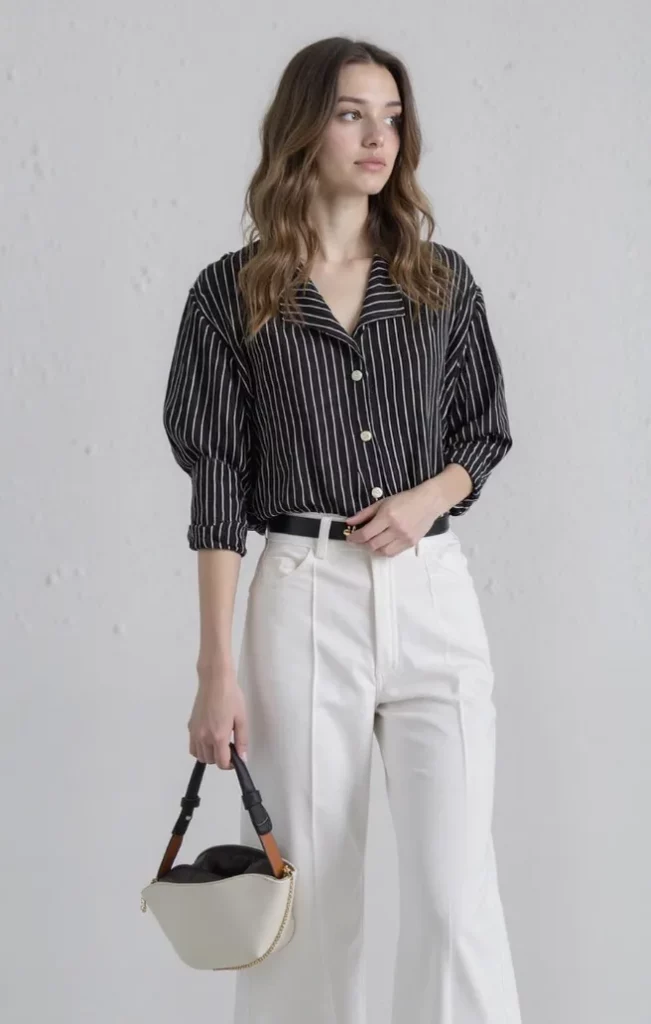
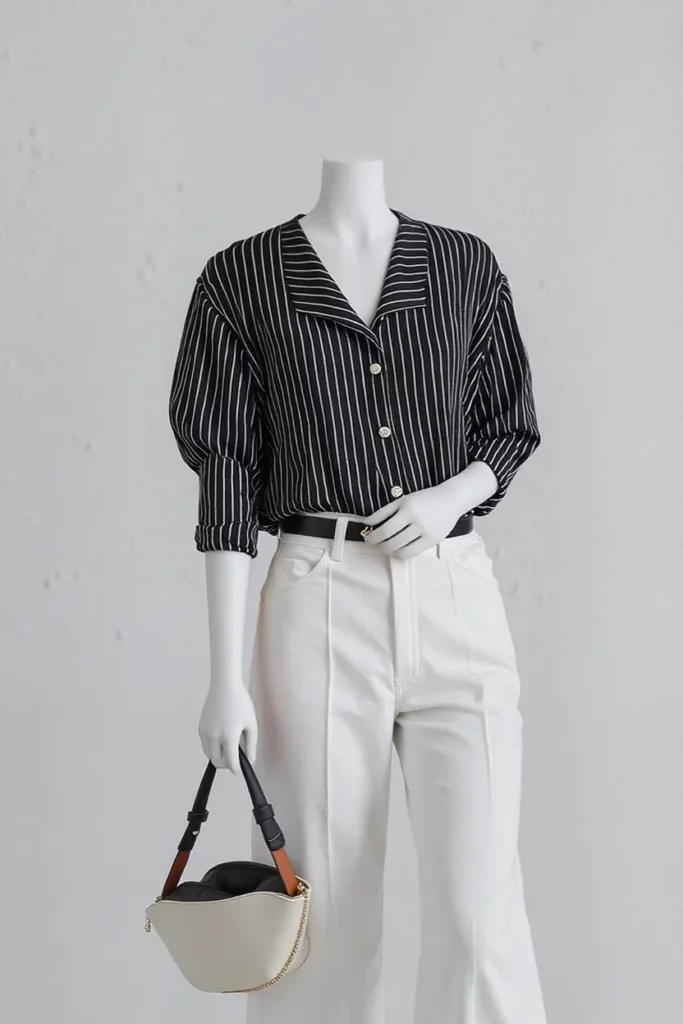
Build a Two-Layer Catalog with AI Mannequin Generator
A useful fashion catalog can contain two visual layers.
The first layer attracts attention. The second layer reduces uncertainty.
Together, they create a stronger customer journey.
Model Images Create Desire
The first layer should make the shopper curious.
It may include:
- Campaign photography
- Styled outfits
- Lifestyle scenes
- Social media images
- Editorial poses
- Seasonal environments
These images communicate personality and mood.
However, they do not always show every product detail. That is why the second visual layer matters.
Mannequin Images Create Clarity
The second layer helps the customer evaluate the garment.
It may include:
- Clean mannequin displays
- Front and back views
- Detail close-ups
- Fabric images
- Size information
- Construction notes
The AI Mannequin Generator can help create this product-focused layer from existing model photos.
As a result, brands do not have to force one image style to handle the entire shopping journey.
A Practical AI Mannequin Generator Workflow
A strong result begins with the source image.
If the garment is hidden or heavily distorted, the transformation has less reliable information to work with. Therefore, prepare the image before building a complete catalog.
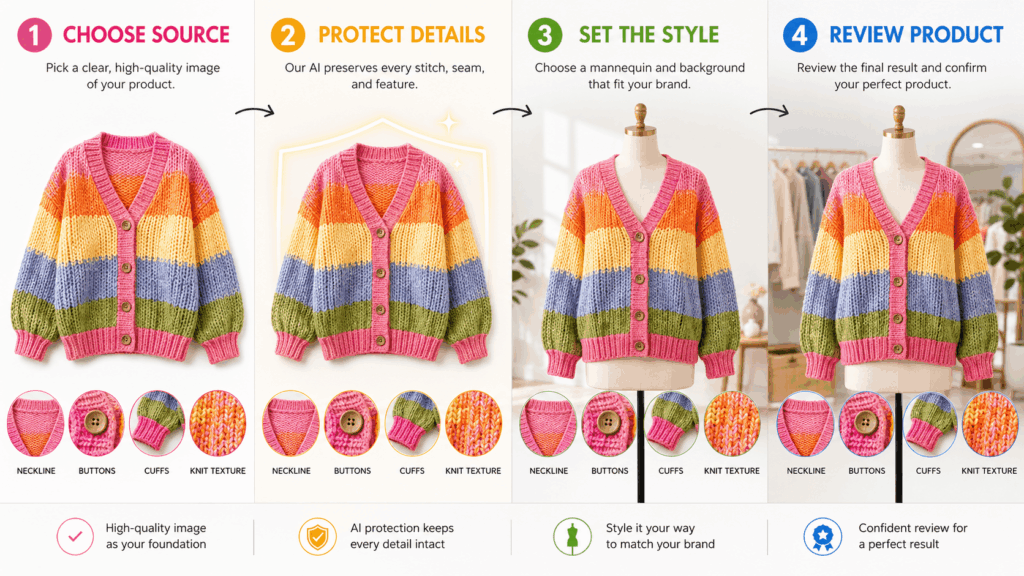
AI Mannequin Generator Step 1: Choose a Clear Source
Start with a model photo that shows the garment clearly.
A useful source image should have:
- Good resolution
- Clear garment edges
- Natural lighting
- Limited motion blur
- Visible sleeves and hem
- Minimal accessory overlap
- A simple pose
Straight or slightly angled poses are often easier to review.
By contrast, crossed arms may hide the waist or front closure. Long hair can cover the neckline, while a handbag may block pockets and seams.
Choose the cleanest source available.
AI Mannequin Generator Step 2: Protect Garment Details
Next, make a short list of features that must not change.
For a blazer, this list may include:
- Lapel width
- Button count
- Pocket shape
- Shoulder structure
- Sleeve length
- Back vent
A dress may require a different list. Its neckline, waist, hem, print, and straps may need the closest attention.
This step makes the final review faster. It also helps the team focus on product truth rather than general visual appeal.
Step 3: Set One Mannequin Style
Consistency should be planned before processing many products.
Decide on shared rules for:
- Mannequin type
- Background color
- Image ratio
- Product scale
- Crop position
- Camera angle
- Shadow strength
- Spacing around the garment
For example, every top may use the same front-facing crop and soft gray background. Dresses can follow a full-length format, while jackets use a slightly closer frame.
One clear system is better than many unrelated styles.
Step 4: Review Product Accuracy
Finally, compare the output with the original garment.
Check the image at full size. Then zoom in on important areas.
Ask:
- Did the silhouette change?
- Are the sleeves the correct length?
- Did any pocket disappear?
- Are prints and logos accurate?
- Did the neckline become wider?
- Are buttons still in the correct position?
- Does the fabric drape naturally?
- Is the front different from the verified product?
Do not approve the image only because it looks clean.
Approve it because it still represents the garment.
Common AI Mannequin Generator Mistakes
Clean output does not always mean accurate output.
The following problems can weaken product trust and catalog consistency.
Avoid Source Photos That Hide the Garment
The transformation cannot reliably preserve a feature that is not visible.
For example, a large scarf may cover the collar. Crossed arms can hide the waistband. An oversized bag may block half of a jacket.
Whenever possible, select a source image with limited obstruction.
If only a difficult photo is available, compare the result with separate product references before publishing it.
Do Not Let the Mannequin Change Construction
Small construction changes can create misleading product information.
A generated image may look realistic while showing:
- An extra button
- A missing pocket
- A different seam
- A changed neckline
- A shorter hem
- A simplified pattern
These errors matter because customers may use the image to make a purchase decision.
Therefore, construction details should receive more attention than general styling.
Keep One Catalog Style Across the Collection
One mannequin image may look professional by itself. However, the entire collection can still feel inconsistent.
Problems appear when products use different:
- Backgrounds
- Crops
- Scales
- Shadow directions
- Mannequin shapes
- Camera heights
Create an image guide before processing a large batch.
A simple rule may state that all tops use a neutral background, centered crop, soft contact shadow, and equal product scale.
Preserve Useful Fit Information
Removing the model can also remove useful context.
For example, shoppers may need to see how a waistband sits on the body. They may also need a model image to understand sleeve volume or garment movement.
Keep at least one accurate on-model view when fit behavior matters.
The mannequin image should add clarity. It should not remove evidence that the shopper needs.
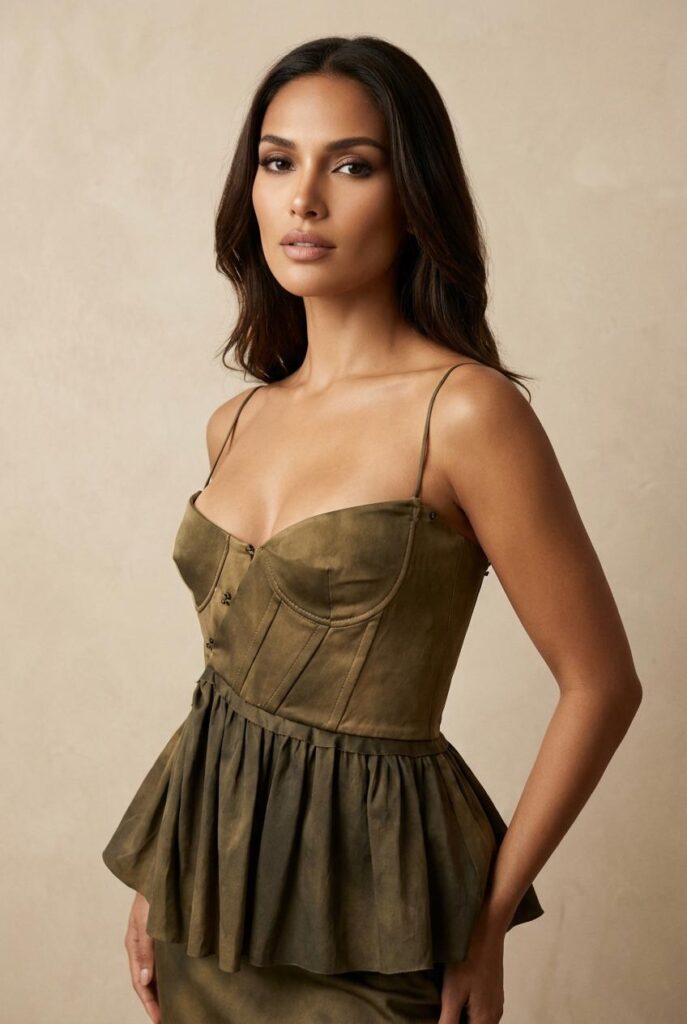
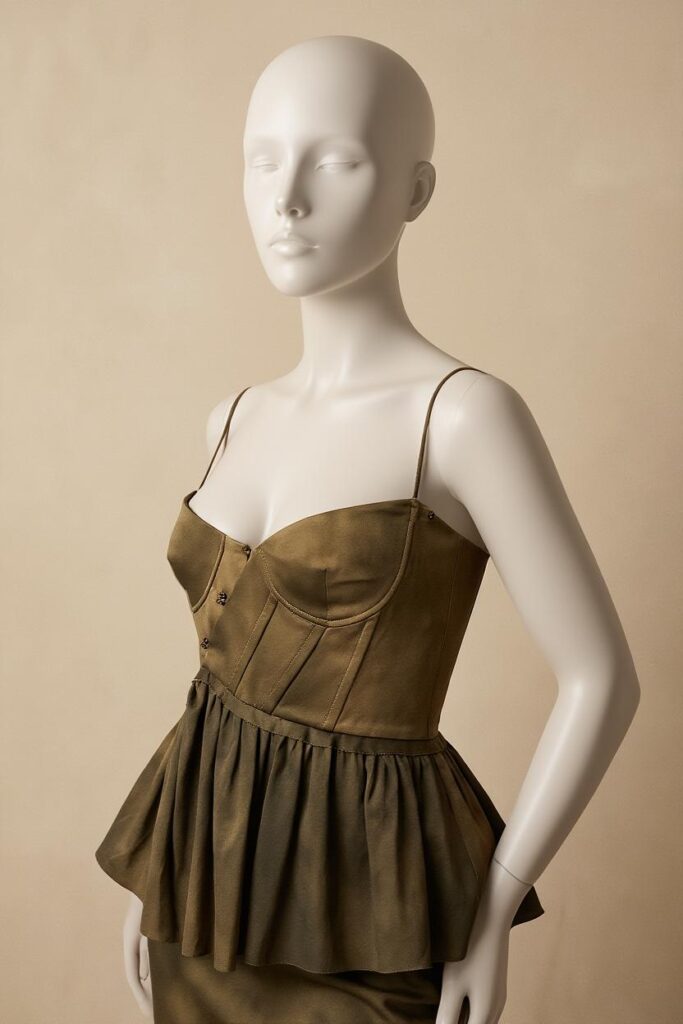
Create Consistent Mannequin Displays Across Categories
Different clothing categories need different review priorities.
The same mannequin template may not work equally well for every garment.
Mannequin Images for Tops and Dresses
For tops, focus on:
- Neckline
- Sleeve shape
- Shoulder width
- Front closure
- Hem position
Dresses require additional attention to the waist, skirt volume, overall length, and straps.
Full-length framing usually works better when the hem is part of the product story.
Mannequin Images for Outerwear
Outerwear often contains more structure.
Jackets and coats may include lapels, belts, pockets, vents, zippers, and layered collars. Therefore, review both front and back construction.
A slightly angled mannequin view can help show depth. Still, the angle should remain consistent across similar items.
Mannequin Images for Sets and Matching Pieces
Matching sets need clear separation between garments.
The top and bottom should remain easy to identify. In addition, the waistband, overlap, and fabric pattern must align correctly.
When pieces are also sold separately, create individual product views beside the complete set.
This helps customers understand exactly what each listing includes.
Frequently Asked Questions About AI Mannequin Generator
Can AI Mannequin Generator Replace Models?
It can create an additional product-focused image type.
However, model photography remains useful for movement, styling, emotional connection, and lifestyle storytelling.
The strongest fashion catalogs often use both.
Which Source Photos Work Best?
Clear, high-resolution model photos are the best starting point.
Choose images with visible garment edges, simple poses, natural lighting, and limited obstruction. Avoid heavy motion blur whenever possible.
Can Mannequin Images Improve Catalog Consistency?
Yes.
A shared mannequin style can make products easier to compare. For better consistency, use the same background, crop, scale, camera angle, and shadow rules across the collection.
Which Garment Details Need the Closest Review?
Review any feature that helps identify the real product.
Important areas include:
- Prints
- Logos
- Buttons
- Pockets
- Zippers
- Seams
- Necklines
- Sleeves
- Hemlines
- Belts
- Fabric patterns
Compare the final output with verified product images before publishing.
Final Thoughts on AI Mannequin Generator
Fashion customers need inspiration, but they also need clarity.
A model can show how a garment belongs in a lifestyle. Meanwhile, an AI Mannequin Generator can reduce visual distractions and create a cleaner product display.
Therefore, do not ask one image type to handle the entire customer journey.
Use model photography to attract attention. Then add mannequin views, fabric details, and product information to support the purchase decision.
The model sells the feeling.
The mannequin shows the product.
Go to WeShop AI For Exploration: