

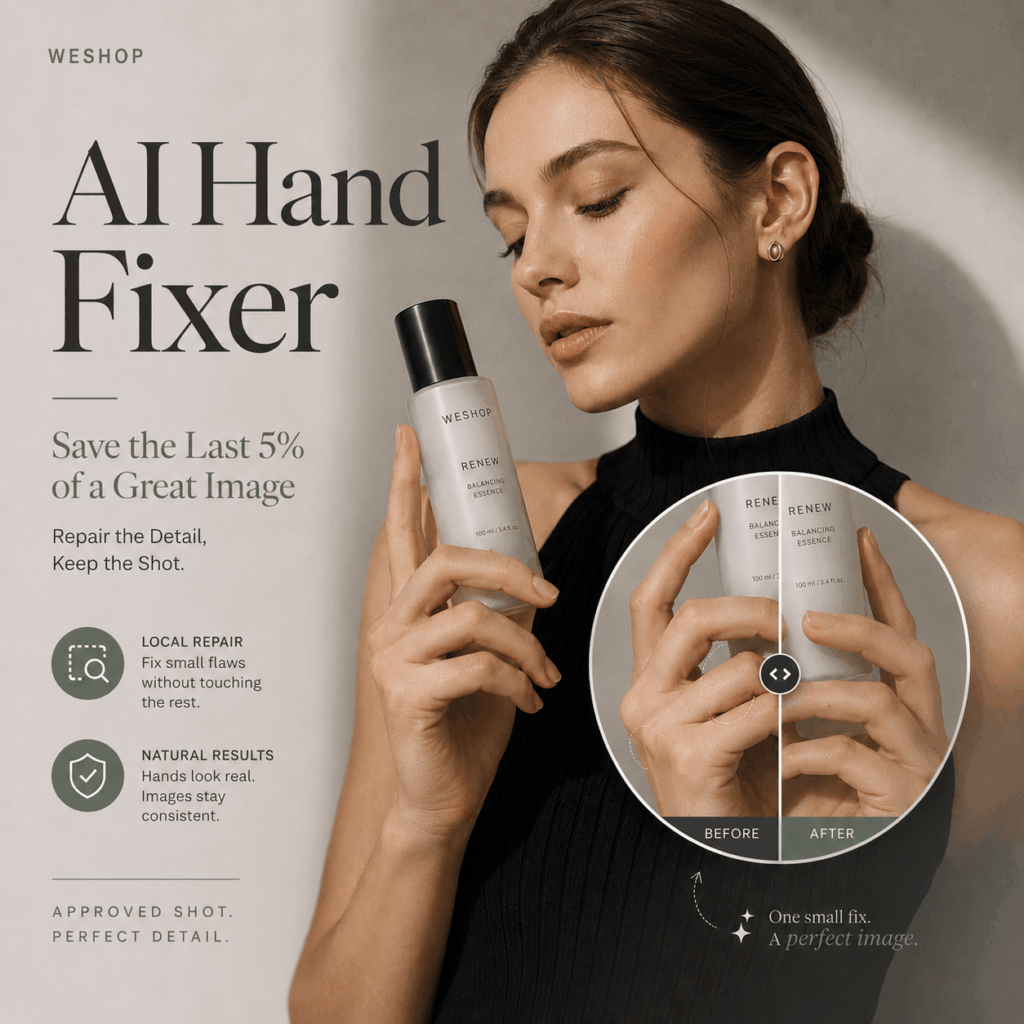
An AI Hand Fixer becomes most valuable when an image is already 95% complete. The model looks right. The product is accurate. The lighting supports the campaign, and the background matches the brief. Then, just before publishing, you zoom in and discover six fingers wrapped around the bottle.
At that point, regenerating the entire image feels less like a solution and more like a gamble.
A new generation might correct the hand. However, it could also change the model’s face, alter the product label, replace a clothing detail, move the camera, or flatten the lighting you already approved.
That is where an AI Hand Fixer changes the workflow. Instead of rebuilding the whole scene, it allows you to focus on the damaged area while protecting everything else.
The goal is not simply to produce five fingers. More importantly, the repaired hand must belong naturally inside the original image.
Why AI Hand Fixer Matters at Final Review
At thumbnail size, many AI-generated campaign images look ready to publish.
A fashion model may appear to hold a handbag naturally. A skincare bottle sits in the correct position. The pose feels confident, while the composition leaves enough room for campaign copy.
Then the image opens at full resolution.
One finger passes through the bottle. Two fingertips blend together. A thumb grows from the wrong side of the palm. Elsewhere, a polished shoe hides an ankle that bends at an impossible angle.
These problems are easy to miss during early creative review because attention usually goes to larger elements:
- Is the model right for the audience?
- Does the product match the original?
- Is the campaign mood convincing?
- Does the framing leave enough space for text?
- Can the image work across the required channels?
Hands and feet often receive attention only during the final review. Unfortunately, they are also where a nearly finished image can suddenly lose credibility.
Therefore, zooming in should become part of the normal approval process, not an emergency step after export.


How One Bad Hand Changes the Product Story
A distorted hand does more than make the model look unusual. In commercial imagery, it can also change how the product appears to work.
Customers may not consciously count every finger. Still, they can sense when an interaction feels physically impossible.
When AI Hand Fixer Needs to Restore a Real Grip
Imagine a model presenting a serum bottle.
The palm sits behind the product, but the fingers do not wrap around it. There is no visible pressure, contact shadow, or believable point of support. As a result, the bottle seems to float in front of the hand.
The anatomy may look acceptable at first glance. Yet, the action still fails.
A successful hand correction should answer several practical questions:
- Which fingers support the product?
- Where does the bottle touch the skin?
- How far should each joint bend?
- Does the thumb stabilize the grip?
- Would the object fall if the hand opened slightly?
The hand should not merely look human. It must perform a believable action.
Use AI Hand Fixer Without Hiding the Product
Sometimes a repaired hand becomes anatomically better but commercially worse.
New fingers may cover the brand name, block an important feature, or interrupt the clean silhouette of a handbag. In addition, a larger palm can make a small product look incorrectly scaled.
Before using an AI Hand Fixer, identify the product details that must remain visible:
- Logo and label
- Package shape
- Closure or hardware
- Fabric texture
- Product color
- Important selling features
The repaired hand should support the product presentation rather than compete with it.


Why AI Hand Fixer Beats a Full Reroll
Full regeneration can appear faster than detailed repair. However, it often introduces an entirely new set of problems.
Suppose the original image already has:
- The correct model identity
- A convincing expression
- Accurate clothing
- Strong product placement
- Suitable lighting
- A usable background
- The right camera angle
Generating a replacement means asking the system to reproduce all seven successes while correcting one local defect.
It might work. More often, something else changes.
The handbag becomes wider. The model looks like a different person. A ring disappears. The jacket sleeve changes length. Text on the package becomes unreadable. Even when the new hand looks better, the entire image must go through another review.
An AI Hand Fixer changes that logic. Rather than requesting a new frame, it treats the current image as an approved asset with one repair request.
This distinction matters when visual consistency is important. Product pages, seasonal campaigns, marketplace listings, and model sets often depend on images that match one another.
Because an AI Hand Fixer focuses on local correction, it helps preserve the creative decisions that have already passed review.
Run the AI Hand Fixer Contact Point Test
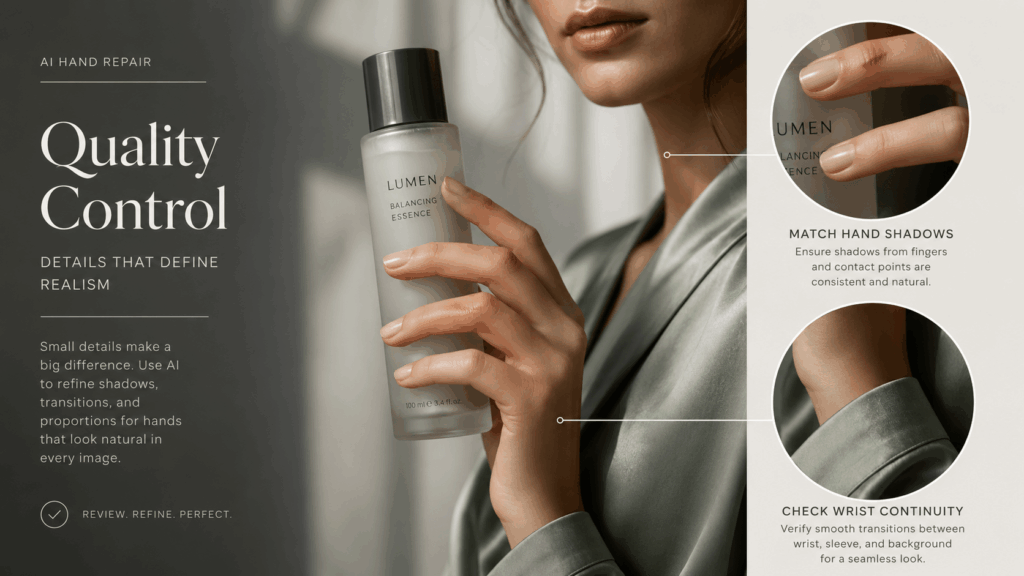
After correcting the obvious anatomy, inspect the area where the hand meets the product, clothing, furniture, or body.
This contact point often decides whether the repair feels integrated or pasted on.
Give Repaired Fingers Real Weight
A hand holding an object should respond to its weight and shape.
A heavy perfume bottle requires a different grip from a thin lipstick tube. Likewise, a handbag handle should press into the fingers instead of sitting loosely across them.
Look for:
- Natural joint bending
- Consistent finger spacing
- Pressure where skin touches the object
- A thumb position that supports the grip
- A believable relationship between product and hand size
Perfectly straight fingers rarely communicate weight. In contrast, extreme bending can make the pose look painful or unstable.
The final grip should feel effortless but physically possible.
Match Hand Shadows to the Original Light
Lighting can reveal a weak repair immediately.
If the product casts a shadow to the right, the new fingers should respond to the same light source. Meanwhile, contact areas may require darker shadows where the skin meets the object.
Check the spaces:
- Between individual fingers
- Beneath the thumb
- Along the side of the product
- Where the palm meets a handle
- Under the wrist near a sleeve
After an AI Hand Fixer completes the correction, smooth and even lighting can make the hand look disconnected from a dramatic campaign scene. On the other hand, shadows that are too heavy may make the fingers appear dirty or unnaturally deep.
The light should continue through the repaired area without revealing where the edit begins.
Continue the Hand Naturally Into the Wrist
A realistic palm can still fail if it does not connect naturally to the arm.
Compare the repaired area with the original wrist and forearm. Skin tone, texture, direction, and width should remain consistent.
Pay attention to:
- The transition from palm to wrist
- Sleeve and cuff boundaries
- Jewelry placement
- Veins and skin texture
- Highlights across the arm
- The direction of the original pose
An oversized hand attached to a narrow wrist will remain distracting, even if every finger is correct. Similarly, a warmer skin tone can make the hand look as though it belongs to another person.
Continuity matters more than isolated perfection.
Use AI Hand Fixer for Distorted Feet Too
Hands receive most of the attention, but full-body fashion images often hide similar problems around the feet.
A standing model may appear balanced until you inspect the shoes. One sole does not touch the floor. The ankle bends away from the leg. A heel merges into the background. In open footwear, toes may overlap or appear in the wrong number.
These issues are especially important in:
- Shoe advertisements
- Virtual try-on images
- Full-body fashion campaigns
- Fitness content
- Swimwear photography
- Seated lifestyle scenes
Foot errors can also damage the physical logic of a pose.
When a model places weight on one leg, the supporting foot should sit firmly against the floor. The other leg can relax, bend, or lift. If both feet appear weightless, the whole body may seem to float.
An AI Hand Fixer that also supports foot correction can help repair these local defects without rebuilding the full fashion image. However, the shoe itself must remain accurate.
Fixing the foot should not redesign the toe box, alter the heel height, remove a strap, or change the product shape customers need to see.
The same rule applies: repair the body part without sacrificing the commercial purpose of the image.
Repair Less and Review More
A strong local correction begins with a narrow target and ends with a wide review.
The process should protect the approved image instead of inviting unnecessary changes.
Mark the Smallest AI Hand Fixer Area
Select only the damaged region.
If the fingers are incorrect, avoid including the entire arm. When one foot has a distorted toe, do not automatically select both legs and the surrounding floor.
A larger repair area gives the system more freedom. However, it also increases the chance of changing:
- Sleeves
- Bracelets and rings
- Product edges
- Clothing patterns
- Nearby background details
- The original pose
Sometimes the smallest effective area includes part of the palm so the finger joints can reconnect naturally. Even then, the selection should remain focused.
An AI Hand Fixer works best when the request is specific enough to protect everything outside the damaged area.
Preserve the Original Hand Gesture
A technically correct replacement can still introduce a completely different gesture.
The original model may be pointing toward the product, resting a hand on the waist, or holding a bag with a relaxed grip. After repair, the fingers might close, spread, or rotate in a way that changes the attitude of the pose.
That difference can affect the campaign message.
An open hand may feel welcoming. A tight grip can appear tense. A pointed finger directs attention, while a relaxed wrist creates a softer fashion pose.
Place the original and repaired versions side by side. Then compare more than finger count:
- Has the gesture changed?
- Does the elbow still support the hand position?
- Is the product held at the same angle?
- Does the pose keep the same energy?
- Has the visual balance shifted?
The new hand should continue the original action rather than invent a different one.
Review the AI Hand Fixer Result at Full Size
Zooming in is necessary for checking anatomy. However, approval should never happen only at maximum magnification.
First, inspect the repaired region closely. Next, return to the complete frame.
The AI Hand Fixer result may look convincing in isolation but feel too large, too sharp, or too bright inside the full composition. Therefore, check whether the hand attracts attention for the wrong reason.
Finally, preview the image in its real destination:
- Product page
- Marketplace listing
- Social media post
- Paid advertisement
- Email banner
- Printed campaign material
Different placements reveal different problems. A minor flaw may disappear in a small mobile post, while a high-resolution product page makes it obvious.
The final review should match the way customers will actually encounter the image.
Check the Product After AI Hand Fixer Repair
The body part may be repaired, but the product still needs a final inspection.
Compare the edited result with the original product reference. Make sure the repair has not changed:
- Label spelling
- Logo placement
- Package proportions
- Material texture
- Handle or strap shape
- Product color
- Reflections and shadows
This step is especially important when the hand overlaps the product.
A newly generated finger may extend across the label. The product edge may become softer. A reflective bottle can gain a false highlight that changes its shape.
Therefore, do not approve the image simply because the anatomy looks better. The commercial subject must still be accurate.
For ecommerce imagery, product consistency is not a small detail. It is part of customer trust.
Look Beyond Finger Count
Counting fingers is a useful starting point. It is not a complete quality check.
A successful hand repair should answer five deeper questions:
- Is the hand performing a physically believable action?
- Does it contact the product or surface naturally?
- Are skin tone, lighting, and shadows continuous?
- Has the product remained accurate and visible?
- Does the complete image still feel like the approved original?
An AI Hand Fixer earns its place in the workflow by protecting the image rather than reinventing it.
That is especially valuable after the difficult creative decisions have already been made. The model has been chosen. The product is accurate. The lighting works. The team likes the pose. Only one local defect stands between the image and publication.
Do not reroll the part that already works.
Use the AI Hand Fixer to repair the smallest necessary area. Then inspect the contact points, preserve the gesture, compare the product, and review the complete frame.
A successful repair should disappear into the image. Nobody needs to notice that the hand was fixed. They should only notice the model, the campaign, and the product you intended to sell.
Go to WeShop AI For Exploration:


