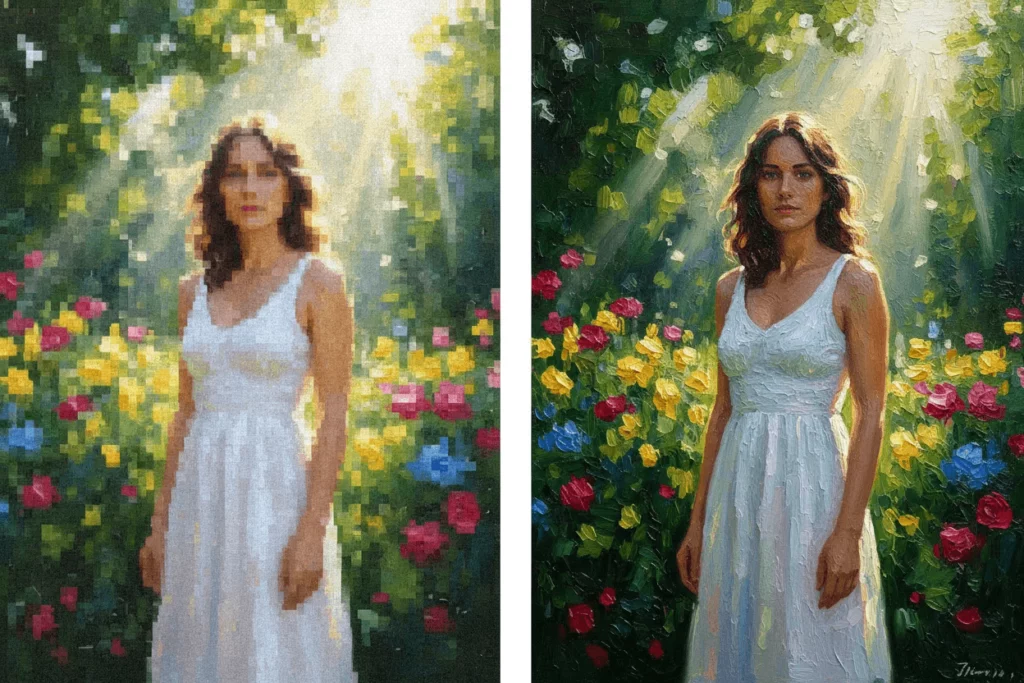
Have you ever tried to turn a favorite photo into a digital painting, only to be disappointed by the result? You expect a masterpiece, but you get a blurry, pixelated mess. This is the common struggle when trying to apply high-quality artistic effects to standard mobile photos. The problem isn’t your photo. The problem is usually the resolution and the tool you are using.
We all want that gallery-quality look. We want brushstrokes that look real and textures that pop. But most simple apps compress your image, destroying the details that make art look “real.”
The good news? You don’t need to be a Photoshop wizard anymore.
With the right AI tools, you can now upscale your images and apply stunning styles instantly. You can go from a grainy selfie to a crisp oil painting in the blink of an eye. This guide will show you exactly how to do it.
Why Standard Apps Ruin Your Artistic Effects
Let’s be honest about the current state of most mobile apps. You search for a painting filter, download an app, and upload your picture. The app applies a generic overlay.
The result usually looks flat. It lacks depth.
When you zoom in, the “paint” just looks like colored noise. This happens because standard picture to painting converter tools work at a low resolution. They prioritize speed over quality. They take your 12-megapixel photo and crunch it down to a tiny file to process it quickly.
This kills the vibe of the artwork.
Real art is about detail. It is about the subtle gradient of a watercolor wash or the thick texture of an oil impasto. If your source image is blurry, the artistic effects will just highlight that blur. You cannot build a skyscraper on a swamp. You need a solid foundation.
To get professional results, you need a workflow that enhances the image before and during the transformation.
The Power of Upscaling: Turn Photo into Art with Clarity
Before we talk about style, we have to talk about pixels.
Upscaling is the secret weapon of digital artists. It uses Artificial Intelligence to add new pixels to your image. It guesses what the missing details should look like based on millions of reference images.
When you turn photo into art without upscaling, you are limited by the original file size. If you try to print it, it will look blocky.
However, if you use an AI upscaler first, you increase the canvas size. You give the AI more room to work.
Imagine trying to paint a portrait on a postage stamp. It’s impossible to add detail. Now, imagine painting that same portrait on a large canvas. Suddenly, you can add eyelashes, light reflections, and fabric textures.
That is what upscaling does. It creates the necessary space for the artistic effects to shine. It ensures that when you convert a photo to art, the edges remain sharp and the colors stay vibrant.
How to Use WeShop AI to Create Artistic Effects
There are many tools out there, but you need one that handles high resolution well. One powerful option specifically designed for clean, high-fidelity generation is WeShop AI.
While often used by e-commerce pros for product shots, its underlying engine is incredible for artistic rendering. It understands lighting and texture better than most basic filter apps.
Here is a simple workflow to get that crystal-clear look.
Step 1: Upload and Prep Your Base Image
Start with the highest quality photo you have. Don’t use a screenshot if you can avoid it. Upload the original file to the platform.
WeShop AI allows you to maintain the integrity of your subject. This is crucial. You want to turn photo into artwork, not turn your subject into a stranger. The AI analyzes the shapes and lighting of your photo to prepare it for transformation.
Step 2: Applying the Artistic Effects and Filters
This is the fun part. You can now select the style you want.
Do you want a “Van Gogh” swirl? Or maybe a clean “Anime” line art style?
When you select a style in a high-end tool like WeShop AI, it doesn’t just paste a layer on top. It re-imagines the image. It looks at a tree in your photo and generates a “painted tree” based on the style you chose.
Because the engine is powerful, the artistic effects are rendered with sharp lines. The brushstrokes follow the actual contours of the object. It feels organic, not forced.
Step 3: The Final Upscale
Once the style is applied, don’t just save it yet. Use the “Upscale” or “Enhance” feature.
This is the step that separates the amateurs from the pros.
The upscaler refines the new artistic details. It sharpens the simulated brushstrokes. It cleans up any digital noise in the shadows. This ensures that your final image is crisp, clear, and ready to be displayed anywhere.

Popular Styles to Turn Photo into Artwork
Not all photos look good in all styles. Choosing the right vibe is key.
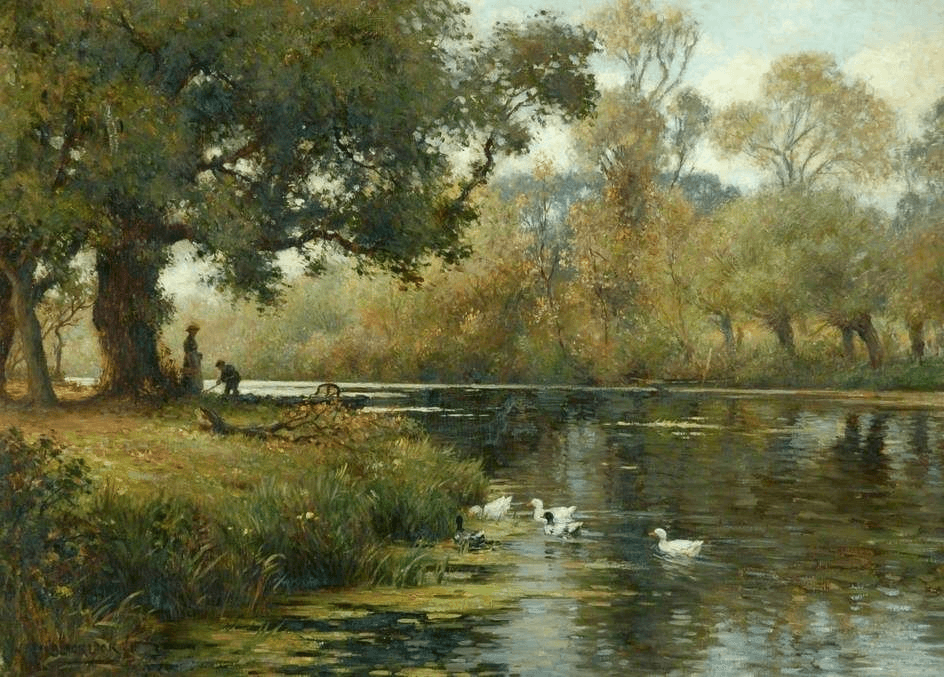
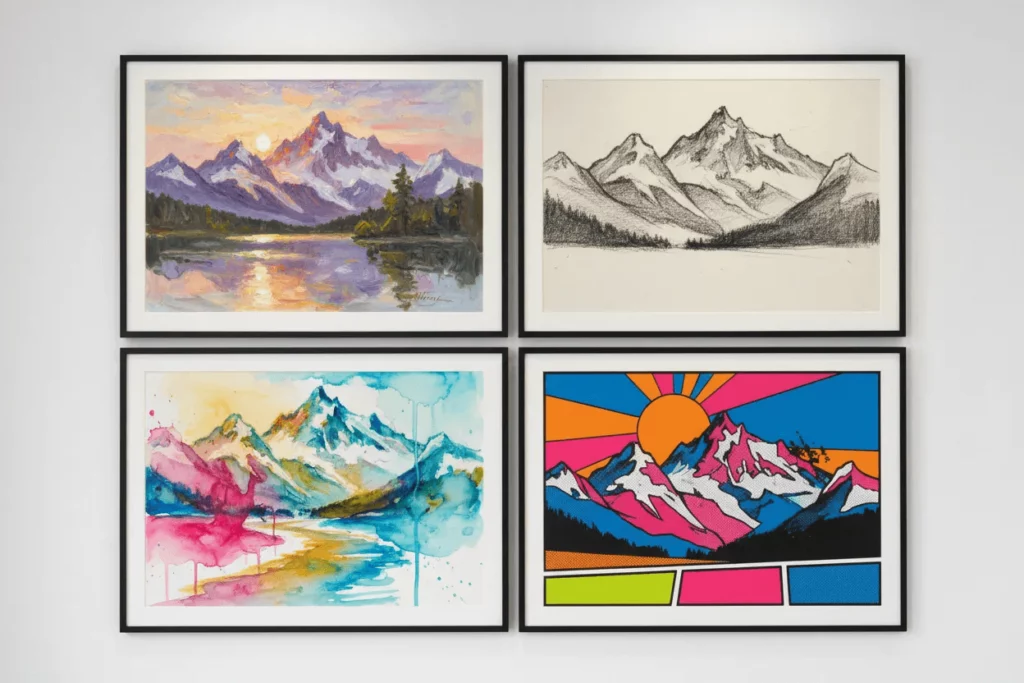
1. The Oil Painting Look This is the classic choice. It works best for portraits and pet photos. The painting filter adds texture and depth. It softens skin tones while keeping eyes sharp. It gives a timeless, museum-quality feel to modern photos.
2. Watercolor Wash This is perfect for landscapes and travel photos. Watercolor effects rely on white space and bleeding colors. It turns a busy city street into a dreamy, romantic scene. It is less about precision and more about mood.
3. Sketch and Line Art If you want something modern and minimal, go for a sketch style. This strips away color and focuses on structure. It is great for architecture or profile pictures.
Maximizing Artistic Effects for Print and Web
You have created your masterpiece. Now, what do you do with it?
If you followed the upscale steps, your image is now high-resolution. This means you can do more than just post it on Instagram.
For Social Media: Crystal-clear images stop the scroll. When users see a photo to art conversion that looks sharp, they pause. They want to know how you did it. The clarity cuts through the noise of low-quality memes and screenshots.
For Printing: This is the ultimate test. A standard filter app image will fall apart when printed on an 8×10 canvas. But an upscaled image with proper artistic effects holds up.
You can print custom gifts. You can make wall art for your home.
When printing, always check the DPI (Dots Per Inch). Because you upscaled the image, your DPI should be high enough for a crisp print.
A Few Final Tips for Success
- Lighting is Key: AI loves contrast. Photos with good lighting turn into better paintings. Dark, muddy photos often result in dark, muddy art.
- Keep it Simple: Busy backgrounds can confuse the AI. Sometimes cropping your photo before you start helps the picture to painting converter focus on the subject.
- Don’t Overdo It: Sometimes 80% intensity is better than 100%. You want the photo to look like art, but you still want to recognize the people in it.
Conclusion
Creating digital art used to take years of practice or expensive software. Now, it just takes seconds. But speed shouldn’t mean sacrificing quality.
By focusing on resolution and using capable tools like WeShop AI, you can achieve results that look handmade.
Don’t settle for blurry filters. Don’t settle for pixelated noise.
Enhance your images. Upscale your results. Embrace the new era of crystal-clear artistic effects and turn your photo gallery into a museum today.