If you’ve spent any time on X (Twitter) lately, you’ve seen Clawdbot. It’s everywhere. Photos of Mac Minis are paired with bold claims about automating everything. People call it the future, but few explain why. After digging deep for 40 hours, here’s the full story on Clawdbot—what it really does and what nobody is telling you.
What Is Clawdbot, in Simple Terms?
Forget the technical jargon. Think of Clawdbot as Claude with hands. You know how you ask Claude a question and it gives an answer? Now imagine if Claude could also perform the task. Installing software, running scripts, managing files, monitoring websites, sending emails—all through a simple message on WhatsApp, Telegram, or iMessage. It’s an AI assistant that doesn’t just think; it acts.
For example, a regular AI says, “Here’s how to organize your files.” Clawdbot, on the other hand, has them sorted before you finish reading the sentence. This is what people mean by “autonomous AI.” It gets work done.
Why the Hype Around Clawdbot Is Real
The buzz on Twitter sounds almost magical. Stories include clearing 10,000 emails overnight or building a website via Telegram while watching Netflix. Clawdbot stands out for several reasons.
First, it runs locally on your machine, not on some cloud service. It accesses your files, apps, and data directly. Second, you control it from anywhere—your phone via WhatsApp, your iPad via Telegram, or even a smartwatch. Third, it can interact with any software on your computer. The most impressive part? It can build its own tools. Ask Clawdbot to create a “skill” (a reusable workflow), and with good instructions, it can code, install, and run it.
How Clawdbot Actually Works
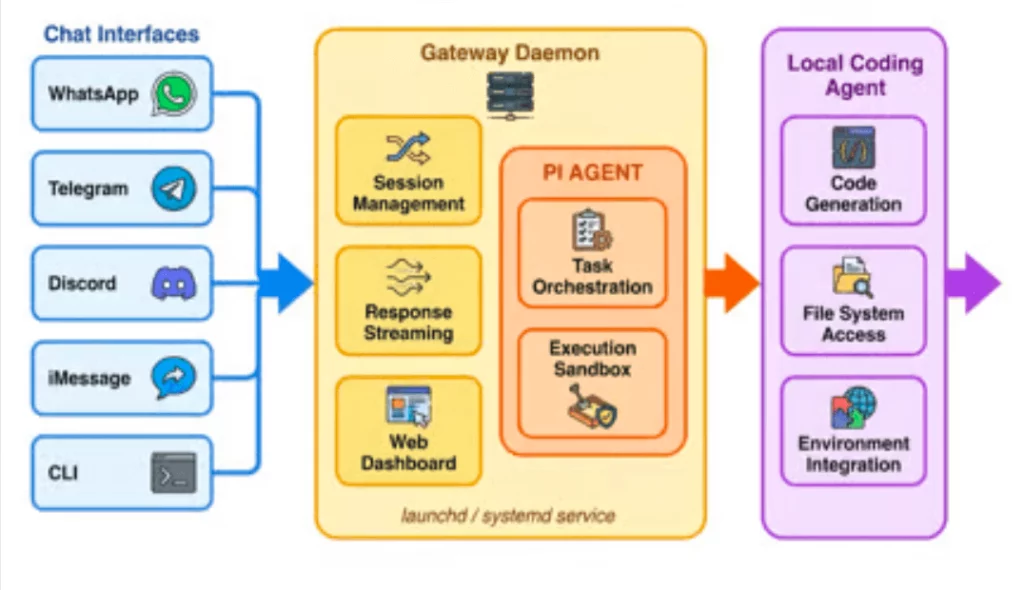
The architecture is straightforward. You send a message from an app like WhatsApp or Telegram. This message goes to a Gateway—a program running on your computer that acts as mission control. The Gateway sends your request to Claude (via the Anthropic API) and executes commands on your machine. Everything runs locally, keeping your data private.
The Real Clawdbot Setup Process
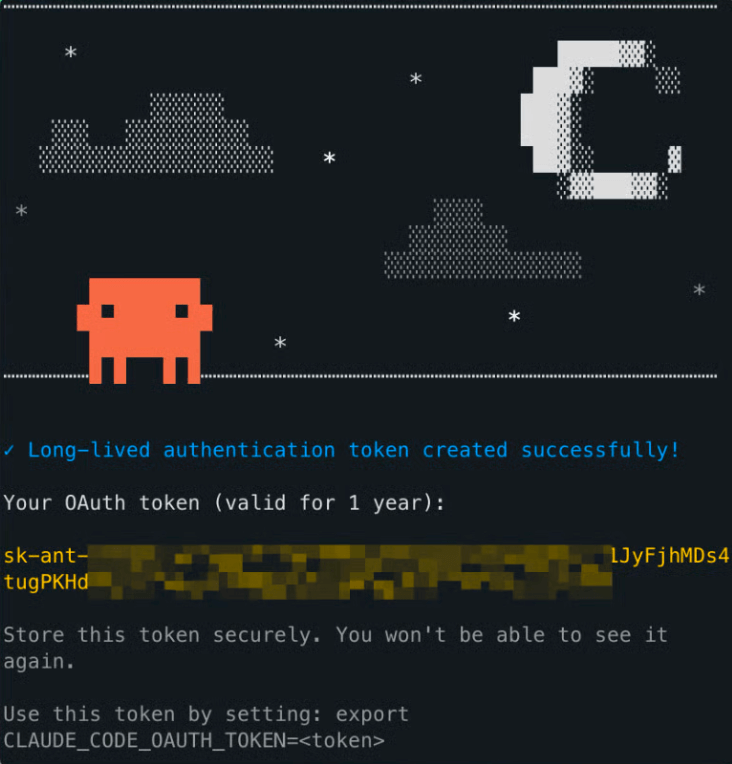
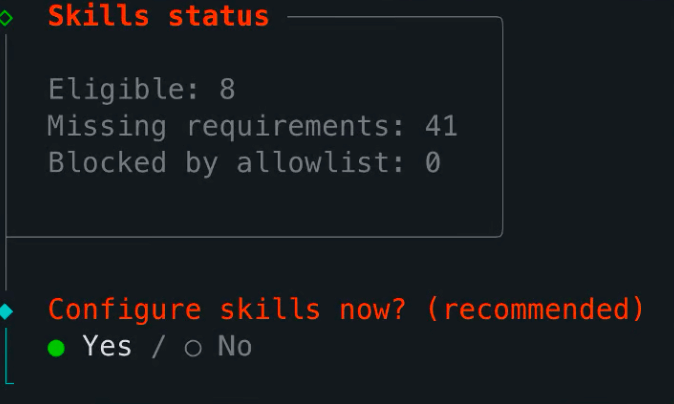
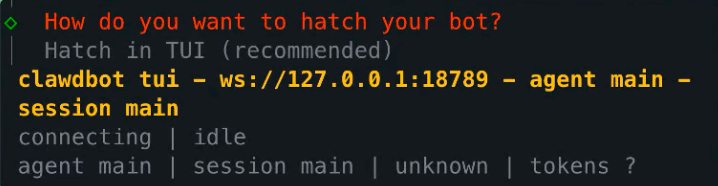
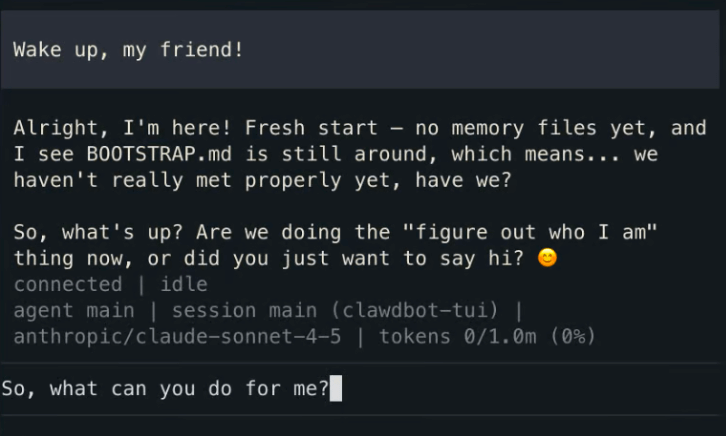
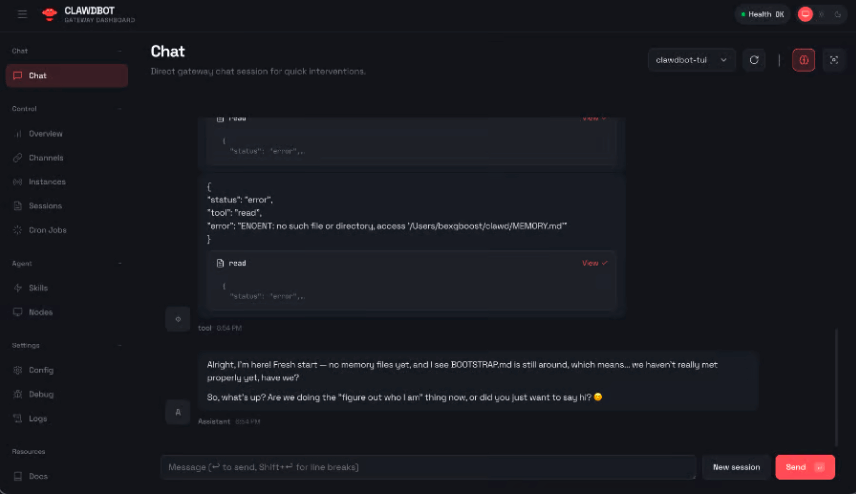
The GitHub page might look intimidating, but setup is simpler than it appears. A technical user can be up and running in 20-30 minutes. A non-technical user might need 1-2 hours. You’ll need a Mac, Linux, or Windows with WSL2, Node.js, and an Anthropic API key. The guided setup walks you through connecting your messaging app and permissions. A common first test is asking, “What’s in my Downloads folder?” and having Clawdbot organize the files by type. This works immediately.
Clawdbot Use Cases: Instant vs. Advanced
This is the crucial distinction many reviews miss. Clawdbot works on two levels.
Level 1: What Works Instantly (Minutes to Set Up)
These tasks work right after installation:
- File Management: “Organize my Downloads folder by type and date.”
- Quick Research: “Find and summarize the latest news on AI safety.”
- Calendar & Email Checks: “What’s on my schedule today?” (requires initial CLI setup).
- Basic Automation: “Run this script every morning at 8 AM.”
- Text Processing: “Extract all email addresses from these 20 PDFs.”
These are fast, often delivering results in seconds.
Level 2: Powerful Clawdbot Automation (Requires Effort)
These advanced capabilities require custom skills, API connections, and configuration:
- Advanced Email Management: Automatically sorting thousands of emails.
- Trading/Market Automation: Real-time stock alerts and data analysis.
- Social Media Automation: Posting to multiple platforms and monitoring engagement.
- Complex Code Projects: Managing GitHub repos and automated deployments.
This is where the “magic” happens, but it’s not instant. It can take hours or days of setup and testing.
What It Can’t Do (The Honest Truth)
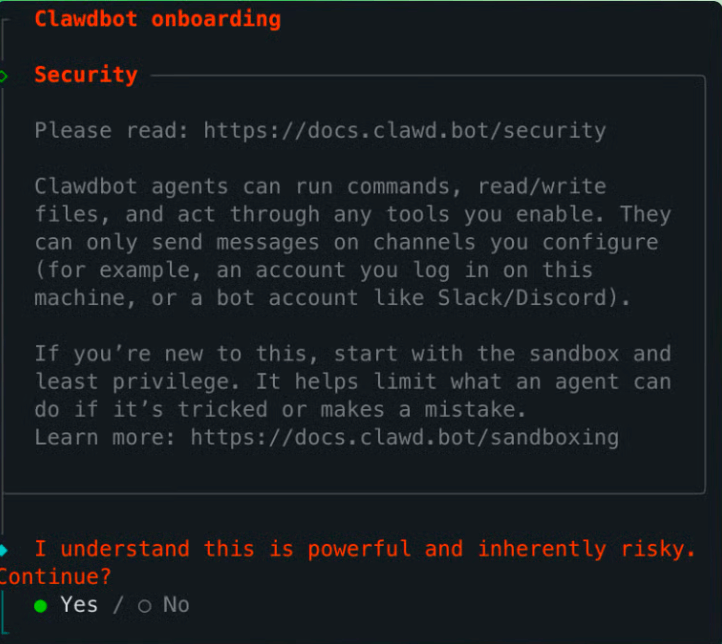
Let’s be realistic. Clawdbot is not magic. Vague commands like “make my business successful” will fail. It needs clear, specific instructions. It can only operate within the permissions you grant it. High-level demos you see online were built by users who invested significant time. Also, remember API costs from Anthropic; bills can range from $15 to $150+ per month depending on usage. You must monitor your initial usage.

The Real Cost of Using Clawdbot
The software itself is free and open-source. Your main cost is the Anthropic API fee. For most users, this is between $15 and $50 monthly. The bigger investment is time. Basic setup takes 30 minutes to 2 hours. Learning the system and building advanced workflows can take several more hours. However, if you save 5 hours a week, the return on investment is quickly realized.
Who Is It Really For?
Clawdbot is a fantastic fit for:
- Developers and technically comfortable users.
- Anyone with clear, repetitive tasks.
- Early adopters willing to invest time for long-term gains.
It might be a struggle for:
- Those who have never used a command line.
- Users expecting a one-click, perfect solution.
- Anyone unwilling to read documentation or troubleshoot.
Your First Steps with Clawdbot
Ready to start? Don’t try to automate your entire life on day one.
- Install: Go to docs.clawd.bot and follow the quick start guide (set aside 30-60 minutes).
- Start Small: Master one simple task, like organizing a folder. Get a quick win.
- Build Slowly: Once one automation works, add another. Complexity grows with experience.
- Join the Community: The Clawdbot Discord is full of users sharing workflows and tips.
The Bottom Line on Clawdbot
After 40 hours, the conclusion is clear: Clawdbot is a significant tool. It’s not perfect or magical. It requires work. But its core promise is real: an AI that helps you dothings, not just answer questions. The revolution in autonomous AI is coming. Learning to work with tools like Clawdbot now is like learning Excel in the 1980s or search engines in the 1990s. You are building a crucial skill for the future. The best time to start was yesterday. The next best time is today, but you have to be willing to learn.