

Clothing Sketch AI: Test Fashion Ideas Before Sampling
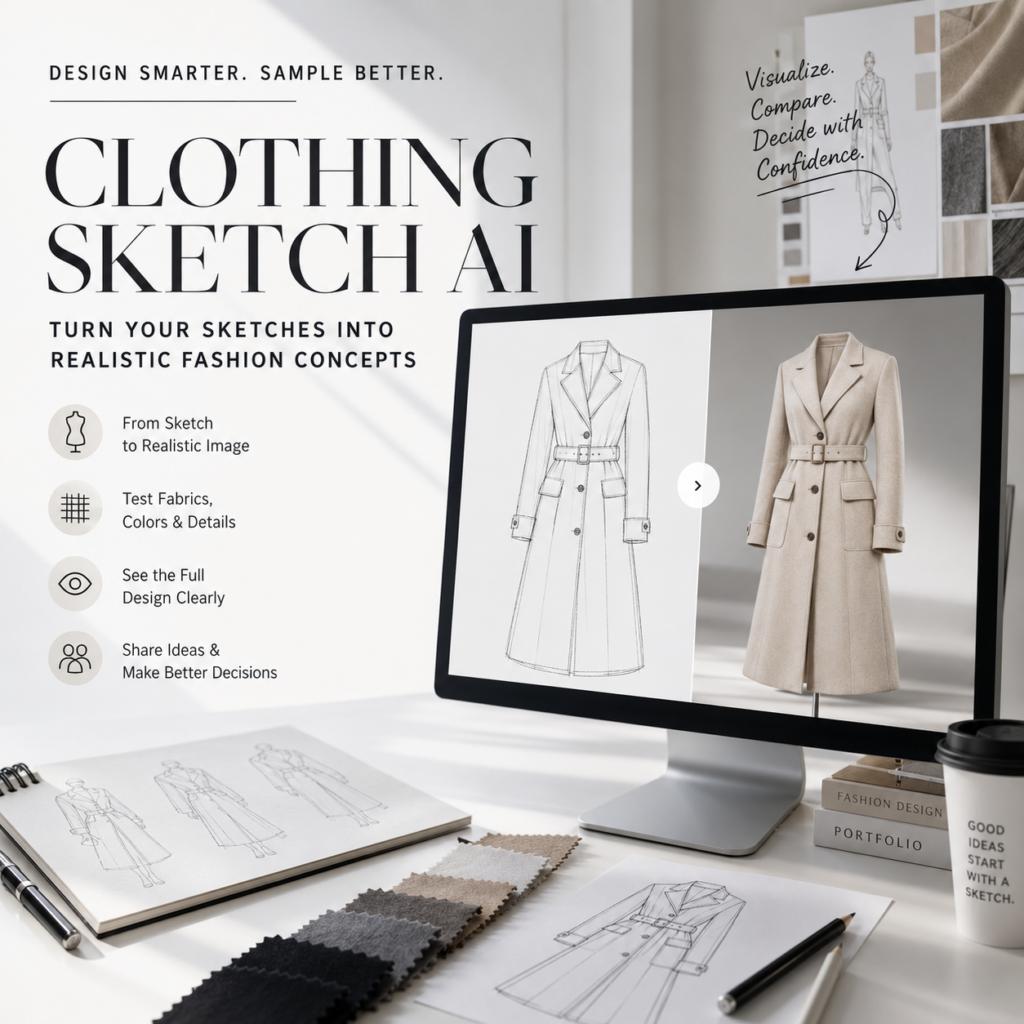
Clothing Sketch AI helps designers turn fashion drawings into realistic garment concepts before making a physical sample. A sketch may look perfect on paper. However, the finished clothing can feel very different once fabric, shape, color, and body proportions become visible.
For example, a dramatic sleeve may look elegant in a drawing but too heavy on a real model. A soft skirt may also lose its shape when paired with the wrong fabric. Therefore, testing a design early can prevent costly mistakes later.
With Clothing Sketch AI, you can explore how a garment may look with different materials, colors, patterns, and styling choices. The tool does not replace technical design or sample making. Instead, it creates a useful visual step between the first sketch and production.
Why a Great Sketch Can Still Fail
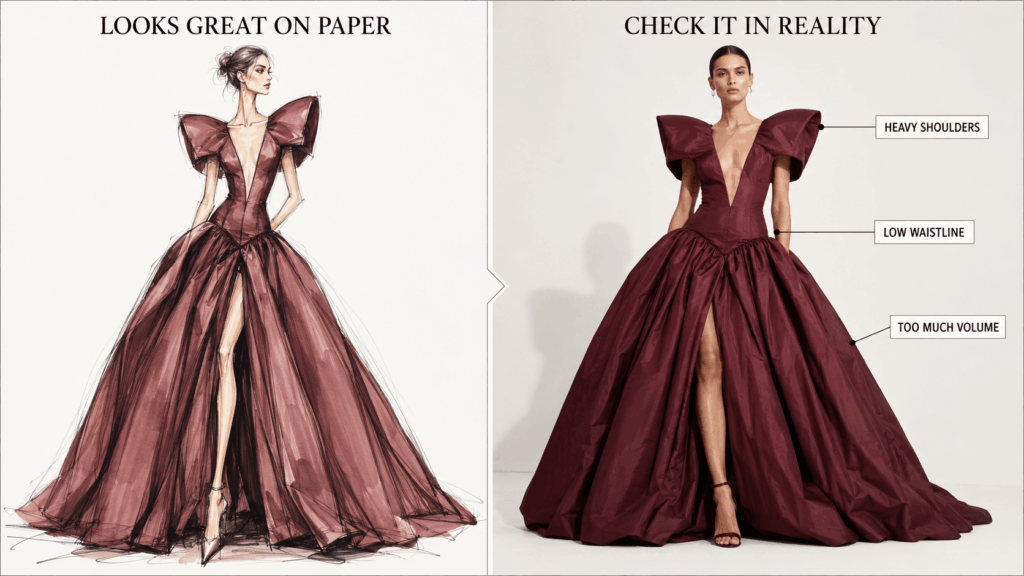
Fashion sketches are designed to express an idea quickly. As a result, they often make clothes look longer, lighter, or more dramatic than they may appear in real life.
For instance, a wide shoulder can look bold in a drawing. However, it may feel too large when shown on a realistic body. A long skirt may also look elegant on paper but hide the shape of the full outfit.
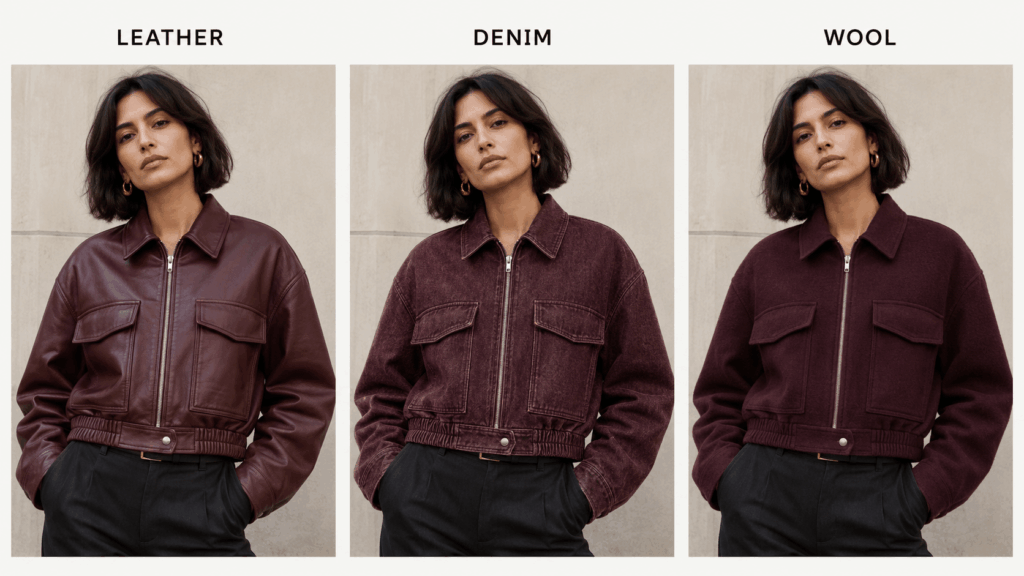
Fabric creates another challenge. Silk produces soft folds, while leather holds a stronger shape. Meanwhile, thick wool can add more volume than expected. Therefore, the same clothing outline can look completely different when the material changes.
Color can also affect the final result. A bright red jacket may stand out in a sketch. Still, it may feel too intense when combined with a glossy fabric. On the other hand, a softer material may make the same color more wearable.
Because of these differences, a sketch should not be the final test. Instead, it should be the beginning of a visual review.
What Clothing Sketch AI Reveals
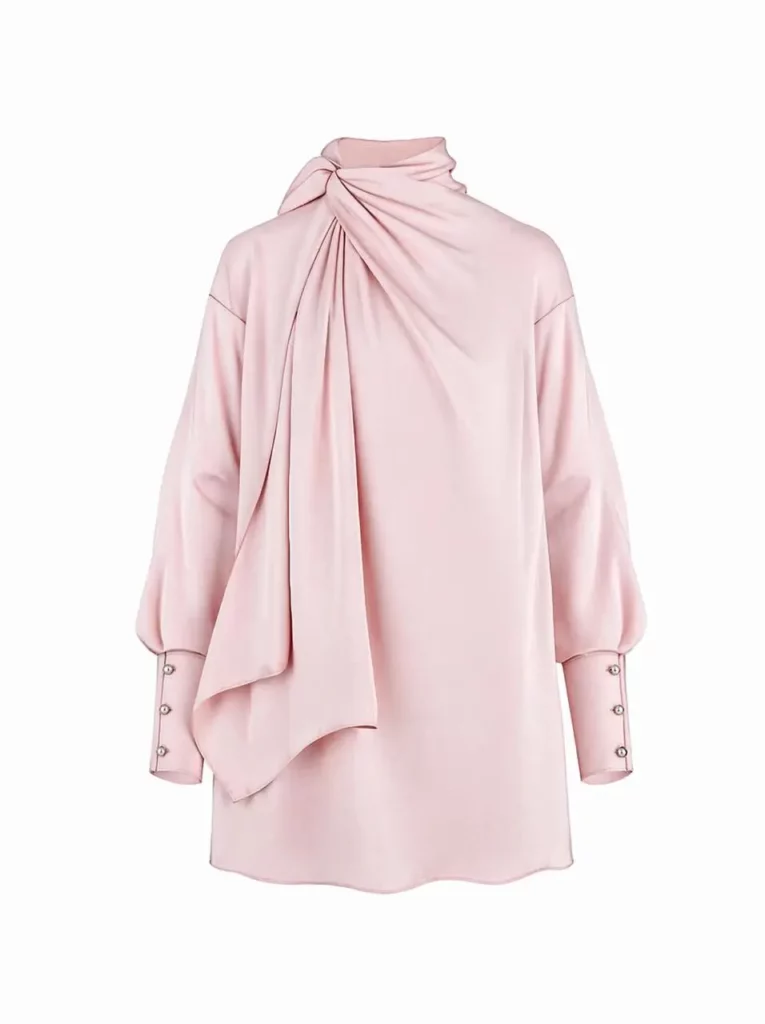
Clothing Sketch AI can show how a flat drawing may look as a more realistic fashion concept. It reads the main structure of the sketch and adds details such as fabric texture, shadows, folds, and depth.
Most importantly, it gives you a clearer view of the overall silhouette. You can review the shoulders, waist, sleeves, hem, and garment length. Therefore, it becomes easier to notice shapes that feel unbalanced.
The tool can also help you compare different materials. For example, one jacket sketch could become a denim jacket, a leather jacket, or a wool coat. As a result, you can explore several directions without drawing the design again.
However, the generated image should still be treated as a concept. It is useful for planning and discussion, but it is not a technical production file.
Prepare a Sketch the Tool Can Read
The quality of the input still matters. Therefore, you should prepare the sketch before uploading it.
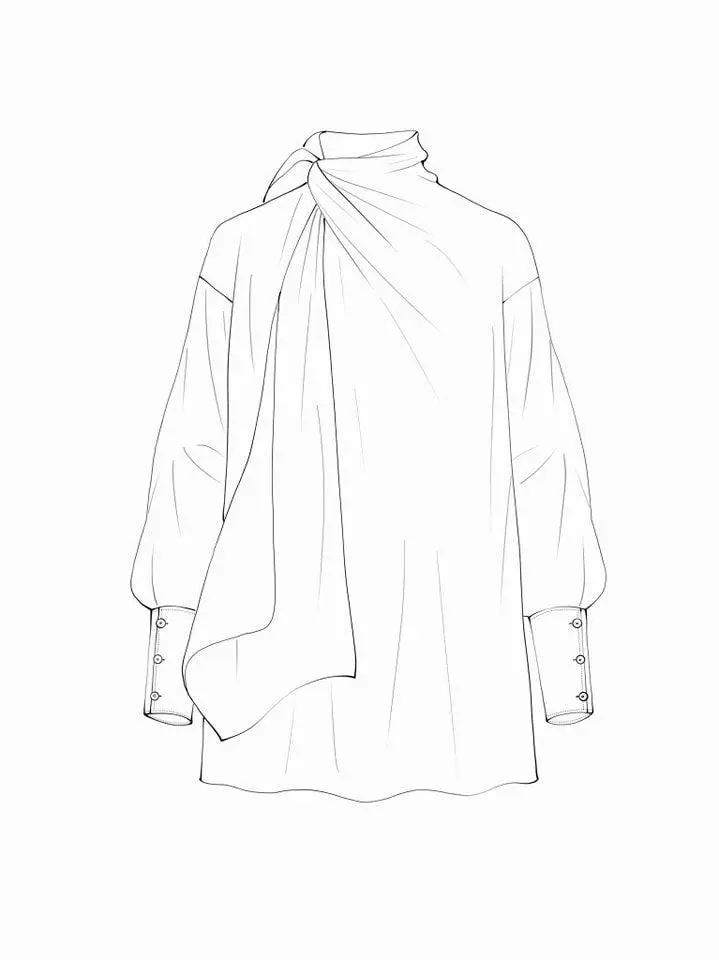
A simple drawing can work well. However, the main garment structure must be easy to understand. The tool should clearly see where the sleeves begin, how the neckline is shaped, and where the garment ends.
Clean the Main Garment Lines
First, remove marks that are not part of the design. These may include notes, arrows, paper shadows, or unfinished lines.
Next, make the garment outline darker and easier to see. You do not need to redraw the whole sketch. Instead, focus on the most important shapes.
For a dress, this may include:
- Neckline
- Shoulder shape
- Sleeve length
- Waist position
- Skirt length
- Hem shape
For a jacket, you may also need to show the collar, pockets, cuffs, and closure.
As a result, the tool has a clearer structure to follow.
Keep the Design Details Clear
Small details can easily change during image generation. Therefore, important features should be visible in the original sketch.
For example, show whether a jacket uses buttons or a zipper. Make the pocket shapes clear. In addition, draw straps, belts, pleats, and cutouts with clean lines.
However, avoid filling the page with tiny technical notes. Too much information can make the sketch harder to read. Instead, keep the image simple and explain materials or styling in the prompt.
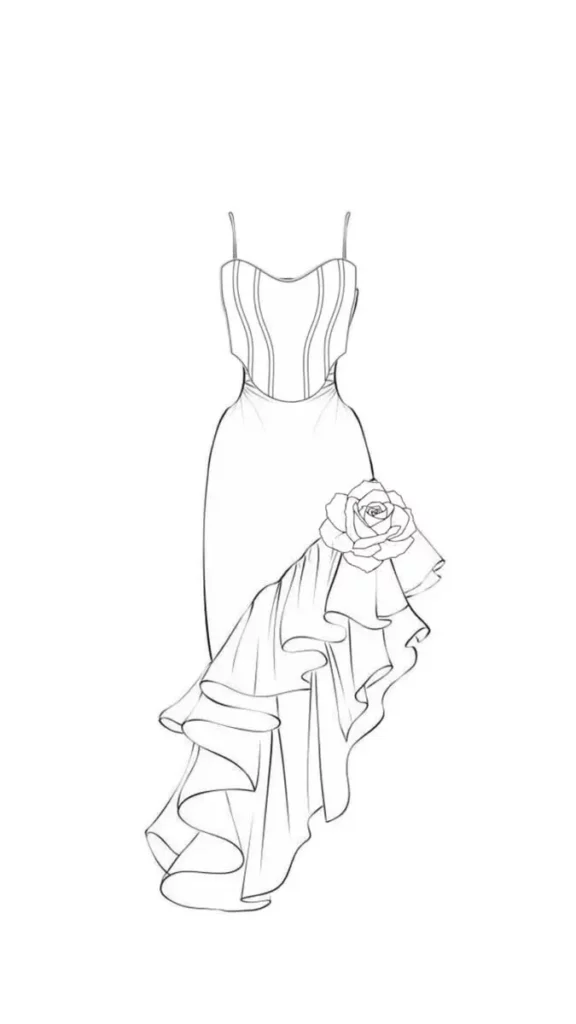
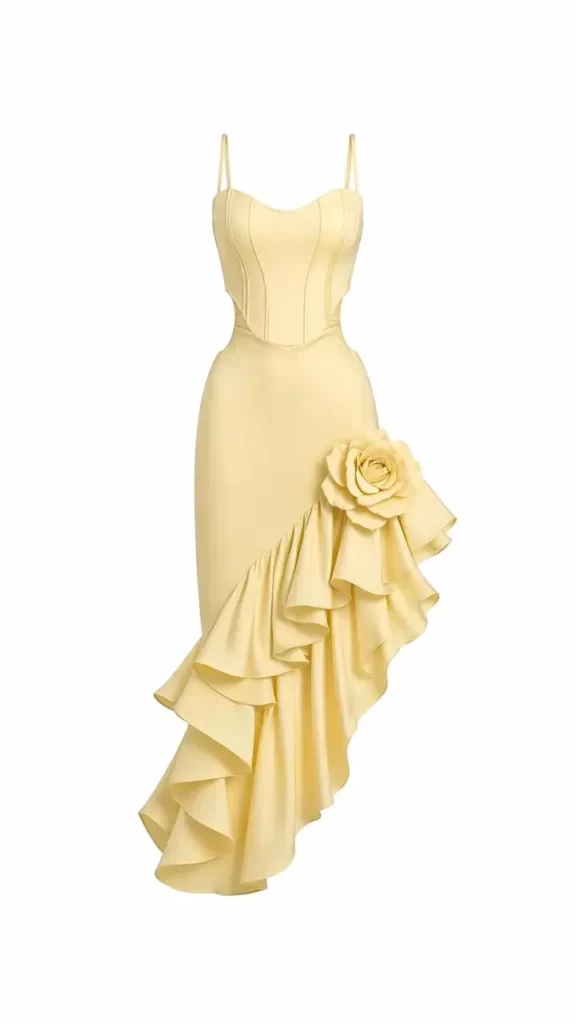
How to Use Clothing Sketch AI
The basic process is simple. Still, a controlled workflow often gives you more useful results than one long and complicated prompt.
Upload Your Fashion Sketch
Start with a hand-drawn sketch, digital fashion drawing, or clean garment line art.
The image should show the full design. Therefore, avoid cutting off sleeves, hems, or important details. A plain background can also make the clothing easier to identify.
Next, check the image angle. A straight front view is often easier to test than a dramatic pose. However, a three-quarter view may still work when the garment structure is clear.
Use a Clothing Sketch AI Prompt Formula
A useful prompt does not need to be long. Instead, it should explain the details that the drawing cannot show clearly.
Use this simple formula:
Garment type + fabric + color + fit + key details + presentation style
For example:
“Women’s cropped bomber jacket, deep burgundy leather, relaxed fit, structured shoulders, silver zipper, realistic fashion studio photography.”
This prompt explains the fabric and mood without changing the original clothing idea.
However, avoid adding several styles at once. Words such as minimal, vintage, futuristic, and romantic may push the result in different directions. Therefore, choose one clear style for each generation.
Generate One Change at a Time
It can be tempting to test a new material, color, background, and model at the same time. However, that makes the results harder to compare.
Instead, begin with one feature.
For example, keep the sketch and color the same. Then generate three material options:
- Structured black leather
- Soft washed denim
- Heavy charcoal wool
After that, choose the strongest fabric direction. Next, keep that material and test several colors.
This method takes slightly longer. Still, it gives you clearer answers.
Compare the Results
Do not choose the most beautiful image immediately. Instead, compare each result with the original drawing.
First, check whether the design still feels like your idea. Then review whether the tool changed the garment length, neckline, sleeves, or fit.
In addition, look for details that appeared without your request. Image generators may add seams, buttons, folds, or accessories. These details can look realistic, but they may not belong to the design.
Therefore, place the original sketch beside every generated result. This makes comparison much easier.
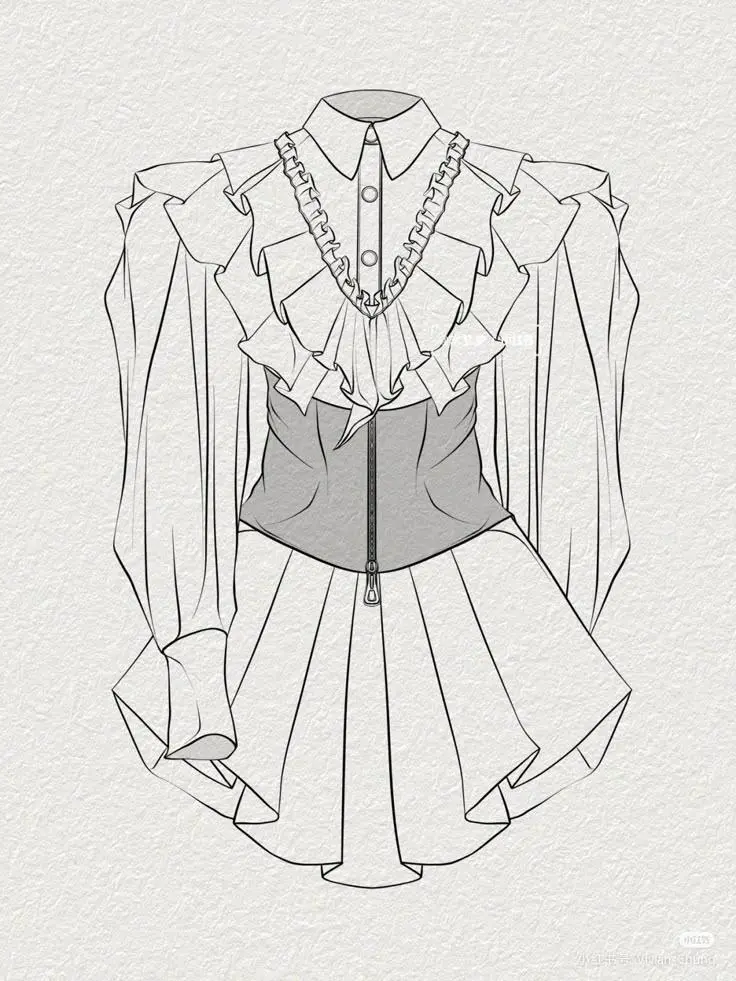
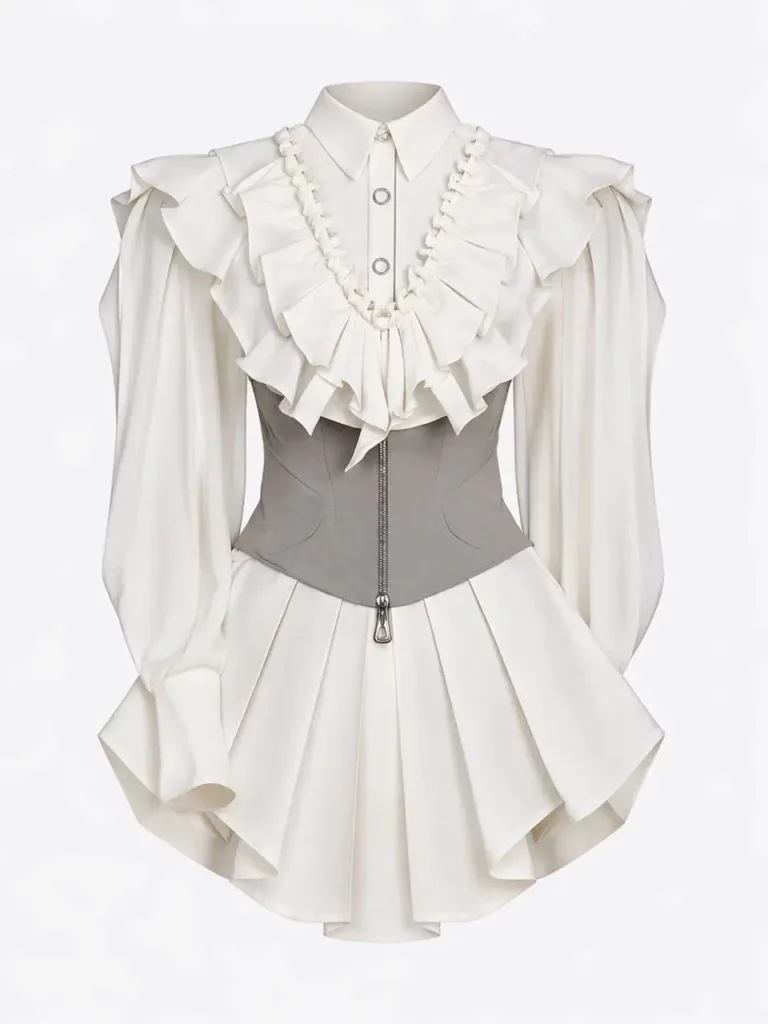
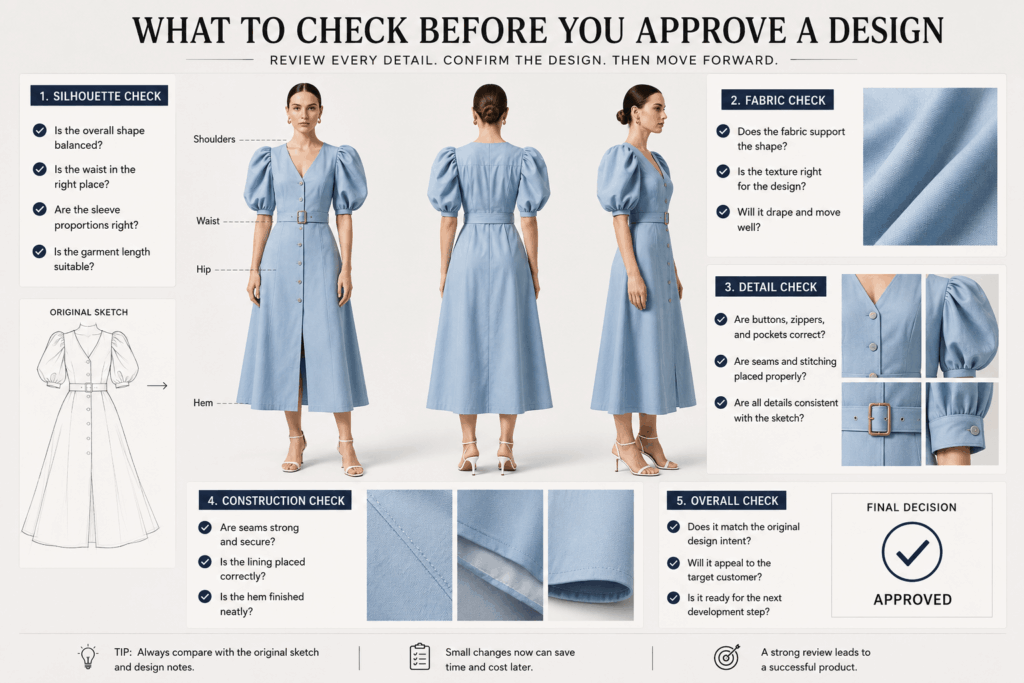
What to Check Before You Approve a Design
A polished image can make almost any fashion concept look exciting. However, you still need to review the clothing design itself.
Does the Silhouette Still Work?
First, look at the garment from a distance. Do not focus on the small details yet.
Check the overall shape. Is the upper half too heavy? Does the waist sit in the correct place? Are the sleeves too wide? In addition, consider whether the garment length fits its intended use.
For example, a dramatic floor-length coat may work well for a campaign. However, it may feel less practical for an everyday collection.
Therefore, judge the silhouette before judging the styling.
Does the Fabric Match the Shape?
Different materials behave in different ways. As a result, the fabric should support the garment structure.
A fitted dress may need a fabric with some stretch. Meanwhile, a sharp blazer may require a material that can hold its shape. Soft silk can create beautiful movement, but it may not support a large sculpted sleeve.
The generated image cannot confirm the real weight or stretch of a material. Still, it can help you notice an obvious visual mismatch.
Review Clothing Sketch AI Details
Now, move closer and check the smaller design features.
Review the following areas:
- Collar and neckline
- Buttons or zippers
- Pocket placement
- Seams and stitching
- Pleats and folds
- Belts and straps
- Pattern scale
- Hem construction
Most importantly, check whether these details match the original sketch. Clothing Sketch AI may interpret unclear areas in its own way. Therefore, a clean result is not always an accurate result.
When an important detail keeps changing, return to the sketch. Make that area clearer, then generate another version.
Clothing Sketch AI for Portfolios
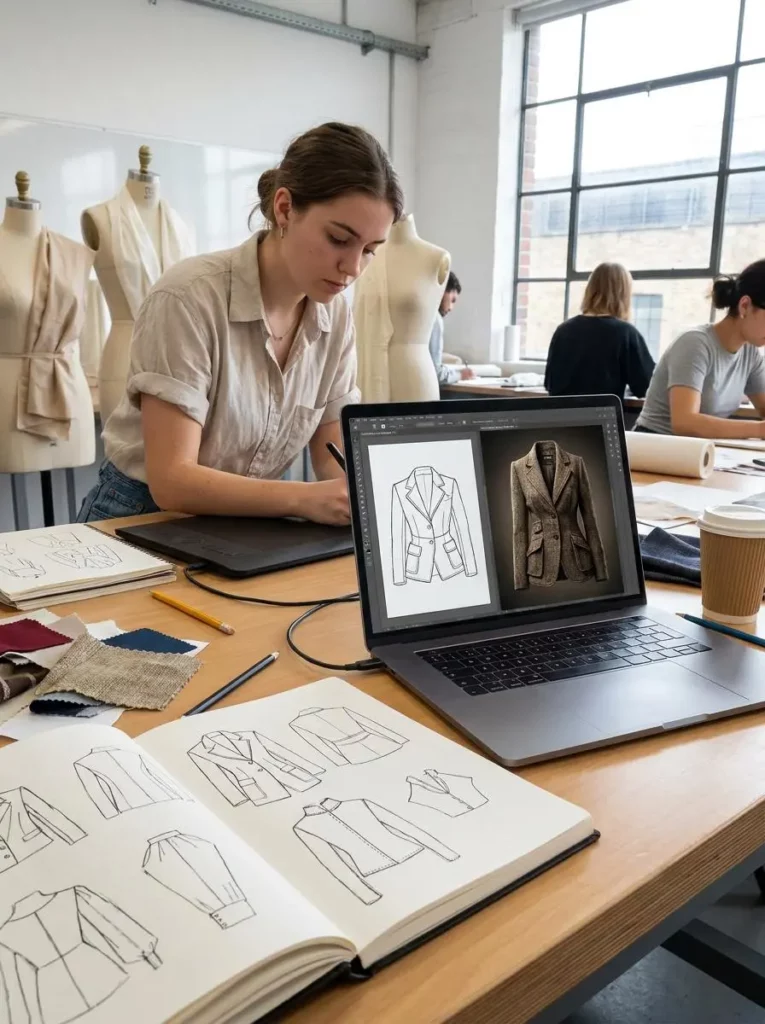
Fashion students and new designers often have strong ideas but limited access to professional photography or physical samples.
Clothing Sketch AI can turn simple drawings into more polished portfolio visuals. Therefore, it can help viewers understand how a garment may look beyond the flat sketch.
The images can also support school projects, pitch decks, design presentations, and early client discussions. In addition, several visual directions can be created from one drawing. This makes the design process easier to explain.
However, the original sketch should remain part of the presentation. Showing both the sketch and the realistic concept makes the process feel more honest. It also shows which parts came directly from the designer.
A clear portfolio page could include:
- The original fashion sketch
- The selected fabric and color direction
- Two or three generated concepts
- Notes about the final design choice
As a result, the viewer sees more than a finished image. They also see how the idea developed.
Where It Fits in Product Development
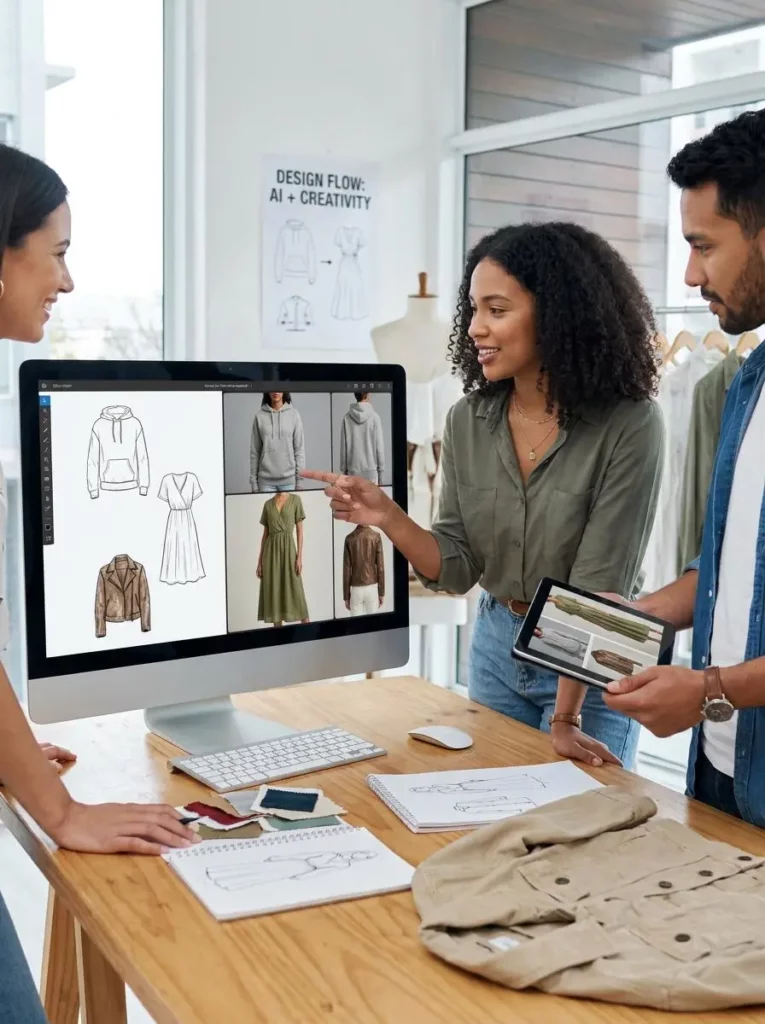
Small fashion brands often need to choose which ideas deserve a physical sample. However, producing every design can quickly become expensive.
A realistic concept image can support early team discussions. For example, a designer can present three jacket directions before the brand orders fabric. The team can then compare the silhouette, color, material, and target customer.
In addition, ecommerce teams can use these early concepts to plan product stories, campaign moods, and launch ideas.
Still, generated concepts should not be presented as final product photos when the real garment does not yet exist. Instead, they are best used for internal planning, early feedback, and creative direction.
What the Tool Cannot Replace
Clothing Sketch AI is useful, but it cannot complete every part of fashion production.
It cannot replace:
- Technical drawings
- Tech packs
- Pattern making
- Fabric testing
- Size grading
- Fit sessions
- Physical samples
- Factory instructions
For example, a generated dress may show natural-looking folds. However, those folds do not prove that the chosen material will behave in the same way.
Likewise, the image may show a perfect fit on a model. Still, it does not provide real garment measurements.
Therefore, use the tool to answer visual questions. Use technical design and physical samples to answer production questions.
Final Thoughts on Clothing Sketch AI
A fashion sketch is an exciting first step. However, it can hide problems with shape, fabric, color, and proportion.
Clothing Sketch AI adds a faster visual test before physical sampling begins. You can use it to compare materials, explore colors, review silhouettes, and prepare stronger presentations.
Most importantly, the tool helps you pause before production. Instead of making every idea, you can first see which concepts still work when they look more realistic.
Therefore, the goal is not to replace sketching or sample making. It is to make the space between them more useful.
Go to WeShop AI For Exploration:


