

An AI Packaging Design Generator helps ecommerce brands preview how a package will look before ordering physical samples. A design may appear polished in a flat file, yet feel very different on an Amazon listing or Shopify product page. The proportions may look wrong, the label may disappear at thumbnail size, or the materials may not communicate the intended price and quality.
However, waiting for a physical sample is not always practical. New brands may still be testing colors, materials, package structures, and product names. Meanwhile, ecommerce teams may need visuals for a launch page, internal review, or early marketing campaign.
An AI Packaging Design Generator can turn a written packaging idea, logo, reference image, or product photo into a visual packaging concept. It can also help create boxes, bottles, jars, pouches, labels, angled mockups, product scenes, and ecommerce visuals before a final production sample is available.
The goal is not to create one beautiful image and use it everywhere. Instead, the goal is to build a consistent packaging system, then adapt it for the different jobs performed by Amazon and Shopify images.
Why Amazon and Shopify Need Different Packaging Mockups
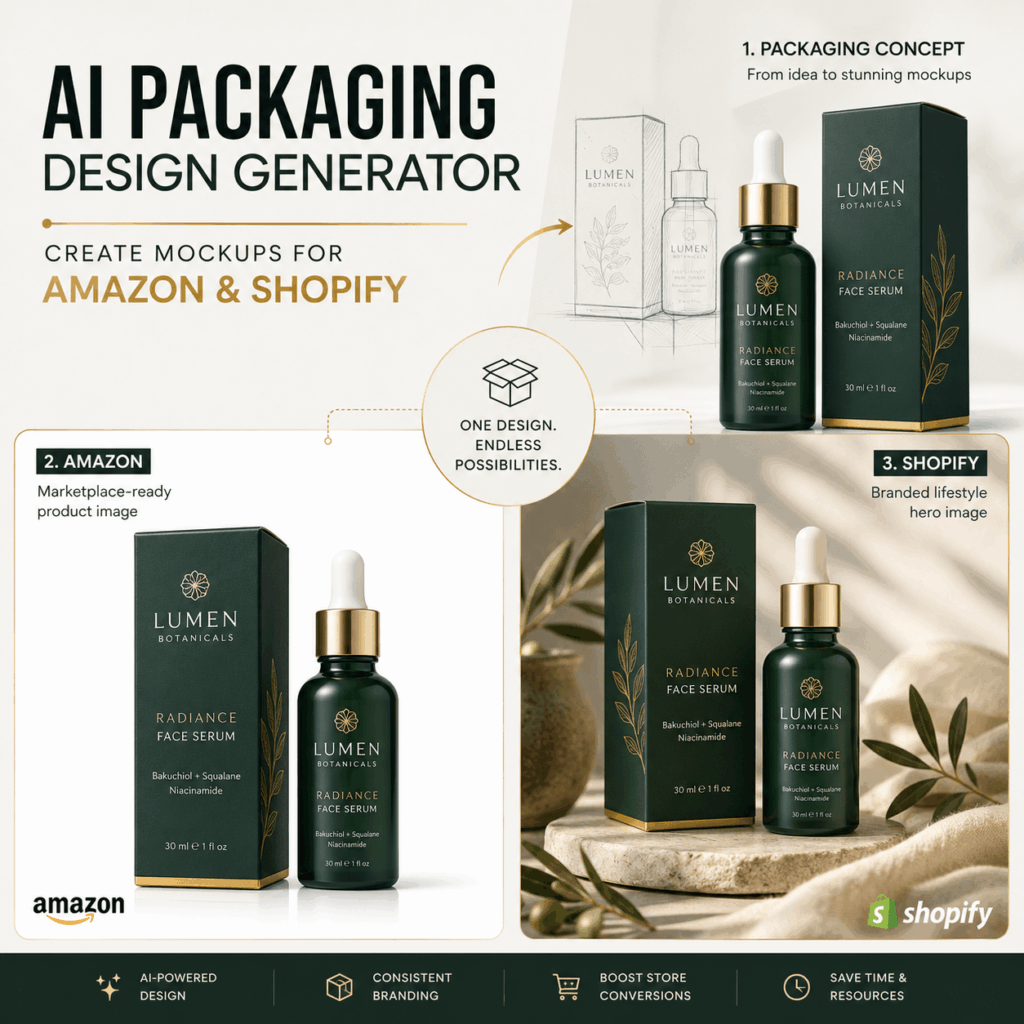
Amazon and Shopify may sell the same product. Nevertheless, they do not always need the same visual treatment.
On a marketplace, customers often compare several products quickly. Therefore, packaging should be easy to identify at a small size. The shape, product name, quantity, flavor, and basic package structure need to remain clear.
A Shopify store has more room to create a complete brand environment. In addition to clean product views, it can use lighting, props, backgrounds, product groups, and lifestyle scenes to communicate mood and positioning.
A useful way to remember the difference is:
Amazon mockups explain the product. Shopify mockups expand the brand.
Amazon Mockups Should Reduce Uncertainty
A strong marketplace image should help customers answer simple questions:
- What exactly will I receive?
- Is the product a bottle, pouch, jar, box, or set?
- What size does the package appear to be?
- Which flavor, color, or version am I viewing?
- Does the outer package match the product inside?
Therefore, the first mockups should be clean and direct. Decorative styling can come later in supporting images.
Shopify Mockups Should Build Recognition
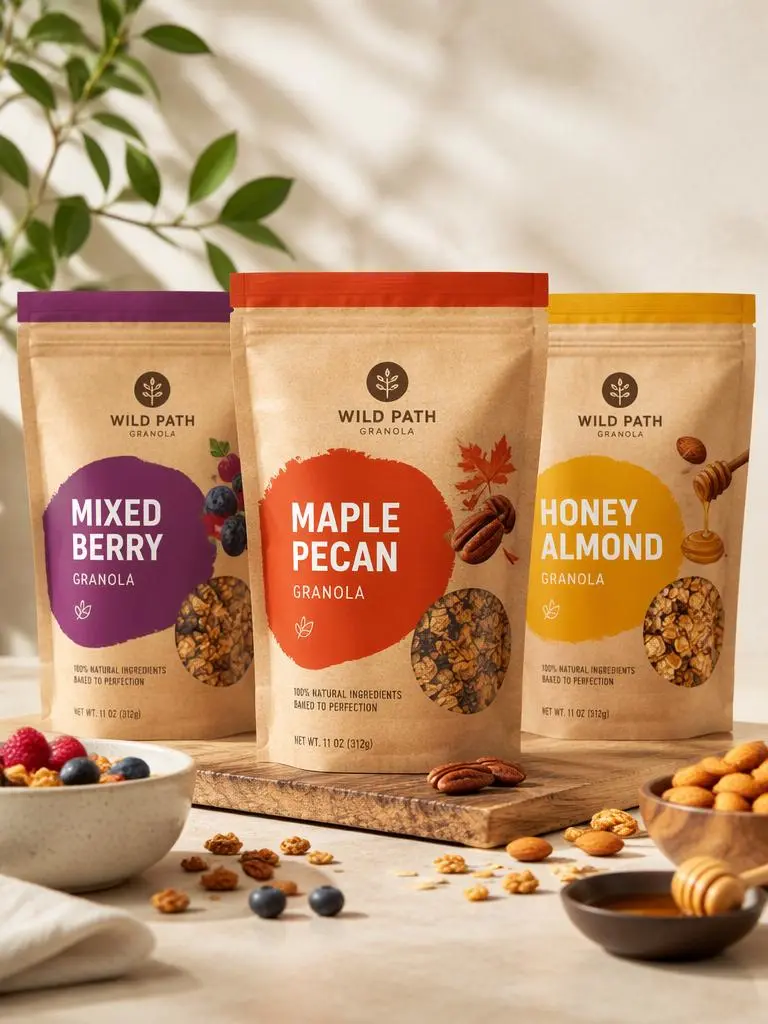
Shopify visuals can still be accurate while expressing more personality. For example, a natural granola brand may use warm sunlight, ingredients, and a breakfast setting. A skincare brand may use reflections, stone surfaces, soft towels, or controlled shadows.
As a result, Shopify packaging mockups can show not only what customers are buying but also where the product belongs in their lives.
Start with One Packaging Truth
Before opening an AI Packaging Design Generator, define the parts of the package that should not change.
This step matters because AI can produce many attractive variations. However, too much variation makes it difficult to build a believable ecommerce listing. If the bottle changes shape in every image, customers may not know which version represents the real product.
Lock the Package Structure
First, identify the actual container or outer package:
- Glass dropper bottle
- Pump bottle
- Cosmetic jar
- Stand-up pouch
- Folding carton
- Rigid gift box
- Aluminum can
- Paper cup
- Resealable bag
Then, add useful structural information. For instance, mention the cap, handle, transparent window, spout, zipper, lid, or opening style.
Instead of writing:
Create premium coffee packaging.
Write:
Create a realistic packaging mockup for whole-bean coffee in a matte resealable stand-up pouch with a flat base, top zipper, front label, and small freshness valve.
The second prompt gives the tool a much clearer visual target.
Define the Materials and Finish
Next, describe how the package should feel. Common directions include:
- Matte coated paper
- Kraft paper
- Frosted glass
- Clear plastic
- Brushed aluminum
- Glossy laminated carton
- Embossed logo
- Metallic foil details
Material affects how customers interpret price and quality. Therefore, it should remain consistent across the clean product mockup, detail image, and lifestyle scene.
Protect the Brand Hierarchy
A packaging design usually contains several levels of information. Before generating images, decide which elements need the most attention:
- Brand name or logo
- Product name
- Flavor, scent, shade, or version
- Main benefit
- Size or quantity
- Supporting product information
Because AI-generated small text may be unreliable, focus first on the main visual hierarchy. Detailed ingredients, barcodes, legal text, and technical copy can be added or corrected later.
Prepare a Simple Shot List
Do not generate random images and decide how to use them afterward. Instead, plan a small image set before you begin.
For example, one product could need:
- A clean front view
- A three-quarter angle
- A side or back view
- A packaging material close-up
- A product-and-box combination
- A branded lifestyle scene
- A complete product family image
This shot list creates a clear path from the basic package to the final Amazon and Shopify visuals.
How to Build a Base Mockup with AI Packaging Design Generator
Once the packaging truth is clear, use the AI Packaging Design Generator to create one reliable base image.
Do not begin with a crowded lifestyle scene. A simple base mockup makes design problems easier to find and gives later images a consistent reference.
Step 1: Describe the Product and Package
Start with the product category, package type, material, size, and basic construction.
For example:
Create a realistic packaging mockup for a 30 ml facial serum. Use a transparent glass bottle, a white dropper, a matching folding carton, a soft green color palette, minimal typography, and a clean premium skincare style.
Step 2: Add the Target Customer and Brand Direction
Next, explain who the product is for and how it should feel.
You might add:
The product is designed for customers who prefer gentle, botanical skincare. The packaging should feel calm, trustworthy, modern, and premium rather than clinical or overly decorative.
This information helps the AI Packaging Design Generator make more relevant choices about color, typography, spacing, and visual tone.
Step 3: Define the Camera and Background
The same package can look completely different depending on how it is photographed.
For an ecommerce base image, request:
Front-facing camera angle, centered composition, clean studio lighting, realistic proportions, subtle natural shadow, simple light background, high-resolution commercial product photography.
For a more dimensional result, request:
Three-quarter camera angle showing the front and right side, realistic package depth, accurate edges, soft studio shadow, and no distracting props.
Step 4: Review the Base Before Creating More Images
Before continuing, check:
- Is the container shape believable?
- Does the carton fit the product?
- Is the cap or lid correctly attached?
- Does the label follow the surface?
- Is the product standing at a natural angle?
- Are the logo and product name positioned consistently?
- Does the material reflect light correctly?
- Are the proportions suitable for the real product?
If the answer is no, fix the base image first. Otherwise, the same error may appear in every later mockup.
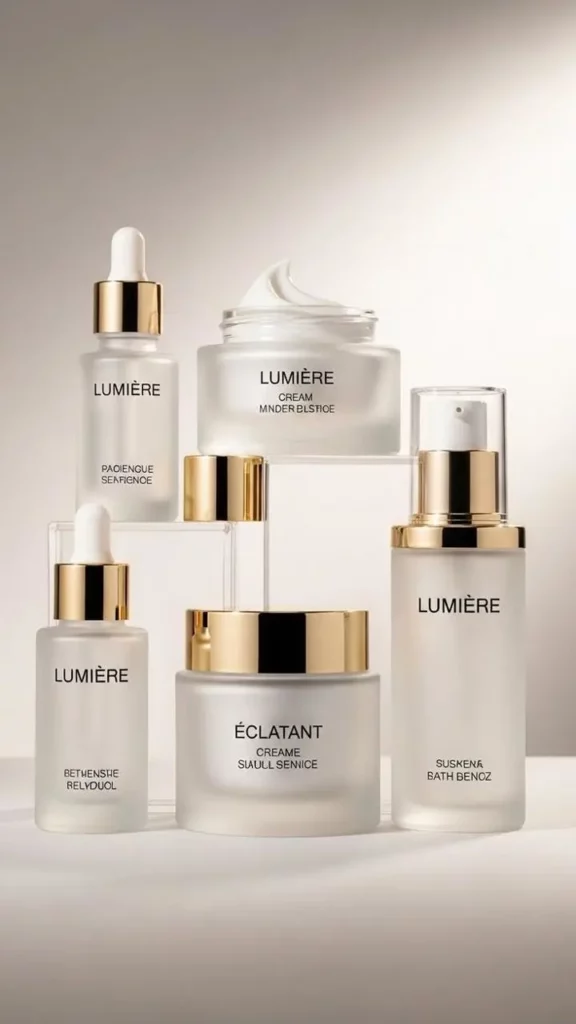
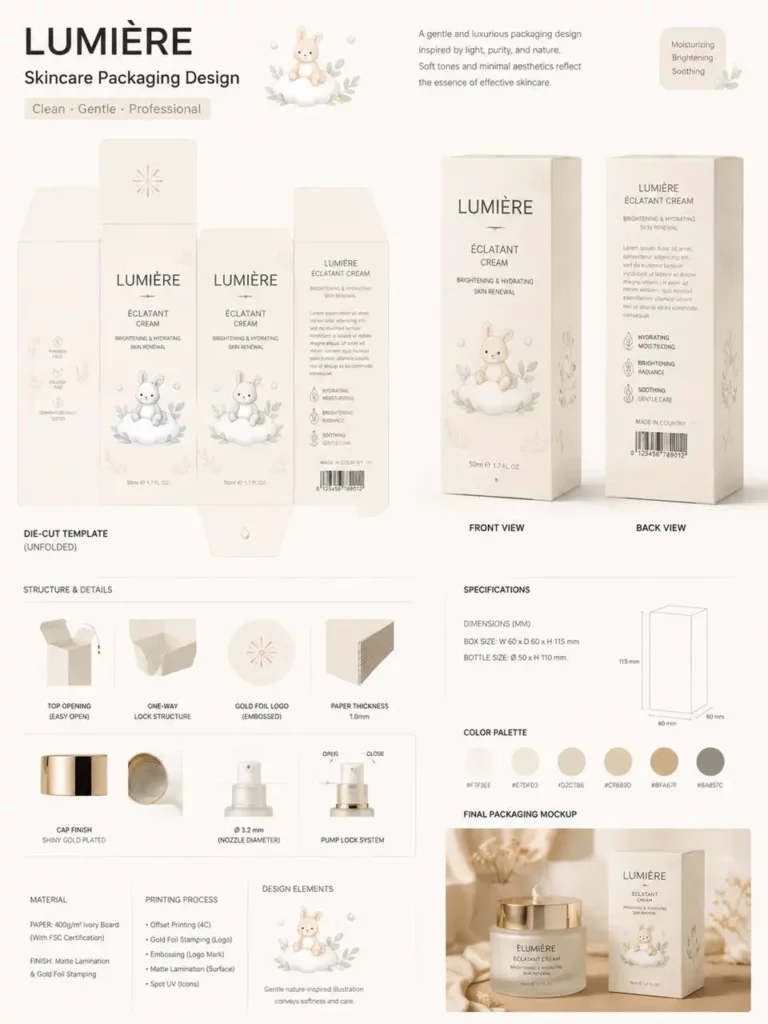
Create Amazon Packaging Mockups That Stay Clear
After approving the base design, create a cleaner image group for Amazon.
The safest approach is to make the package easy to inspect. Even when you add a more creative supporting image, the product should remain more important than the background.
Create a Clean Front Product View
Begin with one front-facing image that clearly shows the product and its outer package.
Example prompt:
Create a clean ecommerce product image using the exact approved package design. Show one serum bottle beside its matching carton. Keep the bottle shape, dropper, logo, label placement, carton size, colors, and proportions unchanged. Use balanced studio lighting, a simple background, realistic shadows, and no decorative props.
This image becomes the visual anchor for the rest of the listing.
Add a Three-Quarter Angle
Next, create an angled view so customers can understand the package depth and side panels.
However, do not allow the AI to redesign the package. Repeat the details that must remain unchanged:
Keep the exact package shape, dimensions, label hierarchy, colors, typography direction, cap, materials, and logo placement.
Show the Product and Outer Packaging Together
If customers receive both a container and a box, show them together. In addition, make sure the scale between the two objects appears realistic.
A small bottle should not become as tall as its carton, while a pouch should not change width from one image to another.
Add One Material Detail
A close-up can help communicate:
- Frosted glass
- Matte paper
- Foil stamping
- Embossed details
- Resealable closures
- Smooth plastic
- Printed texture
Still, the detail must match the product that will eventually be sold. Do not add gold foil, transparent windows, special lids, or luxury finishes that do not exist in the production plan.
Keep Supporting Scenes Product-Led
A supporting scene can show scale and usage. Nevertheless, the package should remain easy to recognize.
For example, a granola pouch may appear beside a breakfast bowl. A serum may sit on a bathroom counter. A yogurt cup may appear in a bright kitchen.
The props should support the product rather than compete with it.
Turn the Same Package into Shopify Brand Images
Once the clean images are ready, the AI Packaging Design Generator can extend the same design into a more expressive Shopify visual system.
The package identity should remain fixed. However, the surrounding photography can become more emotional and distinctive.
Build a Shopify Hero Image
A hero image should communicate the product category and brand mood almost immediately.
For example:
Create a premium Shopify hero image using the exact approved skincare bottle and carton. Place the product on a pale stone surface with soft morning sunlight, gentle botanical shadows, clean negative space, and realistic commercial photography. Preserve the exact bottle, package shape, logo, label, colors, and proportions.
The extra negative space can also make the image easier to use in different website layouts.
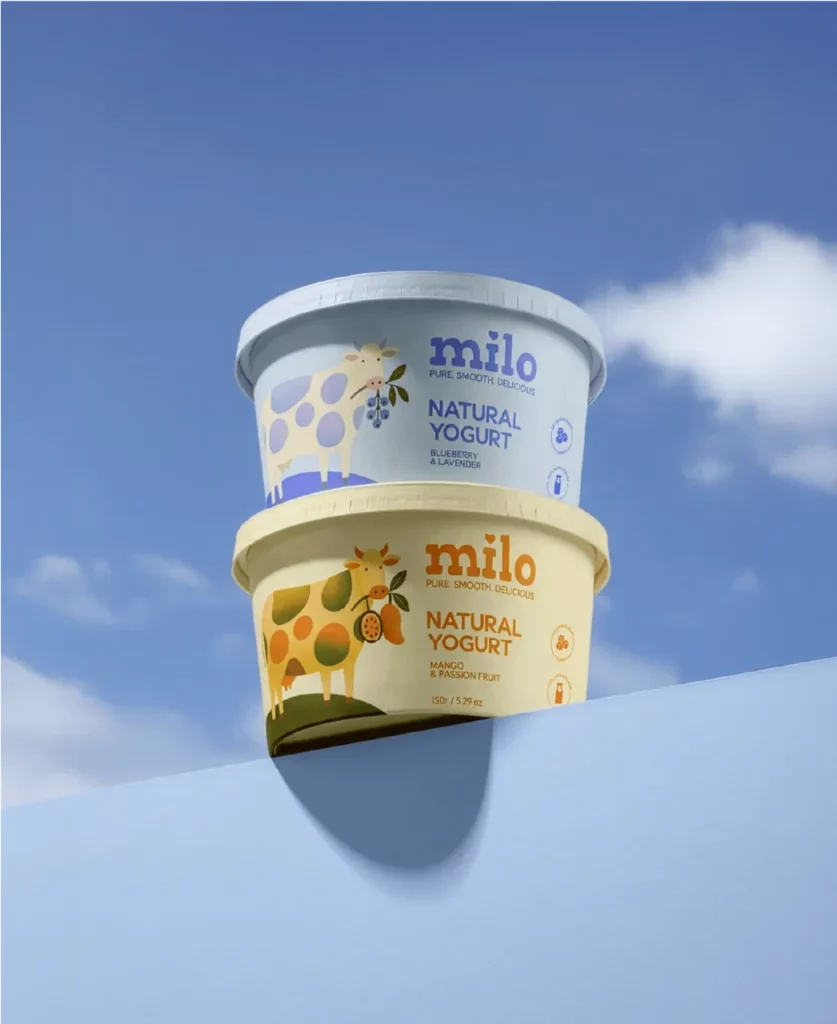
Create a Consistent Product Family
If the brand sells several flavors, scents, or formulas, create a unified product family.
Keep the following elements consistent:
- Camera angle
- Product scale
- Lighting direction
- Background
- Shadow style
- Label structure
- Logo position
Then, change only the approved variable, such as the flavor color, product name, or scent illustration.
This method makes a collection page look more organized. Moreover, it helps customers understand that several products belong to the same brand.
Add a Lifestyle Setting
Shopify provides more room for atmosphere. Therefore, choose a setting connected to the product.
A coffee pouch might appear in a bright morning kitchen. A candle could sit beside books in a calm evening interior. A skincare set may use a clean bathroom or vanity scene.
Although props are useful, avoid placing too many objects around the package. The product should still be the first thing customers notice.
Show Bundles and Gift Sets
You can also use the AI Packaging Design Generator to visualize:
- Starter kits
- Product bundles
- Gift boxes
- Subscription sets
- Seasonal editions
- Multi-flavor collections
These images help customers understand how several products are packaged together. In addition, they can make a higher-value offer easier to explain.
Keep Every AI Packaging Design Generator Image Consistent
Consistency is often more important than creating the most dramatic image.
A customer may view the front image, lifestyle image, bundle image, and product detail within a few seconds. If the package changes between those images, the listing may feel unreliable.
Therefore, save one approved mockup and use it as the visual reference for every new result.
Add a preservation instruction to each prompt:
Keep the exact package structure, dimensions, cap, handle, label position, logo, product name, color palette, illustrations, materials, and proportions unchanged. Change only the background, camera angle, or lighting requested.
In addition, avoid changing several things in one generation. If you want to test a new background, keep the camera angle and package design fixed. If you want to test a new color, keep the structure, lighting, and composition fixed.
This one-change-at-a-time approach makes comparisons easier and reduces accidental redesigns.
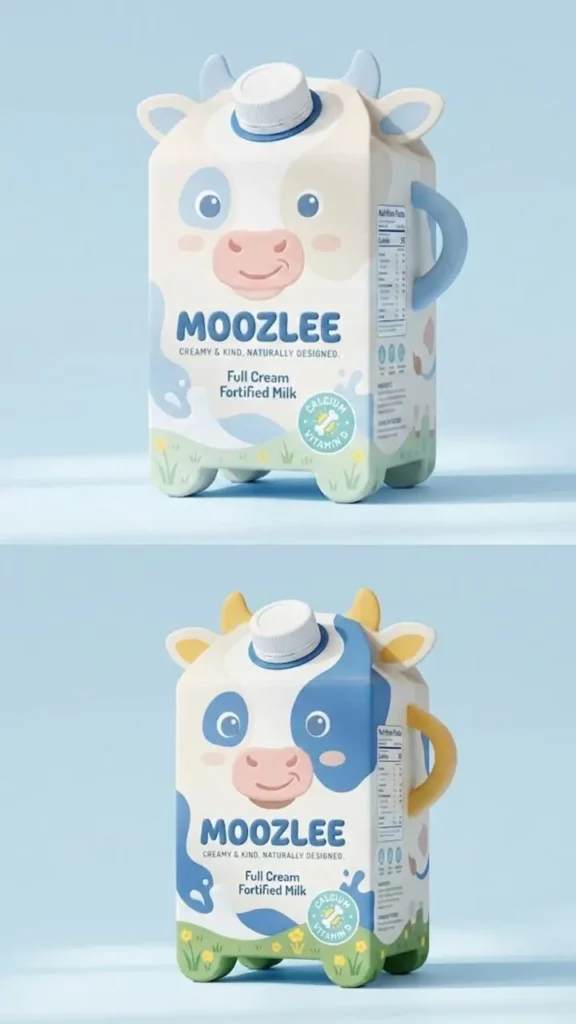
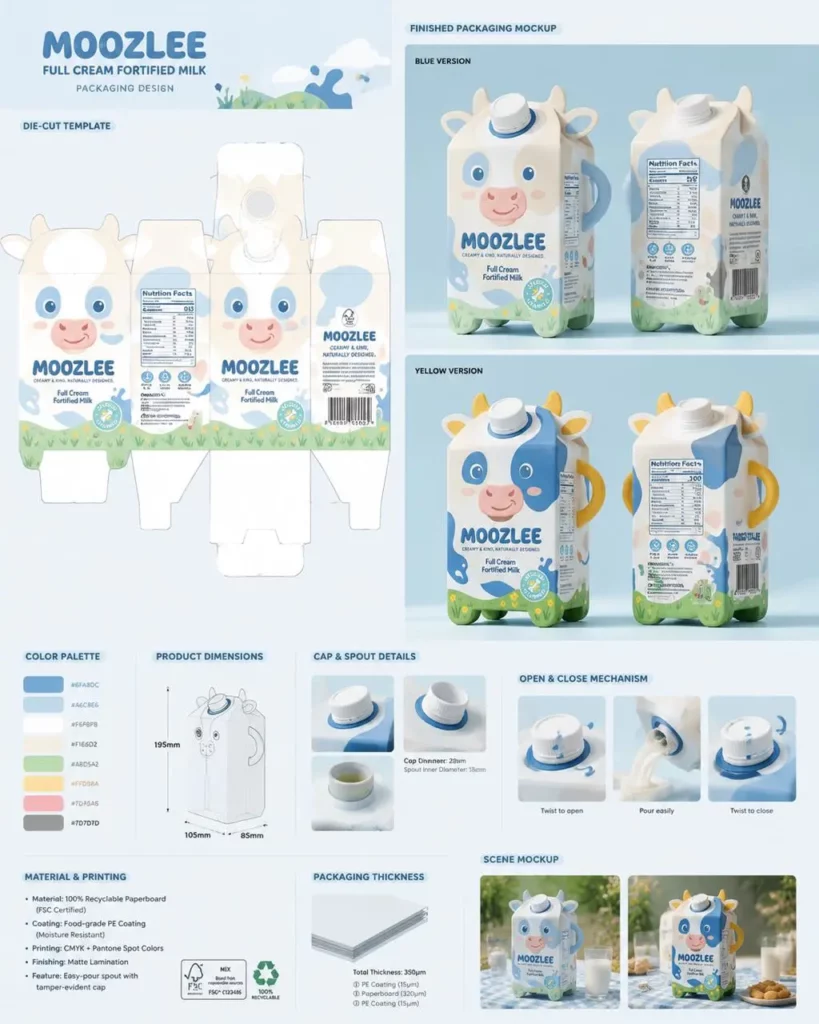
Common Packaging Mockup Mistakes
Even a visually attractive mockup can create problems if it does not represent a realistic product.
Changing the Container in Every Image
A rectangular bottle should not become round in the next image. Similarly, a short jar should not become tall simply because the background changes.
Always repeat the package structure in the prompt.
Asking AI to Generate Too Much Small Text
Packaging often contains ingredients, warnings, usage instructions, product claims, and legal details. However, these elements are difficult to control inside a generated image.
Instead, use AI to establish the visual direction and main hierarchy. Then, add exact small text in a design tool before publishing or printing.
Letting the Background Hide the Package
An artistic background may be visually impressive but ineffective for ecommerce.
To check the result, reduce the image to thumbnail size. If the product name, shape, or version is no longer recognizable, simplify the scene.
Adding Features the Real Product Does Not Have
A mockup should not invent a pump, handle, transparent window, gift box, metallic finish, or special closure that will not be included in the final product.
Otherwise, the image may create an expectation that the physical item cannot meet.
Treating an AI Mockup as a Print-Ready File
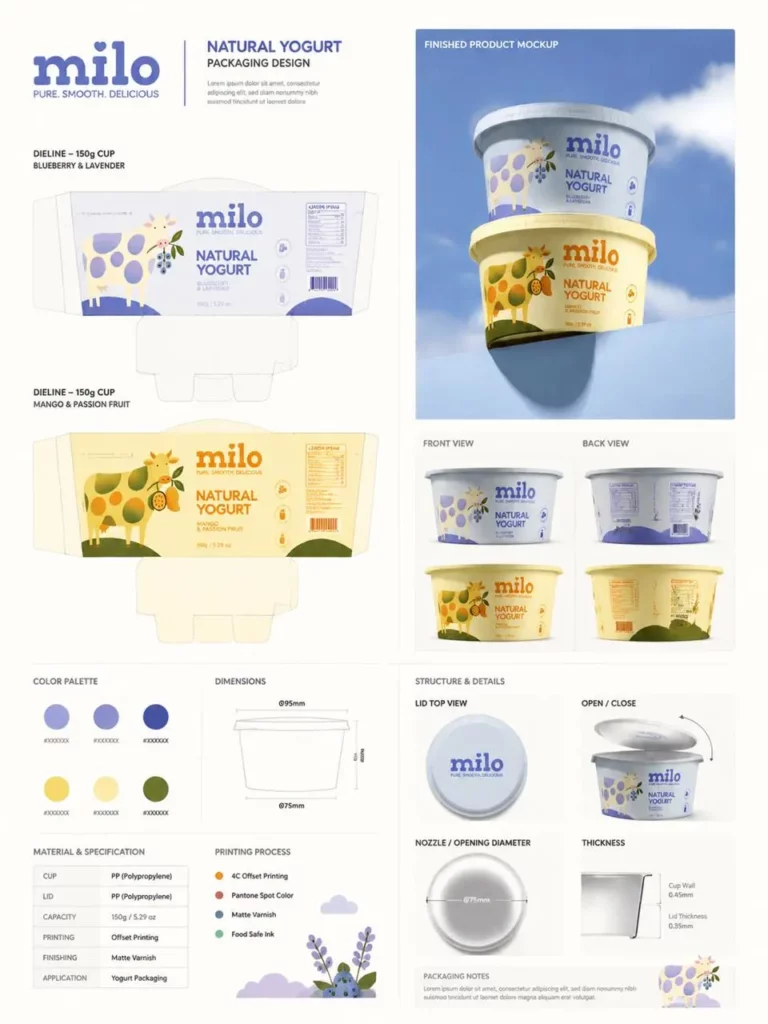
The AI Packaging Design Generator is useful for packaging concepts, ecommerce mockups, label directions, and early visual presentations. However, final production still requires accurate dimensions, dielines, bleed, color profiles, barcode placement, legal copy, and printer specifications.
Therefore, send the approved visual direction to a packaging designer or production specialist before manufacturing.
A Simple Workflow for Amazon and Shopify Packaging Mockups
A reliable process does not need to be complicated.
1. Define the Real Package
Confirm the structure, dimensions, material, closure, and product quantity.
2. Create One Base Mockup
Use the AI Packaging Design Generator to build a clean front or three-quarter product view.
3. Approve the Visual Identity
Check the logo, colors, label hierarchy, package proportions, and material appearance.
4. Build the Amazon Image Set
Create clean product views, supporting angles, material details, and one simple usage scene.
5. Expand the Shopify Image Set
Add a hero image, lifestyle scenes, product families, bundles, and seasonal campaign visuals.
6. Complete the Production Review
Finally, verify all dimensions, text, legal information, barcodes, dielines, materials, and print specifications with the appropriate specialist.
Final Packaging Mockup Checklist
Before publishing your images, confirm that:
- The packaging matches the planned physical product.
- The structure remains identical across every image.
- The logo and product name appear in the same position.
- Different flavors or versions are clearly separated.
- Materials and finishes look realistic.
- Shadows and reflections match the scene.
- Clean marketplace images remain easy to understand.
- Shopify scenes still keep the product as the focal point.
- No image promises a feature that the product will not include.
- Final production details have been professionally checked.
Create Ecommerce Visuals Before the First Sample Arrives
Packaging mockups cannot replace a physical prototype. However, they can help brands identify weak ideas much earlier.
With an AI Packaging Design Generator, you can compare colors, package structures, materials, label directions, and brand styles before ordering several costly samples. You can also create a clean Amazon image direction and a more expressive Shopify visual system from the same approved package.
Most importantly, begin with one accurate base design. Then, protect the package identity while changing only the camera, setting, or purpose of each image.
That approach turns the AI Packaging Design Generator from a simple image tool into a practical visual planning system for ecommerce launches.
Go to WeShop AI For Exploration:


