

Your voiceover is ready. The music sounds great. However, your timeline still looks like an empty parking lot.
This problem is common for video essay creators, aesthetic content bloggers, YouTubers, and anyone who builds videos from many short clips. You may know exactly what you want to say. Yet you still need something interesting to show.
That is where AI B-Roll becomes useful. Instead of searching stock libraries for hours, you can describe the missing shot and generate a short clip that matches your script.
WeShop’s AI Stock Video Generator can turn text prompts, scripts, scene ideas, briefs, mood boards, and reference images into stock-style clips. It also lets creators describe lighting, camera motion, mood, pacing, and format.
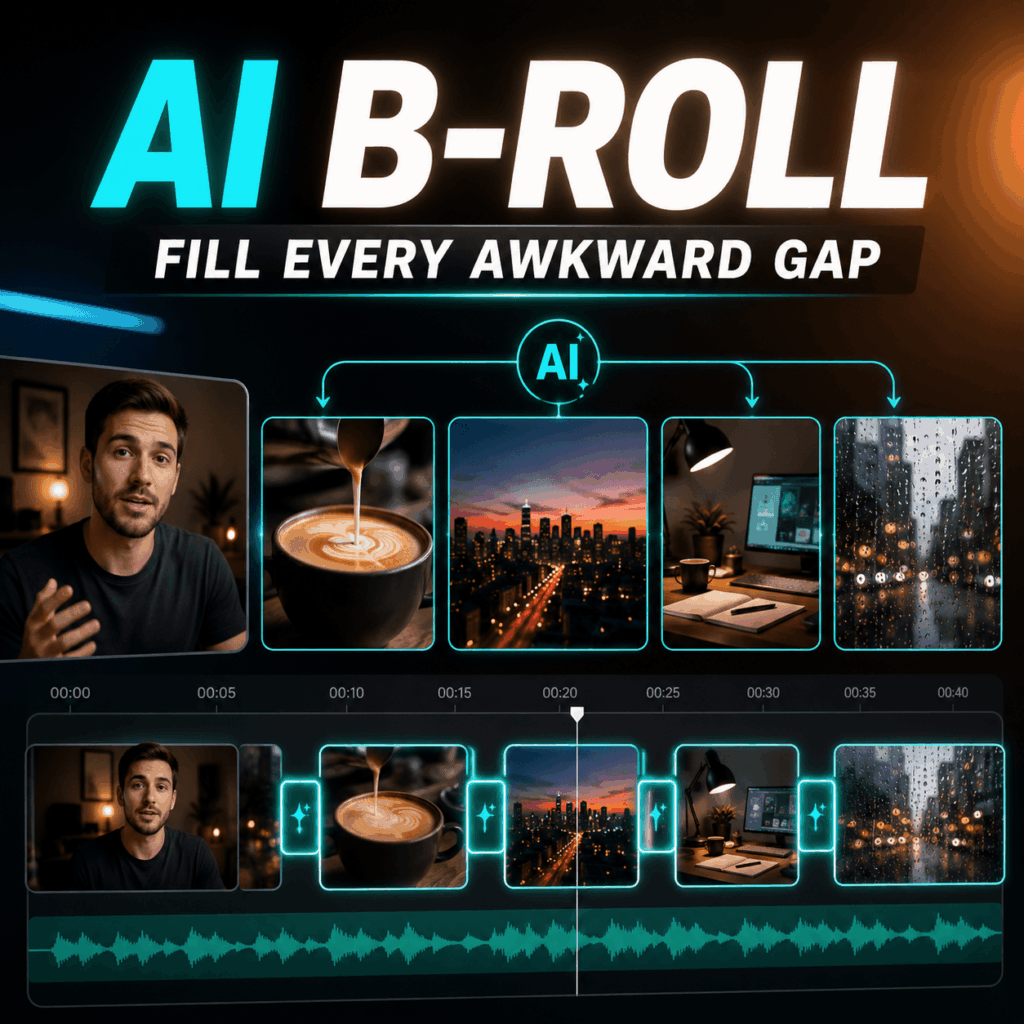
Why Do Videos Need AI B-Roll?
A talking head can explain the topic. However, viewers may not want to stare at the same face for five minutes.
B-roll gives the audience a visual break. It can show a place, mood, object, action, or idea while the voiceover continues.
For example, imagine that your script says:
Creative ideas often appear during quiet moments.
You could keep showing yourself talking. On the other hand, you could cut to a designer sitting beside a window, a pencil moving across paper, or soft light entering an empty studio.
The second option usually feels more intentional.
In addition, AI B-Roll can help when the exact shot does not exist in your camera roll. It is also useful when traditional stock footage feels too generic.
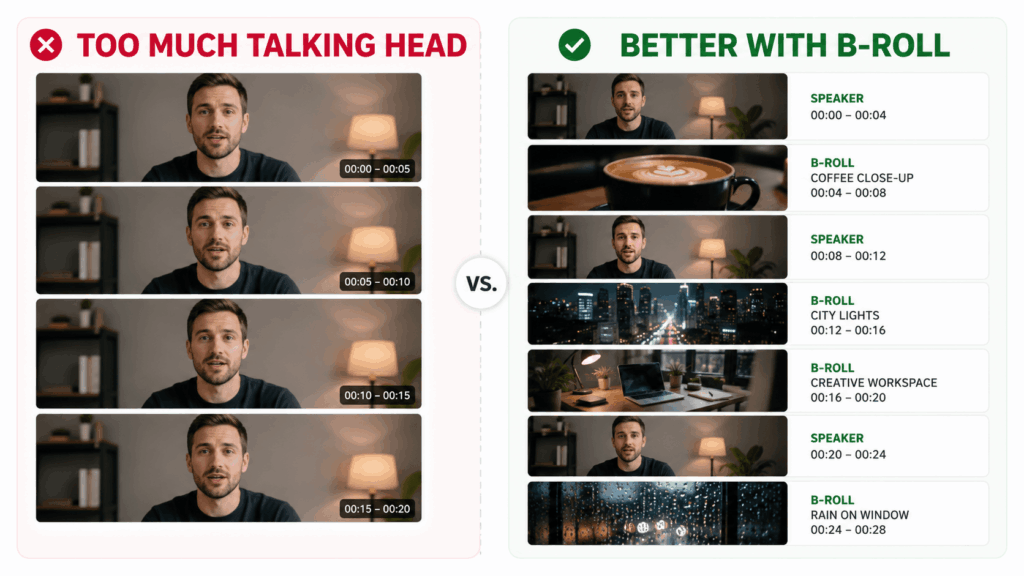
How to Fill Video Gaps With AI B-Roll
Step 1: Mark Every Awkward Gap
First, watch your rough edit from beginning to end.
Whenever the screen feels repetitive, place a marker on the timeline. Also, mark sentences that describe a place, object, emotion, or change.
For example:
- “The workday never really ends.”
- “Good design starts with observation.”
- “Travel often changes how we see ordinary places.”
Each sentence can become a short visual idea.
However, you do not need a new shot for every word. One useful clip should support a complete thought.
Step 2: Turn the Sentence Into a Visual Shot
Next, ask a simple question:
What could the viewer see while hearing this sentence?
For “the workday never really ends,” you might show an office window glowing at night.
For “good design starts with observation,” you could show someone studying packaging in a quiet studio.
Meanwhile, a sentence about travel might use an airport window, moving train, hotel corridor, or empty coastal road.
Therefore, the goal is not to repeat the script exactly. Instead, the shot should add mood or context.
Step 3: Write a Clear AI B-Roll Prompt
A useful AI B-Roll prompt can follow this structure:
Subject + setting + action + lighting + camera movement + mood + format
For example:
A quiet designer working beside a large studio window, slowly sketching in a notebook, soft afternoon light, gentle camera push-in, calm editorial mood, realistic cinematic B-roll, 16:9.
Be specific, but do not write a novel.
Also, request one main action. If the person must type, walk, drink coffee, answer a phone, spin around, and stare dramatically into the distance, the clip may become confused.
Your B-roll is filling a gap. It is not auditioning for a three-hour movie.
Step 4: Keep the Visual Style Consistent
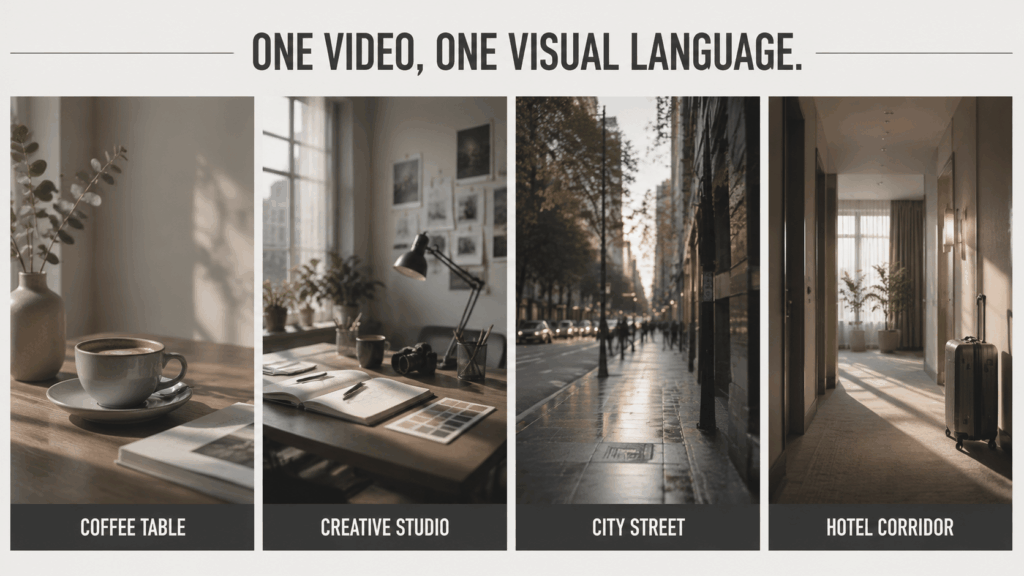
One beautiful clip is easy. However, ten beautiful clips can still look like ten unrelated videos.
Therefore, repeat a few style details in every prompt:
- Similar lighting
- Similar camera speed
- Similar color mood
- Similar level of realism
- The same aspect ratio
For example, an aesthetic video could repeat:
Muted colors, natural window light, slow camera movement, quiet editorial mood.
As a result, your AI B-Roll clips will feel like one collection rather than random downloads.
Step 5: Generate, Review, and Trim
Finally, generate a few options for each important gap.
Then, review the motion, subject, background, and visual quality. Look for strange objects, unstable details, or sudden camera changes.
After that, trim the clip to the strongest three or four seconds. In many cases, shorter B-roll feels cleaner.
The tool supports vertical, square, and widescreen workflows for social media, YouTube, websites, presentations, and digital ads. Therefore, choose the format that matches your final edit.
Where Does AI B-Roll Work Best?
Aesthetic Inspiration Videos
Creators can combine small clips of architecture, fashion, interiors, books, light, and everyday objects.
The clips do not need a full story. Instead, music, captions, and editing connect them.
Video Essays and Explainers
AI B-Roll can illustrate abstract ideas such as stress, creativity, technology, isolation, or ambition.
For example, an empty late-night office can suggest overwork without showing it literally.
Podcast and Voiceover Clips
A podcast clip often starts with audio and subtitles. However, short visual cutaways can make it more active.
You could add city scenes, close-up objects, workspace footage, or visual metaphors.
Product and Brand Stories
Brands can use short lifestyle clips to create mood around a product.
For instance, a travel bag could appear near a hotel door. Meanwhile, a coffee machine could appear in a calm morning kitchen.
AI B-Roll FAQ
Does AI B-Roll replace all stock footage?
No. Traditional stock footage is still useful. However, AI-generated clips can help when you need a very specific scene or visual mood.
How long should each B-roll clip be?
Usually, three to six seconds is enough for a simple cutaway. However, the ideal length depends on the voiceover and editing pace.
Can AI B-Roll be used in vertical videos?
Yes. Vertical clips can support TikTok, Instagram Reels, and YouTube Shorts. Still, remember to place the main subject near the center of the frame.
Can I use AI B-Roll for commercial content?
Commercial rights depend on the platform license and subscription plan. Therefore, review the current usage terms before publishing ads or client work. You should also avoid protected logos, celebrity likenesses, and copyrighted characters.
Final Thoughts
You do not always need another filming day. Sometimes, you only need four useful seconds between two sentences.
With AI B-Roll, you can turn script ideas into short visual clips. You can also create a more consistent mood and fill the parts of your timeline that still feel empty.
So, mark the awkward gaps. Next, turn each sentence into a clear shot. Finally, generate only the footage your video truly needs.
Your voiceover has already done the talking.
Now the screen finally has something to do.
Go to WeShop AI For Exploration:


