

Every friend group has one person who refuses to dance. However, an AI Person Video Generator can give that friend a dance career they never requested.
They may hide near the snacks at parties. They may also leave when someone opens TikTok. Fortunately, one clear photo can turn them into the star of a funny dance video.
Before you start, ask for permission. After all, a funny video should not end a friendship.
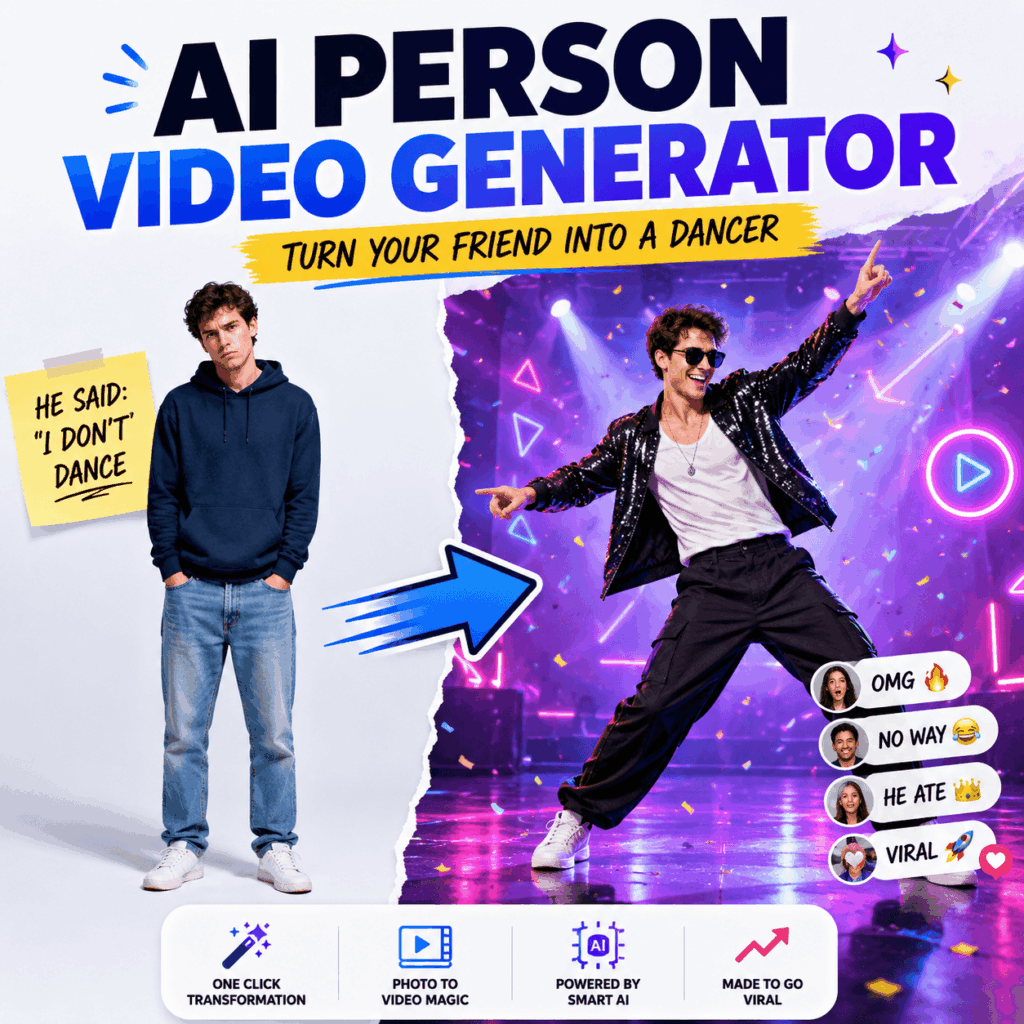
What Is an AI Person Video Generator?
An AI Person Video Generator turns a still image into a moving person video.
For example, the person can dance, walk, wave, pose, or turn around. In addition, you can describe the mood, camera movement, background, and video format.
Therefore, you do not need a dance studio. You also do not need a camera crew. Most importantly, your friend does not need to learn any real dance moves.
How to Use an AI Person Video Generator
The process is simple. However, the source photo and prompt can affect the final result.
Therefore, it helps to prepare both before you generate the video.
Step 1: Choose the Right Friend
First, choose a friend whose personality creates a funny contrast.
For example, turn your quietest friend into a confident pop star. Alternatively, turn your serious coworker into an energetic party dancer.
Meanwhile, your most dramatic friend can become even more dramatic.
However, always use a photo with permission.
Step 2: Find a Clear Full-Body Photo
Next, choose a clear image that shows the entire body.
The face, arms, hands, legs, and feet should be visible. Also, a simple background can make the person easier to understand.
Avoid blurry photos. In addition, avoid crowded group pictures and heavily cropped portraits.
A passport photo may clearly show your friend’s face. However, it does not explain what their knees are supposed to do.
Step 3: Give the Dance a Personality
Now, decide what type of dancer your friend should become.
An AI Person Video Generator works better when the prompt includes a clear mood. Therefore, do not only write “make this person dance.”
Instead, try one of these ideas.
The Shy Friend
A gentle full-body dance with small steps, natural arm movement, shy energy, and a fixed camera.
The Office Friend
A playful celebration dance in a modern office, confident movement, natural body motion, and vertical framing.
The Main Character
An energetic pop dance on a bright stage, dramatic entrance, confident movement, and full-body framing.
The Chaos Friend
A funny party dance with exaggerated poses, high energy, colorful lighting, and a stable camera.
In short, choose one clear personality. Otherwise, your friend may look like they are performing five different shows at once.
Step 4: Write a Simple Motion Prompt
A useful prompt can follow this structure:
Movement + energy + camera + background + format
For example:
Full-body confident dance, playful energy, natural arm and leg movement, fixed camera, bright party background, vertical social video.
Keep the action simple. For instance, you can ask the person to dance and turn.
However, do not request dancing, jumping, running, waving, spinning, and flying in the same short video.
Otherwise, the result may look less like a dancer and more like someone losing a fight with gravity.
Step 5: Choose the Right Video Format
Next, decide where you plan to post the video.
For TikTok, Instagram Reels, or YouTube Shorts, use a vertical format. On the other hand, use a horizontal format for YouTube videos or website content.
Also, keep the full body inside the frame. After all, leg movement is an important part of the joke.
A close-up can show emotion. However, it cannot show your friend’s imaginary footwork.
Step 6: Generate Several Versions
The first result may look perfect.
However, it may also give your friend a strange hand or an unexpected elbow. Therefore, generate several versions with the AI Person Video Generator.
Change only one detail each time. For example, you can adjust:
- Dance speed
- Camera distance
- Energy level
- Background
- Opening pose
After that, compare the videos. Choose the version with the clearest movement and the most natural body shape.
Step 7: Review Before Posting
Finally, watch the entire video.
Check the face, outfit, hands, feet, and background. Also, make sure the person still looks like your friend.
Then, add music, subtitles, or a fake talent-show score.
Suggested caption:
He said he would never dance. Technology disagreed.
Funny AI Person Video Generator Challenges
Once you understand the basic steps, you can turn the experiment into a group activity.
The Group Chat Dance Audition
First, ask several friends to submit full-body photos.
Then, use the AI Person Video Generator to create one dance clip for each person. Finally, give everyone an award.
Possible awards include:
- Most Unexpected Dancer
- Best Main-Character Energy
- Strongest Office Party Performance
- Most Likely to Leave the Group Chat
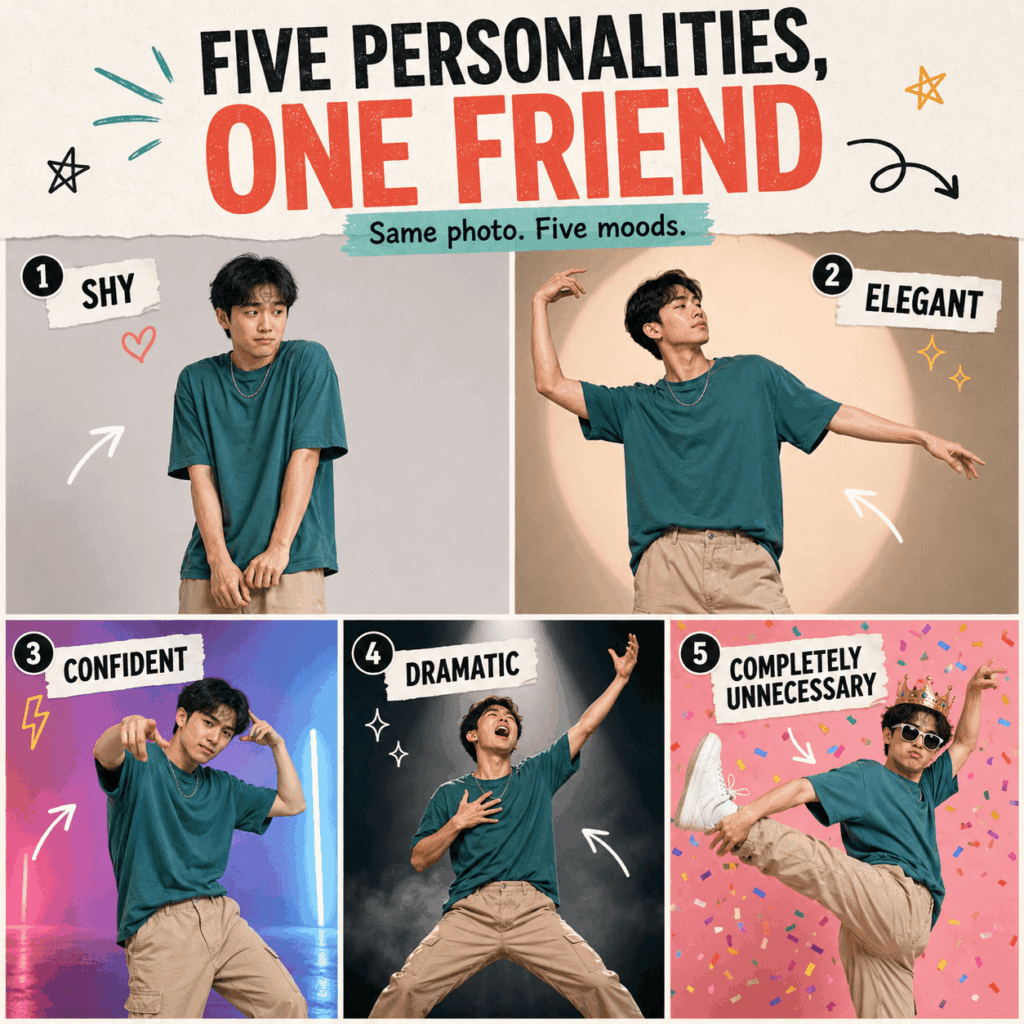
Five Personalities, One Friend
Use the same photo five times. However, change the mood in every prompt.
Try these personalities:
- Shy
- Elegant
- Confident
- Dramatic
- Completely Unnecessary
As a result, readers can clearly see how prompts change the final motion.
The Fake Music Video
You can also turn your friend into the star of a fake music video.
For example, add stage lighting, a dramatic entrance, and an overly serious song title.
Suggested title:
NO RHYTHM, NO PROBLEM
AI Person Video Generator FAQ
Can an AI Person Video Generator animate a game character?
Yes. You can animate an original character, mascot, game avatar, or illustrated person.
For example, you can create a victory dance, a character introduction, or a short social media performance.
Can it create videos other than dancing?
Yes. The person can also walk, wave, turn, pose, or perform simple actions.
Therefore, the tool is useful for more than dance jokes.
Can fashion creators use it?
Yes. Fashion creators can animate a full-body model image.
For example, the model can walk, pose, or turn to display an outfit. As a result, a still fashion image can feel more active.
Can musicians use an AI Person Video Generator?
Yes. Musicians can test a dance loop, stage entrance, or visual concept.
In addition, they can create short promotional clips for a song.
Can I use it for invitations?
Yes. You can create birthday invitations, event teasers, holiday greetings, or party announcements.
For instance, a dancing friend can invite everyone to a birthday party.
Can I use any person’s photo?
No. Use your own image or ask the person for permission first.
Also, avoid using photos of strangers, celebrities, or private individuals without approval.
Final Thoughts on AI Person Video Generator
An AI Person Video Generator will not turn your friend into a professionally trained dancer.
However, it can turn one photo into a funny dance reel, fake music video, party invitation, or character performance.
So, start with a clear photo. Next, write a simple motion prompt. Then, test several versions and review the result.
Your friend may still refuse to dance in real life.
Fortunately, their AI version is already accepting bookings.
Go to WeShop AI For Exploration:


