

A normal selfie is fine. However, on social media, “fine” is not always enough. That is why Boondocks Filter feels so useful right now. It does not just turn your photo into another cute cartoon. Instead, it helps you create a bold, expressive, and recognizable cartoon version of yourself.
Today, profile pictures work like mini personal brands. Before someone watches your video, reads your bio, or clicks your page, they see your avatar first. Therefore, a flat or forgettable photo can make your profile feel less memorable. Meanwhile, a strong cartoon avatar can give your page more personality in one second.
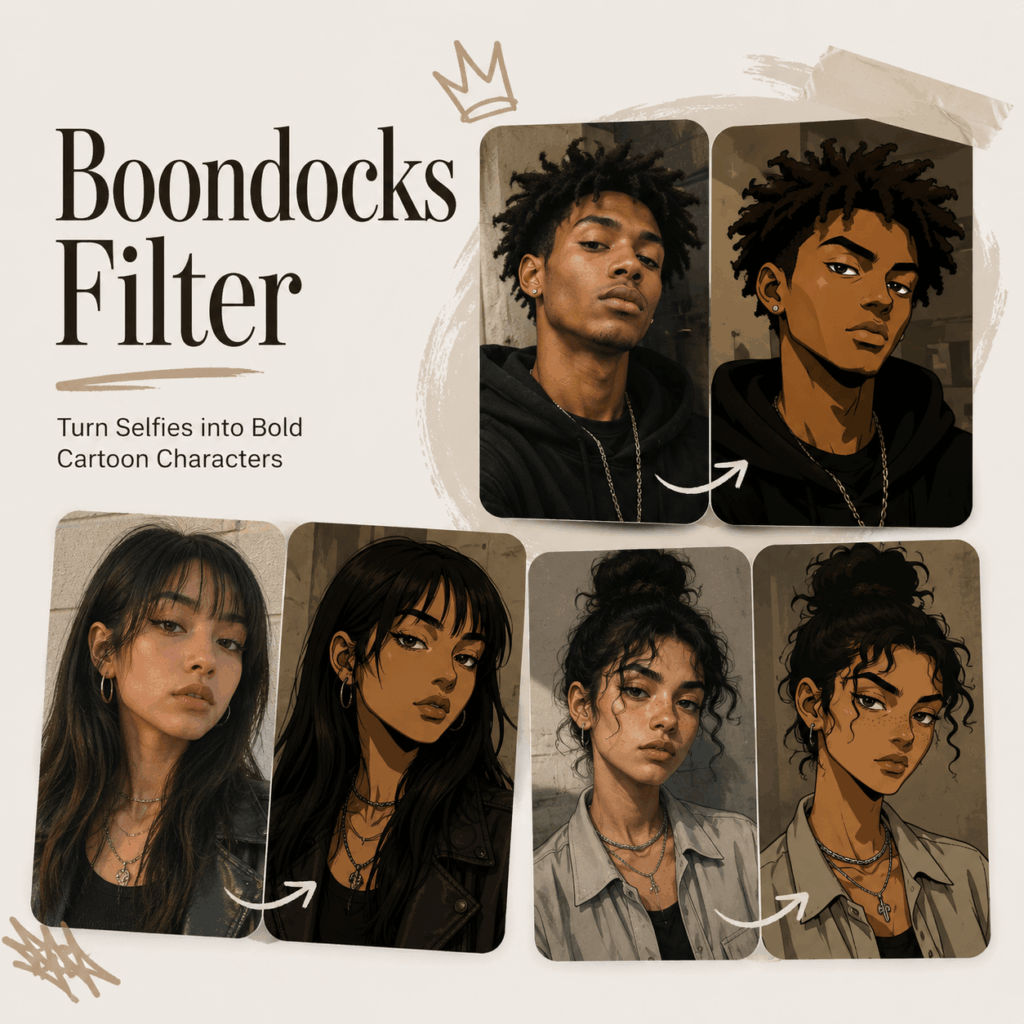
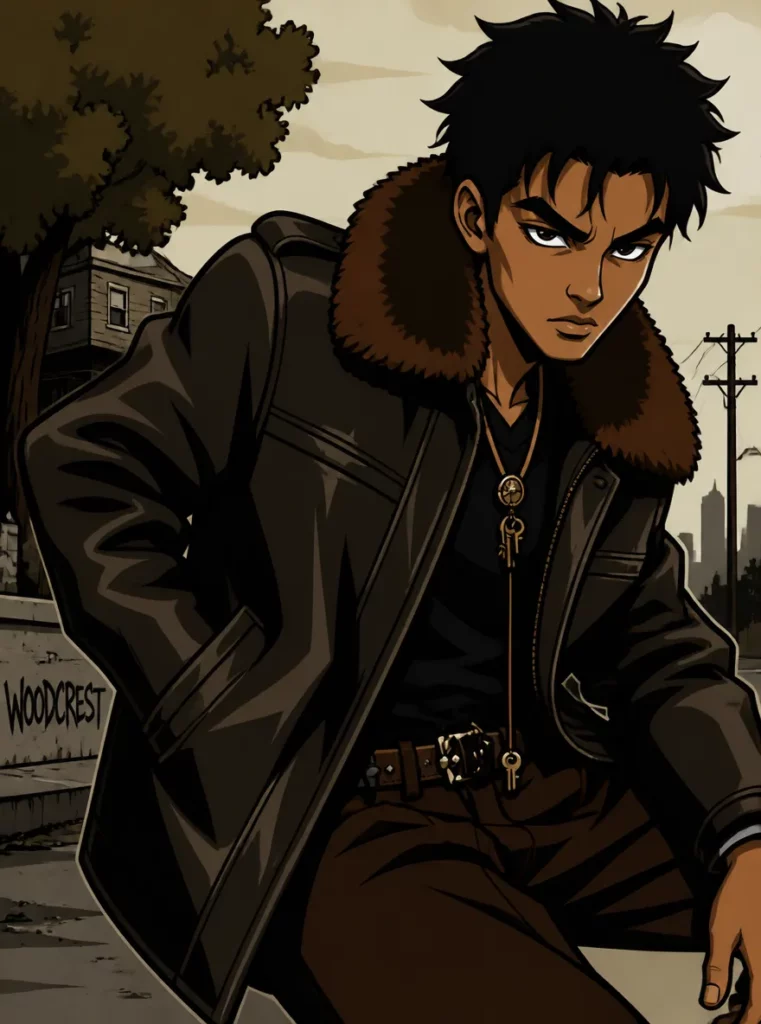
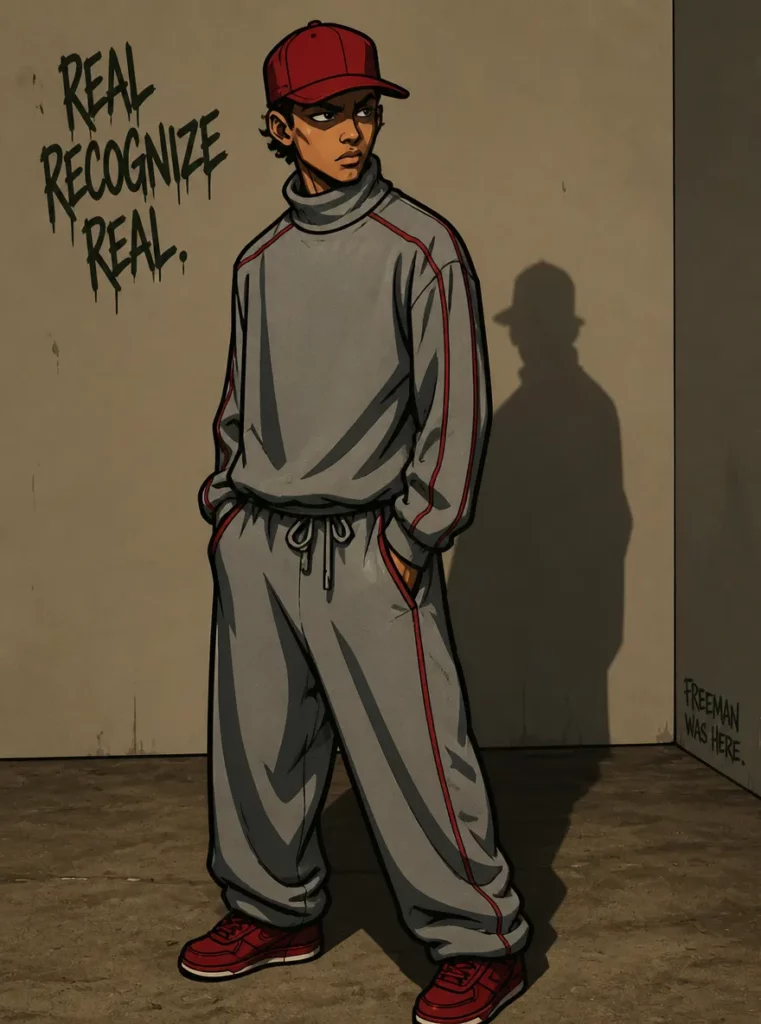
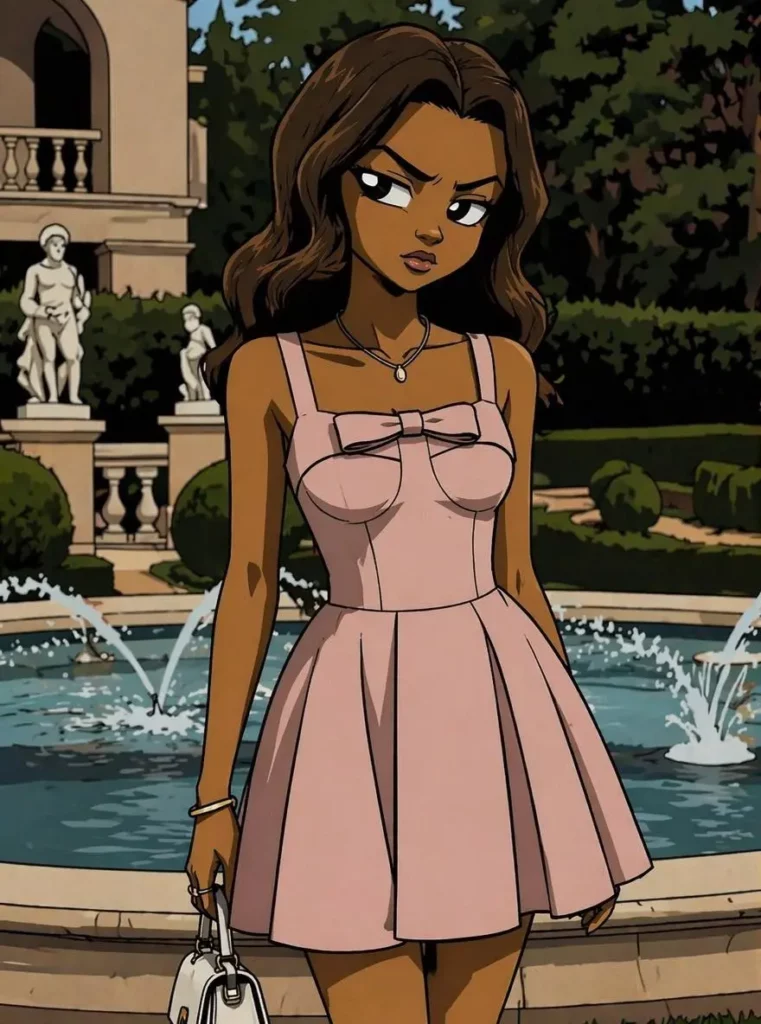
Boondocks Filter is built for that exact moment. It takes a selfie or portrait and turns it into a Boondocks-style cartoon image with sharp lines, clear facial features, and a stronger character vibe. As a result, your image still feels like you, but it looks more stylish, more expressive, and more ready for the internet.
What Is Boondocks Filter?
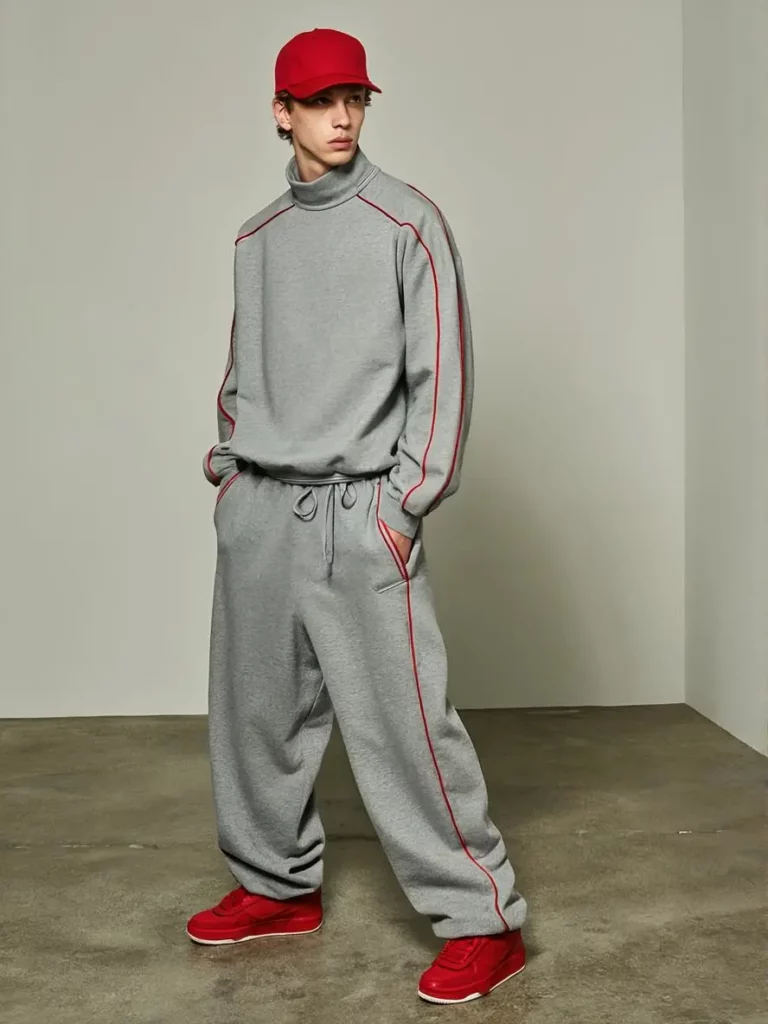
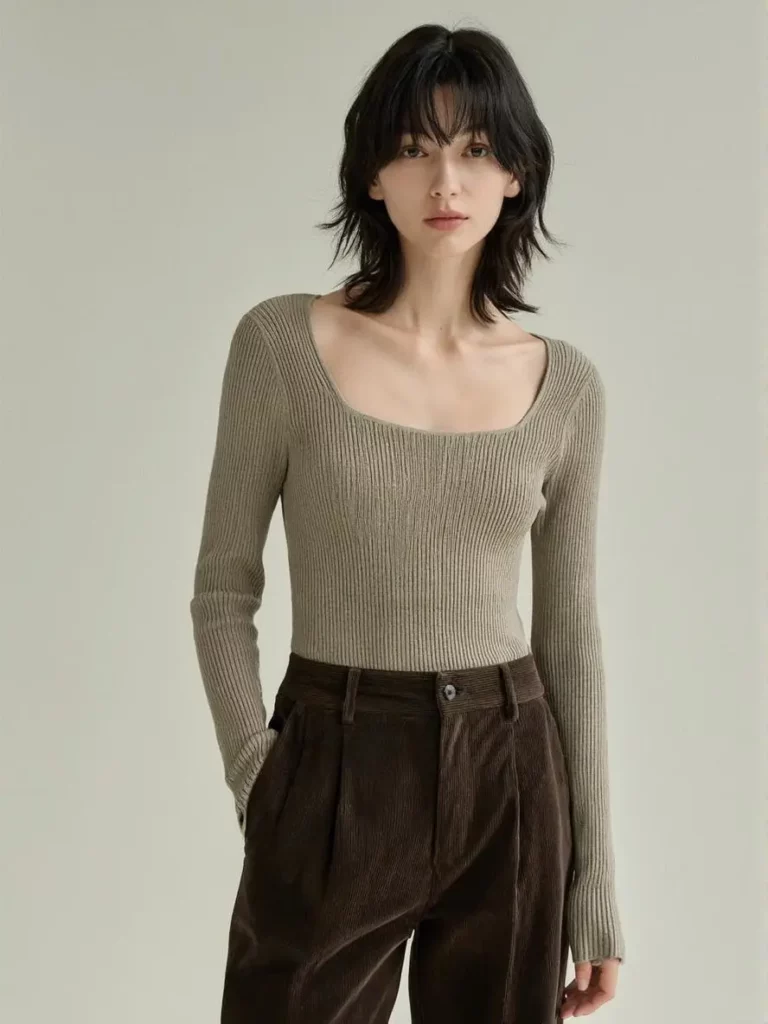
Boondocks Filter is an AI portrait tool that changes real photos into Boondocks-style cartoon portraits. You upload a selfie, a portrait, or a clear face photo. Then, the tool generates a cartoon character version of that person.
However, the main point is not just “cartoon effect.” That sounds too basic. The real value is character design.
Many AI cartoon tools make people look smooth, cute, and almost too perfect. At first, the result may look nice. However, after a while, many avatars start to feel the same. The face changes too much, the expression gets weaker, and the person may no longer look like themselves.
Boondocks Filter works in a different direction. It focuses more on strong outlines, expressive faces, and recognizable details. Therefore, the final image feels more like an animated version of you, not a random AI face wearing your hairstyle.
That difference matters. After all, a profile picture is not only decoration. It is the first visual signal of your online identity.
Why Boondocks Filter Feels So Relevant Now
People are tired of generic AI avatars.
Some look too polished. Some look too soft. Others look like they came from the same template. As a result, even a “beautiful” AI image can feel forgettable.
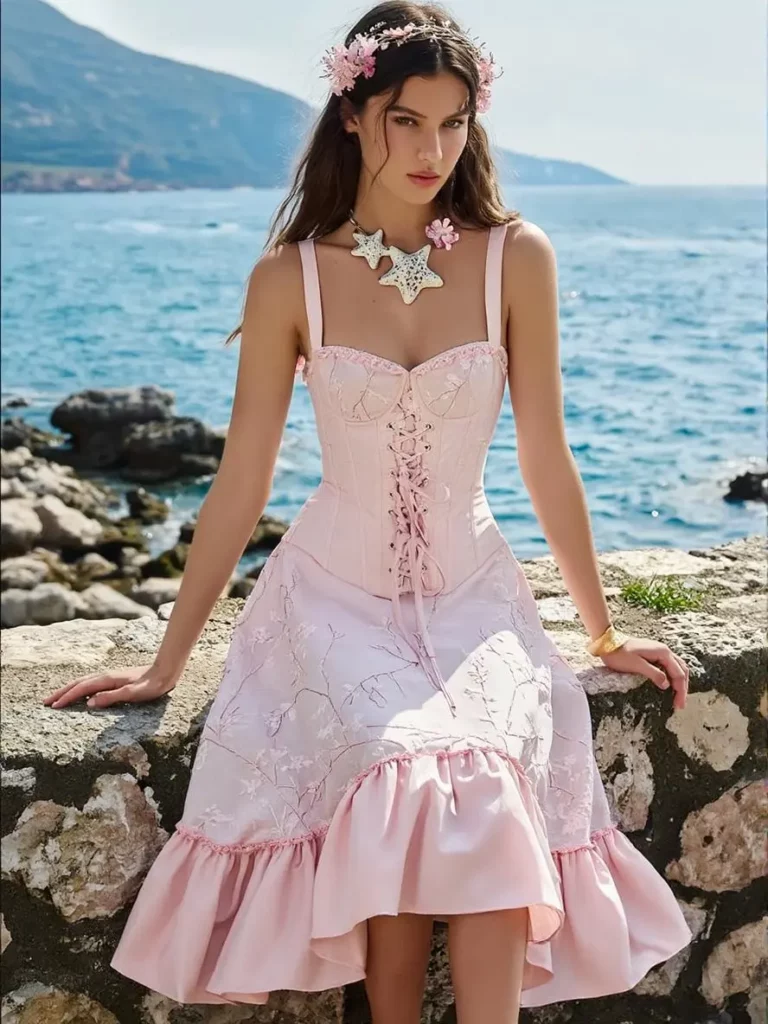
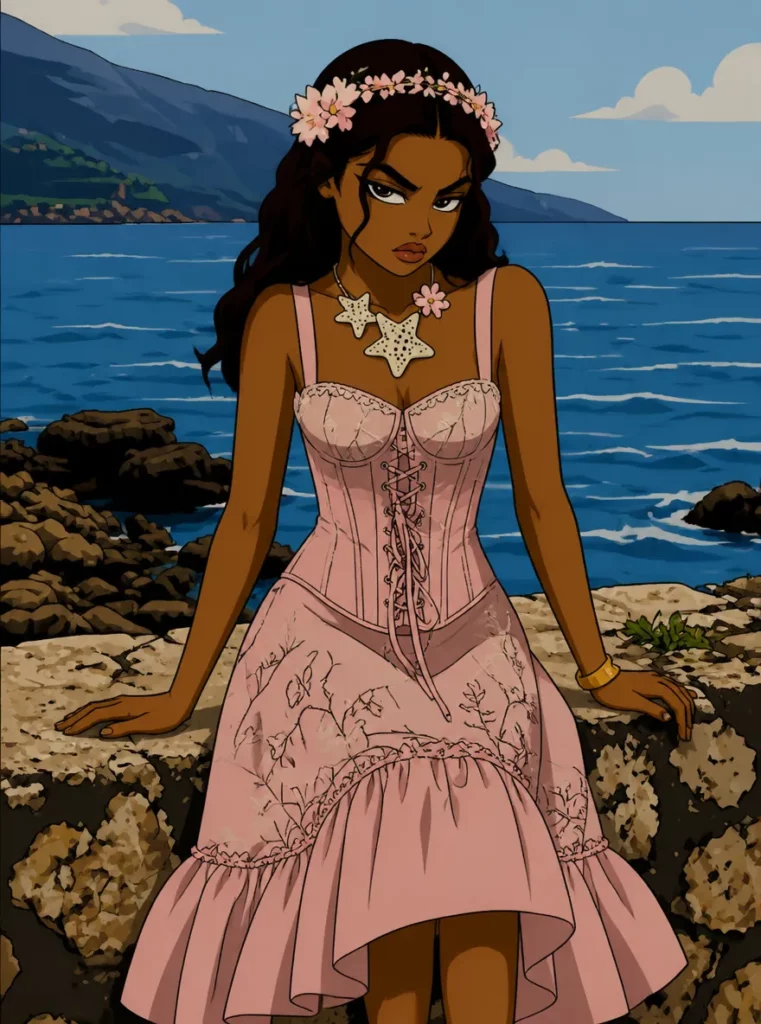
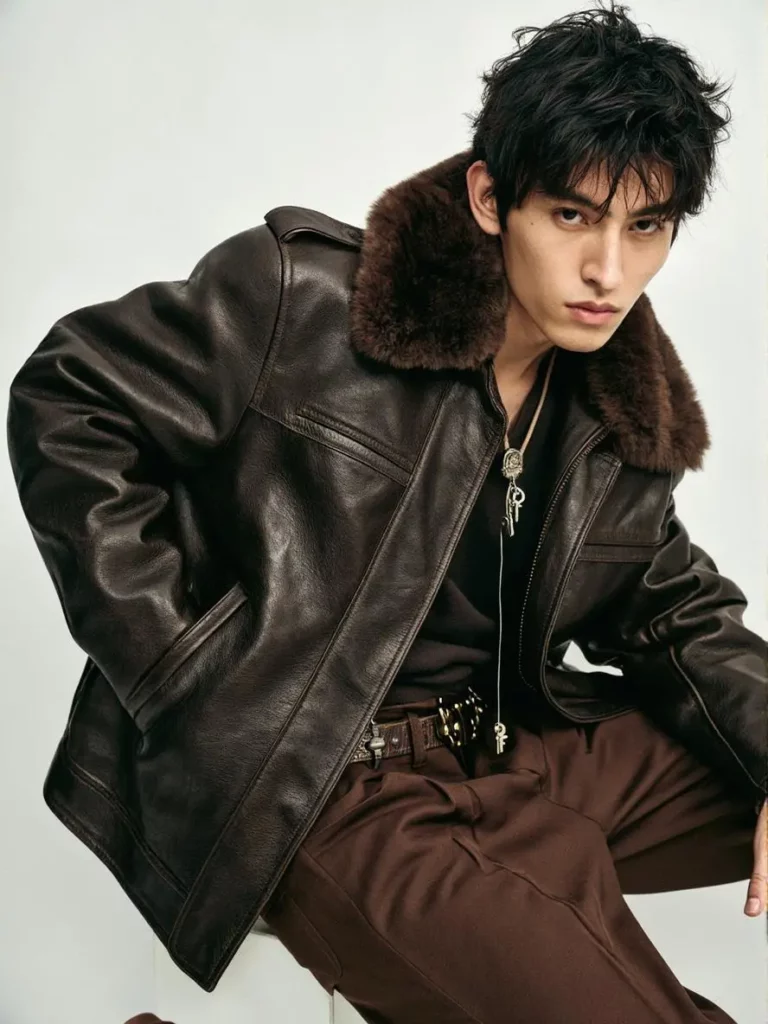
Boondocks Filter is interesting because it does not chase the same perfect-face trend. Instead, it creates a stronger character mood. The face can look sharper. The expression can feel louder. The overall image can carry more attitude.
That is useful because many users do not just want to look good online. They want to look like someone with a clear style.
For example, a gamer may not want a formal headshot. A TikTok creator may need a profile image that feels fun and easy to remember. A podcaster may want a visual identity that can appear on covers, banners, and social posts. In each case, Boondocks Filter gives the user something more useful than a pretty filter. It gives them a character.
How Boondocks Filter Is Different from a Regular Cartoon Filter
A regular cartoon filter usually answers one question:
“Can this photo look more animated?”
Boondocks Filter goes further. It asks a better question:
“Can this person look like a memorable cartoon character?”
That is the key difference.
Instead of only smoothing the image or adding a cute animation effect, Boondocks Filter gives the portrait more shape, expression, and visual attitude. Therefore, the result feels better for profile pictures, creator branding, gaming accounts, and fan-style visuals.
Also, the style has a clear identity. It is not trying to be every cartoon style at once. Instead, it leans into a bold Boondocks-style look. Because of that, users know what kind of result they are getting before they start.
This makes the tool easier to understand and easier to market. In other words, Boondocks Filter does not sell “another AI avatar.” It sells a specific kind of avatar: one that looks more expressive, more street-style, and more character-driven.
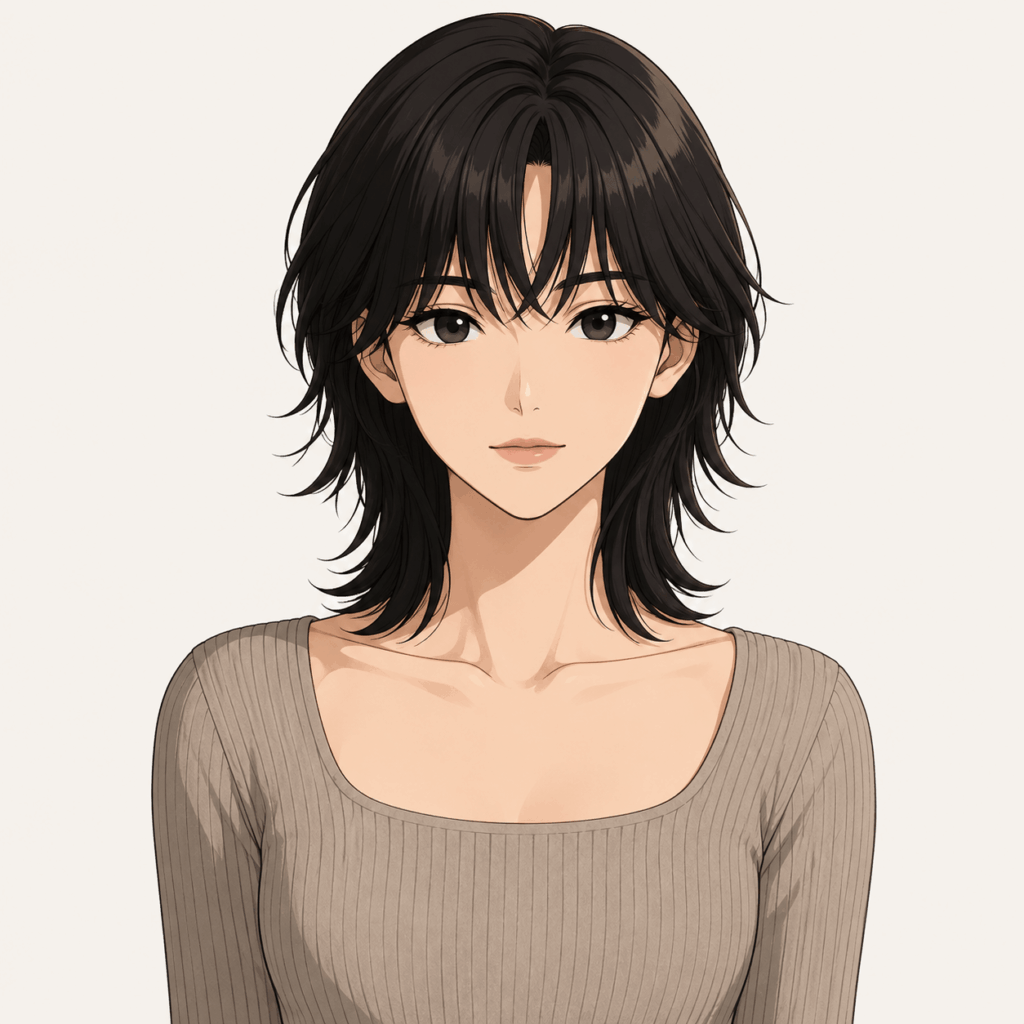
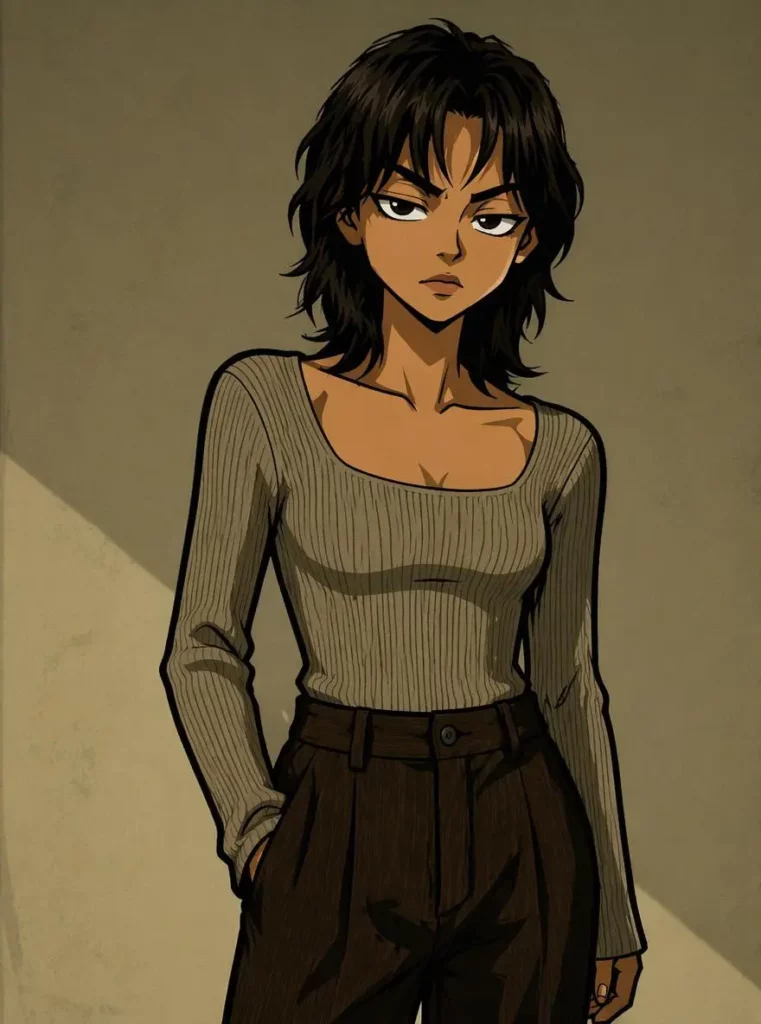
Key Features of Boondocks Filter
Boondocks Filter Turns Selfies into Bold Cartoon Avatars
The first feature is simple: Boondocks Filter turns your selfie into a cartoon avatar.
However, the result is not meant to look plain or overly sweet. Instead, it usually feels sharper and more expressive. The lines are stronger, the face shape is clearer, and the whole image feels closer to an animated character.
Because of this, the tool works well for:
social media profile pictures
gaming avatars
Discord icons
YouTube channel images
TikTok profile photos
podcast cover portraits
streaming visuals
creator branding images
The biggest advantage is speed. You do not need drawing skills. You do not need design software. Instead, you only need a clear photo and a simple idea.
Boondocks Filter Keeps the Person Recognizable
This part is important.
A lot of AI avatar tools can create cool images. However, the person in the image may stop looking like the original user. That is a problem, especially for profile pictures and personal branding.
Boondocks Filter focuses on keeping key facial details, expressions, and pose direction. Therefore, the result can still feel connected to the real person.
That matters because most users do not want a random cartoon stranger. They want a cooler version of themselves.
For personal avatars, creator profiles, fan gifts, or small brand visuals, recognition is everything. If the image looks stylish but no one can tell who it is, the tool has missed the point.
Boondocks Filter Supports Outfit, Background, and Accessory Ideas
Boondocks Filter is not only about uploading a photo and waiting for one fixed result. With the right prompt, users can guide the final look.
For example, they can ask for a streetwear outfit, a hoodie, glasses, headphones, a cap, or a more dramatic background. They can also build a city scene, school setting, room background, night street, or creator-style portrait.
Because of that, the tool becomes more than a filter. It becomes a light character-building tool.
This is helpful for creators who want more than one profile picture. For instance, they may need a matching avatar, banner, thumbnail image, podcast cover, or stream layout. With a consistent Boondocks-style character, their profile can feel more complete.
Boondocks Filter Works for Fan Art and Original Characters
Boondocks Filter can also help with character ideas.
Sometimes, a user has a character in mind but cannot draw it. They may know the mood, outfit, attitude, or background, but not the final look. In that case, this tool can turn a rough idea into a visual starting point.
For fan creators, this is useful. For original character design, it is also helpful. Instead of staring at a blank page, users can quickly create a face, expression, and style direction.
After that, they can use the image for stories, roleplay profiles, fan edits, social posts, or visual inspiration.
So, Boondocks Filter is not only for selfies. It can also support creative storytelling.
Boondocks Filter Can Help Build a Personal Brand
Creators need repeatable visuals.
One good profile picture is useful. However, a consistent character image is even better. Boondocks Filter can help creators build that first layer of visual identity.
For example, a streamer can use a Boondocks-style avatar across Twitch and Discord. A podcaster can place the same cartoon portrait on episode covers. Meanwhile, a short-form creator can use the character in thumbnails, banners, and promo posts.
This does not replace a full brand design system. Still, it gives small creators a fast and affordable starting point.
As a result, Boondocks Filter is useful for people who want their online image to feel less random and more recognizable.
Who Is Boondocks Filter For?
Boondocks Filter Is for People Who Want Better Profile Pictures
Some users simply want a better avatar.
Their selfie may look fine, but it does not stand out. Their old anime avatar may look cute, but it does not feel personal. Meanwhile, many AI portraits may look polished but too generic.
Boondocks Filter gives these users a stronger middle option. It keeps the person connected to the image, but it also adds more cartoon attitude.
So, if someone wants a profile picture that feels less basic and more memorable, this tool makes sense.
Boondocks Filter Is for Social Media Creators
Social media creators need to be remembered fast.
A viewer may scroll past hundreds of videos in one day. Therefore, a strong profile image can help a creator look more recognizable across platforms.
Boondocks Filter fits creators who want a bold avatar for TikTok, YouTube, Instagram, X, or other social platforms. It can work for comedy creators, music creators, lifestyle creators, reaction channels, and personal brands.
More importantly, the avatar can become part of the creator’s identity. Over time, people may connect that character image with the account itself.
Boondocks Filter Is for Gamers and Streamers
Gamers and streamers often want a profile image that feels personal but not too exposed.
A real photo may feel too direct. However, a fully random avatar may feel too distant. Boondocks Filter gives them a balanced option: a cartoon version based on their own face.
This works especially well for Discord, Twitch, YouTube Gaming, and gaming community profiles. The image has personality, but it still gives the user some distance from a normal selfie.
Also, the bold cartoon style fits gaming spaces better than a formal portrait.
Boondocks Filter Is for Animation and Cartoon Fans
Animation fans often enjoy seeing themselves inside a visual world they like.
That is why Boondocks Filter can feel fun even when the user is not a creator. It lets people imagine themselves as a cartoon character with stronger lines, clearer expressions, and a more dramatic look.
This audience may use the tool for profile pictures, friend group images, couple avatars, group chats, or fun social posts.
In short, the tool gives them a small “what if I were animated?” moment.
Boondocks Filter Is for Fan Creators and Storytellers
Fan creators, roleplay users, and original character builders can also use Boondocks Filter.
Instead of writing a character description with no visual reference, they can create a quick cartoon portrait. Then, they can build a story around that character’s face, outfit, mood, and setting.
This is especially useful for people who have strong ideas but limited drawing skills. With AI, they can move from idea to image much faster.
Therefore, Boondocks Filter can act as a creative shortcut, not just a selfie toy.
Boondocks Filter Is for Personalized Gift Ideas
A custom cartoon portrait can also become a simple but thoughtful gift.
For example, someone can turn a friend’s photo into a Boondocks-style character for a birthday post, a printed poster, a group chat icon, or a fun couple avatar. Compared with a normal photo, the result feels more personal and more shareable.
At the same time, it is easier and faster than hiring an illustrator.
Because of that, Boondocks Filter fits casual gift-making, especially when the goal is something fun, visual, and personal.
Boondocks Filter Is for Small Brands and Personal IP Projects
Small brands, podcast hosts, solo creators, and early-stage personal IP projects often need visuals before they have a full design budget.
Boondocks Filter can help them create a first character-style image. That image can appear in social banners, profile photos, campaign posts, content covers, and simple promotional designs.
Of course, it is not a full branding agency. However, it is useful when the user needs a quick visual identity that feels less boring than a stock photo.
For early content testing, that is already valuable.
Best Use Cases for Boondocks Filter
Use Boondocks Filter for a Profile Picture Refresh
A new profile picture is the most obvious use case.
Instead of choosing another regular selfie, users can create a cartoon avatar that looks more expressive. This works well when someone wants their page to feel more stylish, fun, or creator-ready.
Also, because the image still connects to the original face, it can feel personal without being too plain.
Use Boondocks Filter for Creator Branding
Creators can use the same Boondocks-style portrait across different platforms.
For example, the avatar can appear on YouTube, TikTok, Instagram, Discord, and Twitch. Then, it can also be used in thumbnails, podcast covers, or social graphics.
Over time, this consistency can make the creator easier to recognize.
Use Boondocks Filter for Fan Art and Character Concepts
Fan creators can use Boondocks Filter to build character visuals quickly.
Instead of waiting until the whole idea is polished, they can test a face, mood, and outfit first. Then, they can adjust the concept through prompts or use the image as a reference for later edits.
This makes the tool useful for fan fiction, roleplay accounts, original characters, and visual storytelling.
Use Boondocks Filter for Fun Group Content
Boondocks Filter can also work for friend groups.
For example, a group can turn each person into a cartoon character and create matching avatars. This can work for Discord groups, gaming teams, class groups, fan communities, or casual social posts.
Because the style is bold, the final set may feel more fun than normal group photos.
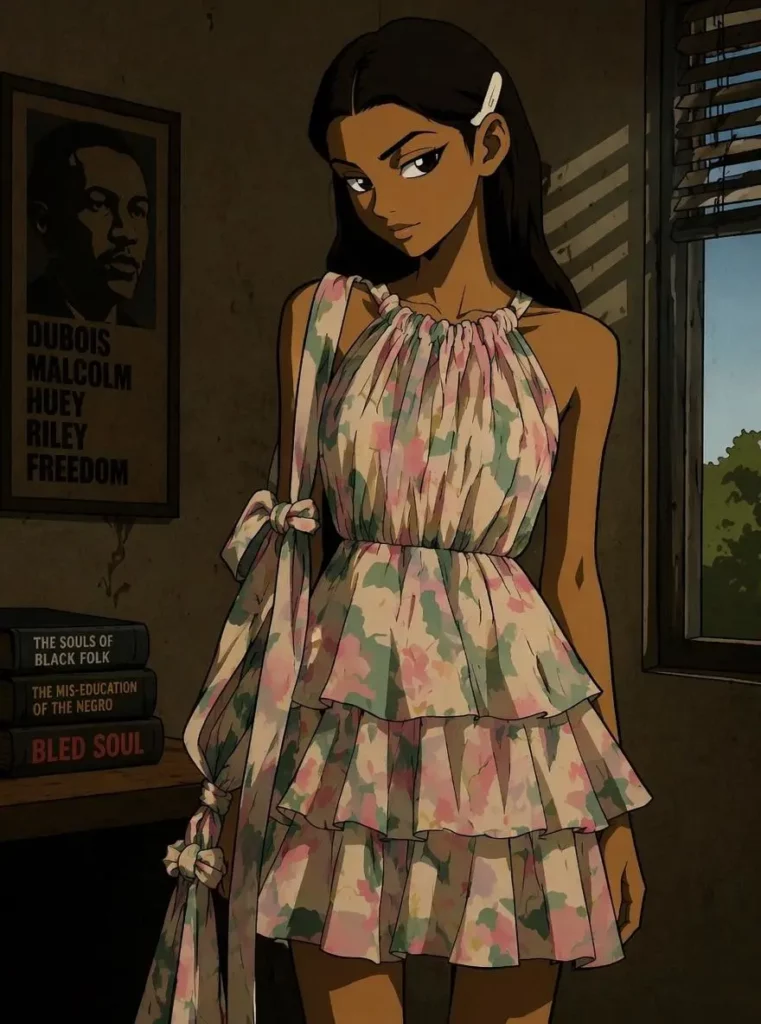
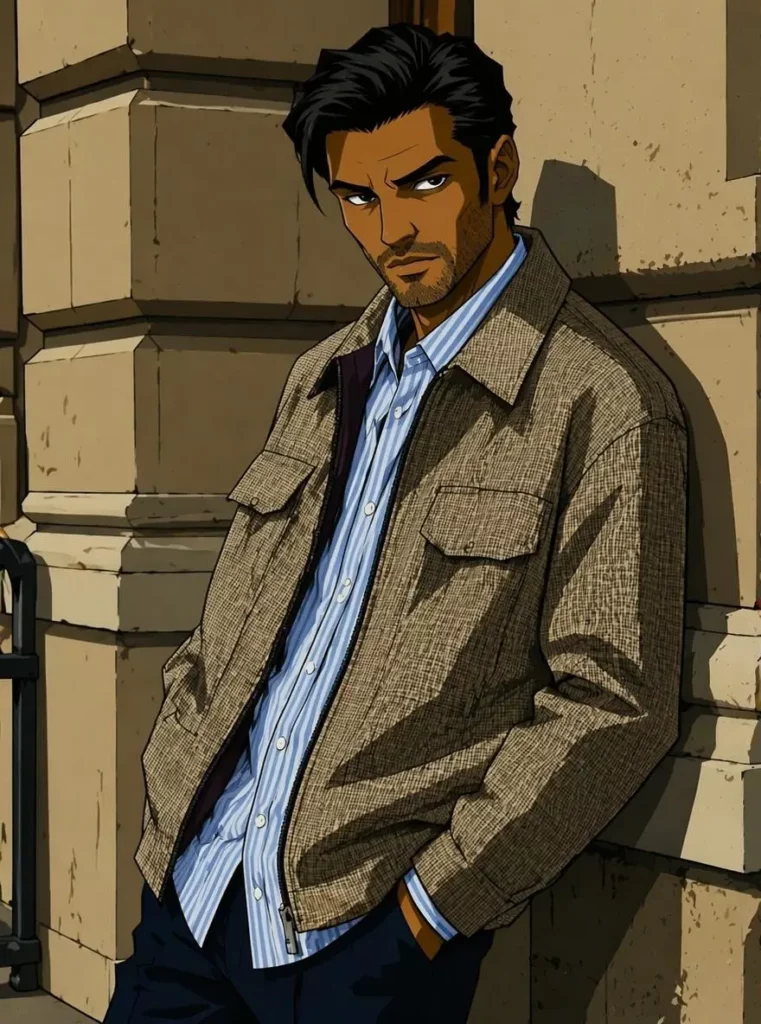
What Problems Does Boondocks Filter Solve?
Boondocks Filter is useful because it solves a very real online image problem.
Normal selfies can feel too basic.
Generic anime avatars may not feel personal.
Many AI portraits look good but too similar.
Custom illustration can be expensive and slow.
Boondocks Filter sits between all of these options. It uses a real photo as the base, but it turns that photo into a stronger cartoon character.
Therefore, the user gets something that feels personal, stylish, and more memorable.
That is the main reason this tool has value. It is not just about making a photo look different. It is about making an online identity feel more defined.
Limits of Boondocks Filter
Boondocks Filter is useful, but it is not for every situation.
If someone wants a natural headshot, a business photo, a clean LinkedIn portrait, or a soft beauty edit, this may not be the best tool. The style is bold by design. So, it works better for users who want attitude, personality, and character energy.
Also, the photo quality still matters. A clear face, good lighting, and a visible expression will usually help the tool create a better result. On the other hand, a blurry photo, heavy face cover, or strange angle may reduce the final quality.
Finally, users should think about usage rights for commercial projects. For personal avatars, social posts, and fun fan content, the tool feels like a strong fit. However, for product sales, merch, or major campaigns, users should review rights and style references more carefully.
Final Thoughts: Boondocks Filter Is Really About Online Identity
Boondocks Filter may look like a simple AI cartoon tool at first. However, its real value is bigger than that.
It helps users turn a normal selfie into a more expressive online character. Instead of making the photo only prettier, it makes the image more memorable. Instead of hiding the person completely, it keeps enough facial detail to feel recognizable.
That is why Boondocks Filter works well for profile pictures, creator branding, gaming avatars, fan art, and personal visual identity.
In a feed full of polished but forgettable images, a bold cartoon avatar can stand out fast. And for many users, that is exactly the point.
Go to WeShop AI For Exploration:


