

Some videos are not bad. Honestly, they are just too normal. That is exactly where an AI Video Effects Generator becomes useful, because it can turn plain footage into a clip with smoke, sparks, explosions, glow, glitch effects, anime looks, or cinematic motion before people scroll away.
Maybe your product looks clear. Maybe the clip is clean. However, on TikTok, Instagram Reels, YouTube Shorts, and other fast feeds, “clear” is not always enough. Instead, people stop when something feels different, dramatic, funny, or weirdly satisfying.
Therefore, you do not always need a bigger shoot. Sometimes, your video just needs one stronger visual idea. With WeShop AI’s AI Video Effects Generator, you can upload a clip, type what you want, and quickly give normal footage a much better chance to become watchable, clickable, and memorable.
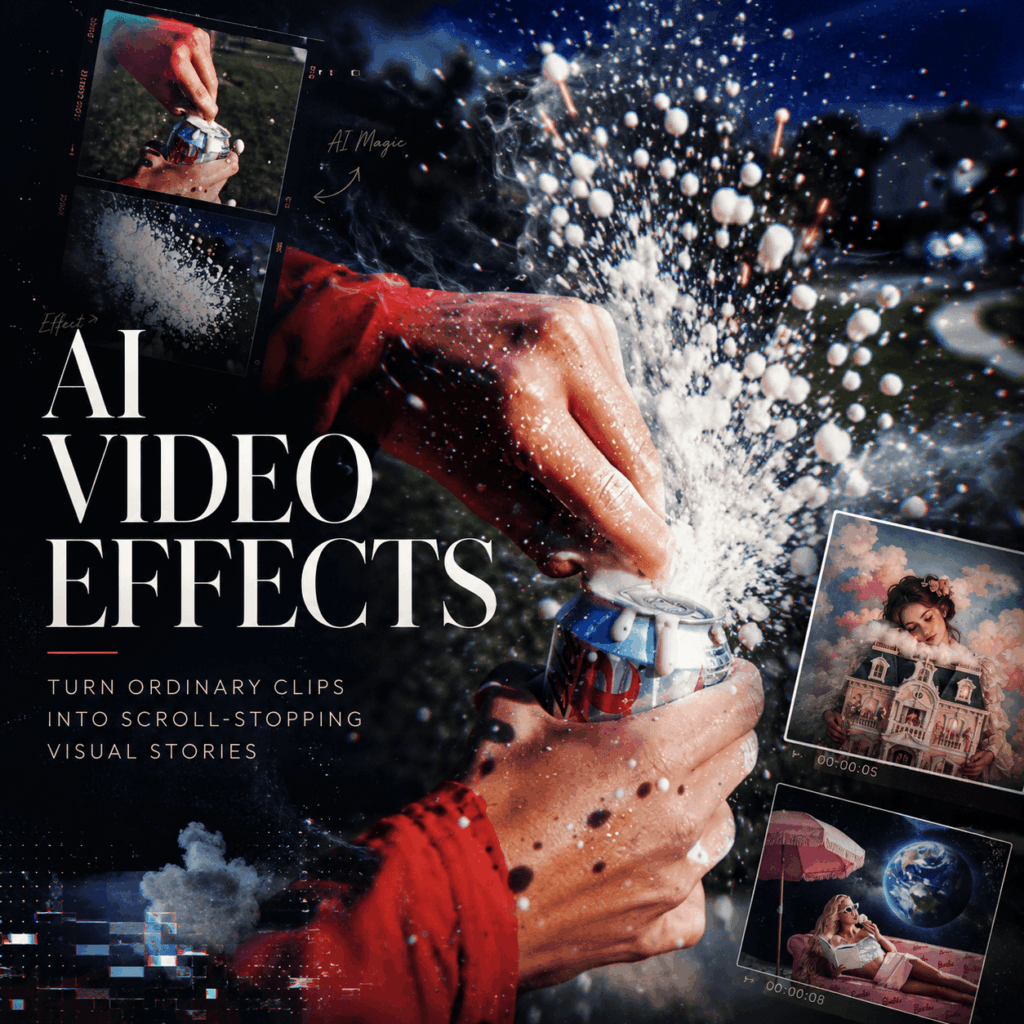
Why an AI Video Effects Generator Works So Well Now
Short videos are fighting for the first second.
That sounds dramatic. Still, it is true. A viewer does not wait politely for your video to become interesting. Instead, they scroll, compare, skip, and forget.
Therefore, your opening needs a reason to exist. An AI Video Effects Generator helps because it turns a normal moment into a visual event. For example, a desk scene can get smoke and sparks. Meanwhile, a product shot can get soft glow and floating particles. Also, a gaming clip can get explosions, screen shake, and trailer-like energy.
In other words, the footage stays simple. Yet the final result feels much more clickable.
The First Second Needs a Reason to Exist
A basic opening says, “Here is my video.”
Meanwhile, a stronger opening says, “Wait, what just happened?”
That small difference matters. For instance, a coffee cup with steam is fine. However, a coffee cup surrounded by cinematic smoke and warm light feels more like a mood. Similarly, a skincare bottle on a table is clear, but with mist, glow, and slow camera motion, it starts to feel like an ad.
So, the goal is not to make every video explode for no reason. Instead, the goal is to give the viewer one quick reason to stay.
What Is WeShop AI Video Effects Generator?
WeShop AI’s AI Video Effects Generator is an online tool that helps users add AI-powered visual effects to videos or images. More specifically, it can create cinematic VFX, style changes, transitions, background effects, lighting changes, and motion effects.
More importantly, the tool works through simple prompts. You do not need to mask every frame, build layers, or fight with a timeline for three hours. Instead, you describe the effect, adjust the settings, and generate a new version.
Common effects include cinematic explosions, smoke, fire, lightning, energy waves, glitch transitions, camera zooms, anime-style looks, cyberpunk scenes, background changes, and product ad effects.
As a result, your video stops feeling like raw footage. Instead, it starts feeling like something made for the feed.
Core Features of AI Video Effects Generator
Prompt-Based AI Video Effects Generator Workflow
The biggest advantage is simple: describe the effect, then let the tool generate it.
For instance, you can type:
Add realistic smoke and sparks around the product, with cinematic lighting and a slow camera push-in. Keep the product sharp and centered.
Another prompt could be:
Create a dramatic explosion behind the subject with smoke, sparks, and camera shake. Keep the person clear and visible.
Because the workflow is prompt-based, beginners can focus on ideas instead of software settings. As a result, users can test visual effects much faster without learning professional VFX tools from scratch.
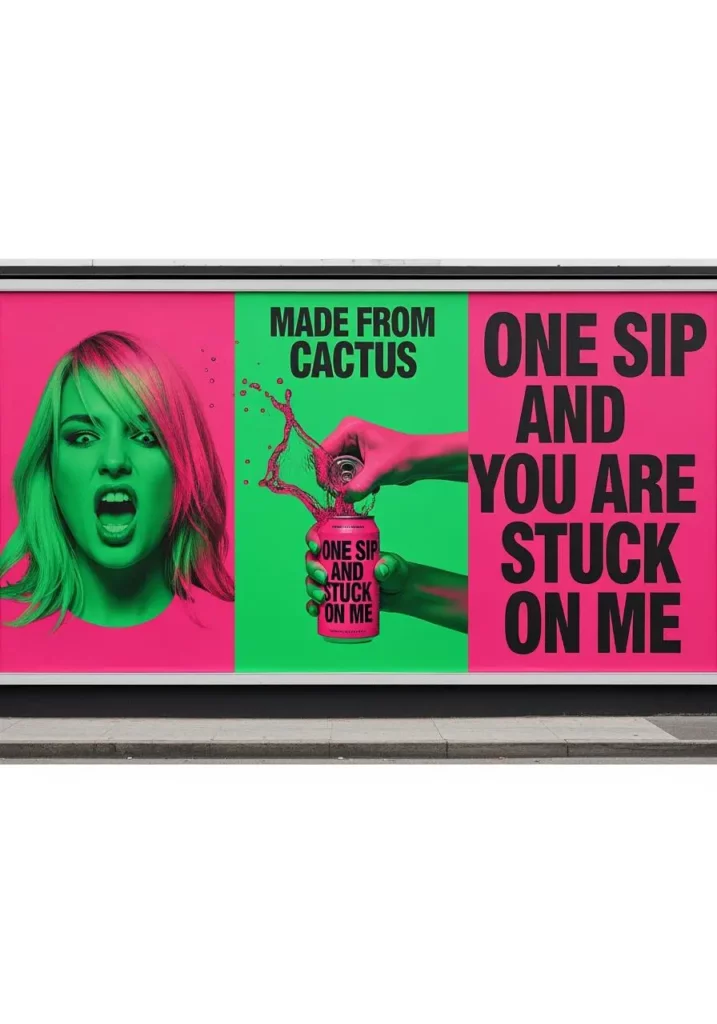
Cinematic VFX Without the Editing Headache
Traditional VFX can feel like opening a spaceship control panel by accident.
There are masks, layers, keyframes, tracking points, and settings that look personally offended by your existence. However, AI Video Effects Generator makes the process lighter.
With a simple prompt, users can create smoke, fire, sparks, lightning, particles, explosions, dramatic lighting, and motion effects. Therefore, creators can get the “movie moment” without the movie-sized workload.
Style Transfer for More Creative Looks
Not every video needs fire. Sometimes, it just needs a new mood.
With AI Video Effects Generator, users can explore anime-inspired scenes, cyberpunk lighting, fantasy backgrounds, vintage colors, cinematic filters, or surreal visual styles. In many cases, the original clip already has a good subject. Nevertheless, the overall look may still feel too plain.
For example, a simple selfie video can become anime-like. Meanwhile, a product clip can become futuristic. Also, a music teaser can become dreamy and more atmospheric. As a result, one clip can become multiple creative directions.
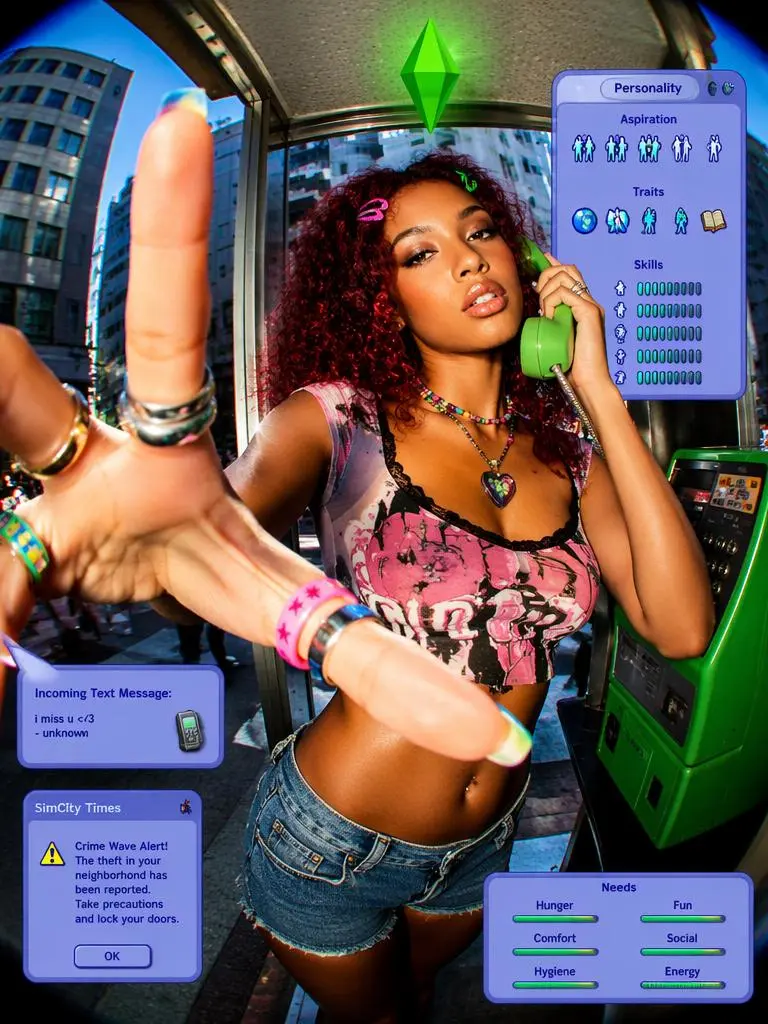
“Steal the Look” for Faster Ideas
One of the most useful parts of the tool is the “Steal the Look” style area.
This matters because many users do not begin with a perfect prompt. Usually, they begin with a feeling: “I want my product to look like that.”
Instead of starting from a blank box, you can browse existing examples, pick a style, and apply that visual direction to your own product or clip. For ecommerce sellers, this is especially helpful. In other words, inspiration becomes a faster workflow.
Who Should Use AI Video Effects Generator?
Short-Form Creators Who Need Stronger Hooks
This tool fits TikTok creators, Instagram Reels creators, YouTube Shorts creators, meme editors, and lifestyle content makers.
When a video feels too calm, effects can add a stronger opening. When a transition feels flat, motion, glow, glitch, smoke, or a quick scene change can make it sharper. Also, when a joke needs more chaos, an explosion might be emotionally correct.
For example, creators can use it for dramatic pet edits, fake movie scenes, transformation videos, meme-style effects, anime-style clips, glitchy trend videos, and before-and-after moments.
Ecommerce Sellers and Product Marketers
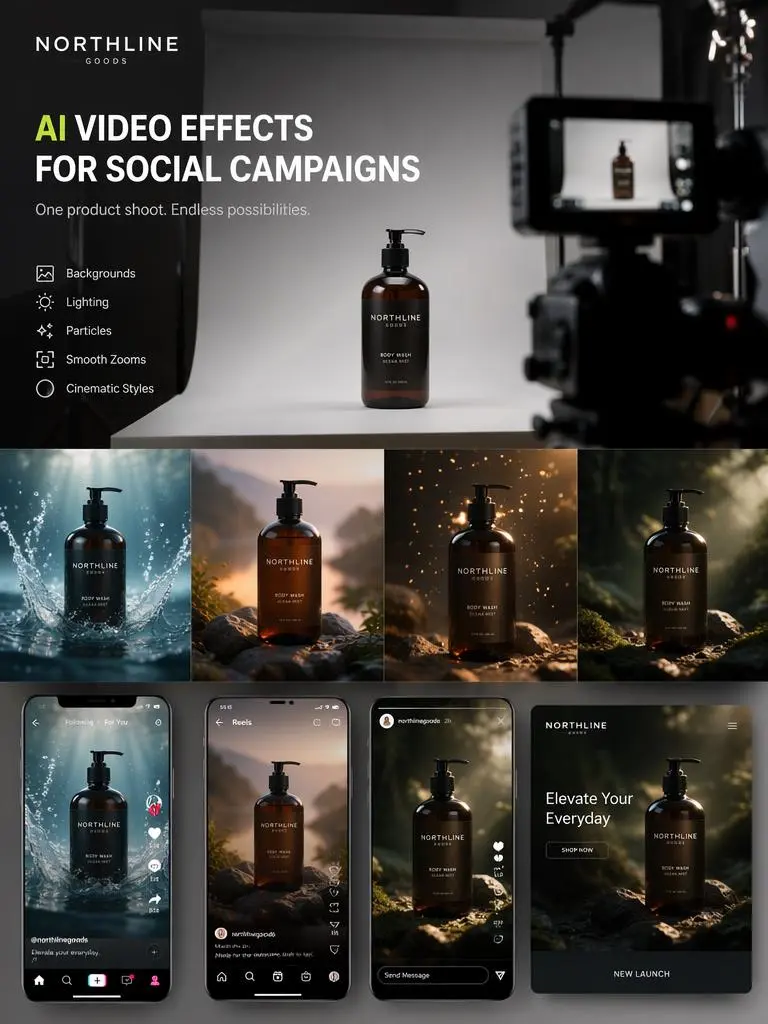
For product teams, AI Video Effects Generator is more than a fun effect tool. It can also help create ad variations from the same product material.
A plain product clip may show the item clearly. However, it may not feel strong enough for paid ads or social posts. With AI effects, a skincare bottle can get mist and soft glow. Meanwhile, a drink can get ice, splash, and summer lighting. Also, a tech product can get neon, glitch, and futuristic motion.
As a result, one product video can become several campaign-ready versions.
Gaming, Film, and Music Creators
Gaming creators can add explosions, screen shake, smoke, fire, and energy effects to make highlights feel bigger.
At the same time, filmmakers can test dramatic scenes before committing to a full edit. Musicians can also create short visual clips with dreamy lighting, surreal backgrounds, or fast transitions.
So, if a clip already has movement, AI effects can help make it feel more intense.
Beginners Who Do Not Want to Learn VFX
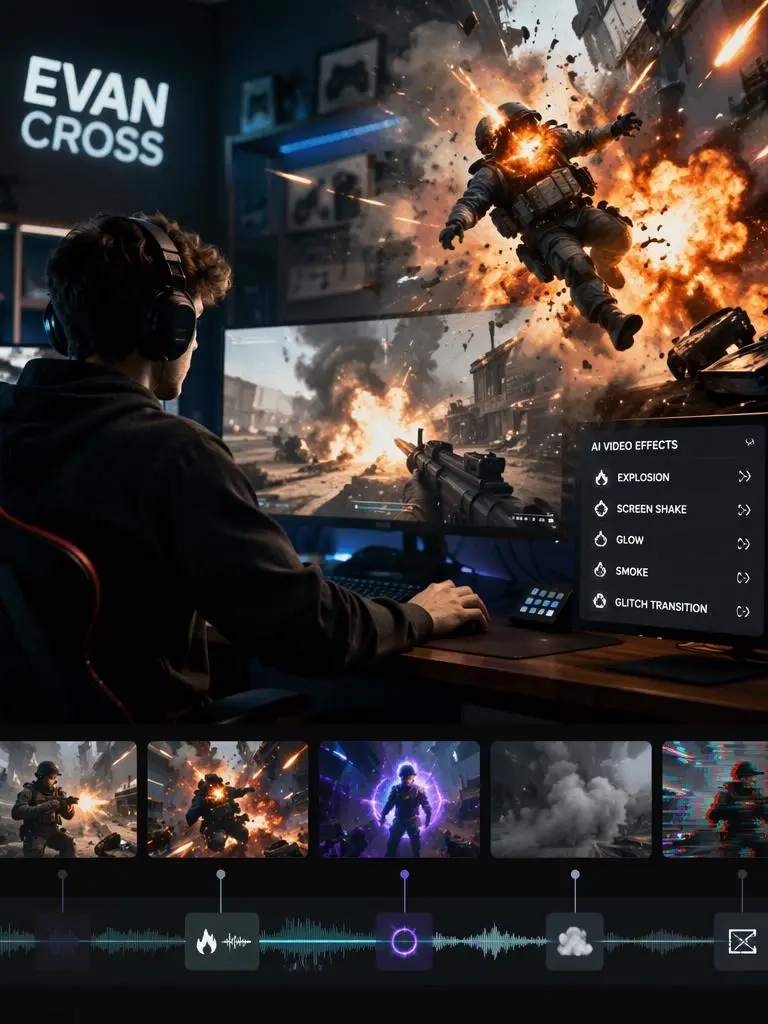
Some people do not want to become editing wizards. They just want a better-looking video today.
That is why this tool works for beginners. The basic process is simple: upload, describe, generate, preview, refine, and export.
Besides, no advanced compositing skills are required. Also, no timeline trauma is required.
How to Use AI Video Effects Generator
Step 1: Upload Your Video or Image
Start with a clear video or image.
For better results, choose footage where the main subject is easy to see. If it is a product, keep it sharp and centered. For people-focused clips, avoid heavy blur or messy obstruction. Also, if you want smoke, sparks, or explosion effects, leave enough space in the frame for the effect to appear.
Step 2: Choose a Look or Write a Prompt
Next, decide what you want the video to become.
You can either use a ready-made look from the example area or write your own prompt. In general, a clear prompt works better than a vague one.
For a product ad, try:
Add realistic smoke, sparks, and cinematic lighting around the product. Keep the product sharp and centered.
For a dramatic scene, use:
Create a realistic explosion behind the subject with camera shake and glowing particles. Keep the subject visible.
For a cyberpunk look, write:
Turn this clip into a cyberpunk scene with neon lighting, glitch effects, and rainy reflections.
Meanwhile, for a softer ad style, try:
Add soft glow, floating particles, and a slow zoom for a luxury product ad feeling.
Step 3: Pick the Right Format
Choose the format based on where you plan to post.
For TikTok, Reels, Shorts, and vertical ads, 9:16 usually works best. For square social posts and some ecommerce placements, 1:1 is useful. Meanwhile, 16:9 works better for YouTube, websites, and horizontal previews.
Also, short clips can be enough. A 5-second effect works well for hooks, teasers, product reveals, and transition moments.
Step 4: Generate, Preview, and Refine
After generation, watch the result carefully.
First, check whether the subject is still clear. Next, see if the effect feels too strong, too weak, or too messy. Then, adjust the prompt and generate again if needed.
Useful prompt fixes include:
Keep the product visible.
Do not cover the face.
Make the effect more subtle.
Use realistic lighting.
Preserve the original motion.
Keep the main subject clear.
AI is powerful. However, it still needs direction. Think of the prompt as giving notes to a very talented intern with dramatic taste.
Step 5: Export and Reuse the Clip
Once the result looks right, export it and use it across your channels.
The final video can work as a TikTok hook, Reel intro, YouTube Shorts moment, product ad opening, landing page visual, launch teaser, gaming highlight, music video insert, meme video, or before-and-after example.
Creative Ways to Use AI Video Effects Generator
Make a Product Look Like It Has a Budget
Not every brand has a huge studio, a lighting team, and a creative director whispering “more premium” behind the camera.
However, a product can still look more expensive.
Use AI Video Effects Generator to add glow, mist, floating particles, dramatic shadows, water splash, sparks, or a new background. This works especially well for skincare, drinks, fashion items, gadgets, accessories, and lifestyle products.
Therefore, one clean product shot can become several ad concepts.
Turn a Boring Clip into a “Wait, What Was That?” Moment
Some clips only need one unexpected detail.
A normal walking video can get a sudden cinematic zoom. Meanwhile, a pet video can become a fake sports final. Also, a selfie can turn into an anime transformation. Even a desk scene can become a deadline explosion.
This kind of content works because it gives viewers a reason to pause.
Build a Mini Trailer from One Scene
A full film shoot is not always necessary to create trailer energy.
With the right prompt, users can add smoke, sparks, camera shake, lighting, particles, and dramatic background changes. As a result, a simple clip can feel like a teaser, intro, or mini movie scene.
This is useful for game edits, music videos, short films, creator intros, and campaign previews.
Create Multiple Ad Versions from One Product Clip
For marketers, this may be the most practical use.
Instead of making one product video and hoping it performs well, you can create several versions from the same footage. For example, the same clip can become a clean studio version, luxury dark version, cyberpunk neon version, summer splash version, high-energy explosion version, or dreamy soft-glow version.
Then, you can test which visual direction performs better.
This makes the tool useful for paid ads, social media campaigns, ecommerce pages, and product launches.
Prompt Tips for Better AI Video Effects
Start with the Main Effect
Clear prompts work better than vague prompts.
Instead of writing “make it cool,” write something more specific, such as “add realistic smoke and sparks around the product.” Another better option is “add a dramatic explosion in the background.”
The tool needs a clear visual target. Therefore, start with the main effect first.
Add Mood and Visual Style
After the effect, describe the feeling.
Useful style words include cinematic, luxury, playful, chaotic, dreamy, futuristic, high-energy, realistic, surreal, and anime-inspired.
For example, you can write:
Add floating particles and soft cinematic lighting for a dreamy luxury mood.
This gives the AI a clearer direction.
Protect the Main Subject
Effects should improve the clip, not eat the product alive.
So, add instructions that protect the subject. For example, use phrases like “keep the product sharp and centered,” “keep the person visible,” “do not cover the face,” “preserve the original motion,” or “keep the main subject clear.”
This is especially important for product ads, face videos, fashion clips, and pet content.
FAQ About AI Video Effects Generator
What is an AI Video Effects Generator?
An AI Video Effects Generator is an online tool that uses AI to add or transform visual effects in videos. It can create effects like explosions, smoke, fire, lightning, particles, style changes, transitions, and cinematic lighting.
Do I need editing experience to use it?
No. You can upload a video or image, write a prompt, choose settings, and generate the result. Therefore, it is much easier than traditional VFX software.
Can I add AI effects to an existing video?
Yes. Existing footage can be uploaded and enhanced with smoke, fire, lighting, glitches, particles, background changes, zooms, or style transformations.
Can I use AI Video Effects Generator for product ads?
Yes. AI Video Effects Generator is useful for product ads because it can turn simple product footage into more eye-catching social videos, launch teasers, and campaign visuals.
What kind of footage works best?
Clear footage works best. Ideally, the main subject should be visible, and the scene should not be too blurry or crowded. Product shots, people, pets, gaming clips, fashion videos, and lifestyle clips can all work well.
Can it create anime or cyberpunk style videos?
Yes. Prompts can transform footage into anime, cyberpunk, fantasy, vintage, cinematic, or other creative styles.
Will AI effects cover my product or subject?
It can happen if the prompt is too vague. To reduce that risk, add instructions such as “keep the product visible,” “keep the face clear,” or “preserve the main subject.”
Is it useful for TikTok, Reels, and Shorts?
Yes. AI effects are especially useful for short-form platforms because they can make the first second more visually interesting and help clips stand out in a crowded feed.
Final Thoughts
Your video does not always need a bigger shoot.
Sometimes, it just needs a better visual idea.
With WeShop AI’s AI Video Effects Generator, a normal clip can get smoke, sparks, motion, style, drama, or full “why is this product having a movie moment?” energy.
So, before people scroll away, give them something worth watching.
Go to WeShop AI For Exploration:


