Are you tired of boring graduation photos? Every year, millions of students look exactly the same. They wear the same gown. They pose at the same school gate. Consequently, their pictures look completely interchangeable. But you can stand out easily this year. In fact, you can create a cinematic graduation poster in just five minutes.
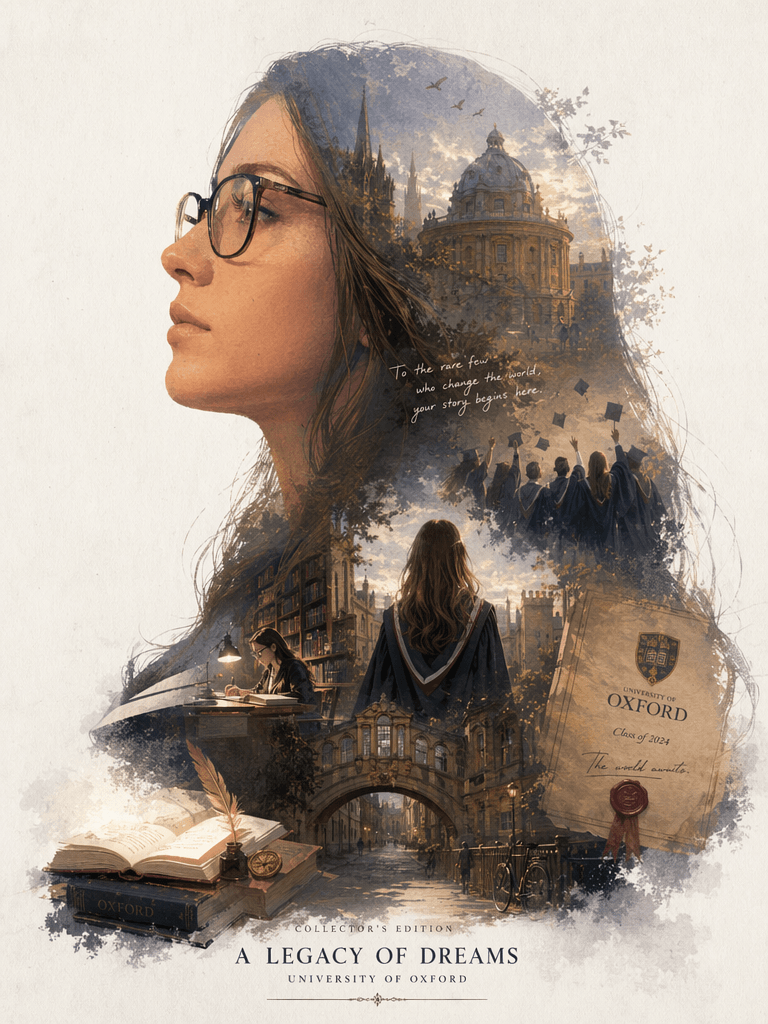
Recently, a double-exposure silhouette style has gone viral on social media. This unique art uses your side profile as a canvas. Inside your silhouette, beautiful campus memories and watercolor landscapes naturally grow. Best of all, you do not need expensive studios or complex Photoshop skills.
This is your free, step-by-step graduation poster guide. Whether you are a beginner or a busy student, this tutorial will save you time. Simply follow our short steps and copy our optimized AI prompts. As a result, you will create a stunning graduation poster that instantly blows up your social feeds!
🛠️ Phase 1: Preparation & Essential Tools
Before we start our AI magic, we need to gather a few simple ingredients. Fortunately, you do not need any paid software.
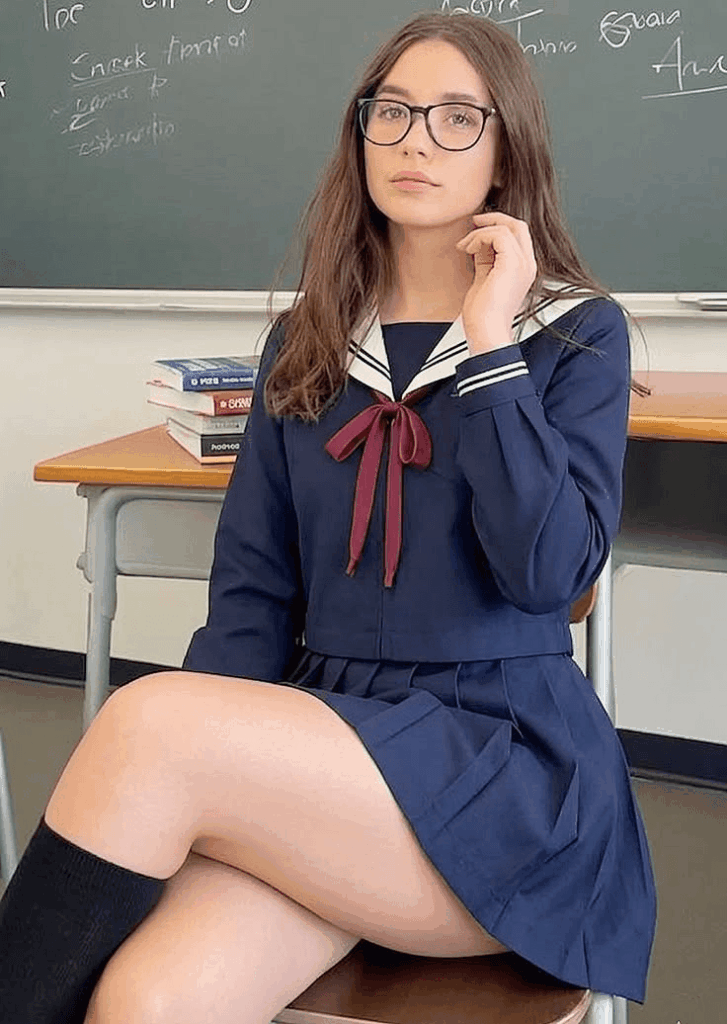
- A Clear Side-Profile Photo:First, you must choose the right base image. Because the AI will use your face as a silhouette container, pick a photo with a sharp jawline. Additionally, ensure the background is clean and simple.
- The Best Free AI Generator:We will use a beginner-friendly online tool that requires no registration or coding.
- Direct Link: https://www.weshop.ai/tools/gpt-image (or the updated gptimage2 interface).
- The Secret AI Prompt:We have already written and tested a premium English prompt for your graduation poster. You can simply copy and paste it from Phase 2.
🧭 Phase 2: Step-by-Step Tutorial to Design Your Graduation Poster
Step 1: Upload Your Portrait to the AI Platform
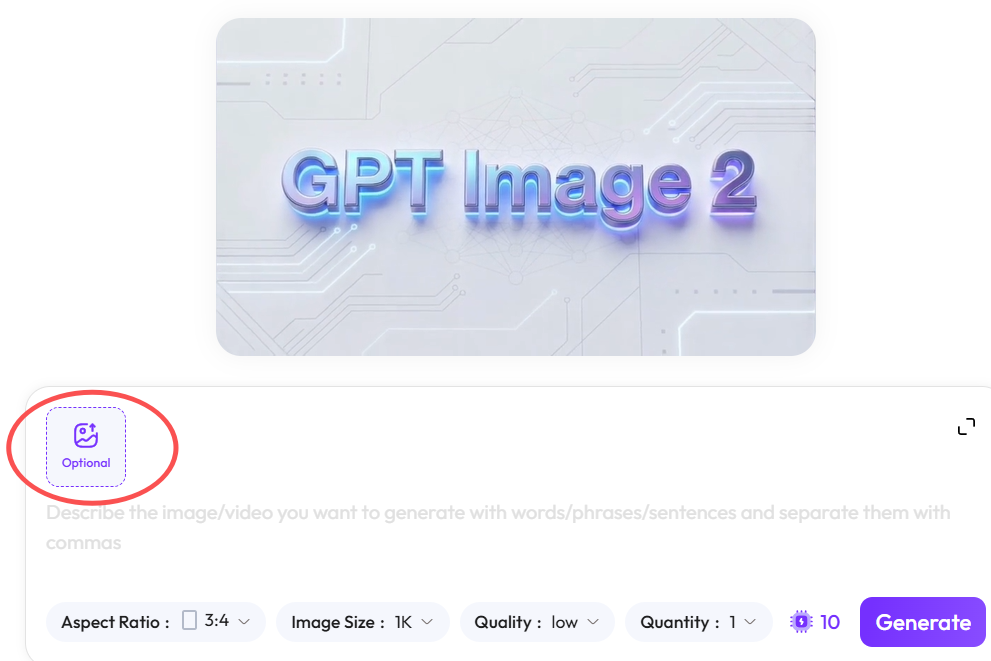
First, open your browser and go to the tool link provided above. When the page loads, you will see a clean, intuitive dashboard.
Next, locate the image upload section. This is usually a square box with a “+” icon or an “Upload” label. Click it, and upload your high-resolution side-profile photo. Immediately, the system will lock onto your facial lines to prepare for the artistic blend.

Step 2: Customize the Magic English Text for Your Graduation Poster
Many online tutorials offer prompts in Chinese or simple keywords. However, advanced AI models like Midjourney or DALL-E 3 understand professional English art vocabulary much better. Therefore, using our English text will instantly double your image quality and details.
Please copy the exact text below. Then, paste it directly into the prompt box on the website:
Automatically generate a collector's edition epic narrative poster based on my portrait. (Theme: Graduation. A giant silhouette of my side profile serves as the outer contour. Inside the silhouette, naturally grow a complete worldview, iconic scenes, character relationships, symbolic elements, key architecture, creatures, props, and atmosphere most fitting for a campus graduation theme).
The overall look is not a basic collage, but a high-end silhouette-fill narrative composition with double-exposure associations, leaning towards a blend of cinematic poster and dreamy watercolor illustration. Soft atmospheric perspective, light mist transitions, paper grain texture, dry brush edges and brushstrokes, large areas of negative space (white space), restrained and premium layout. It should feel quiet, grand, sacred, nostalgic, poetic, and legendary.
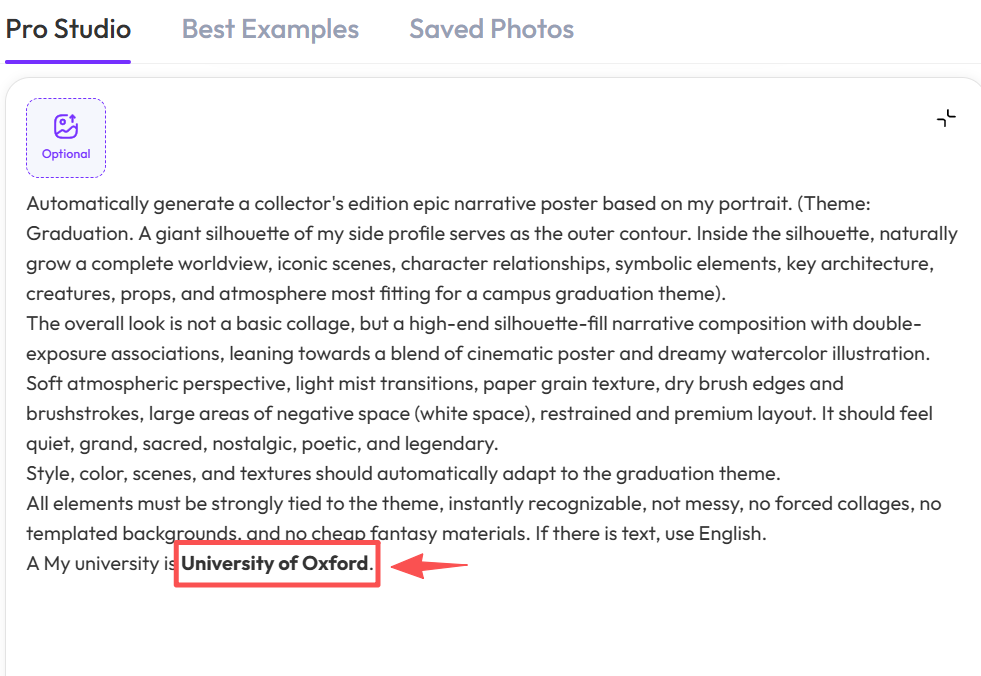
Style, color, scenes, and textures should automatically adapt to the graduation theme. All elements must be strongly tied to the theme, instantly recognizable, not messy, no forced collages, no templated backgrounds, and no cheap fantasy materials. If there is text, use English. My university is University of Oxford.
💡 The Pro Customization Secret:
Look closely at the very last sentence of the text. You must replace the words University of Oxford with your own school’s official English name. For instance, you can type Tsinghua University or New York University. Consequently, the AI will automatically inject your school’s unique architecture and color palette into your custom graduation poster.
Step 3: Generate and Save Your Masterpiece
Now, verify that your photo is uploaded and your customized text is ready.
Finally, click the prominent “Generate” button. After that, simply wait for about thirty seconds. The AI will read your facial contours. Meanwhile, it will weave grand campus landscapes and nostalgic colors into your silhouette. Once you see a result you love, click the Download icon underneath the image to save your high-definition artwork!
💡 Phase 3: Pro Tips & FAQ for a Flawless Graduation Poster
Q1: Why does my generated image look like a cheap collage instead of a smooth blend?
A: Usually, this happens because your original photo has a messy background. Alternatively, your facial lines might be blurry. If the AI struggles to find your jawline, the effect fails. To fix this, use a photo taken against a plain wall. Many students also find that wearing a graduation cap creates a much cleaner outline.
Q2: Can I reuse this method for styles other than a graduation poster?
A: Absolutely! This is the power of prompt reuse. For example, you can change the phrase Theme: Graduation inside the text box. If you change it to Theme: Cyberpunk city or Theme: Enchanted forest, the AI will adapt. Just remember to remove the university name at the end, and you will get a sci-fi or fantasy masterpiece.
Q3: What if my graduation poster does not show my exact school library or gate?
A: AI art is naturally abstract. Therefore, it focuses on the general mood rather than exact details. However, if you absolutely need a specific landmark, you can add it manually. Simply append a direct sentence at the end of the prompt, such as: My university is [Name], please include the iconic grand library gates.
✨ Final Thoughts
You do not need to spend money on expensive studios. Similarly, you do not need to study complex editing software for hours. By using a few precise words and a clever tool like gptimage2, anyone can become a premium designer. This method makes creating a beautiful, artistic memento incredibly simple.
Try it right now! It is the most unique way to immortalize your hard work. If you have any questions about modifying the text, leave a comment below.
Also, do not forget to share your finished graduation poster in the comments. We want to see your beautiful creations!
Go to WeShop AI For Exploration: