

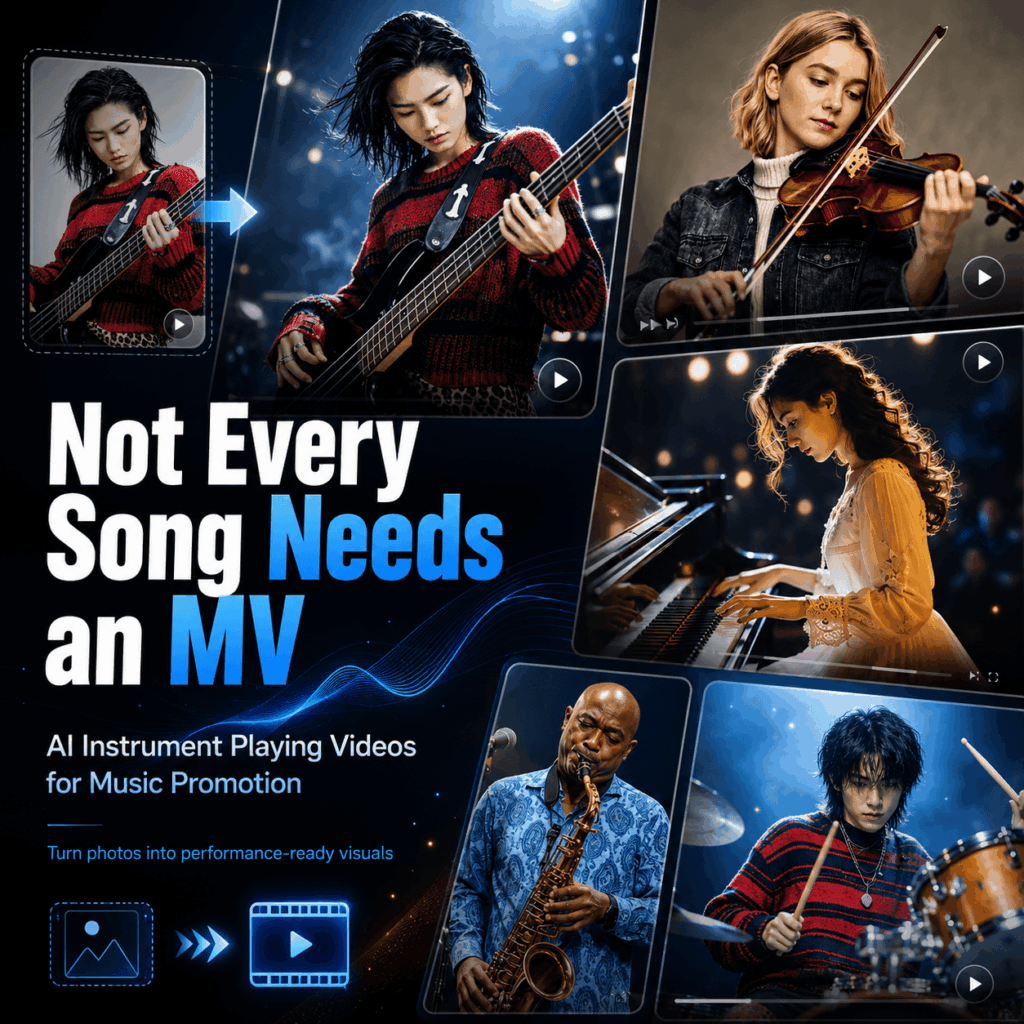
An AI instrument playing video helps turn music into short, scroll-stopping content. Instead of shooting a full music video, you can create a clip where someone appears to play guitar, piano, violin, drums, saxophone, or another instrument.
For many artists, this is a useful shortcut. A song may be ready. The cover art may look good. The release date may be set. However, one problem still remains.
What should the video show?
A still cover can feel too quiet. Also, a full MV can take too long. Live footage may not exist. In addition, many artists do not have the budget for a new shoot.
That is why AI instrument playing video tools are useful. They sit between cover art and a full music video. They are faster than a shoot. However, they feel more alive than a static image.
In short, not every song needs a full MV. Still, every song needs a visual moment that makes people stop scrolling.
Why Music Promotion Needs Short Visuals
Music promotion is no longer about one big post. Instead, one song often needs many short videos.
For example, you may need a teaser before release. Then, you may need a hook clip on release day. After that, you may still need a lyric video, a visualizer loop, and several vertical posts.
For most artists, that is hard to make.
Independent musicians may not have enough footage. Meanwhile, small labels may not have time to shoot daily clips. Also, AI music creators may not have a real performer to film. Virtual bands have another problem: they need steady character visuals.
Because of this, music teams need a lighter way to create video assets. An AI instrument playing video can help. It gives a song a performance-style visual without a full shoot.
Even better, the format is easy to understand. When viewers see someone playing an instrument, they know the content is about music right away.
What Is an AI Instrument Playing Video?
An AI instrument playing video is a short generated clip. It shows a person or character playing an instrument in a performance scene.
For example, it can show a guitarist on stage. It can also show a pianist in a late-night room, a violinist by the sea, a drummer under concert lights, or a sax player in a jazz club.
However, this is not just a normal image-to-video effect.
A basic image-to-video tool makes a still image move. By contrast, an AI instrument playing video needs to make the person look like they are really performing.
That means the hands should look natural. The instrument should keep its shape. Also, the pose should match the music mood.
For instance, a piano video feels wrong if the fingers miss the keys. A violin clip looks fake if the bow floats away from the strings. Likewise, a guitar video breaks the mood if the fretboard changes shape.
Therefore, your prompt should mention the instrument, hand movement, scene, camera, and errors to avoid.
Why Instrument Visuals Work So Well
Short-form platforms move fast. Therefore, the first few seconds matter.
Viewers may not know the artist yet. They may not read the caption. Also, they may not wait for the chorus.
For this reason, the first visual needs to explain the mood quickly.
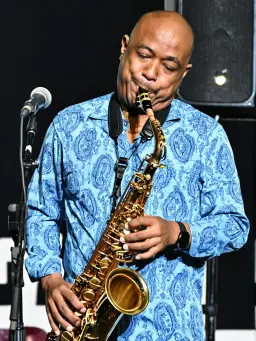
Instrument visuals do that well. Guitar often feels indie or live. Piano feels emotional and calm. Violin feels cinematic. Drums feel bold and energetic. Saxophone feels smooth, jazzy, and retro.
Because of this, choosing an instrument is also choosing a mood.
For example, an acoustic song may fit a warm guitar scene. Meanwhile, a sad ballad may work better with a quiet piano. A cinematic track may feel stronger with a violin by the sea. On the other hand, a band release may need drums and stage lights.
So, an AI instrument playing video is not only a clip. It is also a way to test the visual style of a song.
Workflow 1: Turn an Artist Photo Into a Teaser
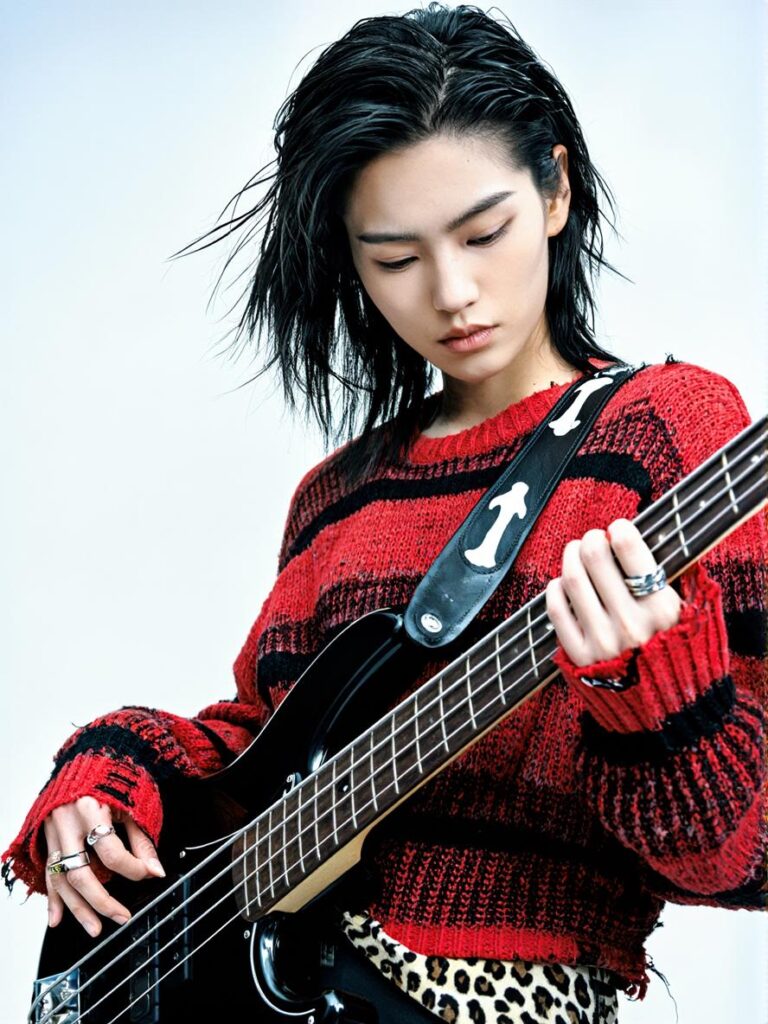
The easiest use case starts with an artist photo. Then, you turn it into a short performance teaser.
This works well for solo artists, indie musicians, small labels, and music creators. If you already have a press photo or album visual, you can use it as the reference image.
Next, choose a scene that matches the song. For instance, an acoustic track may fit warm stage lights. A piano ballad may fit a late-night room. Meanwhile, a rock song may need an electric guitar or drum scene.
Prompt Example: Acoustic Guitar Teaser
The person is naturally playing an acoustic guitar under warm stage lights. Preserve the person's face, hairstyle, outfit, age, skin tone, and body proportions. Realistic acoustic guitar structure, accurate hand placement on the fretboard and strings, natural strumming motion, relaxed singer-songwriter posture, emotional facial expression, soft cinematic lighting, smooth camera movement, professional new single teaser style. Avoid distorted hands, extra fingers, wrong guitar shape, flickering, and sudden outfit or background changes.
This prompt works because it is clear.
First, it names the instrument. Then, it protects the artist’s identity. Next, it describes the hand movement. Finally, it adds the camera style and negative prompts.
After the clip is ready, you can add the song hook, title, release date, or a lyric line. As a result, one artist photo becomes a short video asset.
Workflow 2: Test Different Instrument Versions
One song does not need only one visual direction. In fact, testing several versions can help you find the best mood.
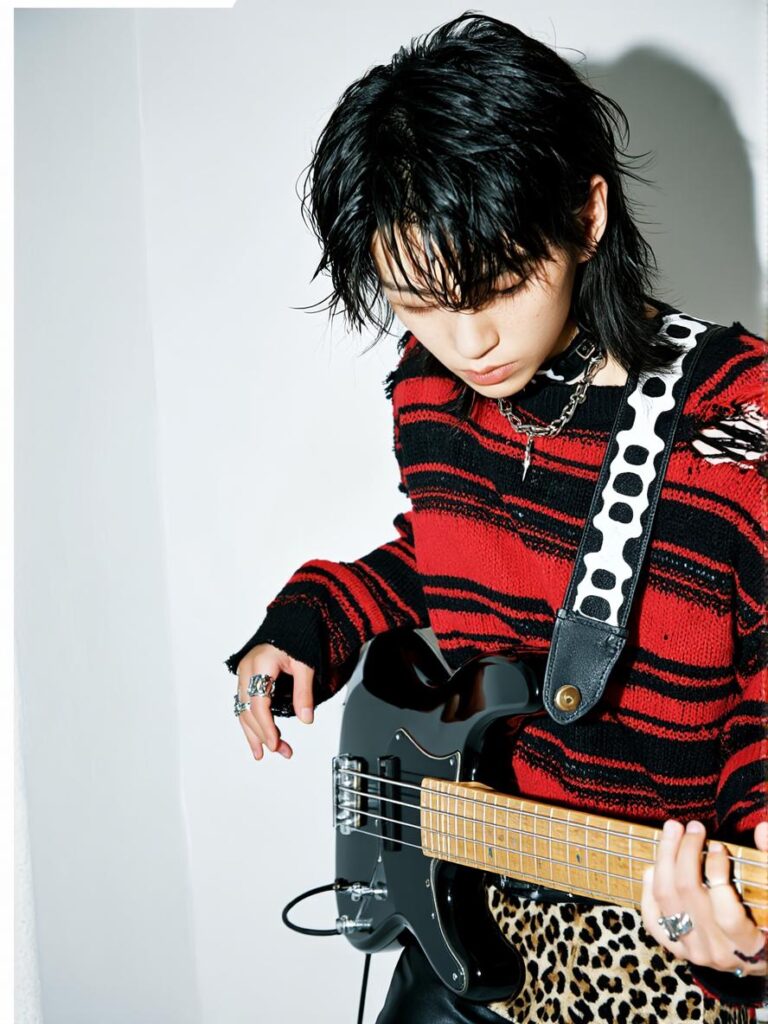
For example, a piano version may feel soft and emotional. A guitar version may feel raw and personal. A violin version may feel cinematic. A drum version may feel powerful. Meanwhile, a saxophone version may feel smooth or retro.
Because of this, AI instrument playing video is useful for quick testing. You can create several versions, post them, and see what your audience likes.
Prompt Example: Piano Visualizer
The person is naturally playing a grand piano in a quiet late-night room. Preserve the person's face, hairstyle, outfit, and body proportions. Realistic piano structure, accurate hand placement on the keys, natural finger motion, calm expression, soft side lighting, slow push-in camera movement, intimate music visualizer style. Avoid distorted hands, extra fingers, incorrect keyboard layout, flickering, and sudden scene changes.
Prompt Example: Violin Performance
The person is naturally playing the violin by the ocean at sunset. Preserve the person's face, hairstyle, outfit, and body proportions. Accurate violin structure, realistic bow contact with the strings, natural hand movement, expressive posture, soft golden-hour lighting, gentle wind, cinematic camera movement, emotional music performance video style. Avoid distorted hands, extra fingers, incorrect bow position, deformed violin, and flickering.
Prompt Example: Drum Performance
The person is naturally playing a drum kit on a dark concert stage. Preserve the person's face, hairstyle, outfit, and body proportions. Realistic drum kit structure, accurate drumstick grip, natural arm movement, energetic posture, dramatic stage lighting, dynamic camera movement, live band performance style. Avoid distorted hands, extra drumsticks, deformed drums, floating sticks, and background changes.
Workflow 3: Build Visuals for Virtual Bands
Virtual bands and AI music projects often need a different kind of visual content. They may not need a real artist shoot. Instead, they need a strong visual identity.
For example, a virtual band needs members. An AI music channel needs a world. An anonymous artist needs a symbol. Therefore, AI instrument playing video can help build a full visual system.
You can design a guitarist, drummer, bassist, keyboardist, or sax player. Then, each member can have a style, instrument, stage, and short performance clip.
Over time, the project starts to feel more complete.
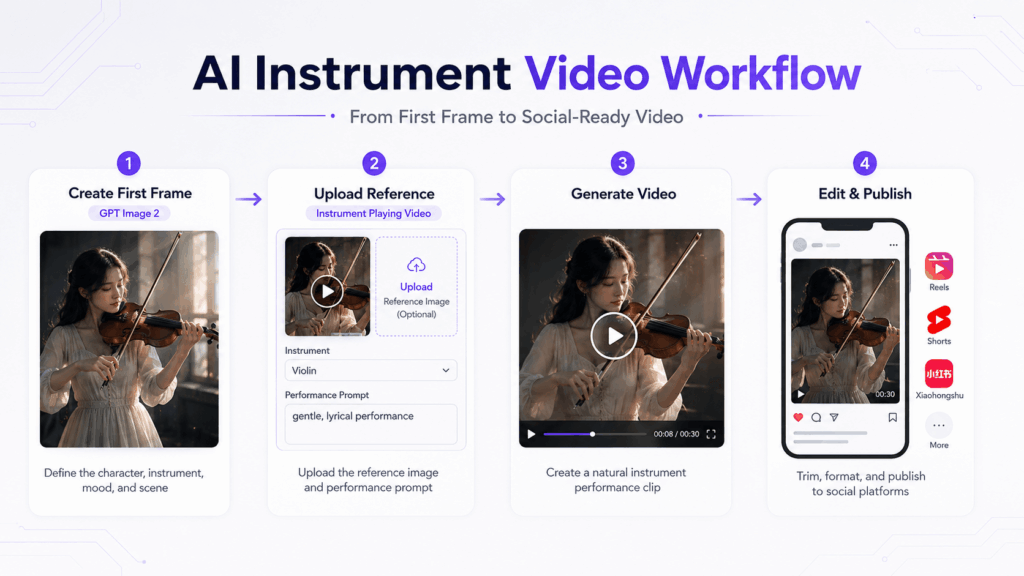
Use GPT Image 2 to Create the First Frame
GPT Image 2 fits well into this workflow.
Sometimes, you may not have a good reference image. In that case, you can first use GPT Image 2 to create a first frame. This image sets the character, outfit, instrument, lighting, and composition.
Then, you can upload that first frame to Instrument Playing Video. After that, the tool can turn it into a performance clip.
In this workflow, GPT Image 2 is the visual setup tool. Instrument Playing Video is the motion tool.
GPT Image 2 First Frame Prompt
Create a cinematic first frame of a virtual band guitarist on a small live stage. The character has a modern indie rock style, wearing a black jacket and holding an electric guitar in a natural performance pose. Realistic guitar structure, correct hand placement, moody stage lighting, shallow depth of field, vertical composition.
Instrument Playing Video Prompt
The virtual band guitarist is naturally playing an electric guitar on a small live stage. Preserve the character's face, hairstyle, outfit, body proportions, and indie rock style from the reference image. Realistic electric guitar structure, accurate hand placement on the fretboard and strings, natural strumming motion, confident stage posture, moody concert lighting, smooth camera movement. Avoid distorted hands, extra fingers, wrong guitar shape, flickering, and sudden outfit changes.
This two-step workflow gives you more control. Also, it can make the final video feel more consistent.
Social Play: Make a Stylish Clip Even If You Cannot Play
So far, we have focused on music promotion. However, there is also a lighter social use case.
Not everyone wants to promote a song. Some people just want a stylish personal clip for Instagram, Xiaohongshu, Stories, or a profile video.
This is not about pretending to be a professional musician. Instead, it is about creating a fun visual persona.
Maybe you cannot play piano. Still, you can create a “late-night pianist” mood video. Maybe you cannot play violin. Even so, you can make a dreamy ocean violin clip. Or maybe you want a jazz club saxophone look for your profile.
Social Clip Prompt
The person is naturally playing the piano in a cozy apartment at night. Preserve the person's face, hairstyle, outfit, and room atmosphere from the reference image. Realistic piano keyboard, accurate hand placement on the keys, natural finger motion, warm lamp light, rainy window background, slow camera movement, elegant social media video style. Avoid distorted hands, extra fingers, incorrect keyboard layout, flickering, and sudden outfit changes.
As a result, one portrait can become a set of visual stories.
Prompt Formula for Better Results
A good prompt can improve your AI instrument playing video results. Instead of writing “a person playing music,” use a clear formula.
The person is naturally playing [instrument] in [scene]. Preserve [identity details]. Realistic [instrument] structure, accurate hand placement, natural motion, believable performance posture. Add [lighting], [camera movement], and [style]. Avoid [common errors].
Here is what to include.
First, describe the person. If you use a reference image, ask the tool to preserve the face, hairstyle, outfit, and body proportions.
Next, name the instrument clearly. Use “acoustic guitar,” “grand piano,” “violin,” “drum kit,” or “saxophone” instead of only writing “instrument.”
Then, add the scene. For example, choose a warm stage, late-night room, ocean sunset, jazz club, or rooftop.
After that, describe the action. Add phrases like “accurate hand placement,” “natural finger motion,” “realistic bow contact,” or “natural strumming motion.”
Finally, add negative instructions. For example, write: “Avoid distorted hands, extra fingers, wrong instrument shape, flickering, and sudden outfit changes.”
A Simple Release Plan
You can use AI instrument playing video as part of a full release plan.
First, test three to five visual directions before release. For example, try warm guitar, late-night piano, ocean violin, and live drums.
Next, choose the strongest version. Add the song title, date, and hook. This can become your teaser.
Then, post the main short video on release day. Match the instrument to the mood of the song.
After release, reuse the same visual system. You can make a lyric version, chorus version, visualizer loop, or vertical short.
In this way, one song becomes a small content library.
Final Thoughts
A real music video still matters. It has story, direction, performance, and emotion. However, not every song needs to start with a full MV.
Sometimes, a song just needs a short clip that moves. It needs a visual that fits the mood. Also, it needs an asset that can be reused.
That is why AI instrument playing video is useful for modern music promotion.
It helps artists make teaser clips. It helps teams create short-form content. It helps AI music projects build visual worlds. In addition, it gives casual creators a fun way to turn photos into stylish performance clips.
With GPT Image 2, the workflow becomes even easier. You can create a first frame first. Then, you can turn it into an AI instrument playing video.
So, AI instrument playing video is not here to replace every MV. Instead, it is becoming a fast and flexible music promo asset.
Not every song needs a music video. But every song deserves a moment people can see.
Go to WeShop AI For Exploration:


