

For fashion brands, ecommerce teams, and content marketers, the biggest time drain usually is not creating a single image. It is the constant cycle of reshooting and retouching for different audiences, different markets, and different campaigns. When a team needs to change both the model and the background, the traditional workflow quickly becomes slow, expensive, and difficult to scale.
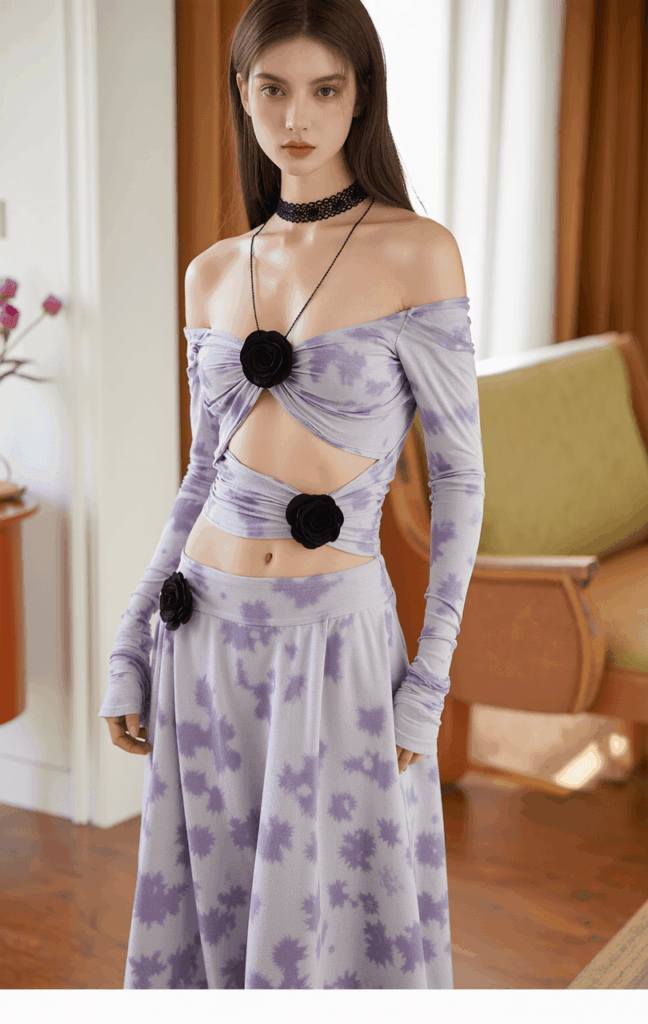
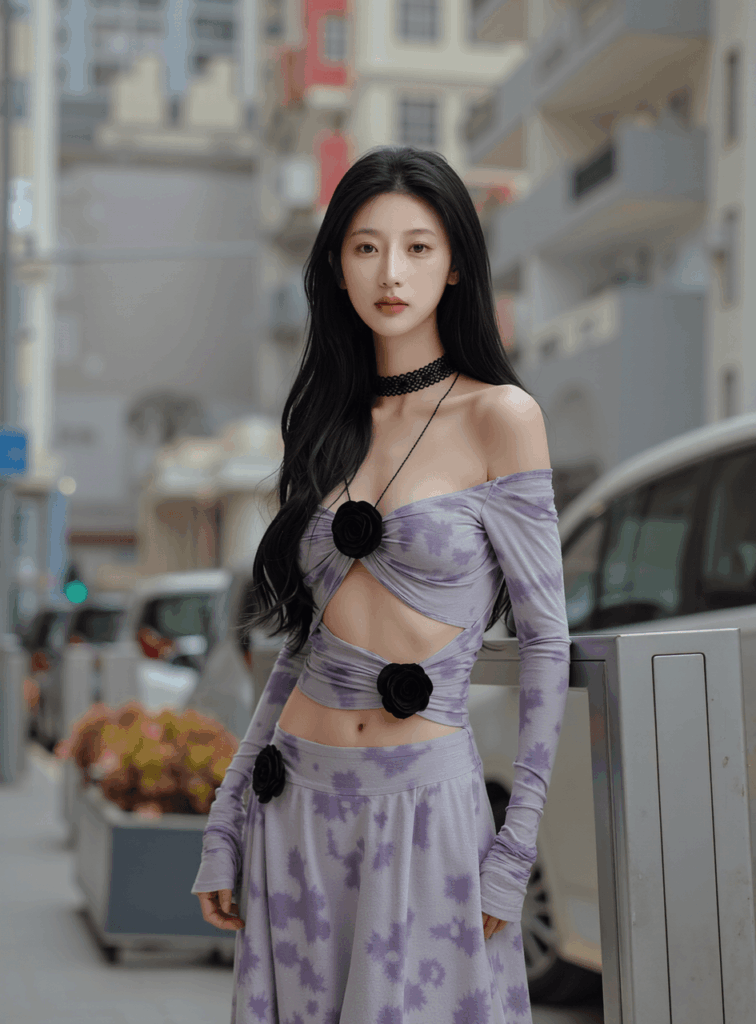
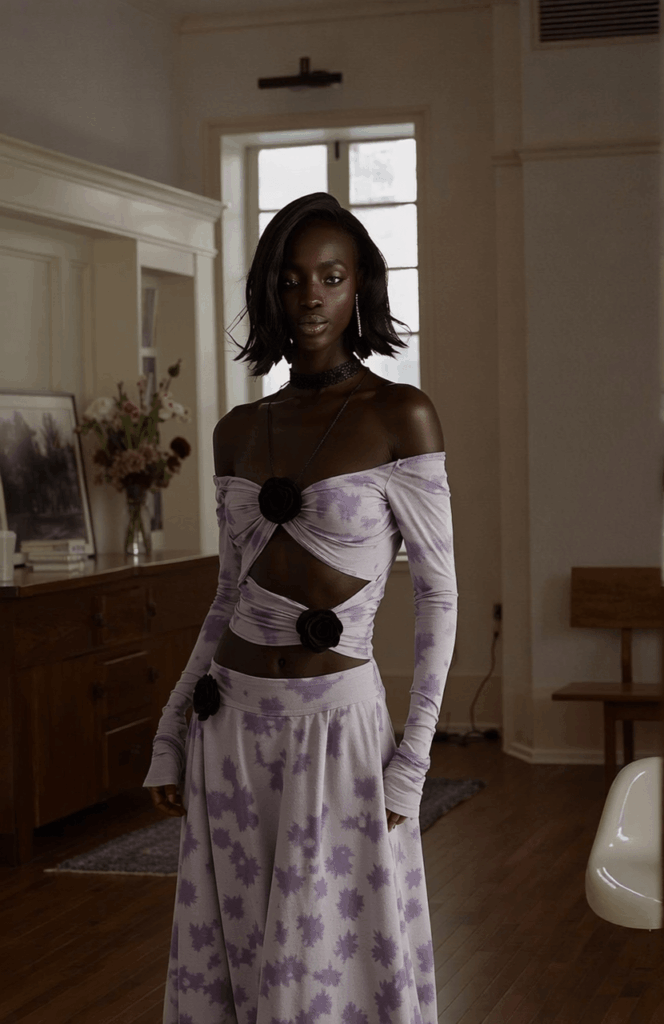
Today, an image-editing-based model-and-background swap agent can handle both tasks in a single generation while preserving the garment presentation, the model’s pose, and the overall composition as much as possible. From a business perspective, this is not just a faster way to edit images. It is a smarter, lighter, and far more reusable approach to product visual production.
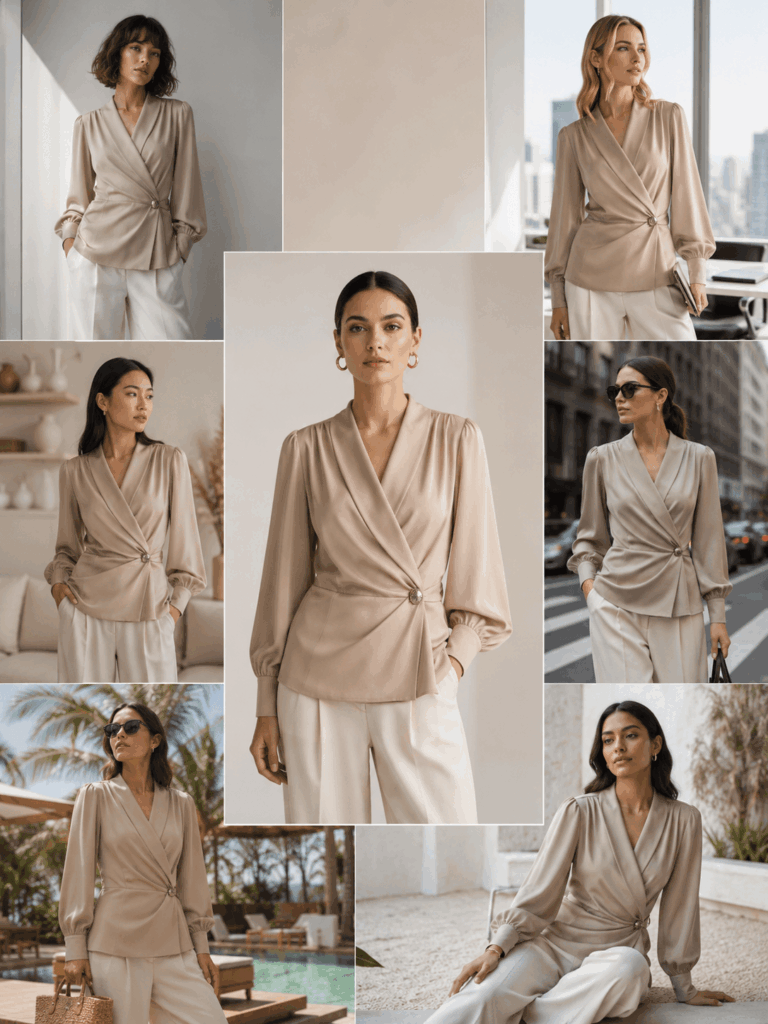
Typical Use Cases
– New product launches: Adapt the same product to different model styles in far less time.
– Multi-market campaigns: Switch to models and scenes that feel more relevant to different target audiences.
– Seasonal and promotional content: Refresh visuals for holidays, lifestyle themes, or campaign moments without planning another shoot.
– Reviving older assets: Reuse existing product images instead of starting over from scratch.
– Creative testing at scale: Generate multiple model and background directions from the same product image.
What You Need Before You Start
- A base product image or model image
- A clear direction for the new model, such as age range, overall vibe, or hairstyle
- A target background direction, such as indoor, street-style, vacation, or clean studio
- The key product details that must stay consistent, such as silhouette, color, and texture
Step-by-Step Guide
Step 1: Define What Cannot Change
In a commercial workflow, changing the model and the background does not mean rebuilding the entire image from zero. What matters most is protecting the core visual logic of the product: the garment shape, the pose, and the composition. If those elements shift too much, the image may look fresh, but it will no longer work as a selling asset.
Step 2: Set the New Model and Scene Direction
In practice, teams usually start with a clear creative brief, such as “a younger office-ready model” or “a more lifestyle-driven home setting.” The goal is not to swap elements mechanically. It is to make the new model, the new background, and the original product feel like they belong in the same image.
Step 3: Change the Model and Background in One Pass
This is where the biggest upgrade happens. Older workflows typically handled model replacement and background editing as two separate tasks. A one-step generation flow reduces the accumulated errors that come with multi-stage editing and makes it easier to keep the model placement and garment structure stable.
Step 4: Make the Final Image Feel More Real
Commercial visuals fall apart when the model changes but the clothing no longer looks right, or when the background changes but the image feels obviously composited. That is why the goal is not only to swap the right person and the right scene, but also to preserve the original pose and create a more natural relationship between the subject and the environment through lighting and edge consistency.
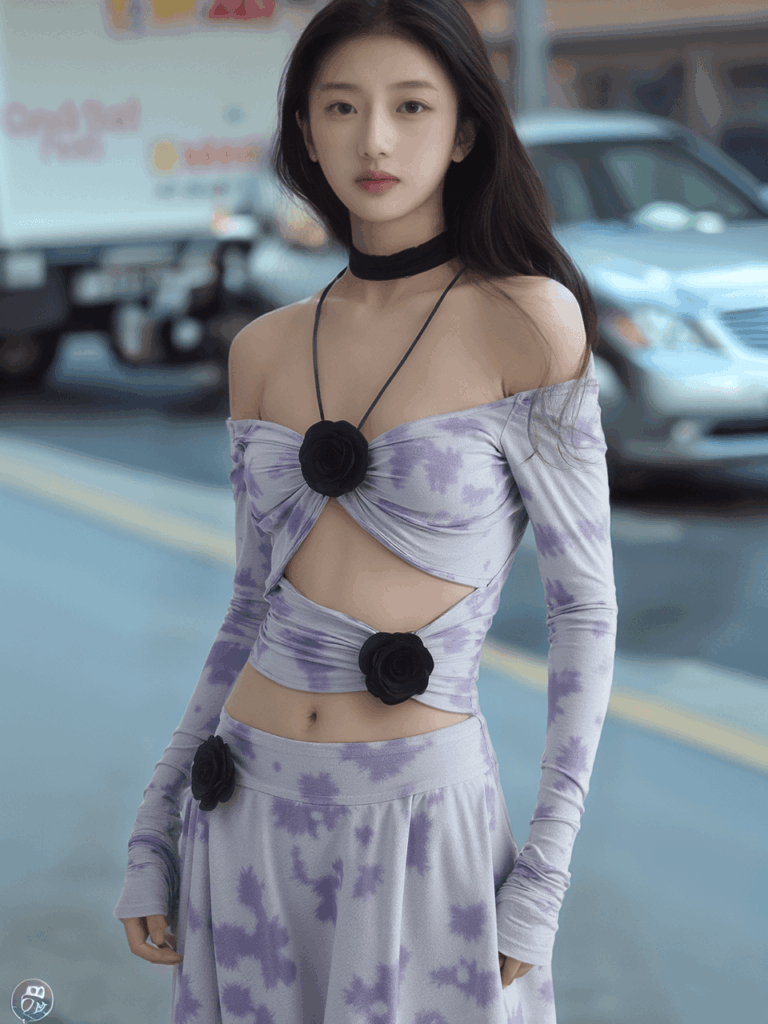
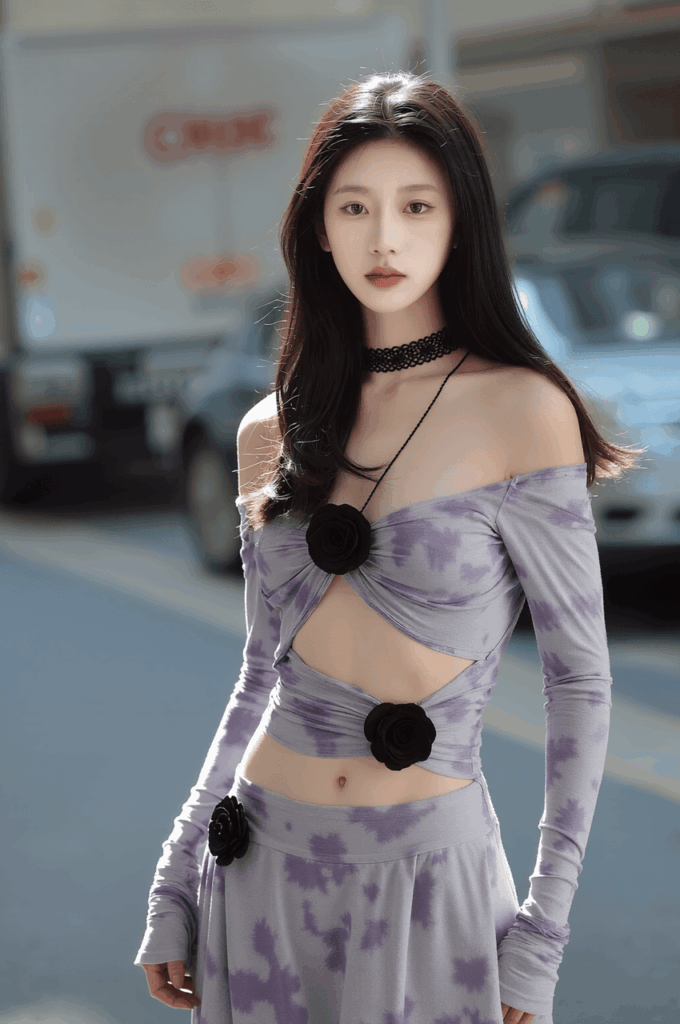
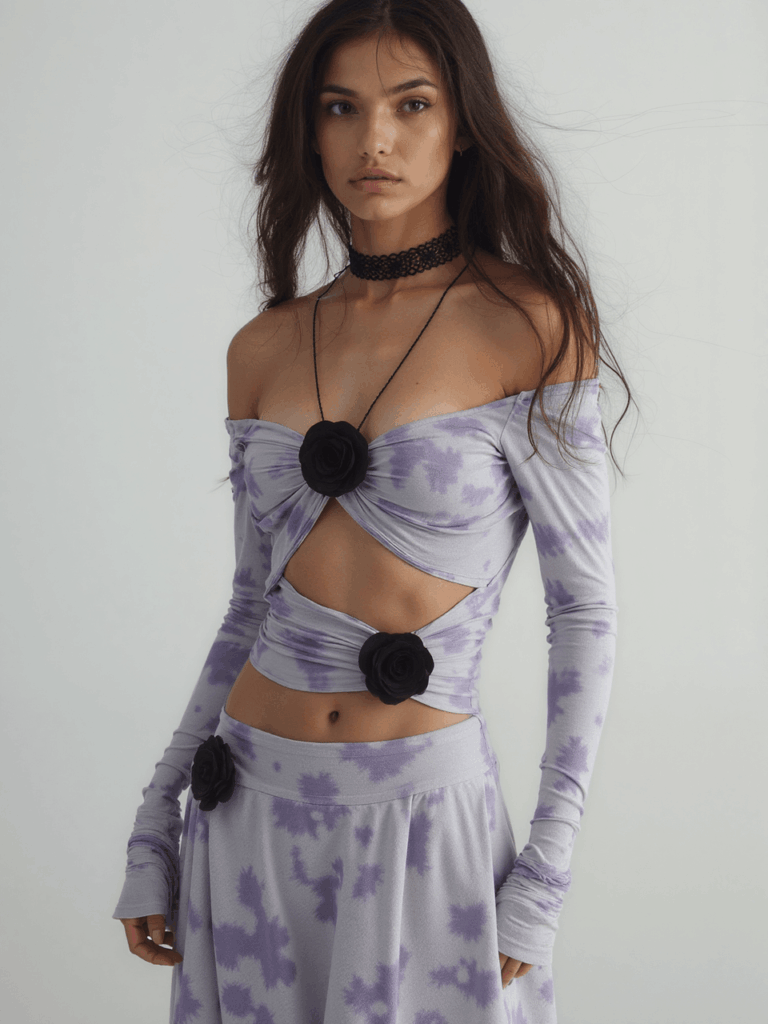
How This Capability Evolved
The earliest version of this workflow relied heavily on SD1.5 inpainting and mask-based editing. It could produce usable results, but it depended heavily on mask quality and usually required separate steps for replacing the person and replacing the background.
Later, the approach evolved toward ongoing fine-tuning and post-training built on open image editing models. The goal shifted from simply making the swap possible to making the final image feel more coherent, more realistic, and more visually consistent in terms of lighting and scene integration.
Today, the workflow has reached a much more practical stage: changing the model and the background in a single generation while keeping the original pose as stable as possible. That makes it far better suited for teams that need high-volume production, fast iteration, and large-scale creative testing.
Frequently Asked Questions
1. What kind of business is this best suited for?
It is especially valuable for fashion, ecommerce, cross-border marketing, and campaign-driven content teams that need to produce visuals frequently.
2. Why is one-step generation better than a two-step workflow?
Because every extra editing stage introduces more room for drift, whether that is model placement, garment detail, or scene integration. A single-pass workflow reduces those inconsistencies.
3. What is the biggest business value?
In simple terms, it enables lower production costs, faster creative testing, and a much higher output of reusable visual assets.
Closing Thoughts
The real value of a model-and-background swap agent is not just that it edits images faster. It turns a process once tied to reshoot schedules and manual retouching into a lighter, more scalable content production system. Its biggest advantage is clear: one product asset can quickly expand into many versions tailored to different audiences, scenes, and campaign needs.
If your team is working on product image refreshes, multi-market campaigns, or large-scale promotional asset production, this is a capability worth serious attention.
Go to WeShop AI For Exploration:


