

In the past, shooting a high-end, magazine-quality clothing lookbook was a massive, expensive undertaking. For independent designers, fashion bloggers, or e-commerce sellers, the production costs were often overwhelming:
- 🔍 Hiring professional photographers: High rates and difficult scheduling.
- 👗 Sourcing clothing and accessories: Constant worrying about inventory and damage.
- 💄 Hiring hair and makeup artists: Adding a significant chunk to the budget just to match a specific visual style.
- ☕ Renting studios or trendy cafes: Paying steep hourly fees while rushing against the clock.
- 💻 Endless post-production: Spending days editing skin, adjusting colors, and removing background clutter.
For most creators or startup brands, this traditional content creation pipeline is simply too draining.
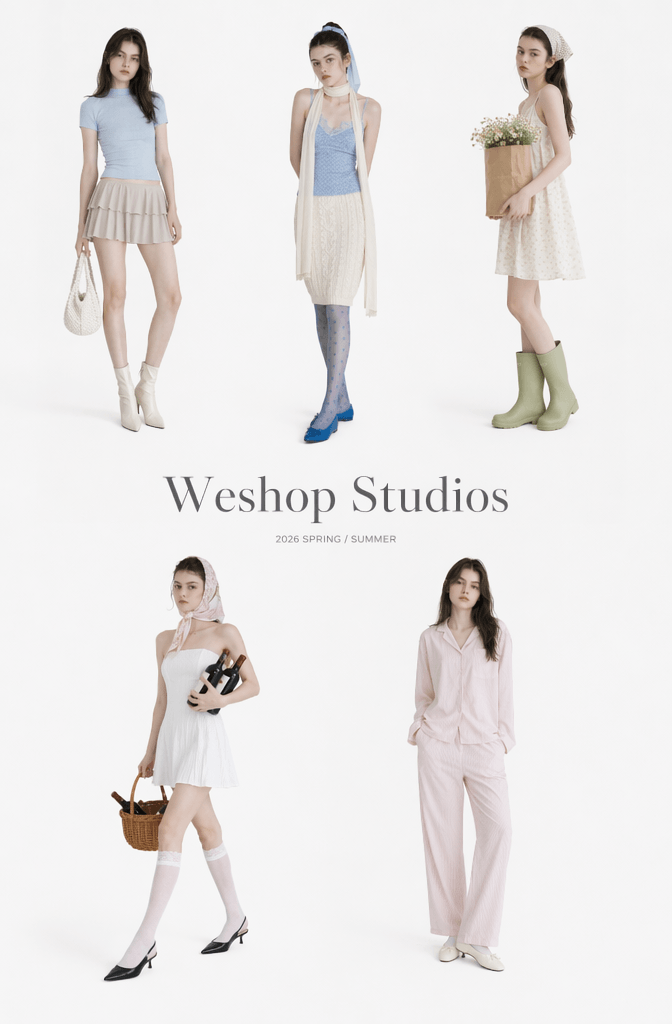
But things have changed. You no longer need a massive budget to create stunning visuals. With WeShop AI and its powerful GPT Image generator, you can generate a complete, high-quality, commercial-grade fashion lookbook in under 10 minutes.
The core advantages of this AI fashion lookbook tool are game-changing:
- Insane Generation Speed: Turn ideas into high-fashion images in seconds.
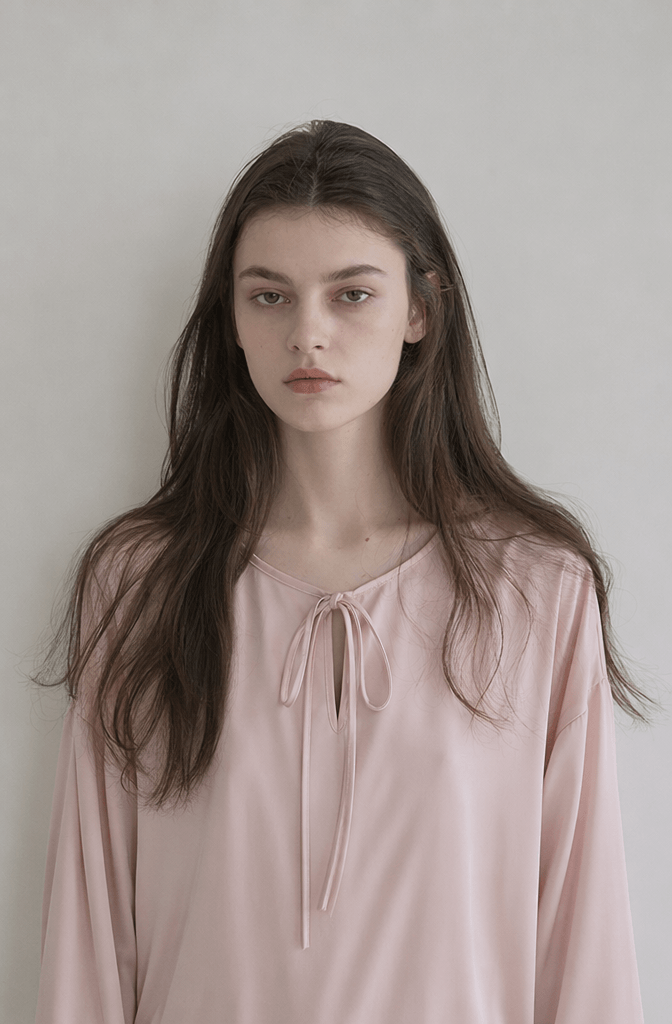
- Unmatched Character Consistency: Solves the biggest AI headache—keeping the model’s face consistent across different shots.
- Commercial-Ready Quality: Perfectly optimized for brand lookbooks, fashion editorials, and e-commerce hero images.
Even if you have zero photography experience, this step-by-step WeShop AI tutorial will show you how to build your own stunning lookbook from scratch.
🛠️ Part 1: The Virtual Toolkit (Preparation)
Before we start creating, let’s look at what you need in your digital toolkit:
- A WeShop AI Account
- The GPT Image 2 Generator Tool (See the button above)
- A Core Character Reference Image (This can be a portrait of yourself, a specific model, or an AI-generated face you want to use consistently).
- A Few Style Keywords (We’ll break these down below).
- Optional: Inspiration Images (From Pinterest or Instagram to help set the vibe).
Why Choose WeShop AI for Your Lookbook?
Unlike generic AI art generators like Midjourney or Stable Diffusion, WeShop AI is purpose-built for the fashion industry. It deeply understands clothing textures, fabric drape, and fashion lighting. The GPT Image feature allows you to describe a scene using structured text, and the AI will intuitively translate it into a realistic fashion lookbook image without messing up the clothing details.
📸 Part 2: Step-by-Step Guide to Creating Your AI Lookbook
Step 1: Define Your Lookbook’s Style Direction
The final quality of your AI-generated images depends heavily on your style keywords. Before prompting, define your aesthetic. Here are 3 highly trending fashion styles you can easily replicate:
① Japanese “Creamy” Aesthetic
- Keywords:
soft japanese girl,cream tone,cozy cafe,natural light,film photography. - The Vibe: Gentle, airy, and relaxed—reminiscent of high-end Japanese fashion magazines like FUDGE or non-no.
② Korean Chic & Minimalist
- Keywords:
korean fashion lookbook,clean aesthetic,minimalist outfit,luxury fashion editorial. - The Vibe: Sleek, low-saturation, and high-end. It looks like a campaign for a boutique designer brand and works incredibly well for social media.
③ Ins-Style “Sweet & Spicy”
- Keywords:
pastel outfit,cute girl aesthetic,soft pink tone,youthful vibe,vibrant lighting. - The Vibe: Bright, youthful, and full of energy—perfect for Gen-Z targeted fashion.
Step 2: Upload Your Core Reference Image
Open the WeShop AI GPT Image interface and upload your primary character reference photo.
💡 Why this step matters: This image teaches the AI the exact facial features, hair color, and body proportions of your model, ensuring consistency across your entire collection.
🌟 Pro-Tips for Choosing a Reference Photo:
For the best results, your reference image should have:
- A front or semi-side angle (avoid dramatic head tilts or back shots).
- Clear, even lighting (avoid harsh shadows across the face).
- An unobstructed face (no heavy bangs or sunglasses hiding the eyes).
- No heavy beauty filters (raw camera quality works best; over-processed faces distort easily).
- A clean, simple background (a solid wall or a simple studio backdrop is ideal).
💡 Creator Strategy: If you are building a consistent brand identity, use the exact same high-quality reference photo across all generations. This builds an easily recognizable “AI Model” for your brand.
Step 3: Master the Structured Lookbook Prompt
To get a truly premium look, you can’t just throw random adjectives at the AI. You need to structure your prompt into three spatial zones: Foreground, Middle Ground, and Background, while defining the lighting and photography style.
Using structured code blocks helps the AI process your scene perfectly. Copy and modify these optimized templates:
🌟 Template 1: Dreamy Studio Lookbook (Premium Indoor Shoot)
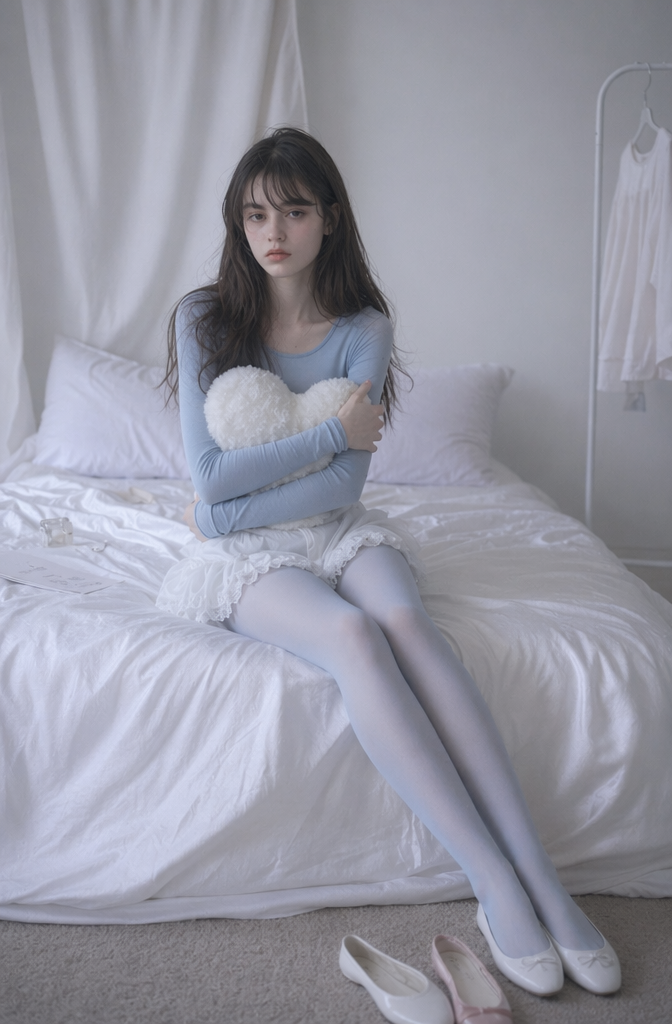
Foreground: One pair of flat shoes (one white, one with pink edges) on the ground at the lower right of the picture;
Middle ground: The main subject is a beautiful girl sitting on a white bed, wearing a stylish pastel outfit, with a wrinkled silk-textured bedsheet covering the surface of the bed;
Background: On the left side of the background, there is a soft white curtain hanging; On the right side of the background, there is a clean studio wall with soft shadows;
🌟 Template 2: Cozy Home Vibe (Lifestyle Editorial)
Foreground: No obvious obstructions, soft depth of field;
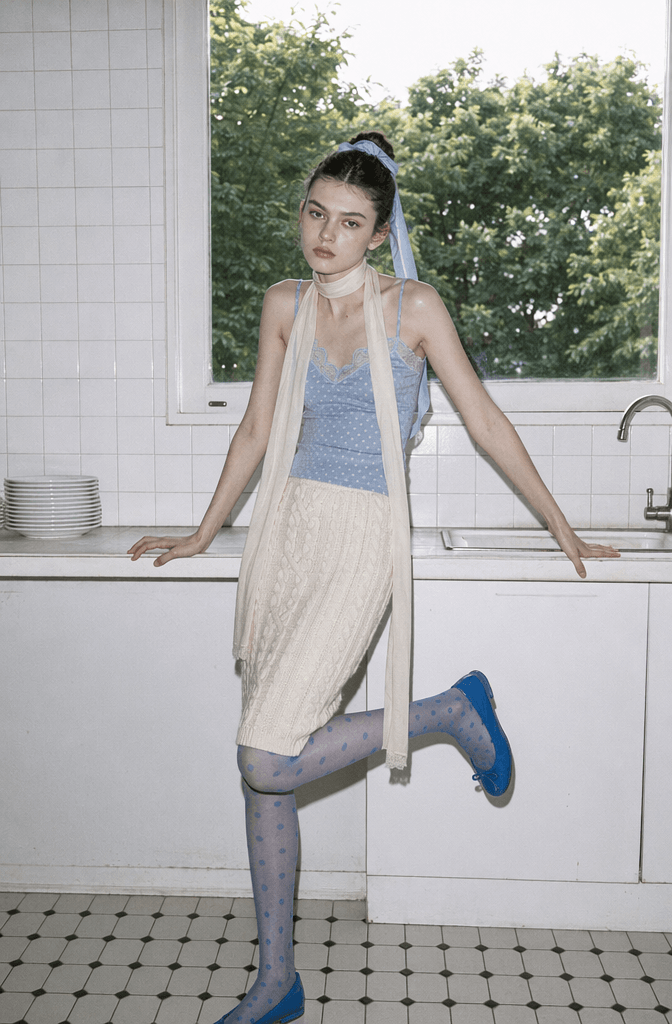
Midground: On the left side of the table, there is a stack of white ceramic plates. The main subject is located in the center of the picture, posing naturally;
Background: The walls are covered with 30 neatly arranged white square tiles. Right behind the subject is a huge rectangular window, soft cinematic sunlight shining through;
🌟 Template 3: Sweet Pastel Bedroom (Casual Phrase Mode)
cute girl aesthetic, pastel bedroom, soft pink tone, oversized sweater, natural pose, cozy atmosphere, fashion magazine photography, high-end lookbook
⚡ The Secret to Removing the “AI Plastic Look”
To make your AI fashion lookbook look like a real, high-budget photoshoot instead of a cheap digital render, append these realism modifiers to the end of your prompts:
- 💎
editorial photography— Gives the image a high-fashion, expensive magazine composition. - 🎬
cinematic lighting— Adds depth, mood, and realistic shadows to the scene. - 🎞️
film texture— Adds a subtle grain that mimics authentic analog film, breaking the perfect digital look. - 📖
fashion magazine— Standardizes color grading and styling elegance. - ✨
realistic skin texture— Forces the AI to retain skin pores and natural details instead of heavy airbrushing.
Step 4: Batch Generate for Collection Cohesiveness
A true fashion lookbook requires a cohesive collection: Same Model + Multiple Outfits + Unified Color Palette.
When generating, use WeShop AI’s batch features to run 6 to 9 images at once.
🔄 What you SHOULD change between prompts:
- Clothing items and accessories (e.g., swap a skirt for trousers).
- The model’s poses (e.g., sitting, standing, looking away).
- Minor background elements (moving from a chair to a window).
🚫 What you MUST keep consistent:
- The same face reference photo.
- The same realism modifiers and camera settings.
- The overall color scheme (e.g., keeping everything in warm cream tones or muted pastels).
This ensures your final images look like they were all shot on the same day by the same production crew.
Step 5: Image Previews & Editorial Layouts
Once the generation process is complete, you are ready to review your final high-fashion assets.
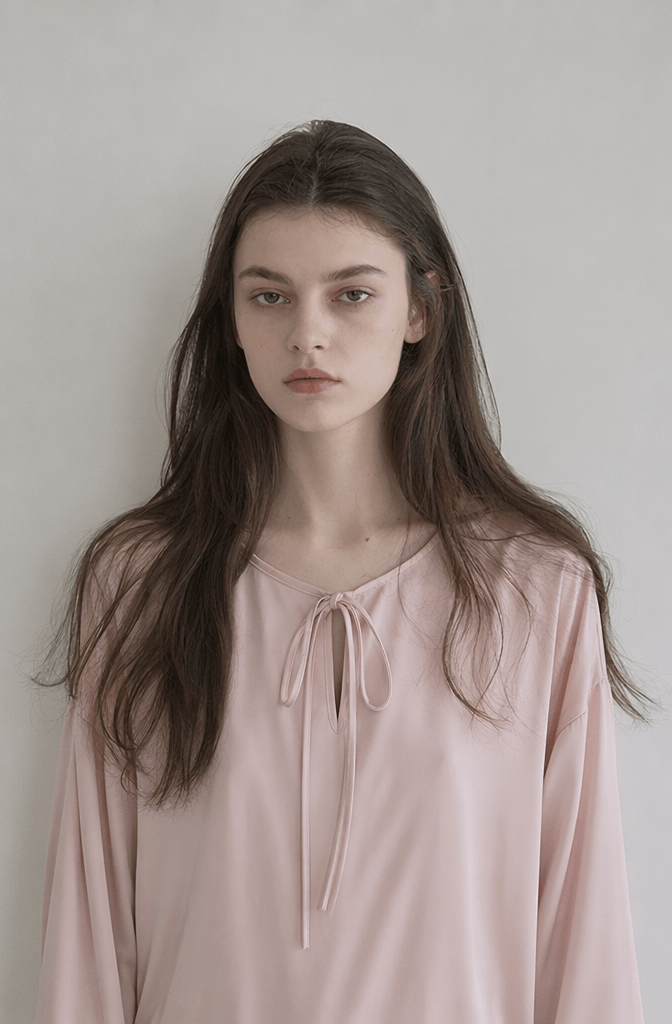
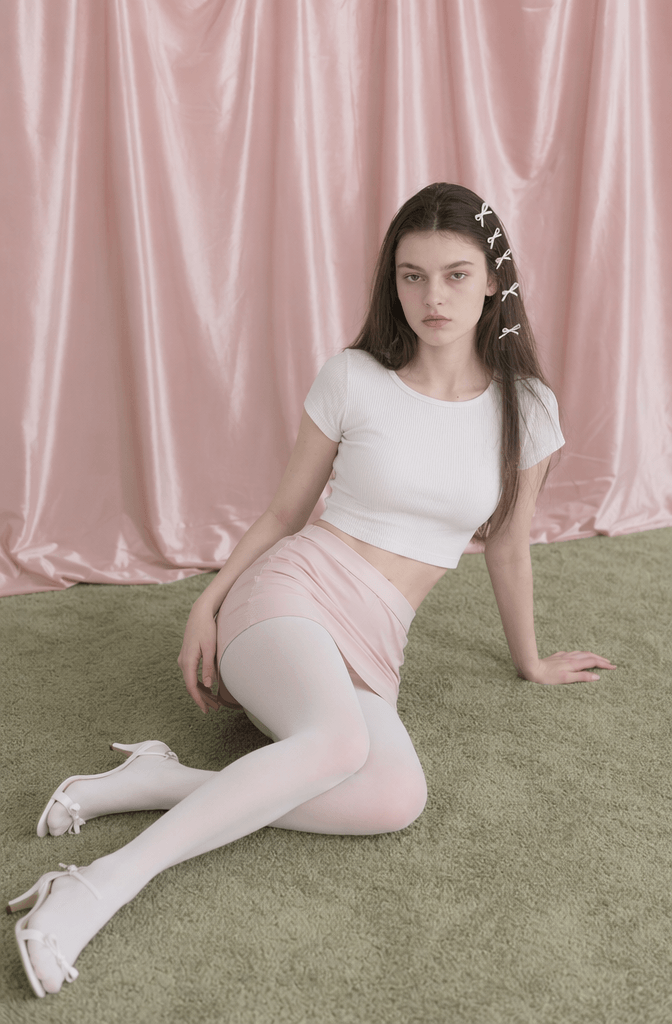
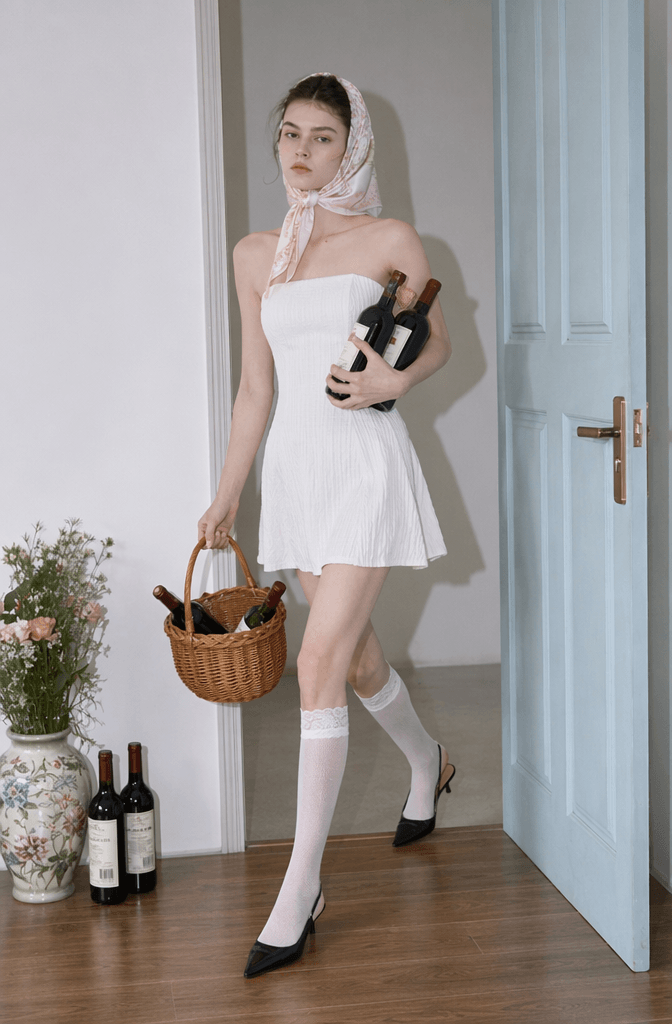
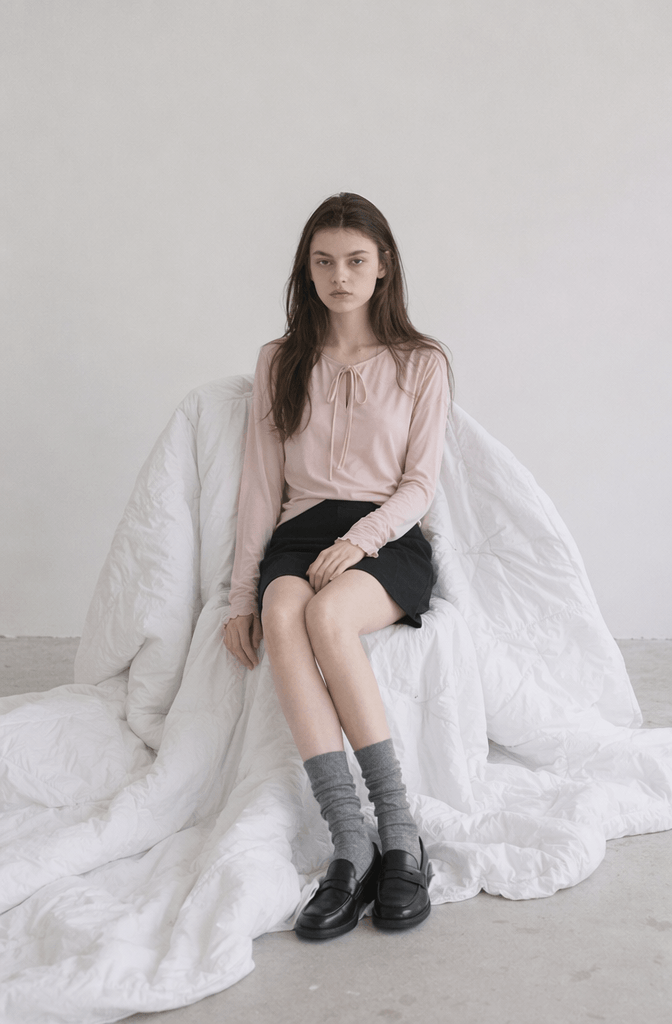
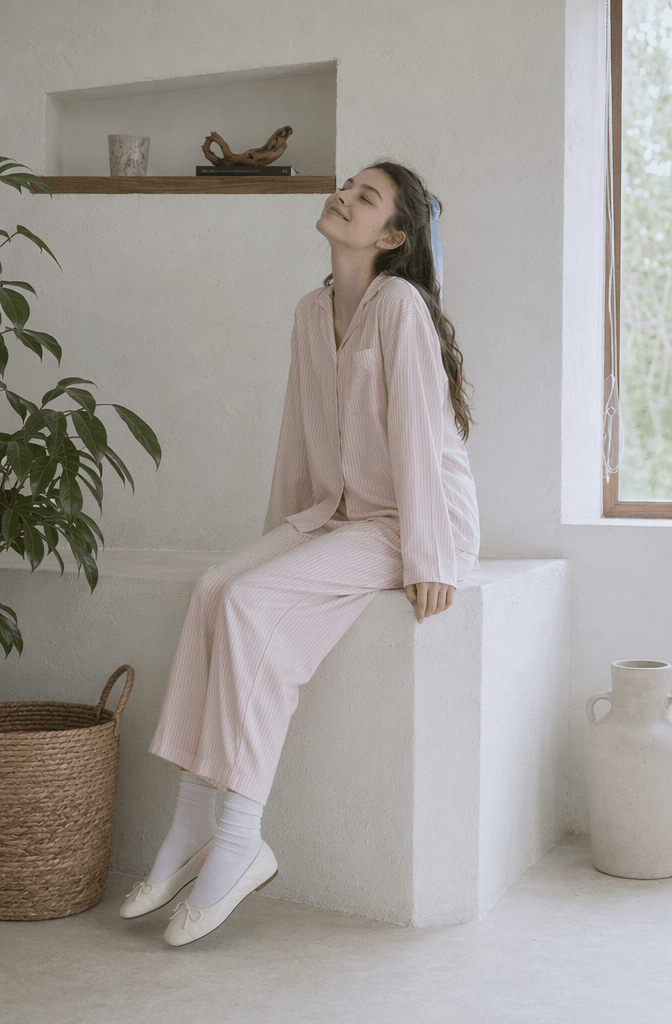
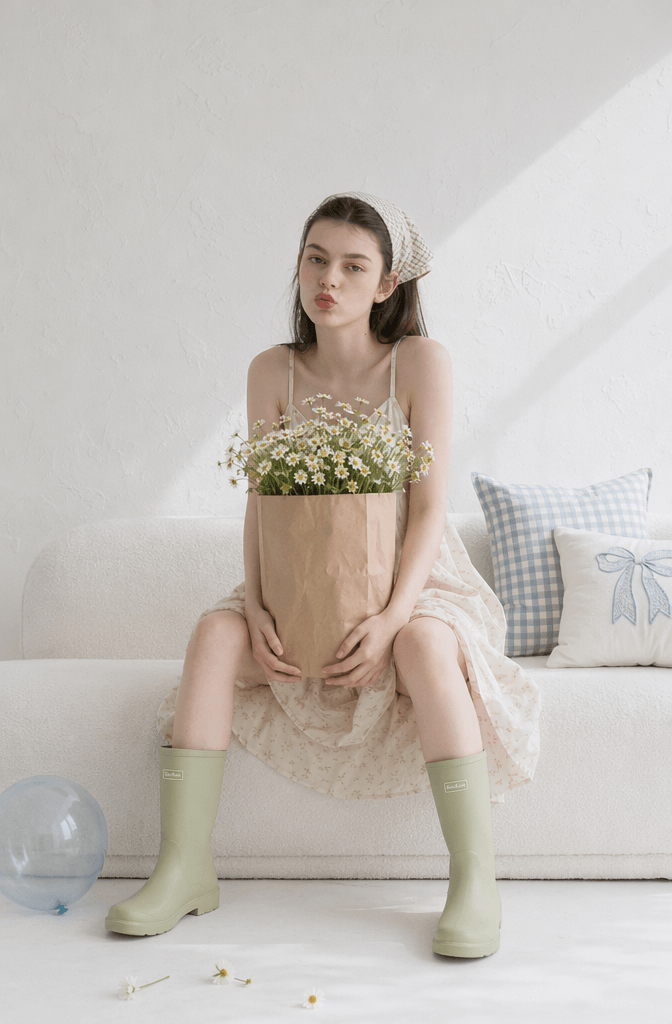
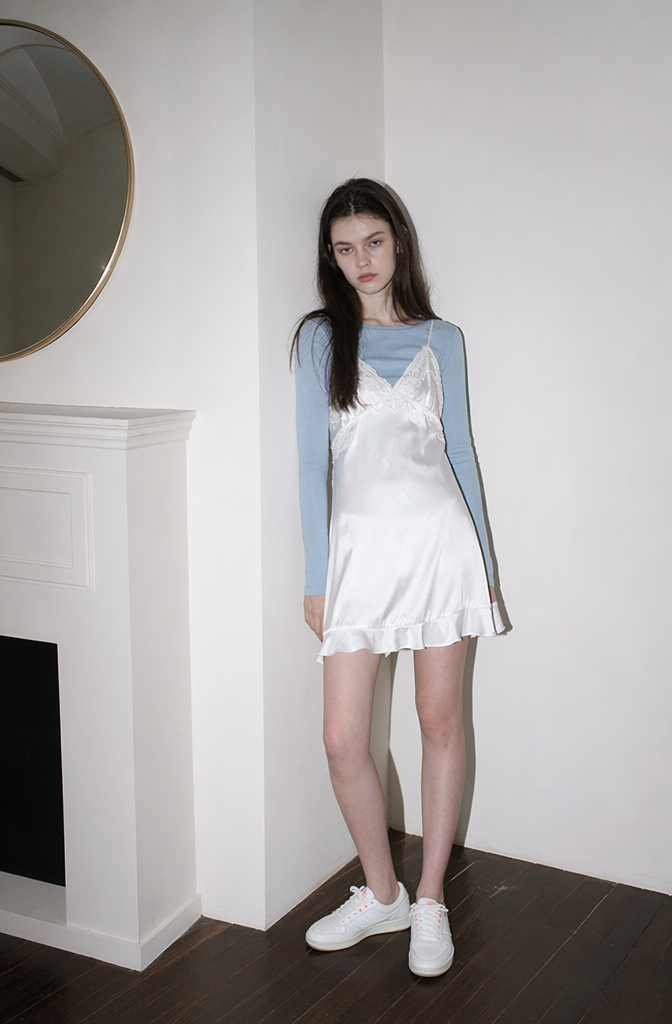
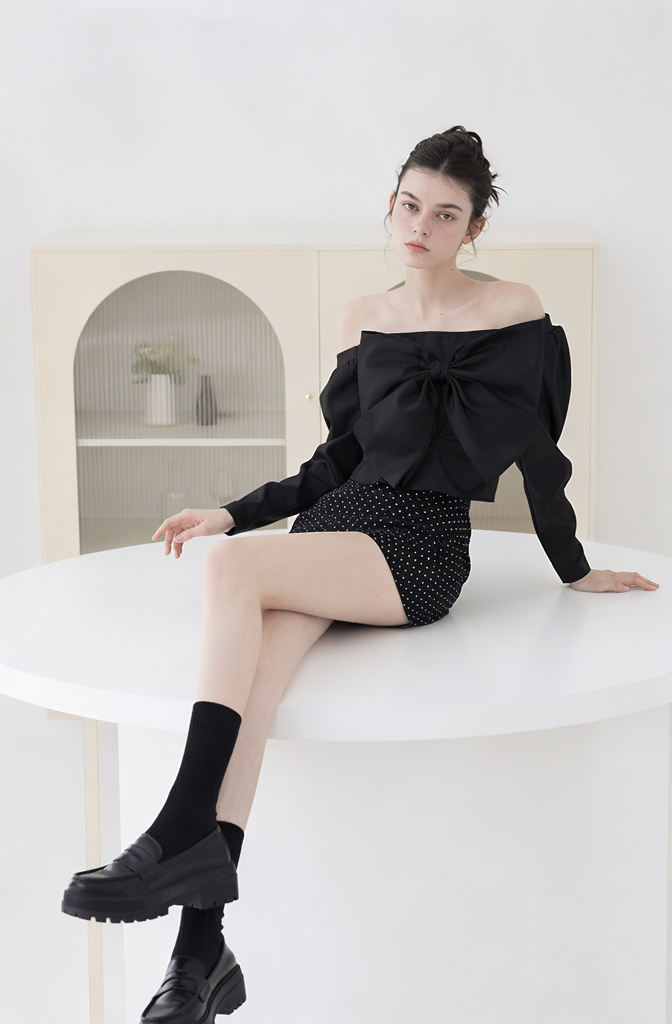
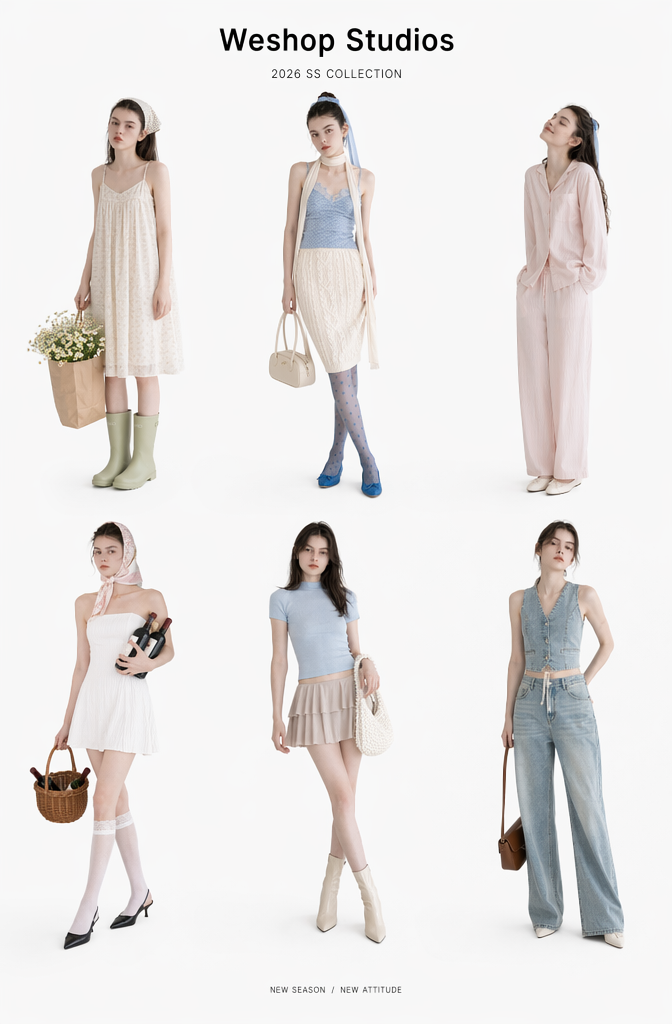
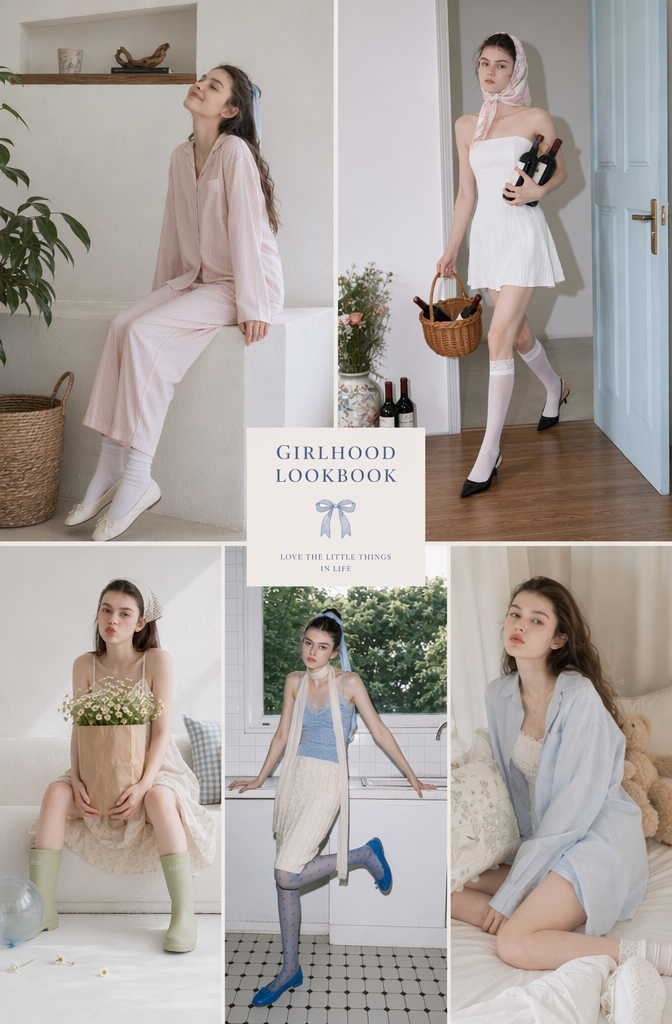
📸 Style Preview: The French-Girl Pastel Series
Using this method, the GPT Image generator outputs a stunning array of cohesive fashion imagery featuring various dresses and knits, all tied together by consistent lighting and model identity.
🎨 Testing Different Aesthetics
Want to transition from “French-Girl Softness” to “Seoul Office Chic”? You don’t have to start over. Keep your model reference and core structure, but swap out the fashion tags:
- New Clothing Tags:
Blazer jacket,knitwear,pleated skirt,long boots,minimalist overcoat. - The Result: The AI instantly transforms the aesthetic from cozy-casual to sharp, urban sophistication while preserving your model’s identity.
📐 The Final Touch: Magazine Layout
Take your generated images into design tools like Canva or Visme. Add minimal serif typography, a clean layout grid, and a faux collection title (e.g., “Weshop Studios 2026 Autumn/Winter”). Your AI lookbook is now indistinguishable from a luxury fashion catalog!
💡 Part 3: Advanced Tips & Troubleshooting (FAQ)
Q1: Why is my model’s face shifting slightly between images?
Reasoning & Solutions:
- Over-complicated prompts: If your clothing or background descriptions are too chaotic, the AI loses focus on the face. Keep background details concise.
- Changing reference images: Stick to one excellent baseline image per collection.
- Conflicting style tags: Mixing tags like
japanese girlandnordic blondeconfuses the facial structure. Pick one clear path and reinforce it with tags like"same character"or"identical facial features".
Q2: How do I completely eliminate the fake, shiny AI skin?
- Do Add:
natural skin texture,candid pose,subtle imperfections,soft grain. - Avoid: Words like flawless, ultra-detailed, plastic, heavy beauty filter, or over-exposed studio lighting. Allowing natural shadows to fall across the face is the key to achieving high-fashion realism.
Q3: What are the best use cases for WeShop AI right now?
Because of its advanced understanding of apparel textiles and drape, it excels at:
- 👗 E-commerce Model Imagery & Lookbooks
- 🧍 Virtual Try-on / AI Fashion Modeling
- 🛒 Social Media Content Creation (Instagram/Pinterest/Xiaohongshu)
- 📸 Concept Moodboards for Fashion Designers
Conclusion: Your Own Infinite Virtual Studio
Traditionally, producing a lookbook meant dealing with massive logistics, unpredictable weather, and thousands of dollars in expenses.
With WeShop AI’s GPT Image generator, you hold the keys to an infinite virtual studio. You are free to test, pivot, and experiment with zero financial risk. Whether you want a Parisian romance vibe today or a brutalist minimalist look tomorrow, you can make it happen with just a few prompts.
Try this workflow for your next collection, and watch your brand visuals level up instantly! If you have any questions about tweaking your prompts, drop a comment below and let’s optimize them together! ✨
Go to WeShop AI For Exploration:


