

Have you ever felt confused: you followed the same makeup tutorial as a beauty blogger, but the results were vastly different? Or when shopping for clothes, you’re always unsure which color is the most flattering? In fact, the key lies in understanding your facial features and your exclusive signature color.
Instead of spending a fortune on hiring an offline image consultant, why not leverage today’s cutting-edge AI technology! Today, I’ll teach you step by step how to use professional AI tools. With just one clear selfie, you can generate in minutes a “Makeup Analysis Guide” and a “Personal Color Analysis Chart” with the texture of a magazine column . Not only can it help you accurately identify your suitable style, but sharing it directly on Rednote or Moments will definitely earn you a full load of likes! Are you ready? Let’s get started!
Preparation / Required Tools
Before you start, please prepare the following tools and creatives:
- Core AI Tools: WeShop.ai GPT Image (This is a very powerful image generation and processing tool that can be used simply by opening a web page).
- A high-quality portrait photo :
- It is recommended to choose front-facing photos to ensure that facial features are clearly visible.
- Light is natural and uniform,avoiding strong shadows or overexposure.
- Preferablybare face or light makeup, andno heavy filters, so that AI can most accurately analyze your true skin tone and facial feature proportions.
- Copywriting Creatives: Be ready to copy and paste the English instruction (Prompt) provided in this article.
Detailed Step-by-Step Guide
Step 1: Access the tool and upload your photo
First, open the WeShop.ai GPT Image tool page through a browser.
In the dialog box or upload area provided on the page, click the **Upload Image** button to add the front-facing portrait photo you have prepared.
After waiting for the photo to finish loading, you can enter the magical “casting phase”!
Step 2: One-click generation of high-quality “Makeup Analysis Guide”
To enable AI to generate charts with clean layout, a high-end aesthetic of beauty magazines, and retain your personal distinctiveness, you need to give it very clear instructions.
Please copy and paste the following English instruction in the input box (the instruction has been specially optimized for you to ensure the output is advanced and the text is in Chinese):
Copy & Paste (copy the following command):
“Based on the portrait photo I uploaded, please generate a high-quality ‘Makeup Analysis Guide’ infographic. The overall layout and labels should be in Chinese version. The visual style must be clean, fashionable, and resemble a professional beauty magazine column. Keep the original facial features, skin tone, and real appearance to maintain high recognizability—do not over-retouch. The layout must prioritize visual presentation, highlighting key points through image showcases. Use concise text labels instead of long paragraphs.”
After clicking Send/Generate, the AI will conduct in-depth analysis and output the results.
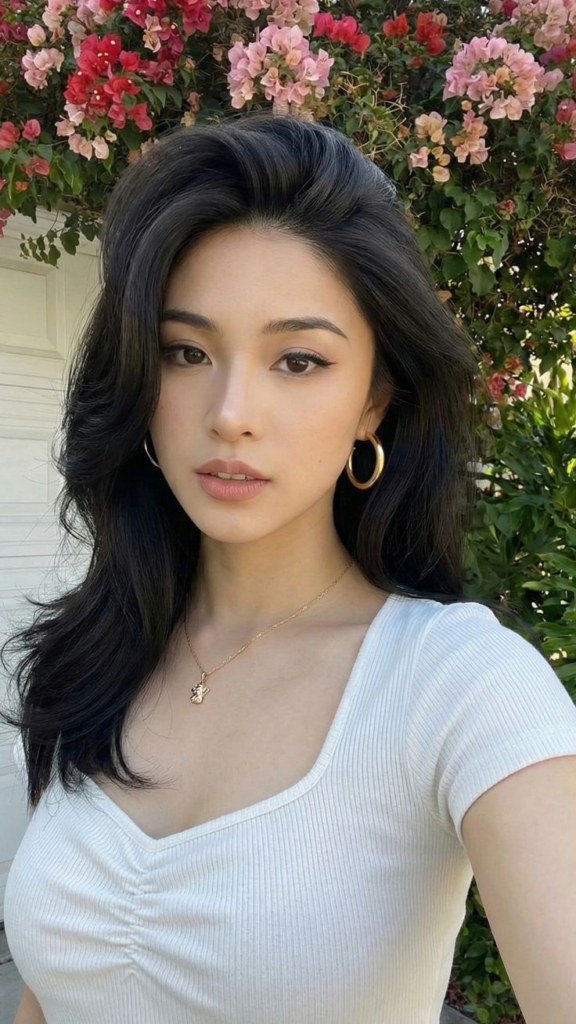
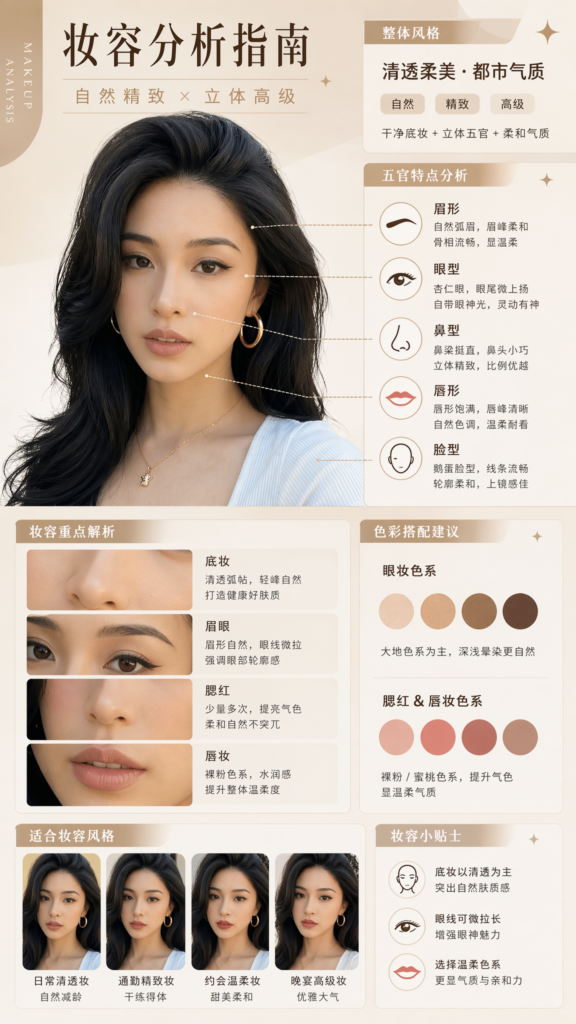
💡 Tip: The key point of this step is “not over-editing the image”. You will see that AI has accurately extracted the key features of your facial features and provided modification suggestions with short Chinese labels.
Step 3: Create a professional-level “Personal Color Analysis Chart Card”
After analyzing your makeup, let’s move on to measure your “lucky color”. This step will help you find out what color of clothing makes you look the most fair-skinned and radiant.
Stay on the current page,copy and paste the following English instruction:
Copy & Paste (copy the following command):
“Based on the portrait photo I uploaded, please create a high-quality personal color analysis card. Keep the subject’s original facial features, skin tone, face shape, and realistic characteristics without distortion. Show the effect of different clothing colors on the subject using left-right or side-by-side visual comparisons. Clearly distinguish between ‘suitable colors’ and ‘unsuitable colors’ so viewers can instantly see which shades flatter the skin tone and enhance the overall complexion. The layout design should be clean, stylish, and resemble a professional image consultant’s report. Use visual presentation as the main focus with only short Chinese text labels (e.g., Recommended, Average, Avoid). Absolutely no long paragraphs of text. Ensure high resolution and clear information suitable for social media sharing.”
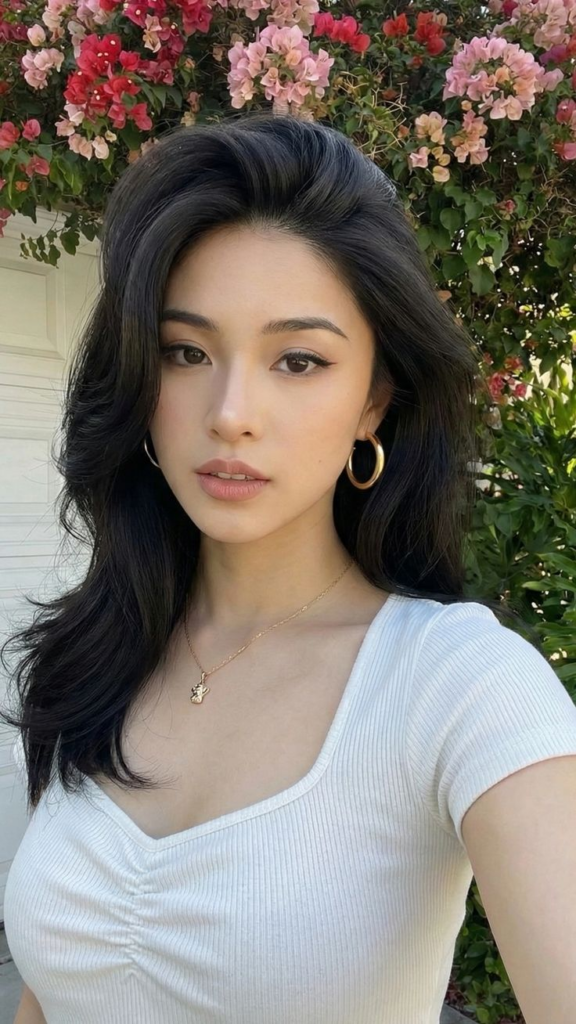
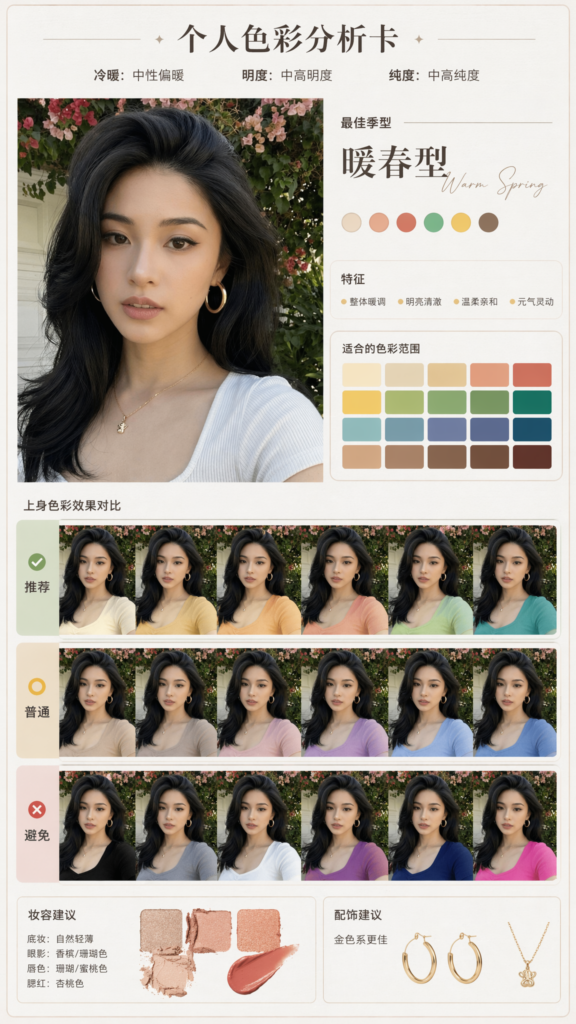
Through intuitive side-by-side comparison, you can instantly tell which colors are your “minefields” and which are your “destined colors”.
Advanced Techniques / Frequently Asked Questions (FAQ)
To ensure you achieve the most perfect results, I have summarized several common issues encountered by beginners and advanced tips for avoiding pitfalls:
- Q: Why doesn’t the generated picture look like me?
- A: Quality issues with the original photo file. If the original photo you uploaded was taken with a beauty camera, a sticker filter, or in too dim light, it will be difficult for AI to capture your real features. Please try again with an unfiltered raw photo taken by the front camera in natural light.
- Q: What if the text layout in the image is a bit messy, or there are strange typos?
- A: Limitations of AI text rendering. Currently, text in AI-generated images occasionally contains spelling mistakes. If the layout looks generally good, you can save the image and then use the built-in photo editing software on your phone (such as Meitu Xiuxiu, Xingtu) to slightly erase the incorrect characters, and add short labels like “Recommended” or “Avoid” in a nice font yourself, and the result will be even more refined!
- 💎 Advanced Play: Specify a Specific Makeup Style
- If you want to see which specific style suits you, you can add a supplementary description at the end of the English instruction in Step 2, for example: *”Please focus the analysis on a natural daily makeup look “* or *”Focus on a cool-toned Thai makeup style”*.
Once you’ve mastered the method of understanding yourself, you’re already halfway to success on the path to beauty! With a powerful tool like WeShop.ai, we no longer need to blindly follow trends; in just a few minutes, we can have our own exclusive beauty and fashion “instruction manual”.
Isn’t it very easy? Hurry up and pick a selfie you’re satisfied with to give it a try! If you encounter any issues during the operation, or if you’ve generated a “divine photo album” that you’re extremely satisfied with, feel free to leave a message in the comments section or share it with me with pictures! Don’t forget to share this tutorial with your bestie, and let’s all become more beautiful together!
Go to WeShop AI For Exploration:


