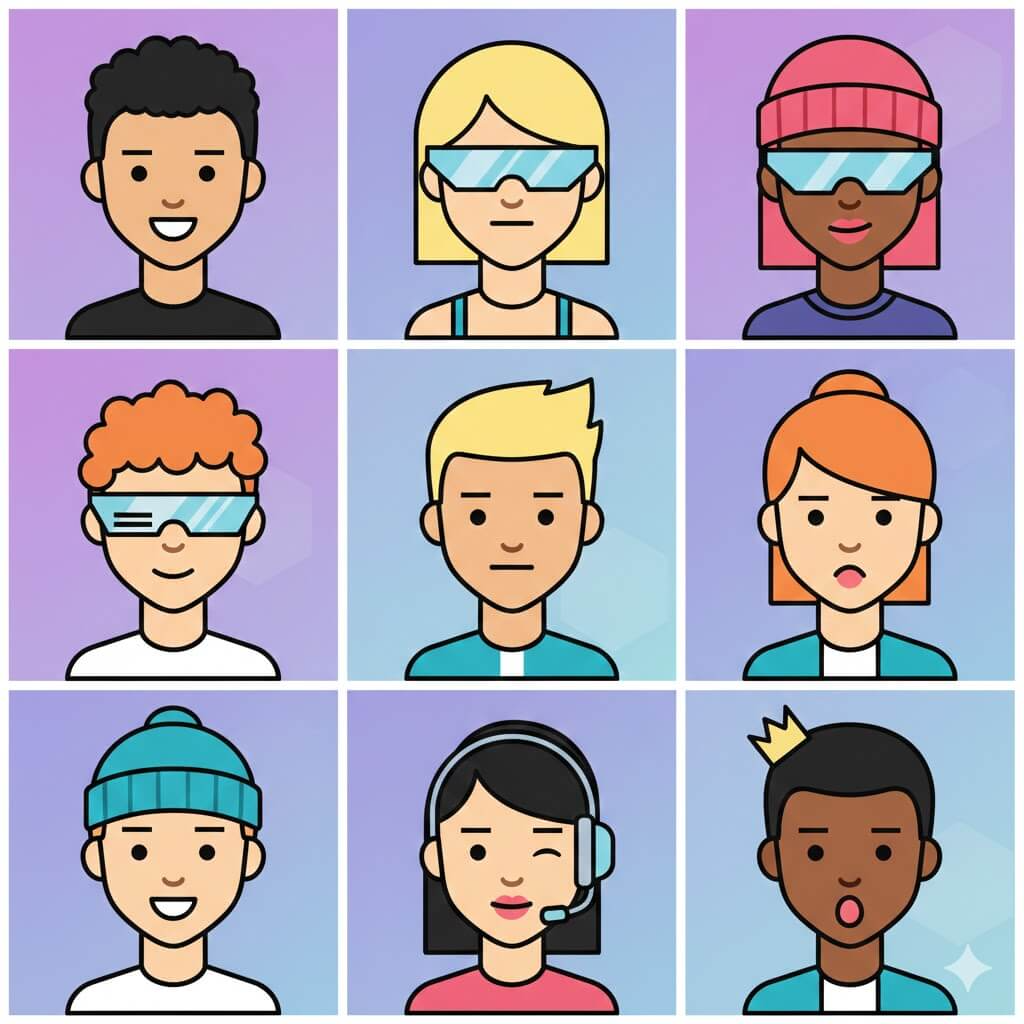

If you’re searching for a Square Face icon generator that’s easy to use, flexible, and actually fun, you’re not alone. Square face icons have become a popular visual style across social media, gaming profiles, branding, and creative projects. They’re simple, expressive, and instantly recognizable.
With WeShop AI’s Square Face Icon Generator, you can turn a real photo into a clean, stylized square face icon in just a few clicks—no design skills required. Whether you want a playful avatar, a profile picture, or a custom graphic for branding, this tool makes the process fast and approachable.
In this guide, we’ll walk through what a Square Face icon generator is, how it works, real-world use cases, who it’s best for, practical tips, and how it compares to traditional design methods.
What Is a Square Face Icon Generator?
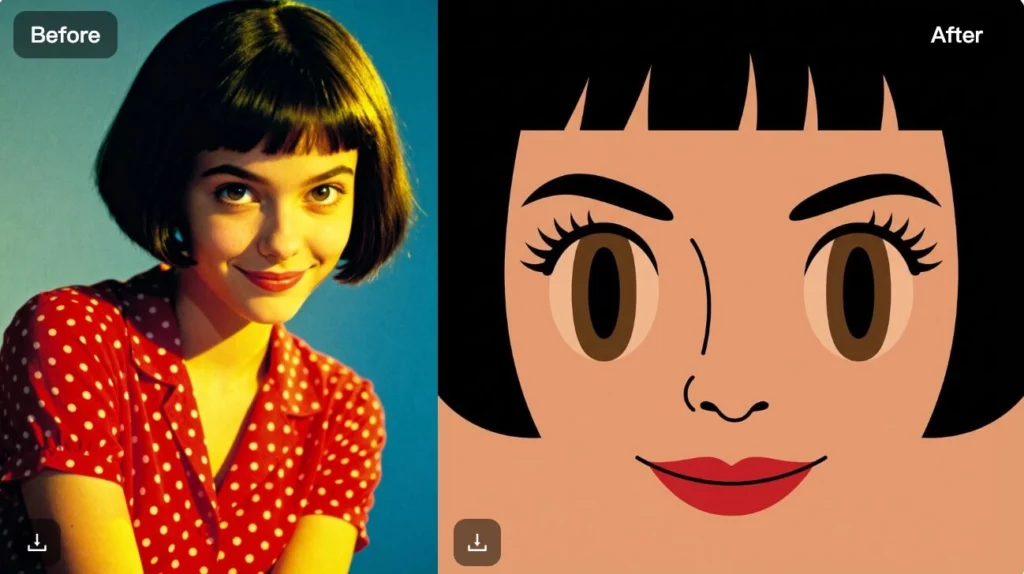
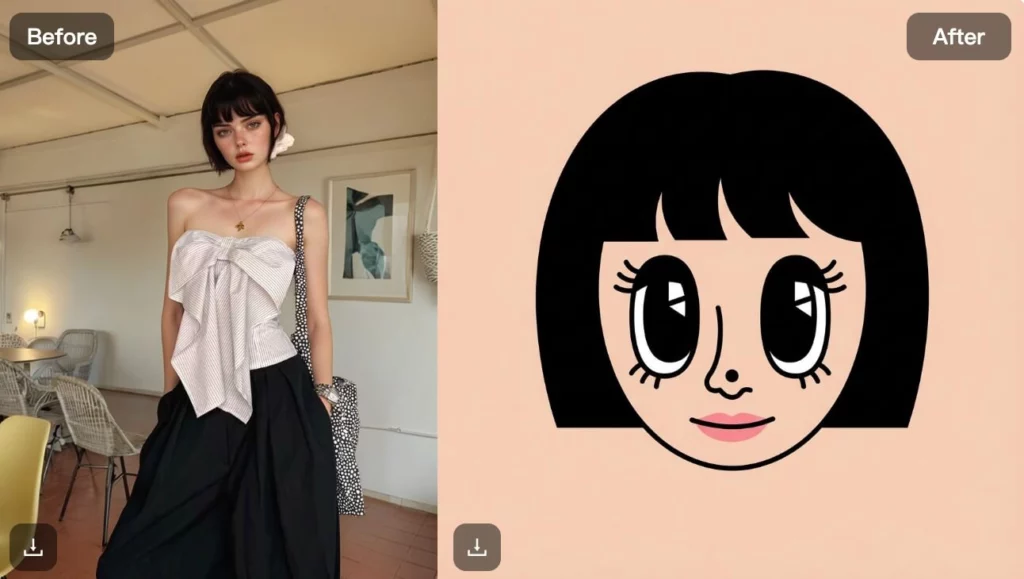
A Square Face icon generator is an AI-powered tool that converts photos or references into simplified, square-shaped face illustrations. These icons usually feature clean lines, balanced proportions, and minimal details—making them perfect for avatars, profile icons, and stylized characters.
Unlike manual illustration tools, WeShop AI’s Square Face Icon Generator analyzes facial structure automatically. It then creates a square-format icon that keeps key features like eyes, hair, and expressions while removing unnecessary visual noise.
As a result, users get consistent, polished icons that work across platforms without spending hours tweaking details.
How the Square Face Icon Generator Works
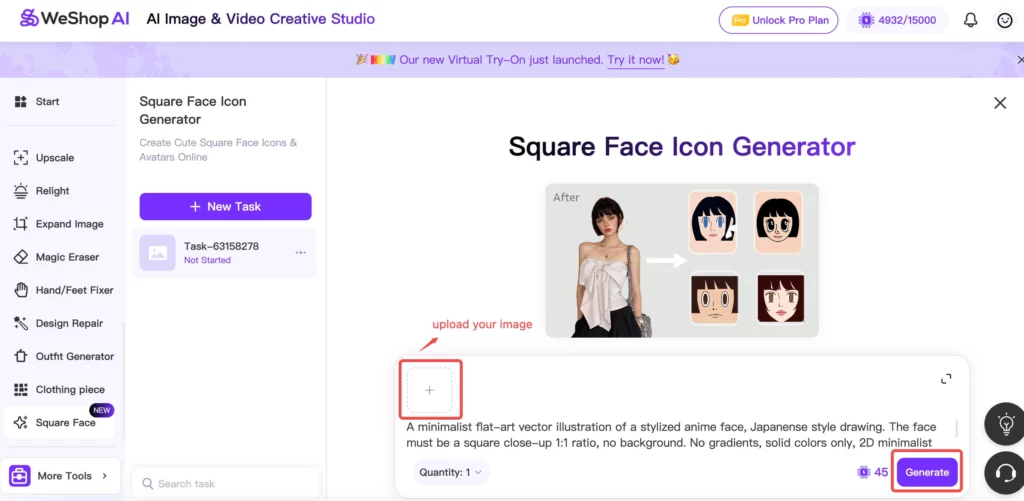
Using the Square Face icon generator in WeShop AI is intentionally simple. The goal is to let anyone create high-quality icons without needing illustration experience.
Step 1: Upload Your Image
Start by uploading a portrait photo. Clear face photos work best, but the AI can handle a wide range of inputs—from professional headshots to casual selfies.
Step 2: Let AI Generate the Square Face Icon
Once uploaded, the Square Face icon generator automatically detects facial features and converts them into a square-format icon. The process smooths shapes, balances proportions, and creates a clean illustration style.
Step 3: Review and Download
Within seconds, you’ll see your square face icon ready to use. You can download it as a high-quality image suitable for profiles, branding, or creative projects.
That’s it—no layers, brushes, or complicated settings.
What You Can Create with a Square Face Icon Generator
A Square Face icon generator isn’t limited to one use case. In fact, it fits naturally into many creative and practical workflows.
Square Face Avatars & Profile Icons
Many users create square face avatars for:
- Social media profile pictures
- Discord or community servers
- Gaming profiles and streaming platforms
The square format works especially well in tight UI spaces, where clarity matters more than detail.
Character & Picrew-Style Creations
Fans of Picrew-style character makers often use a Square Face icon generator to design expressive characters. These icons work well for:
- Fictional characters
- Storyboards and concept art
- Personal creative projects
Because the AI keeps expressions simple but recognizable, characters remain visually consistent across different uses.
Hairstyle Planning for Square Face Shapes
Another practical use of a Square Face icon generator is hairstyle planning. Users with square face shapes can visualize:
- Bangs or fringe styles
- Short cuts versus layered looks
- Hair volume and framing
Seeing a simplified icon often makes it easier to compare styles without distraction from lighting or makeup.
Branding, Logos & Creative Projects
Designers also use square face icons as:
- Mascots for brands
- Logo elements for digital products
- Visual assets for apps or websites
The clean geometry of square face icons blends well with modern branding systems.
Fun, Cute & Shareable Icons
Finally, many users simply enjoy creating cute square face icons to share. These icons are lightweight, playful, and easy to reuse—perfect for casual creators and hobbyists.
Who Is the Square Face Icon Generator Perfect For?
The Square Face icon generator is designed for a broad audience.
- Content creators who need quick avatars or profile images
- Gamers and streamers looking for consistent character icons
- Designers who want fast, stylized assets without manual drawing
- Everyday users who want fun, personalized icons
- Brands and teams building simple visual identities
If you want speed, consistency, and ease of use, this tool fits naturally into your workflow.
Best Tips for Using a Square Face Icon Generator
To get the best results from a Square Face icon generator, keep these tips in mind:
- Use clear face photos: Good lighting helps the AI detect features accurately.
- Keep expressions natural: Neutral or light expressions usually convert best.
- Avoid heavy shadows: Even lighting leads to cleaner icon outlines.
- Think about final use: Icons for profiles may need more contrast than logos.
Small input changes often make a noticeable difference in the final icon.
Square Face Icon Generator vs Traditional Design Methods
Before AI tools, creating square face icons required manual illustration or graphic design software.
Traditional Approach
- Requires drawing or vector skills
- Takes more time per icon
- Often inconsistent across multiple icons
- Higher cost if outsourced
Square Face Icon Generator with AI
- No design skills required
- Results in seconds
- Consistent style across icons
- Easy to iterate and experiment
For many users, the AI approach removes friction and lowers the barrier to creativity.
Why Use WeShop AI’s Square Face Icon Generator?
WeShop AI focuses on making creative tools accessible. The Square Face Icon Generator fits into that philosophy by offering:
- Fast, automated icon generation
- Clean, modern square face styles
- High-quality exports ready for real use
- A simple interface that doesn’t overwhelm users
Instead of replacing creativity, the tool supports it—letting users focus on ideas rather than technical steps.
Conclusion
A Square Face icon generator is more than a novelty—it’s a practical way to create avatars, icons, and characters that work across today’s digital platforms. With WeShop AI, the process becomes simple, fast, and flexible enough for both casual users and professionals.
Whether you’re building a profile, designing a brand mascot, or just having fun experimenting with styles, the Square Face Icon Generator helps you turn photos into clean, shareable visuals in minutes.