Editing photos used to mean opening complex software, learning tools, and fixing mistakes one by one.
Today, that workflow feels outdated.With the right AI tools, you can now enhance and expand photos easily, often in just a few clicks.
That’s exactly what WeShop AI is built for. Instead of forcing users to “learn editing,” it focuses on helping you fix, improve, and adapt images quickly—no matter why you’re editing them.
In this guide, we’ll walk through how WeShop AI helps you enhance photos, expand images, and clean up visuals using AI—step by step, feature by feature, and without technical jargon.
Why AI Photo Enhancement and Expansion Matter
Before diving into tools, let’s talk about the real problem.
Most photos don’t fail because they’re bad. They fail because they’re almost right.
- The lighting feels off
- The background distracts from the subject
- The image is cropped too tight
- Something small ruins an otherwise good shot
Traditionally, fixing these issues took time. With AI, the process becomes faster and more forgiving. Instead of editing pixel by pixel, you describe what you want—or let the AI figure it out.
That’s where WeShop AI fits naturally into everyday photo editing.
Enhance Photos with AI Relighting
Lighting is one of the hardest things to fix manually.
It’s also one of the most common problems in photos.
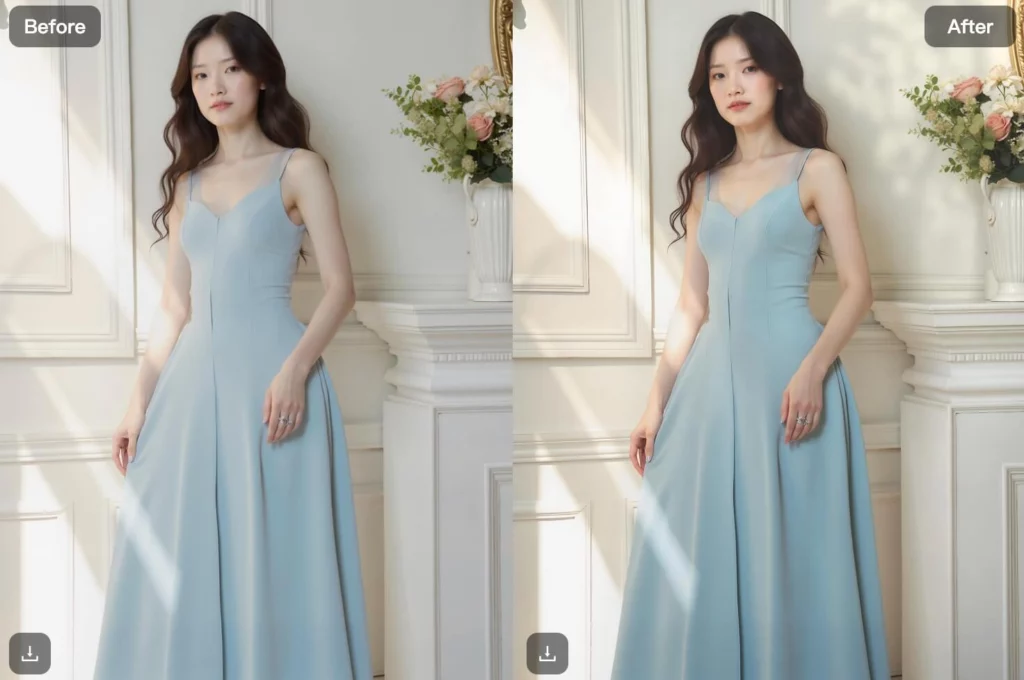
With WeShop AI Relight, you don’t just brighten or darken an image. Instead, the AI analyzes the scene and adjusts lighting in a more realistic way.
Here’s what that means in practice:
- Shadows look natural, not flat
- Highlights don’t blow out details
- The subject stands out without looking edited
This works well for portraits, lifestyle photos, product shots, and even casual images taken on a phone. You don’t need to understand lighting theory—the AI handles it for you.
Remove and Replace Backgrounds Instantly
Background removal is one of the most-used AI photo features, and for good reason.
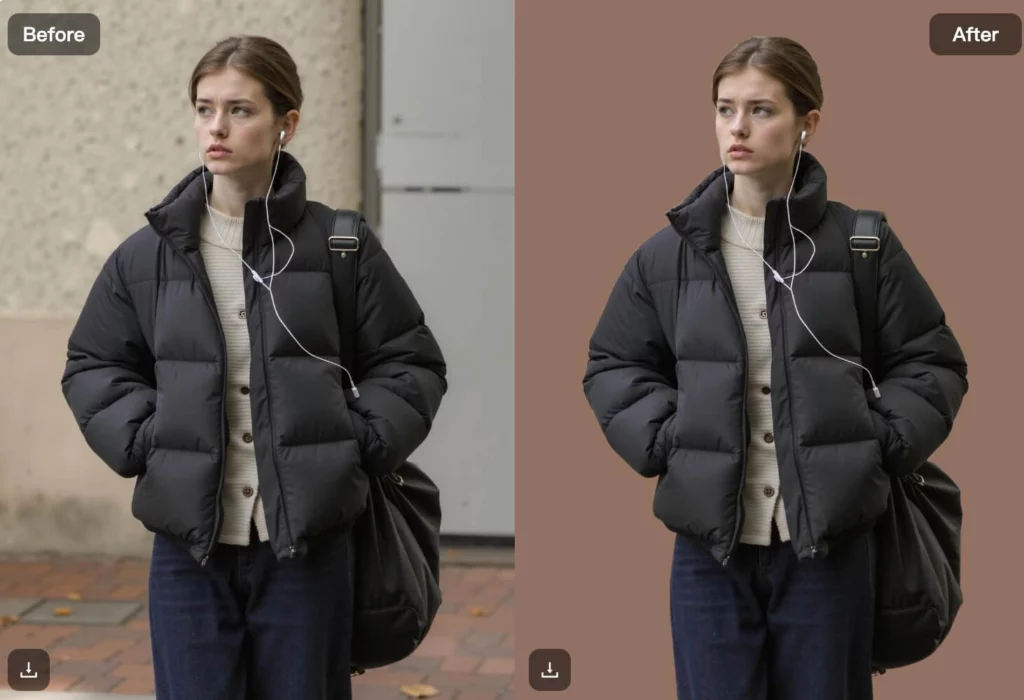
With WeShop AI Remove Background, you can isolate a subject instantly. More importantly, you can then replace that background without breaking the image.
Instead of pasting your subject onto a flat color, WeShop AI lets you:
- Add clean studio-style backgrounds
- Insert realistic environments
- Keep shadows and depth intact
This makes the result feel intentional, not artificial. Whether you’re cleaning up a personal photo or preparing visuals for online use, the process stays simple.

Expand Images Without Cropping Important Details
Sometimes the photo itself is fine—but the framing isn’t.
That’s where Expand Image becomes useful. Instead of cropping content out, WeShop AI lets you extend the image naturally.
The AI fills in missing areas based on the existing scene. As a result:
- Backgrounds extend smoothly
- The subject keeps correct proportions
- The image fits new formats without distortion
This feature works especially well when adapting images for banners, headers, or different screen sizes.
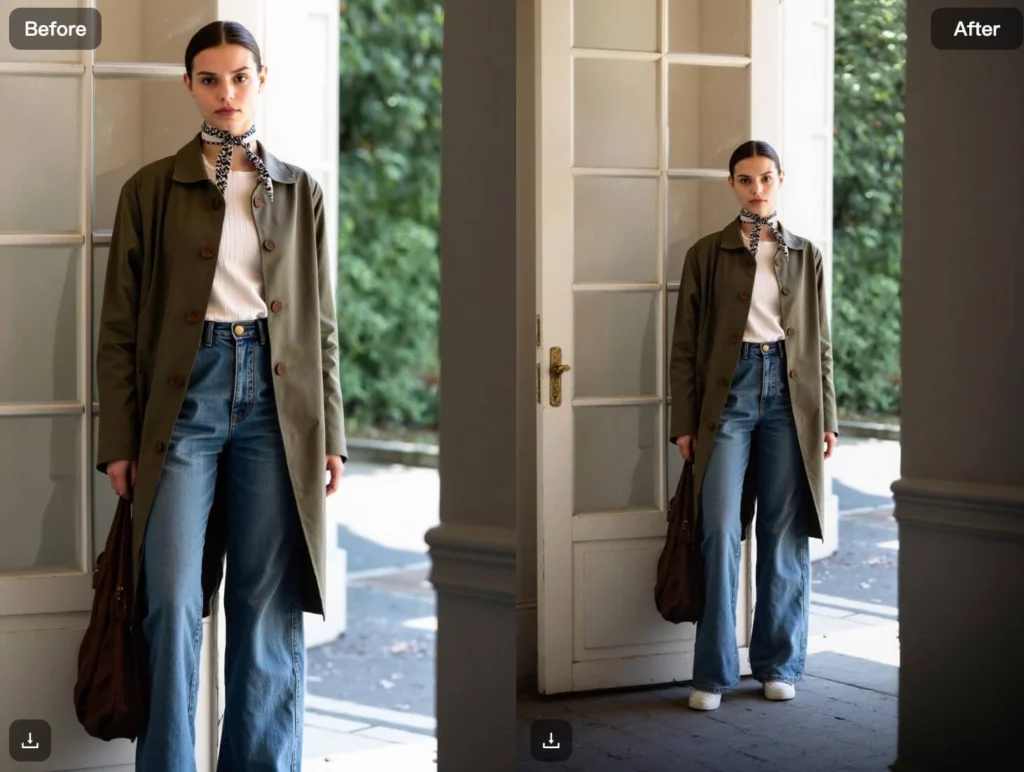
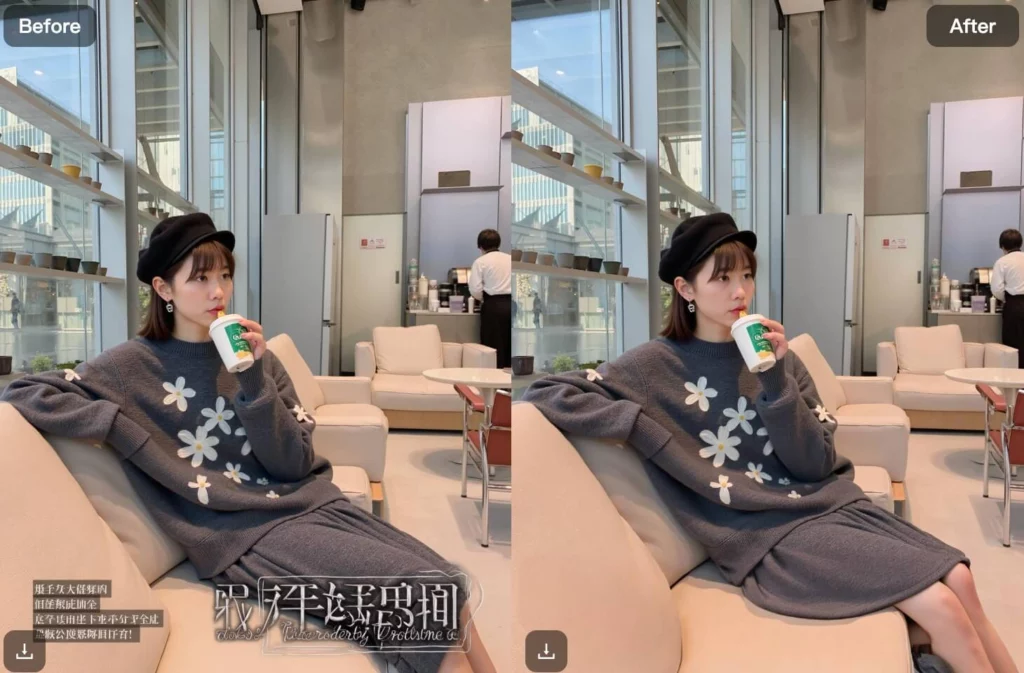
Remove Unwanted Objects with Magic Eraser
Small distractions can ruin good photos.
A stray person, a sign in the background, or an object you didn’t notice while shooting—these details pull attention away from the subject.
With Magic Eraser, you simply mark what you want gone. The AI then removes it and fills the space naturally.
Unlike basic erasers, WeShop AI focuses on blending textures and patterns. The result looks clean, not patched.
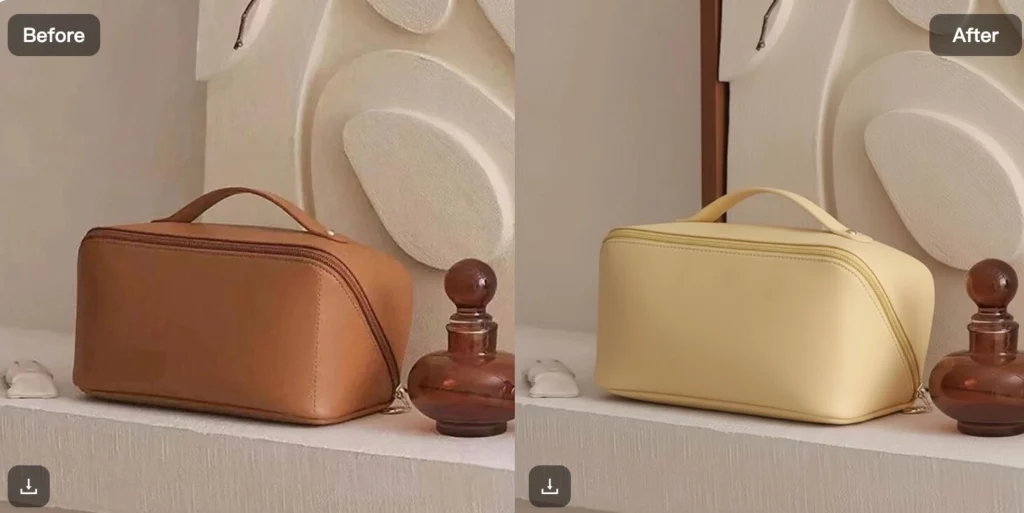
Adjust Colors and Recolor Images Easily
Color changes don’t have to be complicated.
With Product Recoloring, WeShop AI lets you adjust colors while keeping lighting and texture consistent. Instead of repainting an image manually, the AI understands where color should change—and where it shouldn’t.
This works for:
- Clothing and accessories
- Objects and props
- Visual variations of the same image
The key benefit here is consistency. Each variation still looks like it belongs to the same photo set.
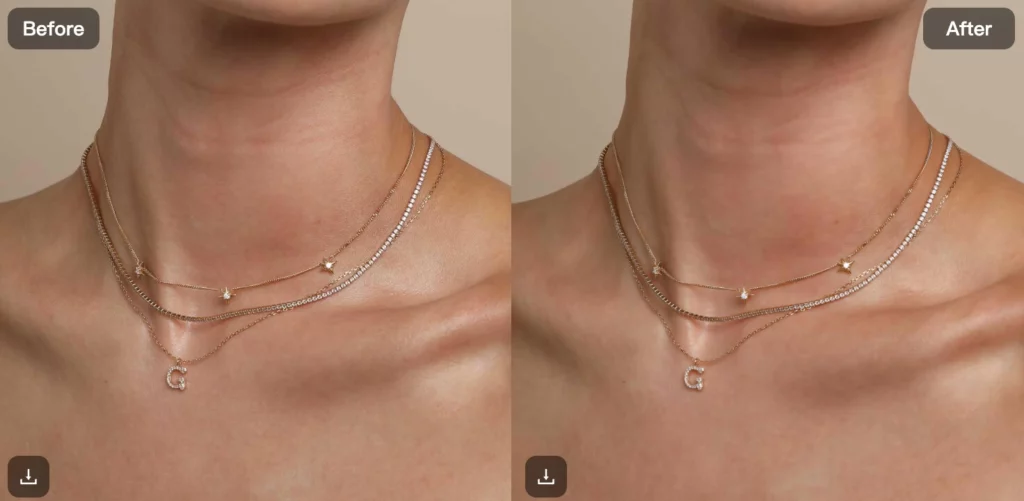
Enhance Photo Quality with AI Upscaling
Low-resolution images limit how you can use them.
With Upscale, WeShop AI improves image clarity while preserving details. Instead of simply enlarging pixels, the AI rebuilds missing information.
This makes older or smaller images usable again, especially when you need sharper results.
A Simple Workflow That Stays Flexible
One of the biggest advantages of WeShop AI is how these tools work together.
You can start with one feature—like background removal—and then move naturally into relighting, expansion, or cleanup. There’s no rigid order, and you don’t have to commit to changes permanently.
If something doesn’t look right, you adjust and try again.
That flexibility is what makes AI photo enhancement feel accessible instead of intimidating.
Who Benefits from AI Photo Enhancement with WeShop AI
Because these tools focus on common photo problems, they work for many people:
- Individuals improving personal photos
- Creators preparing content for different formats
- Professionals polishing visuals quickly
- Anyone who wants better photos without learning complex software
You don’t need editing experience. You just need a photo and a goal.
Conclusion
Enhancing and expanding photos doesn’t have to be complicated. With the right AI tools, it becomes faster, more intuitive, and far less frustrating.
WeShop AI brings together photo enhancement, background removal, image expansion, object cleanup, and quality improvement into one flexible workflow. Instead of fighting tools, you focus on improving your images.
If you’re looking for an easier way to enhance and expand photos with AI, WeShop AI offers a practical place to start—no steep learning curve required.