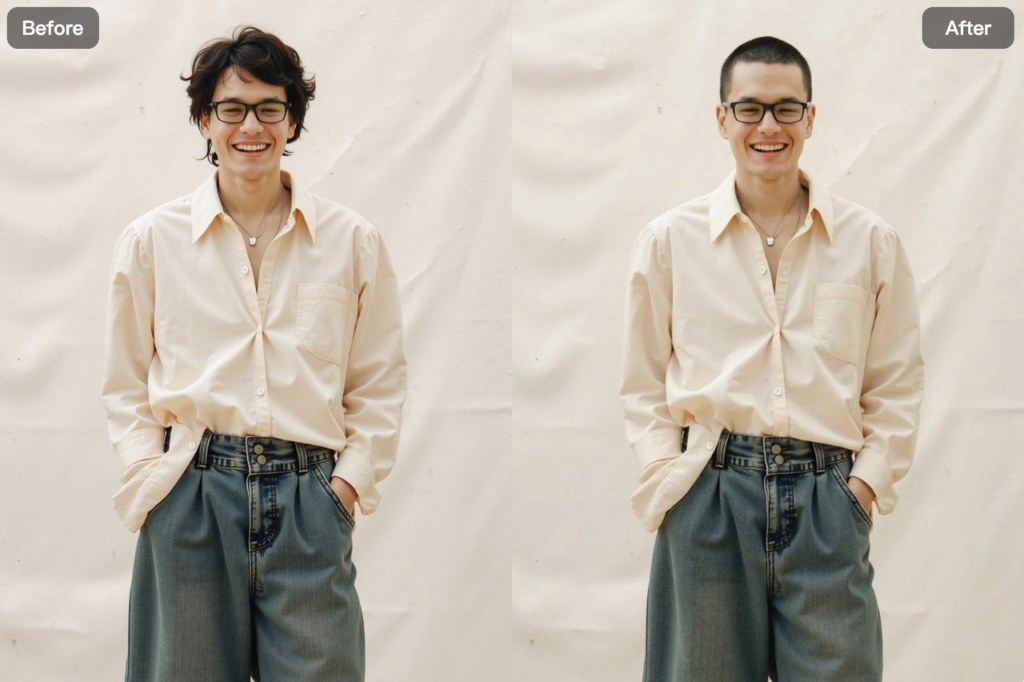
Ever wondered what you’d look like with a buzz cut?
Maybe you’re curious. Maybe you’re bored of your current hairstyle. Or maybe you’re seriously considering shaving it all off—but don’t want to regret it.
Buzz cuts are bold, clean, and timeless—but once the clippers come out, there’s no undo button.
That’s where AI Buzz Cut Filter Online by WeShop AI comes in.
Instead of guessing or committing to a real haircut, you can now preview a realistic buzz cut in seconds. No apps to download. No editing skills needed. Just upload a photo, apply the buzz cut filter, and see the result instantly.
From casual curiosity to serious style decisions, AI-powered buzz cut filters are quickly becoming one of the most popular hairstyle tools online—and WeShop AI delivers one of the most realistic experiences available today.
Let’s take a closer look at how it works, what makes it different, and why so many people are using it.
What Is an AI Buzz Cut Filter?
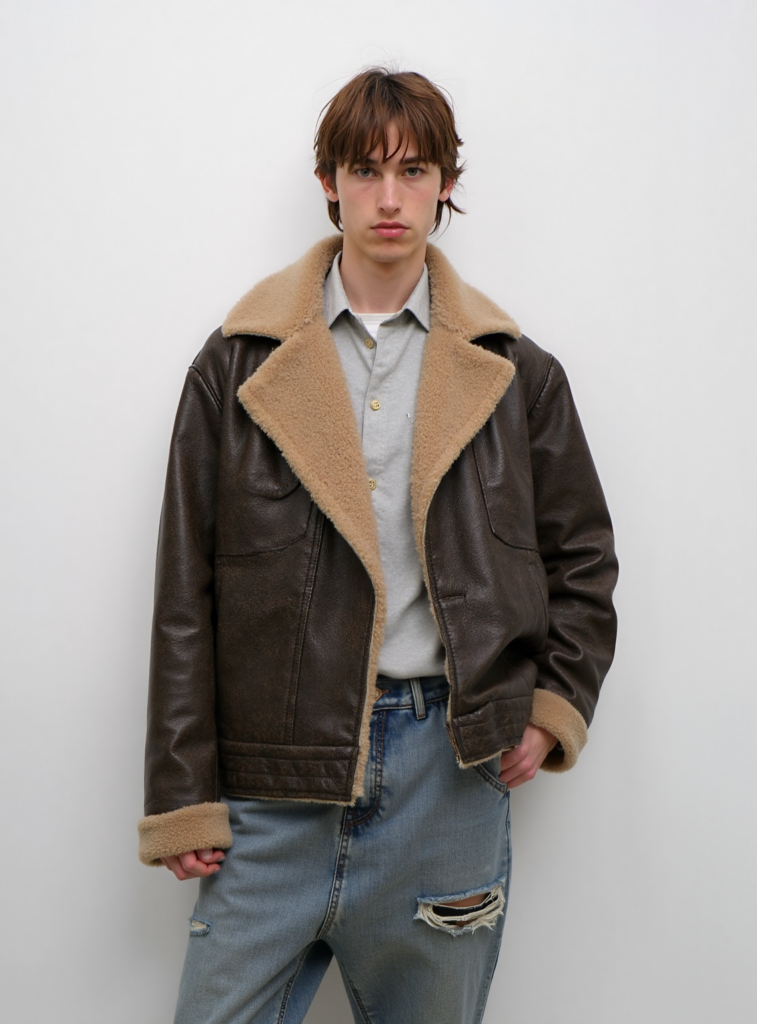
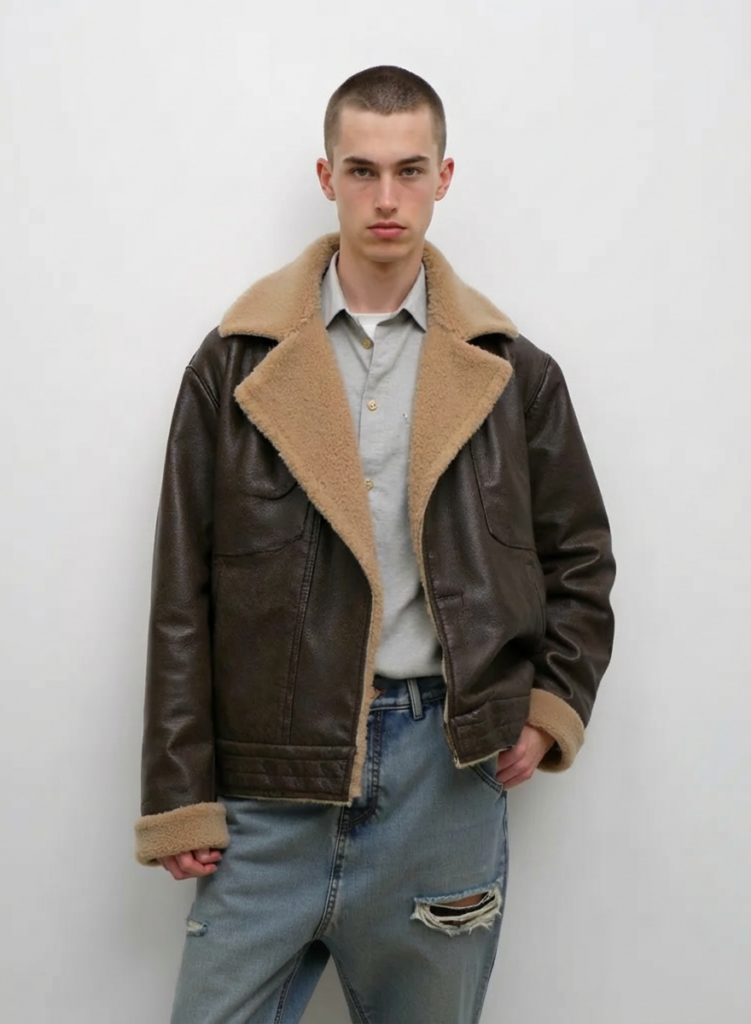
AI Buzz Cut Filter is an artificial intelligence tool that simulates a buzz cut hairstyle on your photo. Instead of manually editing hair or using rough overlays, the AI analyzes your face shape, hairline, and head structure to generate a natural-looking buzz cut preview.
With WeShop AI’s Buzz Cut Filter, you can:
- Preview a buzz cut before shaving your head
- Test different buzz cut styles and lengths
- See how a buzz cut fits your face shape
- Create content for social media or creative projects
The transformation is designed for visualization and experimentation, not permanent change—so you can explore freely, without pressure.
Why Use WeShop AI’s Buzz Cut Filter?
Not all buzz cut filters are created equal.
Many tools blur the face, distort the background, or apply unrealistic textures. Some even leave watermarks on your images.
WeShop AI takes a different approach.
- 100% online – No downloads, no installations
- No watermark – Clean exports, ready to share
- High-resolution output – Up to 4000 × 4000 pixels
- Fast processing – Results in seconds
The AI preserves facial features, skin texture, and lighting while realistically simulating short hair or shaved styles. Your image still looks like you—just with a buzz cut.
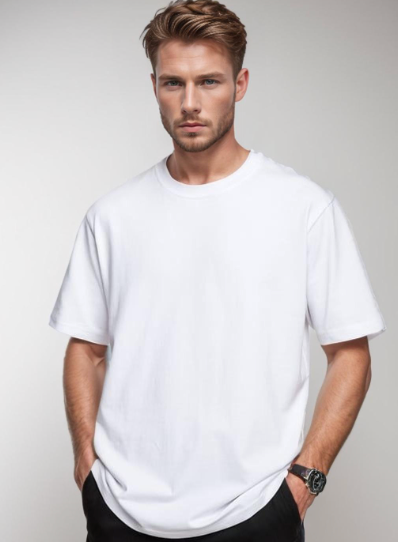
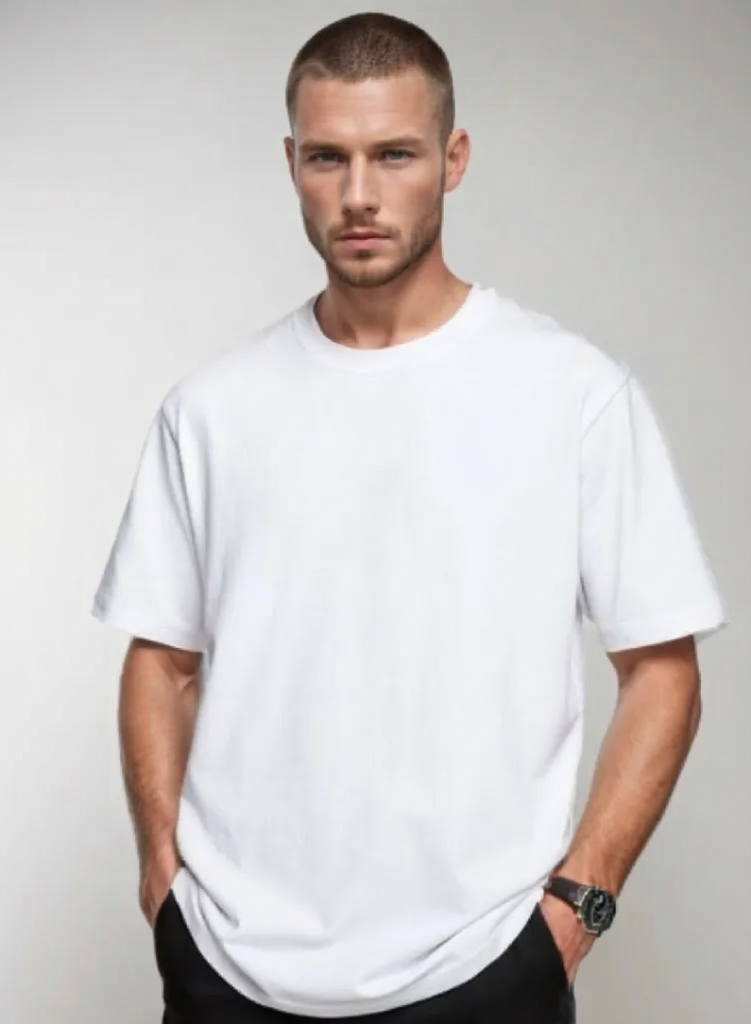


How to Use the Buzz Cut Filter
Using Buzz Cut AI is intentionally simple. The entire process usually takes less than a minute.
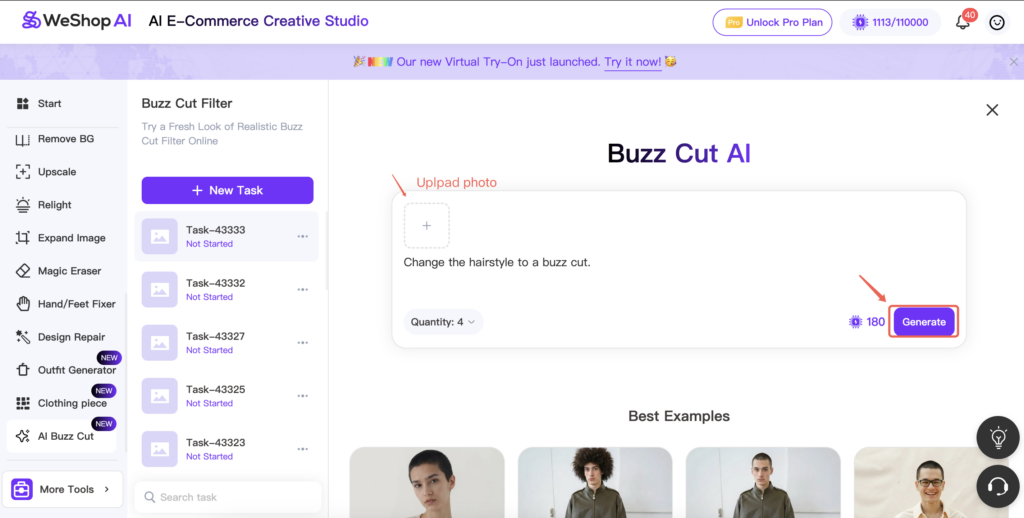
Step 1: Upload Your Photo
Choose a clear photo with good lighting. Front-facing images work best, especially if your hairline and face are visible. You can drag and drop or upload directly from your device.
Step 2: Preview and Adjust
Get an instant preview. If you want to generate a different look, simply click Edit Again to re-run the filter. The AI processes quickly, making experimentation easy and seamless.
Step 3: Download and Share
Once you’re happy, download your image in high quality—no watermark included. Share it on social media, send it to friends, or save it for reference before your next haircut.
How the AI Creates a Realistic Buzz Cut
Behind the scenes, WeShop AI uses advanced AI models trained on thousands of hairstyle and facial structure images.
The system doesn’t just “erase” hair. It intelligently:
- Detects head shape and skull contour
- Adjusts hairline placement naturally
- Applies realistic short-hair texture or shaved effects
- Preserves facial proportions and skin detail
The result is a buzz cut preview that looks believable—not flat, blurry, or artificial.
Where People Are Using Buzz Cut Filters Today
Buzz cut filters are popular for more than just curiosity. People use them in all kinds of creative and practical ways.
Social Media & Viral Content
Creators love transformation content. Before-and-after buzz cut previews perform especially well on TikTok, Instagram, and Snapchat.
Hairstyle Decisions
Not sure if a buzz cut suits you? Preview it first and decide with confidence—no regret, no pressure.
Barber Consultations
Some barbers use AI previews to show clients how a buzz cut might look before touching the clippers.
Fashion & Styling Experiments
Stylists and creators test buzz cuts to match outfits, accessories, or moods without committing to a real haircut.
Fun & Entertainment
From playful edits to meme content, buzz cut filters are a fun way to experiment with your look—or your friends’ (with consent).


Tips for Best Results
To get the most realistic buzz cut preview, follow these simple tips:
- Use a high-resolution photo (at least 1080px)
- Choose even lighting with minimal shadows
- Avoid heavy beauty filters
- Make sure your face are clearly visible
- Front-facing or slight angles work best
The cleaner the input photo, the better the AI result.
Popular Buzz Cut Styles You Can Try
With Buzz Cut AI, you can experiment with different styles, including:
- Classic buzz cut – Clean, minimal, timeless
- Fade buzz cut – Modern with subtle gradients
- Crew cut – Short but with a bit more shape
- Ultra-short / shaved look – Bold and confident
Trying multiple styles helps you find the look that fits your face and personality best.
Final Thoughts
Buzz cuts are bold—but deciding doesn’t have to be.
With AI Buzz Cut Filter Online by WeShop AI, you can preview realistic buzz cut styles in seconds, without risk, cost, or commitment. Whether you’re experimenting for fun, planning your next haircut, or creating content, the tool gives you a clear, confident preview of your new look.
Upload a photo, try it out, and see for yourself—before the clippers ever touch your head.