Create detailed graphics and reference-led photo edits with GPT Image 2.5 Sunburst, OpenAI’s quality-focused image model. Start with a written brief or upload the subject you want to edit.
Explore the tasks shown by these actual GPT Image 2.5 Sunburst results. Copy a prompt to try in the generator, or open the linked case for its saved setup. Supply your own images or clips when the request uses references.
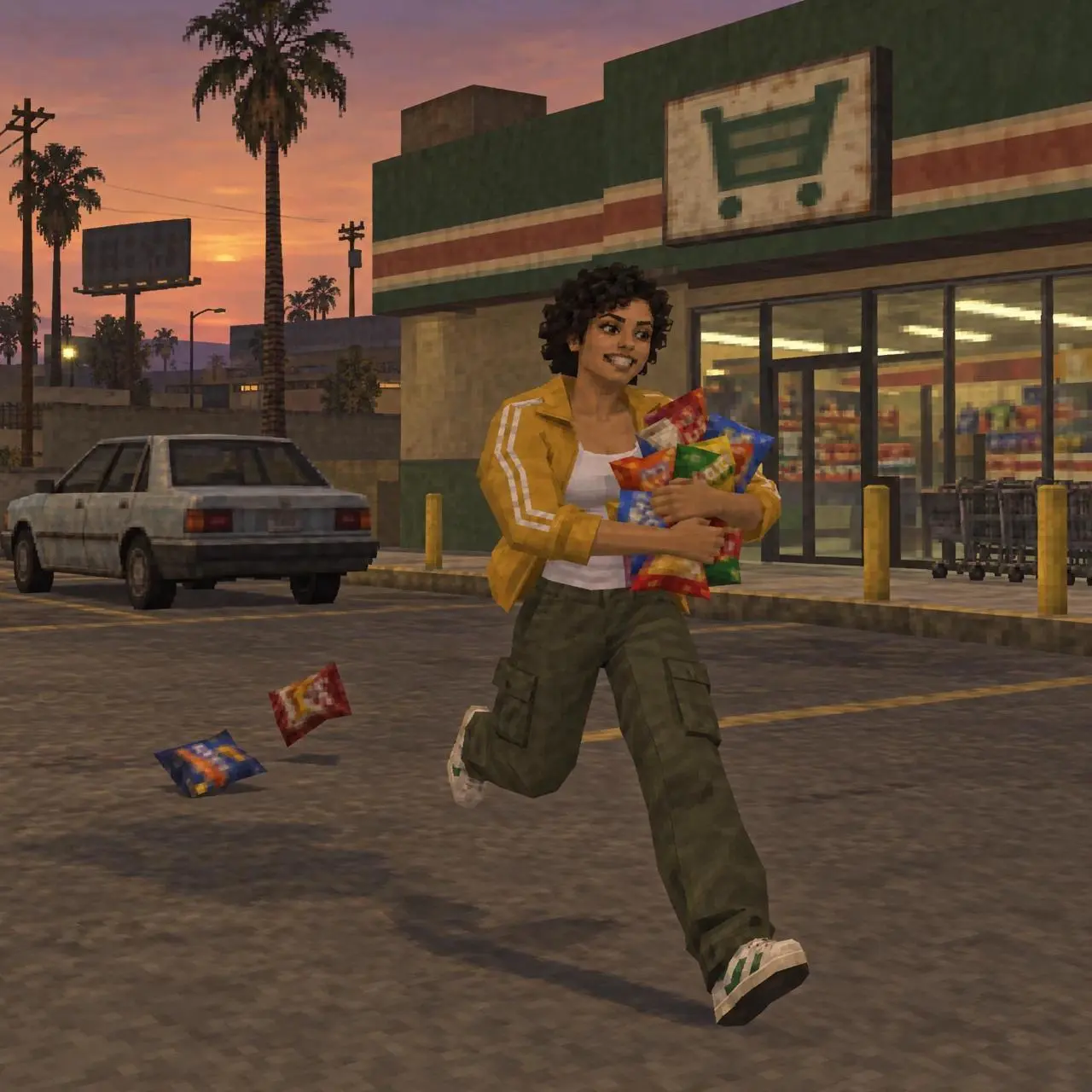
Retro Game-Style Character Transformation
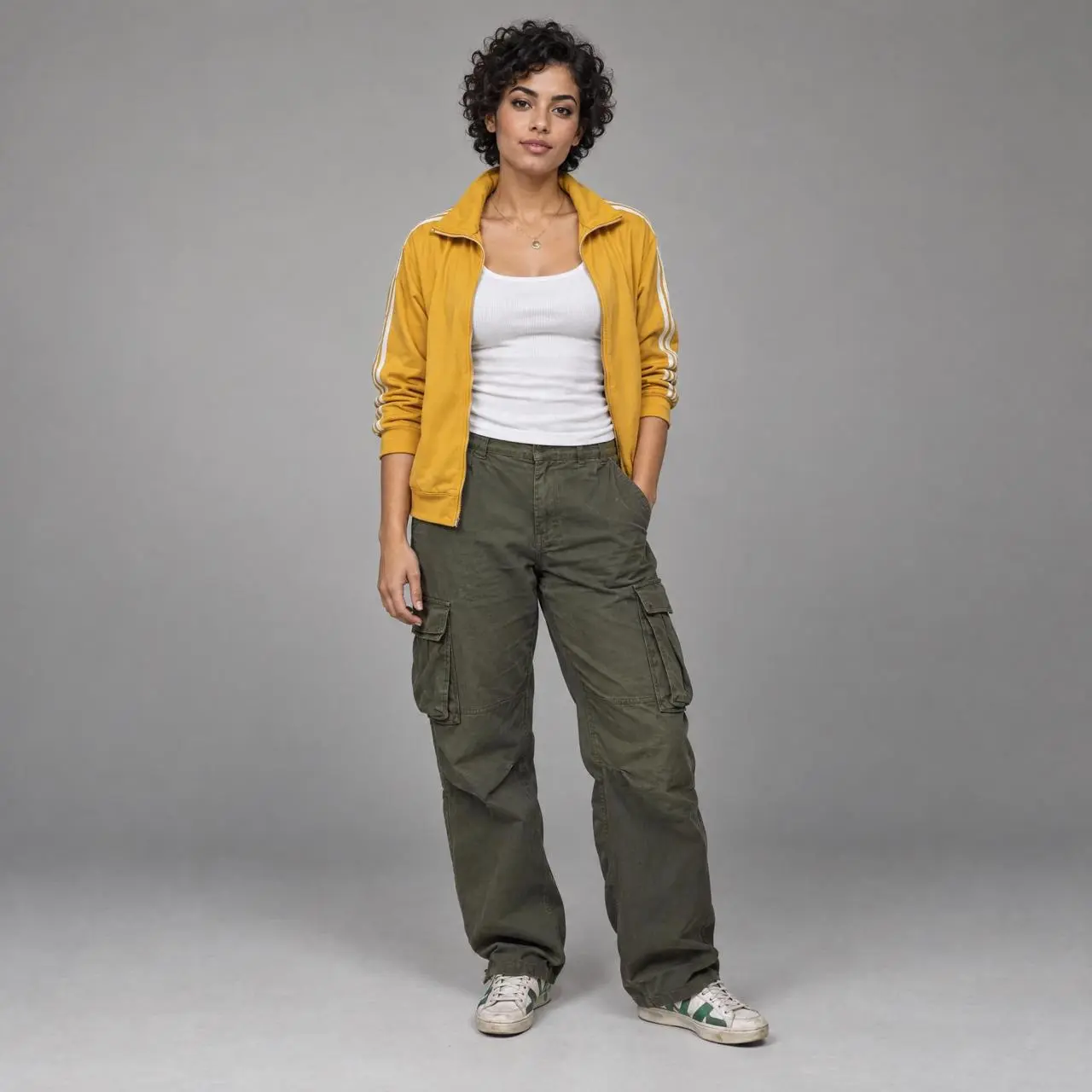
Reinterpret a referenced woman and scene as an early-console video-game image, using a different rendering style and character treatment.
Transform the uploaded fictional woman into an early-2000s PS2-era open-world 3D game screenshot. Preserve the same short black curls, mustard track jacket, white tank, olive cargo pants and sneakers. Low-to-medium polygon model, simplified joints, angular surfaces, matte skin, blurry stretched textures, baked clothing folds, basic real-time light and shadows. Third-person wide shot outside a neighborhood supermarket at dusk. She runs awkwardly across the parking lot while hugging far too many colorful snack bags; two bags tumble behind her and an old compact car waits in the background. Her grin is exaggerated and the running pose is stiff but readable like an NPC animation. Dusty asphalt, muted green and brown storefront, a few saturated packages, large depth of field and slight compression. No logos, no readable text, no HUD, no watermark.
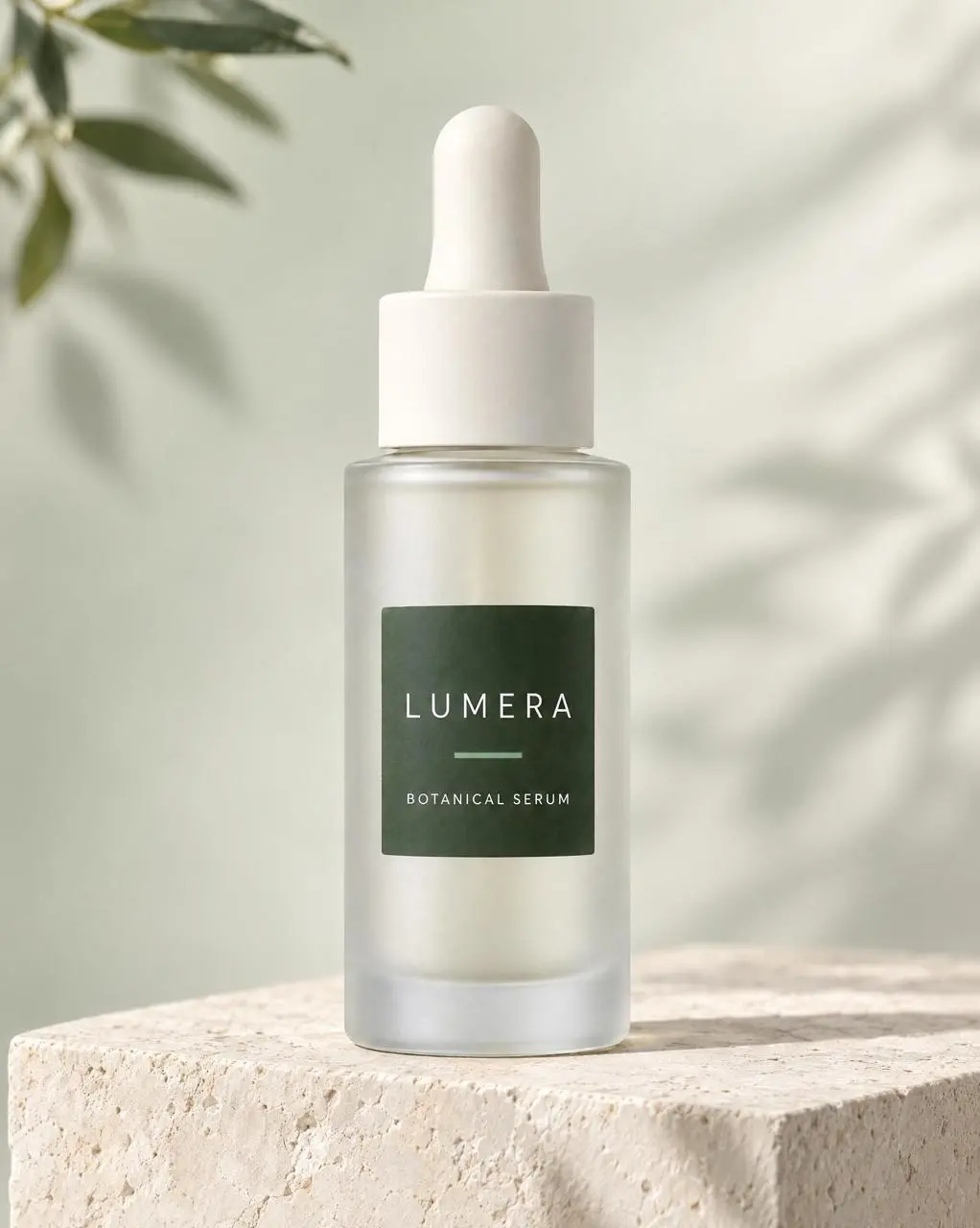
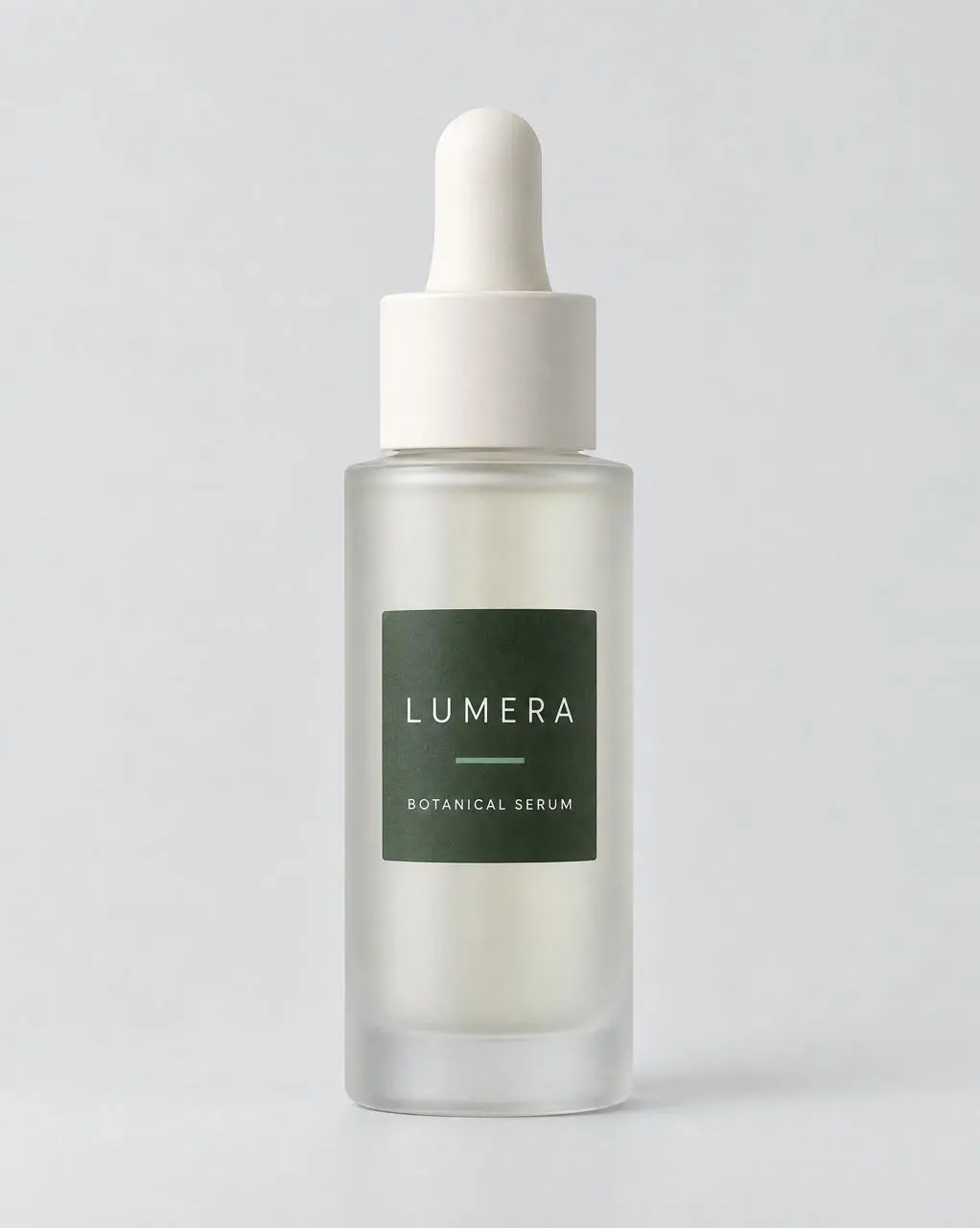
Build a styled serum photograph around an approved product reference, with the bottle as the central visual ingredient.
Use image 1 as the only approved product reference. Create a premium ecommerce PDP hero image of the exact same LUMERA BOTANICAL SERUM bottle. Preserve the bottle geometry, frosted glass, ivory dropper, dark-green rectangular label, sage accent line, label placement, front-facing camera angle, and exact readable words LUMERA and BOTANICAL SERUM. Place it upright on a pale limestone pedestal with a very soft sage-to-ivory background, diffused daylight, realistic contact shadow, restrained botanical shadows, generous negative space, high-end skincare photography. Do not redesign the bottle, do not change the label, do not add extra products, claims, badges, logos, or text.
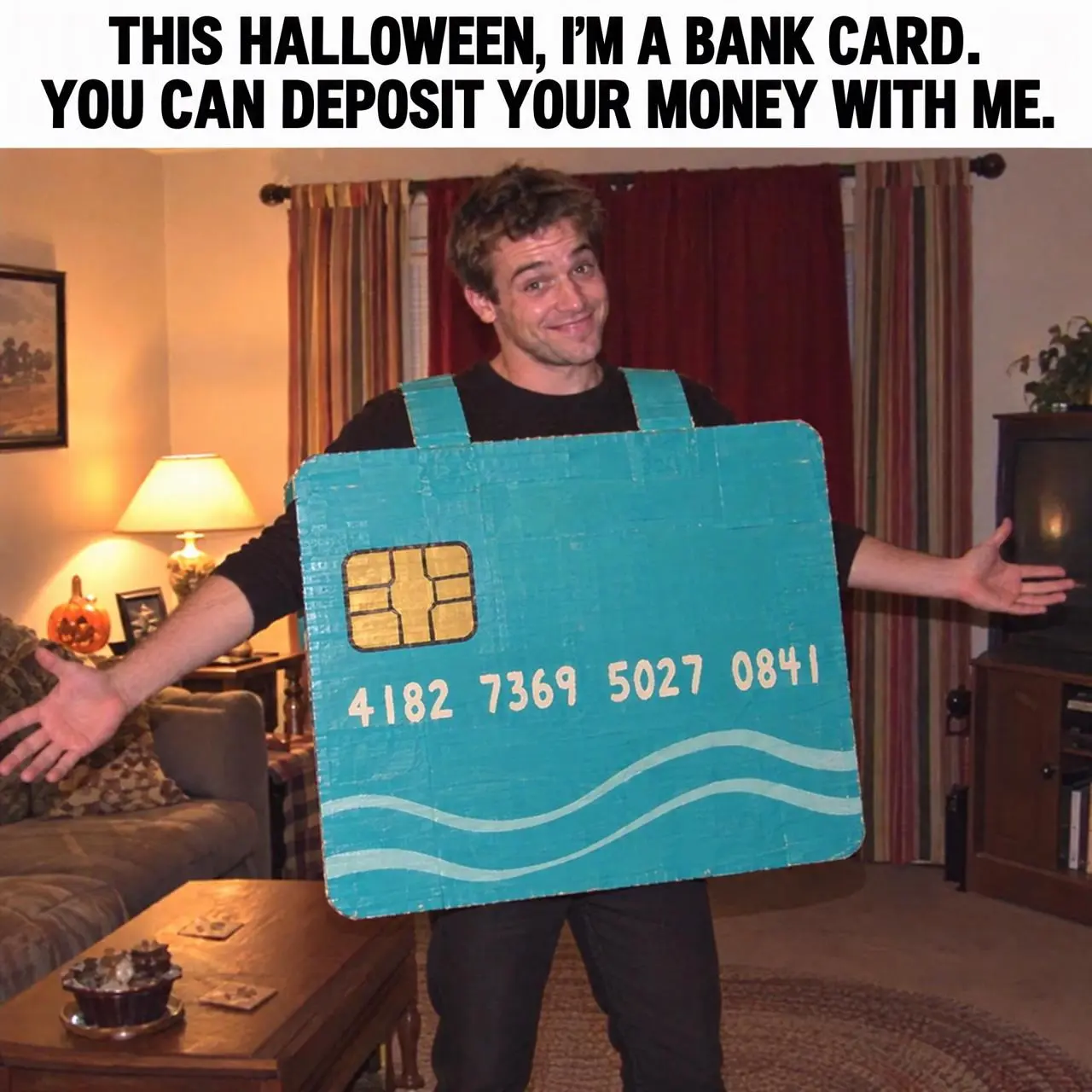
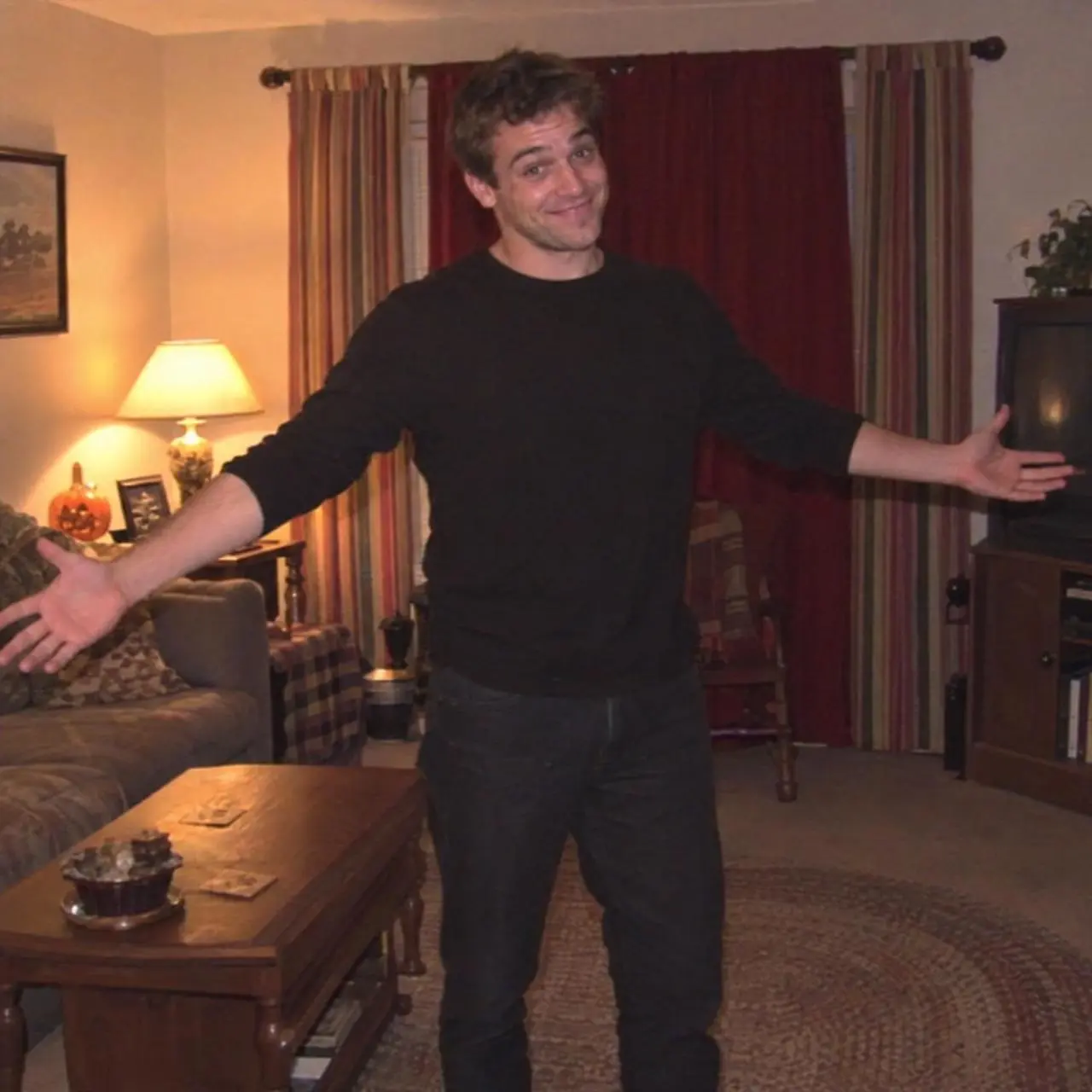
Combine a character reference with a supplied caption and a new costume. The brief specifies the caption and its position above the subject; the result combines text and picture in one composition.
Use the uploaded fictional adult man and living room as the identity and scene reference. Create a square English-language Halloween meme. He wears a deliberately handmade oversized turquoise bank-card costume made from painted cardboard, with a generic chip shape and nonsense decorative numbers only, no real bank or payment logos. Keep his smiling face visible and arms open. Add a clean white caption band at the top containing exactly this English text in bold black characters: ‘THIS HALLOWEEN, I’M A BANK CARD. YOU CAN DEPOSIT YOUR MONEY WITH ME.’ Warm camcorder lighting, slightly awkward homemade charm, mild compression. No other text, no watermark, no child.
GPT Image 2.5 Sunburst is OpenAI’s image generation and editing model for editing precision and demanding visual briefs. It accepts written instructions and image references.
Editing Precision as a Priority
OpenAI positions Sunburst for demanding image quality and precise edits. It is a model to consider when an existing workflow does not meet the detail requirements of your brief.
A New Scene around Your Subject
Image inputs can guide a person, product, or place while the request changes its surroundings or visual treatment. The serum photograph pairs a product reference with a new presentation.
Designed Images with Text
Create graphics that combine imagery and written information. A localized poster or information graphic needs both a planned layout and a check of the finished wording.
WORKFLOWS
Choose Your Starting Input
Use the GPT Image 2.5 Sunburst input mode that matches the material you have.
Start from Your Reference Photos
Upload the subject or scene for the edit. For several inputs, identify what each reference supplies and describe the requested change.
Create from a Written Brief
Describe a new subject, setting, composition, and visual treatment. Include any words that belong in the image.
PROMPT GUIDE
How to Direct GPT Image 2.5 Sunburst with a Prompt
Learn from the actual instructions behind these results. Each example keeps its complete original prompt and available inputs. For a new request, replace its subject and reference assignments with your own.
Name the Change and the Details to Retain
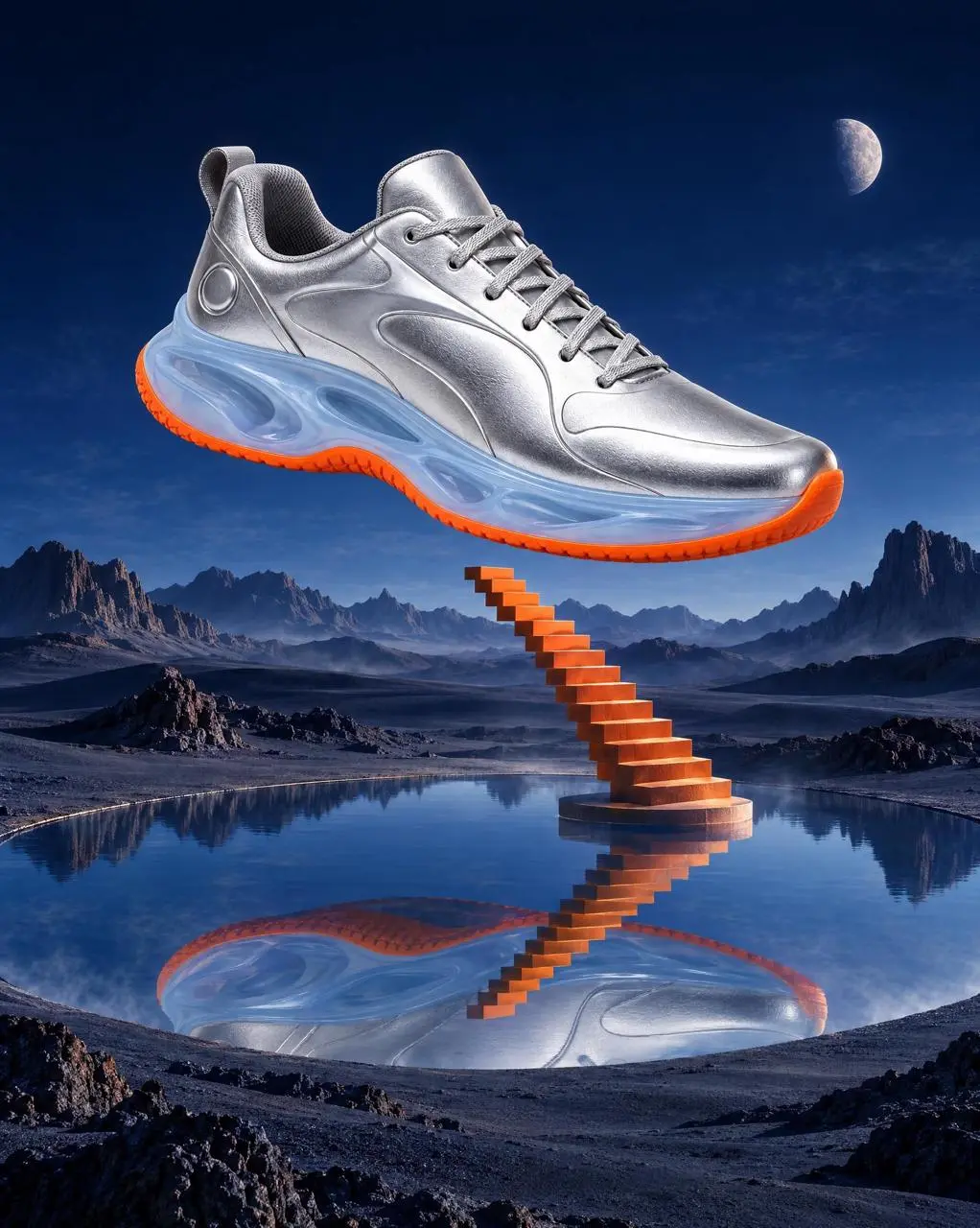
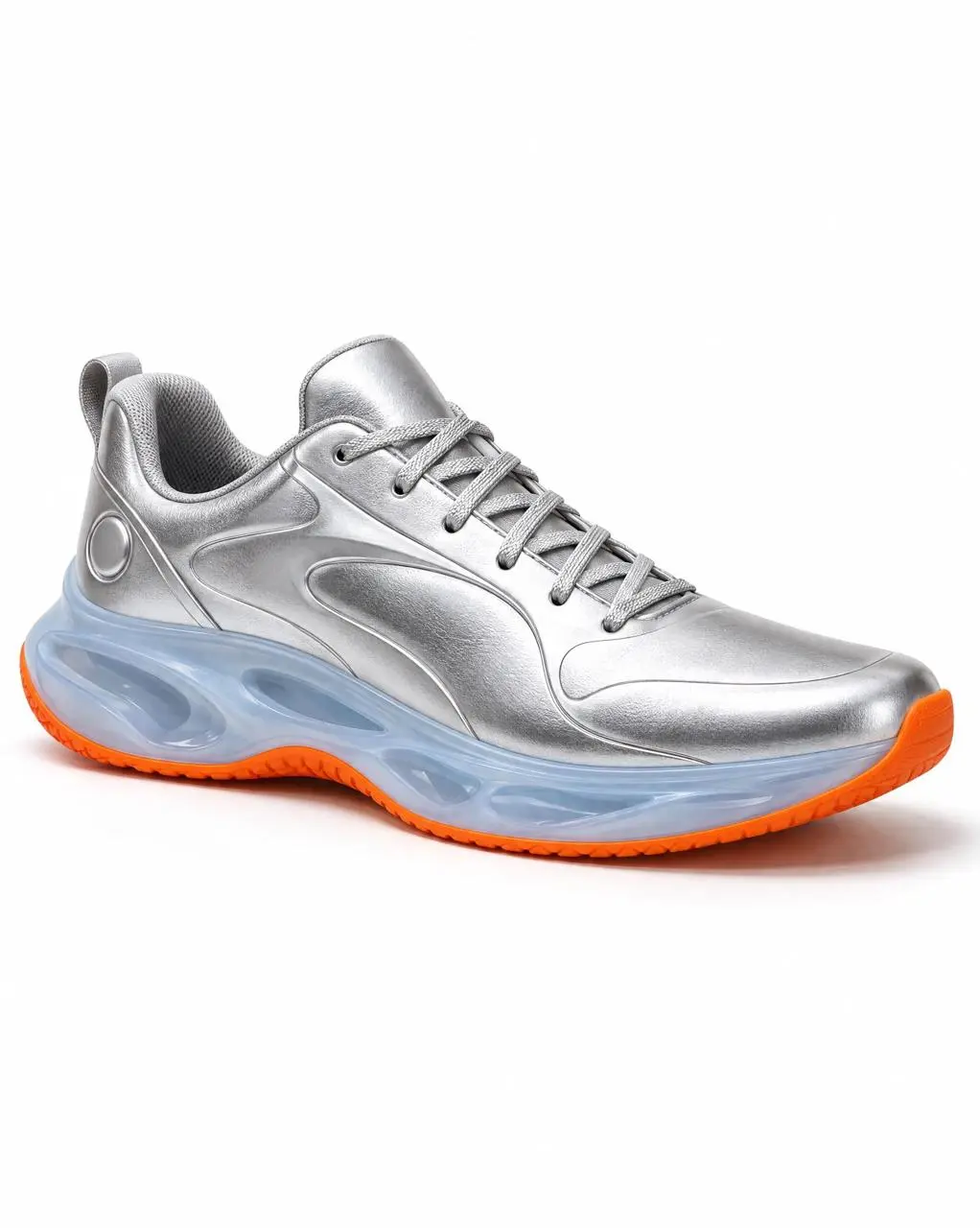
Distinguish the requested transformation from the subject or composition supplied by the image. In this case: “Preserve the exact metallic-silver upper, silver laces, translucent ice-blue sculpted midsole, orange outsole, circular heel detail, proportions, and right-facing three-quarter orientation.”
Use the uploaded silver sneaker as a strict product reference and create a surreal 4:5 editorial product poster. Preserve the exact metallic-silver upper, silver laces, translucent ice-blue sculpted midsole, orange outsole, circular heel detail, proportions, and right-facing three-quarter orientation. Make the sneaker enormous and suspended above a quiet cobalt desert where a perfectly circular mirror lake reflects it. A narrow orange staircase rises from the lake toward the shoe but never touches it. Add a small pale moon, long hard-edged shadows, light atmospheric haze, and a deep ultramarine-to-black sky. Sophisticated surrealism, precise photorealistic materials, clean art-direction, dramatic negative space, museum-poster composition. No people, no extra shoes, no text, no letters, no logo, no watermark, no melting or distorted product.
Change the Lighting while Retaining the Scene
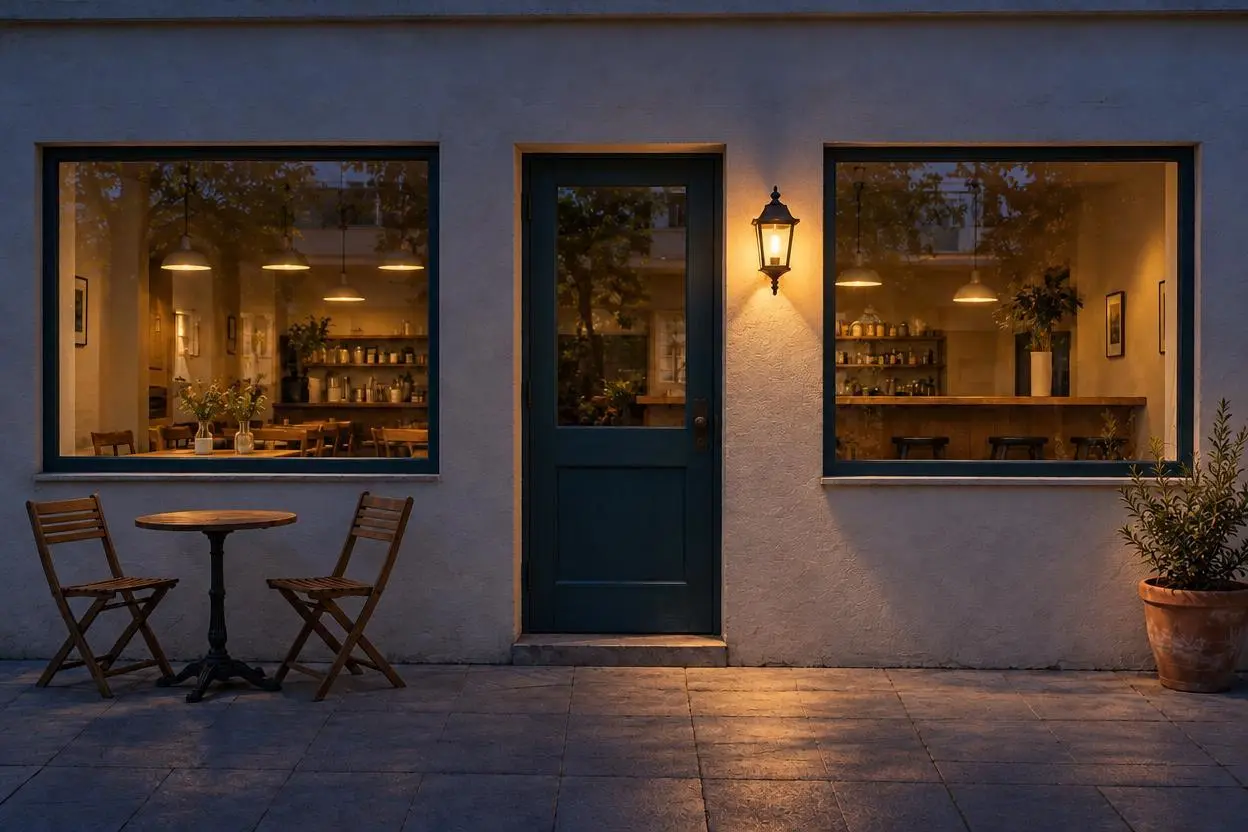
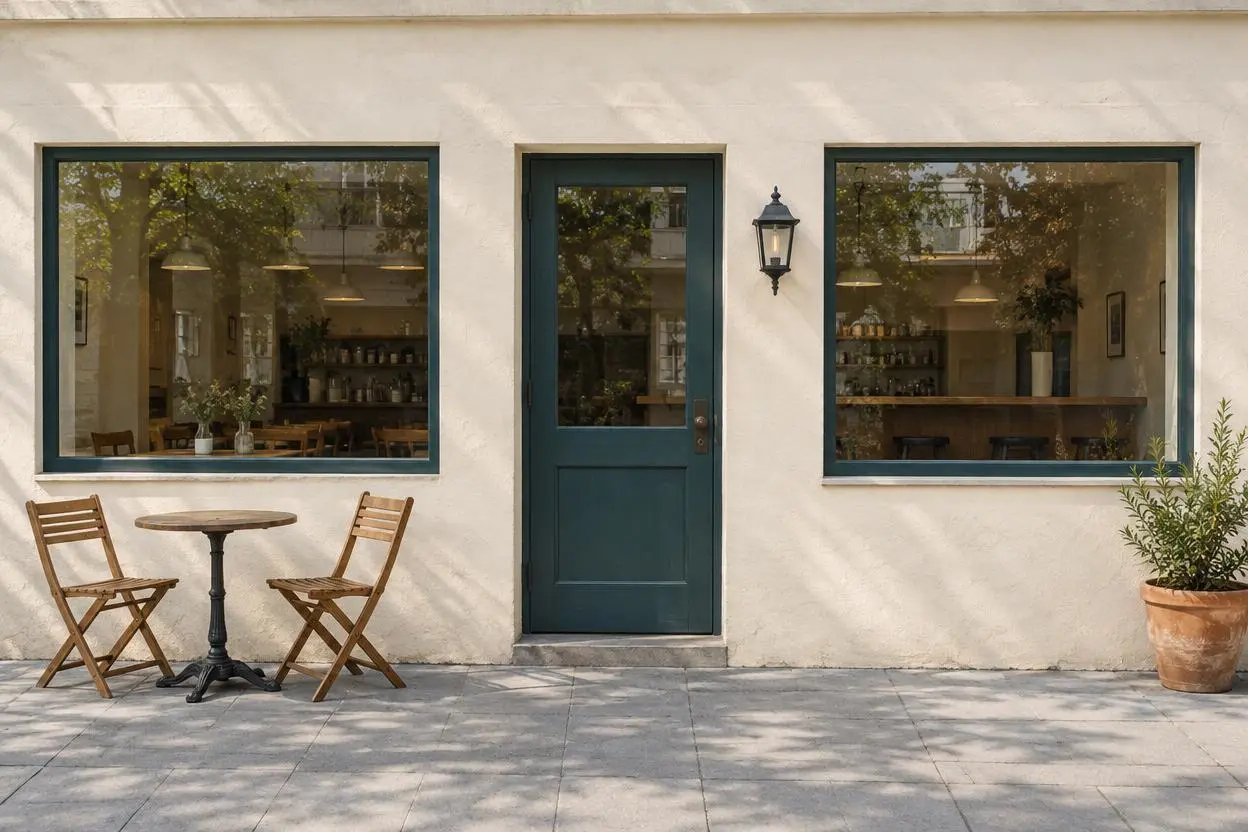
The edit names a new lighting condition alongside the scene details that should remain. In this case: “Edit image 1 into a believable blue-hour night photograph of the same cafe.”
Edit image 1 into a believable blue-hour night photograph of the same cafe. Keep exactly the same building geometry, single central teal door, two windows, black wall lantern, two chairs, round table, planter, pavement, camera viewpoint and crop. Darken the ambient scene with cool blue evening light, illuminate the existing wall lantern with warm light and let soft warm interior light glow through both existing windows. Add subtle warm light spill onto nearby wall and pavement consistent with those light sources. Do not add a moon, stars, neon signs, extra furniture, doors, windows, people, cars, text or logos.
Describe a Visible Material
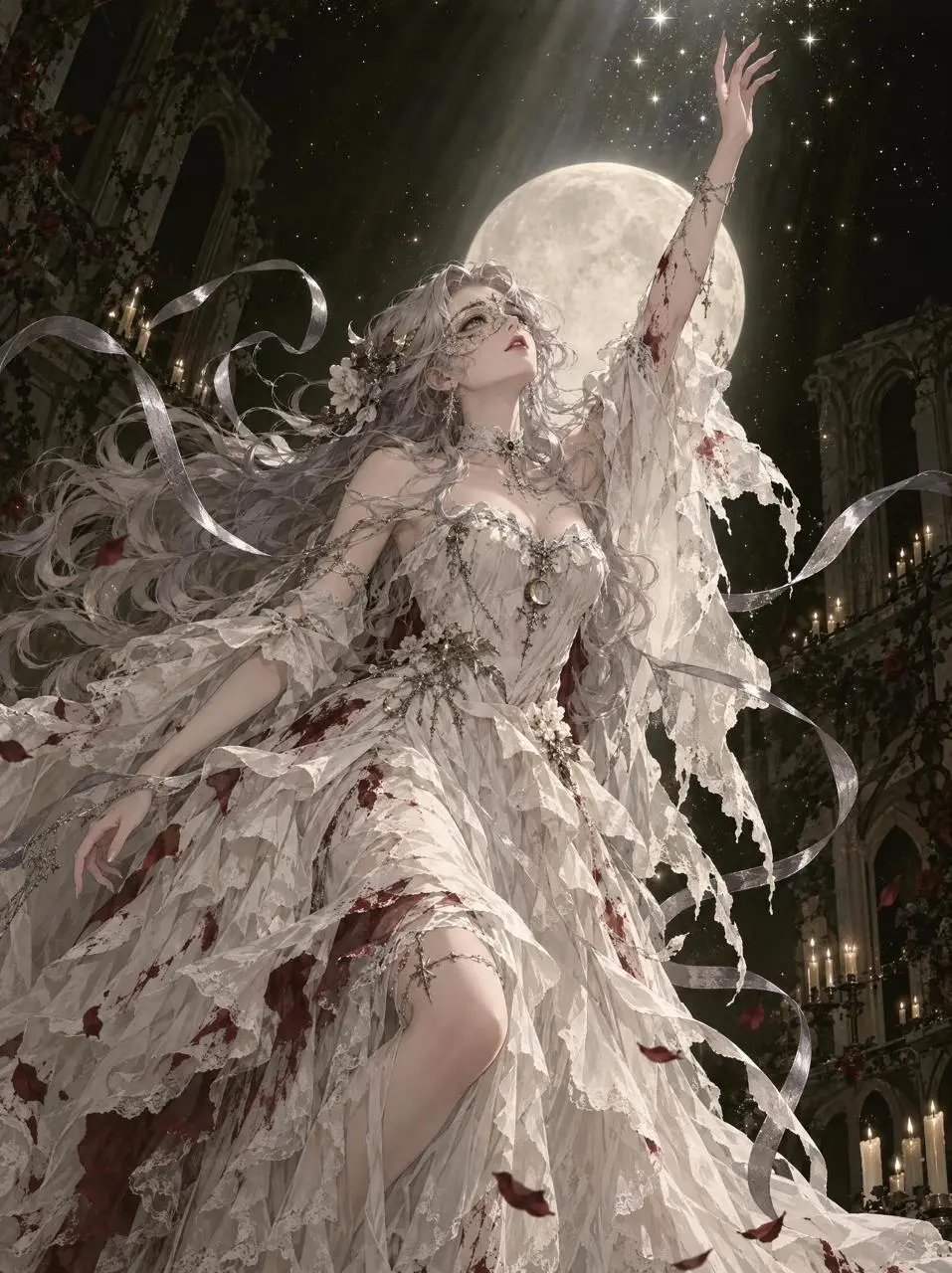
Use concrete surface or material details to define the requested look. In this case: “Deep olive-black negative space, sparkling dust, elegant dynamic fabric, cinematic rim light, refined line art and painterly rendering.”
Create an original vertical anime Halloween fantasy illustration of one fictional adult woman aged 24 rising through a shaft of moonlight. She has flowing pearl-gray hair and wears an elaborate off-white spectral masquerade gown with layered torn chiffon, silver ribbon trails and small dark-crimson weathered stains that read as theatrical costume paint, not injury. One arm reaches toward a cluster of tiny stars above her. Deep olive-black negative space, sparkling dust, elegant dynamic fabric, cinematic rim light, refined line art and painterly rendering. Melancholic and magical rather than violent. New original character and garment design, no text, no watermark, no copied pose or franchise styling.
HOW TO USE
Create Your First GPT Image 2.5 Sunburst Image
Start in the generator on this page. To reuse an example, click Copy Prompt, return to the description field, and adapt the prompt to your own inputs.
Provide the Scene and Inputs
Write your brief and add the reference media required by the selected mode. Explain the role of each supplied input.
Choose the Output Options
Choose the aspect ratio, image size, quality, and image count where offered. Check the form’s displayed points before submitting.
Generate and Review
Click Generate and review the resulting image. Check composition, required words, and the subject details that matter to your task. Adjust your prompt or references for the next attempt.
Compare the documented model roles and the inputs and options currently listed in WeShop. Model names or matching settings do not by themselves establish equal output quality or a fixed generation-time difference.
Dimension
GPT Image 2
GPT Image 2.5 Flare
GPT Image 2.5 Sunburst
Model role
Text-led design and reference editing
Fast everyday image creation, following OpenAI positioning
Precision-focused edits and demanding visual briefs
Inputs listed for the page
Start with Text; Start with References
Create a New Image from Text; Edit or Combine Reference Photos
Start from Your Reference Photos; Create from a Written Brief
Current WeShop options
Image size: 1K, 2K, 4K; Quality: low, medium, high
Answers about this version, its inputs, and how to get started.
What is GPT Image 2.5 Sunburst?
GPT Image 2.5 Sunburst is OpenAI’s image generation and editing model for editing precision and demanding visual briefs. It accepts written instructions and image references.
What is a good task to consider it for?
Consider Sunburst when detailed output or editing precision is the priority. Compare the same brief with Flare if faster iteration matters.
What do I need to provide?
Start from Your Reference Photos. Upload the subject or scene for the edit. For several inputs, identify what each reference supplies and describe the requested change. Create from a Written Brief. Describe a new subject, setting, composition, and visual treatment. Include any words that belong in the image.
Click Copy Prompt, return to the generator, and paste it into the description field. Add your own required references and update their roles. Linked case previews and Use This Prompt open the saved case; they do not automatically fill this page’s form.
What should I know about this version?
A precise instruction does not guarantee a perfect edit. Review product geometry, faces, small text, and the boundaries of changed areas.