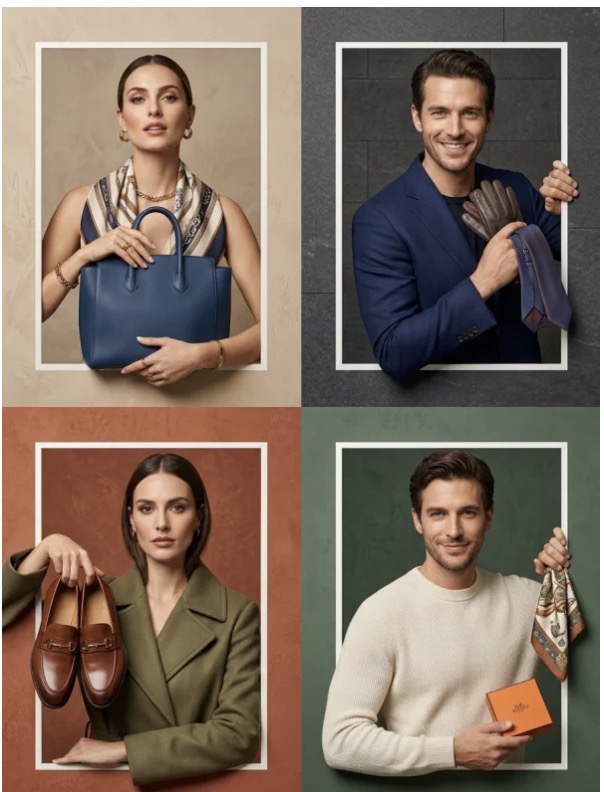
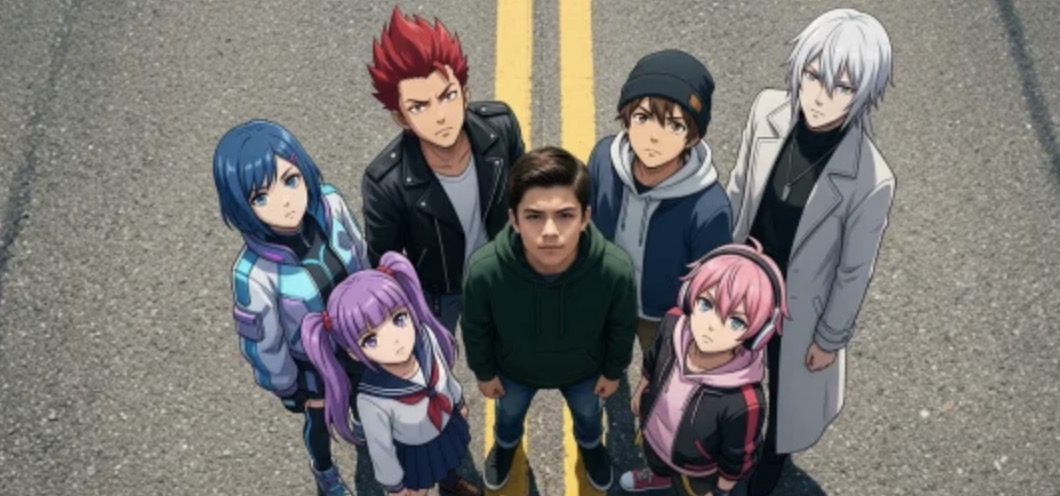
In the rapidly evolving landscape of digital commerce, the visual presentation of products has become the ultimate bridge between a customer’s curiosity and their final purchase decision. Traditionally, creating high-quality fashion imagery required a small army: professional models, photographers, stylists, lighting technicians, and expensive studio rentals. However, the emergence of high-fidelity AI tools, specifically the virtual try-on by nano banana pro feature within WeShop, is fundamentally disrupting this traditional model.
Whether you are an independent boutique owner or a large-scale e-commerce enterprise, the ability to transform a simple flat-lay image into a professional editorial shot is no longer a futuristic dream—it is a current reality. This blog will explore how to master the virtual try-on by nano banana tool to generate stunning side-by-side images that showcase both the lifestyle fit and the intricate fabric details of your garments.
Why E-commerce Leaders are Moving to Virtual Try-on by Nano Banana Pro
The primary hurdle in online fashion retail is “tangibility.” Customers cannot touch the fabric or see how the garment drapes over a human body. Traditionally, retailers solved this by investing thousands of dollars in photoshoots. Today, the virtual try-on by nano banana pro engine provides a solution that is not only cost-effective but also remarkably superior in terms of speed and flexibility.
The “Nano Banana Pro” algorithm is designed specifically for texture retention. Unlike generic AI image generators that might “hallucinate” or alter the patterns of a shirt, this tool ensures that the unique weave, color gradient, and silhouette of your original garment remain intact. This high level of fidelity is why professional sellers are flocking to WeShop. By leveraging virtual try-on by nano banana pro, brands can launch entire seasonal collections in hours rather than weeks.
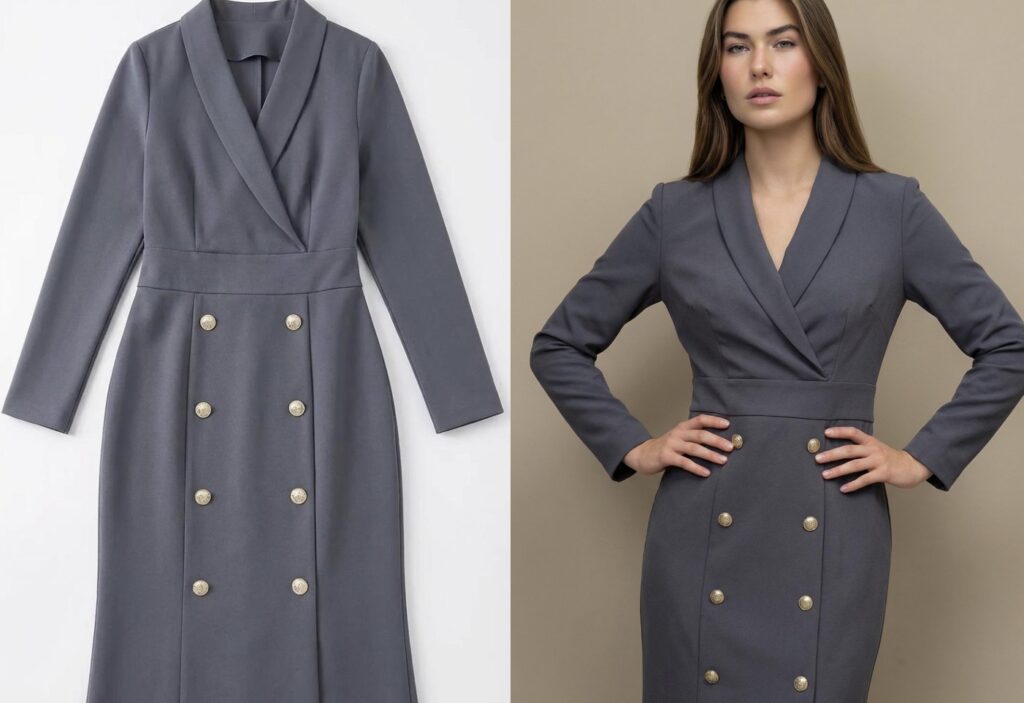
Step-by-Step Tutorial: Mastering the Side-by-Side Technique in Virtual Try-on by Nano Banana Pro
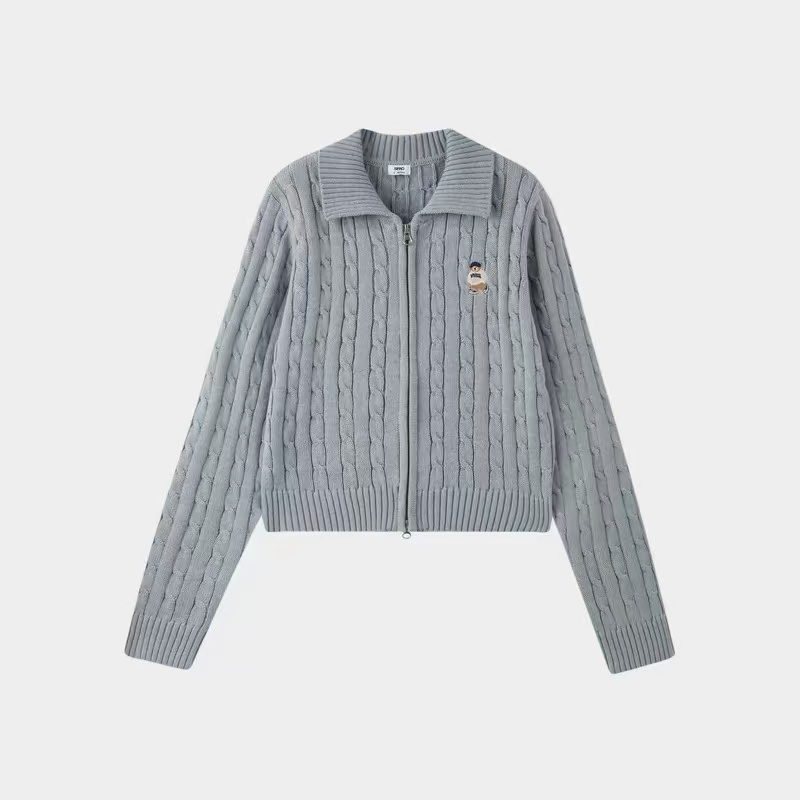
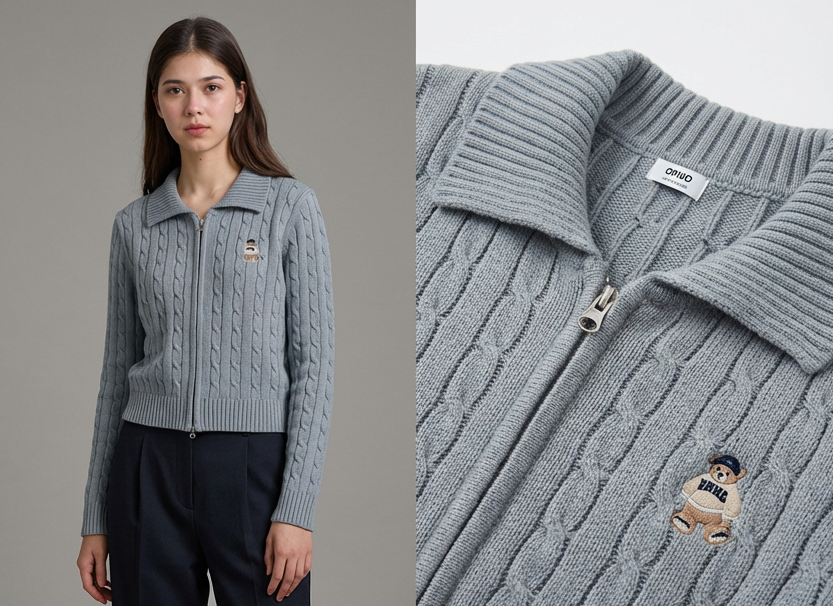
The most powerful feature of the WeShop platform is the ability to use a single “source” image of a piece of clothing and generate multiple perspectives. A particularly effective format for conversion is the “side-by-side” image. This format allows the customer to see how the item looks on a model while simultaneously inspecting the fabric quality—all in one glance.
Here is the exact workflow to achieve this using the virtual try-on by nano banana pro tool.
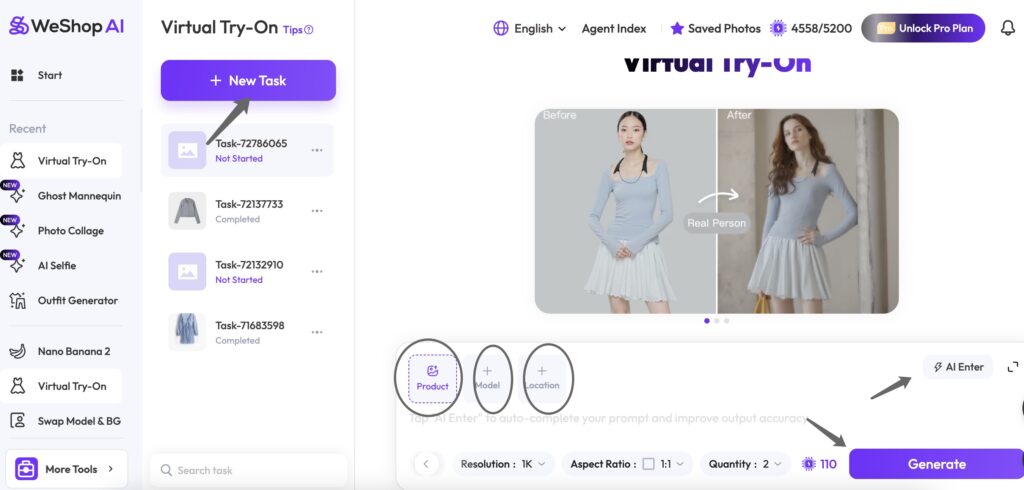
Step 1: Upload Your Assets
Start by providing the visual building blocks for your image:
- Garment: Upload a clear photo of the clothing item.
- Model: Upload a full-body photo of your preferred model or select one from our Model Library.
- Background: Upload a custom background image to set the scene.
Step 2: Configure Generation Settings
Adjust your parameters to fit your needs. Please note that Credit Consumption will change based on different quantities:
- AI Model: Select the specific generation engine you wish to use.
- Quantity & Quality: Choose how many variations you want and the level of detail (1-4k).
- Aspect Ratio: Set the frame size (e.g., 9:16 for social media or 3:4 for e-commerce).
Step 3: Define Your Prompt
Describe the final look and feel of the photo. You have two options:
- AI Enter: Click this to let our AI automatically generate a professional prompt for you.
- Manual Input: Write your own specific instructions regarding lighting, pose, or atmosphere.
Step 4: Generate & Review
Once everything is set, click Generate. The AI will stitch the garment onto the model and place them in your chosen environment.
The Science of Conversion: Why the Side-by-Side View Works
In digital marketing, “friction” is anything that makes a customer hesitate. If a customer sees a beautiful dress on a model but can’t see the texture of the lace, they might worry about the quality. If they see just a close-up of the lace, they can’t visualize the fit.
By using the virtual try-on by nano banana pro to create a dual-perspective image, you eliminate two major friction points simultaneously:
1.The Fit Validation (Left Panel): The AI-generated model demonstrates the drape, length, and styling of the item.
2.The Quality Assurance (Right Panel): The close-up detail shot acts as a “digital touch,” showing the customer exactly what the material looks like up close.
This dual-visual strategy has been shown to increase time-on-page and significantly boost conversion rates because it provides a more “complete” shopping experience.
Advanced Tips for Using Virtual Try-on by Nano Banana Pro
To truly stand out in a crowded marketplace, you can take your virtual try-on by nano banana pro results even further. Here are some pro tips:
Consistent Backgrounds: When generating a full collection, use the same “solid background” color in your prompts. This creates a cohesive look for your website’s category pages, making your brand look organized and premium.
Lighting Control: You can specify lighting in your instructions. For example, “soft morning sunlight” or “high-contrast studio lighting.” The virtual try-on by nano banana engine will apply these physics to both the model and the fabric detail shot.
Iterative Refining: If the first result isn’t perfect, use the “Region Re-render” feature. This allows you to keep the model but tweak how the fabric looks in the detail shot, or vice versa.
Efficiency Meets Artistry: The Future with Virtual Try-on by Nano Banana Pro
The fashion industry is at a turning point. We are moving away from the era of logistics-heavy photography and into an era of “prompt-based” creative direction. Tools like the virtual try-on by nano banana are empowering small designers to compete with global fast-fashion giants by providing them with world-class imagery for a fraction of the cost.
Furthermore, this technology is a win for sustainability. By reducing the need for shipping samples back and forth to studios and flying models across the globe, the virtual try-on by nano banana workflow significantly lowers the carbon footprint of a brand’s marketing operations.
Conclusion: Start Transforming Your Store Today
If you haven’t yet experimented with the virtual try-on by nano banana pro features on WeShop, now is the time. The ability to take a single image of a garment and generate a professional, high-conversion side-by-side editorial is a competitive advantage you cannot afford to ignore.
Remember, the key to success lies in the instruction. Give the AI the garment, tell it you want that side-by-side view (Model vs. Detail), and let the virtual try-on by nano banana engine do the heavy lifting. Your customers will appreciate the clarity, and your bottom line will reflect the results.
Visit WeShop Virtual try-on today and see how the virtual try-on by nano banana can redefine your brand’s visual identity. The future of fashion is AI-powered, and it starts with a single click.