WeShop Troubleshooting – how to deal with extra clothing, collars, and sleeves generated by AI?
Long-time WeShop users may encounter issues of our AI tool (or any) adding extra details when using. AI can automatically generate additional fabric, collars, and sleeves which is indeed a difficult problem for AI. Now we can avoid this issue as much as possible through Text Description and Prompt features. Below we use several examples to illustrate how these current features can handle cases of AI generating redundant and unnecessary parts.
V-neck sleeveless dress
As usual, upload the original image, select the area, two methods: the key is to describe the clothing clearly, write v-neck sleeveless dress to indicate the dress is V-neck and sleeveless.
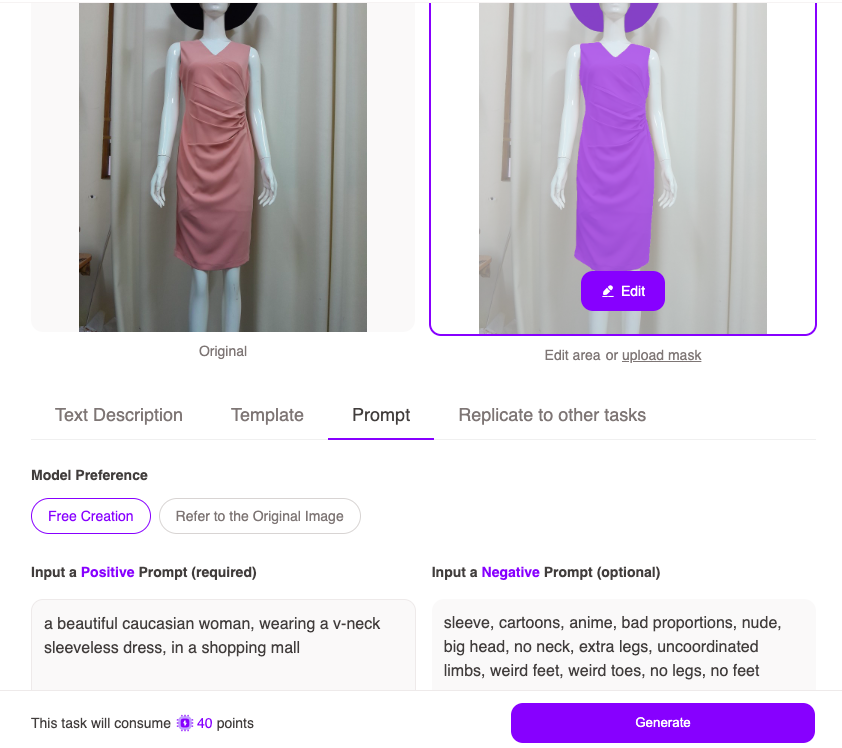
- Prompt: Positive prompt: a beautiful caucasian woman, wearing a v-neck sleeveless dress, in a shopping mall. Negative prompt: sleeve, cartoons, anime, bad proportions, nude, big head, no neck, extra legs, uncoordinated limbs, weird feet, weird toes, no legs, no feet
- Text description: A beautiful 25-year-old Asian woman, wearing a v-neck sleeveless dress, in a shopping mall
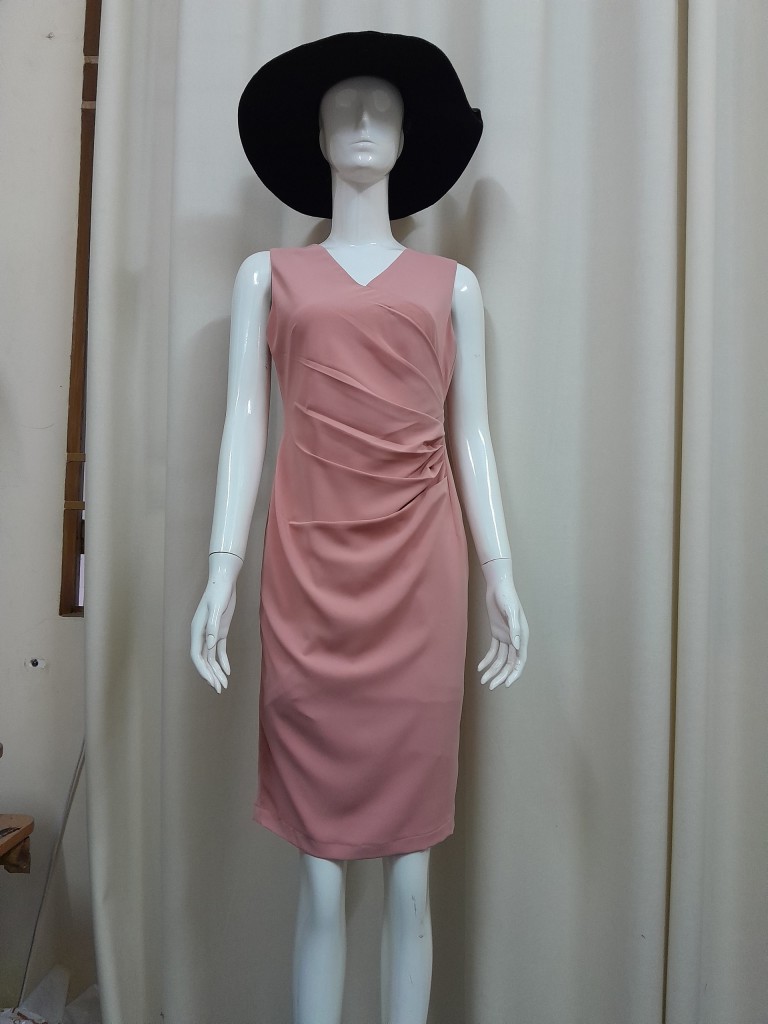
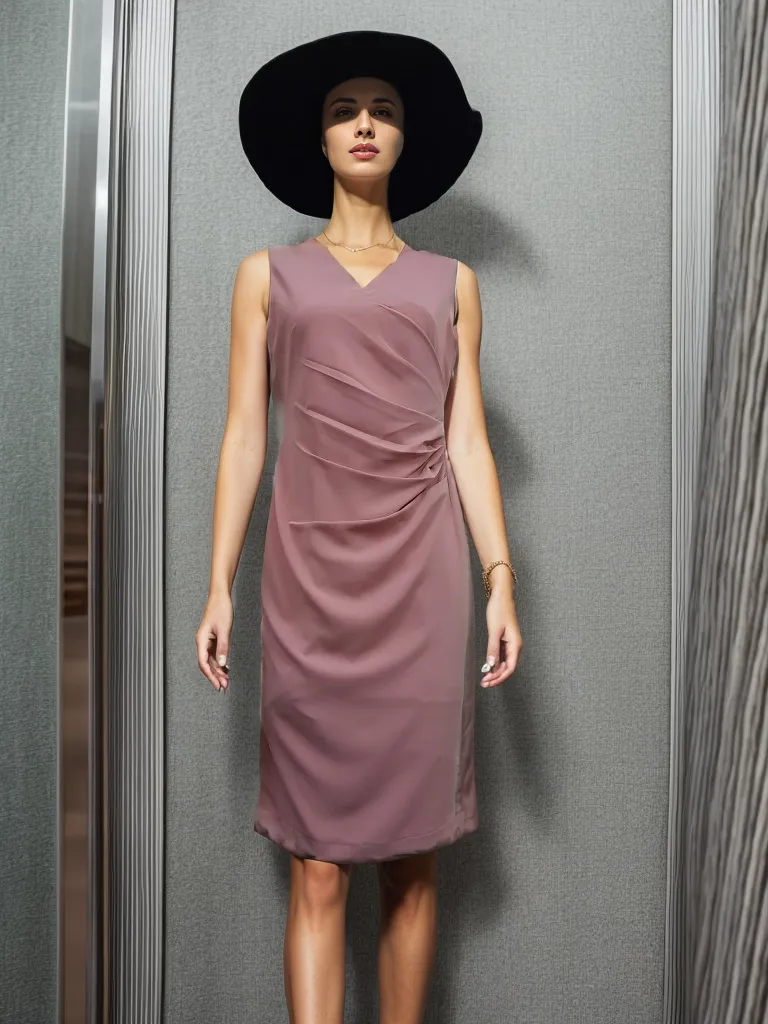
Similarly, when generating other necklines or clothing styles, providing clear descriptive text helps prevent AI from adding extraneous details. Specifying details like “round neck”, “no sleeves”, or “above the knee” in prompts improves accuracy for desired garment shapes and styles.
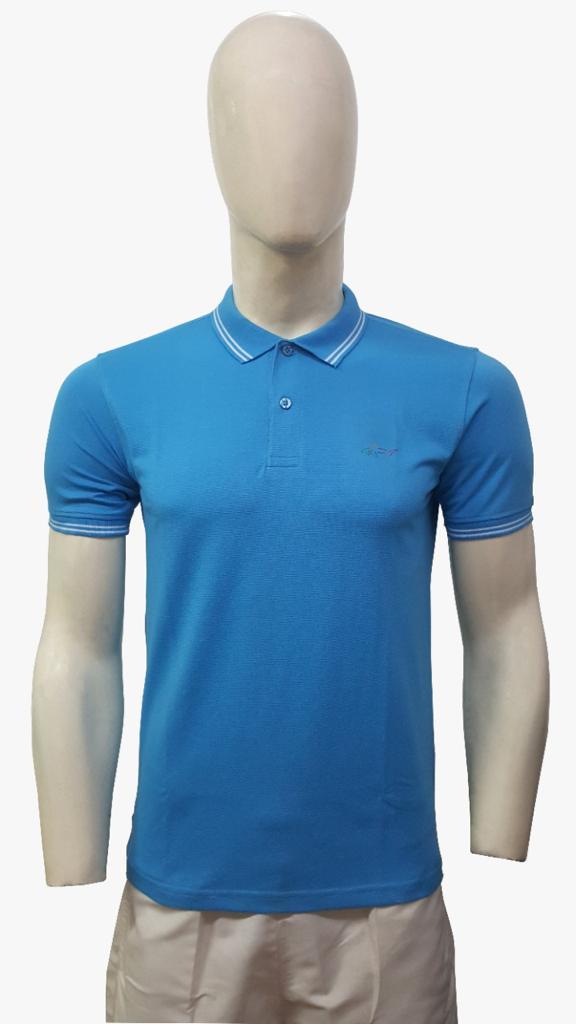
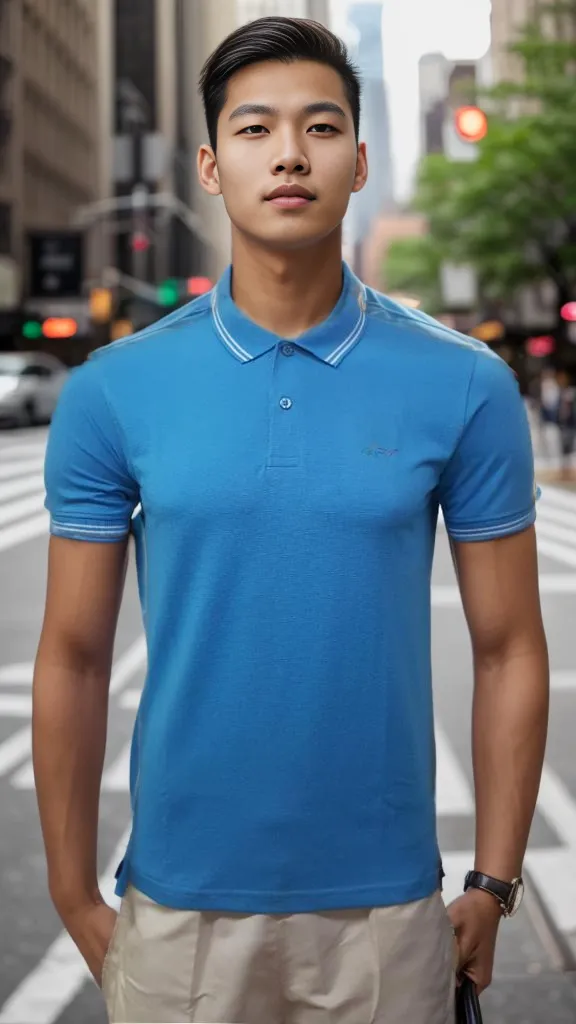
Incomplete Limbs 3D Clothing
This time we only use Prompt: Positive prompt: a handsome double-eyelid asian young man, hands down, wearing a polo shirt, walking down the street in new york. Negative prompt: cartoons, anime, bad proportions, nude, big head, no neck, extra legs, uncoordinated limbs, weird feet, weird toes, no legs, no feet.
Summary
- When using AI tools to generate clothing images, extra fabric, collars, sleeves etc may be added unintentionally. This is a common issue.
- To avoid this, provide clear text descriptions of the desired clothing style and details in prompts. For example, specify “v-neck sleeveless dress” or “round neck” etc.
- Prompt features can also help: Positive prompts describe the clothing and scene accurately. Negative prompts exclude unwanted elements like extra limbs.
- Clear descriptions and selective use of positive and negative prompts improves accuracy of AI clothing generation.