Every major e-commerce platform demands clean product images on white backgrounds. Amazon requires pure white (#FFFFFF) behind 85% of the image area. Shopify themes assume transparent PNGs for flexible compositing. The tools that remove background from product photos have evolved from manual Photoshop workflows into neural network pipelines that process thousands of SKUs overnight.


Before & After: One-click AI background removal with edge-perfect precision
Why Product Background Removal Demands Different Networks Than Portrait Matting
Product photos present challenges that portrait-optimized networks handle poorly. Products have hard geometric edges instead of soft hair boundaries. They cast precise shadows that may need selective preservation. And they come in transparent variants — glass bottles, clear packaging, acrylic displays — where the background is literally visible through the subject.
Production-grade remove background systems deploy specialized product detection heads alongside their matting networks. These heads classify the subject type (opaque solid, semi-transparent, reflective) and adjust the alpha prediction strategy accordingly.


AI precision: complex edges handled with sub-pixel accuracy
Shadow Handling: The Difference Between Clean and Clinical
Removing all shadows creates clinical floating-object syndrome. Preserving all shadows creates dirty composites on non-matching backgrounds. The sweet spot: remove cast shadows while preserving contact shadows that ground the product.
Modern networks achieve this through shadow-type classification. Contact shadows (directly beneath the object at the surface interface) occupy predictable positions and exhibit soft gradients. Cast shadows extend outward at angles determined by light direction. The network learns to distinguish these categories during training on shadow-annotated datasets.


Batch-ready output: consistent quality across every image
Batch Processing Architecture: From 10 Images to 10,000
Single-image processing is straightforward: load, infer, save. Batch processing at scale introduces queuing, memory management, and format standardization challenges.
WeShop’s batch mode handles these transparently: upload a folder of mixed-format images, receive uniformly processed PNGs with consistent alpha channel quality. The pipeline automatically adjusts inference resolution per image based on subject complexity — simple geometric products process faster than intricate jewelry.
Post-removal, batch outputs feed directly into AI Product for automated scene placement, or into Image Enhancer for resolution upscaling.

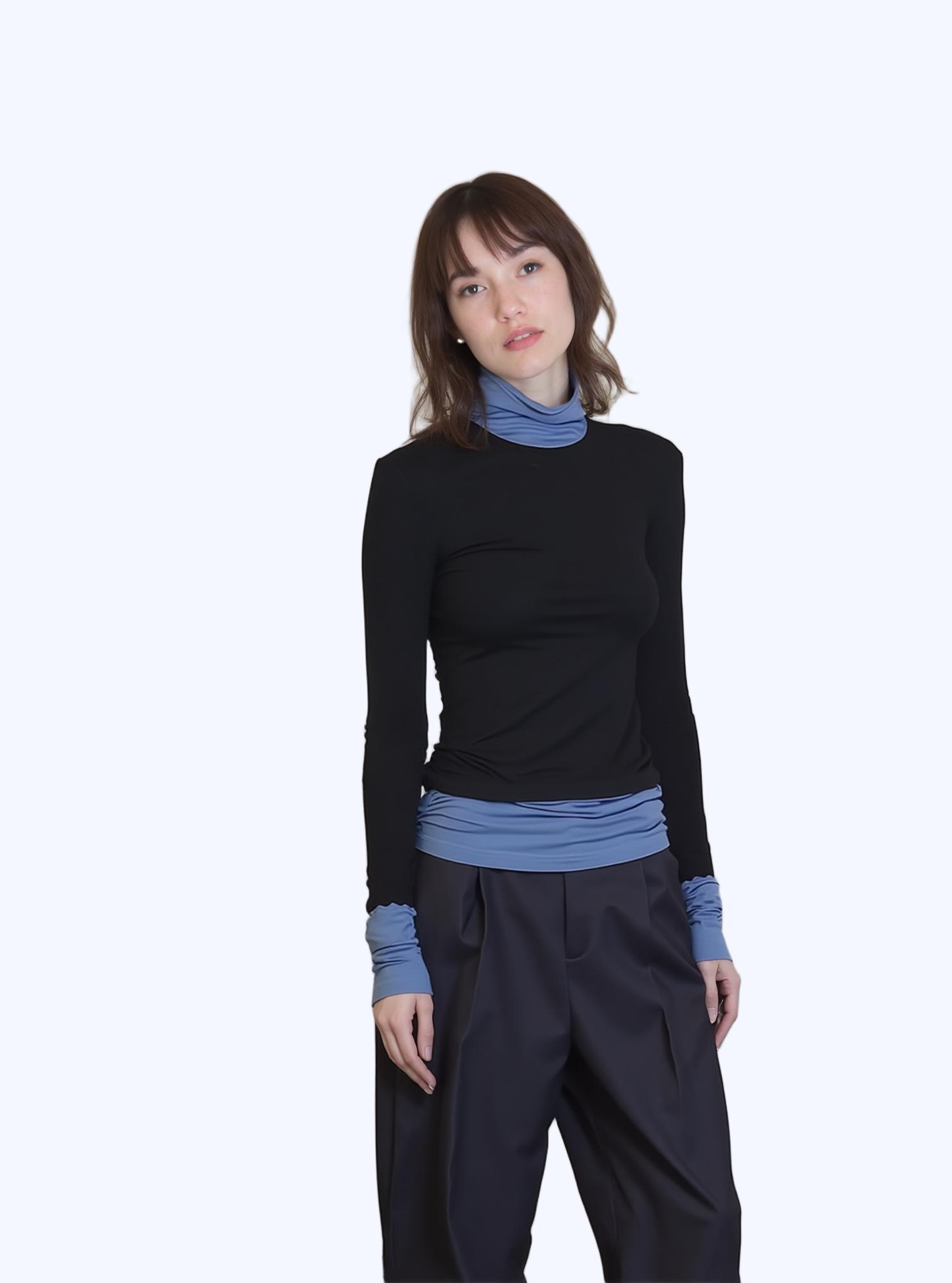
Production-grade matting: ready for compositing and publishing
Quality Metrics: How to Evaluate Remove Background Output at Scale
Manual inspection doesn’t scale beyond 50 images. For large catalogs, establish automated quality checks: alpha channel histogram analysis (clean cutouts show bimodal distribution with peaks at 0 and 255), edge smoothness measurement (Laplacian variance along the matte boundary), and subject completeness verification (no clipped regions).
Flag images that fail these automated checks for manual review. A well-tuned pipeline achieves >95% first-pass acceptance rate, reducing human review to the genuinely challenging cases.
Expert FAQ
Q: Does image resolution affect remove background quality?
A: Yes. Higher resolution provides more edge detail. Upload at least 2000px on the longest side for production use.
Q: Can AI handle transparent or reflective products?
A: Modern matting networks assign per-pixel transparency values, correctly preserving glass, water, and reflective surfaces while removing the actual background.
Q: How does batch processing maintain quality consistency?
A: Neural networks apply identical processing logic to every image. Quality on image #500 is mathematically identical to image #1.
Q: What output formats are available after background removal?
A: PNG for transparency, WebP for optimized web delivery with transparency, JPEG for solid-color backgrounds. Choose based on your downstream workflow.
Q: How does remove background AI differ from portrait mode blur?
A: Portrait mode blurs the background but keeps it present. AI background removal physically separates foreground from background, producing a transparent layer for true compositing flexibility.
© 2026 WeShop AI — Powered by intelligence, designed for creators.