You are probably tired of seeing that monthly charge on your bank statement. Expensive editing software costs a lot of money. Most of us only use a fraction of those fancy features anyway. What you really need is a free ai photo editor that gets the job done quickly. You want crisp, clean, and vibrant images without the steep learning curve. The good news is that high-end photography is no longer just for professionals with big budgets.
The Shift Toward the Free AI Photo Editor
For years, high-quality editing was locked behind a paywall. You had to buy expensive licenses or subscribe to monthly plans. Now, the technology has changed. A free ai photo editor can often do what a human retoucher takes hours to finish. The AI looks at your photo and understands the context. It knows the difference between a person’s face and the sky. This intelligence allows the tool to make smart choices for you.
You do not need a powerful computer to run these tools. Most of them live in your web browser. This means you can edit from an old laptop or even a tablet. It is about making creativity accessible to everyone. You should not have to pay a “creativity tax” just to make your photos look decent.
Why You Should Choose an AI Photo Editor Online Free
Convenience is the biggest reason to use an ai photo editor online free. There is nothing to download. There are no annoying updates to install. You simply go to the website and start working. This is perfect for people who travel or work from different devices.
Most of these online tools are very light. They use cloud servers to do the heavy lifting. This keeps your own computer running fast. You get the benefit of massive processing power without owning a supercomputer. It is a win-win for your workflow and your wallet.
Speeding Up Your Daily Workflow with Free AI Photo Editor
Time is the one thing you cannot buy more of. If you spend three hours editing one photo, you are losing money. A free ai editor cuts that time down to seconds. It automates the repetitive tasks that everyone hates.
Think about adjusting brightness or fixing white balance. These things used to be manual chores. Now, the AI detects the lighting environment instantly. It applies the perfect fix before you even click a second button. You can spend more time taking photos and less time staring at a screen.
The Financial Benefits of Free Tools
The savings add up faster than you think. A standard software subscription can cost over $200 a year. Over five years, that is $1,000. You could spend that money on a new lens or a better camera. By switching to a free ai photo editor, you are investing back into your craft.
Small business owners especially benefit from this. When you are starting out, every dollar matters. You need professional-looking product shots to sell. Using a free tool allows you to compete with big brands. You get the same “polished” look for a total cost of zero dollars.
How to Find the Best Free AI Photo Editor
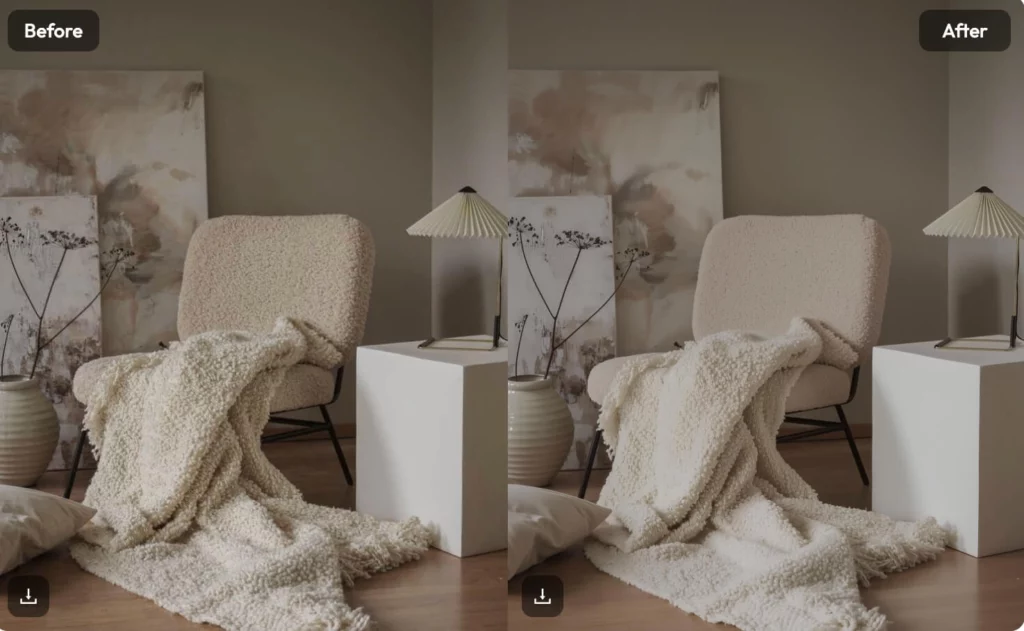
Not all free tools are actually good. Some are filled with annoying ads. Others put a giant watermark on your final image. When looking for the best ai photo editor, you need to test the output quality. Does the image stay sharp? Are the colors natural?
The best tools are the ones that stay out of your way. They should have a clean interface. You should not feel lost when you open the page. Look for a tool that offers a variety of features in one place. You want to be able to crop, enhance, and retouch without switching tabs.
Learning to Retouch Pictures Like a Professional
To retouch pictures well, you used to need years of practice. You had to learn about layers, masks, and frequency separation. It was like learning a new language. Today, the AI acts as your personal photo retouching assistant.
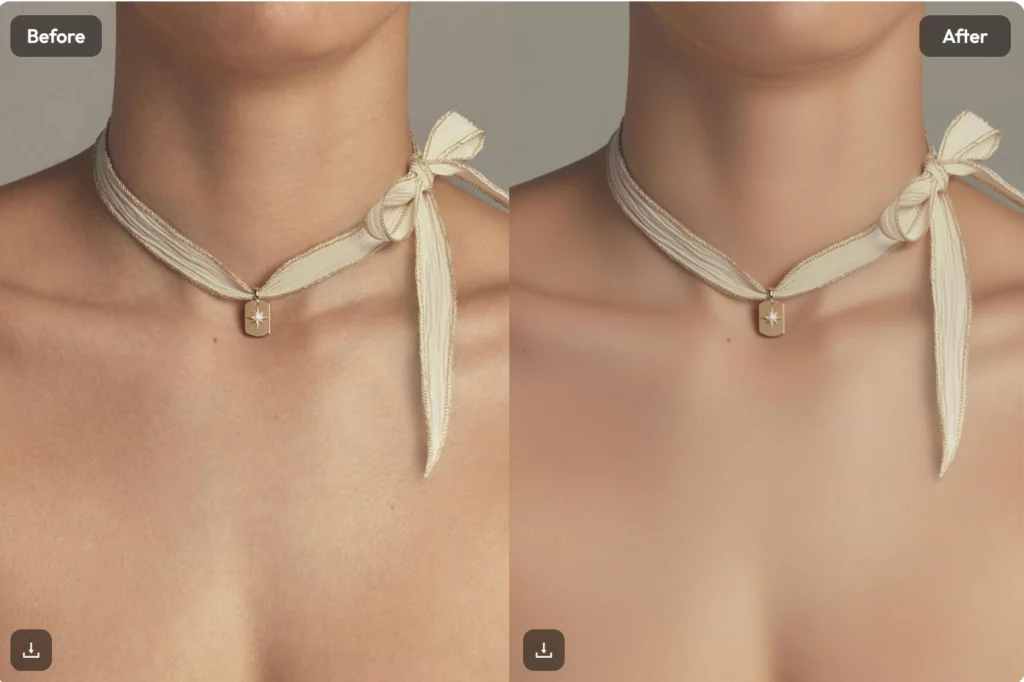
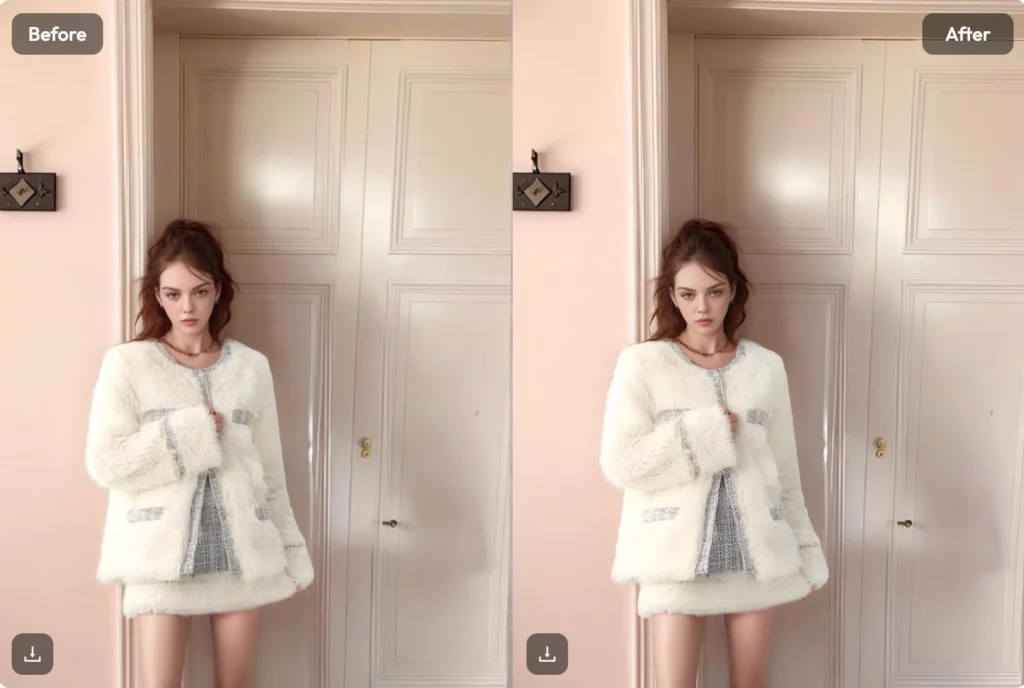
The AI identifies skin textures and keeps them looking real. It can remove a stray hair or a blemish in one tap. The goal is to make the subject look their best, not “fake.” Modern AI is much better at subtle changes than older filters. It respects the original anatomy of the face.
The Magic of Automatic Background Removal
One of the most powerful features is background removal. In the past, this was a nightmare. You had to trace the edges of an object perfectly. If the subject had messy hair, it was almost impossible.
A quality free ai photo editor handles this in one second. It cuts out the subject with incredible precision. You can then drop that subject onto a clean white background. This is a game-changer for anyone selling items on eBay or Amazon. It makes your listings look like they were shot in a studio.
Why Every Content Creator Needs a Photo Retoucher Tool
Social media moves fast. You need to post every day to stay relevant. You cannot wait for a professional photo retoucher to send back files. You need to be your own editor.
Having an AI tool on hand means you can fix a photo right after you take it. If the sun was too bright, you fix it. If the colors are dull, you pop them. This keeps your feed looking consistent and high-end. Consistency is what builds a loyal following online.
Mastering Your Free AI Photo Editor Workflow
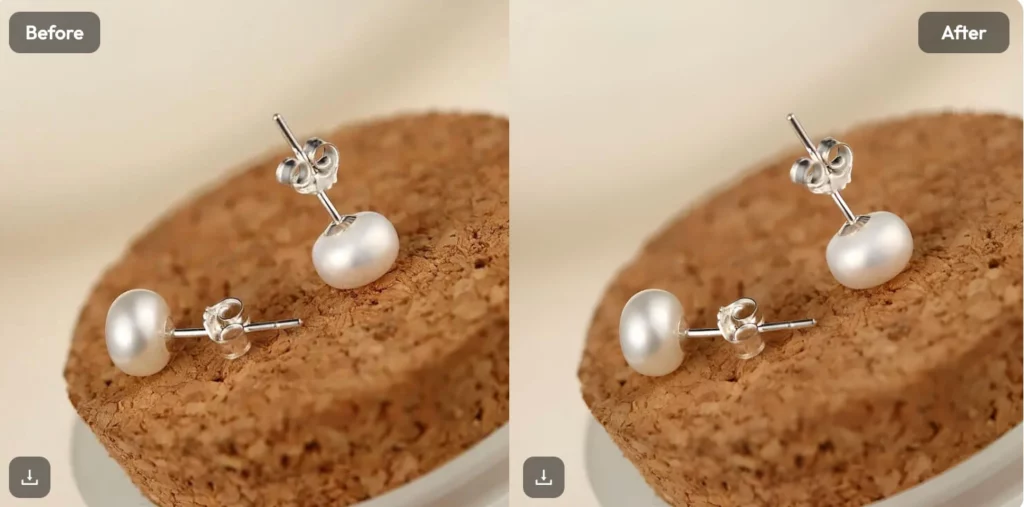
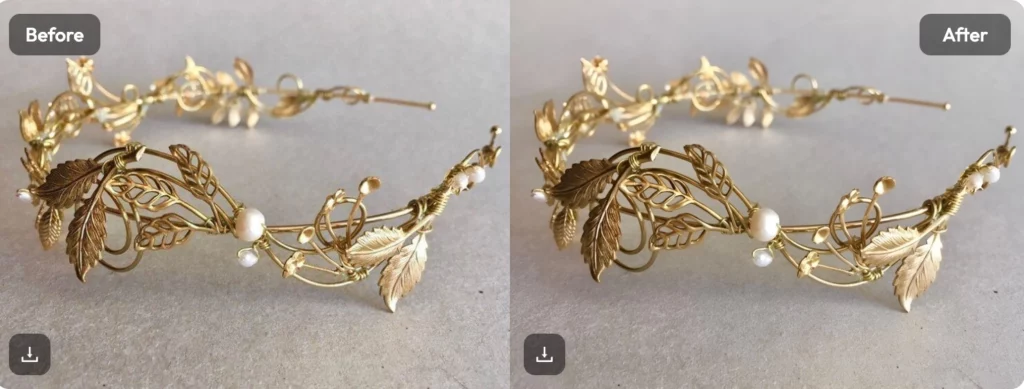
Using the tool is easy, but having a strategy is better. Do not just click every button. Start with the “Auto-Enhance” feature to see what the AI suggests. Often, the AI gets it 90% right on the first try. You can then make small manual tweaks to get it perfect.
Try to work in a logical order. Fix the lighting first. Then move on to the colors. Save the fine details, like skin retouching, for the end. This prevents you from over-editing. A good editor knows when to stop. The AI helps you find that balance.
High-Resolution Exports and Quality Control
A common worry is that free tools ruin image quality. This is why you must choose your free ai editor wisely. Some tools compress your files too much. Always check the export settings before you save.
You want to keep as much detail as possible. Look for tools that allow you to save in PNG or high-quality JPEG formats. If the file size is too small, you might lose the sharpness. Always zoom in on the eyes and hair after an export. If they look clear, you are good to go.
Avoiding the “Over-Processed” Look
AI is powerful, but it can be tempting to go too far. Many people turn the “smooth skin” setting up to 100%. This makes people look like dolls. The best ai photo editor tools allow you to adjust the intensity.
Always try to keep some “flaws.” Skin needs pores to look real. Shadows need to exist to give depth. Use the AI to enhance what is already there. Do not try to create a brand-new person. Natural beauty always performs better than heavy editing.
The Importance of Lighting and Contrast
Lighting is the foundation of every great photo. A free ai photo editor can fix a lot, but it works best with good data. If your photo is too dark, the AI might add “noise” when it brightens it.
Try to use the contrast slider to add drama. Contrast separates the subject from the background. It makes the image “pop” off the screen. Most AI tools have a “Smart Contrast” feature. This avoids blowing out the highlights while keeping the shadows deep.
Why You Should Stop Using Manual Editors
Manual editing is a great skill to have. However, it is no longer a requirement for success. Most professional photographers are moving toward AI-assisted workflows. It simply makes sense. Why do something manually if a machine can do it better and faster?
Using a free ai photo editor does not make you “less” of a creator. It makes you a more efficient one. It allows you to focus on the “why” instead of the “how.” You can focus on the story you are telling. The AI handles the technical pixels.
Building a Consistent Brand Image with Free AI Photo Editor
If you are a business owner, your brand is everything. You want all your photos to have the same “vibe.” You can create a custom preset in many AI tools. This allows you to apply the same look to every photo you upload.
This creates a cohesive look for your website. When a customer scrolls through your products, nothing feels out of place. This level of professionalism used to cost thousands of dollars. Now, you can do it for free in your spare time.
The Role of AI in Creative Experimentation
Because the tools are free, you can experiment more. You can try bold colors or weird crops. If you don’t like it, you just hit “undo.” There is no risk involved. This encourages you to find your own unique style.
Most people find their best “look” by accident. They were playing with a slider and found something they loved. A free ai photo editor is the perfect playground for this. You can push the limits of your images without any pressure.
The Future of the Best AI Photo Editor Technology
AI is getting smarter every single day. We are seeing features that were science fiction five years ago. We can now expand the borders of a photo using “Generative Fill.” We can change the season from summer to winter in one click.
Staying with a free ai photo editor keeps you at the edge of this technology. These web-based tools update automatically. You always have the newest features the moment they are released. You are never stuck with an “old” version of a program.
Conclusion: Take Back Your Creative Freedom
You no longer have to be a slave to expensive software. The barrier to entry has vanished. Whether you want to retouch pictures for fun or for profit, the tools are ready. A free ai photo editor provides everything you need to succeed. It is fast, efficient, and most importantly, it is free.
Stop paying for things you don’t need. Start using the power of artificial intelligence to elevate your work. Your photos will look better, and your bank account will look better too. Give it a try today and see the transformation for yourself.